Pecos County Certificate of Trust Form
Last validated June 17, 2026 by our Forms Development Team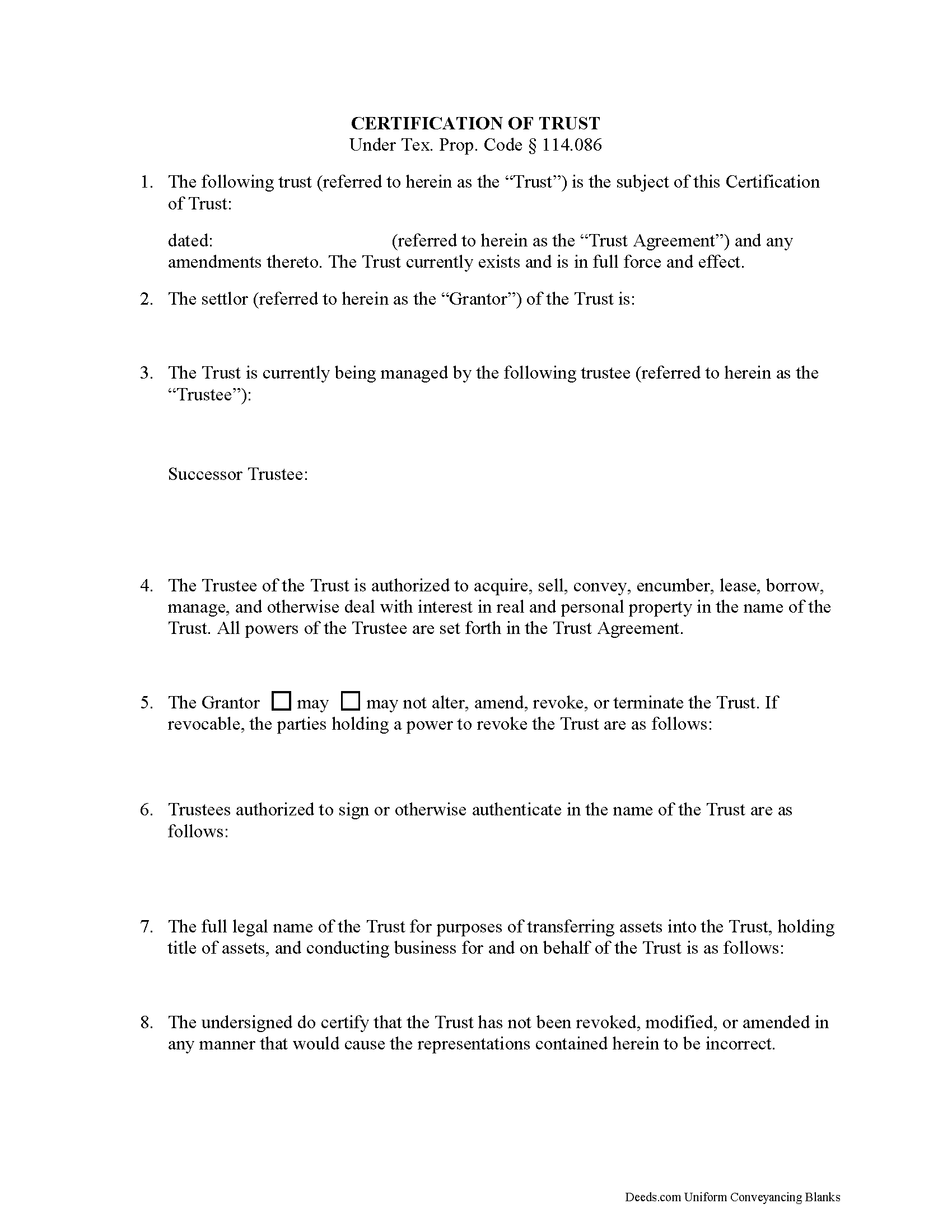
Pecos County Certificate of Trust Form
Fill in the blank form formatted to comply with all recording and content requirements.
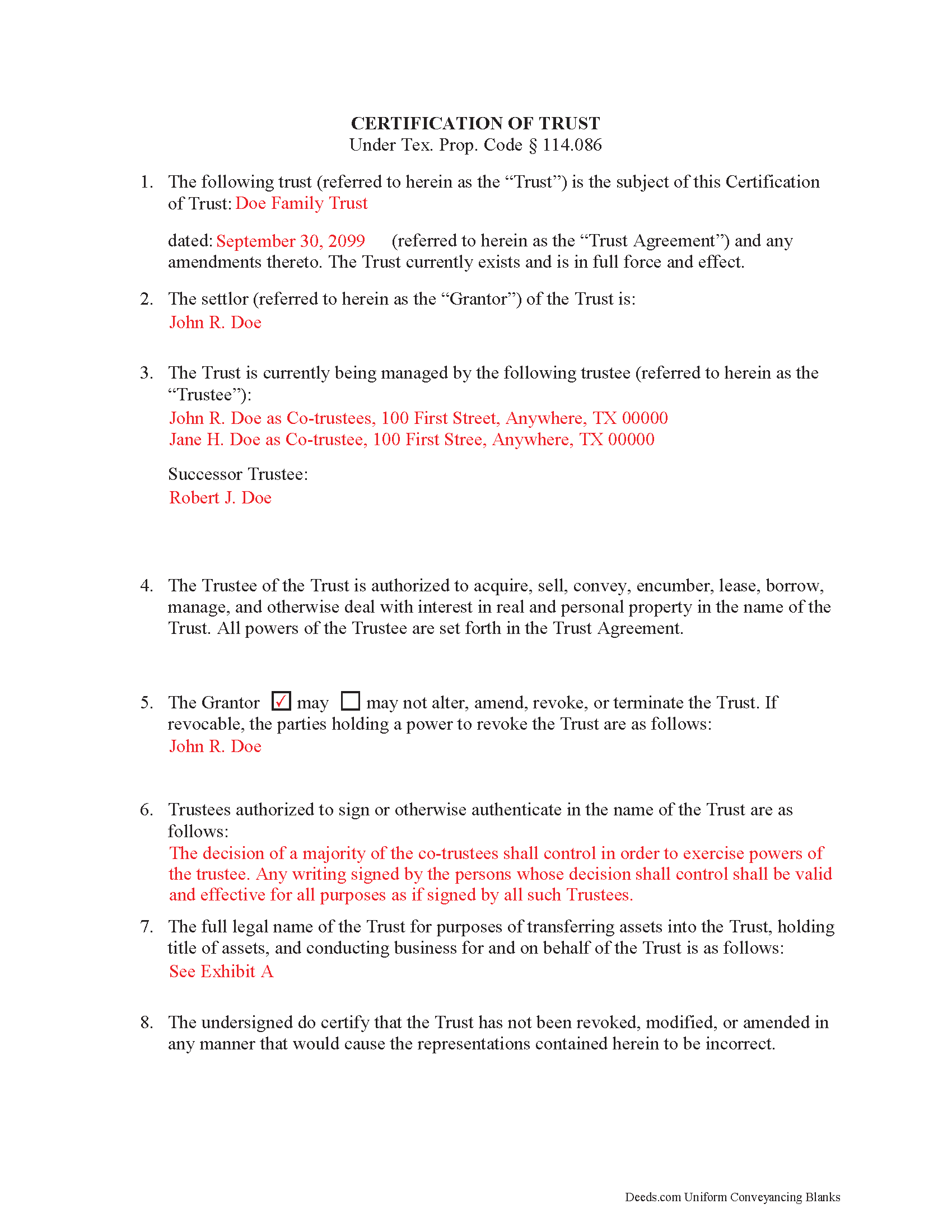
Pecos County Completed Example of the Certificate of Trust Document
Example of a properly completed form for reference.
All 2 documents above included • One-time purchase • No recurring fees
Immediate Download • Secure Checkout
Additional Texas and Pecos County documents included at no extra charge:
Where to Record Your Documents
Pecos County Clerk
Fort Stockton, Texas 79735
Hours: Monday - Friday 8:00am - 5:00pm
Phone: (432) 336-7555
Recording Tips for Pecos County:
- Ensure all signatures are in blue or black ink
- Recording fees may differ from what's posted online - verify current rates
- Ask about their eRecording option for future transactions
- Check margin requirements - usually 1-2 inches at top
- Have the property address and parcel number ready
Cities and Jurisdictions in Pecos County
Properties in any of these areas use Pecos County forms:
- Coyanosa
- Fort Stockton
- Girvin
- Imperial
- Iraan
- Sheffield
Hours, fees, requirements, and more for Pecos County
How do I get my forms?
Forms are available for immediate download after payment. The Pecos County forms will be in your account ready to download to your computer. An account is created for you during checkout if you don't have one. Forms are NOT emailed.
Are these forms guaranteed to be recordable in Pecos County?
Yes. Our form blanks are guaranteed to meet or exceed the applicable formatting requirements used for recording in Pecos County, including margin requirements, font requirements, and other layout standards. This guarantee applies to formatting, not to the legal sufficiency of information entered by the user or the suitability of a form for a particular transaction.
Can I reuse these forms?
Yes. You can reuse the forms for your personal use. For example, if you have multiple properties in Pecos County you only need to order once.
What do I need to use these forms?
The forms are PDFs that you fill out on your computer. You'll need Adobe Reader (free software that most computers already have). You do NOT enter your property information online - you download the blank forms and complete them privately on your own computer.
Are there any recurring fees?
No. This is a one-time purchase. Nothing to cancel, no memberships, no recurring fees.
How much does it cost to record in Pecos County?
Recording fees in Pecos County vary. Contact the recorder's office at (432) 336-7555 for current fees.
Questions answered? Let's get started!
A certification of trust is a document that contains relevant details about an established trust containing real property. It is governed by Texas Property Code Sec. 114.086. A certification of trust validates the existence of the trust by identifying its full name, the date it was established, the names of the settlor (grantor) and trustees, the trustees' powers, and other details as needed. This is important because it allows the actual trust agreement, which is generally not recorded, to remain private.
The form is executed by the trustee and signed by the trustee and grantor (who can be the same person) and recorded in the office of the county recorder in any Texas county in which all or a portion of the real property is located. In order to facilitate a transfer of real property into a trust, financial institutions may require the trustee to furnish a certification of trust. In addition, third parties may request a certification of trust to confirm the trustee has the authority to transfer real property out of the trust.
(Texas Certificate of Trust Package includes form, guidelines, and completed example)
Important: Your property must be located in Pecos County to use these forms. Documents should be recorded at the office below.
This Certificate of Trust meets all recording requirements specific to Pecos County.
Our Promise
The documents you receive here are guaranteed to meet or exceed the applicable Pecos County recording format requirements. If there is a rejection caused by our formatting, we will correct the issue or refund your payment. This guarantee applies to document formatting only and does not extend to information entered by the user, the selection of the form, or the legal effect of the completed document.
Save Time and Money
Get your Pecos County Certificate of Trust form done right the first time with Deeds.com Uniform Conveyancing Blanks. At Deeds.com, we understand that your time and money are valuable resources, and we don't want you to face a penalty fee or rejection imposed by a county recorder for submitting nonstandard documents. We constantly review and update our forms to meet rapidly changing state and county recording requirements for roughly 3,500 counties and local jurisdictions.
4.8 out of 5 - ( 4740 Reviews )
david h.
April 24th, 2020
very convenient...
Thank you!
James B.
May 6th, 2019
All required forms readily available at fair price. Easy to create account. Immediately acquired documents upon order.
We appreciate your business and value your feedback. Thank you. Have a wonderful day!
Preston P.
January 12th, 2023
Filled my need for the documents needed. thank you, I am sure I will return soon.
We appreciate your business and value your feedback. Thank you. Have a wonderful day!
Rita M.
January 12th, 2019
Forget what I just wrote! I found it. Thank You! This is a very convenient service.
That's great to hear Rita, thanks for following up.
Alana G.
March 26th, 2021
I was very pleased. It was the form I needed. I was getting discouraged by companies that wanted me to sign up for monthly payments just to get the one form I needed. I prefer your system of paying for what I get. Thank you so much!
Thank you for your feedback. We really appreciate it. Have a great day!
William C.
September 9th, 2020
Good service, great price, the website is a bit hard to maneuver in places.
Thank you for your feedback. We really appreciate it. Have a great day!
Janice T.
September 14th, 2020
The downloads were a great help in understanding of both what a Warranty Deed was and how to follow the steps as well as filling out the forms.
Thank you for your feedback. We really appreciate it. Have a great day!
Larry M.
August 19th, 2021
Everything went well except that any information that I typed in on the computer download moves upward so that the letters or numbers are somewhat elevated above the line that should be even with the words on the form. I think it will be acceptable to the county recorder, but I don't especially like to submit things that appear uneven. I asked for help but just received a robotic reply that said to take steps that I already had done. So unless you know a way to correct this I likely won't use your forms again.
Thank you!
Cynthia E.
June 1st, 2019
good source
Thank you!
Robby T.
February 16th, 2022
Most people coming to this sight will not have the knowledge for deeds. Therefore, I wish there were more instructions on when the Grantor signs and when the Grantee signs and the process steps to making the transaction final. I would give it 4 out of 5 starts
Thank you for your feedback. We really appreciate it. Have a great day!
John B.
December 20th, 2025
I purchased the Notice of Completion form because the City of Chula Vista did not have a "fillable" version of this form on their website. The Deeds.com version of this form is somewhat different than the City's version (8 numbered paragraphs vs. 11 numbered paragraphs.) However, it contains the same information in a different format. This form provided more blank space to fill in important items- like a long ownership name- than the version on the City's website. The recorder's office was satisfied with this form as I hand-delivered it to the Recorder's Office and they approved it for recording. Overall, I found this form easy to use and found the extra blank space for writing on the form helpful. My one comment for possible improvement is: it would be even more helpful (particularly for attorney users) to have strike-out capability. I would have liked having the ability to strike-out inapplicable portions of long awkward sentences. Still, I would use this form again.
Your feedback means a lot to us. Thank you.
Janet M.
February 9th, 2024
Deed.com is an amazing site. After calling many places and going on many websites to figure out what I needed to submit (most counties cannot help with questions and the place I needed to turn the documents into could not help either, they are not allowed to give legal advice) I came across Deeds.com. It has been so helpful and I was able to research what documents I needed. I purchased one document and after more research I realized I needed a different document. Deed.com refunded my first purchase. I then purchased an Affidavit of Death and a Deed for the county and state I needed them for. Both the example and guide were very helpful and I will be submitting my documents after I have them notarized. I give five stars
Your feedback is greatly appreciated. Thank you for taking the time to share your experience!
Beverly D.
June 4th, 2022
Deeds.com was a great experience in helping me get some important documents recorded.I would recommend them to anyone wanting documents recorded in a timely manner.
We appreciate your business and value your feedback. Thank you. Have a wonderful day!
Donna F.
March 4th, 2019
Straight forward easy to understand completing my document. The guide readily explained filing all portions of the document.
Thank you Donna, we appreciate your feedback.
Shawn B.
November 17th, 2021
Deeds.com support is very quick and responsive. Would use again and recommend to others in need of e-recording.
Thank you for your feedback. We really appreciate it. Have a great day!