Kerr County Warranty Deed to Trustee Form
Last validated November 24, 2026 by our Forms Development TeamFormatted for recording in Kerr County, for property anywhere in the county: rural and unincorporated areas as well as Center Point, Hunt, Ingram, Kerrville, Mountain Home.
- 3 documents included
- Immediate PDF download
- Formatting guarantee
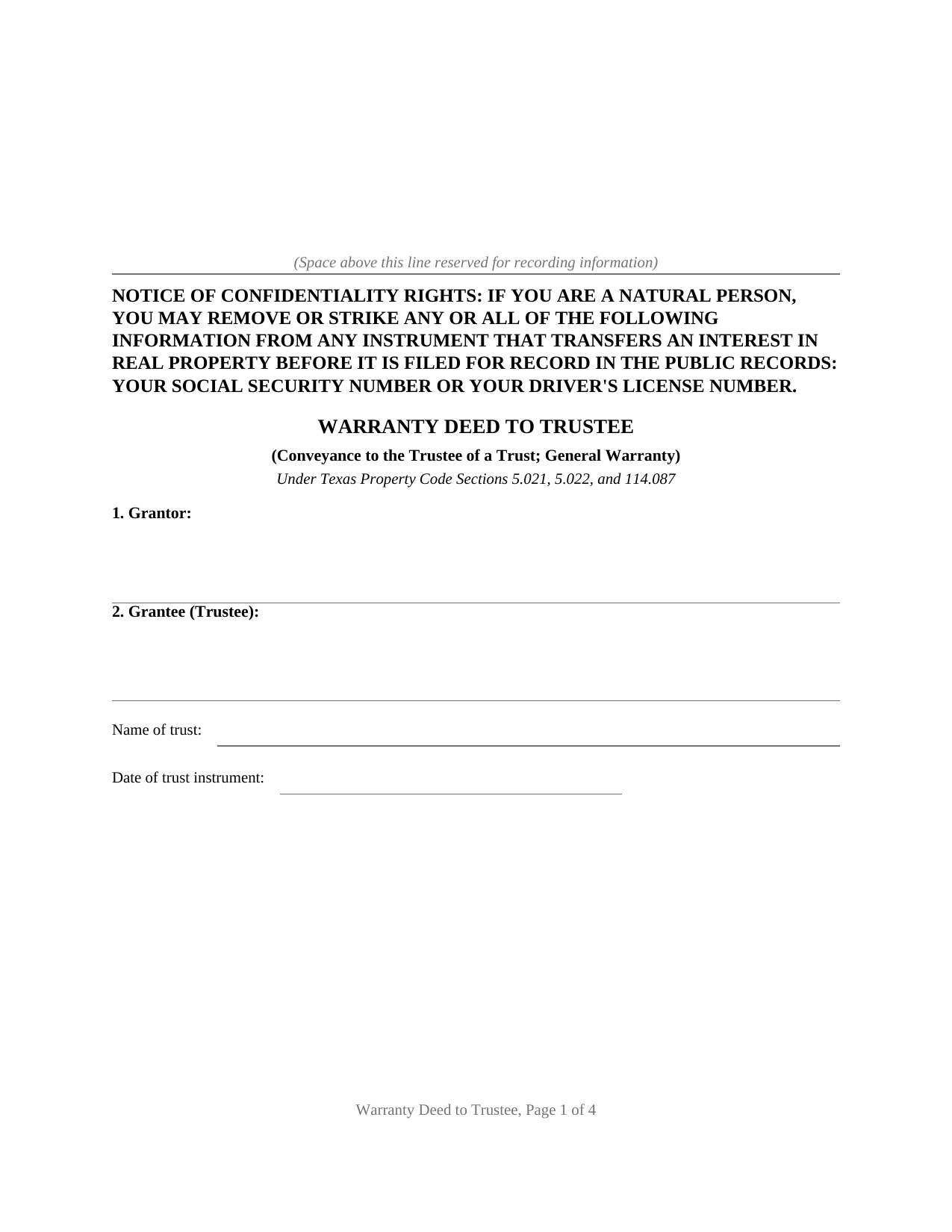
Kerr County Warranty Deed to Trustee Form
Fill in the blank Warranty Deed to Trustee form formatted to comply with all Texas recording and content requirements.
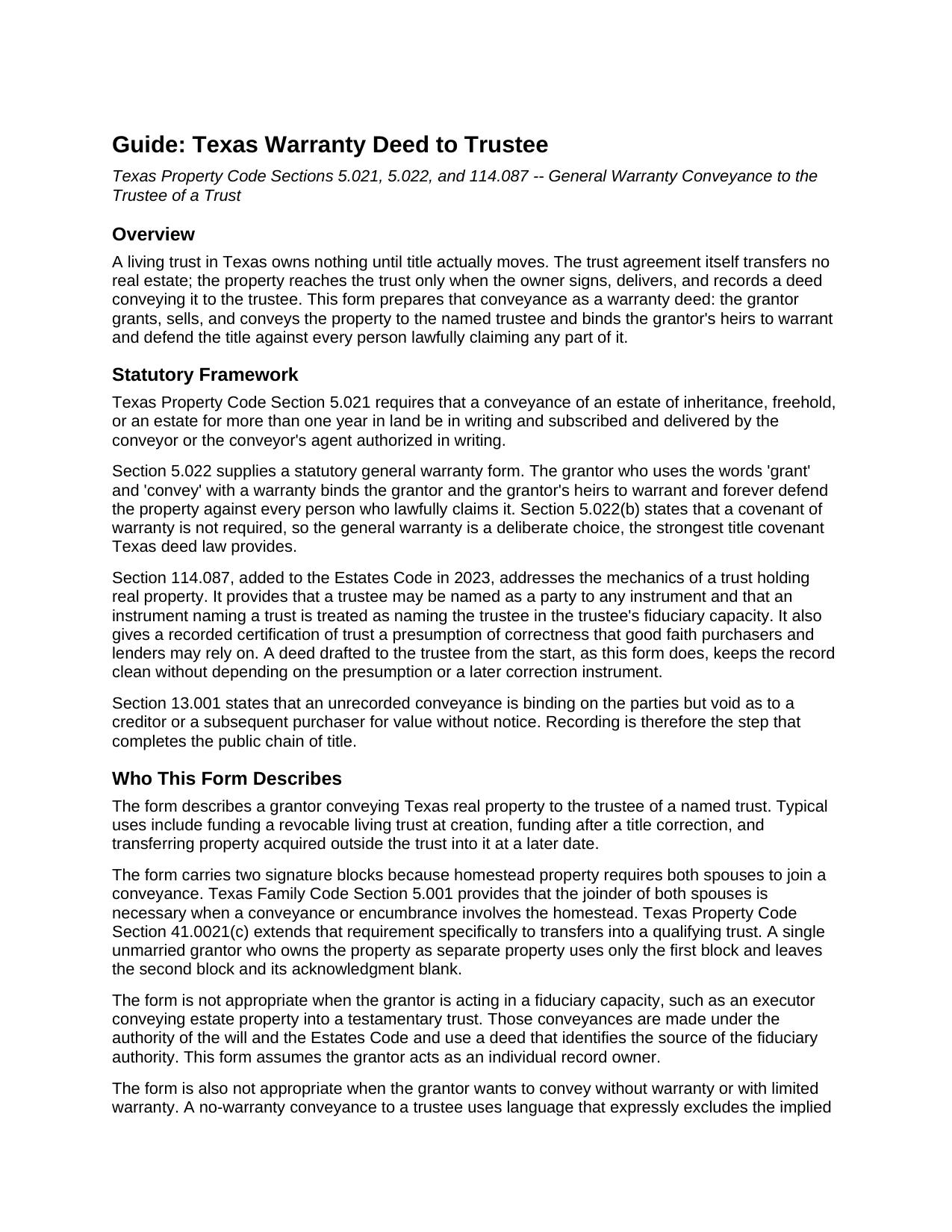
Kerr County Warranty Deed to Trustee Guide
Line by line guide explaining every blank on the Warranty Deed to Trustee form.
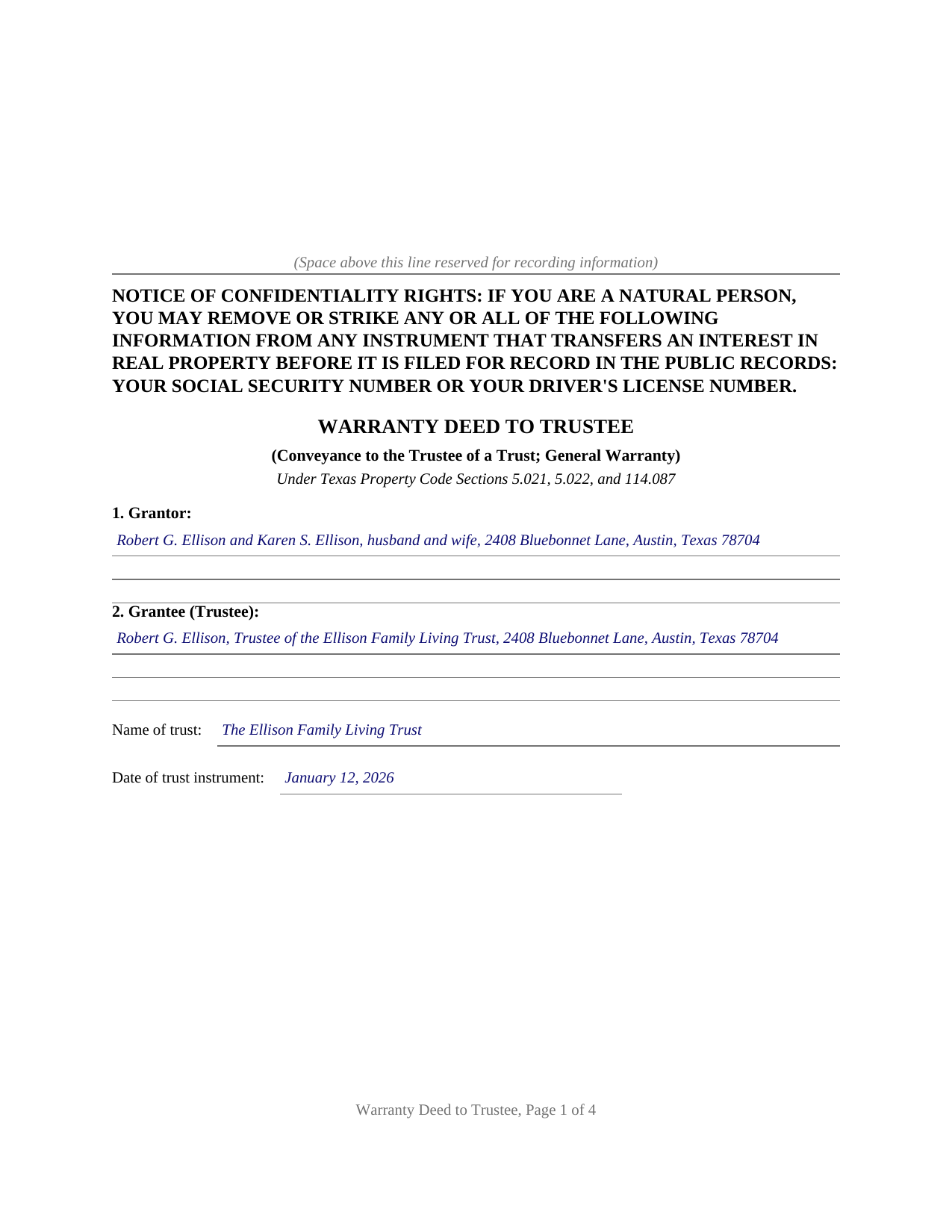
Kerr County Completed Example of the Warranty Deed to Trustee Document
Example of a properly completed Texas Warranty Deed to Trustee document for reference.
All 3 documents above included • One-time purchase • No recurring fees
Immediate Download • Secure Checkout
Additional Texas and Kerr County documents included at no extra charge:
Where to Record Your Documents
Kerr County Clerk
Kerrville, Texas 78028
Hours: Monday-Friday 8am-5pm
Phone: (830) 792-2255
Recording Tips for Kerr County:
- Bring your driver's license or state-issued photo ID
- Ensure all signatures are in blue or black ink
- Check that your notary's commission hasn't expired
- Documents must be on 8.5 x 11 inch white paper
- Double-check legal descriptions match your existing deed
Cities and Jurisdictions in Kerr County
Properties in any of these areas use Kerr County forms:
- Center Point
- Hunt
- Ingram
- Kerrville
- Mountain Home
Hours, fees, requirements, and more for Kerr County
How do I get my forms?
Forms are available for immediate download after payment. The Kerr County forms will be in your account ready to download to your computer. An account is created for you during checkout if you don't have one. Forms are NOT emailed.
Are these forms guaranteed to be recordable in Kerr County?
Yes. Our form blanks are guaranteed to meet or exceed the applicable formatting requirements used for recording in Kerr County, including margin requirements, font requirements, and other layout standards. This guarantee applies to formatting, not to the legal sufficiency of information entered by the user or the suitability of a form for a particular transaction.
Can I reuse these forms?
Yes. You can reuse the forms for your personal use. For example, if you have multiple properties in Kerr County you only need to order once.
What do I need to use these forms?
The forms are PDFs that you fill out on your computer. The free Adobe Acrobat Reader is recommended, and most PDF apps also work. You do NOT enter your property information online - you download the blank forms and complete them privately on your own computer.
Are there any recurring fees?
No. This is a one-time purchase. Nothing to cancel, no memberships, no recurring fees.
How much does it cost to record in Kerr County?
Recording fees in Kerr County vary. Contact the recorder's office at (830) 792-2255 for current fees.
Questions answered? Let's get started!
A living trust in Texas owns nothing until title actually moves. The trust agreement transfers no real estate; the property reaches the trust only when the owner signs, delivers, and records a deed conveying it to the trustee. The Texas Warranty Deed to Trustee prepares that conveyance with a covenant of general warranty, the strongest title assurance Texas deed law provides.
Title Goes to the Trustee, Not the Trust
A Texas trust is a fiduciary relationship rather than a legal entity, so legal title to trust real estate belongs to the trustee. This deed names the grantee accordingly: the trustee, identified by name and mailing address, together with the trust's full name and the date of the trust instrument. Since 2023, Property Code Section 114.087 has backstopped that architecture by treating the trustee as the named party to any instrument that names the trust, and by giving a recorded certification of trust a presumption of correctness that good faith purchasers and lenders may rely on. A deed drafted to the trustee from the start keeps the record clean without leaning on the presumption or on a later correction instrument.
A General Warranty on the Way In
The operative language follows the statutory general warranty pattern of Property Code Section 5.022: the grantor grants, sells, and conveys the property and binds the grantor and the grantor's heirs to warrant and forever defend it against every person lawfully claiming any part of it. Carrying the full covenant into the trust preserves an unbroken chain of warranties in the title, for the benefit of the trust and of anyone who later takes from the trustee. A reservations section defines what the conveyance is subject to and where the warranty stops, such as recorded easements, mineral reservations, and an existing deed of trust lien.
Homestead, Marriage, and the Qualifying Trust
Because the property conveyed is so often the family home, the form is built around Texas homestead law. Family Code Section 5.001 requires both spouses to join in a conveyance of homestead property, and Property Code Section 41.0021(c) restates that requirement for transfers into a qualifying trust, so the deed carries a second signature block and a second acknowledgment certificate for a second grantor or a joining spouse. Property Code Section 41.0021 and Tax Code Section 11.13(j) allow a properly structured qualifying trust to keep the home's creditor protection and property tax exemption after the transfer, and the guide describes how those definitions operate and what county appraisal districts look for.
Recorded in the County Where the Property Sits
The deed is recorded with the county clerk of the county where the property is located, and it is formatted for Texas recording standards, including the confidentiality notice Property Code Section 11.008 places at the top of the first page and reserved space for the clerk's recording stamp. Texas has no deed transfer tax, so the recorded deed and any exhibits are the complete recording package.
The download includes the blank deed as a fillable PDF, a completed example documenting a realistic Travis County trust funding, and a plain language guide that walks through every numbered section. The materials are informational and are not legal advice; a Texas attorney can apply these rules to a specific title or trust.
Important: Your property must be located in Kerr County to use these forms. Documents should be recorded at the county recording office listed above.
This Warranty Deed to Trustee meets all recording requirements specific to Kerr County.
Our Promise
The documents you receive here are guaranteed to meet or exceed the applicable Kerr County recording format requirements. If there is a rejection caused by our formatting, we will correct the issue or refund your payment. This guarantee applies to document formatting only and does not extend to information entered by the user, the selection of the form, or the legal effect of the completed document.
Save Time and Money
Get your Kerr County Warranty Deed to Trustee form done right the first time with Deeds.com Uniform Conveyancing Blanks. At Deeds.com, we understand that your time and money are valuable resources, and we don't want you to face a penalty fee or rejection imposed by a county recorder for submitting nonstandard documents. We constantly review and update our forms to meet rapidly changing state and county recording requirements for roughly 3,500 counties and local jurisdictions.
4.8 out of 5 - ( 4,864 Reviews )
Jennifer L L. 5 out of 5 stars
So far this has been a great experience. Very easy to use the deeds.com website and download the forms. Very nice that they give example forms and guides to help you fill out the forms. I just have to wait to make sure that the forms are accepted and recorded with no issues.
Your insights are invaluable to us and help us strive for better service. Thank you for taking the time to share your thoughts.
Kenneth C. 5 out of 5 stars
Great forms, easy to use if you have at least a sixth grade education.
Thank you!
Maria B. 5 out of 5 stars
Deeds.com has excellent customer service and great processing times! I highly recommend their services.
We appreciate your business and value your feedback. Thank you. Have a wonderful day!
Michaela D. 1 out of 5 stars
I purchased this form to add my boyfriend to the deed of our home. He owns his own business so he cannot be on our mortgage. The guide doesn't clearly explain adding a person rather than focusing on transferring during a purchase or selling of a home. For future, I'd recommend make a few different examples for those who are trying to use this for the other options a Quit Claim Deed is needed for.
Thank you for your feedback. We really appreciate it. Have a great day!
Don M. 5 out of 5 stars
Easy to set up account. If I am presented with a chance to review the service, I will do that after I have received it.
Thank you!
Mary M. 5 out of 5 stars
So easy to use. I was able to download all the forms I need, it saves a lot of time!
Thank you!
Travis S. 1 out of 5 stars
I couldn't even look for a deed because the website said that deed/title searching wasn't available. Very disappointed about it.
I'm sorry to hear that you had a disappointing experience with the website's deed/title searching feature. It can be frustrating when a feature you were hoping to use isn't available.
We do hope that you found what you were looking for elsewhere.
Karen S. 5 out of 5 stars
Excellent support! They were patient and knowledgeable.
Thank you!
Larry L. 5 out of 5 stars
I am completely satisfied. It was easy to find the correct form and download it. The instructions were very clear.
We appreciate your business and value your feedback. Thank you. Have a wonderful day!
Jeff H. 5 out of 5 stars
Fast, inexpensive, great customer service. I will definitely use them a gain.
Thank you!
Daniel C. 2 out of 5 stars
The fill-in pdf produced a messy document and several of the fields too small to accommodate the text. A tailorable MS Word document would have been far better. I would not recommend using this product.
Thank you for taking the time to share your feedback. We’re sorry to hear that the fill-in PDF did not meet your expectations, particularly with regard to formatting and field sizing.
Based on your comments, we will be reviewing the document to see where improvements can be made. Feedback like yours is genuinely helpful in identifying areas where our forms can be clearer and easier to use.
We’ve gone ahead and canceled your order and refunded your payment in full, so there’s no expectation that you use a product you wouldn’t feel comfortable recommending.
Jay B. 5 out of 5 stars
I've never had a problem locating the records I need. I can't imagine what can be done to improve the service.
Thank you!
Sara S. 5 out of 5 stars
Deed.com was very user friendly, made recording convenient and fast responses. I do recommend.
Thank you for your feedback. We really appreciate it. Have a great day!
Jordan L. 5 out of 5 stars
Quick and easy. Lets do it again!
Thank you!
Beth O. 5 out of 5 stars
Easy peasy! Thank y'all so much.
Thank you!