Charlottesville City Quitclaim Deed (Interspousal) Form
Last validated October 14, 2026 by our Forms Development TeamFormatted for recording in Charlottesville City, for property anywhere in the county or independent city: rural and unincorporated areas as well as Charlottesville.
- 3 documents included
- Immediate PDF download
- Formatting guarantee
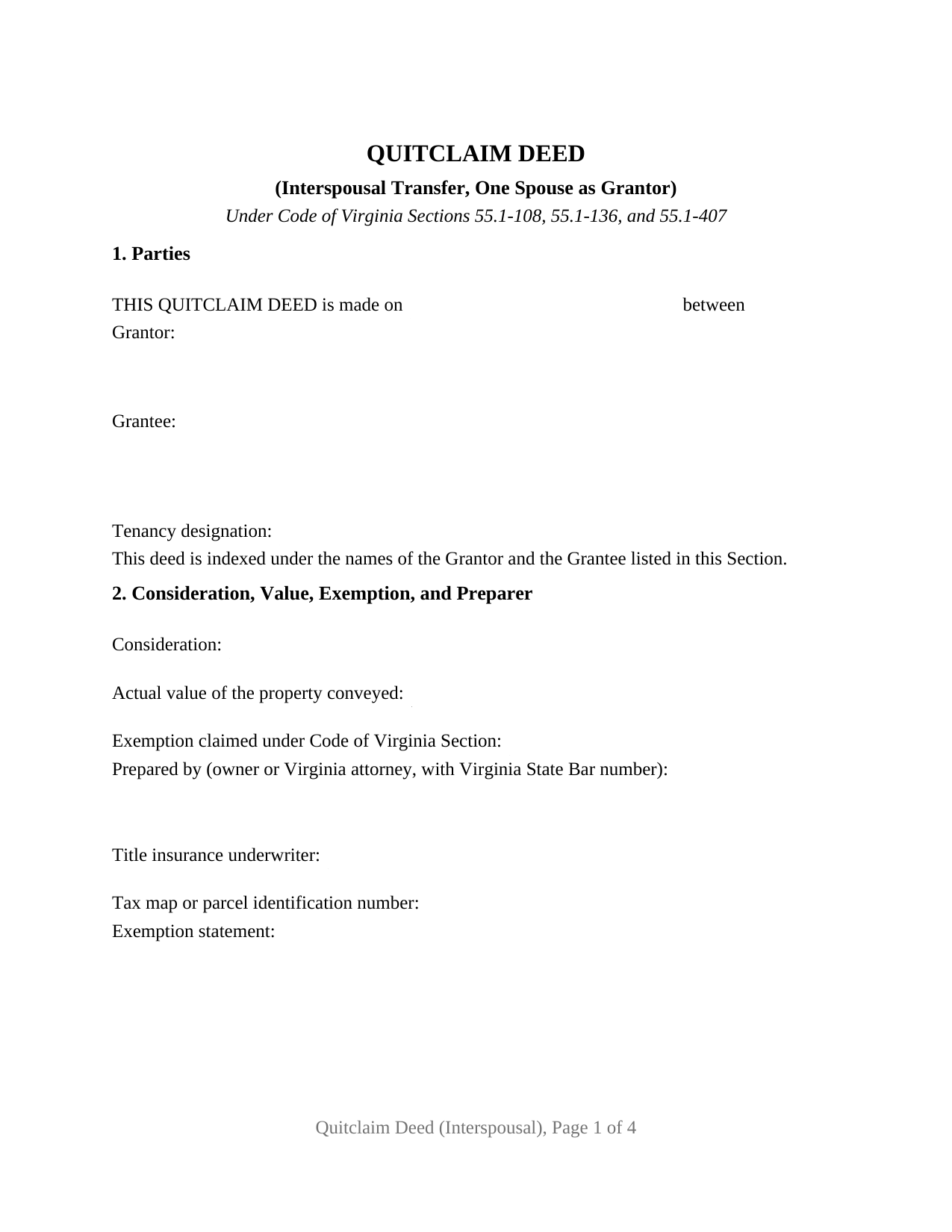
Charlottesville City Quitclaim Deed (Interspousal) Form
Fill in the blank Quitclaim Deed (Interspousal) form formatted to comply with all Virginia recording and content requirements.
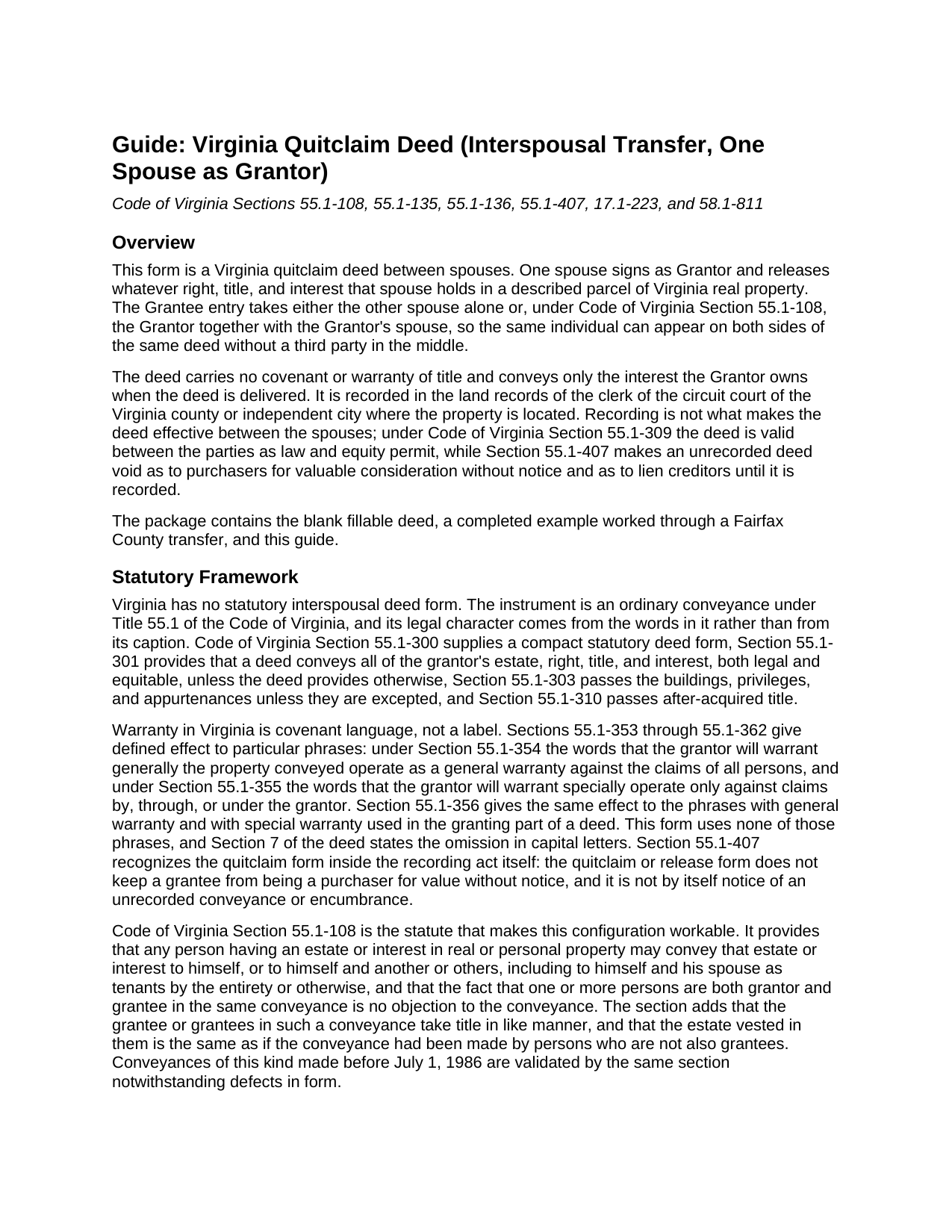
Charlottesville City Quitclaim Deed (Interspousal) Guide
Line by line guide explaining every blank on the Quitclaim Deed (Interspousal) form.
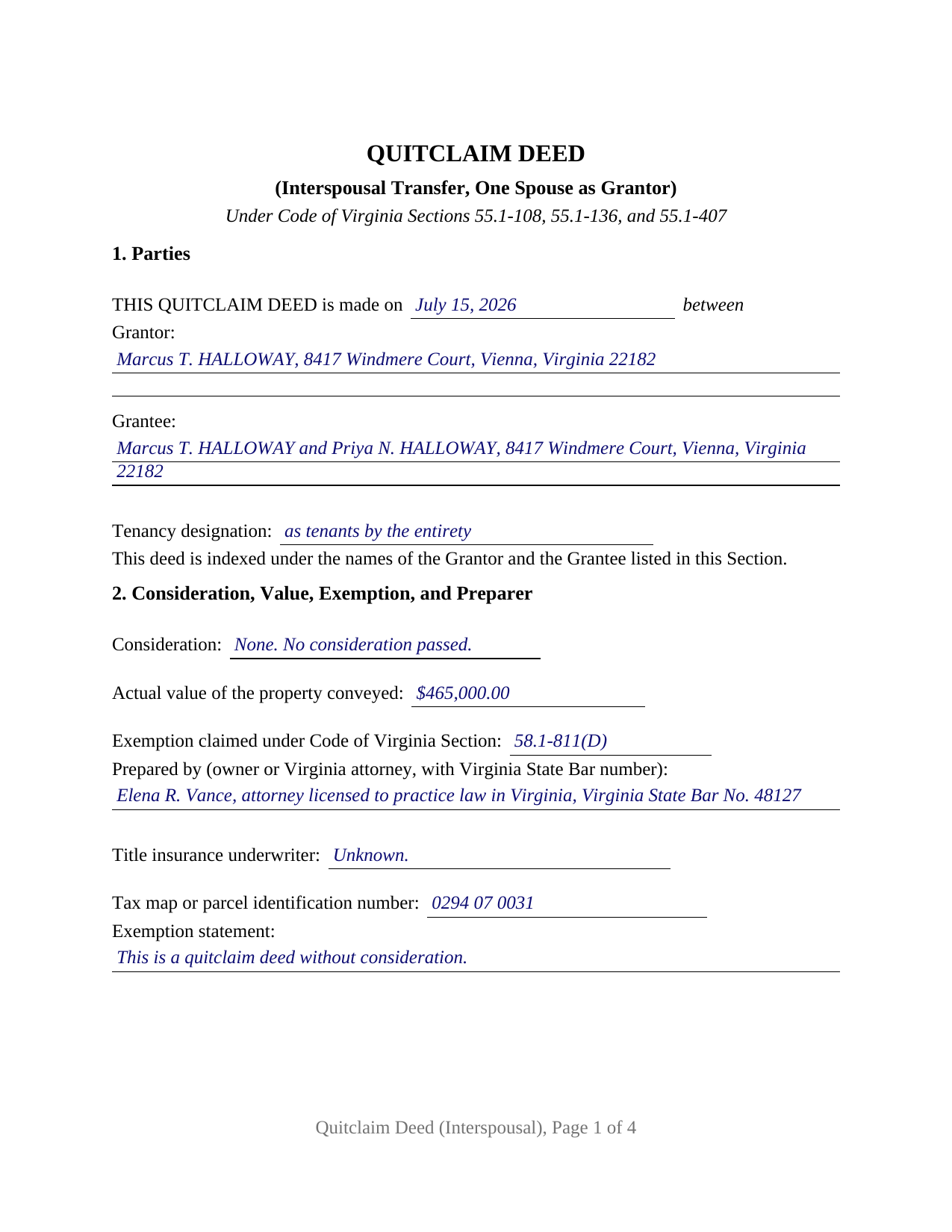
Charlottesville City Completed Example of the Quitclaim Deed (Interspousal) Document
Example of a properly completed Virginia Quitclaim Deed (Interspousal) document for reference.
All 3 documents above included • One-time purchase • No recurring fees
Immediate Download • Secure Checkout
Additional Virginia and Charlottesville City documents included at no extra charge:
Where to Record Your Documents
Circuit Court Clerk
Charlottesville, Virginia 22902
Hours: Monday - Friday 8:30 AM - 4:30 PM
Phone: 434-970-3768 /3773
Recording Tips for Charlottesville City:
- Bring your driver's license or state-issued photo ID
- Ensure all signatures are in blue or black ink
- Make copies of your documents before recording - keep originals safe
- Recorded documents become public record - avoid including SSNs
- Recording fees may differ from what's posted online - verify current rates
Cities and Jurisdictions in Charlottesville City
Properties in any of these areas use Charlottesville City forms:
- Charlottesville
Hours, fees, requirements, and more for Charlottesville City
How do I get my forms?
Forms are available for immediate download after payment. The Charlottesville City forms will be in your account ready to download to your computer. An account is created for you during checkout if you don't have one. Forms are NOT emailed.
Are these forms guaranteed to be recordable in Charlottesville City?
Yes. Our form blanks are guaranteed to meet or exceed the applicable formatting requirements used for recording in Charlottesville City, including margin requirements, font requirements, and other layout standards. This guarantee applies to formatting, not to the legal sufficiency of information entered by the user or the suitability of a form for a particular transaction.
Can I reuse these forms?
Yes. You can reuse the forms for your personal use. For example, if you have multiple properties in Charlottesville City you only need to order once.
What do I need to use these forms?
The forms are PDFs that you fill out on your computer. The free Adobe Acrobat Reader is recommended, and most PDF apps also work. You do NOT enter your property information online - you download the blank forms and complete them privately on your own computer.
Are there any recurring fees?
No. This is a one-time purchase. Nothing to cancel, no memberships, no recurring fees.
How much does it cost to record in Charlottesville City?
Recording fees in Charlottesville City vary. Contact the recorder's office at 434-970-3768 /3773 for current fees.
Questions answered? Let's get started!
Virginia lets a property owner stand on both sides of a deed. Code of Virginia Section 55.1-108 provides that a person holding an estate or interest in real property may convey it to himself, or to himself and another, including to himself and his spouse as tenants by the entirety, and that being both grantor and grantee in one conveyance is no objection. This interspousal quitclaim deed is built on that section: one spouse signs as grantor, and the grantee entry takes the other spouse alone or names both spouses together.
Marriage alone does not make the estate; the designation does
Spouses in Virginia hold as tenants by the entirety only where the deed says so. Section 55.1-136(A) permits spouses to own property that way for as long as they are married, with the intent that the part of the one dying belongs to the other manifest from a designation as tenants by the entirety or tenants by the entireties. Absent that designation, Section 55.1-135 leaves spouses holding by moieties, as though a distinct moiety had been given to each spouse by a separate conveyance, a tenancy in common in all but name. So Section 1 of the form prints a tenancy designation line beside the grantee entry, and Section 4 asks what tenancy the vesting deed already shows.
A grantor spouse, a grantee spouse, and no second signature line
The form recites exactly one grantor, a married individual signing personally, with a single signature line and one acknowledgment certificate, because a grantee signs no Virginia deed. Section 1 collects the date, the grantor with a mailing address, the grantee entry, and the tenancy designation. A spouse who owned the parcel before the marriage and conveys to the two of them as tenants by the entirety, and a spouse releasing an undivided moiety so that title stands in one name under a written separation agreement, present the one-grantor interspousal pattern this deed recites. The form is not set up to sever an existing entireties estate, a step Section 55.1-136(B) reserves for an instrument that both spouses sign on the grantor side, and it recites no trustee, personal representative, entity, or attorney-in-fact capacity.
Two exemptions, and the words each one asks for
Transfers between spouses commonly pass no money, and Virginia answers that twice. Since July 1, 2026, Section 58.1-811(D) has exempted a quitclaim deed from the state recordation tax where nothing passes between the parties and the deed states that classification. A transfer made under a decree of divorce or of separate maintenance, or under a written instrument incident to a divorce or separation, is exempt instead under Section 58.1-811(A)(15), and Section 58.1-811(C)(1) carries the same transaction out of the grantor tax imposed by Section 58.1-802. Section 2 of the form takes the consideration, the actual value that Section 58.1-801 measures by the most recent assessment, the Code section relied on, and the classification sentence; Section 6 is where a decree or a separation agreement is identified.
The capitalized surname a Virginia clerk looks for
Section 17.1-223(A) gives a clerk authority to reject a deed filed without a cover sheet unless each individual party's surname is underscored or written entirely in capital letters in the first clause identifying the parties, and unless the indexing names of grantor and grantee are listed in that clause. That is why Section 1 of this form reads as a parties clause rather than a data block, and why the completed example prints HALLOWAY in capitals. The same statute keeps consideration and actual value on the first page and puts the title insurance underwriter and the owner-or-attorney preparer statements there as well, while Section 17.1-252 adds the parcel identifier in localities with unique parcel systems. The example runs a Fairfax County transfer through all of it, and the guide takes up cover sheet practice, which changes from one circuit court clerk to the next.
What the download holds
Searchers reach this instrument as an interspousal transfer deed, a quit claim deed to a spouse, or a spousal quitclaim deed; this package prepares the Virginia quitclaim deed for one spouse conveying to the other. Three files arrive: the blank deed as a fillable PDF, the completed example described above, and a plain-language guide covering every blank, the forms in which spouses may hold title, notarization under Title 47.1, and the taxes and fees collected at the recording counter. These materials describe Virginia law generally and are not legal advice.
Important: Your property must be located in Charlottesville City to use these forms. Documents should be recorded at the county or independent city recording office listed above.
This Quitclaim Deed (Interspousal) meets all recording requirements specific to Charlottesville City.
Our Promise
The documents you receive here are guaranteed to meet or exceed the applicable Charlottesville City recording format requirements. If there is a rejection caused by our formatting, we will correct the issue or refund your payment. This guarantee applies to document formatting only and does not extend to information entered by the user, the selection of the form, or the legal effect of the completed document.
Save Time and Money
Get your Charlottesville City Quitclaim Deed (Interspousal) form done right the first time with Deeds.com Uniform Conveyancing Blanks. At Deeds.com, we understand that your time and money are valuable resources, and we don't want you to face a penalty fee or rejection imposed by a county recorder for submitting nonstandard documents. We constantly review and update our forms to meet rapidly changing state and county recording requirements for roughly 3,500 counties and local jurisdictions.
4.8 out of 5 - ( 4,828 Reviews )
Benjamin A. 4 out of 5 stars
This method seems simple for me to complete. Wish me luck.
Thank you for your feedback. We really appreciate it. Have a great day!
Carnell G. 4 out of 5 stars
The basic setup was fine but, I need to review the document in its entirety for accuracy which I have yet to do so. So far so good. The monthly fee is more than I need for right now.
Thank you!
Jeff C. 5 out of 5 stars
Had the paperwork that I needed. Was a quick and easy transaction.
We appreciate your business and value your feedback. Thank you. Have a wonderful day!
Vicky M. 5 out of 5 stars
I would give Deeds.com 10 stars if I could!! The staff were super friendly and easy to work with. They kept me constantly updated during the process of uploading and forwarding my deeds for recording. And, the price was extremely reasonable. I look forward to utilizing Deeds.com every time I need to record a deed no matter what U.S. State. I wholeheartedly recommend them!
Thank you for your feedback. We really appreciate it. Have a great day!
Connie E. 5 out of 5 stars
Great service! Easy to download and view. Florida should have the Revocable Transfer on Death (TOD)deed, that many other States have. That's the one I really wanted. This one will do in the meantime.
We appreciate your business and value your feedback. Thank you. Have a wonderful day!
Rachel C. 5 out of 5 stars
This service is a game-changer. I work all over and being able to e-record so easily has been so effective for my business.
Thank you for your feedback. We really appreciate it. Have a great day!
E. Louise S. M. 5 out of 5 stars
Your site is simple, easy to use, and an outstanding service.
Thank you for your feedback. We really appreciate it. Have a great day!
Evone A. 5 out of 5 stars
So thankful that I could just find the form and complete the estate I am working on for my parents. The forms and instructions were very helpful.
We truly value your business and appreciate your review.
Cheryl G. 5 out of 5 stars
Everyhing went smoothly
Thank you for your feedback. We really appreciate it. Have a great day!
Sarah N. 1 out of 5 stars
This is not at all the form that I needed. I am trying to disclaim my interest in a property, but this form is much too rigid to work for my case. It would have been nice to know some of the more specific details before purchasing the document.
Thank you for your feedback. Sorry hear of your confusion. We have canceled your order and payment. We do hope that you are able to find something more suitable to your needs. Have a wonderful day.
Ronald R. 5 out of 5 stars
first tinme use, good buy=t expensive
Thank you!
RICHARD M. 5 out of 5 stars
After a little glitch due to heavy volume at the County Recorder, my document was recorded. County Recorder was closed to public access at the office (due to the coronavirus issues) so all documents were either mailed to them or sent in electronically. Deeds.com was very efficient at their end with very quick responses to my questions and concerns. I would definitely use their services again.
Thank you for your feedback. We really appreciate it. Have a great day!
Kevin C. 2 out of 5 stars
I like your service, but the error message I received yesterday was confusing. It said that Utah County does not record cover pages, so I should either remove the cover page or change the “order“ of the documents being submitted. This is ambiguous. I examined my package and it looked like the cover page was already being submitted separately, as a supporting document at the end, and there was no way to explicitly change the ordering of the submitted documents, that is up to your service. So I removed the cover page. But that makes me nervous, how will they know where to route it when it is done? So now I’m not sure if it was submitted correctly.
Thank you for the review, Kevin, and for laying out exactly what you saw.
The message you received ("Utah County does not accept cover pages for recording. Please remove or reorder to the back. Thank you.") came directly from the Utah County Recorder. We pass recorder rejection notes along as written, and we agree it was ambiguous. Rejection notes from recording offices often are, since they are written for people who file in that county every day.
Supporting documents always travel behind the main document they belong to, so there was nothing for you to reorder, and by your description the cover page was already at the back. With the cover page removed, the package matched what the recorder's note asked for.
On routing: nothing is mailed back with e-recording. The recorder records the document image, adds the recording information, and returns the recorded copy electronically through the e-recording system to us. It then appears on your package in your account and you get a message from us. A cover page plays no part in that, so leaving it out did not affect where your document goes.
Lutz P. 5 out of 5 stars
Your forms are great but I couldn’t use them with my computer and acrobats reader didn’t work. And then my thermal printer would only print 1/3 size pages with no way to fix it. I ordered a new color printer and we’ll see what happens.
Thank you, Lutz. We're glad you like the forms, and we're sorry getting them working turned into such a hassle. That shrunken page is typical of thermal printers: most use narrow receipt or label paper, so a full page gets scaled down to fit, and no setting can change that. Thermal paper also fades over time, which you don't want on a document you're recording, so the new printer is the right call. When it arrives, print on plain white paper with “Actual size” selected in the print settings so the page comes out full size with its margins intact. If Acrobat Reader gives you trouble again, save the form to your computer first and open the saved file in Acrobat Reader rather than in your web browser. Still stuck? Contact our support team and we'll walk you through it.
Carol H. 5 out of 5 stars
Easy to understand, quick access, inexpensive, and I took it to my registrar's office and he said the warranty deed was good to go. Thanks for saving me a bundle in lawyer's fees.
We appreciate your business and value your feedback. Thank you. Have a wonderful day!