Mineral County Quitclaim Deed (Trustee Grantor) Form
Last validated October 20, 2026 by our Forms Development TeamFormatted for recording in Mineral County, for property anywhere in the county: rural and unincorporated areas as well as Burlington, Elk Garden, Fort Ashby, Keyser, New Creek, Piedmont, Ridgeley, Wiley Ford.
- 3 documents included
- Immediate PDF download
- Formatting guarantee
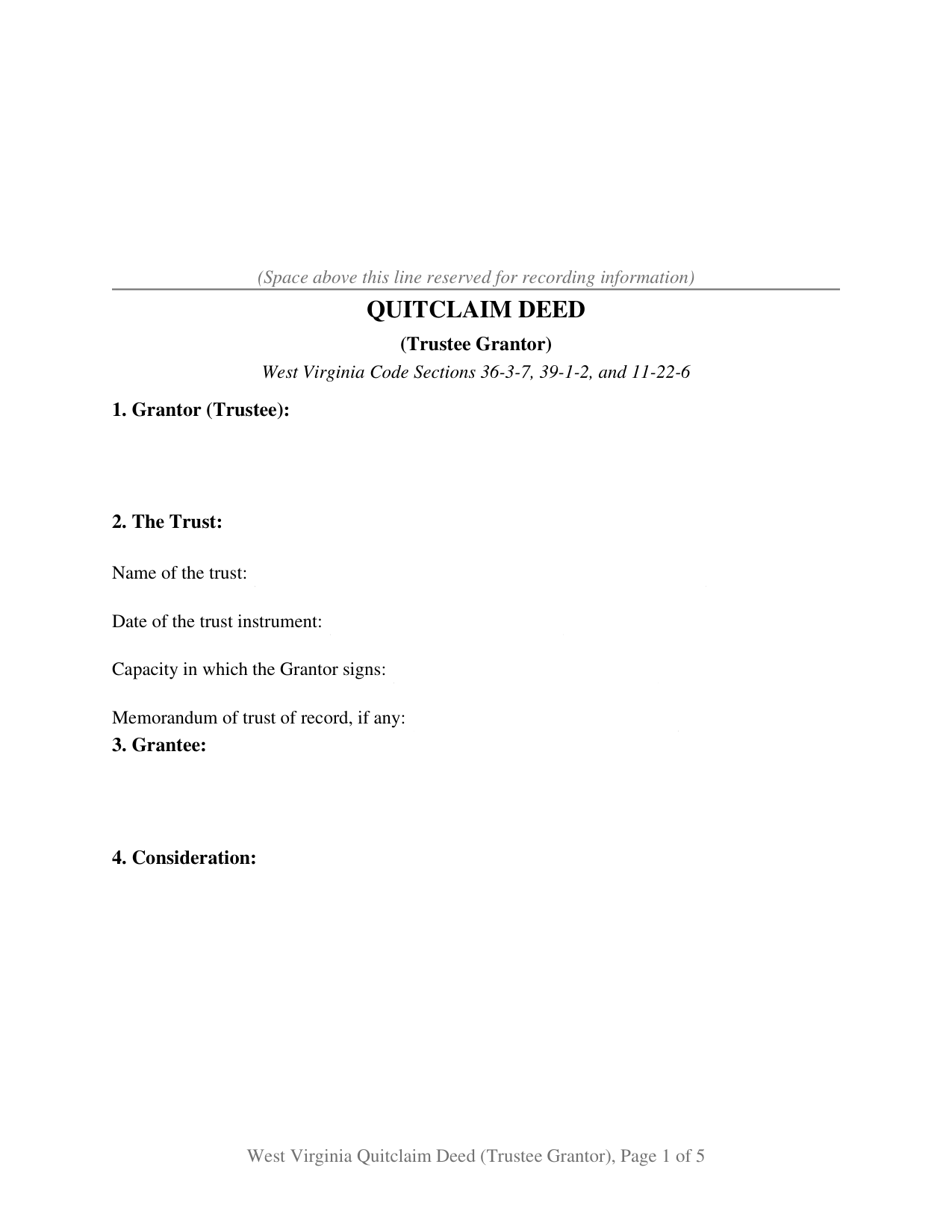
Mineral County Quitclaim Deed (Trustee Grantor) Form
Fill in the blank Quitclaim Deed (Trustee Grantor) form formatted to comply with all West Virginia recording and content requirements.
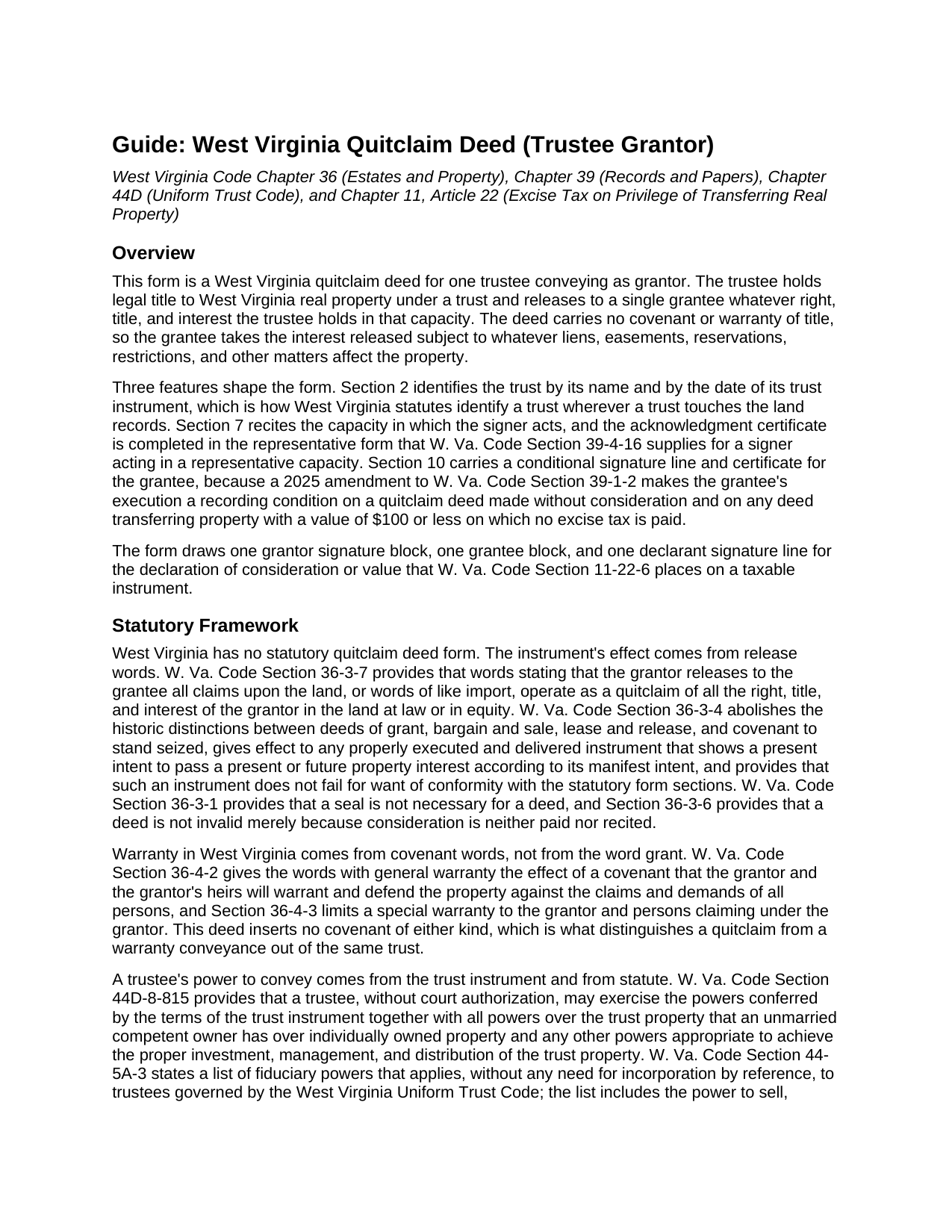
Mineral County Quitclaim Deed (Trustee Grantor) Guide
Line by line guide explaining every blank on the Quitclaim Deed (Trustee Grantor) form.
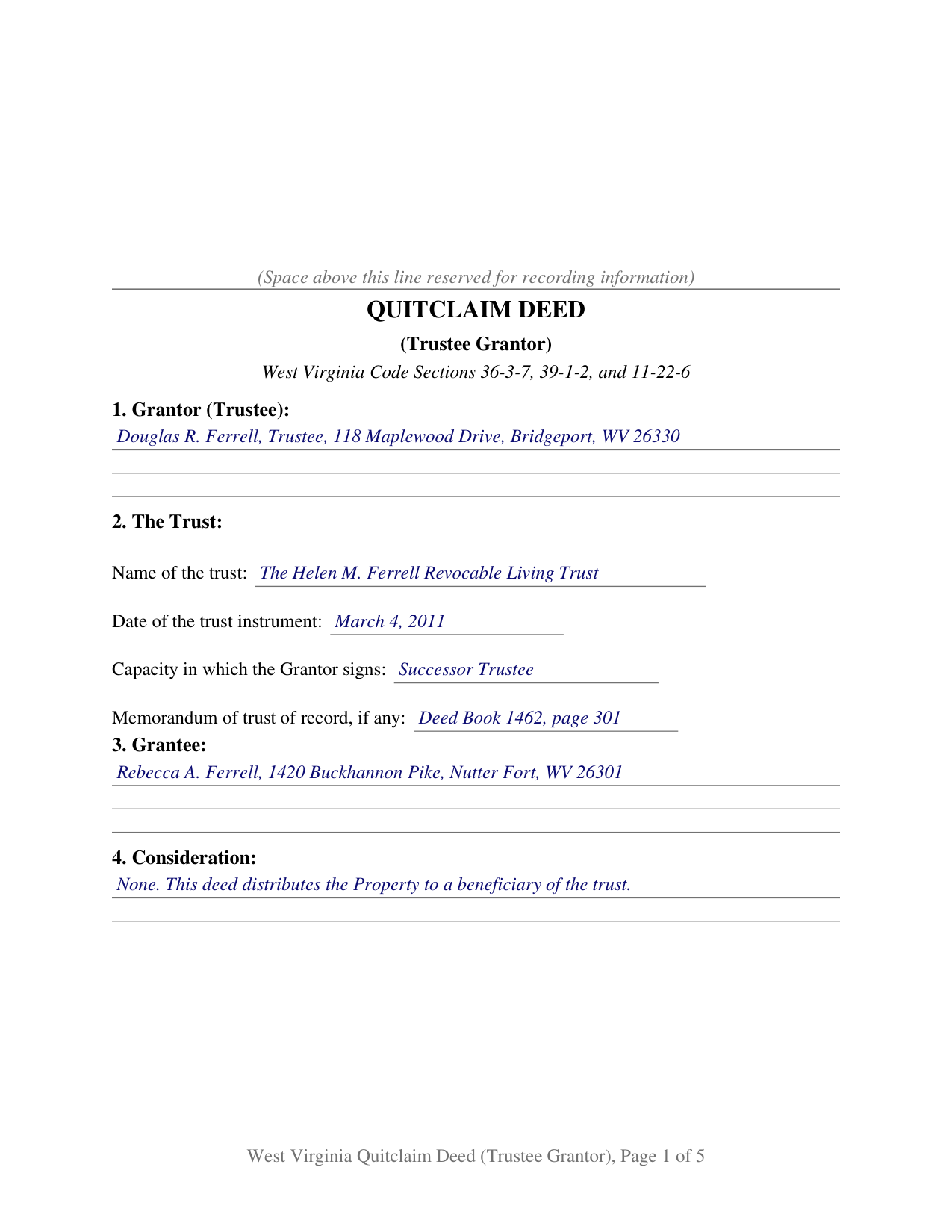
Mineral County Completed Example of the Quitclaim Deed (Trustee Grantor) Document
Example of a properly completed West Virginia Quitclaim Deed (Trustee Grantor) document for reference.
All 3 documents above included • One-time purchase • No recurring fees
Immediate Download • Secure Checkout
Additional West Virginia and Mineral County documents included at no extra charge:
Where to Record Your Documents
Mineral County Clerk
Keyser, West Virginia 26726
Hours: 8:00 to 4:30 M-F
Phone: 304-788-3924
Recording Tips for Mineral County:
- Bring your driver's license or state-issued photo ID
- Ensure all signatures are in blue or black ink
- Ask if they accept credit cards - many offices are cash/check only
- Check that your notary's commission hasn't expired
- Documents must be on 8.5 x 11 inch white paper
Cities and Jurisdictions in Mineral County
Properties in any of these areas use Mineral County forms:
- Burlington
- Elk Garden
- Fort Ashby
- Keyser
- New Creek
- Piedmont
- Ridgeley
- Wiley Ford
Hours, fees, requirements, and more for Mineral County
How do I get my forms?
Forms are available for immediate download after payment. The Mineral County forms will be in your account ready to download to your computer. An account is created for you during checkout if you don't have one. Forms are NOT emailed.
Are these forms guaranteed to be recordable in Mineral County?
Yes. Our form blanks are guaranteed to meet or exceed the applicable formatting requirements used for recording in Mineral County, including margin requirements, font requirements, and other layout standards. This guarantee applies to formatting, not to the legal sufficiency of information entered by the user or the suitability of a form for a particular transaction.
Can I reuse these forms?
Yes. You can reuse the forms for your personal use. For example, if you have multiple properties in Mineral County you only need to order once.
What do I need to use these forms?
The forms are PDFs that you fill out on your computer. The free Adobe Acrobat Reader is recommended, and most PDF apps also work. You do NOT enter your property information online - you download the blank forms and complete them privately on your own computer.
Are there any recurring fees?
No. This is a one-time purchase. Nothing to cancel, no memberships, no recurring fees.
How much does it cost to record in Mineral County?
Recording fees in Mineral County vary. Contact the recorder's office at 304-788-3924 for current fees.
Questions answered? Let's get started!
The person who signs this deed owns none of the property it releases. A trustee holds West Virginia land as an office rather than as an estate, and this quitclaim deed is built around that signature: one acting trustee releases, as trustee and not individually, whatever interest the trust holds in a parcel, to one grantee.
The capacity rides along with the signature
Section 2 names the trust and the date of its trust instrument, Section 7 recites that the grantor executes as trustee and not individually and that no personal obligation of the signer arises, and the printed name line in Section 9 takes the office beside the name, as in Successor Trustee. W. Va. Code Section 39-4-16 also supplies a short form for a signer acting in a representative capacity, reciting that the record was acknowledged by a named individual as a stated type of authority of the party on whose behalf the record was executed, and the name blank runs two full lines wide, so a trustee's name, office, trust, and trust date fit without abbreviation.
Where the power to release comes from
A quitclaim gives up whatever the grantor holds and promises nothing, so the question a title examiner puts to a trustee's deed is whether the office carried that power. Two sections answer outside the trust agreement itself. W. Va. Code Section 44D-8-815 gives a trustee, without court authorization, the powers conferred by the terms of the trust instrument together with all powers over trust property that an unmarried competent owner has over individually owned property. W. Va. Code Section 44-5A-3 lists fiduciary powers reaching trustees governed by the West Virginia Uniform Trust Code with no need for incorporation by reference, among them the power to sell, exchange, partition, or otherwise dispose of property the fiduciary holds and to convey it free of all trust. The deed states the capacity; those sections and the trust instrument are where the authority is read.
One trustee, one signature block
The form draws a single grantor block. A sole trustee who took title under the deed that funded the trust, a successor trustee who took office after the first resigned, and a trustee winding up an administration by passing a parcel to the person entitled to it all present the single trustee pattern this deed recites. Where a trust has cotrustees, the count of signatures is read from the trust instrument with W. Va. Code Section 44D-7-703, which lets cotrustees unable to reach a unanimous decision act by majority; a deed executed by two trustees needs a block and a certificate for each of them, not the architecture this form draws. No spousal line appears either, because dower and curtesy are abolished by W. Va. Code Section 43-1-1 and property held in a fiduciary capacity belongs to the trust rather than to the trustee's own estate.
A release without consideration reaches the record on two signatures
Since July 11, 2025, W. Va. Code Section 39-1-2(b)(2) has conditioned recordation of a quitclaim deed made without consideration upon the grantee's own execution and acknowledgment, or proof by two witnesses as to the grantee before the county clerk, and it makes a deed recorded against that rule void. Every exception the subsection states describes a relationship between individuals, and neither a trust nor a trustee appears among them. A distribution out of a trust for no consideration therefore ordinarily arrives at the counter with Section 10 filled in, which is what the completed example shows: a successor trustee in Harrison County releasing a Nutter Fort parcel to a trust beneficiary, the grantee acknowledging three days later before a different notary.
Value, stamps, and the sheet that goes with it
Section 11 sets out the declaration of consideration or value under W. Va. Code Section 11-22-6 on three lines: consideration paid, true and actual value, and any exemption claimed under W. Va. Code Section 11-22-1. A trust distribution commonly reports a value with no consideration and names its exemption ground, and the clerk reads those lines to decide whether stamps are due at $1.10 for each $500 of value plus the county's own excise. The State Tax Commissioner Sales Listing Form is completed separately.
This package includes the fillable trustee quit claim deed, a completed example filled in for a Harrison County distribution, and a guide covering the eleven sections, the capacity and authority statutes, the acknowledgment routes, and the recording package. The materials are informational and are not legal advice.
Important: Your property must be located in Mineral County to use these forms. Documents should be recorded at the county recording office listed above.
This Quitclaim Deed (Trustee Grantor) meets all recording requirements specific to Mineral County.
Our Promise
The documents you receive here are guaranteed to meet or exceed the applicable Mineral County recording format requirements. If there is a rejection caused by our formatting, we will correct the issue or refund your payment. This guarantee applies to document formatting only and does not extend to information entered by the user, the selection of the form, or the legal effect of the completed document.
Save Time and Money
Get your Mineral County Quitclaim Deed (Trustee Grantor) form done right the first time with Deeds.com Uniform Conveyancing Blanks. At Deeds.com, we understand that your time and money are valuable resources, and we don't want you to face a penalty fee or rejection imposed by a county recorder for submitting nonstandard documents. We constantly review and update our forms to meet rapidly changing state and county recording requirements for roughly 3,500 counties and local jurisdictions.
4.8 out of 5 - ( 4,830 Reviews )
william h. 5 out of 5 stars
got what I needed.
Thank you!
Dana R. 5 out of 5 stars
This site is Awesome! So easy to use and they really work fast. I will use this for all my Maricopa County Recorder items or deeds, etc. Love this site.
Thank you for your feedback. We really appreciate it. Have a great day!
Nicole M. 5 out of 5 stars
Very helpful and happy with my service. Thanks much!
Thank you!
David M. 5 out of 5 stars
Fast, reliable, up to date service that I've used several times in the past and will continue to use in the future.
We appreciate your business and value your feedback. Thank you. Have a wonderful day!
rita t. 5 out of 5 stars
Thanks for asking, everything was fine. Forms worked as expected, no problems.
We appreciate your business and value your feedback. Thank you. Have a wonderful day!
Sarah K. 1 out of 5 stars
I was annoyed when I realized I couldn't put the document into Word or WordPerfect. I had to retype the entire document. What a waste of time and money.
Sorry to hear of your annoyance. We have canceled your order and payment. We do hope that you find something more suitable to your needs elsewhere. Have a wonderful day.
Gertrude H. 5 out of 5 stars
I used this form and guide a couple years ago and found it helpful and easy to fill out. Had good results at the Recorder's Office. Would recommend Deeds.com.
Thank you for your feedback. We really appreciate it. Have a great day!
Jennifer S. 5 out of 5 stars
We liked the ease of filling out our document in a professional layout.
Thank you for your feedback. We really appreciate it. Have a great day!
William A. 5 out of 5 stars
great service and very accommodating generally, and especially during these times.
We appreciate your business and value your feedback. Thank you. Have a wonderful day!
Bruce C. 5 out of 5 stars
Easy to navigate. The guide and sample helped a lot, including the availability of "Exhibit A". Knowing your documents are guaranteed to be in the required format and the ease of using your forms has been a great service, Thank you!
Your feedback is greatly appreciated. Thank you for taking the time to share your experience!
Roger M. 5 out of 5 stars
Great package it was nice to be able to get everything required for recording this deed in one place.
Thanks Roger, we appreciate your feedback.
Danelle S. 5 out of 5 stars
So easy and fast that even I could do it, and I'm technologically challenged! Thank you Deeds.com for taking care of the technical stuff so I can live and play. Definitely speedy delivery!
Thank you!
Lynn W. 5 out of 5 stars
Very fast and easy
We appreciate your review and your business. Thank you.
Patricia W. 2 out of 5 stars
The "Trustee's Deed" should have been labeled a Deed of Trust because that's what it really is. So now I just wasted $19.97 getting something I can't use.
Thank you for your feedback. Sorry to hear of your confusion. We have canceled your order and payment for the trustee's deed document.
Vince D. 5 out of 5 stars
Great product and service, really makes me rethink the value I provide to my customers.
Thank you!