Wyoming County Quitclaim Deed (Two Grantors) Form
Last validated October 15, 2026 by our Forms Development TeamFormatted for recording in Wyoming County, for property anywhere in the county: rural and unincorporated areas as well as Allen Junction, Amigo, Brenton, Bud, Clear Fork, Coal Mountain, Corinne, Covel and 28 more.
- 3 documents included
- Immediate PDF download
- Formatting guarantee
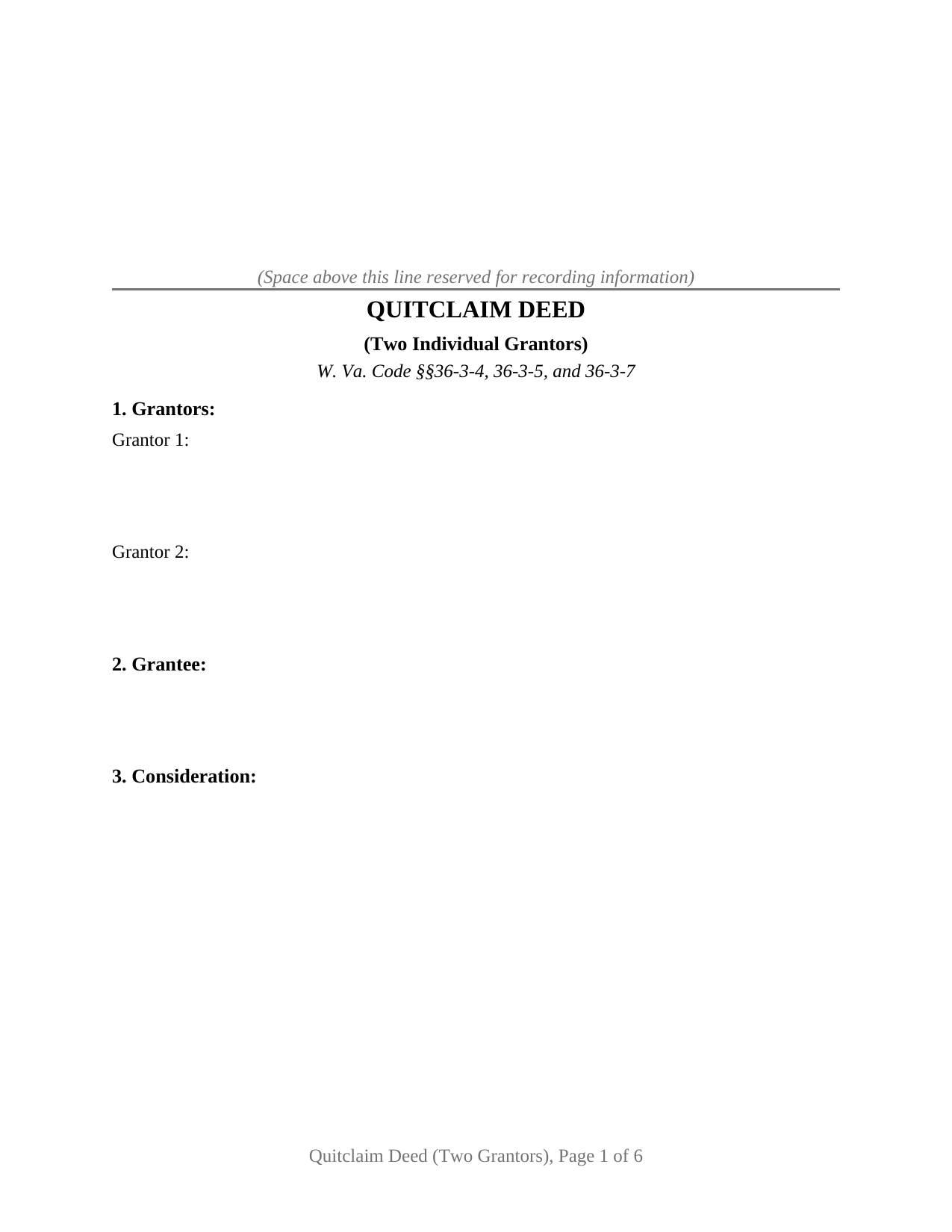
Wyoming County Quitclaim Deed (Two Grantors) Form
Fill in the blank Quitclaim Deed (Two Grantors) form formatted to comply with all West Virginia recording and content requirements.
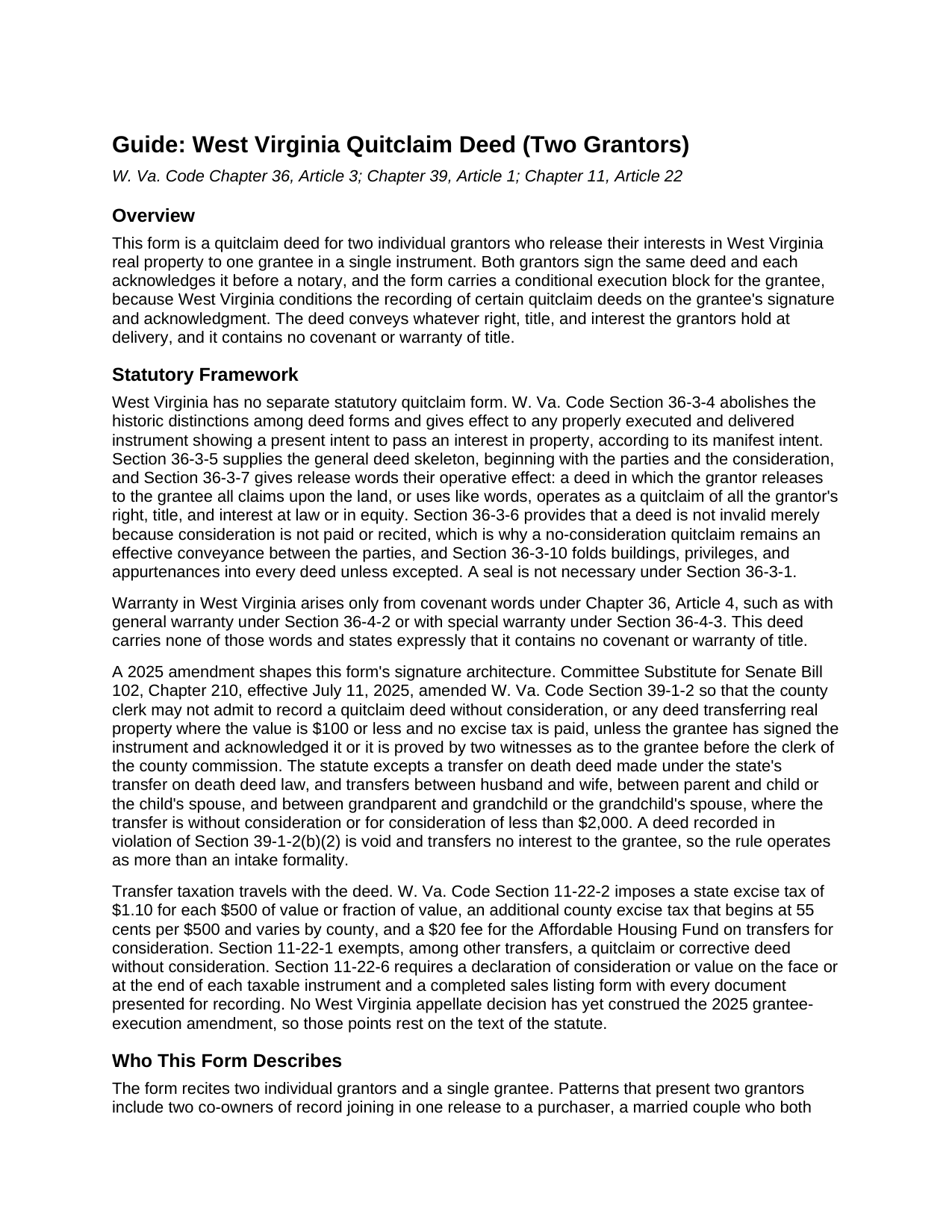
Wyoming County Quitclaim Deed (Two Grantors) Guide
Line by line guide explaining every blank on the Quitclaim Deed (Two Grantors) form.
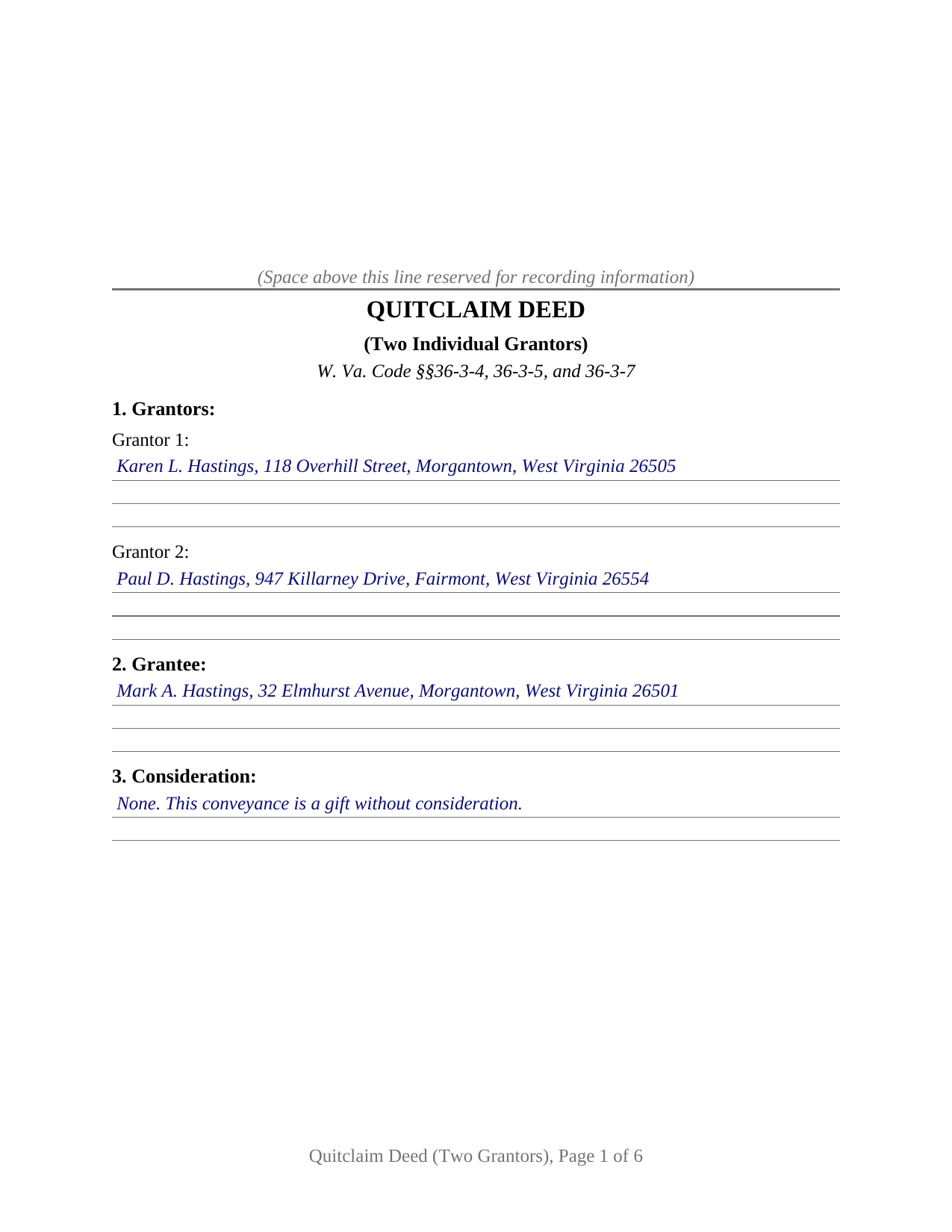
Wyoming County Completed Example of the Quitclaim Deed (Two Grantors) Document
Example of a properly completed West Virginia Quitclaim Deed (Two Grantors) document for reference.
All 3 documents above included • One-time purchase • No recurring fees
Immediate Download • Secure Checkout
Additional West Virginia and Wyoming County documents included at no extra charge:
Where to Record Your Documents
Wyoming County Clerk
Pineville, West Virginia 24874
Hours: Monday - Friday 8:00 am - 4:30 pm
Phone: (304) 732-8000
Recording Tips for Wyoming County:
- Bring your driver's license or state-issued photo ID
- Ensure all signatures are in blue or black ink
- Ask about their eRecording option for future transactions
- Avoid the last business day of the month when possible
- Both spouses typically need to sign if property is jointly owned
Cities and Jurisdictions in Wyoming County
Properties in any of these areas use Wyoming County forms:
- Allen Junction
- Amigo
- Brenton
- Bud
- Clear Fork
- Coal Mountain
- Corinne
- Covel
- Cyclone
- Fanrock
- Glen Fork
- Glen Rogers
- Hanover
- Herndon
- Ikes Fork
- Itmann
- Jesse
- Kopperston
- Lynco
- Maben
- Marianna
- Matheny
- Mc Graws
- Mullens
- New Richmond
- North Spring
- Oceana
- Pineville
- Ravencliff
- Rock View
- Sabine
- Saulsville
- Simon
- Stephenson
- Wyco
- Wyoming
Hours, fees, requirements, and more for Wyoming County
How do I get my forms?
Forms are available for immediate download after payment. The Wyoming County forms will be in your account ready to download to your computer. An account is created for you during checkout if you don't have one. Forms are NOT emailed.
Are these forms guaranteed to be recordable in Wyoming County?
Yes. Our form blanks are guaranteed to meet or exceed the applicable formatting requirements used for recording in Wyoming County, including margin requirements, font requirements, and other layout standards. This guarantee applies to formatting, not to the legal sufficiency of information entered by the user or the suitability of a form for a particular transaction.
Can I reuse these forms?
Yes. You can reuse the forms for your personal use. For example, if you have multiple properties in Wyoming County you only need to order once.
What do I need to use these forms?
The forms are PDFs that you fill out on your computer. The free Adobe Acrobat Reader is recommended, and most PDF apps also work. You do NOT enter your property information online - you download the blank forms and complete them privately on your own computer.
Are there any recurring fees?
No. This is a one-time purchase. Nothing to cancel, no memberships, no recurring fees.
How much does it cost to record in Wyoming County?
Recording fees in Wyoming County vary. Contact the recorder's office at (304) 732-8000 for current fees.
Questions answered? Let's get started!
This West Virginia Quitclaim Deed is arranged for two individual grantors who join in a single release of West Virginia real property to one grantee. Both owners of record sign the same instrument, each over an acknowledgment certificate of its own, and a third, conditional execution block waits for the grantee: on a no-consideration release outside the statute's family exceptions, this deed reaches the record with three signatures and three notarial certificates.
Two releases, one instrument
The form recites Grantor 1 and Grantor 2 by name and mailing address, and its operative section speaks for both at once: the grantors, and each of them, remise, release, and forever quitclaim their right, title, and interest to the grantee and release all claims upon the property, the words W. Va. Code Section 36-3-7 makes effective as a quitclaim. West Virginia practice writes quitclaim and quit claim interchangeably; the release words, not the label, do the work. Each grantor gives up only what that grantor holds, so the deed operates the same whether the two hold equal undivided halves, unequal fractional shares, or interests of uncertain size. A married couple who both appear in the chain of title, two co-owners of record joining in a release to a purchaser, and two heirs passing the undivided interests they inherited through one instrument all present the two-grantor pattern this deed recites. The form is set up for exactly two individual grantors and a single grantee; a deed by one owner, by three or more owners, or by an entity or fiduciary follows a different execution pattern than this form carries.
The third certificate
Since July 11, 2025, W. Va. Code Section 39-1-2(b)(2) has told county clerks not to accept a quitclaim deed made without consideration, or any deed moving property worth $100 or less with no excise tax paid, unless the grantee signed and acknowledged it as well, or the deed was proved by two witnesses as to the grantee before the clerk. The statute lists its own exceptions: transfer on death deeds, and close family transfers between spouses, between parent and child or the child's spouse, and between grandparent and grandchild or the grandchild's spouse, without consideration or under $2,000. With two grantors, the exception question follows the relationships in the transfer; a mother and father giving a parcel to their daughter sit inside the parent and child exception, while a brother and sister giving the same parcel to their brother sit outside every listed relationship, and their grantee signs. The stakes appear in the statute itself, which makes a deed recorded in violation void, so this form prints the rule in capital letters above the signature lines and carries the grantee's own signature line and certificate.
Both declaration alternatives on the face
Section 9 of the deed prints the declaration of consideration or value from W. Va. Code Section 11-22-6 in the statute's two everyday alternatives, total consideration paid and true and actual value, over a signature, interest, and address block for the declarant. On a taxable transfer, that declaration is what the clerk reads to compute the excise stamps, at the state's $1.10 per $500 plus each county's own excise, together with the $20 Affordable Housing Fund fee on transfers for consideration. On a gift, the completed value alternative documents the exemption W. Va. Code Section 11-22-1 gives a quitclaim made without consideration. The deed still travels with the State Tax Commissioner's sales listing intake sheet of district, tax map and parcel numbers, and mailing addresses that West Virginia clerks collect with every recorded document, and the preparer's name closes the instrument under W. Va. Code Section 39-1-2A.
The purchase delivers this two-grantor quitclaim deed as a fillable PDF, a completed example filled in for a realistic Monongalia County gift between siblings, and a line-by-line guide covering the form's ten sections, the acknowledgment options, and the recording package. The materials are informational and are not legal advice.
Important: Your property must be located in Wyoming County to use these forms. Documents should be recorded at the county recording office listed above.
This Quitclaim Deed (Two Grantors) meets all recording requirements specific to Wyoming County.
Our Promise
The documents you receive here are guaranteed to meet or exceed the applicable Wyoming County recording format requirements. If there is a rejection caused by our formatting, we will correct the issue or refund your payment. This guarantee applies to document formatting only and does not extend to information entered by the user, the selection of the form, or the legal effect of the completed document.
Save Time and Money
Get your Wyoming County Quitclaim Deed (Two Grantors) form done right the first time with Deeds.com Uniform Conveyancing Blanks. At Deeds.com, we understand that your time and money are valuable resources, and we don't want you to face a penalty fee or rejection imposed by a county recorder for submitting nonstandard documents. We constantly review and update our forms to meet rapidly changing state and county recording requirements for roughly 3,500 counties and local jurisdictions.
4.8 out of 5 - ( 4,850 Reviews )
Petre A. 5 out of 5 stars
Easy @ useful
Thank you!
thomas C. 5 out of 5 stars
Thank you for being there for me when I couldn't get it done myself. I was a little confused with the operation at first but then became easy. I will definitely be using you again and again. Even after the pandemic is over.It's approximately 15 miles one way to downtown Orlando to do what you did for me sitting at my house
Glad we could help Thomas, have a great day!
Rosa D. 5 out of 5 stars
Obtaining a quick claim deed from this website was easy and friendly I must say. Thank you so much.
Thank you for your feedback. We really appreciate it. Have a great day!
Timothy B. 3 out of 5 stars
Excellent sample deed, very helpful. Unfortunately, the fill-able template only allowed for one BENEFICIARY.
Thank you for your feedback. We really appreciate it. Have a great day!
Lester A. 5 out of 5 stars
Couldnt have been easier. Docs recorded the next day!
Thanks Lester, glad we could help.
Gertrude M. 5 out of 5 stars
Rating 5 stars
Thank you!
Kathy Z. 5 out of 5 stars
Great site !! Very easy to navigate and explanations are clear and simple to understand. Thank You!
We appreciate your business and value your feedback. Thank you. Have a wonderful day!
JAN F. 5 out of 5 stars
One day start to finish and so easy to complete.
Happy we could assist. Thank you for sharing your experience.
Garry D. 5 out of 5 stars
Prompt delivery of easy to use forms and clear instructions. Good value.
Thank you for your feedback. We really appreciate it. Have a great day!
Adriana B. 5 out of 5 stars
The explanations about the processes and descriptions of the forms makes it easy to understand which forms to use.
Your feedback is greatly appreciated. Thank you for taking the time to share your experience!
Roy K. 5 out of 5 stars
Just what we were looking for. Very easy to fill out. Thanks
Thank you Roy. We appreciate your feedback.
Thomas D. 2 out of 5 stars
The documents themselves are fine and the information provided with them is helpful. I find the actual processing of the documents, however, to be difficult particularly once the document has been saved. First, I note that the box for the date only allows entry of the last 2 digits of the year. Unfortunately, my download only allows me to enter one of the 2 digits required. When I delete it repeatedly, it eventually allows both digits to be entered but puts them in extremely small text and in superscrypt. I have not found a solution to this problem and am not sure the deed can even be recorded with this problem. Another problem is that if you try to revise the document after you have saved it the curser goes to the end of the line after each key entry. This means that there basically is no way to efficiently save the document for reworking later since you will have to delete everything you have entered in the text box unless you only need to make a single keystroke change or are willing to replace the curser after each entry. Try that with a long property description! Please note that I am using a Mac to prepare my documents and perhaps this is part of an "incompatibility problem". However, I didn't see a disclaimer regarding Mac use and so would expect the documents to perform correctly. Overall, I give the program a "2 star" rating because I am experiencing significant difficulties in entering dates in the documents even before saving them and because saving your work for later revision appears to be basically unworkable.
Thank you for your feedback Thomas, we appreciate you being specific about the issues you encountered. Adobe and Mac have a fairly long history of issues working together.
Joseph R. 3 out of 5 stars
The form and instructions were easy enough to follow if you had all the information.
The only drawback to the form was the length of text allowed for the name of the document (#4). The form self populates in multiple locations but when printed truncated the name if too many characters were used. I kept having to update the name of the document to allow for proper printing.
Your insights are invaluable to us and help us strive for better service. Thank you for taking the time to share your thoughts.
Ricardo M. 5 out of 5 stars
easy to use
Thank you!
SAMANTHA P. 5 out of 5 stars
Very easy very clear very informative of direct information stating the obvious and the underlining of both contexts. Right place for the right Tools to establish ,verify ,correct then guidance for not only myself, but for our legacy that should and will be live on to be know. Thank you deeds.com!
Thank you!