Shelby County Quitclaim Deed (Trustee Grantee) Form
Last validated November 9, 2026 by our Forms Development TeamFormatted for recording in Shelby County, for property anywhere in the county: rural and unincorporated areas as well as Alabaster, Birmingham, Calera, Chelsea, Columbiana, Harpersville, Helena, Maylene and 11 more.
- 3 documents included
- Immediate PDF download
- Formatting guarantee
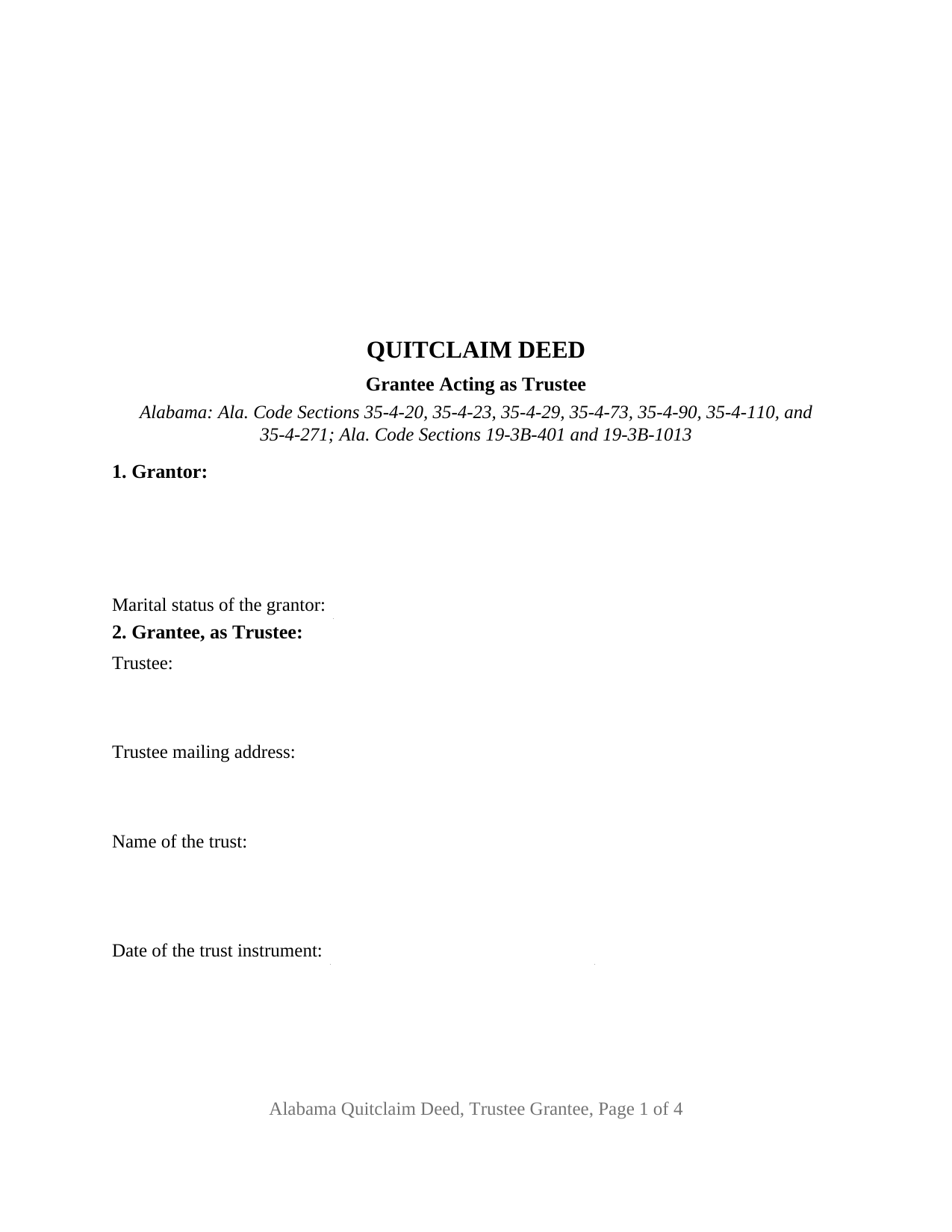
Shelby County Quitclaim Deed (Trustee Grantee) Form
Fill in the blank Quitclaim Deed (Trustee Grantee) form formatted to comply with all Alabama recording and content requirements.
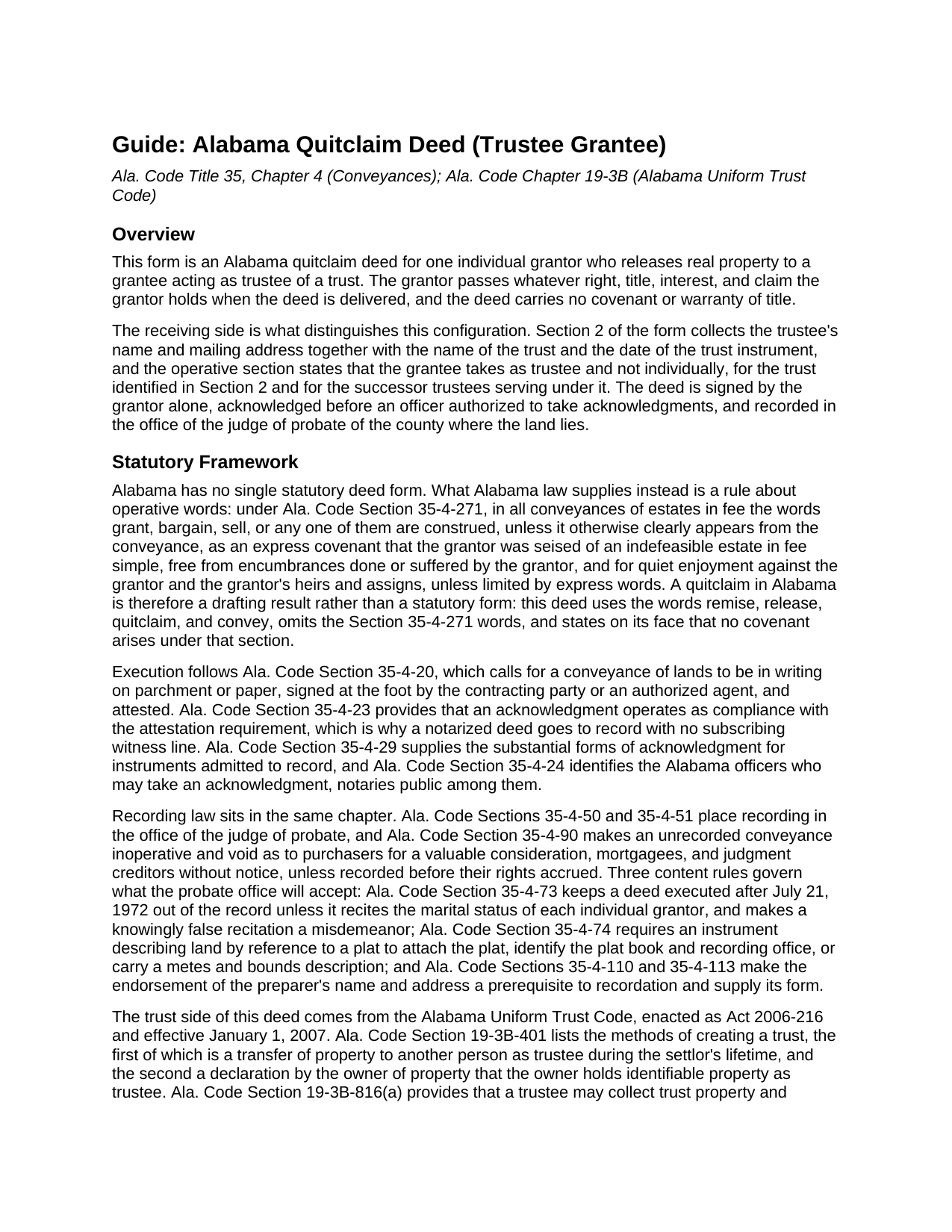
Shelby County Quitclaim Deed (Trustee Grantee) Guide
Line by line guide explaining every blank on the Quitclaim Deed (Trustee Grantee) form.
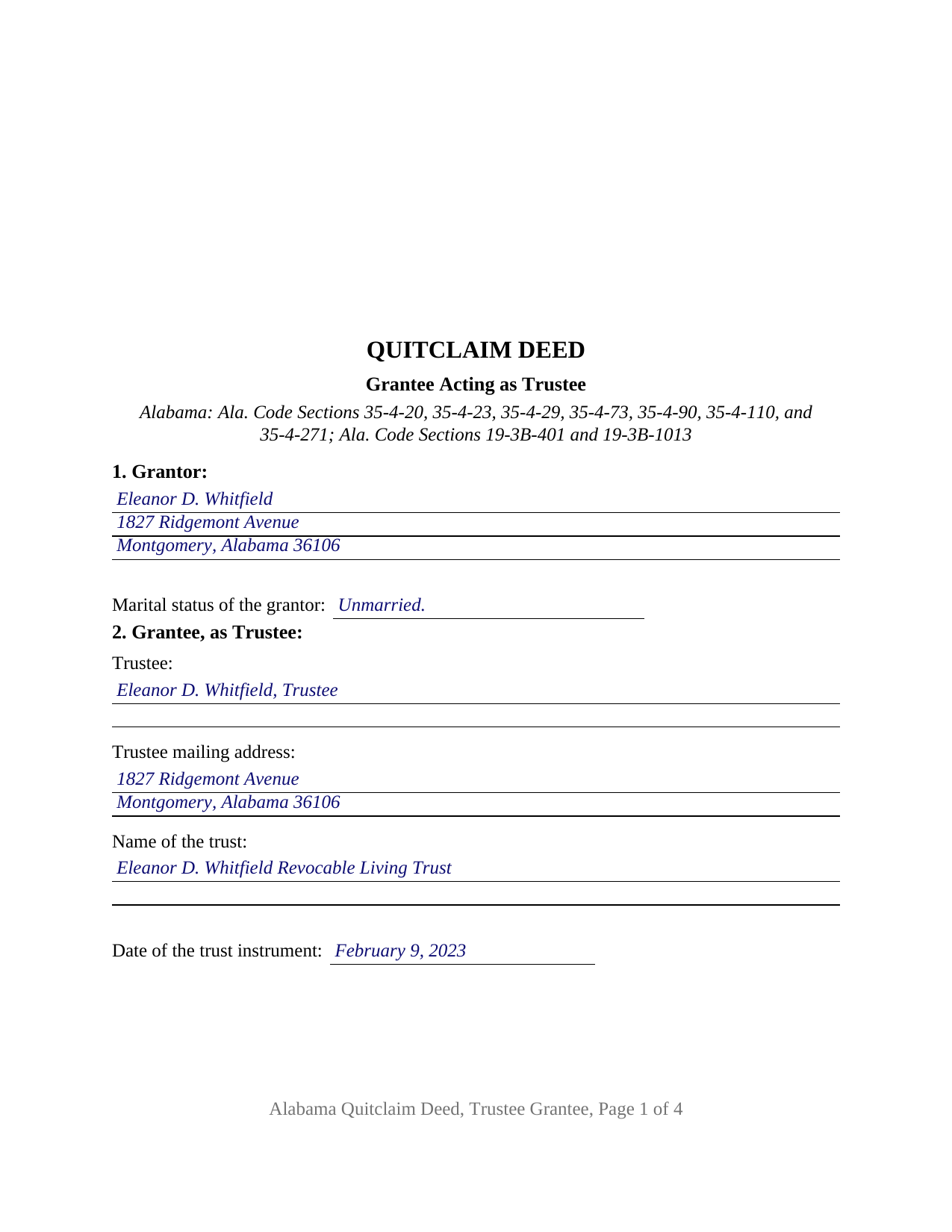
Shelby County Completed Example of the Quitclaim Deed (Trustee Grantee) Document
Example of a properly completed Alabama Quitclaim Deed (Trustee Grantee) document for reference.
All 3 documents above included • One-time purchase • No recurring fees
Immediate Download • Secure Checkout
Additional Alabama and Shelby County documents included at no extra charge:
Where to Record Your Documents
Probate Court: Recording
Columbiana, Alabama 35051
Hours: 8:00am to 4:30pm M-F
Phone: 205-669-3720
Recording Tips for Shelby County:
- Bring your driver's license or state-issued photo ID
- Ensure all signatures are in blue or black ink
- Check margin requirements - usually 1-2 inches at top
- Leave recording info boxes blank - the office fills these
- Make copies of your documents before recording - keep originals safe
Cities and Jurisdictions in Shelby County
Properties in any of these areas use Shelby County forms:
- Alabaster
- Birmingham
- Calera
- Chelsea
- Columbiana
- Harpersville
- Helena
- Maylene
- Montevallo
- Pelham
- Saginaw
- Shelby
- Siluria
- Sterrett
- Vandiver
- Vincent
- Westover
- Wilsonville
- Wilton
Hours, fees, requirements, and more for Shelby County
How do I get my forms?
Forms are available for immediate download after payment. The Shelby County forms will be in your account ready to download to your computer. An account is created for you during checkout if you don't have one. Forms are NOT emailed.
Are these forms guaranteed to be recordable in Shelby County?
Yes. Our form blanks are guaranteed to meet or exceed the applicable formatting requirements used for recording in Shelby County, including margin requirements, font requirements, and other layout standards. This guarantee applies to formatting, not to the legal sufficiency of information entered by the user or the suitability of a form for a particular transaction.
Can I reuse these forms?
Yes. You can reuse the forms for your personal use. For example, if you have multiple properties in Shelby County you only need to order once.
What do I need to use these forms?
The forms are PDFs that you fill out on your computer. The free Adobe Acrobat Reader is recommended, and most PDF apps also work. You do NOT enter your property information online - you download the blank forms and complete them privately on your own computer.
Are there any recurring fees?
No. This is a one-time purchase. Nothing to cancel, no memberships, no recurring fees.
How much does it cost to record in Shelby County?
Recording fees in Shelby County vary. Contact the recorder's office at 205-669-3720 for current fees.
Questions answered? Let's get started!
The grantee name on this deed is followed by a capacity. The Alabama Quitclaim Deed (Trustee Grantee) releases Alabama real property from one individual owner of record to a person who takes as trustee, and Section 2 collects four facts about that side: the trustee's name and mailing address, the name of the trust, and the date of the trust instrument. No covenant or warranty of title travels with the release.
Why the grantee blank takes four entries
A deed handing land to a trustee has to say whose hands those are and in what capacity. The operative section states that the grantee takes as trustee and not individually, under the trust identified in Section 2, and it runs the release to the successor trustees serving under that trust. Ala. Code Section 19-3B-401 frames it the same way, listing a transfer of property to another person as trustee among the methods by which a trust is created, and Ala. Code Section 19-3B-816(a) describes the trustee's authority to collect trust property and accept additions to it.
Configured for one owner of record and one trustee
Section 1 takes a single grantor's name, mailing address, and marital status; Section 9 carries one signature line; and one acknowledgment certificate closes the instrument. An owner who signed a revocable living trust and later moves the residence into the trustee's name, an owner deeding a parcel to the trustee of a family trust that already holds the adjoining acreage, and an owner who took title individually after the trust was signed present the pattern this deed recites. Where the settlor is also the trustee, one person appears in both sections. The form is not set up for two owners releasing together, for an entity grantor, or for a grantee taking title individually; a married grantor's homestead transfer raises the two signature condition of Ala. Code Section 6-10-3, which this configuration does not carry and which the deed prints in capital letters.
Release words, and the status line Alabama asks for
A deed executed after July 21, 1972 is not accepted for record unless it recites the marital status of each individual grantor (Ala. Code Section 35-4-73), so that entry sits in Section 1 of this deed. Because Ala. Code Section 35-4-271 reads covenants of seisin, freedom from encumbrances, and quiet enjoyment into the words grant, bargain, and sell, this deed omits them, uses remise, release, quitclaim, and convey, and states expressly that no Section 35-4-271 covenant arises. What reaches the trust is the interest the grantor holds at delivery, with liens and easements of record riding along.
What stays with the trustee rather than the deed
The trust instrument does not travel to the probate office. Ala. Code Section 35-4-257 addresses the separate act of recording an instrument that creates or declares a trust; this deed names the trust and its date, leaving the terms where the settlor put them. When a buyer or lender later deals with the trustee, Ala. Code Section 19-3B-1013 supplies the certification of trust a trustee may furnish instead, listing facts such as the date of execution, whether the trust is revocable, and the name in which title to trust property may be taken. That certification is prepared separately and is no part of this package.
Recording in the county where the land lies
The signed and notarized deed goes to the judge of probate of that county, and recording is what puts the trustee ahead of a later purchaser, mortgagee, or judgment creditor without notice (Ala. Code Section 35-4-90). The probate judge collects the recordation tax that Ala. Code Section 40-22-1 measures against the value of the interest conveyed, along with Alabama's sales value information on Department of Revenue Form RT-1, a state form completed at recording and not part of the deed. Page one keeps its upper three inches clear for the stamp, and the preparer endorsement of Ala. Code Sections 35-4-110 and 35-4-113 is printed in the deed's text.
Searches for this instrument run to quit claim deed, quick claim deed, and deed into trust. The download delivers this Alabama quitclaim deed as a blank fillable PDF, with a completed example worked through a Montgomery County transfer into a revocable living trust and a guide covering every entry, the trustee capacity language, and the certificate. Nothing here is legal advice: these pages set out Alabama law generally, and an Alabama attorney can weigh it against a particular trust and chain of title.
Important: Your property must be located in Shelby County to use these forms. Documents should be recorded at the county recording office listed above.
This Quitclaim Deed (Trustee Grantee) meets all recording requirements specific to Shelby County.
Our Promise
The documents you receive here are guaranteed to meet or exceed the applicable Shelby County recording format requirements. If there is a rejection caused by our formatting, we will correct the issue or refund your payment. This guarantee applies to document formatting only and does not extend to information entered by the user, the selection of the form, or the legal effect of the completed document.
Save Time and Money
Get your Shelby County Quitclaim Deed (Trustee Grantee) form done right the first time with Deeds.com Uniform Conveyancing Blanks. At Deeds.com, we understand that your time and money are valuable resources, and we don't want you to face a penalty fee or rejection imposed by a county recorder for submitting nonstandard documents. We constantly review and update our forms to meet rapidly changing state and county recording requirements for roughly 3,500 counties and local jurisdictions.
4.8 out of 5 - ( 4,851 Reviews )
Mary B. 5 out of 5 stars
Your information was orderly and very clear and helpful. Thanks!
Thank you for your feedback. We really appreciate it. Have a great day!
Mary Z. 5 out of 5 stars
Awesome forms, easy to complete and print.
Thank you!
Terrence R. 5 out of 5 stars
So far so good I was able to find the documents I needed.
We appreciate your business and value your feedback. Thank you. Have a wonderful day!
Phillip S. 4 out of 5 stars
I used the Oklahoma Gift Deed transferring property intra-family, and found it easy to complete. I could not find an Oklahoma Affidavit for the new law re citizenship verification, 60 O.S. Sec 121 and found it at another site that was not a fill in online. Oh well. Site was easy to navigate.
We are motivated by your feedback to continue delivering excellence. Thank you!
Santo W. 5 out of 5 stars
Quality platform! Five Stars for sure and easy to navigate!
We appreciate your comments and your trust in us. Thank you.
Allison S. 5 out of 5 stars
The representatives that facilitate the recording process have always been very helpful, especially where there is some issue with the recording. They have always gone the extra mile to make sure we know what we need to do to fix any issues. I really love this service.
Thank you for your feedback. We really appreciate it. Have a great day!
Roy K. 5 out of 5 stars
Just what we were looking for. Very easy to fill out. Thanks
Thank you Roy. We appreciate your feedback.
Robert L. 1 out of 5 stars
I did not use your service. $19 to upload a document to our local tax accessor office is a bit high. I drove the document to the office myself.
Thank you for your feedback Robert. Glad to hear that you got your document recorded. Sorry to hear that your time, fuel, and wear on your vehicle are valued at less than $19. Have a wonderful day.
Gerald N. 5 out of 5 stars
Very nice website!
Thank you!
Janice W. 5 out of 5 stars
Great instructions, samples, ease in getting the form I needed, filling it out as a PDF, and having it ready for a Notary's signature. I was hesitant a first, but glad I paid the fee - now it is done!
Great to hear Janice! Thanks, have a great day!
Kellie Z. 5 out of 5 stars
Wow! So much simpler & faster than I had expected. I had thought it would take weeks to get filed & took days- yea! Super easy & speedy!
Thank you!
Thomas V. 4 out of 5 stars
Easy to use. Accomplished my goal
We appreciate your business and value your feedback. Thank you. Have a wonderful day!
kevin d. 5 out of 5 stars
the quitclaim form worked well with the Nevada Recorders office. Tried other vendors, theirs were rejected.
We appreciate your business and value your feedback. Thank you. Have a wonderful day!
Lisa G. 5 out of 5 stars
Rec'd downloads for quitclaim deed process in Florida. Recorded with the clerk of courts today and the form was done perfectly--she had no changes to make. Well worth the money--thanks
Glad to hear Lisa, we appreciate you taking the time to leave your feedback.
Rosie R. 5 out of 5 stars
LOVE THIS!! I am a REALTORand from time to time I have had to take documents for filing. I'm so glad I invested some time online researching eFiling services. The first few search results that populated required an expensive annual or monthly subscription. Luckily I continued to scroll and found Deeds.com. No annual or monthly subscription required. Just pay per use. I uploaded a ROL late one night and Deed.com had it eFiled the very next morning!!! They keep you updated throughout the process via email notifications which you click on the link provided in the email that directs you to your online portal to view the status and once your documents have been filed you can immediately download the filed of record documents including the receipt from the county in which the documents were filed. SO SIMPLE, CONVENIENT, & QUICK-THANK YOU DEEDS.com!!!
We appreciate your business and value your feedback. Thank you. Have a wonderful day!