Apache County Quitclaim Deed (Corrective) Form
Last validated October 26, 2026 by our Forms Development TeamFormatted for recording in Apache County, for property anywhere in the county: rural and unincorporated areas as well as Alpine, Chambers, Chinle, Concho, Dennehotso, Eagar, Fort Defiance, Ganado and 20 more.
- 3 documents included
- Immediate PDF download
- Formatting guarantee
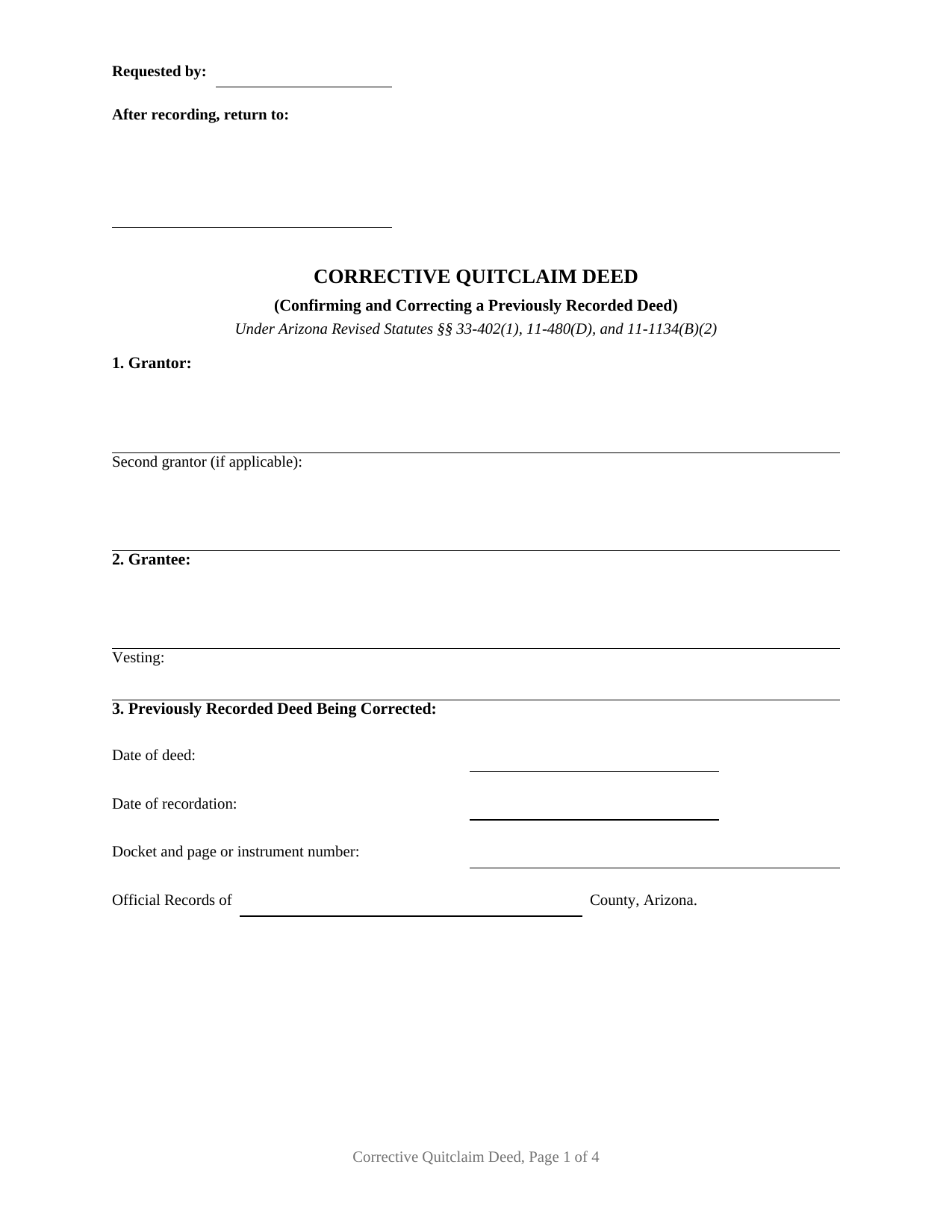
Apache County Quitclaim Deed (Corrective) Form
Fill in the blank Quitclaim Deed (Corrective) form formatted to comply with all Arizona recording and content requirements.
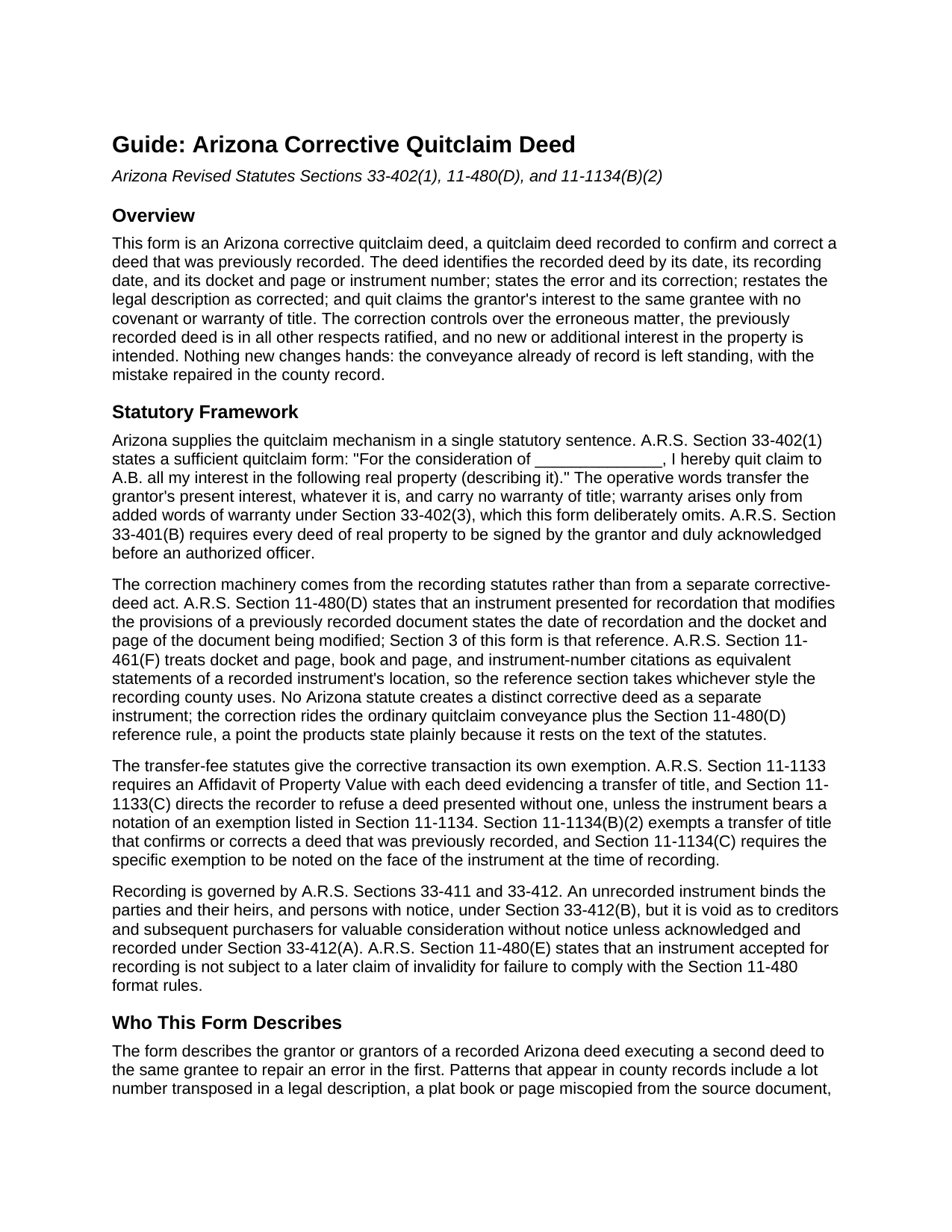
Apache County Quitclaim Deed (Corrective) Guide
Line by line guide explaining every blank on the Quitclaim Deed (Corrective) form.
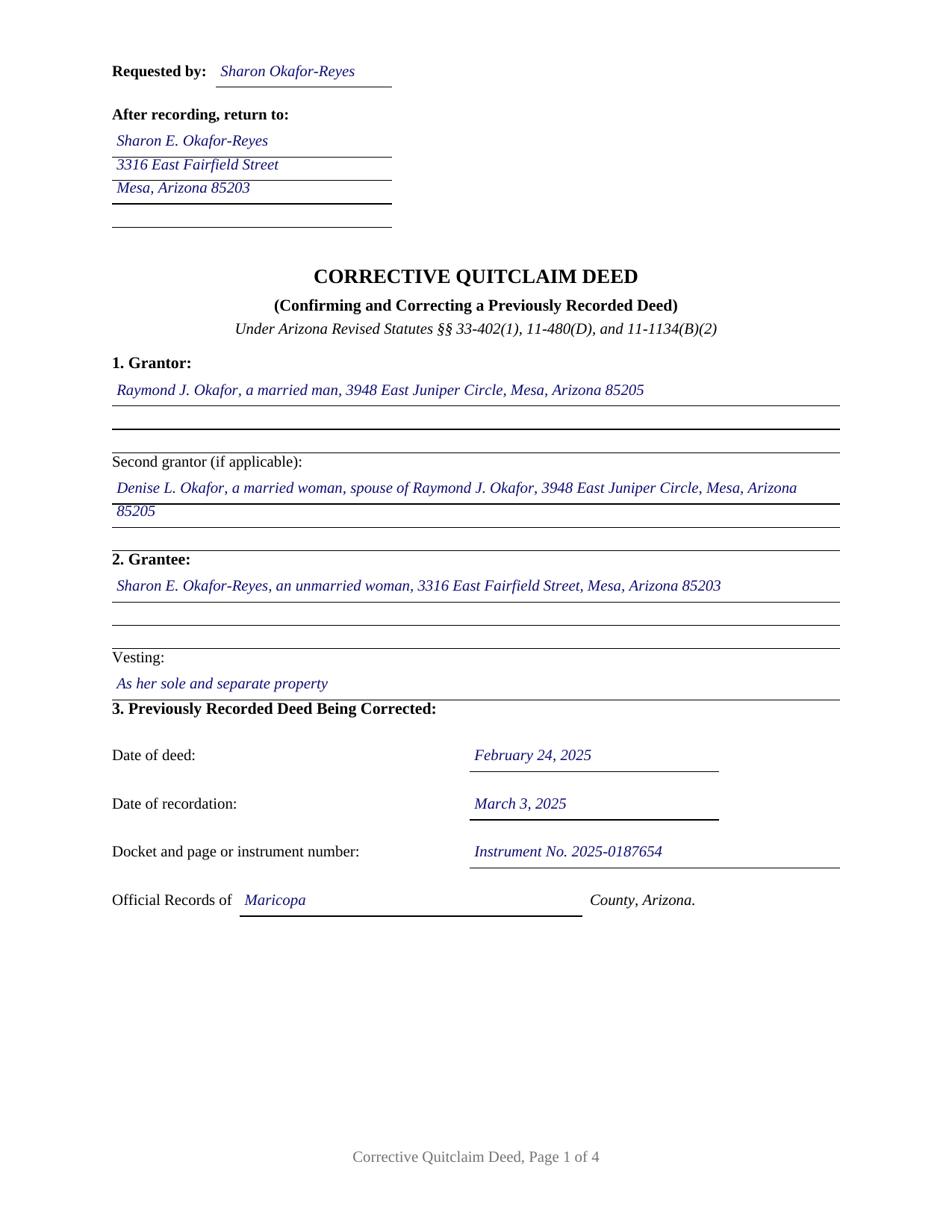
Apache County Completed Example of the Quitclaim Deed (Corrective) Document
Example of a properly completed Arizona Quitclaim Deed (Corrective) document for reference.
All 3 documents above included • One-time purchase • No recurring fees
Immediate Download • Secure Checkout
Additional Arizona and Apache County documents included at no extra charge:
Where to Record Your Documents
County Recorder Office - County Annex Bldg
St. Johns, Arizona 85936
Hours: Monday through Thursday 6:30am - 5:30pm. Closed Fridays
Phone: 928-337-7515
Recorder's Sub Office
Springerville, Arizona
Hours: Mon, Tue 8:00 - 5:00, Wed 9:00 - 12:00
Phone:
Recording Tips for Apache County:
- Bring your driver's license or state-issued photo ID
- Ensure all signatures are in blue or black ink
- Ask if they accept credit cards - many offices are cash/check only
- Check that your notary's commission hasn't expired
- Documents must be on 8.5 x 11 inch white paper
Cities and Jurisdictions in Apache County
Properties in any of these areas use Apache County forms:
- Alpine
- Chambers
- Chinle
- Concho
- Dennehotso
- Eagar
- Fort Defiance
- Ganado
- Greer
- Houck
- Lukachukai
- Lupton
- Many Farms
- Mcnary
- Nazlini
- Nutrioso
- Petrified Forest Natl Pk
- Red Valley
- Rock Point
- Round Rock
- Saint Johns
- Saint Michaels
- Sanders
- Springerville
- Teec Nos Pos
- Tsaile
- Vernon
- Window Rock
Hours, fees, requirements, and more for Apache County
How do I get my forms?
Forms are available for immediate download after payment. The Apache County forms will be in your account ready to download to your computer. An account is created for you during checkout if you don't have one. Forms are NOT emailed.
Are these forms guaranteed to be recordable in Apache County?
Yes. Our form blanks are guaranteed to meet or exceed the applicable formatting requirements used for recording in Apache County, including margin requirements, font requirements, and other layout standards. This guarantee applies to formatting, not to the legal sufficiency of information entered by the user or the suitability of a form for a particular transaction.
Can I reuse these forms?
Yes. You can reuse the forms for your personal use. For example, if you have multiple properties in Apache County you only need to order once.
What do I need to use these forms?
The forms are PDFs that you fill out on your computer. The free Adobe Acrobat Reader is recommended, and most PDF apps also work. You do NOT enter your property information online - you download the blank forms and complete them privately on your own computer.
Are there any recurring fees?
No. This is a one-time purchase. Nothing to cancel, no memberships, no recurring fees.
How much does it cost to record in Apache County?
Recording fees in Apache County vary. Contact the recorder's office at 928-337-7515 for current fees.
Questions answered? Let's get started!
This Arizona quitclaim deed does its work by pointing at another deed. It is a corrective quitclaim deed: the grantor who signed a deed already of record signs again, the new deed identifies the recorded deed by its recording date and its docket and page or instrument number, states the error, and carries the corrected content into the county record with the quitclaim words of A.R.S. Section 33-402(1). Nothing new changes hands; the conveyance that already happened is confirmed, with the mistake repaired.
The reference the recording statute requires
Arizona writes the pointing mechanism into its recording statute. Under A.R.S. Section 11-480(D), an instrument presented for recordation that modifies the provisions of a previously recorded document states the date of recordation and the docket and page of the document being modified. A correction deed is the classic instrument that rule reaches, so this form gives the reference its own numbered section: the date of the deed being corrected, its recording date, its docket and page or instrument number, and the county whose Official Records contain it, all copied from the recorder's stamp or online index. A.R.S. Section 11-461(F) treats docket and page, book and page, and instrument numbers as equivalent record locations, so the section takes whichever style the recording county uses.
What a correction recites, and who signs it
The form carries a dedicated correction section that states, in plain sentences, what the recorded deed says in error and what the correct content is, followed by the legal description as corrected and the grantee's vesting restated. The operative section then quit claims the grantor's interest to the same grantee, provides that the correction controls over the erroneous matter, and ratifies the previously recorded deed in all other respects, expressly creating no new interest and carrying no warranty of title. A lot number transposed in a legal description, a plat book or page miscopied from the source document, a grantee's name misspelled on the recorded instrument, and vesting words left out of the granting clause present the pattern this deed recites. The signers are the grantor or grantors of the recorded deed: the form carries two grantor entries, two signature blocks, and two acknowledgment certificates on the A.R.S. Section 41-265 short form, so spouses who conveyed community real property together re-execute together, and a single grantor leaves the second blocks blank. The form is not set up as a vehicle for adding a grantee or changing the terms of the transaction; a transfer that changes the substance is a new conveyance rather than a correction.
Exemption code B2, on the face of the deed
The Affidavit of Property Value that rides with most Arizona title transfers stays home here. A.R.S. Section 11-1134(B)(2) exempts a transfer of title that confirms or corrects a deed that was previously recorded, and Section 11-1134(C) requires the specific exemption to be noted on the face of the instrument at recording. The form positions the notation line under the property description, in the Department of Revenue style the completed example shows: A.R.S. 11-1134 B2. With that notation the deed records for the flat thirty dollar fee of Section 11-475, which already folds in the two dollar transfer fee; without it, Section 11-1133(C) directs the recorder to refuse a deed arriving with neither notation nor affidavit.
Recording the correction
The corrective deed is recorded in the same county as the deed it corrects, drafted to the A.R.S. Section 11-480 format standards, with a caption, ten point or larger type, and a reserved first page top area whose left portion carries the requesting party and return address. Once the instrument is accepted, Section 11-480(E) shields it from later format based invalidity claims. Corrections notarized on or after September 12, 2026 also pick up the state's anti-fraud act: a thumbprint in the notary journal for deed signers and photo identification for in-person recording.
The download includes the blank corrective deed as a fillable PDF, a completed example correcting a transposed lot number on a Mesa parcel recorded in Maricopa County, and a section by section guide covering the prior deed reference, the correction statement, the exemption notation, signing, and recording. The materials are informational and are not legal advice.
Important: Your property must be located in Apache County to use these forms. Documents should be recorded at the county recording office listed above.
This Quitclaim Deed (Corrective) meets all recording requirements specific to Apache County.
Our Promise
The documents you receive here are guaranteed to meet or exceed the applicable Apache County recording format requirements. If there is a rejection caused by our formatting, we will correct the issue or refund your payment. This guarantee applies to document formatting only and does not extend to information entered by the user, the selection of the form, or the legal effect of the completed document.
Save Time and Money
Get your Apache County Quitclaim Deed (Corrective) form done right the first time with Deeds.com Uniform Conveyancing Blanks. At Deeds.com, we understand that your time and money are valuable resources, and we don't want you to face a penalty fee or rejection imposed by a county recorder for submitting nonstandard documents. We constantly review and update our forms to meet rapidly changing state and county recording requirements for roughly 3,500 counties and local jurisdictions.
4.8 out of 5 - ( 4,837 Reviews )
Vickie W. 5 out of 5 stars
Very easy to download and appreciated the other information and affidavits.
We appreciate your business and value your feedback. Thank you. Have a wonderful day!
Theresa B. 4 out of 5 stars
Will review after I attempt to complete. I like your site. Im very nervous to try this Hope not outdated information. Will let you know if filing goes okay.
Thank you!
Kristen R. 5 out of 5 stars
wonderful experience. highly recommend. will use again.
We deeply appreciate the trust you have placed in our services. Thank you for your valuable feedback and for choosing us.
gene h. 5 out of 5 stars
Had used website while working as Land Rep for major oil company (retired 2.5 years ago). Recently had need to do some online research and went back to Deeds.com to find needed documents. Same as before, website provides a great service at a great price.
Thank you for your feedback. We really appreciate it. Have a great day!
Debra W. 5 out of 5 stars
I found this site a must. It provided all the forms I needed to file a Quit Claim Deed. I filed what use to be called a Quick Claim Deed 30 years ago. You only had to file the one form. Today it is called a Quit Claim Deed. The pack provided forms that I had no idea had to be filed with the Quit Claim Deed. I would not have known this otherwise if the option hadn't presented itself. Thank you!
Thanks for taking the time to leave your feedback Debra, we really appreciate it.
Sheri L. 5 out of 5 stars
Very helpful even though what I'm looking for hasnt updated yet. I'll use you again.
Thank you!
Jin L. 5 out of 5 stars
Your service is pretty awesome! I needed to get my docs recorded before year end, and you guys were on it. Thank you very much for the quick turnaround!
We appreciate your business and value your feedback. Thank you. Have a wonderful day!
Robin B. 5 out of 5 stars
I came, I saw, I ordered, I downloaded.
Thank you!
Alison L. 5 out of 5 stars
Wonderful and easy to use platform. I was using a more complicated platform that wouldn't load half the time. Makes for filing deeds in the pandemic quick and easy.
We appreciate your business and value your feedback. Thank you. Have a wonderful day!
Virginia K. 5 out of 5 stars
Easy to use instructions and fast service delivery. I was kept up to date on the status of my filing.
Thank you!
Bryan A. 5 out of 5 stars
Very easy thank you for this quick process.
Thank you for the kind words Bryan.
Paul R. A. 5 out of 5 stars
Great and prompt service. Thank you for your assistance. Paul R. Ashe, Esq.
Thank you!
Amy C. 5 out of 5 stars
Easy enough to use the forms. Will probably get them reviewed before recording just to be sure.
Thank you for your feedback. We really appreciate it. Have a great day!
Chris O. 5 out of 5 stars
Very user friendly website. Had a variety of forms. Reasonable price
We appreciate your business and value your feedback. Thank you. Have a wonderful day!
Gertrude F. 3 out of 5 stars
I like that DEEDS.com has a variety of forms tht I may need. However, I was disappointed that I am not able to save the PDF forms after I fill in the spaces. If I need to edit anything, I have to go back to the blank form and redo the whole thing. Perhap I am doing something wrong.
Thank you!