Colusa County Executor Deed Form
Last validated November 5, 2026 by our Forms Development TeamFormatted for recording in Colusa County, for property anywhere in the county: rural and unincorporated areas as well as Arbuckle, Colusa, Grimes, Maxwell, Princeton, Stonyford, Williams.
- 3 documents included
- Immediate PDF download
- Formatting guarantee
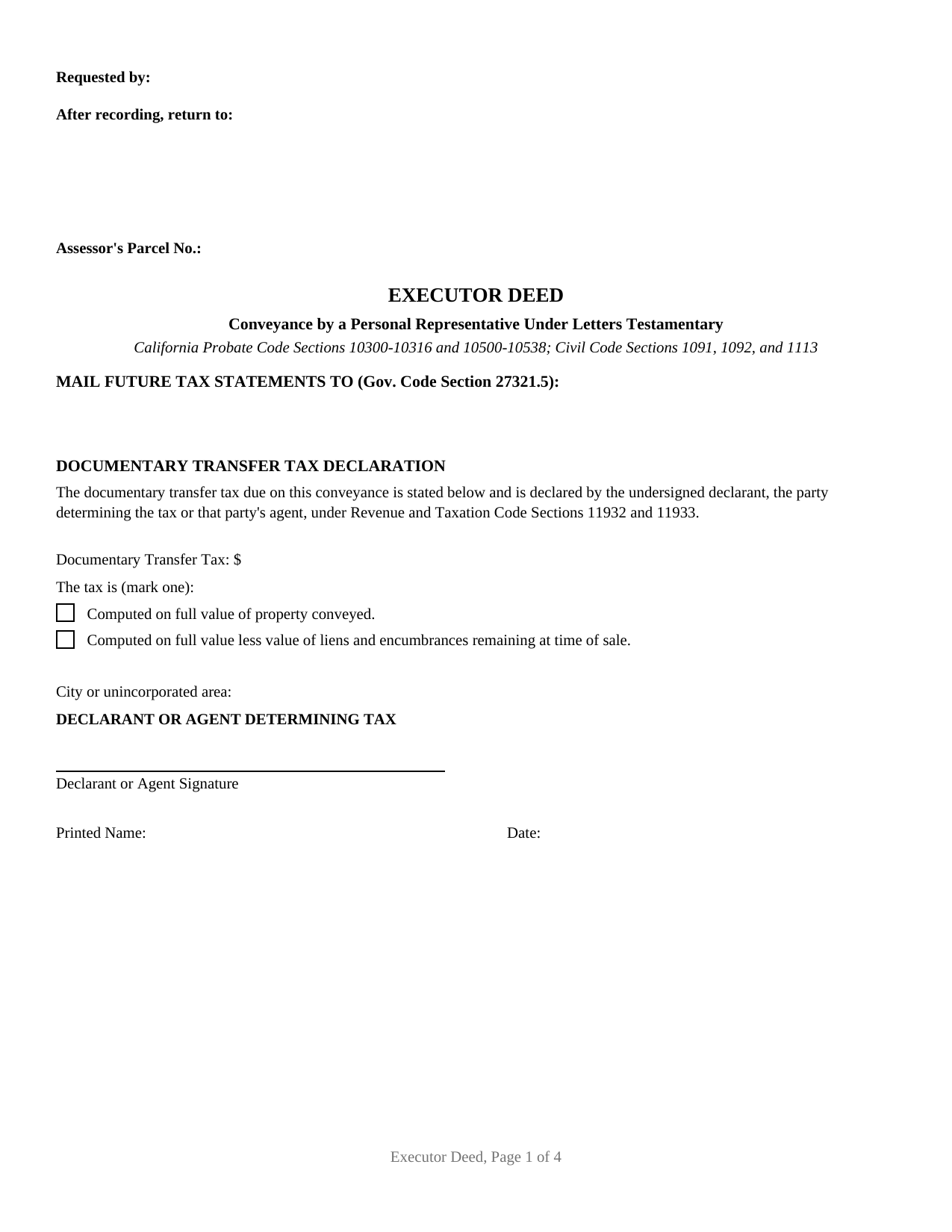
Colusa County Executor Deed Form
Fill in the blank Executor Deed form formatted to comply with all California recording and content requirements.
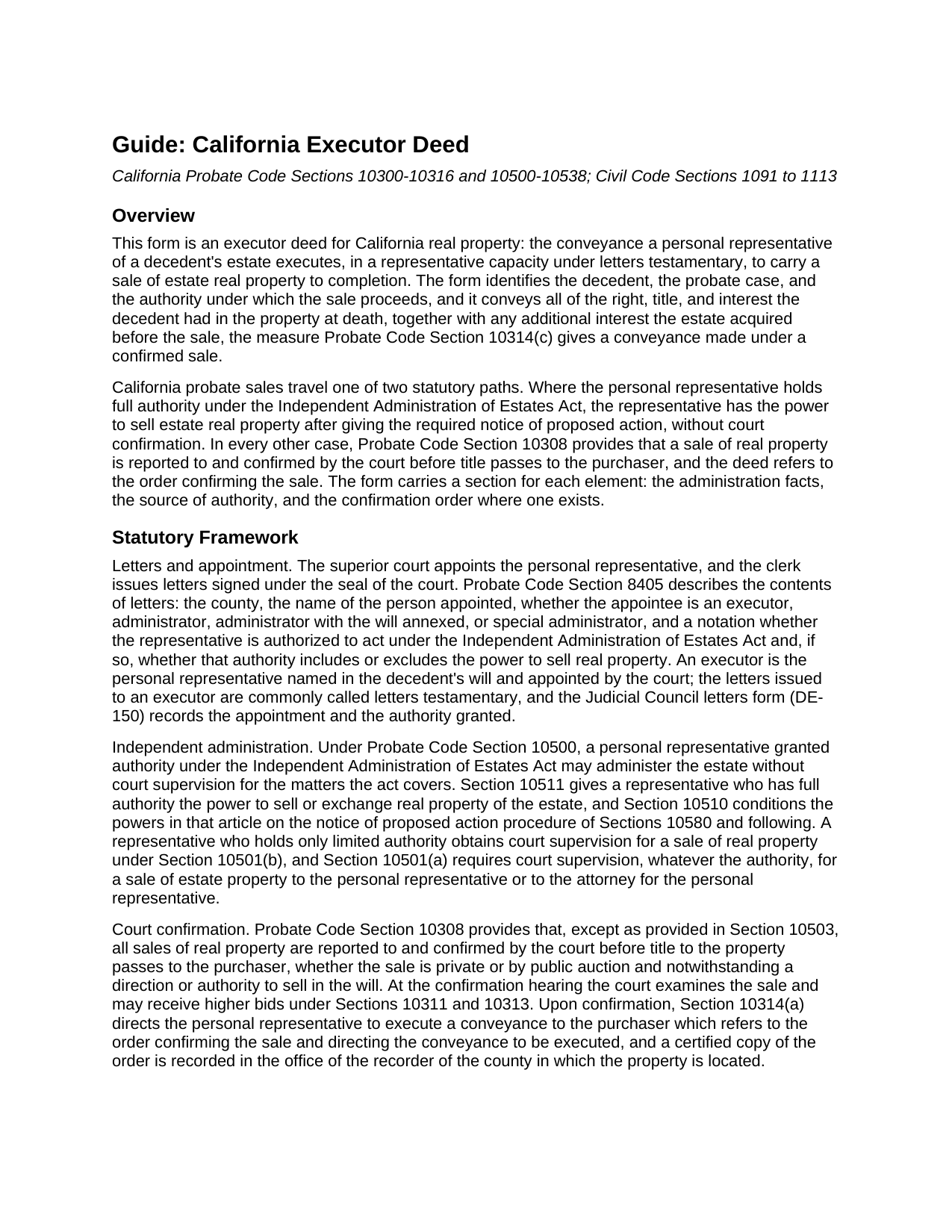
Colusa County Executor Deed Guide
Line by line guide explaining every blank on the Executor Deed form.
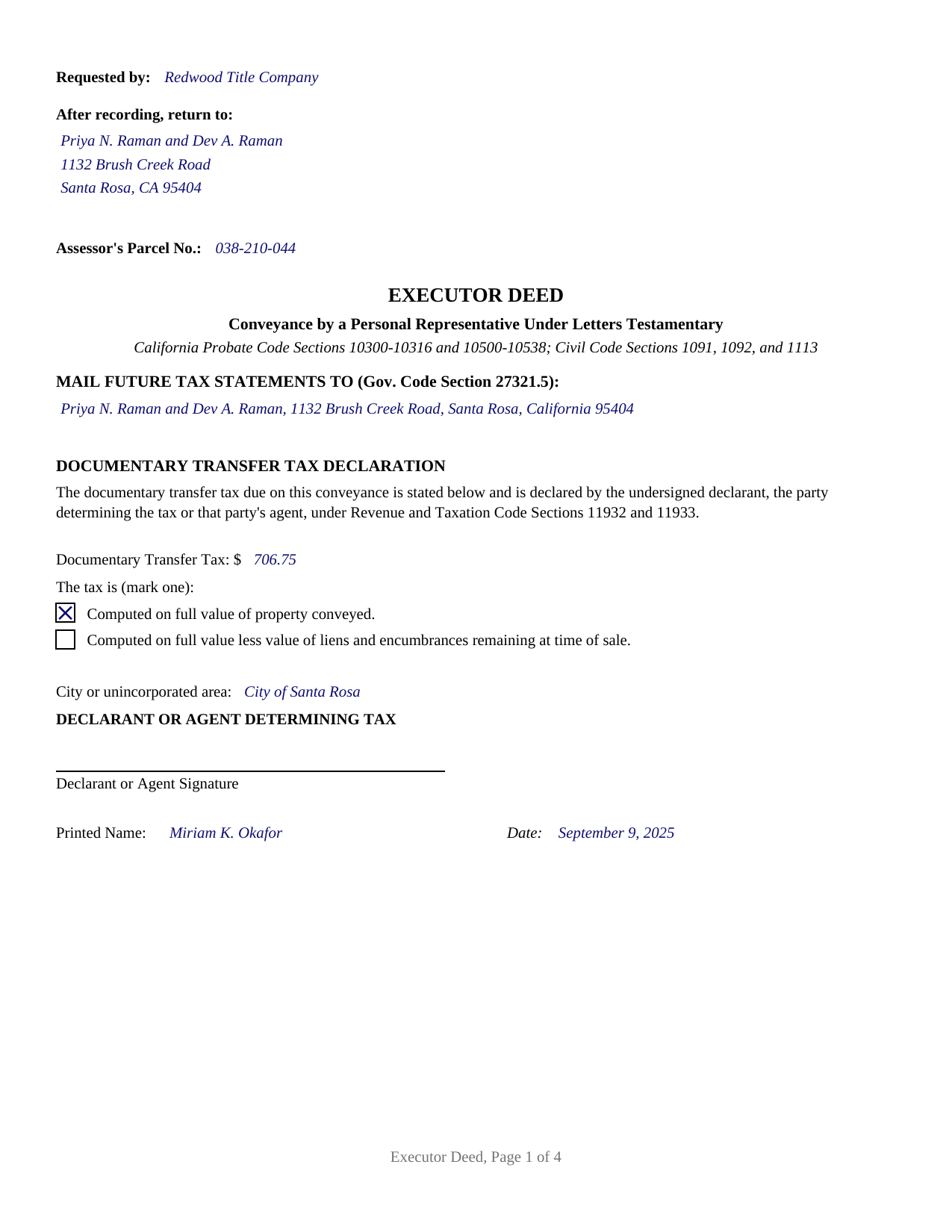
Colusa County Completed Example of the Executor Deed Document
Example of a properly completed California Executor Deed document for reference.
All 3 documents above included • One-time purchase • No recurring fees
Immediate Download • Secure Checkout
Additional California and Colusa County documents included at no extra charge:
Where to Record Your Documents
Colusa County Clerk & Recorder
Colusa, California 95932
Hours: 8:30 - 4:00 Monday to Friday
Phone: 530-458-0500
Recording Tips for Colusa County:
- Bring your driver's license or state-issued photo ID
- Ensure all signatures are in blue or black ink
- Leave recording info boxes blank - the office fills these
- Make copies of your documents before recording - keep originals safe
- Recorded documents become public record - avoid including SSNs
Cities and Jurisdictions in Colusa County
Properties in any of these areas use Colusa County forms:
- Arbuckle
- Colusa
- Grimes
- Maxwell
- Princeton
- Stonyford
- Williams
Hours, fees, requirements, and more for Colusa County
How do I get my forms?
Forms are available for immediate download after payment. The Colusa County forms will be in your account ready to download to your computer. An account is created for you during checkout if you don't have one. Forms are NOT emailed.
Are these forms guaranteed to be recordable in Colusa County?
Yes. Our form blanks are guaranteed to meet or exceed the applicable formatting requirements used for recording in Colusa County, including margin requirements, font requirements, and other layout standards. This guarantee applies to formatting, not to the legal sufficiency of information entered by the user or the suitability of a form for a particular transaction.
Can I reuse these forms?
Yes. You can reuse the forms for your personal use. For example, if you have multiple properties in Colusa County you only need to order once.
What do I need to use these forms?
The forms are PDFs that you fill out on your computer. The free Adobe Acrobat Reader is recommended, and most PDF apps also work. You do NOT enter your property information online - you download the blank forms and complete them privately on your own computer.
Are there any recurring fees?
No. This is a one-time purchase. Nothing to cancel, no memberships, no recurring fees.
How much does it cost to record in Colusa County?
Recording fees in Colusa County vary. Contact the recorder's office at 530-458-0500 for current fees.
Questions answered? Let's get started!
A California executor deed is the conveyance that moves real property out of a probate estate: the personal representative named in the decedent's will, holding letters testamentary from the superior court, signs a deed transferring the estate's interest to the purchaser. This fillable form, also searched as an executor's deed, personal representative deed, or probate deed, prepares that conveyance under the California Probate Code.
Authority that comes from the probate file
Unlike an ordinary grant deed between living owners, an executor deed draws its force from the probate case. The letters the court clerk issues under Probate Code Section 8405 name the executor and state whether the appointment carries authority under the Independent Administration of Estates Act, and whether that authority includes the power to sell real property. A representative with full authority may sell estate real property after giving the notice of proposed action the act requires, without a confirmation hearing. In every other case, Probate Code Section 10308 has the sale reported to and confirmed by the court before title passes, at a hearing where higher bids may be received. The form is built around those facts: the decedent, the superior court and case number, the date letters testamentary issued, the authority for the sale, and, for a confirmed sale, the order confirming the sale, which Probate Code Section 10314 has the deed refer to on its face; a certified copy of the order, obtained from the court file separately from this package, is recorded in the county where the property lies.
A conveyance measured by the estate's title
The granting clause tracks Probate Code Section 10314(c): the deed conveys all of the right, title, and interest the decedent had in the property at death, together with any additional interest the estate acquired before the sale. The word grants does the operative work under Civil Code Section 1092, and the deed then expressly restrains the two covenants Civil Code Section 1113 would imply from that word, so the executor makes no personal covenant and the estate gives no warranty of title. That posture is what distinguishes a fiduciary conveyance: the purchaser's protection comes from the probate procedure, from the confirmation order where there is one, and from the title insurance issued for the sale, not from promises by the fiduciary who signs.
Built for California recording counters
The first page carries what California recording offices look for: the requester line, the return address block, and the assessor parcel number in the reserved recording space under Government Code Section 27361.6, a title immediately below that space, the name and address for future tax statements under Government Code Section 27321.5, and the documentary transfer tax declaration under Revenue and Taxation Code Sections 11932 and 11933, with the amount, the computation statement, the city or unincorporated area, and the declarant's signature line. A probate sale for consideration is a taxable sale of realty, so the declaration matters here in a way it does not on gift deeds. The guide walks through the county recorder's fee layers, the preliminary change of ownership report the transferee files with the deed (a state assessor form prepared separately and not included in this package), and the acknowledgment before a notary that Government Code Section 27287 makes the gateway to recording. The notary certificate printed on the form is the California statutory certificate with its boxed notice, completed by the officer for the executor's representative-capacity acknowledgment.
One estate, one signer, both sale paths
The form recites a single grantor signing in a fiduciary role: an executor serving under letters testamentary. The recitals do not describe an administrator serving under letters of administration, a trustee conveying trust property, or a beneficiary claiming under a transfer on death deed; those transfers follow different instruments. Within that scope the deed serves either statutory sale path, and the guide shows the entries for each.
The download delivers this executor deed as a fillable PDF, a completed example showing a realistic Sonoma County confirmed sale from case number to recording references, and a section by section guide to completing, signing, and recording the deed. The materials describe California law in general terms and are not legal advice; an attorney can apply these statutes to a particular estate.
Important: Your property must be located in Colusa County to use these forms. Documents should be recorded at the county recording office listed above.
This Executor Deed meets all recording requirements specific to Colusa County.
Our Promise
The documents you receive here are guaranteed to meet or exceed the applicable Colusa County recording format requirements. If there is a rejection caused by our formatting, we will correct the issue or refund your payment. This guarantee applies to document formatting only and does not extend to information entered by the user, the selection of the form, or the legal effect of the completed document.
Save Time and Money
Get your Colusa County Executor Deed form done right the first time with Deeds.com Uniform Conveyancing Blanks. At Deeds.com, we understand that your time and money are valuable resources, and we don't want you to face a penalty fee or rejection imposed by a county recorder for submitting nonstandard documents. We constantly review and update our forms to meet rapidly changing state and county recording requirements for roughly 3,500 counties and local jurisdictions.
4.8 out of 5 - ( 4,857 Reviews )
Joan P. 5 out of 5 stars
Thank you for combining all necessary documents in one simple location.
Thank you!
Frank H. 5 out of 5 stars
All the forms downloaded are very comprehensive of Quit Claim transfers.
We appreciate your business and value your feedback. Thank you. Have a wonderful day!
Kathy D. 5 out of 5 stars
Thank You, I will be looking forward to printing these files, and getting this Ladybird deed in place.
Thank you!
frederic m. 5 out of 5 stars
surprisingly good, gave me all the info I needed to prepare a deed and necessary attachments for recording.
Thank you!
Nicholas F. 5 out of 5 stars
Thankyou for your easy to use website and prompt service.
We appreciate your business and value your feedback. Thank you. Have a wonderful day!
MICHELE B. 5 out of 5 stars
very intuitive website. had no problem finding form ad printing.
Thanks, Michelle! Glad the site was easy to navigate and that finding and printing your form went smoothly. We appreciate you taking the time to share this.
William A. 5 out of 5 stars
great service and very accommodating generally, and especially during these times.
We appreciate your business and value your feedback. Thank you. Have a wonderful day!
Nancy G L. 5 out of 5 stars
Using your site was simple, and the forms downloaded as expected.
Thank you!
Barbara E. 5 out of 5 stars
I'm not sure if KVH is the identity to the person who helped me. I hope it is so you know just how much she helped She was great and very patient with me and with Wayne County Register of Deeds. I'm am really glad I had her on my team in this long endeavor.
Thank you for the kinds words Barbara. We appreciate you.
Michael C. 4 out of 5 stars
Overall positive experience; especially liked immediate access to downloaded documents and instructions. My only concern was lack of adequate space in portions of your beneficiary deed blank form which then required me to use 3 exhibits to complete all necessary documents for the county recorders office. Assuming they accept them I will call this a strong win. Thanks.
We appreciate your business and value your feedback. Thank you. Have a wonderful day!
George D. 4 out of 5 stars
The TODD form has been notarized and registered with my county Register of Deeds office, so it works just fine. My only quibble is that when I printed it out, it missed part of the last line of the notary's info and the fine print in the bottom corners. When I printed it at 90% scale, it included those things.
Thank you for your feedback. We really appreciate it. Have a great day!
Lori C. 5 out of 5 stars
It just a little disconcerting that I was not able to preview any of the forms prior to purchasing them. Thank goodness they were the correct forms I needed. I would suggest being able to at least make the picture of the forms a little larger or give the capability to zoom in.
Thank you!
Debra B. 5 out of 5 stars
Easy to process and file with the courthouse.
We appreciate your business and value your feedback. Thank you. Have a wonderful day!
DARLA L. 5 out of 5 stars
I was happy with the quick response to obtain the requested forms. Effective and easy website to use.
We appreciate your business and value your feedback. Thank you. Have a wonderful day!
DENNIS K. 5 out of 5 stars
I am a civil engineer, not an attorney. I deal with easements on a regular basis but not so much on the "recording" side of things. I normally prepare the graphic exhibits that accompany the dedication language but I am not the one who provides that language. Your forms solved that issue for me. Thanks.
Thank you!