Colusa County Long Form Deed of Trust Form
Last validated October 19, 2026 by our Forms Development TeamFormatted for recording in Colusa County, for property anywhere in the county: rural and unincorporated areas as well as Arbuckle, Colusa, Grimes, Maxwell, Princeton, Stonyford, Williams.
- 7 documents included
- Immediate PDF download
- Formatting guarantee
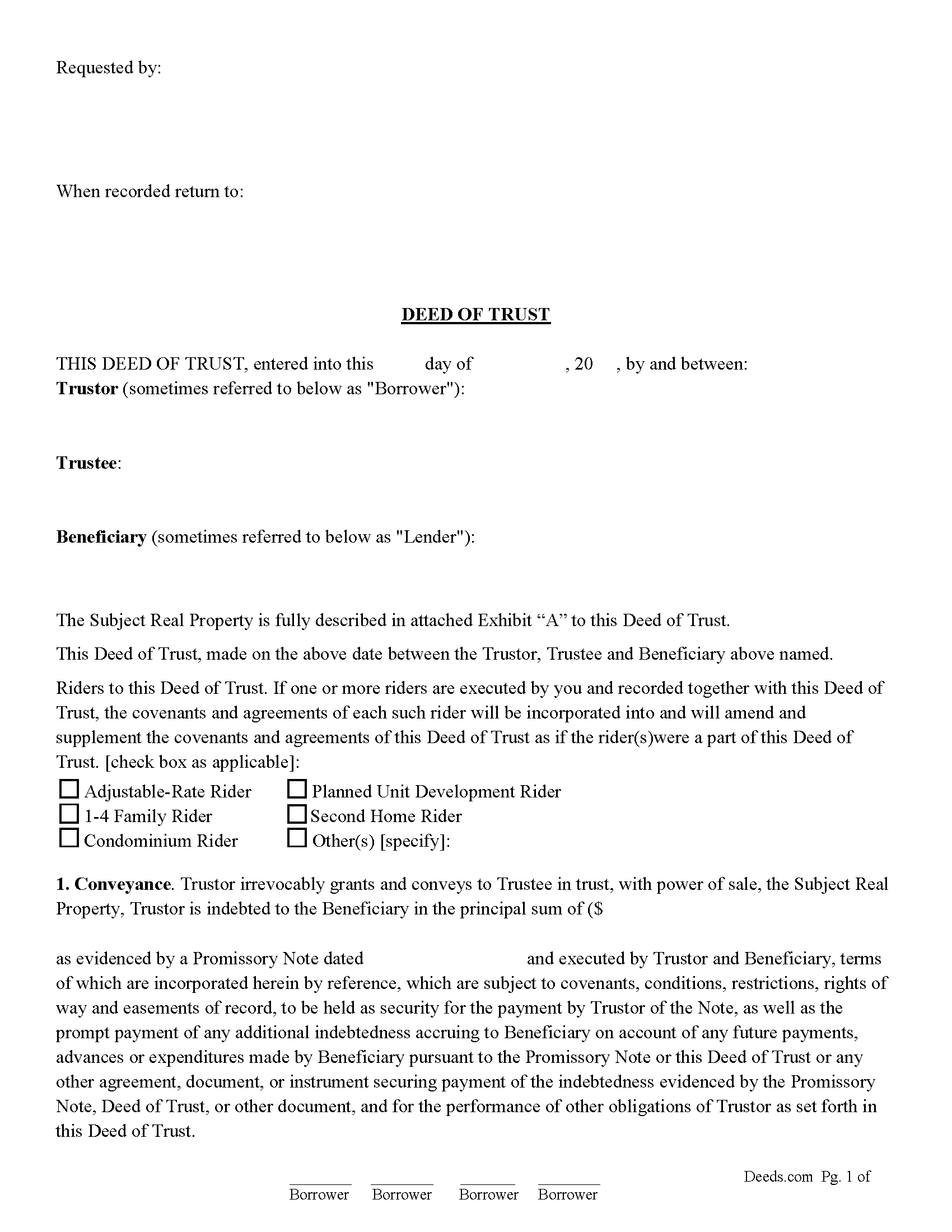
Colusa County Deed of Trust Form
Fill in the blank form formatted to comply with all recording and content requirements.
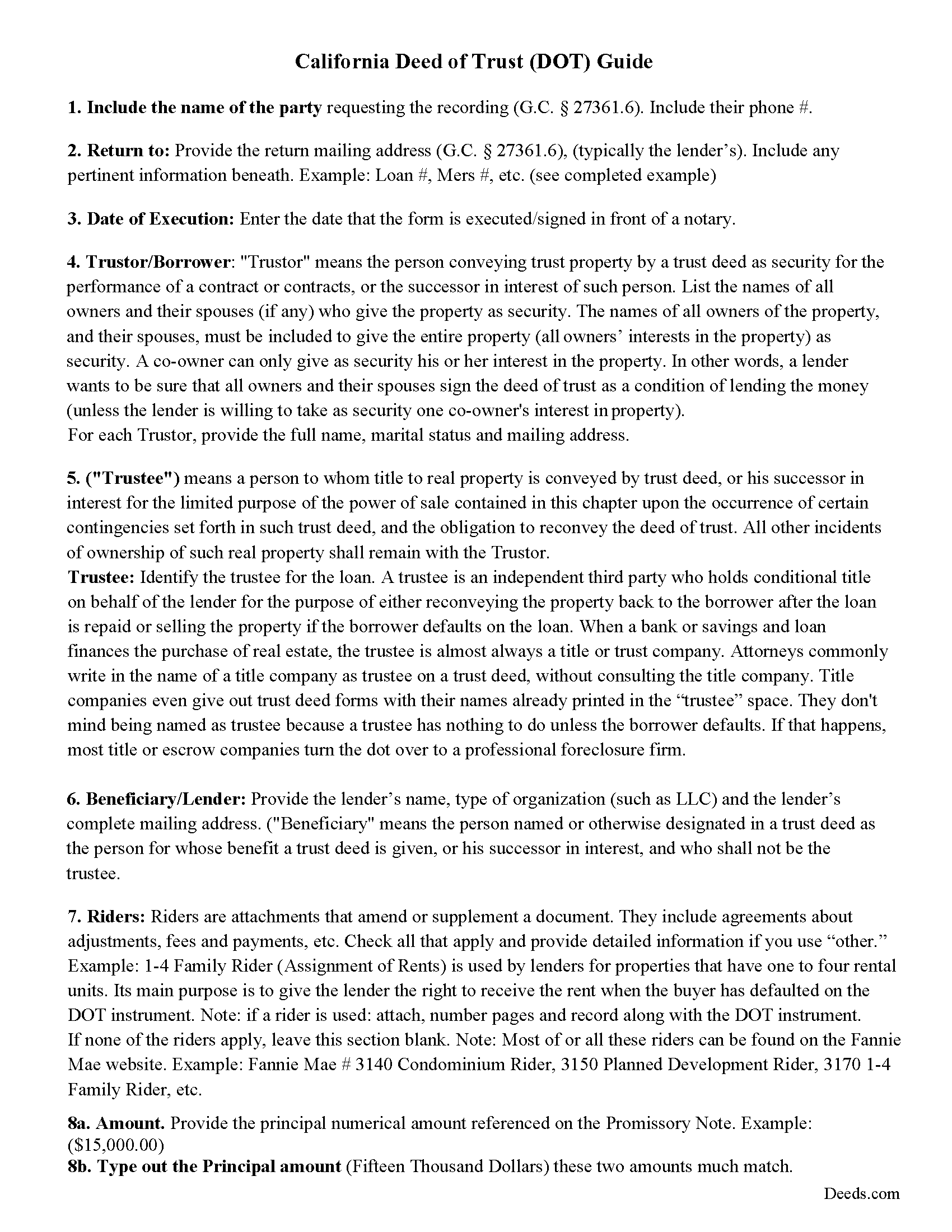
Colusa County Deed of Trust Guidelines
Line by line guide explaining every blank on the form.
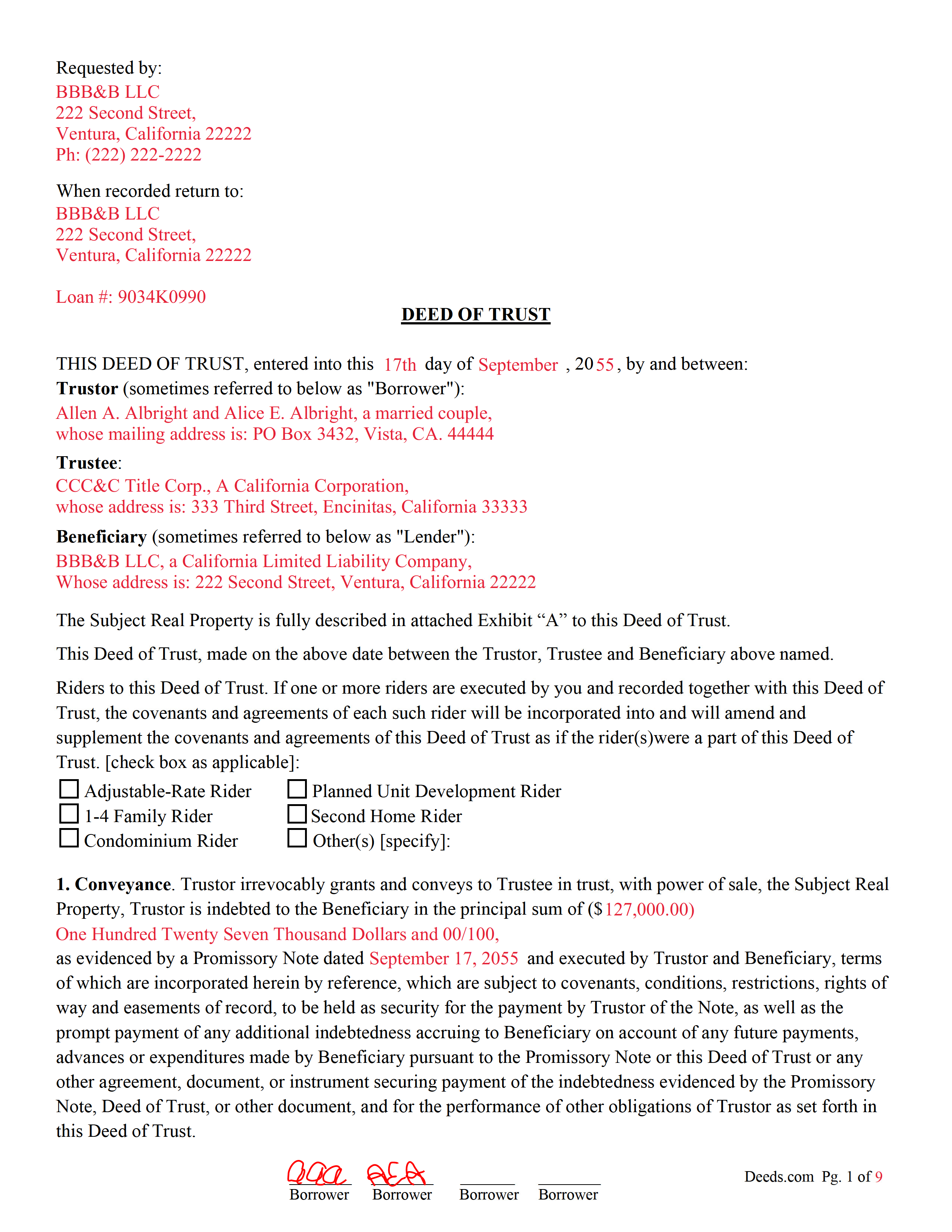
Colusa County Completed Example of the Deed of Trust Document
Example of a properly completed form for reference.
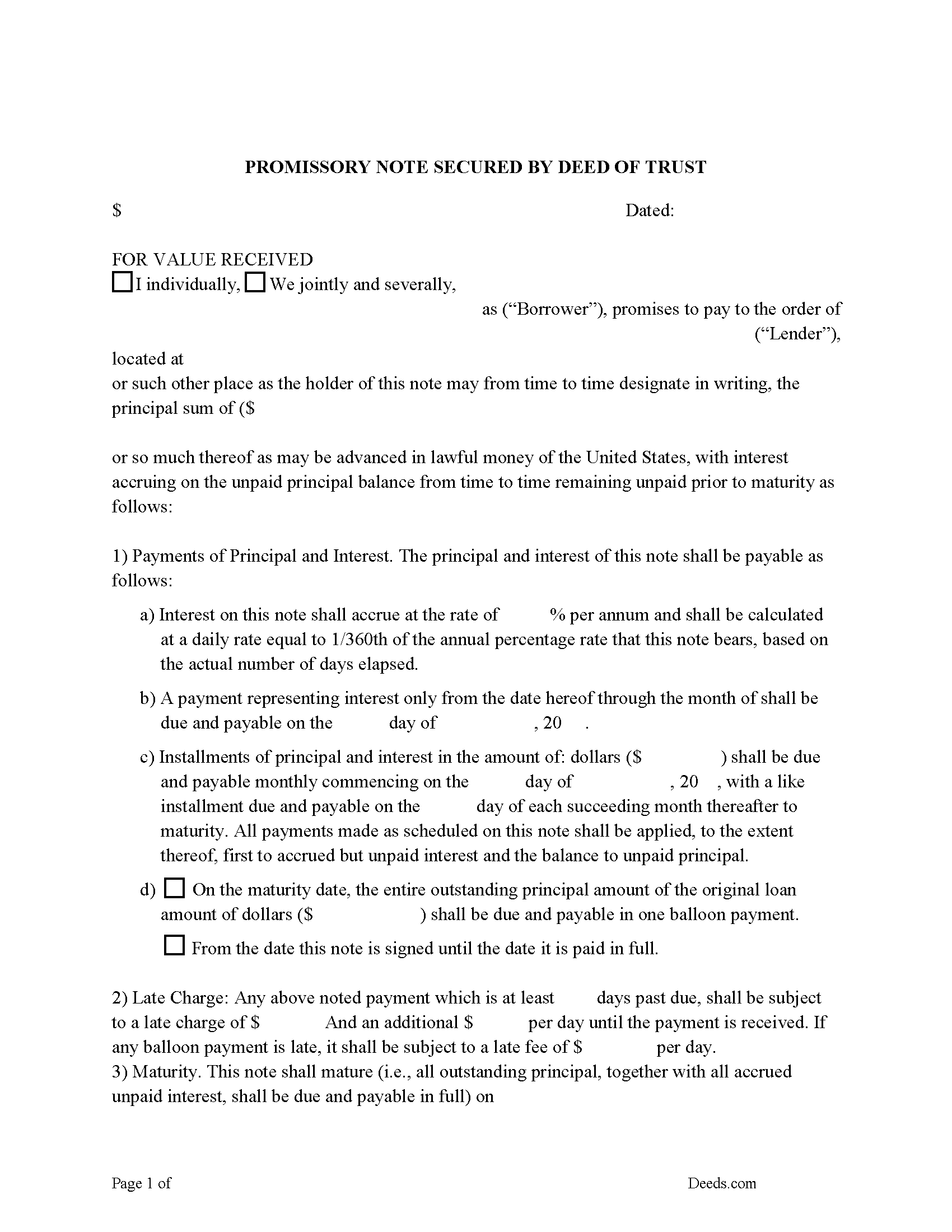
Colusa County Promissory Note Form
Note that is secured by the Deed of Trust.
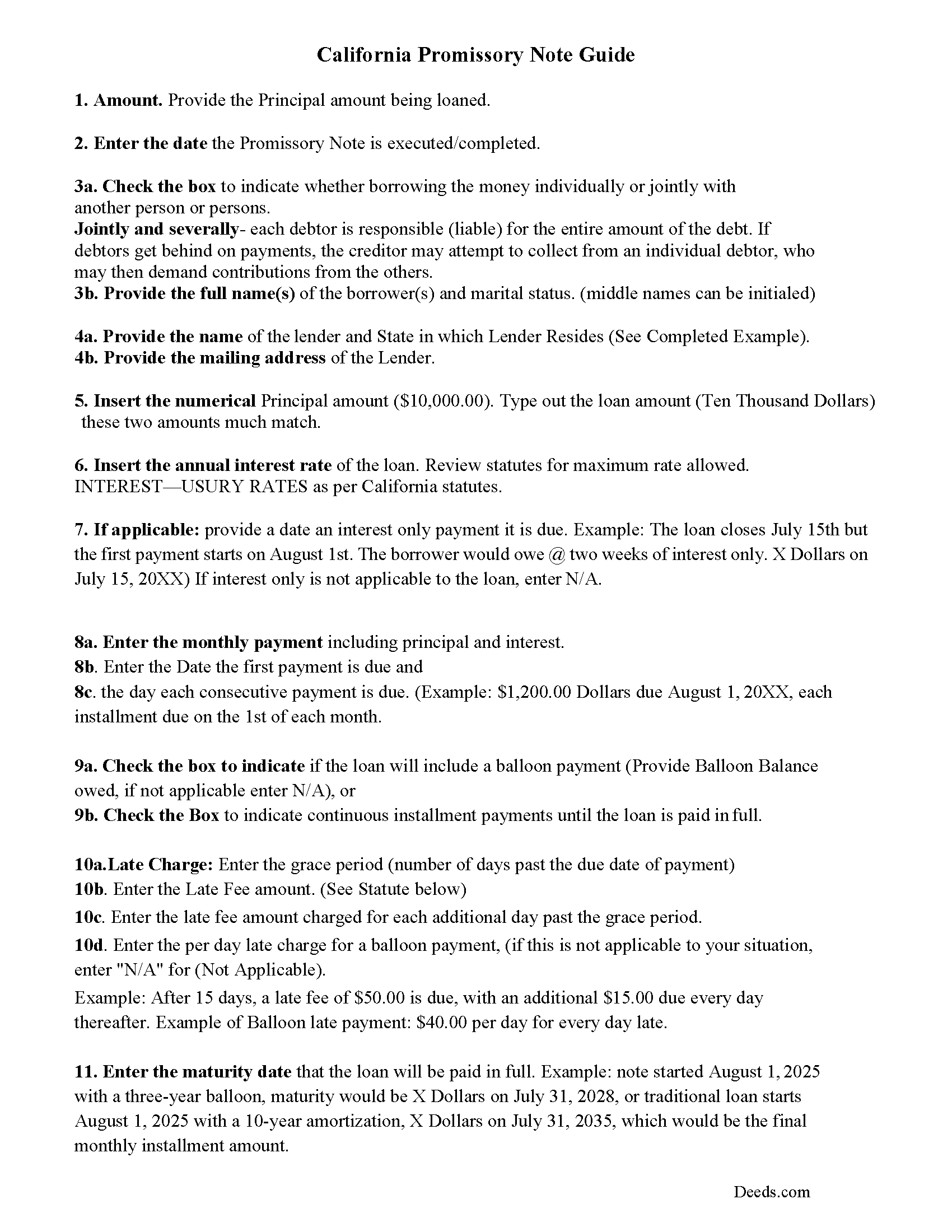
Colusa County Promissory Note Guidelines
Line by line guide explaining every blank on the form.
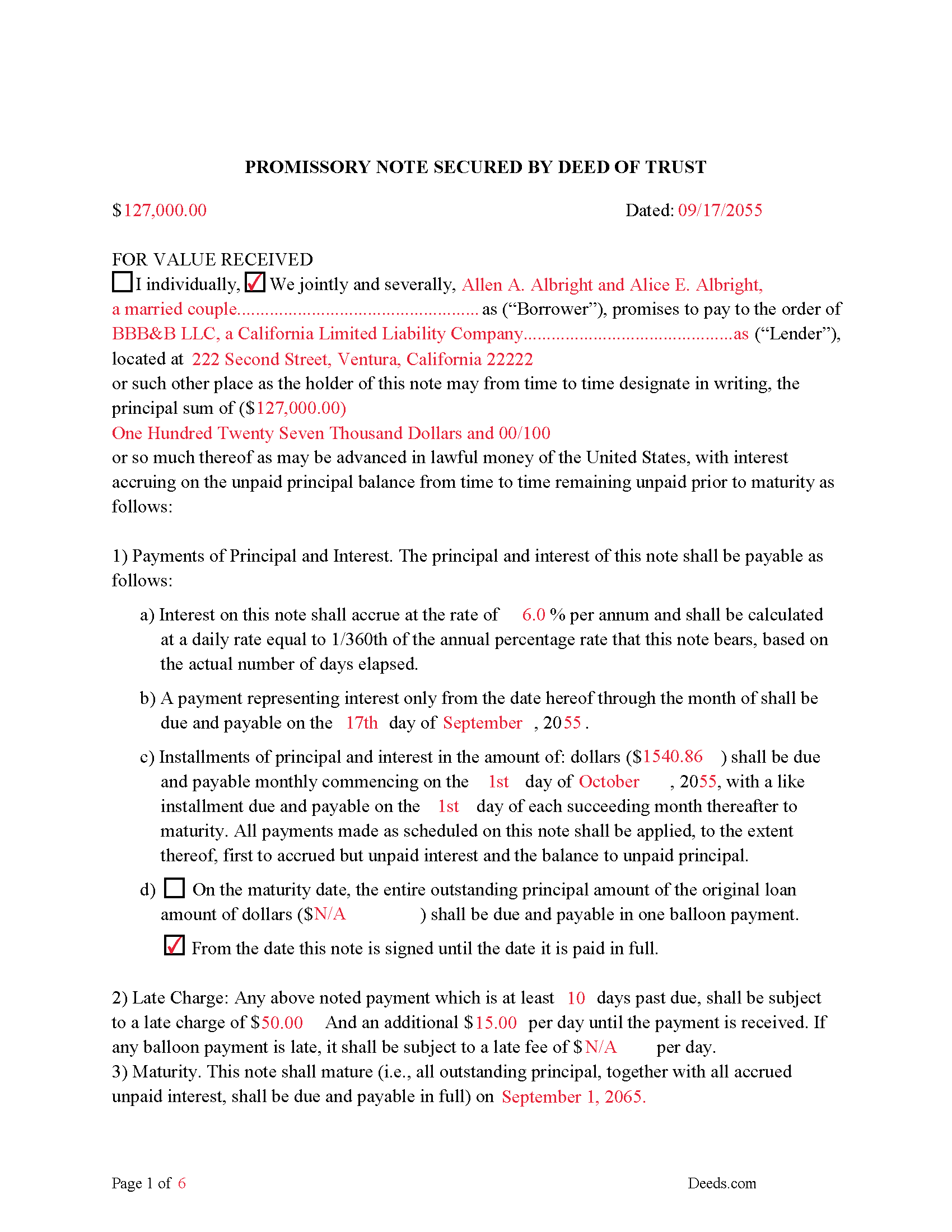
Colusa County Completed Example of the Promissory Note Document
Example of a properly completed form for reference.
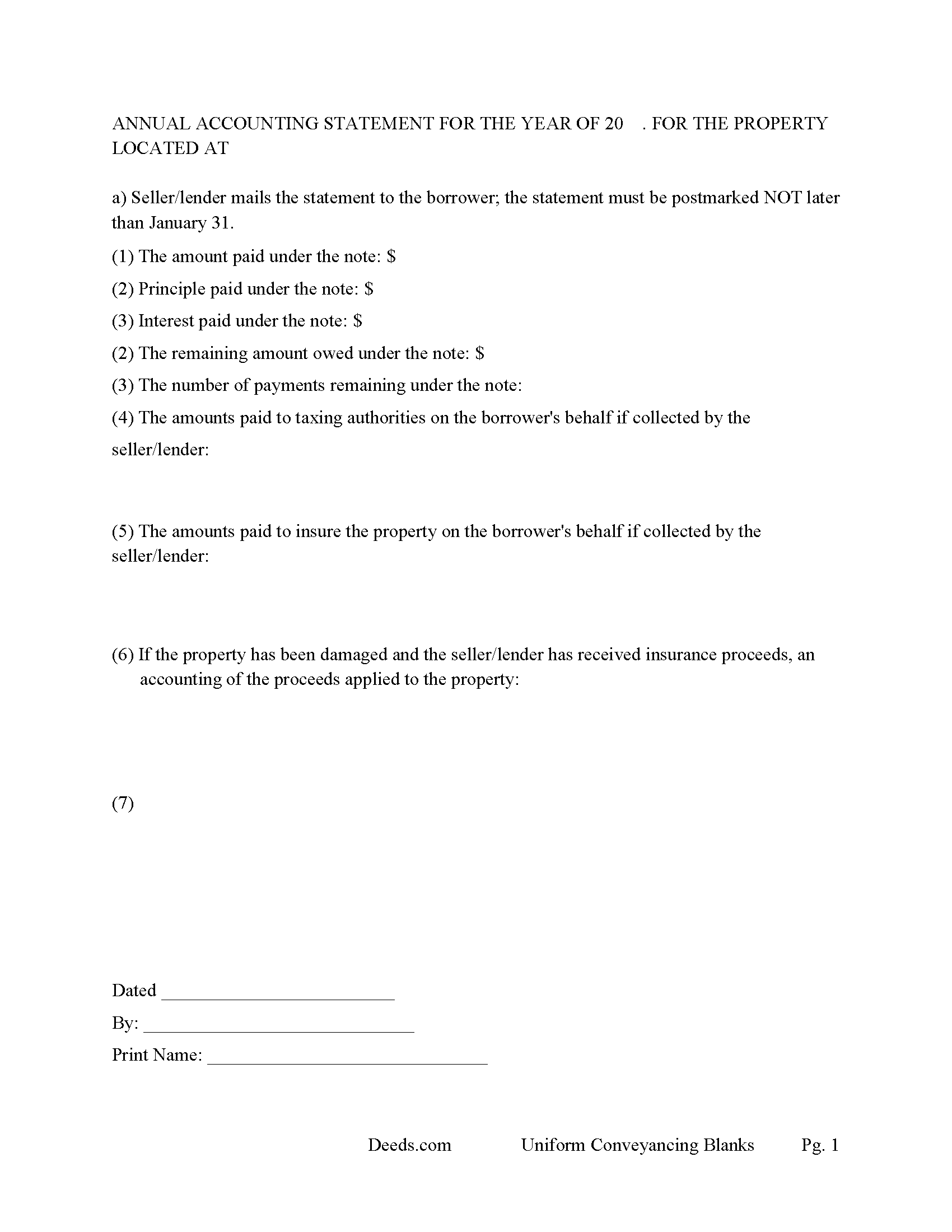
Colusa County Annual Accounting Statement Form
Mail to borrower(s) for fiscal year reporting.
All 7 documents above included • One-time purchase • No recurring fees
Immediate Download • Secure Checkout
Additional California and Colusa County documents included at no extra charge:
Where to Record Your Documents
Colusa County Clerk & Recorder
Colusa, California 95932
Hours: 8:30 - 4:00 Monday to Friday
Phone: 530-458-0500
Recording Tips for Colusa County:
- Bring your driver's license or state-issued photo ID
- Ensure all signatures are in blue or black ink
- Ask about accepted payment methods when you call ahead
- Ask for certified copies if you need them for other transactions
- Ask if they accept credit cards - many offices are cash/check only
Cities and Jurisdictions in Colusa County
Properties in any of these areas use Colusa County forms:
- Arbuckle
- Colusa
- Grimes
- Maxwell
- Princeton
- Stonyford
- Williams
Hours, fees, requirements, and more for Colusa County
How do I get my forms?
Forms are available for immediate download after payment. The Colusa County forms will be in your account ready to download to your computer. An account is created for you during checkout if you don't have one. Forms are NOT emailed.
Are these forms guaranteed to be recordable in Colusa County?
Yes. Our form blanks are guaranteed to meet or exceed the applicable formatting requirements used for recording in Colusa County, including margin requirements, font requirements, and other layout standards. This guarantee applies to formatting, not to the legal sufficiency of information entered by the user or the suitability of a form for a particular transaction.
Can I reuse these forms?
Yes. You can reuse the forms for your personal use. For example, if you have multiple properties in Colusa County you only need to order once.
What do I need to use these forms?
The forms are PDFs that you fill out on your computer. The free Adobe Acrobat Reader is recommended, and most PDF apps also work. You do NOT enter your property information online - you download the blank forms and complete them privately on your own computer.
Are there any recurring fees?
No. This is a one-time purchase. Nothing to cancel, no memberships, no recurring fees.
How much does it cost to record in Colusa County?
Recording fees in Colusa County vary. Contact the recorder's office at 530-458-0500 for current fees.
Questions answered? Let's get started!
A deed of trust (DOT), also known as a trust deed, is a document that conveys title to real property to a trustee as security for a loan until the grantor (borrower) repays the lender according to terms defined in the promissory note. It's similar to a mortgage but differs in that mortgages only include two parties (borrower and lender). The laws of each state determine whether to use a deed of trust or a mortgage.
This form may be used for residential property, condominiums, second homes, vacant land, planned unit developments, small commercial and rental property with up to 4 units, if more than 4 units-attach our assignment of leases and rents form.
This DOT contains a Power of Sale Clause allowing for a non-judicial foreclosure, saving time and expense for the lender. The promissory note can be used for installment or balloon payments. A deed of trust and promissory note containing stringent default terms can be beneficial to the Beneficiary/Lender.
(California Long Form Deed of Trust Package includes forms, guidelines, and completed examples) For use in California only.
Important: Your property must be located in Colusa County to use these forms. Documents should be recorded at the county recording office listed above.
This Long Form Deed of Trust meets all recording requirements specific to Colusa County.
Our Promise
The documents you receive here are guaranteed to meet or exceed the applicable Colusa County recording format requirements. If there is a rejection caused by our formatting, we will correct the issue or refund your payment. This guarantee applies to document formatting only and does not extend to information entered by the user, the selection of the form, or the legal effect of the completed document.
Save Time and Money
Get your Colusa County Long Form Deed of Trust form done right the first time with Deeds.com Uniform Conveyancing Blanks. At Deeds.com, we understand that your time and money are valuable resources, and we don't want you to face a penalty fee or rejection imposed by a county recorder for submitting nonstandard documents. We constantly review and update our forms to meet rapidly changing state and county recording requirements for roughly 3,500 counties and local jurisdictions.
4.8 out of 5 - ( 4,836 Reviews )
Jean W. 5 out of 5 stars
helpful if there was a space so one could type in the exemption # on the blank form before printing
Thank you for your feedback. We really appreciate it. Have a great day!
Renee H. 5 out of 5 stars
First time to use this service, was easy and quick return.
We appreciate your business and value your feedback. Thank you. Have a wonderful day!
Kevin C. 5 out of 5 stars
Easy to use but the quit claim deep looked old and dated. The example of how to fill out should have asterisks stating what is need and what can be skipped
Thank you for your feedback. We really appreciate it. Have a great day!
Kolette S. 3 out of 5 stars
The forms are nice; however, they do not display the "th" after the day or the second digit of the year. You can type them in, but they will not print out. I just left them blank and will handwrite.
Thank you for your feedback. We really appreciate it. Have a great day!
Deanna S. 5 out of 5 stars
I loved the fact that the forms came with examples of the required info. That was helpful and made filling out the forms so much easier. Thank you!
We appreciate your business and value your feedback. Thank you. Have a wonderful day!
Karen K. 5 out of 5 stars
Deeds was very easy to use. I thought it might take weeks to complete, but the whole process was completed in just a few hours. I am very satisfied with my experience and would use them again
Thank you for your feedback. We really appreciate it. Have a great day!
Cherie J K. 5 out of 5 stars
needed to prepare a corrective deed and found this great website to print the corrective deed and instructions and example of corrective deed
We appreciate your business and value your feedback. Thank you. Have a wonderful day!
STANLEY F. 5 out of 5 stars
Forms were spot on and able to save over $100 by not going to an attorney to complete the same documents. There were templates on how forms are supposed to be completed. You just need a notary to sign.
Thank you Stanley, we really appreciate your feedback.
Joe S. 5 out of 5 stars
Easy to use, reasonable price and excellent customer service! I would not hesitate to use Deeds.com again.
We appreciate your business and value your feedback. Thank you. Have a wonderful day!
Kathleen S. 5 out of 5 stars
The process was easy and the Staff was very helpful. Document was recorded quickly.
We appreciate your business and value your feedback. Thank you. Have a wonderful day!
John E. 5 out of 5 stars
This process exceeded my expectations. A great customer experience!
We appreciate your business and value your feedback. Thank you. Have a wonderful day!
Marck G. 5 out of 5 stars
This is an excellent service..thank you
Thank you!
Donna G. 5 out of 5 stars
Very happy with this service, comprehensive detailed instructions as well as correct forms for my location
We appreciate your business and value your feedback. Thank you. Have a wonderful day!
MARY LACEY M. 5 out of 5 stars
The recording process was done perfectly. We much appreciate your communication, prompt service and highly professional assistance. Thank you.
Thank you so much for the kind words. We're glad the recording went smoothly and that our team kept you informed along the way. Keeping things prompt and professional is exactly what we aim for, so it means a lot to hear it landed. We appreciate you taking the time to share this, and we're here whenever you need us again.
THOMAS P. 5 out of 5 stars
This site is excellent and makes everything so much easier. 5 star platform.
We appreciate your business and value your feedback. Thank you. Have a wonderful day!