San Mateo County Quitclaim Deed (Trustee Grantee) Form
Last validated October 6, 2026 by our Forms Development TeamFormatted for recording in San Mateo County, for property anywhere in the county: rural and unincorporated areas as well as Atherton, Belmont, Brisbane, Burlingame, Daly City, El Granada, Half Moon Bay, La Honda and 15 more.
- 3 documents included
- Immediate PDF download
- Formatting guarantee
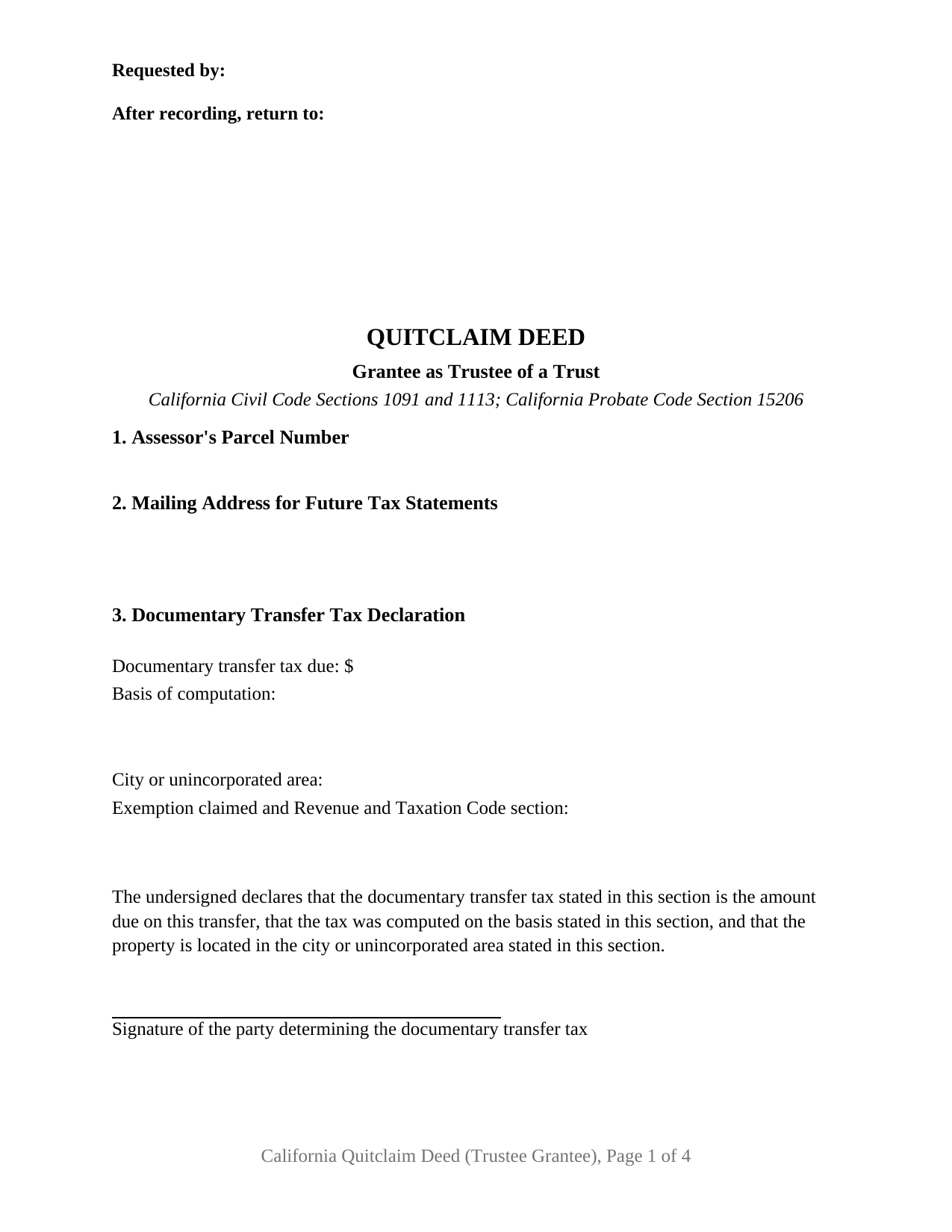
San Mateo County Quitclaim Deed (Trustee Grantee) Form
Fill in the blank Quitclaim Deed (Trustee Grantee) form formatted to comply with all California recording and content requirements.
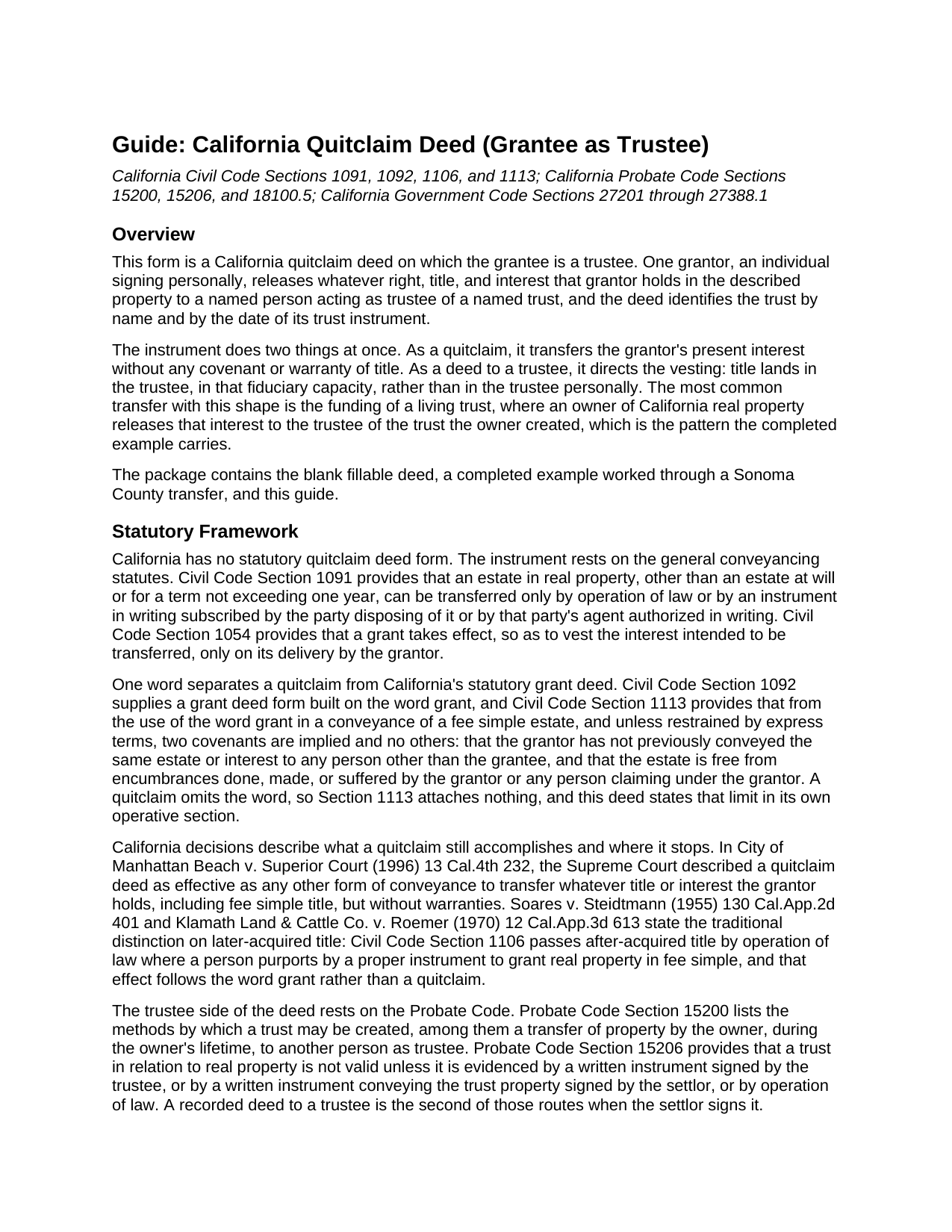
San Mateo County Quitclaim Deed (Trustee Grantee) Guide
Line by line guide explaining every blank on the Quitclaim Deed (Trustee Grantee) form.
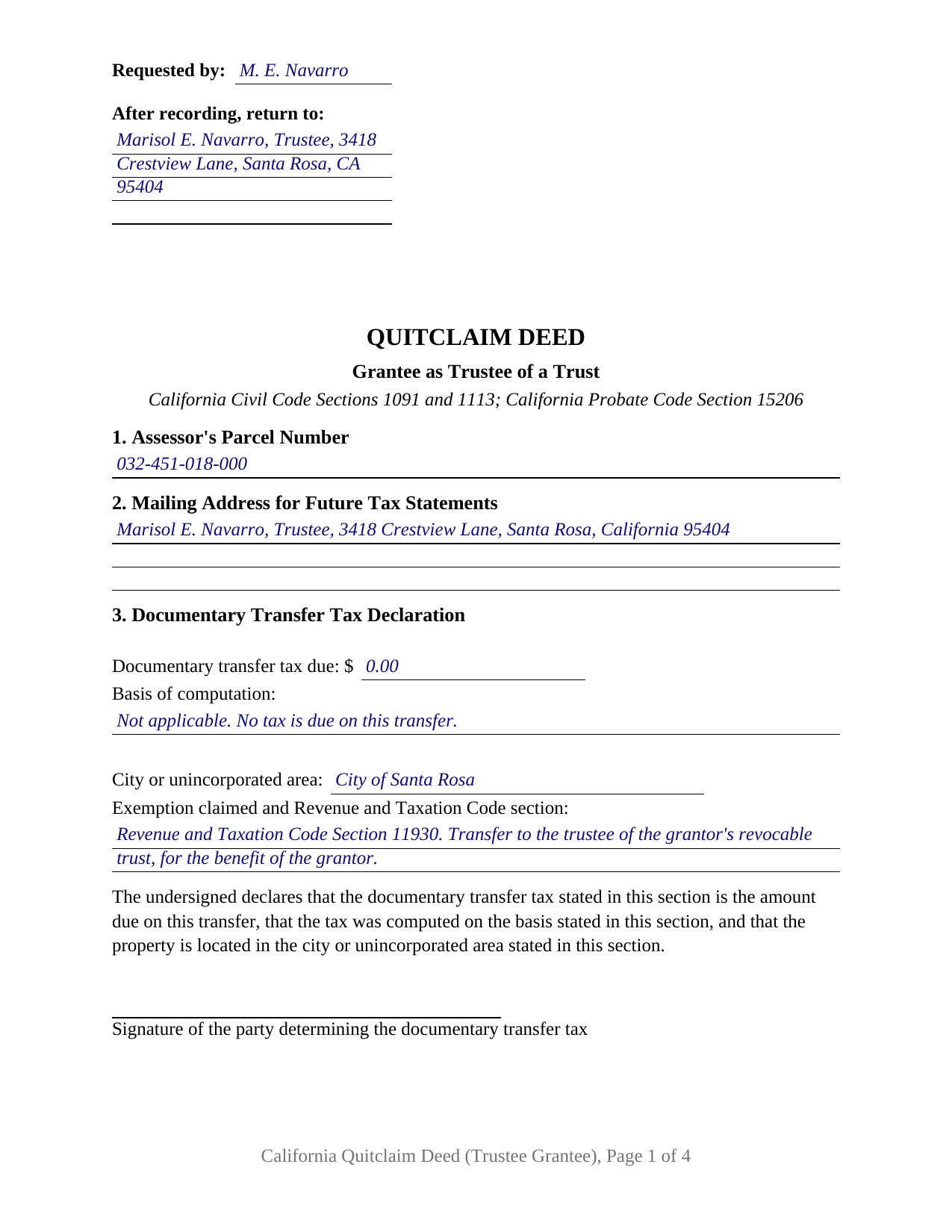
San Mateo County Completed Example of the Quitclaim Deed (Trustee Grantee) Document
Example of a properly completed California Quitclaim Deed (Trustee Grantee) document for reference.
All 3 documents above included • One-time purchase • No recurring fees
Immediate Download • Secure Checkout
Additional California and San Mateo County documents included at no extra charge:
Where to Record Your Documents
San Mateo County Recorder
Redwood City, California 94063-1665
Hours: Monday through Friday 8:00am to 5:00pm
Phone: (650) 363-4500
Recording Tips for San Mateo County:
- Bring your driver's license or state-issued photo ID
- Ensure all signatures are in blue or black ink
- Bring extra funds - fees can vary by document type and page count
- Check margin requirements - usually 1-2 inches at top
- Leave recording info boxes blank - the office fills these
Cities and Jurisdictions in San Mateo County
Properties in any of these areas use San Mateo County forms:
- Atherton
- Belmont
- Brisbane
- Burlingame
- Daly City
- El Granada
- Half Moon Bay
- La Honda
- Loma Mar
- Menlo Park
- Millbrae
- Montara
- Moss Beach
- Pacifica
- Pescadero
- Portola Valley
- Redwood City
- San Bruno
- San Carlos
- San Francisco
- San Gregorio
- San Mateo
- South San Francisco
Hours, fees, requirements, and more for San Mateo County
How do I get my forms?
Forms are available for immediate download after payment. The San Mateo County forms will be in your account ready to download to your computer. An account is created for you during checkout if you don't have one. Forms are NOT emailed.
Are these forms guaranteed to be recordable in San Mateo County?
Yes. Our form blanks are guaranteed to meet or exceed the applicable formatting requirements used for recording in San Mateo County, including margin requirements, font requirements, and other layout standards. This guarantee applies to formatting, not to the legal sufficiency of information entered by the user or the suitability of a form for a particular transaction.
Can I reuse these forms?
Yes. You can reuse the forms for your personal use. For example, if you have multiple properties in San Mateo County you only need to order once.
What do I need to use these forms?
The forms are PDFs that you fill out on your computer. The free Adobe Acrobat Reader is recommended, and most PDF apps also work. You do NOT enter your property information online - you download the blank forms and complete them privately on your own computer.
Are there any recurring fees?
No. This is a one-time purchase. Nothing to cancel, no memberships, no recurring fees.
How much does it cost to record in San Mateo County?
Recording fees in San Mateo County vary. Contact the recorder's office at (650) 363-4500 for current fees.
Questions answered? Let's get started!
California real property held in trust is not held by the trust. It is held by the trustee, and a deed that moves an interest into a trust says so on its face. This form prepares the trustee grantee configuration of the California quitclaim deed: one grantor releasing whatever interest that grantor holds to a named person acting as trustee, with the trust identified by name and by the date of its instrument.
A Deed That Names a Trustee, Not a Trust
California law treats a trust as a fiduciary relationship rather than a legal entity, so it cannot take title in its own name. The Court of Appeal put it plainly in Boshernitsan v. Bach (2021): only trustees, and not trusts, can hold legal title to property. The trustee holds legal title while the beneficiaries hold equitable title, and Probate Code Section 15200 lists a transfer of property to another person as trustee among the ways a trust comes into being. Section 5 is built around it, carrying the name of the person taking title with the trustee designation, the trust's name, the date of its instrument, and a mailing address. Deeds naming a trust and stopping there turn up in California grantor indexes, and title companies flag them later.
What Passes to the Trustee, and What Is Promised
Nothing is promised. California packs its everyday deed covenants into a single word: Civil Code Section 1113 implies two covenants, and no others, from the word grant, and a quitclaim, often typed as a quit claim deed, leaves that word out. The operative section states the rest expressly. The grantor remises, releases, and forever quitclaims only the interest held when the deed is delivered; title the grantor picks up afterward does not follow the deed; and title vests in the grantee as trustee of the named trust, to be held and administered under the trust instrument and California law. Under Probate Code Section 15206, a written instrument conveying trust property, signed by the settlor, is one of the ways California evidences a trust in relation to real property. The trust instrument itself is a separate document, prepared apart from this deed and not included here.
One Grantor Signs, and the Trustee Does Not
The form recites one grantor, an individual signing personally, and one grantee taking as trustee. A single signature line follows the operative section, and one California acknowledgment certificate follows it, headed by the boxed identity notice Civil Code Section 1189 requires on every certificate taken in the state. A grantee does not execute a quitclaim, so the trustee has no signature line even where the trustee and the grantor are the same person, as when an owner funds a living trust. Patterns presenting this configuration fill California's records: an owner moving a residence to the trustee of a revocable living trust signed years earlier, a cotenant releasing an undivided interest to the trustee of a family trust, and a later transfer to the trustee where an earlier deed named the trust alone. The form is not set up for two grantors, and a grantee taking title in that person's own right presents a different grantee pattern than this deed recites.
Transfer Tax and the Assessor on a Trust Transfer
A transfer into a trust commonly carries no documentary transfer tax, and the deed states why on its face. Revenue and Taxation Code Section 11930 reaches a conveyance of realty, outright or in trust for the benefit of any person, made by inter vivos gift or by reason of a death, and county recorders apply it to a deed transferring the grantor's interest to a revocable trust for the grantor's benefit. Section 3 carries the tax entries the declaration statutes call for, including the exemption line, over the tax determiner's signature. Property tax runs on a separate provision: Revenue and Taxation Code Section 62(d) excludes from change in ownership a transfer into a revocable trust, or into a trust in which the transferor is the present beneficiary, which the assessor administers through the Preliminary Change of Ownership Report accompanying the deed.
Three files make up the package: the fillable deed, a completed example filled in for a Sonoma County transfer to the trustee of a living trust, and a plain language guide covering every numbered section, the notarial certificate, and what a recorder checks at intake. It states what California law provides in general terms, and it is not legal advice about a particular title or trust.
Important: Your property must be located in San Mateo County to use these forms. Documents should be recorded at the county recording office listed above.
This Quitclaim Deed (Trustee Grantee) meets all recording requirements specific to San Mateo County.
Our Promise
The documents you receive here are guaranteed to meet or exceed the applicable San Mateo County recording format requirements. If there is a rejection caused by our formatting, we will correct the issue or refund your payment. This guarantee applies to document formatting only and does not extend to information entered by the user, the selection of the form, or the legal effect of the completed document.
Save Time and Money
Get your San Mateo County Quitclaim Deed (Trustee Grantee) form done right the first time with Deeds.com Uniform Conveyancing Blanks. At Deeds.com, we understand that your time and money are valuable resources, and we don't want you to face a penalty fee or rejection imposed by a county recorder for submitting nonstandard documents. We constantly review and update our forms to meet rapidly changing state and county recording requirements for roughly 3,500 counties and local jurisdictions.
4.8 out of 5 - ( 4,828 Reviews )
Gerald S. 5 out of 5 stars
Very pleased with the services provided by deeds.com. Quick response time after information was provided.
We appreciate your business and value your feedback. Thank you. Have a wonderful day!
Terry C. 4 out of 5 stars
It is a difficult challenge -- trying to take the needless jargon out of legal transactions so ordinary citizens can manage their affairs. Deeds.com hasn't solved all the problems, but has made a super effort to help us achieve self-sufficiency.
We appreciate your business and value your feedback. Thank you. Have a wonderful day!
Barbara C. 5 out of 5 stars
I have used these forms now at least 3 times in order to sell the same parcel of land. The forms are great and I'm happy that I could use them more than once. To no fault of Deeds.com I used them many times to sell the same land. First the man died that was buying, before it got recorded. Then his wife was going to finish it, but then decided it should be sold to another party who was a friend of hers.
We appreciate your business and value your feedback. Thank you. Have a wonderful day!
Deborah P. 5 out of 5 stars
Very helpful! Easy and clear guidance. Good examples on sample forms.
We appreciate your business and value your feedback. Thank you. Have a wonderful day!
Jamie P. 5 out of 5 stars
The forms are easy to download. Easy to fill out. The information on the site and on the web provided by Deeds.com have been immensely helpful.
Thank you!
Barry B. 5 out of 5 stars
Convenient and easy.
Thank you!
Susan H. 5 out of 5 stars
Best idea ever for completing an on-line government form. And it came with instructions!!!!! Thank you, Gadsden County.
Thank you!
Susan S. 5 out of 5 stars
Ordered the forms, completed them, had them notarized, then erecorded all in under 2 hours. Would have been faster but had to wait for the bank to open for notary. Might try the online notary next time. Fantastic experience.
We appreciate your business and value your feedback. Thank you. Have a wonderful day!
CHERYL G. 5 out of 5 stars
After my county rejected a deed from another company, I researched better and purchased my Lady Bird Deed from Deeds.com. Very simple, received everything immediately. Printed out sample and guide sheets and filled out my deed. Very thorough and easy to understand. All the additional forms were awesome. And the best part is, my county recorded my deed this morning! WooHoo! Very happy customer! Thank you!
Glad to hear! Thanks for taking the time to leave your review. We appreciate you. Have a great day.
roger m. 5 out of 5 stars
super clean interface i thank you very much
Thank you!
Denise B. 5 out of 5 stars
Quick and easy!
Thank you Denise. We appreciate you.
Cynthia H. 5 out of 5 stars
The entire process was simple and easy, from purchasing, downloading and saving the documents.
We appreciate your business and value your feedback. Thank you. Have a wonderful day!
George D. 4 out of 5 stars
The TODD form has been notarized and registered with my county Register of Deeds office, so it works just fine. My only quibble is that when I printed it out, it missed part of the last line of the notary's info and the fine print in the bottom corners. When I printed it at 90% scale, it included those things.
Thank you for your feedback. We really appreciate it. Have a great day!
Rachel Y. 5 out of 5 stars
I liked the ease of use, however I would love to be able to add multiple APN’s and delete lines that are not applicable
Thank you, Rachel. We’re glad you found the form easy to use, and we appreciate your suggestions about adding multiple APNs and removing inapplicable lines. Feedback like this helps us improve our forms.
Carolyn D. 5 out of 5 stars
The sight provided exactly what I needed and was easy to use. I was able to download the type of Deed I used and was completely satisfied with the website.
Thank you!