Placer County Transfer on Death Affidavit Form
Last validated August 20, 2026 by our Forms Development TeamFormatted for recording in Placer County, for property anywhere in the county: rural and unincorporated areas as well as Alta, Applegate, Auburn, Carnelian Bay, Colfax, Dutch Flat, Emigrant Gap, Foresthill and 16 more.
- 3 documents included
- Immediate PDF download
- Formatting guarantee
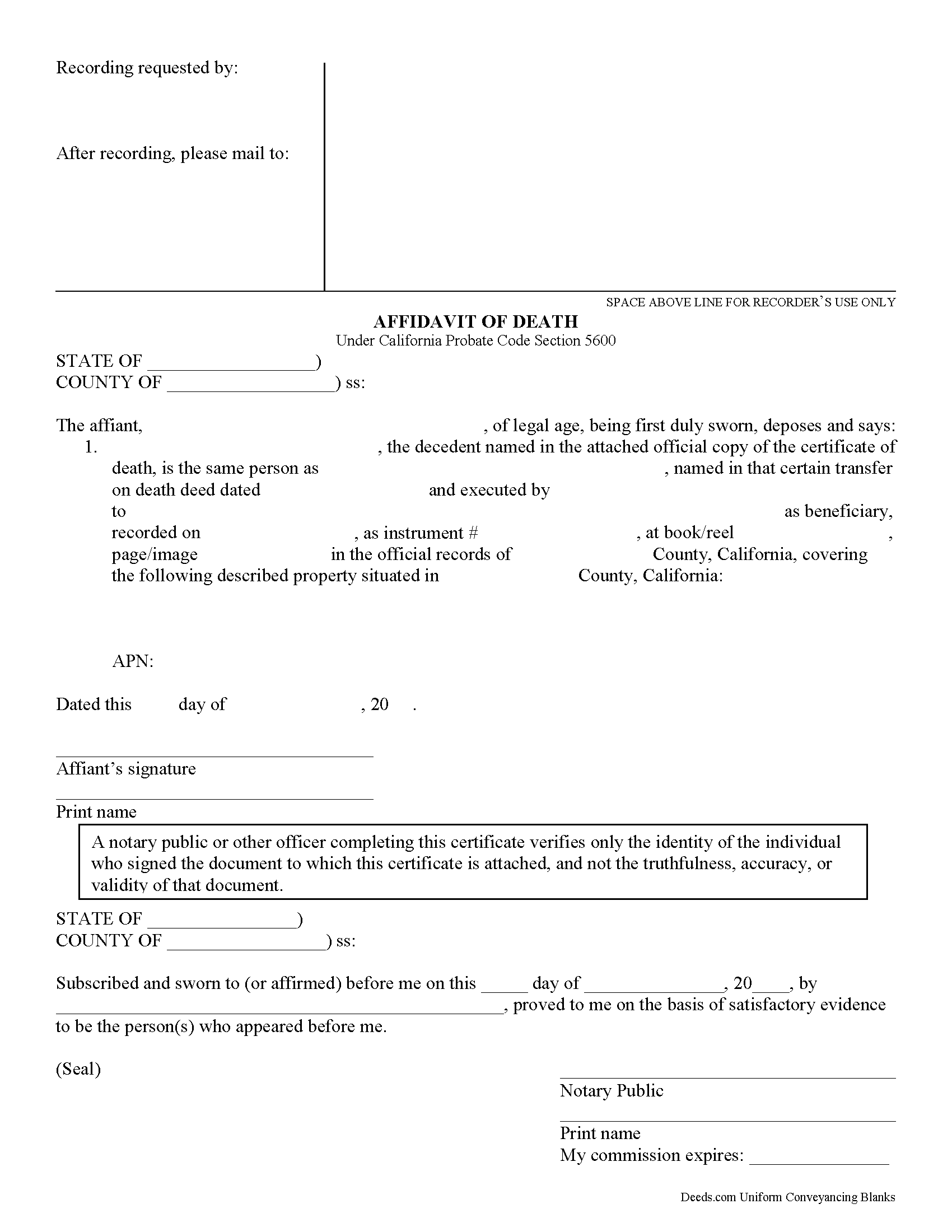
Placer County Transfer on Death Affidavit Form
Fill in the blank form formatted to comply with all recording and content requirements.
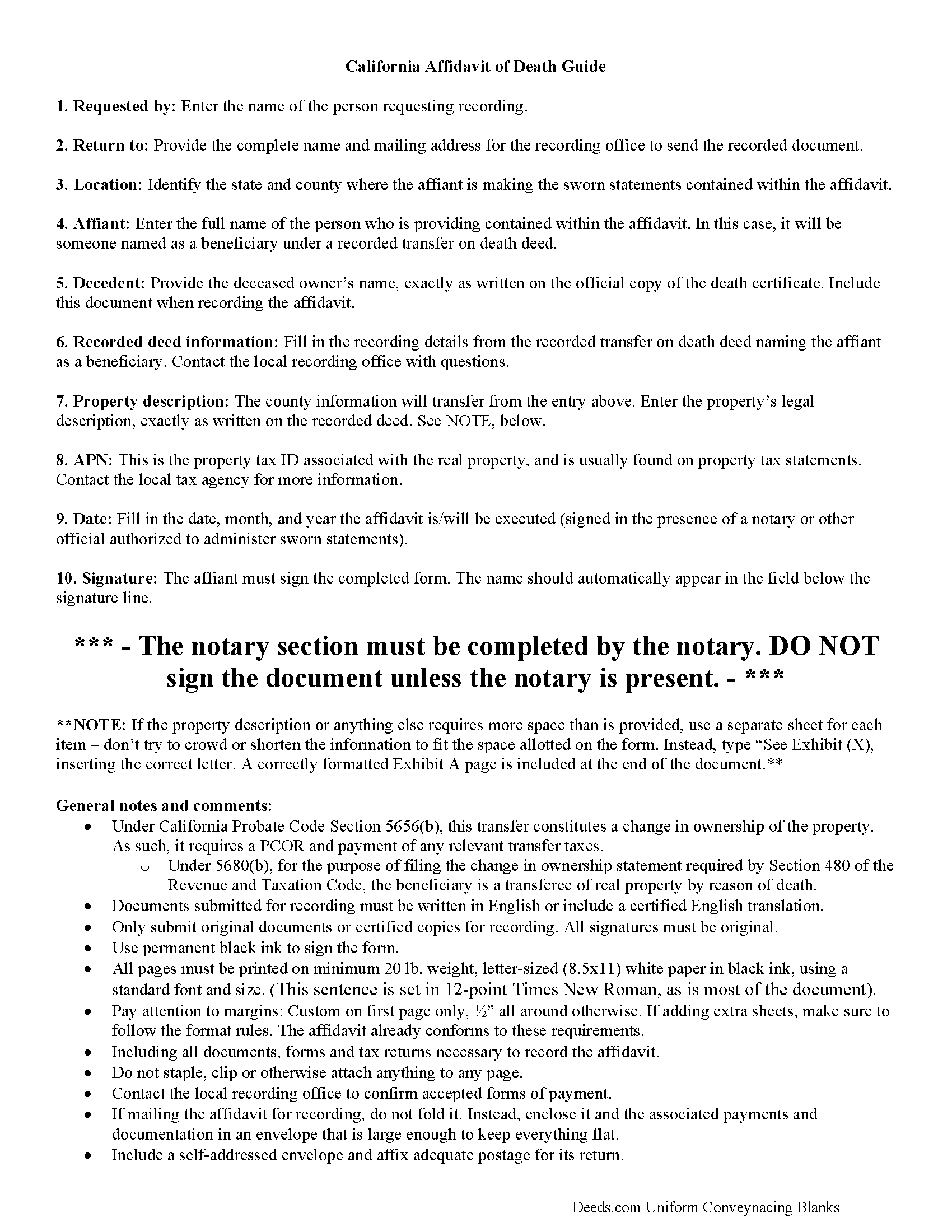
Placer County Transfer on Death Affidavit Guide
Line by line guide explaining every blank on the form.
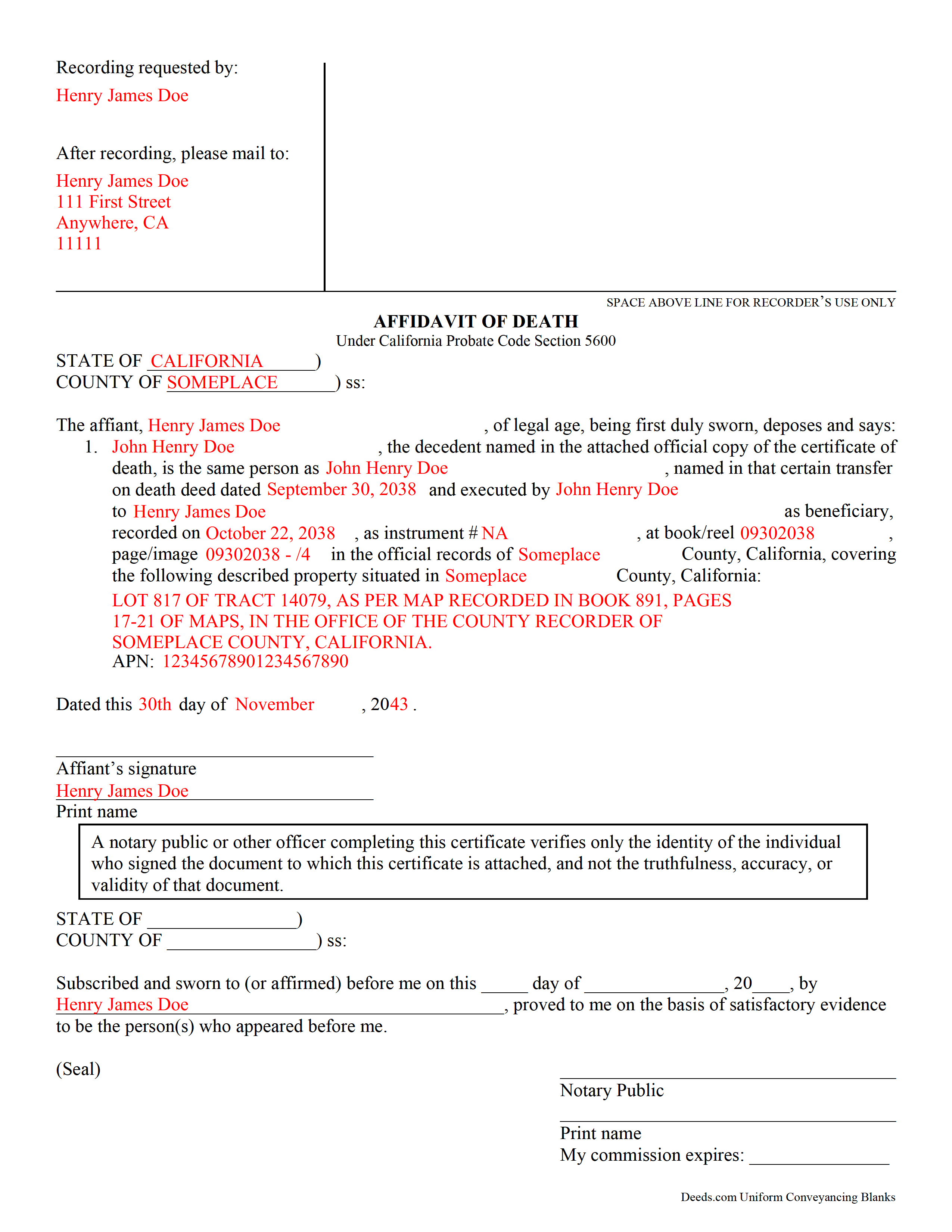
Placer County Completed Example of the Transfer on Death Affidavit Document
Example of a properly completed form for reference.
All 3 documents above included • One-time purchase • No recurring fees
Immediate Download • Secure Checkout
Additional California and Placer County documents included at no extra charge:
Where to Record Your Documents
Placer County Clerk-Recorder
Auburn, California 95603
Hours: Mon to Fri 8:00 to 5:00 / Recording until 4:00
Phone: (530) 886-5600
Satellite Office
Auburn, California 95603
Hours: Monday through Friday 8 a.m. to 4 p.m.
Phone: (530) 886-5600
Recording Tips for Placer County:
- Bring your driver's license or state-issued photo ID
- Ensure all signatures are in blue or black ink
- Leave recording info boxes blank - the office fills these
- Make copies of your documents before recording - keep originals safe
- Recorded documents become public record - avoid including SSNs
Cities and Jurisdictions in Placer County
Properties in any of these areas use Placer County forms:
- Alta
- Applegate
- Auburn
- Carnelian Bay
- Colfax
- Dutch Flat
- Emigrant Gap
- Foresthill
- Gold Run
- Granite Bay
- Homewood
- Kings Beach
- Lincoln
- Loomis
- Meadow Vista
- Newcastle
- Olympic Valley
- Penryn
- Rocklin
- Roseville
- Sheridan
- Tahoe City
- Tahoe Vista
- Weimar
Hours, fees, requirements, and more for Placer County
How do I get my forms?
Forms are available for immediate download after payment. The Placer County forms will be in your account ready to download to your computer. An account is created for you during checkout if you don't have one. Forms are NOT emailed.
Are these forms guaranteed to be recordable in Placer County?
Yes. Our form blanks are guaranteed to meet or exceed the applicable formatting requirements used for recording in Placer County, including margin requirements, font requirements, and other layout standards. This guarantee applies to formatting, not to the legal sufficiency of information entered by the user or the suitability of a form for a particular transaction.
Can I reuse these forms?
Yes. You can reuse the forms for your personal use. For example, if you have multiple properties in Placer County you only need to order once.
What do I need to use these forms?
The forms are PDFs that you fill out on your computer. The free Adobe Acrobat Reader is recommended, and most PDF apps also work. You do NOT enter your property information online - you download the blank forms and complete them privately on your own computer.
Are there any recurring fees?
No. This is a one-time purchase. Nothing to cancel, no memberships, no recurring fees.
How much does it cost to record in Placer County?
Recording fees in Placer County vary. Contact the recorder's office at (530) 886-5600 for current fees.
Questions answered? Let's get started!
Using an Affidavit of Death to Claim Real Estate from a California Transfer on Death Deed
Transfer on death deeds allow individual landowners to transfer their real estate when they die, without a will or the need for probate distribution. The transferor simply executes a TODD form, then records it during the course of his/her natural life, and within 60 days of the signing date (5626(a)). Unlike grant deeds or quitclaim deeds, the owner continues to hold title to the property when a transfer on death deed is recorded (5650). As such, TODDs are exempt from transfer taxes and the Preliminary Change of Ownership Report (PCOR).
What happens, then, when the owner dies? Section 5680 defines the process for switching the title over to the beneficiary. The beneficiary may establish the fact of the transferor's death under the procedure provided in California Probate Code Chapter 2 (commencing with Section 210) of Part 4 of Division 2. The first step is obtaining a certified copy of the death certificate. Then research the recording information from the transfer on death deed identifying the beneficiary. Complete an affidavit of death and sign it in front of a notary. Finally, file the affidavit, along with the copy of the death certificate, in the recording office for the county where the property is situated. Note that this act transfers title to the beneficiary, so it also requires the PCOR and any associated taxes and fees.
Beneficiaries take title to the property under the rules set out at section 5652. Be aware that any associated debts, obligations, or agreements in place when the owner died follow the real estate to the beneficiaries. In addition, the title transfers without warranty, so the beneficiaries might find themselves liable for future claims against the property. For these reasons, among others, some beneficiaries might wish to disclaim the gift (5652(a)(1)).
In general, transferring title to the beneficiary of a transfer on death deed is a simple process. Even so, complications may arise. Contact an attorney for complex situations or with any questions.
(California Transfer on Death Affidavit Package includes form, guidelines, and completed example)
Important: Your property must be located in Placer County to use these forms. Documents should be recorded at the county recording office listed above.
This Transfer on Death Affidavit meets all recording requirements specific to Placer County.
Our Promise
The documents you receive here are guaranteed to meet or exceed the applicable Placer County recording format requirements. If there is a rejection caused by our formatting, we will correct the issue or refund your payment. This guarantee applies to document formatting only and does not extend to information entered by the user, the selection of the form, or the legal effect of the completed document.
Save Time and Money
Get your Placer County Transfer on Death Affidavit form done right the first time with Deeds.com Uniform Conveyancing Blanks. At Deeds.com, we understand that your time and money are valuable resources, and we don't want you to face a penalty fee or rejection imposed by a county recorder for submitting nonstandard documents. We constantly review and update our forms to meet rapidly changing state and county recording requirements for roughly 3,500 counties and local jurisdictions.
4.8 out of 5 - ( 4,785 Reviews )
Anthony T. 4 out of 5 stars
Would be better if you could save the forms to word for easier use on your computer.
Thank you!
Randi M. 1 out of 5 stars
We could never figure out how to get to the website to order.
Sorry to hear that Randi. We do hope that you found something more suitable to your needs elsewhere.
Owen w. 5 out of 5 stars
Was very pleased with execution of the forms. Easy to understand and was hassle free.
Thank you!
Judith F. 5 out of 5 stars
Was easy to use the eRecording service.
Thank you!
Diane D. 5 out of 5 stars
Document site was very easy to access and pull up what I needed.
Thank you!
Brian S. 5 out of 5 stars
Easy, fast, and a they even check your work before submitting it. Very convenient service.
Happy we could assist. Thank you for sharing your experience.
Jacqueline B. 5 out of 5 stars
Very easy process to have this document recorded through Deeds.com! The amount of time it saved me was greatly appreciated. highly recommend Deeds.com!
Thank you for your feedback. We really appreciate it. Have a great day!
Michael S. 5 out of 5 stars
Great product and service. So convenient.
Your satisfaction with our services is of utmost importance to us. Thank you for letting us know how we did!
Tressa P. 5 out of 5 stars
This online service was very easy to use. I highly recommend Deeds.com. The quick response from the representative upon submitting your document is quick. If something needed to be adjusted they will send you message and you can in turn respond right away with a message. The pricing of this service is very reasonable.
Thank you!
Anita A. 5 out of 5 stars
No review provided.
Thank you!
William S. 5 out of 5 stars
Assuming that the downloads went without a hitch, the system was easy to follow and execute.
Thank you!
Vicki A. 5 out of 5 stars
Very fast and easy to use.
We appreciate your business and value your feedback. Thank you. Have a wonderful day!
Mohamed ali H. 5 out of 5 stars
My experience on this website has been amazing and the process was very easy to understand and I was able to get my document filed within 3-4 hours. I plan to use this service in the future if I need to. Thank you for your excellent service!
Thank you for your feedback. We really appreciate it. Have a great day!
carol g. 5 out of 5 stars
very good. got my info in minuetes. thank you
Thank you for your feedback Carol, have a great day!
Mary R. 5 out of 5 stars
Love to use DEEDS>COM
Thank you Mary.