Douglas County Mineral Deed with Quitclaim Covenants Form
Last validated November 10, 2026 by our Forms Development TeamFormatted for recording in Douglas County, for property anywhere in the county: rural and unincorporated areas as well as Castle Rock, Franktown, Larkspur, Littleton, Louviers, Parker, Sedalia.
- 3 documents included
- Immediate PDF download
- Formatting guarantee
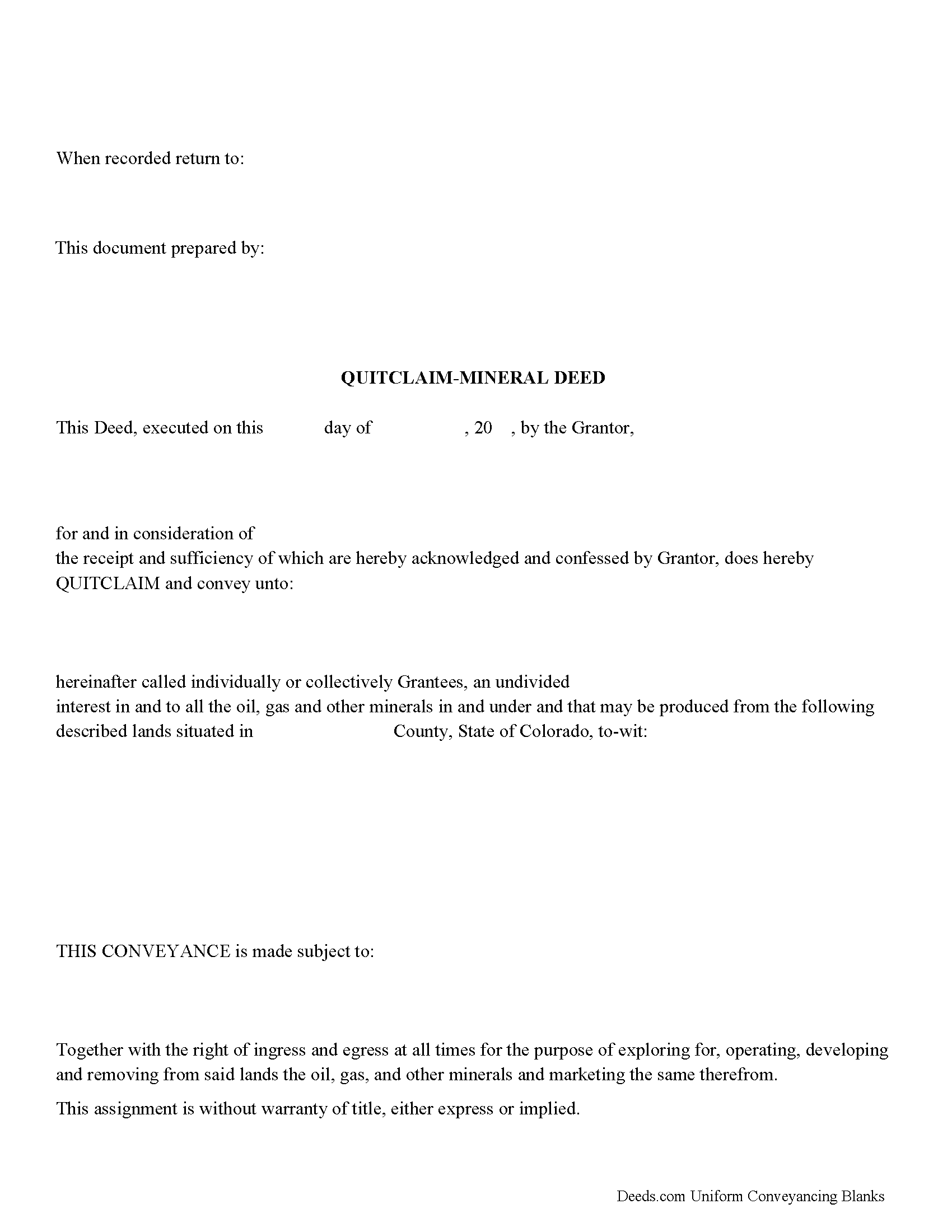
Douglas County Mineral Deed with Quitclaim Covenants Form
Fill in the blank Mineral Deed with Quitclaim Covenants form formatted to comply with all Colorado recording and content requirements.
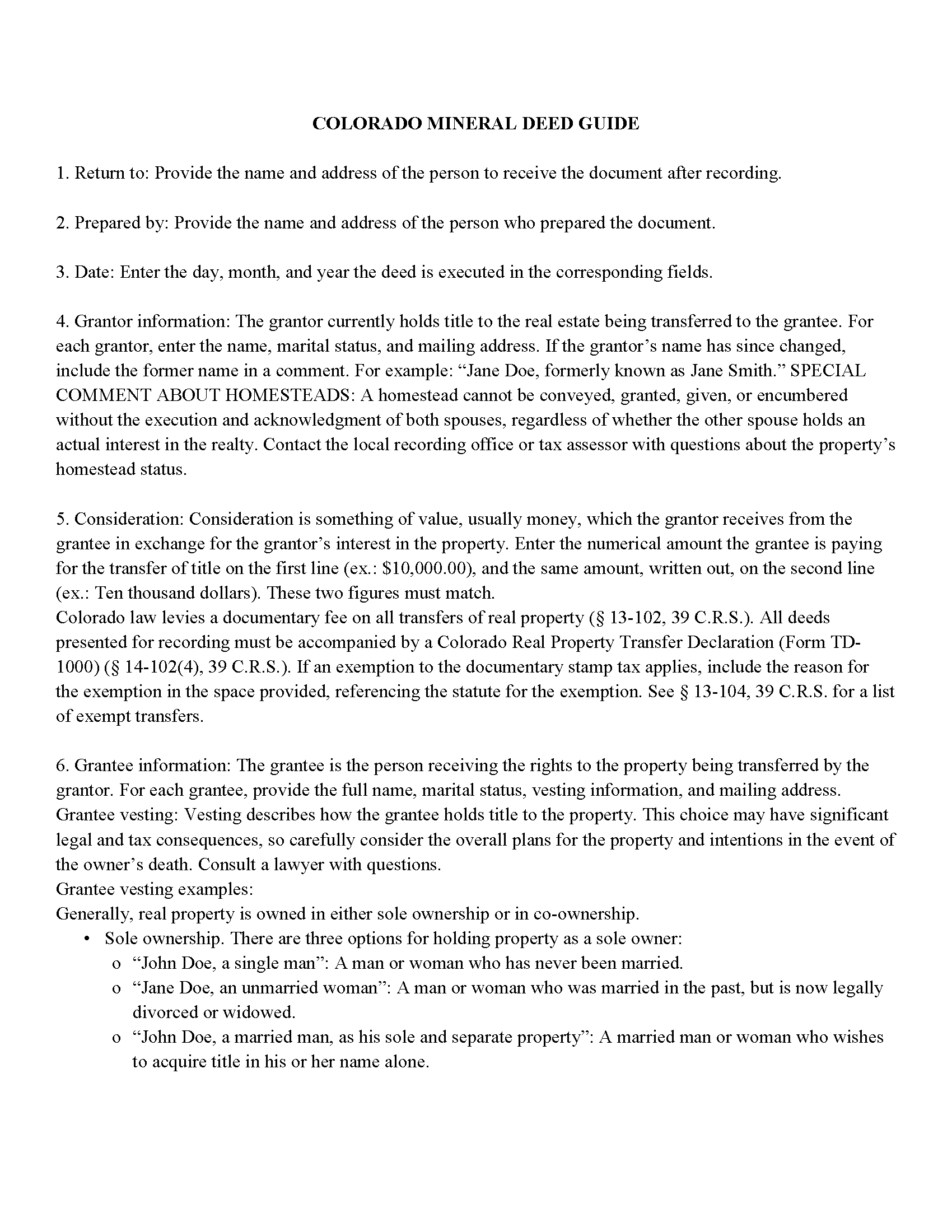
Douglas County Mineral Deed with Quitclaim Covenants Guide
Line by line guide explaining every blank on the Mineral Deed with Quitclaim Covenants form.
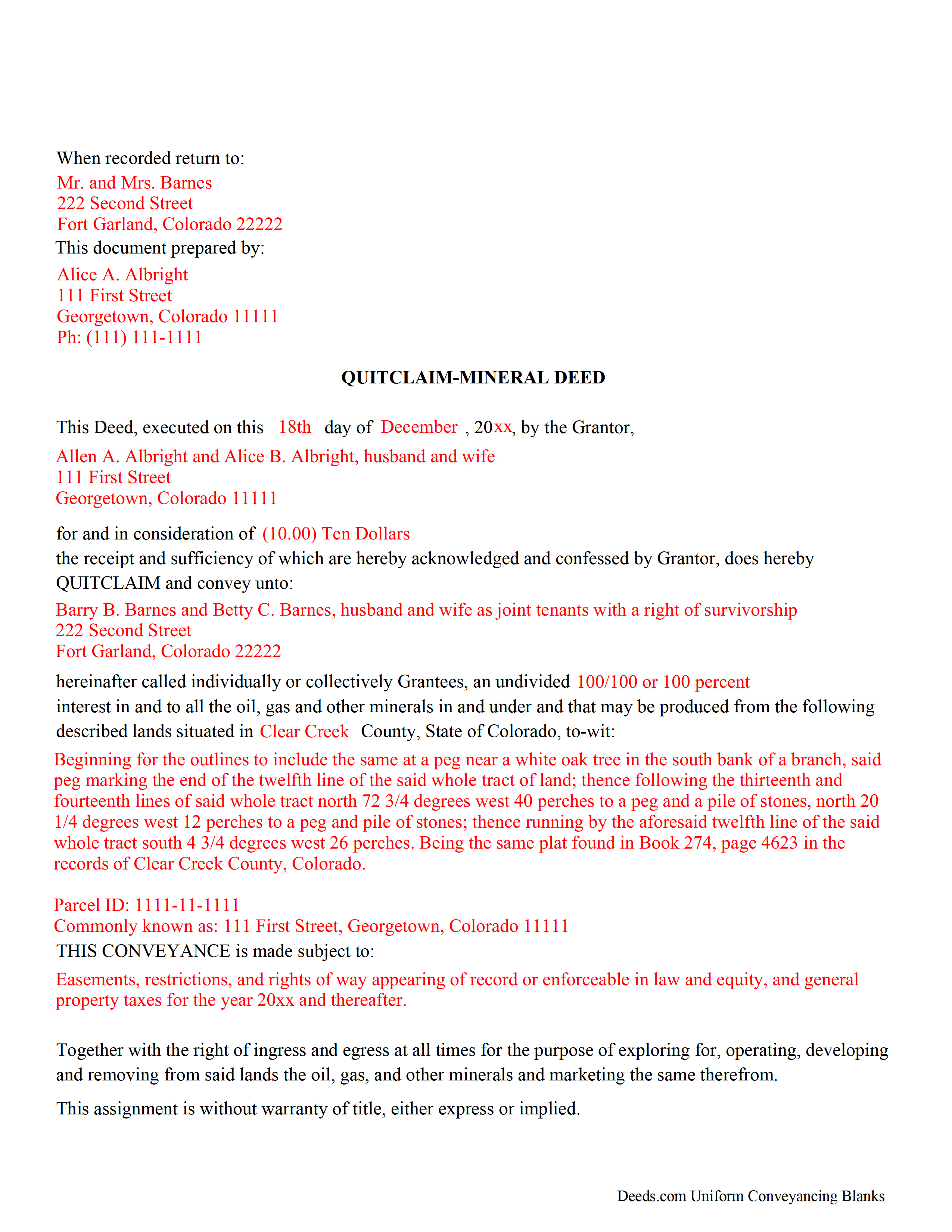
Douglas County Completed Example of the Mineral Deed with Quitclaim Covenants Document
Example of a properly completed Colorado Mineral Deed with Quitclaim Covenants document for reference.
All 3 documents above included • One-time purchase • No recurring fees
Immediate Download • Secure Checkout
Additional Colorado and Douglas County documents included at no extra charge:
Where to Record Your Documents
Douglas County Clerk and Recorder
Castle Rock, Colorado 80104
Hours: 8:00am to 5:00pm Monday through Friday
Phone: (303) 660-7446
Recording Tips for Douglas County:
- Bring your driver's license or state-issued photo ID
- Ensure all signatures are in blue or black ink
- Both spouses typically need to sign if property is jointly owned
- Bring extra funds - fees can vary by document type and page count
- Check margin requirements - usually 1-2 inches at top
Cities and Jurisdictions in Douglas County
Properties in any of these areas use Douglas County forms:
- Castle Rock
- Franktown
- Larkspur
- Littleton
- Louviers
- Parker
- Sedalia
Hours, fees, requirements, and more for Douglas County
How do I get my forms?
Forms are available for immediate download after payment. The Douglas County forms will be in your account ready to download to your computer. An account is created for you during checkout if you don't have one. Forms are NOT emailed.
Are these forms guaranteed to be recordable in Douglas County?
Yes. Our form blanks are guaranteed to meet or exceed the applicable formatting requirements used for recording in Douglas County, including margin requirements, font requirements, and other layout standards. This guarantee applies to formatting, not to the legal sufficiency of information entered by the user or the suitability of a form for a particular transaction.
Can I reuse these forms?
Yes. You can reuse the forms for your personal use. For example, if you have multiple properties in Douglas County you only need to order once.
What do I need to use these forms?
The forms are PDFs that you fill out on your computer. The free Adobe Acrobat Reader is recommended, and most PDF apps also work. You do NOT enter your property information online - you download the blank forms and complete them privately on your own computer.
Are there any recurring fees?
No. This is a one-time purchase. Nothing to cancel, no memberships, no recurring fees.
How much does it cost to record in Douglas County?
Recording fees in Douglas County vary. Contact the recorder's office at (303) 660-7446 for current fees.
Questions answered? Let's get started!
In Colorado, a Mineral Quitclaim Deed is used to transfer oil, gas, and mineral rights from the grantor to the grantee. It is a form of property transfer, not a lease agreement (CO Rev Stat § 38-30-113).
Transfer Details: The deed includes the transfer of a variety of mineral rights, such as oil, gas, and other minerals, without exceptions or reservations. The grantor specifies the percentage of mineral rights the grantee receives.
Rights and Access: The grantee is granted rights to access the land for activities like mining, drilling, exploration, operation, and development of these minerals, including their storage, handling, transportation, and marketing.
No Title Warranty: The grantor quitclaims the mineral rights without any warranty of title, either express or implied, meaning the grantee accepts the title as it is, including any discrepancies (§ 38-30-116).
Uses: Mineral deeds with quitclaim are often used in situations where the grantor wants to quickly release any interest they might have in mineral rights, such as in settling estates, resolving disputes, clearing up uncertainties about ownership in a title's history or when mineral rights have previously been severed or fragmented from surface rights and cloud a title, making it difficult to transfer property. Resolution often involves the holder(s) of the mineral rights, quit-claiming any rights he/she/they have or might have in the subject property.
Legal Requirements and Recording: The deed must include the name, address, and county of both the grantor and grantee, consideration paid, a formal legal description of the property, the assessor's ID number (if available), and an acknowledged signature of the grantor (C.R.S. 38-30-113, 114, 116; C.R.S. 38-35-122).
Recording Process: According to C.R.S. 38-35-109, after execution, the quitclaim deed must be recorded in the office of the county clerk where the land is situated. Colorado follows a "race-notice" recording statute, meaning the first bona fide grantee to record the deed generally retains the rights to the property.
Permanent Impact and Legal Advice: The use of a quitclaim deed can have lasting implications on property rights. It is advisable for individuals to seek legal counsel to fully understand the document's implications before executing it.
(Colorado Mineral Deed with Quitclaim Package includes form, guidelines, and completed example)
Important: Your property must be located in Douglas County to use these forms. Documents should be recorded at the county recording office listed above.
This Mineral Deed with Quitclaim Covenants meets all recording requirements specific to Douglas County.
Our Promise
The documents you receive here are guaranteed to meet or exceed the applicable Douglas County recording format requirements. If there is a rejection caused by our formatting, we will correct the issue or refund your payment. This guarantee applies to document formatting only and does not extend to information entered by the user, the selection of the form, or the legal effect of the completed document.
Save Time and Money
Get your Douglas County Mineral Deed with Quitclaim Covenants form done right the first time with Deeds.com Uniform Conveyancing Blanks. At Deeds.com, we understand that your time and money are valuable resources, and we don't want you to face a penalty fee or rejection imposed by a county recorder for submitting nonstandard documents. We constantly review and update our forms to meet rapidly changing state and county recording requirements for roughly 3,500 counties and local jurisdictions.
4.8 out of 5 - ( 4,861 Reviews )
A. S. 3 out of 5 stars
First, I am glad that you gave a blank copy, an example copy, and a 'guide'. It made it much easier to do. Overall I was very happy with your products and organization... however, things got pretty confusing and I have a pretty 'serious' law background in Real Estate and Civil law. With that said, I spent about 10+ hours getting my work done, using the Deed of Trust and Promissory note from you and there were a few problems: First, it would be FANTASTIC if you actually aligned your guide to actually match the Deed or Promissory Note. What I mean is that if the Deed says 'section (E)' then your guide shouldn't be 'randomly' numbered as 1,2,3, for advice/instructions, but should EXACTLY match 'section (E)'. Some places you have to 'hunt' for what you are looking for, and if you did it based on my suggestion, you wouldn't need to 'hunt' and it would avoid confusion. 2nd: This one really 'hurt'... you had something called the 'Deed of Trust Master Form' yet you had basically no information on what it was or how to use it. The only information you had was a small section at the top of the 'Short Form Deed of Trust Guide'. Holy Cow, was that 'section' super confusing. I still don't know if I did it correctly, but your guide says only put a return address on it and leave the rest of the 16 or so page Deed of Trust beneath it blank... and then include your 'Deed of Trust' (I had to assume the short form deed that I had just created) as part of it. I had to assume that I had to print off the entire 17 page or so title page and blank deed. I also had to assume that the promissory note was supposed to be EXHIBIT A or B on the Short Form Deed. It would be great if someone would take a serious look at that short section in your 'Short Form Deed of Trust Guide' and realize that those of us using your products are seriously turning this into a county clerk to file and that most of us, probably already have a property that has an existing Deed... or at least can find one in the county records if necessary... and make sure that you make a distinction between the Deed for the property that already exists, versus the Deed of Trust and Promissory note that we are trying to file. Thanks.
Thank you for your feedback. We'll have staff review the document for clarity. Have a great day!
Herbert R. 5 out of 5 stars
Your website was very helpful. Hopefully, I will have it completed correctly prior to use.
Thank you for your feedback. We really appreciate it. Have a great day!
Dawn L. 5 out of 5 stars
Not totally satisfied as unable to edit as needed on signature page of the deed. I want to be able to date the document and don't want the verbage "signed, sealed and delivered in the presence of" to appear and cannot remove it. The notary will make his or her own statement below as to the date executed.
Thank you for your feedback. We really appreciate it. Have a great day!
Gene K. 5 out of 5 stars
I am still in the trial stage. I am an older lawyer. Any help I can get is worth it. Once you get used to the format and data fill in the deed thing is excellent. Very professional if not a little slow. I have only done three deeds in one state so I will have to see how it goes. I like the product and their attitude towards pleasing the customer. We'll see when I try the recording part.
We appreciate your business and value your feedback. Thank you. Have a wonderful day!
Jerome R. 5 out of 5 stars
Deeds.com handled my needs quickly and very economically. I would recommend them to anyone needing the services they offer.
We appreciate your business and value your feedback. Thank you. Have a wonderful day!
jim g. 5 out of 5 stars
so far so good. was hoping to have the recorded document already. i need the recorded document by friday, june 5th for my city approval. anyway you can please get it to me tomorrow. thanks, jim
Thank you!
Christina A G. 5 out of 5 stars
It was easy to locate, purchase, and download the documents I needed on the Deeds.com website.
We appreciate your business and value your feedback. Thank you. Have a wonderful day!
RHONDA G. 4 out of 5 stars
Was driven to this site by the county website. It took a bit of work having to create an account, etc. The example was useful; however the example only showed both parties in the same county, nor did the instructions mention anything about differing counties. This caused an oversight on my part.
Your insights are invaluable to us and help us strive for better service. Thank you for taking the time to share your thoughts.
Byron M. 5 out of 5 stars
This is a great service and a time saver for the company. We get fast responses and a detailed explanation if something additional is needed.
Thank you for your feedback. We really appreciate it. Have a great day!
John R. 5 out of 5 stars
5stars for prompt and fast! Website needs work. Hard to navigate for first time users and hard to find where to pay. Emails are more clear than the "message center". Not sure what happened to my other documents, lol
Thank you for your feedback. We really appreciate it. Have a great day!
Dianna K. 5 out of 5 stars
Excellent customer service - couldnt have been any more helpful, with a smile I could hear through the phone!
Thank you!
Miles B. 5 out of 5 stars
Fast, professional work at a great price.
We appreciate your business and value your feedback. Thank you. Have a wonderful day!
Frank H. 5 out of 5 stars
All the forms downloaded are very comprehensive of Quit Claim transfers.
We appreciate your business and value your feedback. Thank you. Have a wonderful day!
Jon B. 2 out of 5 stars
The information and documents received are great. But the communication with customer service is not good at all. I've been waiting three days for them to respond to a question. I don't think they are going too.
Thank you for your feedback. We really appreciate it. Have a great day!
Darren G. 3 out of 5 stars
Your beneficiary deed sample contains a error of the LDPS designation. I copied the designation of LPDS instead of the correct designation
Thank you for your feedback. We really appreciate it. Have a great day!