Pinellas County Quitclaim Deed (Corrective) Form
Last validated October 9, 2026 by our Forms Development TeamFormatted for recording in Pinellas County, for property anywhere in the county: rural and unincorporated areas as well as Bay Pines, Belleair Beach, Clearwater, Clearwater Beach, Crystal Beach, Dunedin, Indian Rocks Beach, Largo and 8 more.
- 3 documents included
- Immediate PDF download
- Formatting guarantee
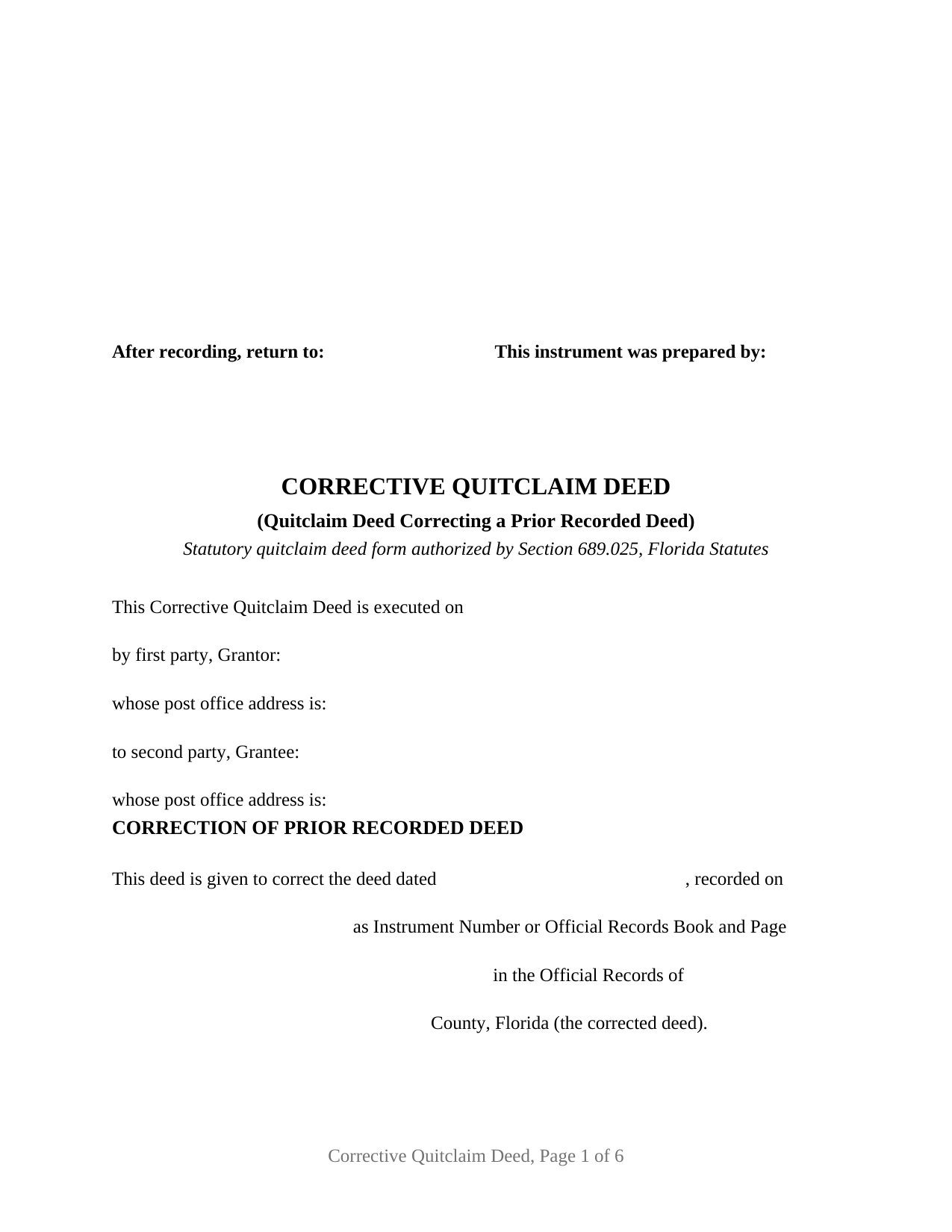
Pinellas County Quitclaim Deed (Corrective) Form
Fill in the blank Quitclaim Deed (Corrective) form formatted to comply with all Florida recording and content requirements.
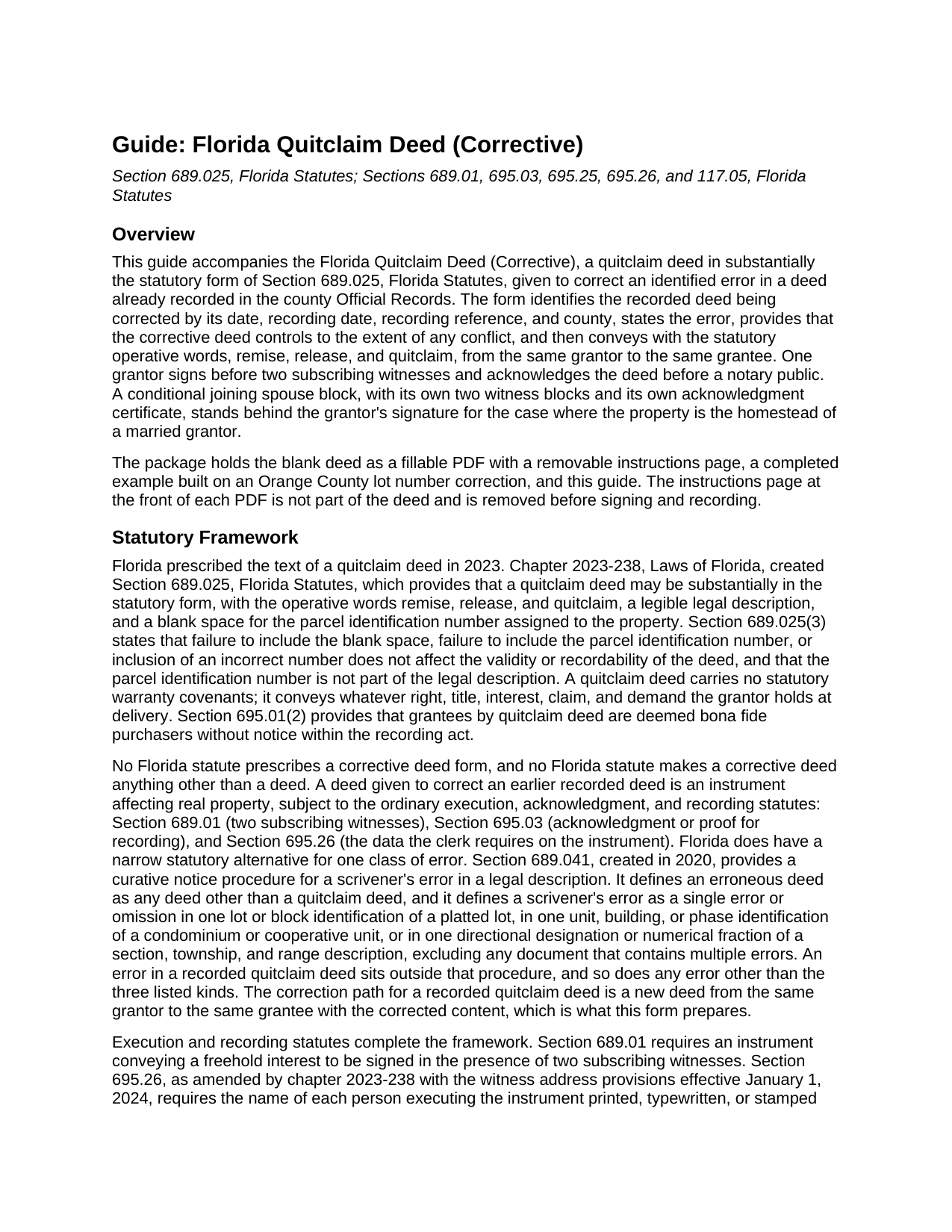
Pinellas County Quitclaim Deed (Corrective) Guide
Line by line guide explaining every blank on the Quitclaim Deed (Corrective) form.
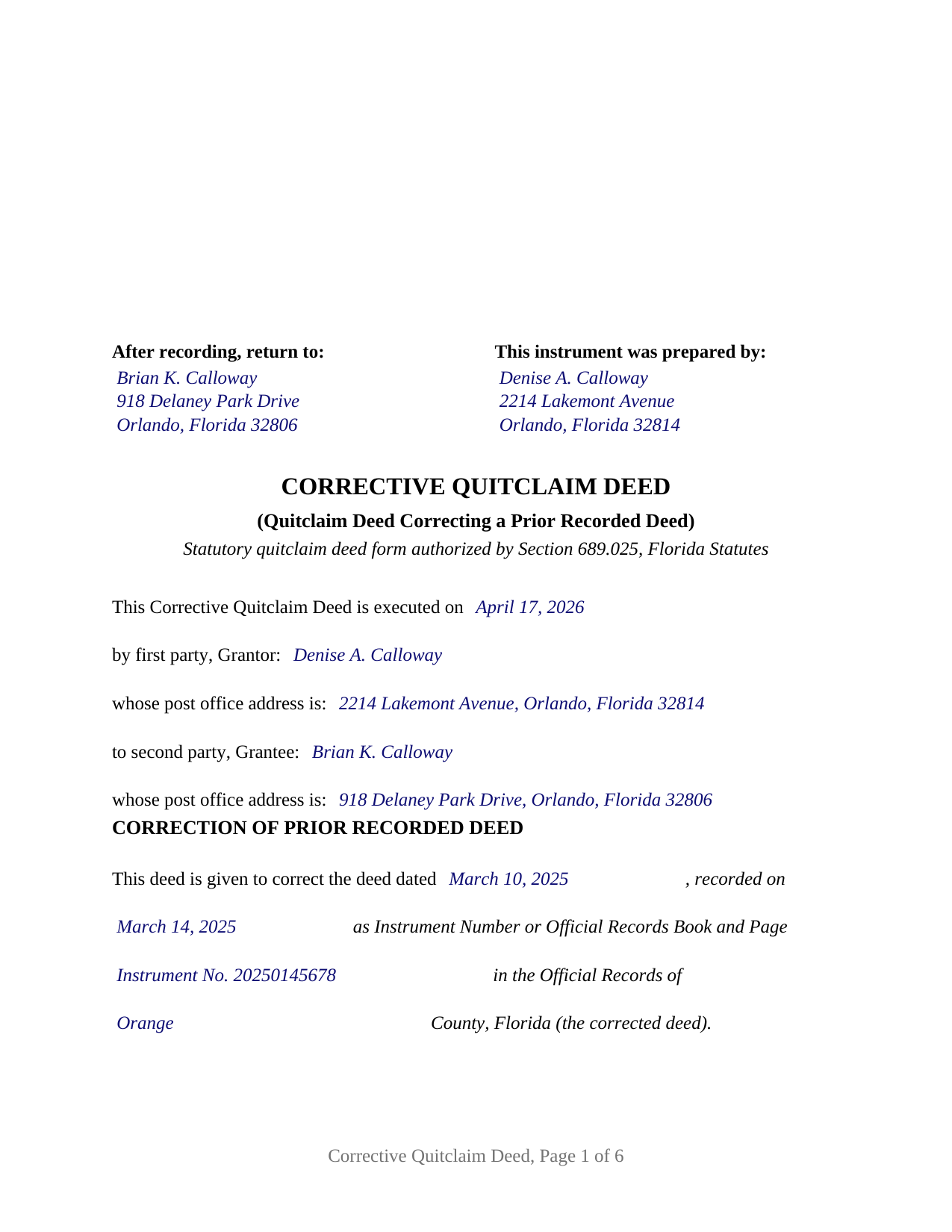
Pinellas County Completed Example of the Quitclaim Deed (Corrective) Document
Example of a properly completed Florida Quitclaim Deed (Corrective) document for reference.
All 3 documents above included • One-time purchase • No recurring fees
Immediate Download • Secure Checkout
Additional Florida and Pinellas County documents included at no extra charge:
Where to Record Your Documents
Recording Services Dept - Clearwater Courthouse
Clearwater, Florida 33756
Hours: 8:30 to 4:30 M-F
Phone: (727) 464-7000
St. Petersburg Branch Office
St. Petersburg, Florida 33701
Hours: 8:30 to 4:30 M-F
Phone: (727) 464-7000
North County Branch Office
Clearwater, Florida 33761
Hours: 8:30 to 4:30 M-F / Document drop-off only
Phone: (727) 464-7000
Clerk's Tyrone Branch Office
St. Petersburg, Florida 33710
Hours: 8:30 - 4:30 M-F / Document drop-off only
Phone: (727) 464-7000
Recording Tips for Pinellas County:
- Bring your driver's license or state-issued photo ID
- Ensure all signatures are in blue or black ink
- Request a receipt showing your recording numbers
- Ask about accepted payment methods when you call ahead
- Ask for certified copies if you need them for other transactions
Cities and Jurisdictions in Pinellas County
Properties in any of these areas use Pinellas County forms:
- Bay Pines
- Belleair Beach
- Clearwater
- Clearwater Beach
- Crystal Beach
- Dunedin
- Indian Rocks Beach
- Largo
- Oldsmar
- Ozona
- Palm Harbor
- Pinellas Park
- Safety Harbor
- Saint Petersburg
- Seminole
- Tarpon Springs
Hours, fees, requirements, and more for Pinellas County
How do I get my forms?
Forms are available for immediate download after payment. The Pinellas County forms will be in your account ready to download to your computer. An account is created for you during checkout if you don't have one. Forms are NOT emailed.
Are these forms guaranteed to be recordable in Pinellas County?
Yes. Our form blanks are guaranteed to meet or exceed the applicable formatting requirements used for recording in Pinellas County, including margin requirements, font requirements, and other layout standards. This guarantee applies to formatting, not to the legal sufficiency of information entered by the user or the suitability of a form for a particular transaction.
Can I reuse these forms?
Yes. You can reuse the forms for your personal use. For example, if you have multiple properties in Pinellas County you only need to order once.
What do I need to use these forms?
The forms are PDFs that you fill out on your computer. The free Adobe Acrobat Reader is recommended, and most PDF apps also work. You do NOT enter your property information online - you download the blank forms and complete them privately on your own computer.
Are there any recurring fees?
No. This is a one-time purchase. Nothing to cancel, no memberships, no recurring fees.
How much does it cost to record in Pinellas County?
Recording fees in Pinellas County vary. Contact the recorder's office at (727) 464-7000 for current fees.
Questions answered? Let's get started!
A recorded deed with a wrong lot number, a misspelled name, or missing witness information does not fix itself; the error sits in the county Official Records until a new instrument corrects it. In Florida, when the flawed deed is a quitclaim deed, the correction arrives the same way the original did. The Florida Corrective Quitclaim Deed re-executes the conveyance in substantially the statutory form of section 689.025, Florida Statutes, identifies the recorded deed and the error being corrected, and places the corrected description and terms on record.
Why a quitclaim error takes a new deed
Florida has a statutory shortcut for certain deed mistakes, but it is a narrow one. The curative procedure of section 689.041 applies to a scrivener's error in a legal description, defines an erroneous deed as any deed other than a quitclaim deed, and reaches only a single qualifying error, such as one wrong lot or block identification. An error in a recorded quitclaim deed sits outside that procedure, so the correction path is re-execution: the original grantor signs a new quitclaim deed to the same grantee. This form's correction recital identifies the corrected deed by date, recording reference, and county, states the error, and provides that the corrective deed controls to the extent of any conflict, before conveying with the statutory operative words: remise, release, and quitclaim.
What the correction recites, and who signs it
The form recites one grantor and one grantee, the same two natural persons the corrected deed named, and a correction paragraph that identifies the corrected deed by date, recording date, instrument number or book and page, and county, and states the error in the filler's own words. One grantor signature block, two subscribing witness blocks, and one acknowledgment certificate serve the grantor; a labeled joining spouse block, with its own two witness blocks and its own certificate, follows for the case where the property is the homestead of a married grantor, and stays blank otherwise. Records presenting this configuration include a lot or block number transposed in a platted description, a grantee's surname misspelled, and a deed recorded without witness addresses. The form is not set up as a deed that adds, drops, or substitutes a grantee, which is a new conveyance rather than a correction, nor as an entity, trustee, attorney-in-fact, or two-grantor instrument.
Built on the 2023 statutory form
Since chapter 2023-238, Laws of Florida, a Florida quitclaim deed must follow substantially the form set out in section 689.025, including a blank for the property appraiser's parcel identification number. The same legislation tightened the recording statute: for deeds recorded on or after January 1, 2024, section 695.26 requires each witness name printed beneath the witness signature and each witness post office address on the instrument. The form tracks all of it, with the two subscribing witness blocks section 689.01 requires for each signature, the joinder block under article X, section 4(c) of the Florida Constitution, and acknowledgment certificates in the short form of section 695.25, carrying the physical presence or online notarization boxes the officer marks and a reserved area for the rubber stamp seal section 117.05 places below the notary's signature.
Documentary stamps on a correction
Deeds transferring an interest in Florida real property carry documentary stamp tax at 70 cents per $100 of consideration, with Miami-Dade County applying its own rate structure. Since January 25, 2026, Rule 12B-4.014(3) of the Florida Administrative Code has provided that a deed correcting a technical deficiency in a previous deed in the nature of a scrivener's error, where the correcting deed conveys no interest in real property, is not subject to the tax, replacing the rule's earlier minimum-tax text. County transfer forms collect the point at the counter: the Orange County property transfer form lists corrective deeds correcting a legal description, names, or a scrivener's error among the stated reasons for paying no documentary stamp tax or only the 70 cent minimum. A deed that changes who owns the property is a new conveyance with tax computed on its own consideration, mortgage balance included.
The download prepares the correction from start to finish: a fillable statutory form deed with the correction recital, a completed example correcting a lot number error in Orange County, and a plain language guide that walks entry by entry, from the recording references of the corrected deed through witnessing, notarization, and recording with the clerk of the circuit court. The materials are informational, not legal advice.
Important: Your property must be located in Pinellas County to use these forms. Documents should be recorded at the county recording office listed above.
This Quitclaim Deed (Corrective) meets all recording requirements specific to Pinellas County.
Our Promise
The documents you receive here are guaranteed to meet or exceed the applicable Pinellas County recording format requirements. If there is a rejection caused by our formatting, we will correct the issue or refund your payment. This guarantee applies to document formatting only and does not extend to information entered by the user, the selection of the form, or the legal effect of the completed document.
Save Time and Money
Get your Pinellas County Quitclaim Deed (Corrective) form done right the first time with Deeds.com Uniform Conveyancing Blanks. At Deeds.com, we understand that your time and money are valuable resources, and we don't want you to face a penalty fee or rejection imposed by a county recorder for submitting nonstandard documents. We constantly review and update our forms to meet rapidly changing state and county recording requirements for roughly 3,500 counties and local jurisdictions.
4.8 out of 5 - ( 4,842 Reviews )
Mary W. 5 out of 5 stars
Easy to access and good instructions. Where to mail would be the only thing I would add.
Thank you for your feedback. We really appreciate it. Have a great day!
Connie C. 4 out of 5 stars
I thought the process was fairly easy. The price was reasonable. I had a slight problem, some of the words were missing from one page of the documents when I printed it. However, after I saved it to my computer, I was able to print the page in full.
Thank you for your feedback. We really appreciate it. Have a great day!
Steve R. 5 out of 5 stars
Quick, clean, easy. A hat trick.
Thank you!
Kay C. 5 out of 5 stars
Thank you for your patience and help with filing the documents needed. You were helpful, prompt, courteous.
We appreciate your business and value your feedback. Thank you. Have a wonderful day!
Anne H. 5 out of 5 stars
After some initial general confusion -- (we sold a small piece of land privately and therefore do not typically prepare such documentation (!)) -- we were able to purchase and download all forms from Deeds.com and understand how to complete it/them. The help is all there, we just needed to read and study it - the "Example" helped alot. We were able to complete the Document per your online form(s) and then take it to be signed/notarized - and take the completed paper document to the Registry -- and it is now all registered and we are All Set. Took the morning (only). THANK YOU. A wonderful tool!!
We appreciate your business and value your feedback. Thank you. Have a wonderful day!
Bernice L. 5 out of 5 stars
Finally able to print out the forms after a few tries. Honestly, I think it could have been designed a little better. I am almost 80; however, very computer savvy, but finally managed to get what I needed.
Thank you for your feedback. We really appreciate it. Have a great day!
TAMARA B. 5 out of 5 stars
Great service
We appreciate your business and value your feedback. Thank you. Have a wonderful day!
Moving Forward V. 5 out of 5 stars
Great Service!
Thank you!
Beverly M. 5 out of 5 stars
GREAT FORMS. THANK YOU.
Thank you!
Elverta B. 5 out of 5 stars
Very easy to complete Quitclaim Deed
We’re glad to hear things went well. Thank you for the review.
Jay P. 5 out of 5 stars
Great site, even for Tech dummies like me. Easy to use and VERY prompt! Thanks!
Thank you for your feedback. We really appreciate it. Have a great day!
Ondina S. 5 out of 5 stars
Am very happy with the wealth of forms that were available with my purchase! This site is an awesome resource which I plan to use in the future.
We appreciate your business and value your feedback. Thank you. Have a wonderful day!
Derrell S. 5 out of 5 stars
I like the simplicity of your site and the reasonable charge for your services but for some reason you were unable to fulfill my order. Would appreciate knowing why. Derrell Sweem
Thank you for your feedback. We really appreciate it. Have a great day!
Elizabeth N. 5 out of 5 stars
I love how easy it is to understand and complete.
We appreciate your business and value your feedback. Thank you. Have a wonderful day!
John T. 5 out of 5 stars
Great site, I was able to navigate with ease. We appreciate all those who contributed in making this possible
Thank you!