Calhoun County Request for a Sworn Statement of Account Form
Last validated October 5, 2026 by our Forms Development TeamFormatted for recording in Calhoun County, for property anywhere in the county: rural and unincorporated areas as well as Altha, Blountstown, Clarksville, Wewahitchka.
- 3 documents included
- Immediate PDF download
- Formatting guarantee
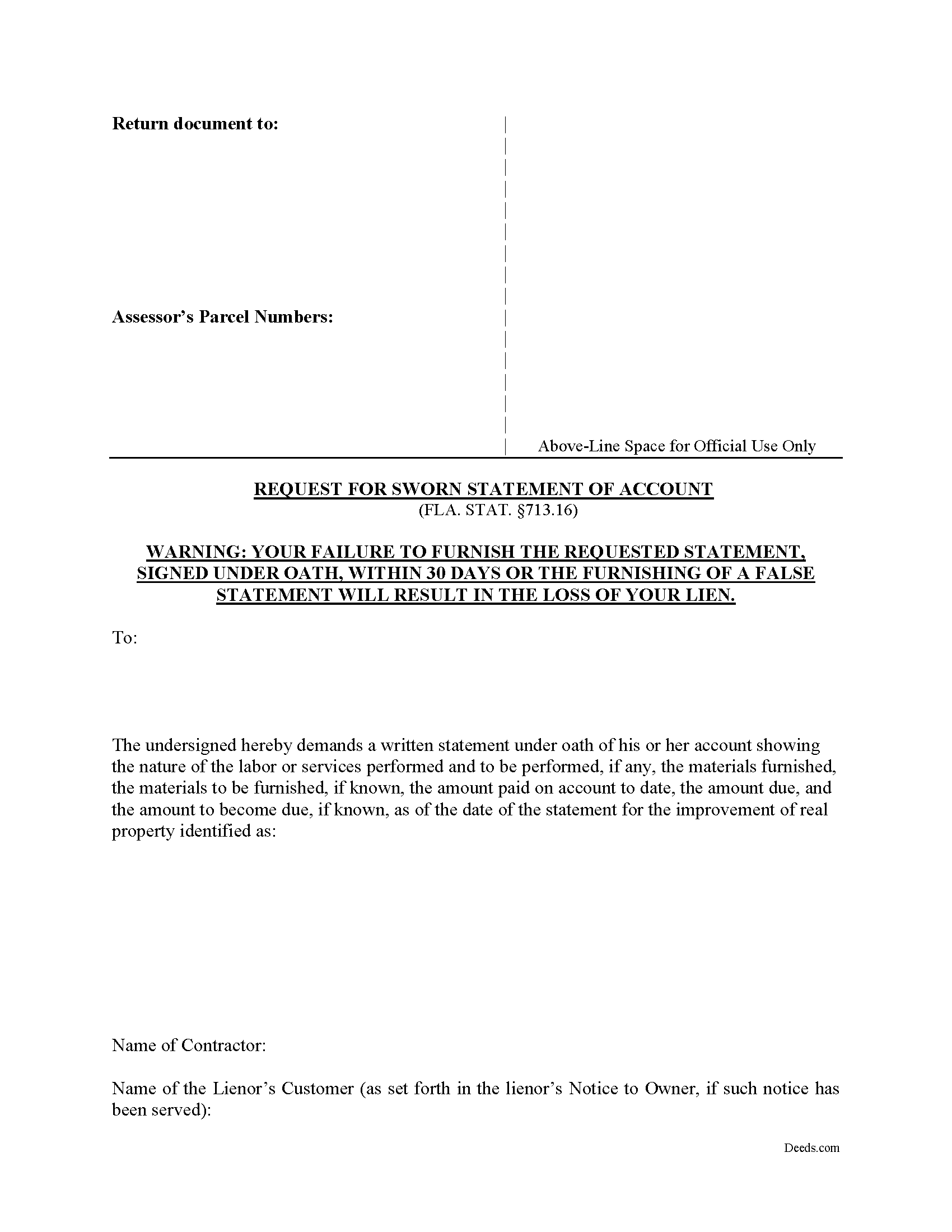
Calhoun County Request for a Sworn Statement of Account Form
Fill in the blank form formatted to comply with all recording and content requirements.
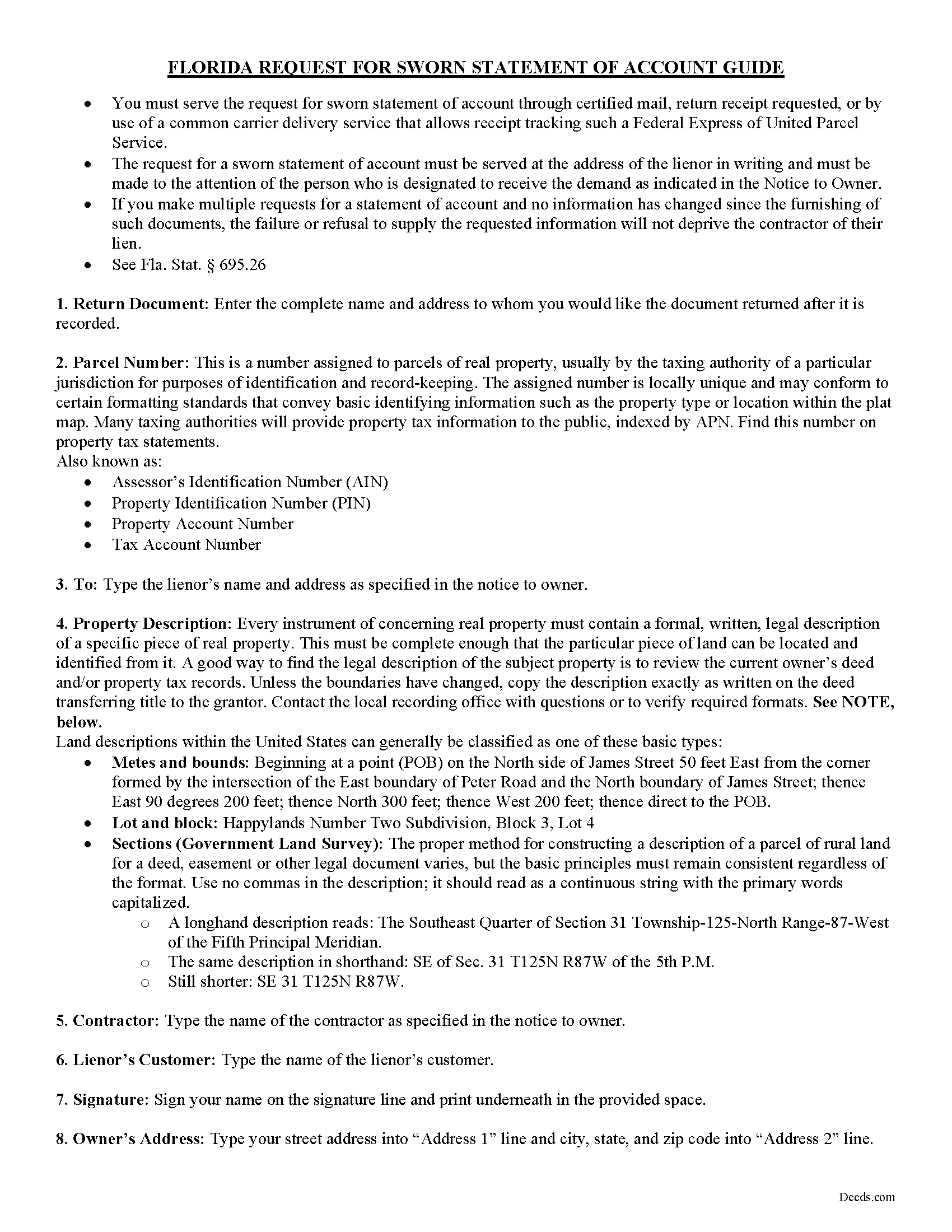
Calhoun County Request for a Sworn Statement of Account Guide
Line by line guide explaining every blank on the form.
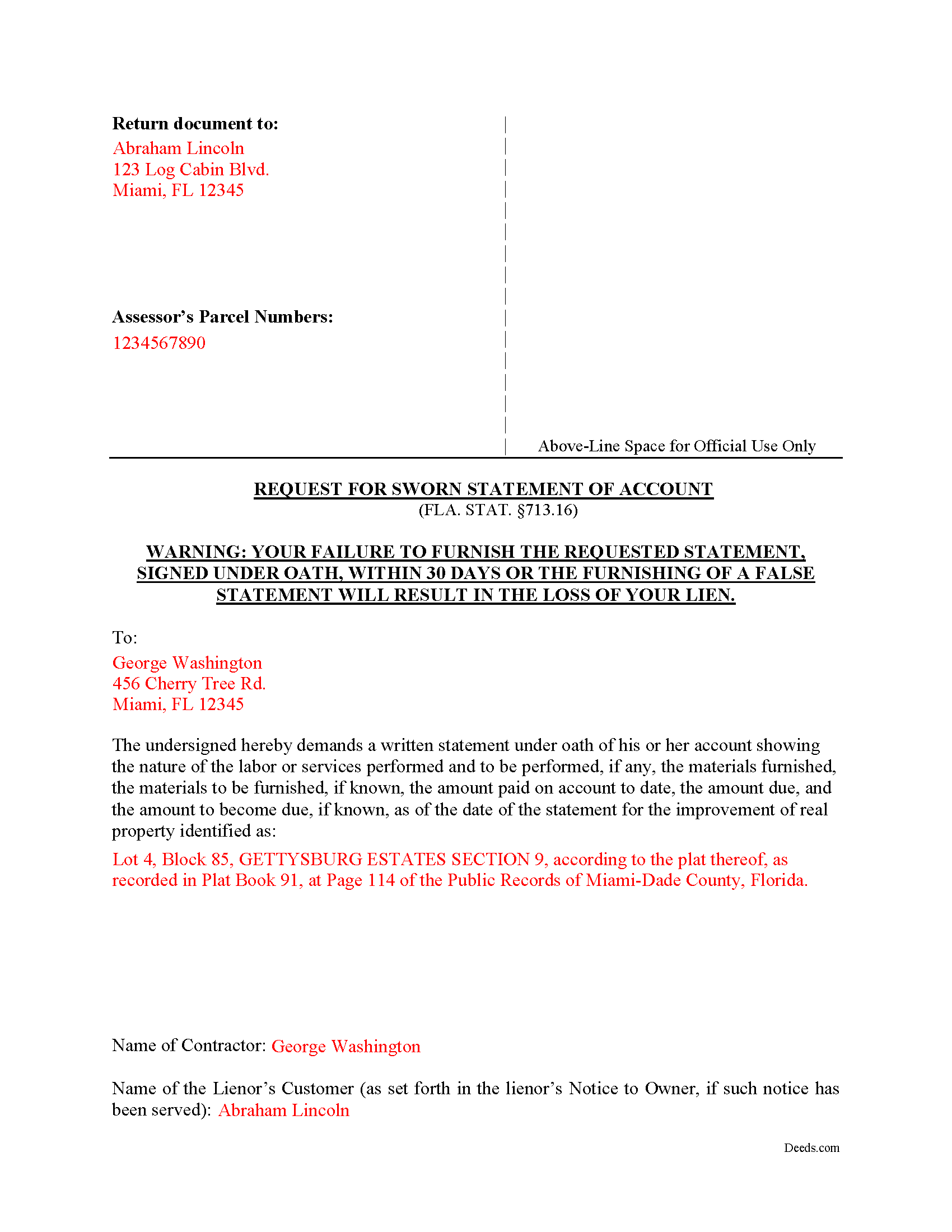
Calhoun County Completed Example of the Request for a Sworn Statement of Account Document
Example of a properly completed form for reference.
All 3 documents above included • One-time purchase • No recurring fees
Immediate Download • Secure Checkout
Additional Florida and Calhoun County documents included at no extra charge:
Where to Record Your Documents
Calhoun County Clerk of the Court
Blountstown, Florida 32424
Hours: 8:00am to 4:00pm M-F
Phone: (850) 674-4545
Recording Tips for Calhoun County:
- Bring your driver's license or state-issued photo ID
- Ensure all signatures are in blue or black ink
- Ask if they accept credit cards - many offices are cash/check only
- Check that your notary's commission hasn't expired
- Documents must be on 8.5 x 11 inch white paper
Cities and Jurisdictions in Calhoun County
Properties in any of these areas use Calhoun County forms:
- Altha
- Blountstown
- Clarksville
- Wewahitchka
Hours, fees, requirements, and more for Calhoun County
How do I get my forms?
Forms are available for immediate download after payment. The Calhoun County forms will be in your account ready to download to your computer. An account is created for you during checkout if you don't have one. Forms are NOT emailed.
Are these forms guaranteed to be recordable in Calhoun County?
Yes. Our form blanks are guaranteed to meet or exceed the applicable formatting requirements used for recording in Calhoun County, including margin requirements, font requirements, and other layout standards. This guarantee applies to formatting, not to the legal sufficiency of information entered by the user or the suitability of a form for a particular transaction.
Can I reuse these forms?
Yes. You can reuse the forms for your personal use. For example, if you have multiple properties in Calhoun County you only need to order once.
What do I need to use these forms?
The forms are PDFs that you fill out on your computer. The free Adobe Acrobat Reader is recommended, and most PDF apps also work. You do NOT enter your property information online - you download the blank forms and complete them privately on your own computer.
Are there any recurring fees?
No. This is a one-time purchase. Nothing to cancel, no memberships, no recurring fees.
How much does it cost to record in Calhoun County?
Recording fees in Calhoun County vary. Contact the recorder's office at (850) 674-4545 for current fees.
Questions answered? Let's get started!
Florida's construction lien law is among the most detailed in the country, and section 713.16 of the Florida Statutes gives property owners a statutory tool that does not exist in identical form anywhere else: the Request for a Sworn Statement of Account. When a Florida property owner receives a Notice to Owner or otherwise learns that a contractor, subcontractor, or material supplier may pursue a lien against the property, this Florida Request for a Sworn Statement of Account allows the owner to compel the lienor to disclose, under oath, exactly what is being claimed and why.
What the Florida Request for a Sworn Statement of Account Does
The form is used by property owners during a construction project, typically after a Notice to Owner has been served, to obtain a written, sworn accounting from a potential lienor before releasing further funds, closing on a sale, or contesting a lien. It is a discovery and verification tool, not a release. The owner serves the request on the lienor, and section 713.16 dictates what the lienor must produce in return.
Statutory Requirements Under Section 713.16
The statute is specific about what the request must contain. The owner's request must include a description of the real property, the name of the contractor, and the name of the lienor's customer if that customer is different from the owner. The form is then signed and dated by the owner. Florida also specifies that the demand must be served on the lienor at the address, and to the attention of any person, designated to receive the demand in the Notice to Owner. Service to a different address or contact can defeat the request.
The 30-Day Response Window
Once properly served, the lienor must furnish the requested statement within 30 days of receipt (713.16(2)). The response must be made under oath and disclose the nature of the labor or services performed and to be performed, the materials furnished and to be furnished if known, the amount paid on account to date, the amount due, and the amount to become due as of the date of the statement. The 30-day clock and the level of itemization required are particular to Florida.
Consequences for the Lienor
This is where the form gets its leverage. If the lienor furnishes a false or misleading sworn statement, the lienor loses the right to recover attorney's fees in any action to enforce the claim of lien (713.16(5)(b)). Attorney's fees are often the largest cost in a lien dispute, so the prospect of forfeiting them gives lienors a strong incentive to answer accurately. The owner using this form is not just gathering information. The owner is locking the lienor into a sworn record that constrains what can be claimed later.
What the Form Does Not Do: A Florida-Specific Trap
Failure or refusal by the lienor to provide the statement does not, by itself, deprive the lienor of the lien (713.16(2)). Florida property owners sometimes assume that ignoring a properly served request will extinguish a contested lien. It will not. The Request for a Sworn Statement of Account is a verification and leverage instrument. Separate procedures under Chapter 713 govern challenging or shortening a lien, including the Notice of Contest of Lien and the action to show cause. The form should not be confused with those mechanisms.
Service and Documentation
Because Florida law ties the consequences in section 713.16 to proper service, owners should retain proof that the request was delivered to the address and the contact person designated in the Notice to Owner. Certified mail or another method that produces a delivery record is commonly used. The 30-day response window runs from the lienor's receipt, so service records also fix that deadline.
When the Request Is Most Useful
The form is commonly used before final payment, before closing on a sale of the property, or after a Notice to Owner from a subcontractor or supplier the owner did not directly hire. Forcing the lienor to commit to specific dollar amounts and a description of work performed gives the owner a baseline against which to evaluate any later claim of lien. If a lien is eventually recorded for an amount that exceeds the sworn statement without explanation, the owner has a documented inconsistency on the record.
Florida Construction Lien Law Context
Section 713.16 sits within Florida's Construction Lien Law (Chapter 713, Part I), which governs how labor, services, and materials are secured against real property in this state. Florida lien procedure is unforgiving on technical defects, and the Request for a Sworn Statement of Account is one of the few owner-side tools the statute provides.
Download Package
The Florida Request for a Sworn Statement of Account package includes:
- A fillable Request for a Sworn Statement of Account form drafted to the requirements of section 713.16
- A plain-English guide explaining how the request works, what to include, and how to serve it on the lienor
- A completed example showing the form filled out for reference
Files are delivered as an instant download immediately after checkout.
Important: Your property must be located in Calhoun County to use these forms. Documents should be recorded at the county recording office listed above.
This Request for a Sworn Statement of Account meets all recording requirements specific to Calhoun County.
Our Promise
The documents you receive here are guaranteed to meet or exceed the applicable Calhoun County recording format requirements. If there is a rejection caused by our formatting, we will correct the issue or refund your payment. This guarantee applies to document formatting only and does not extend to information entered by the user, the selection of the form, or the legal effect of the completed document.
Save Time and Money
Get your Calhoun County Request for a Sworn Statement of Account form done right the first time with Deeds.com Uniform Conveyancing Blanks. At Deeds.com, we understand that your time and money are valuable resources, and we don't want you to face a penalty fee or rejection imposed by a county recorder for submitting nonstandard documents. We constantly review and update our forms to meet rapidly changing state and county recording requirements for roughly 3,500 counties and local jurisdictions.
4.8 out of 5 - ( 4,823 Reviews )
Steve R. 5 out of 5 stars
Hopefully filling out and filing the paperwork is as easy as this was.
Thank you for your feedback. We really appreciate it. Have a great day!
RUTH A. 5 out of 5 stars
I truly appreciate the service that you have for the customers. This very convenient and easy to follow. Thank you very much for this service.
Thank you for your feedback. We really appreciate it. Have a great day!
Anna L W. 5 out of 5 stars
Was insecure about being able to access the information but pleasantly found that the site was easy to use. Seems that I can use it repeatedly to go back and reprint the forms once I paid.
We appreciate your business and value your feedback. Thank you. Have a wonderful day!
Annette H. 5 out of 5 stars
Deeds.com has done a wonderful job! They are quick to get back to me either with the Deed or reason why there is no Deed. You have saved me so much time using your services that I hope to keep using them for years to come! Thank you!
Thank you!
Larry T. 5 out of 5 stars
Ordered a 'Gift Deed' form The 'Example' form was most helpful. The actual form was very detailed, and seemed to 'cover all the bases'
We appreciate your business and value your feedback. Thank you. Have a wonderful day!
Joseph R. 5 out of 5 stars
So easy to use. I like the way they kept me informed to the progress being made on my filing. If the occasion occurs I'll definitely use them again.
We appreciate your business and value your feedback. Thank you. Have a wonderful day!
David R. 3 out of 5 stars
$40 is an excessively expensive price for this very simple form, especially since I couldn't view it before purchasing. I did successfully register the TODD at my county clerks office, although I wasn't certain it would be accepted given the notary format was on a separate page. Knowing what I know now, I would have formatted a form on my computer and filled it in with a pen. The background materials were superfluous and in my case, didn't add value.
David, we’re glad you successfully recorded your deed using our form. The value of a DIY package is not measured by how complicated the finished document looks or how easily it could be recreated on a computer. It provides a prepared form and supporting information rather than requiring you to research and draft a document from scratch. Having that starting point is what the purchase provides—even when, in hindsight, doing it yourself appears straightforward.
Jackie C. 5 out of 5 stars
Easy process!
Thank you!
Ted D. 5 out of 5 stars
Very good/user friendly
Thank you!
Dennis K. 5 out of 5 stars
Easily downloaded and filled out form for quit claim deed was approved as soon as i dropped it off.
Thank you for your feedback. We really appreciate it. Have a great day!
Paul D. 5 out of 5 stars
Easy to use! The forms were perfect and everything was explained well! Will use again!
We appreciate your business and value your feedback. Thank you. Have a wonderful day!
Emily P. 5 out of 5 stars
Amazing service, thanks for all your help!
Thank you for your feedback. We really appreciate it. Have a great day!
Yvette B. 5 out of 5 stars
Efficient
Thank you!
Tamara H. 5 out of 5 stars
Absolutely awesome! Quick, easy and efficient. I will definitely be using again!
Thank you Tamara. We really appreciate you taking the time to leave your comments. Have an amazing day!
Sara M. 5 out of 5 stars
This makes work so much easier now that I don't have to drive to each county to record. Thank you.
It was a pleasure serving you. Thank you for the positive feedback!