Calhoun County Trustees Deed Form
Last validated October 1, 2026 by our Forms Development TeamFormatted for recording in Calhoun County, for property anywhere in the county: rural and unincorporated areas as well as Altha, Blountstown, Clarksville, Wewahitchka.
- 3 documents included
- Immediate PDF download
- Formatting guarantee
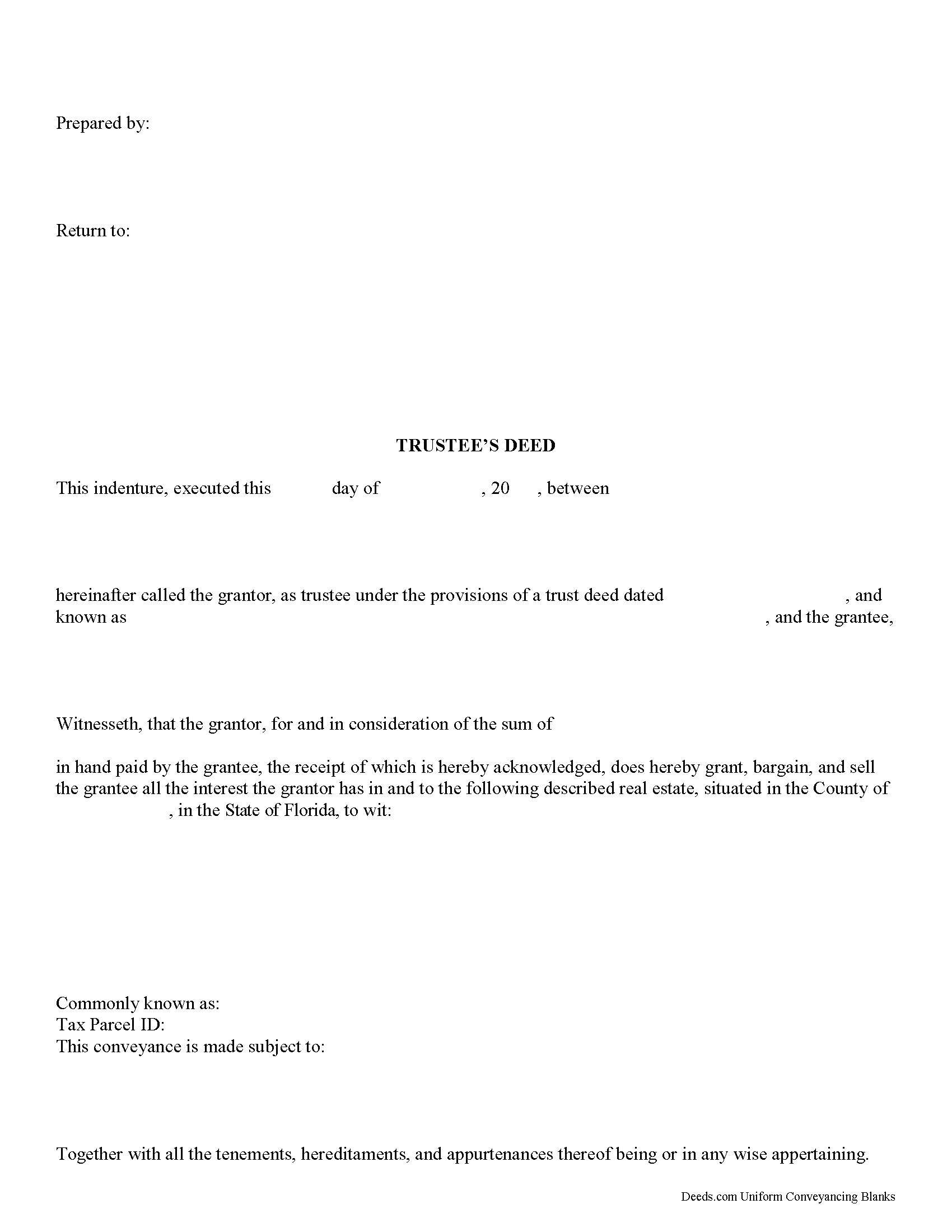
Calhoun County Trustees Deed Form
Fill in the blank Trustees Deed form formatted to comply with all Florida recording and content requirements.
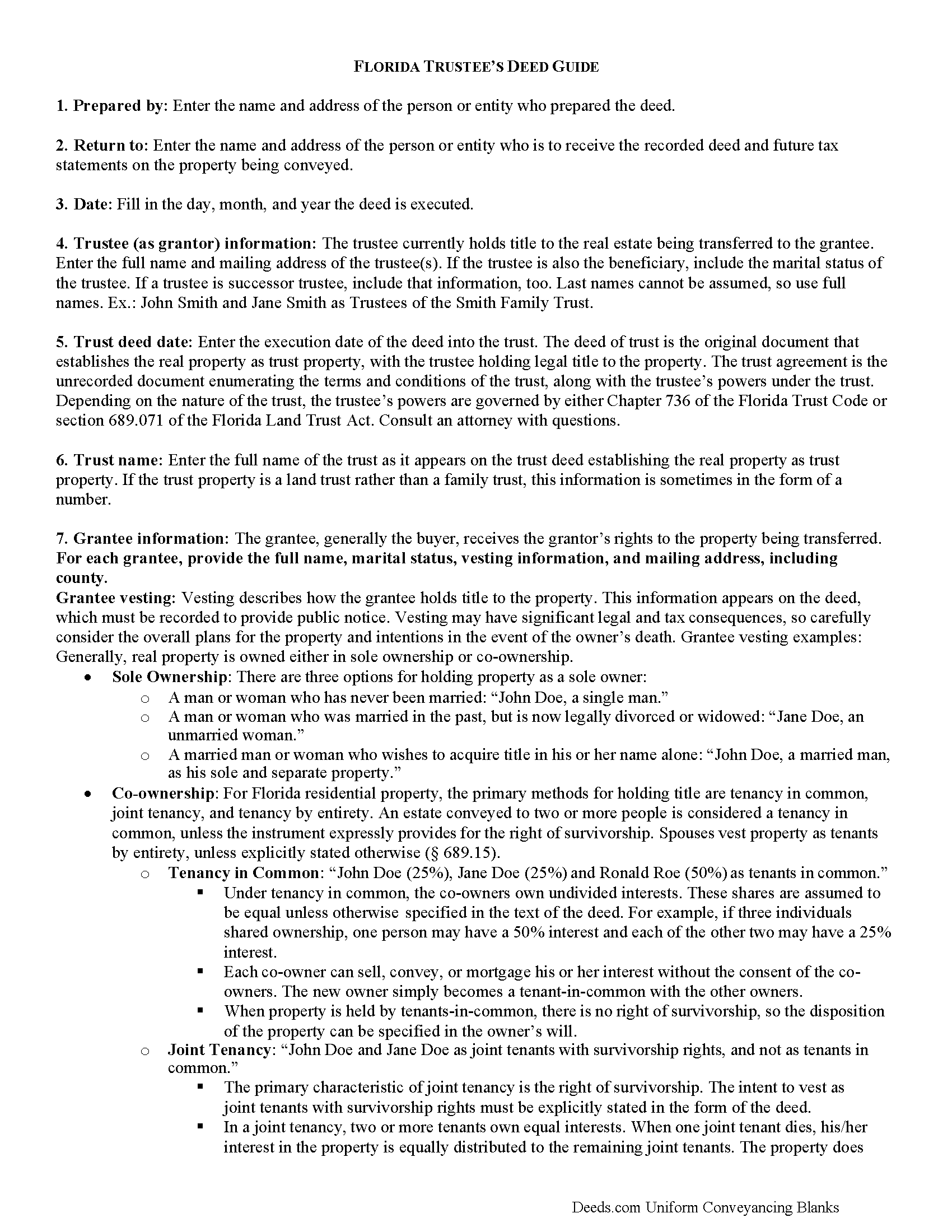
Calhoun County Trustees Deed Guide
Line by line guide explaining every blank on the Trustees Deed form.
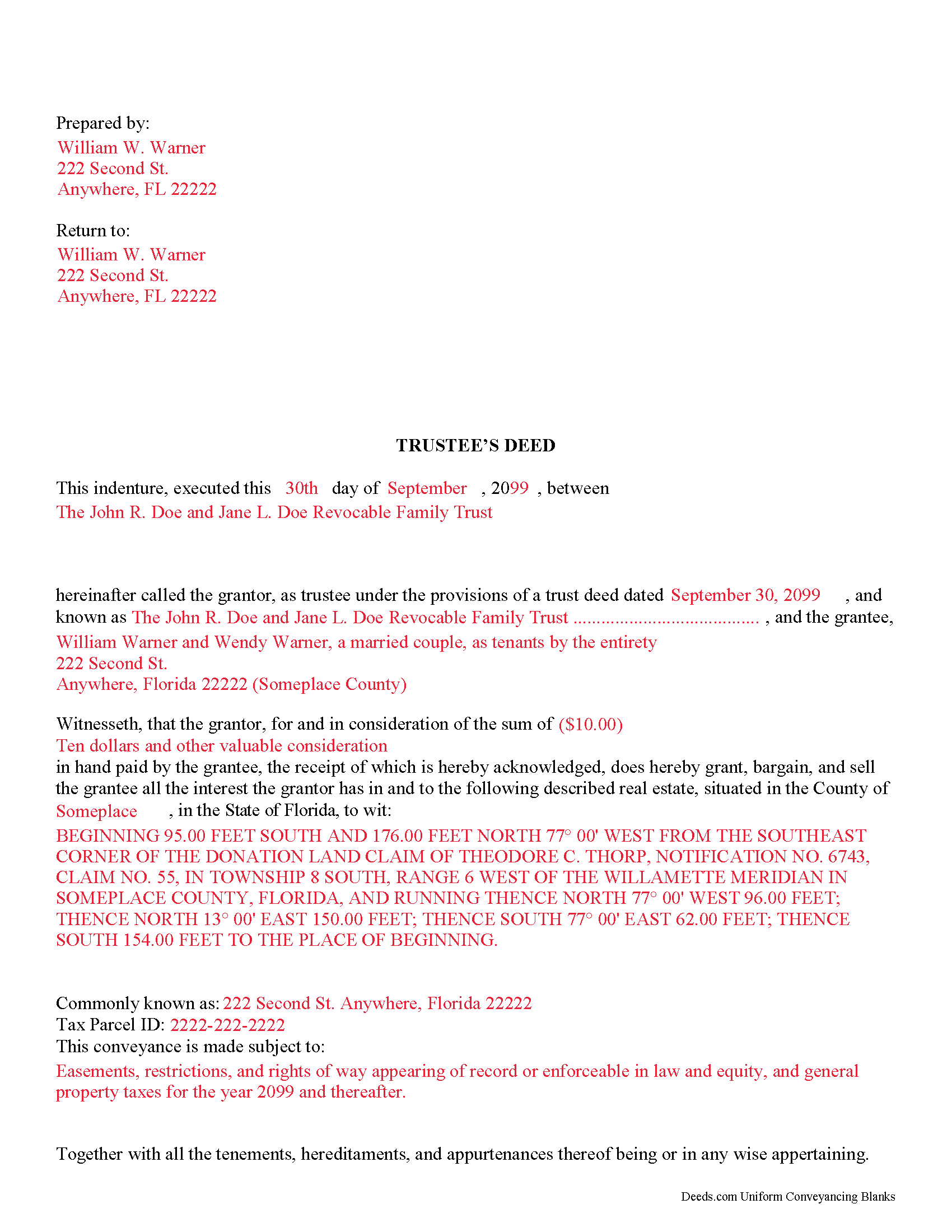
Calhoun County Completed Example of the Trustees Deed Document
Example of a properly completed Florida Trustees Deed document for reference.
All 3 documents above included • One-time purchase • No recurring fees
Immediate Download • Secure Checkout
Additional Florida and Calhoun County documents included at no extra charge:
Where to Record Your Documents
Calhoun County Clerk of the Court
Blountstown, Florida 32424
Hours: 8:00am to 4:00pm M-F
Phone: (850) 674-4545
Recording Tips for Calhoun County:
- Bring your driver's license or state-issued photo ID
- Ensure all signatures are in blue or black ink
- Both spouses typically need to sign if property is jointly owned
- Bring extra funds - fees can vary by document type and page count
- Check margin requirements - usually 1-2 inches at top
Cities and Jurisdictions in Calhoun County
Properties in any of these areas use Calhoun County forms:
- Altha
- Blountstown
- Clarksville
- Wewahitchka
Hours, fees, requirements, and more for Calhoun County
How do I get my forms?
Forms are available for immediate download after payment. The Calhoun County forms will be in your account ready to download to your computer. An account is created for you during checkout if you don't have one. Forms are NOT emailed.
Are these forms guaranteed to be recordable in Calhoun County?
Yes. Our form blanks are guaranteed to meet or exceed the applicable formatting requirements used for recording in Calhoun County, including margin requirements, font requirements, and other layout standards. This guarantee applies to formatting, not to the legal sufficiency of information entered by the user or the suitability of a form for a particular transaction.
Can I reuse these forms?
Yes. You can reuse the forms for your personal use. For example, if you have multiple properties in Calhoun County you only need to order once.
What do I need to use these forms?
The forms are PDFs that you fill out on your computer. The free Adobe Acrobat Reader is recommended, and most PDF apps also work. You do NOT enter your property information online - you download the blank forms and complete them privately on your own computer.
Are there any recurring fees?
No. This is a one-time purchase. Nothing to cancel, no memberships, no recurring fees.
How much does it cost to record in Calhoun County?
Recording fees in Calhoun County vary. Contact the recorder's office at (850) 674-4545 for current fees.
Questions answered? Let's get started!
A Florida trustees deed sits at the intersection of three bodies of law that don't play nicely together: the Florida Trust Code (Chapter 736), the conveyancing and recording statutes in Chapters 689 and 695, and the constitutional homestead protections in Article X, Section 4. Unlike most states that treat a transfer out of trust as administrative paperwork, Florida requires two subscribing witnesses on the deed, imposes documentary stamp tax even when the trustee receives no money, and may demand that a non-titled spouse join in the conveyance if the property is homestead. Florida also recognizes two distinct trust vehicles that hold real estate — the ordinary living trust under Chapter 736 and the land trust under the Florida Land Trust Act (Fla. Stat. § 689.071) — and the trustees deed has to be drafted with the right one in mind.
When a Trustees Deed Is Used in Florida
Trustees use this deed to convey real property out of a Florida trust — commonly a revocable living trust at the death or resignation of the trustor, distribution to a trust beneficiary, sale to a third party, or transfer out of a Florida land trust at the direction of the beneficiaries or holder of the power of direction. Trustees of mortgage-related trusts also use the form for non-judicial transfers in foreclosure contexts. The deed serves the same recording and notice function as a warranty or quitclaim deed, but it identifies the grantor as a trustee acting under a named trust dated a specific date, and it recites the trustee's authority to convey.
Florida Statutory Requirements
The deed must meet the standard Florida content requirements that apply to any conveyance of real property. Under Fla. Stat. § 695.26, an instrument is not eligible for recording in the Official Records unless it includes:
- The name and post office address of the natural person who prepared the instrument or under whose supervision it was prepared
- The names of grantor and grantee legibly typed or printed beneath each signature
- The post office addresses of each grantee
- The names of witnesses legibly typed or printed beneath their signatures
- A 3-inch by 3-inch space in the upper right-hand corner of the first page reserved for recording information, and a 1-inch by 3-inch space on each subsequent page
The deed must also identify the property by legal description, name the grantor in the trustee capacity (for example, "Jane Doe, as Trustee of the Doe Family Revocable Trust dated January 1, 2020"), and recite the consideration. For land trusts, Fla. Stat. § 689.071 vests both legal and equitable title in the trustee, so the trustee conveys directly without joinder of the beneficiaries when the recorded instrument creating the trust gives the trustee that power.
Execution: Two Witnesses Plus Notary
This is the requirement that catches out-of-state trustees most often. Fla. Stat. § 689.01 requires that any deed conveying an estate or interest in Florida real property be signed in the presence of two subscribing witnesses. The acknowledgment before a notary under Fla. Stat. § 695.03 is separate and additional — not a substitute. A trustees deed signed only before a notary, with no witnesses or only one, will be rejected at recording or, worse, recorded but later challenged as defective. The notary may serve as one of the two witnesses, but a second independent witness is still required. Witnesses must sign with their printed names beneath, per § 695.26.
Florida-Specific Traps
Several Florida rules cause more rejected recordings and title defects on trustees deeds than any other category of error:
- Documentary stamp tax. Fla. Stat. § 201.02 imposes documentary stamp tax on deeds at the rate of 70 cents per $100 of consideration (60 cents per $100 in Miami-Dade for single-family residences, with a surtax on other transfers). A transfer from a trust to a beneficiary as a distribution may qualify for minimum tax treatment, but a transfer that pays off a mortgage or otherwise involves consideration is taxed on that consideration. The clerk will not record the deed without the tax paid or a documented exemption.
- Homestead and spousal joinder. Article X, Section 4 of the Florida Constitution restricts the alienation of homestead property. If the property held in trust is homestead and the trustor (or trustor's surviving spouse) is married, the non-titled spouse may need to join in the deed to make the transfer effective — even though title sits in the trust. This is a recurring problem on transfers out of revocable living trusts after the death of the first spouse.
- Certification of trust. Recorders and title underwriters frequently require evidence of the trustee's authority. Fla. Stat. § 736.1017 lets the trustee provide a certification of trust — a sworn summary of the trust's existence, the trustee's identity, and the trustee's powers — rather than recording the entire trust agreement. Recording the full trust instrument is rarely advisable; it makes the dispositive terms of the trust public.
- Preparer block. The "Prepared by" block at the top of the first page is a statutory requirement under § 695.26, not a courtesy. Missing or incomplete preparer information is a common rejection reason.
- Trustee identification. The grantor block must show the trustee's name, the words "as Trustee" or equivalent, the full name of the trust, and the date of the trust instrument. A deed that names only the individual without the trustee capacity creates a chain-of-title break.
- Land trust vs. living trust. Florida land trusts under § 689.071 operate differently from ordinary trusts under Chapter 736. The deed should reflect which type of trust holds title and reference the recorded instrument that vested title in the trustee where applicable.
Recording the Deed
Record the executed deed in the Official Records of the county where the property is located — Florida has 67 counties, each with its own clerk of the circuit court or comptroller handling recordings. Under Fla. Stat. § 695.01, an unrecorded conveyance is not effective against creditors or subsequent purchasers for value without notice. Prompt recording also protects against intervening liens and double-conveyance claims. Recording fees are set by Fla. Stat. § 28.24 and run $10 for the first page and $8.50 for each additional page, plus the documentary stamp tax. Some counties charge an additional indexing fee per name beyond the first four.
Vesting in the Grantee
The trustees deed transfers title to the grantee in whatever vesting the grantee chooses to take — sole ownership, tenancy in common, joint tenancy with right of survivorship, or tenancy by the entireties for a married couple taking title together. Florida does not presume survivorship between joint owners; survivorship language must be expressly stated in the deed. Tenancy by the entireties is presumed for property conveyed to a married couple unless the deed states otherwise, and it carries automatic survivorship plus protection from creditors of one spouse alone.
Download Package
The Florida Trustees Deed package includes the form, line-by-line completion guidelines, and a completed example. Files are provided as fillable PDFs for immediate download after purchase, suitable for use in any Florida county.
Important: Your property must be located in Calhoun County to use these forms. Documents should be recorded at the county recording office listed above.
This Trustees Deed meets all recording requirements specific to Calhoun County.
Our Promise
The documents you receive here are guaranteed to meet or exceed the applicable Calhoun County recording format requirements. If there is a rejection caused by our formatting, we will correct the issue or refund your payment. This guarantee applies to document formatting only and does not extend to information entered by the user, the selection of the form, or the legal effect of the completed document.
Save Time and Money
Get your Calhoun County Trustees Deed form done right the first time with Deeds.com Uniform Conveyancing Blanks. At Deeds.com, we understand that your time and money are valuable resources, and we don't want you to face a penalty fee or rejection imposed by a county recorder for submitting nonstandard documents. We constantly review and update our forms to meet rapidly changing state and county recording requirements for roughly 3,500 counties and local jurisdictions.
4.8 out of 5 - ( 4,863 Reviews )
Kathy C. 5 out of 5 stars
Lee County, FL did accept the "Satisfaction of Mortgage" form. It was easy to fill out except for a couple of areas. Your fill in areas need to accommodate for whatever space needed for the pertinent information we as customers have to fill out. As individuals, banks have their own. Example when there are more than 1 party and information needed. Example of Document #; I was 1 number short (using Exhibit A was ridiculous.) So I had to write in the # after printing. Very unprofessional looking on a legal document. Just saying. Also, in Lee County, FL your document # is called "Instrument #, not said in your instructions. Hope this information helps for updates on your forms.
Thank you for your feedback. We really appreciate it. Have a great day!
Sheldon L. 5 out of 5 stars
Made recording very simple. Opening an account and utilizing your efiling service is an efficient way to record a document. Reasonable price.
Thank you, Sheldon! We’re glad you found the account setup and eRecording process simple and efficient. Making recording easy and affordable is exactly what we aim for. We appreciate you choosing Deeds.com and look forward to helping with your next recording.
Ottomar H. 5 out of 5 stars
Deeds site was easy to use and allowed me to print the forms I needed. No need to change anything.
Thank you!
Charlene H. 5 out of 5 stars
Deeds.com is a wonderful website. I highly recommend them and would use them again in the future.
Thank you, Charlene! We're so glad to hear you had a great experience. We truly appreciate your recommendation and look forward to helping you again in the future.
Steven b. 5 out of 5 stars
We used this document in 2018 and it was acceptable to Jackson County Missouri. It worked and is valid. Very happy with the product.
Thanks for the kind words, glad to see you back again. Have a great day!
Jo Carol K. 5 out of 5 stars
The information/forms/and ease of filling in the blanks provided me with the confidence to "do it myself". Excellent customer service. Thank you for being there.
We appreciate your business and value your feedback. Thank you. Have a wonderful day!
ALI T. 5 out of 5 stars
It is very easy to use Deeds.Com to perform eRecording. The case staff are very professional and punctual. My eRecording package was completed within a day where it usually takes months. Thank You
We appreciate your business and value your feedback. Thank you. Have a wonderful day!
Catherine A. 5 out of 5 stars
Very good site, easy to get around, very thourough, easy to use. Definately will use again. I give you 5 stars
Thank you for your feedback. We really appreciate it. Have a great day!
Thomas D. 2 out of 5 stars
The documents themselves are fine and the information provided with them is helpful. I find the actual processing of the documents, however, to be difficult particularly once the document has been saved. First, I note that the box for the date only allows entry of the last 2 digits of the year. Unfortunately, my download only allows me to enter one of the 2 digits required. When I delete it repeatedly, it eventually allows both digits to be entered but puts them in extremely small text and in superscrypt. I have not found a solution to this problem and am not sure the deed can even be recorded with this problem. Another problem is that if you try to revise the document after you have saved it the curser goes to the end of the line after each key entry. This means that there basically is no way to efficiently save the document for reworking later since you will have to delete everything you have entered in the text box unless you only need to make a single keystroke change or are willing to replace the curser after each entry. Try that with a long property description! Please note that I am using a Mac to prepare my documents and perhaps this is part of an "incompatibility problem". However, I didn't see a disclaimer regarding Mac use and so would expect the documents to perform correctly. Overall, I give the program a "2 star" rating because I am experiencing significant difficulties in entering dates in the documents even before saving them and because saving your work for later revision appears to be basically unworkable.
Thank you for your feedback Thomas, we appreciate you being specific about the issues you encountered. Adobe and Mac have a fairly long history of issues working together.
Samuel Shera Singh B. 5 out of 5 stars
I found the documents I needed and so many more that I will utilize for business, personal and family needs. Also I made a purchase of an additional document I did not need that serves the same purpose as one I purchased and Deeds.com had no issue refunding the unnecessary document in an unbelievably quick response and refund. I would recommend this document provider to everyone including legal office management.
Thank you for your feedback. We really appreciate it. Have a great day!
Darrell D. 5 out of 5 stars
Thx. Easy to research and download. Now proof is in the pudding. :-)
Thank you for your feedback. We really appreciate it. Have a great day!
Kristi L. 5 out of 5 stars
Fantastic Experience! I have been through several different companies offering to do the same thing but only offering subscriptions. I have no negative reviews, took 1 business day from submission, professional and timely updates and extremely fair pricing considering the amount of time it saves you.
Thank you!
Michael E. 5 out of 5 stars
First time user and my experience was just great! Great people to work with and would recommend to others!
Thank you!
Daniel D. 5 out of 5 stars
Easier than I expected. I followed the downloaded examples step by step, and before I knew it, the form was completed correctly and good to go. Thank you, Daniel D.
We appreciate your business and value your feedback. Thank you. Have a wonderful day!
Alice L. 5 out of 5 stars
County accepted Quit Claim Deed without any issues! Saved money using Deeds.com - thank you!!!!
Thank you for your feedback. We really appreciate it. Have a great day!