Calhoun County Notice to Contractor Form
Last validated October 27, 2026 by our Forms Development TeamFormatted for recording in Calhoun County, for property anywhere in the county: rural and unincorporated areas as well as Altha, Blountstown, Clarksville, Wewahitchka.
- 3 documents included
- Immediate PDF download
- Formatting guarantee
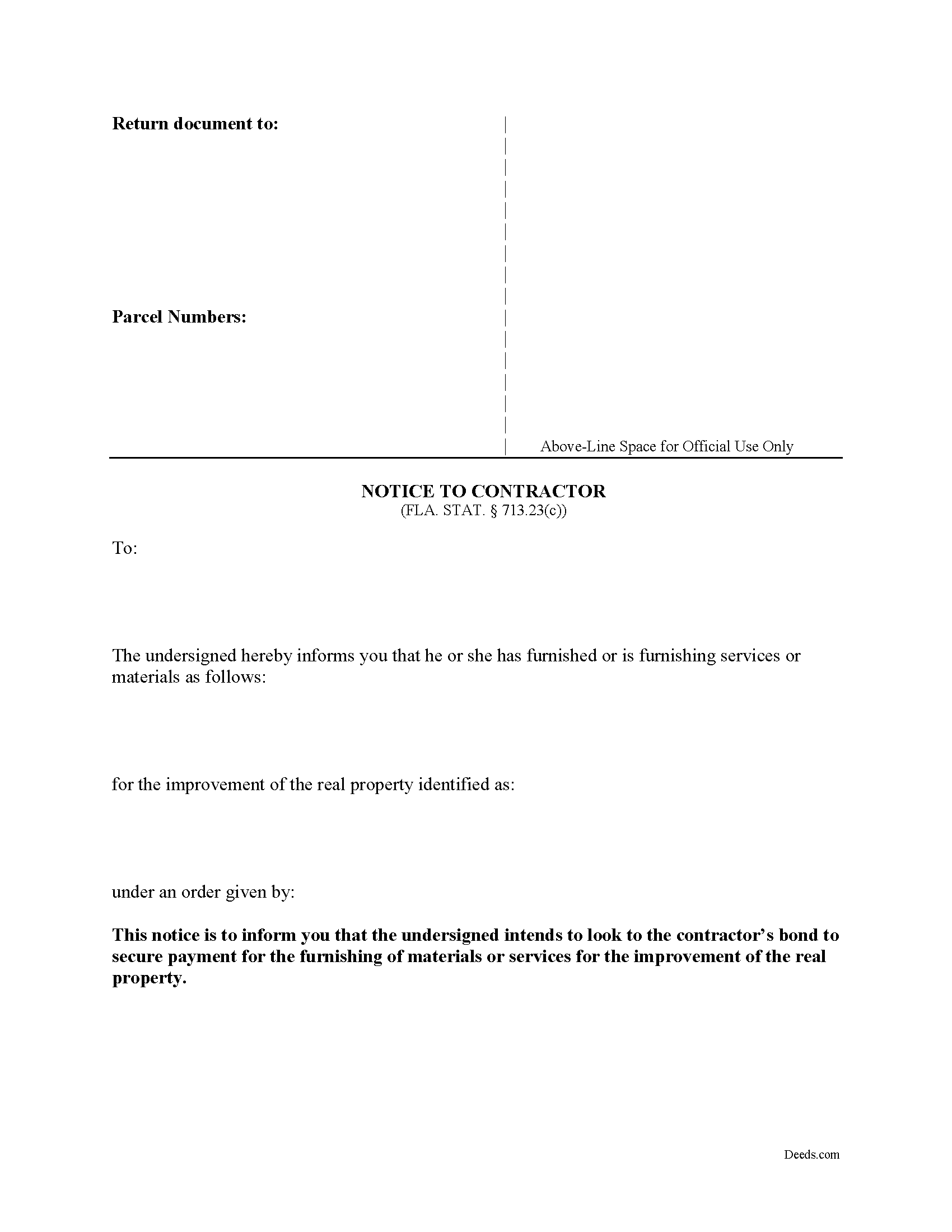
Calhoun County Notice to Contractor Form
Fill in the blank form formatted to comply with all recording and content requirements.
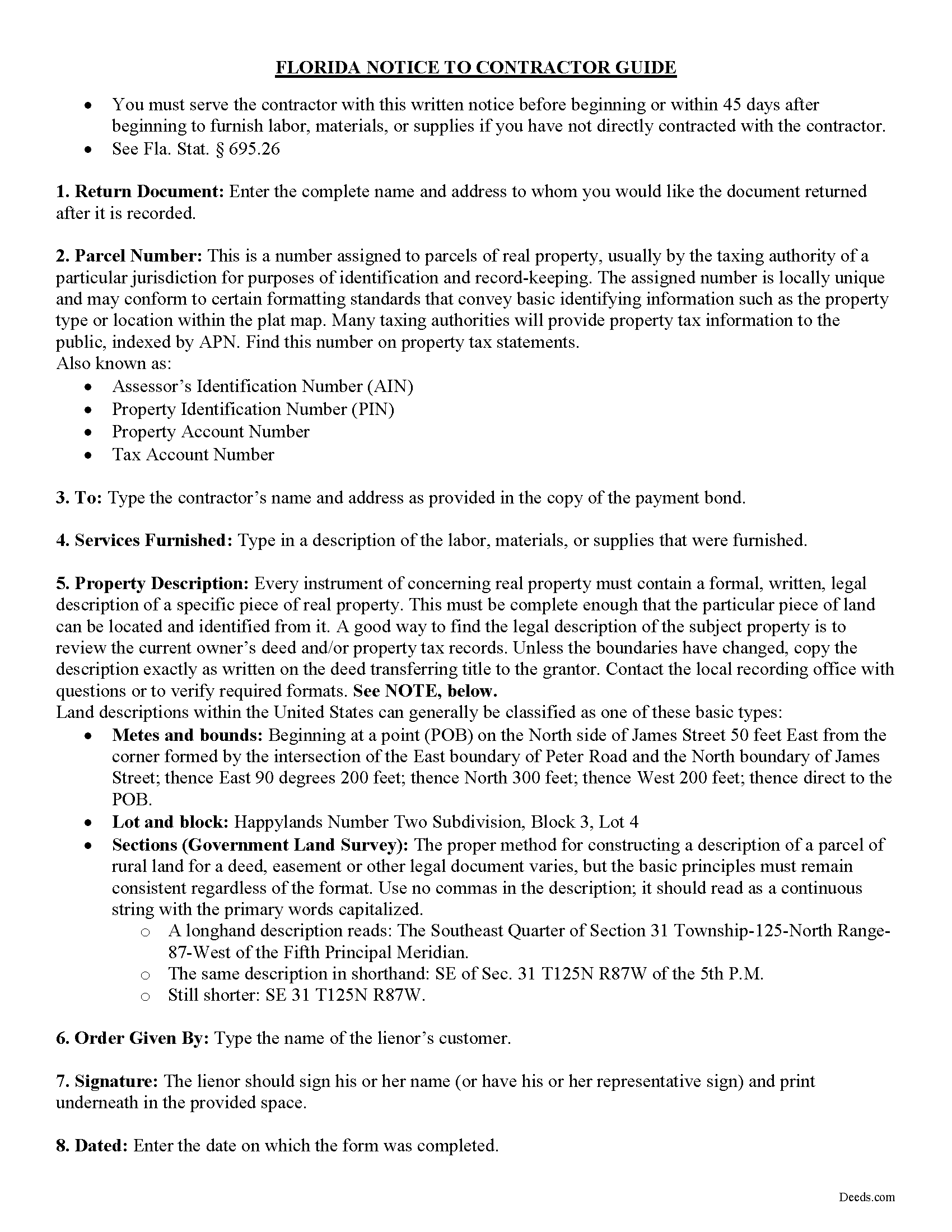
Calhoun County Notice to Contractor Guide
Line by line guide explaining every blank on the form.
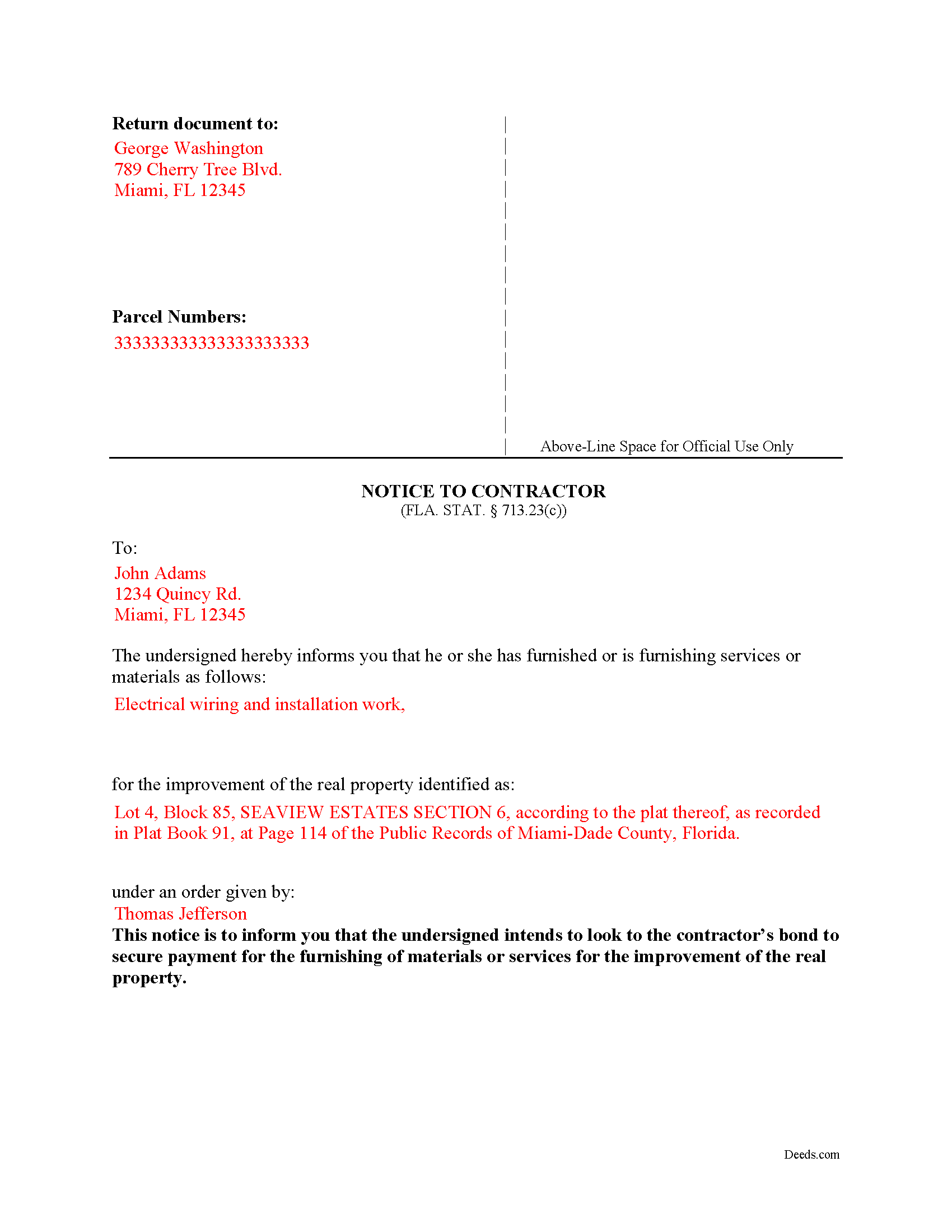
Calhoun County Completed Example of the Notice to Contractor Document
Example of a properly completed form for reference.
All 3 documents above included • One-time purchase • No recurring fees
Immediate Download • Secure Checkout
Additional Florida and Calhoun County documents included at no extra charge:
Where to Record Your Documents
Calhoun County Clerk of the Court
Blountstown, Florida 32424
Hours: 8:00am to 4:00pm M-F
Phone: (850) 674-4545
Recording Tips for Calhoun County:
- Bring your driver's license or state-issued photo ID
- Ensure all signatures are in blue or black ink
- White-out or correction fluid may cause rejection
- Ask about their eRecording option for future transactions
- Avoid the last business day of the month when possible
Cities and Jurisdictions in Calhoun County
Properties in any of these areas use Calhoun County forms:
- Altha
- Blountstown
- Clarksville
- Wewahitchka
Hours, fees, requirements, and more for Calhoun County
How do I get my forms?
Forms are available for immediate download after payment. The Calhoun County forms will be in your account ready to download to your computer. An account is created for you during checkout if you don't have one. Forms are NOT emailed.
Are these forms guaranteed to be recordable in Calhoun County?
Yes. Our form blanks are guaranteed to meet or exceed the applicable formatting requirements used for recording in Calhoun County, including margin requirements, font requirements, and other layout standards. This guarantee applies to formatting, not to the legal sufficiency of information entered by the user or the suitability of a form for a particular transaction.
Can I reuse these forms?
Yes. You can reuse the forms for your personal use. For example, if you have multiple properties in Calhoun County you only need to order once.
What do I need to use these forms?
The forms are PDFs that you fill out on your computer. The free Adobe Acrobat Reader is recommended, and most PDF apps also work. You do NOT enter your property information online - you download the blank forms and complete them privately on your own computer.
Are there any recurring fees?
No. This is a one-time purchase. Nothing to cancel, no memberships, no recurring fees.
How much does it cost to record in Calhoun County?
Recording fees in Calhoun County vary. Contact the recorder's office at (850) 674-4545 for current fees.
Questions answered? Let's get started!
Florida's construction lien law splits payment-protection notices into two parallel tracks, and the Florida Notice to Contractor belongs to one of them. When a general contractor has furnished a statutory payment bond under FLA. STAT. 713.23 — recorded with the notice of commencement before work begins — a subcontractor or supplier not in direct contract with the general contractor cannot rely on the standard Notice to Owner. The bond replaces the property as the security for payment, and the document that perfects a claim against that bond is the Notice to Contractor. Sending the wrong notice, or sending the right notice late, eliminates the bond as a payment source.
What the Florida Notice to Contractor Does and When It Is Used
This notice tells the general contractor — and, in practice, the surety — that the lienor intends to look to the payment bond for protection on the work being supplied. It applies to private Florida construction projects where a 713.23 statutory payment bond has been recorded along with the notice of commencement. Material suppliers, sub-subcontractors, equipment lessors, and other lienors who are not contractually connected to the general contractor must serve this notice to preserve a claim. Laborers and parties in privity with the general contractor are excepted. Federal projects fall under the Miller Act and use a different mechanism entirely.
Statutory Requirements Under FLA. STAT. 713.23
The form identifies the parties and the project. At a minimum it names the owner who ordered the work, the general contractor coordinating the project, and the lienor furnishing labor or materials. It describes the real property where the improvement is being made and identifies the type of work or materials being supplied. The notice substantially follows the form set out in the statute (FLA. STAT. 713.23(1)(c)). Florida courts construe lien-law compliance strictly, and homemade variations risk being held insufficient.
The 45-Day Clock and Its Alternative
Timing is the trap that ends most bond claims. A lienor not in privity with the contractor — except a laborer — must serve the notice before beginning, or within 45 days after beginning, to furnish labor, materials, or supplies (FLA. STAT. 713.23(1)(c)). The clock runs from the first day of furnishing — not from the contract date and not from the purchase order.
An alternative window applies when the notice of commencement with the bond attached is not recorded before construction begins. In that situation, the lienor may serve the notice up to 45 days after being served with a copy of the bond (FLA. STAT. 713.23(1)(c)). A lienor who has not been provided a copy of the bond is entitled to demand one, and the statute imposes consequences on a party who refuses to furnish it.
Notice of Nonpayment — The Second Required Notice
The Notice to Contractor preserves the right to claim, but it is not the only notice the statute requires. Before bringing an action against the bond, the lienor must also serve a written notice of nonpayment on the contractor and the surety not later than 90 days after final furnishing of labor, services, or materials by the lienor (FLA. STAT. 713.23(1)(d)). The 90-day notice of nonpayment is a separate document with its own deadline; missing it eliminates the bond claim even when the initial Notice to Contractor was timely and correctly served.
How the Notice Must Be Served
Unlike many lien-related documents in Florida, the Notice to Contractor is served — not recorded with the county clerk. Service follows the methods authorized by FLA. STAT. 713.18: actual delivery to the person being served, or by common carrier delivery service or U.S. mail (registered, certified, or first-class with a certificate of mailing). Proof of service must be retained, because a bond claim that proceeds to litigation will turn on it.
Florida-Specific Traps
- Confusing the Notice to Contractor with the Notice to Owner. The Notice to Owner under FLA. STAT. 713.06 perfects a lien against real property on non-bonded jobs. The Notice to Contractor under 713.23 perfects a claim against a payment bond. They are not interchangeable, and using the wrong one on a bonded job is fatal to the claim.
- Statutory bond versus common law bond. Section 713.23 governs statutory payment bonds that meet the section's requirements. A bond that does not conform to 713.23 may be treated as a common law bond, and the statutory notice rules may not apply in the same way.
- The 45-day clock runs from first furnishing. Not from contract execution, not from a purchase order, not from delivery to the jobsite — the clock starts when the lienor first furnishes materials or services to the project.
- One-year limit on action against the bond. An action on the payment bond must be brought within one year (FLA. STAT. 713.23(1)(e)). This deadline is measured from the statutory trigger and cannot be casually extended.
- Strict construction against the lienor. Florida courts read the lien and bond statutes strictly against the party claiming the right. Defects that might be excused in other states are routinely fatal here.
- Identifying the correct bond and surety. The lienor must look to the specific bond recorded with the notice of commencement. Naming the wrong surety, or relying on a non-conforming bond document, undermines the claim before it begins.
What Is Included in the Download Package
The Florida Notice to Contractor download includes the fillable form prepared by the Deeds.com forms development team, completed-example pages illustrating typical entries, and a guide outlining the statutory framework, deadlines, and service requirements under FLA. STAT. 713.23. Files are delivered as instant downloads after checkout.
Important: Your property must be located in Calhoun County to use these forms. Documents should be recorded at the county recording office listed above.
This Notice to Contractor meets all recording requirements specific to Calhoun County.
Our Promise
The documents you receive here are guaranteed to meet or exceed the applicable Calhoun County recording format requirements. If there is a rejection caused by our formatting, we will correct the issue or refund your payment. This guarantee applies to document formatting only and does not extend to information entered by the user, the selection of the form, or the legal effect of the completed document.
Save Time and Money
Get your Calhoun County Notice to Contractor form done right the first time with Deeds.com Uniform Conveyancing Blanks. At Deeds.com, we understand that your time and money are valuable resources, and we don't want you to face a penalty fee or rejection imposed by a county recorder for submitting nonstandard documents. We constantly review and update our forms to meet rapidly changing state and county recording requirements for roughly 3,500 counties and local jurisdictions.
4.8 out of 5 - ( 4,842 Reviews )
Ryan P. 5 out of 5 stars
It was a pleasant surprise to find out how easy the site was to use! Clear directions! very user friendly!
Thank you!
Tracy M. 3 out of 5 stars
The form is easy to use. However, the quit claim deed form seems to be for parcel of land, because the word "real property" is not in the form.
Thank you for your feedback. We really appreciate it. Have a great day!
Andrew B. 5 out of 5 stars
Very easy to use and I appreciate the fees being charged after the submission.
Thank you!
Ronald S. 5 out of 5 stars
got what i wanted
Thank you for your feedback. We really appreciate it. Have a great day!
Michael L. 5 out of 5 stars
I accidentally ordered the wrong deed package. Was looking for a quit claim deed and got a trustee deed. I immediately emailed the company, nothing back from them. I would like to exchange my purchase.
Thank you for your feedback. We replied to your message on December 20th at 2:05 pm, the reply was as follows: As a one time courtesy we have canceled your order/payment for the Trustee Deed document.
Shannon T. 5 out of 5 stars
Very easy to use. Was able to fill out the forms on my phone.
Thank you for your kind words and for choosing us.
Michelle G. 5 out of 5 stars
EXCEPTIONAL CUSTOMER SERIVCE!!! THANK YOU!!!
Thank you for your feedback. We really appreciate it. Have a great day!
Eleanor E. 5 out of 5 stars
Not knowing I could down load these forms, I first went to the local recording office thinking I could get info on the forms I needed. I was told that obviously you dont know what you are doing so find someone who does. This snippy clerk obviously didnt know the forms were accessible on line; either that or she was needing to feel her phony superiority.
Thank you for your feedback. We really appreciate it. Have a great day!
Rebecca F. 5 out of 5 stars
Forms were great. I wasn't able to find them anywhere. Even the county recorder didn't have them
Thank you for your feedback. We really appreciate it. Have a great day!
Qingqiu H. 5 out of 5 stars
I ordered the wrong forms at first because I'm an idiot and didn't do my research. When I told the customer service about my error they were understanding.
Thank you for your feedback. We really appreciate it. Have a great day!
Susan K. 5 out of 5 stars
They were unable to complete the task and my money was immediately refunded.
Thank you for your feedback Susan, sorry we were unable to assist.
Kitty H. 5 out of 5 stars
I have had it reviewed by a mortgage broker and a title manager and both said it was done correctly! Your product and the instructions are what made this possible. It took me several hours as I continued to review your information. I just finished printing and ready to file. Yeah! Thanks! Highly recommend the product!
We appreciate your business and value your feedback. Thank you. Have a wonderful day!
Maday G. 5 out of 5 stars
The service was easy and fast. Definitely much better than the regular process directly at the County's office.
We appreciate your business and value your feedback. Thank you. Have a wonderful day!
LEON S. 5 out of 5 stars
recorded deed space to small for corrective deed requirement
Thank you for your feedback. We really appreciate it. Have a great day!
Berle B. 5 out of 5 stars
I am very impressed with Deeds.com. They provided the form with instructions that I needed. Also, they provided an example form that was filled out which really helped me with the process. The price seemed high, but in comparison to other sites it is very reasonable. Thank you Deeds, I would recommend you to anyone need your services. Berle Bigelow
Thank you, Berle. Glad the completed example did its job. We appreciate the recommendation.