Colquitt County Affidavit of Beneficiary Acceptance (Guardian or Conservator on behalf of a Minor or Ward) Form
Last validated October 21, 2026 by our Forms Development TeamFormatted for recording in Colquitt County, for property anywhere in the county: rural and unincorporated areas as well as Berlin, Doerun, Ellenton, Funston, Hartsfield, Moultrie, Norman Park.
- 3 documents included
- Immediate PDF download
- Formatting guarantee
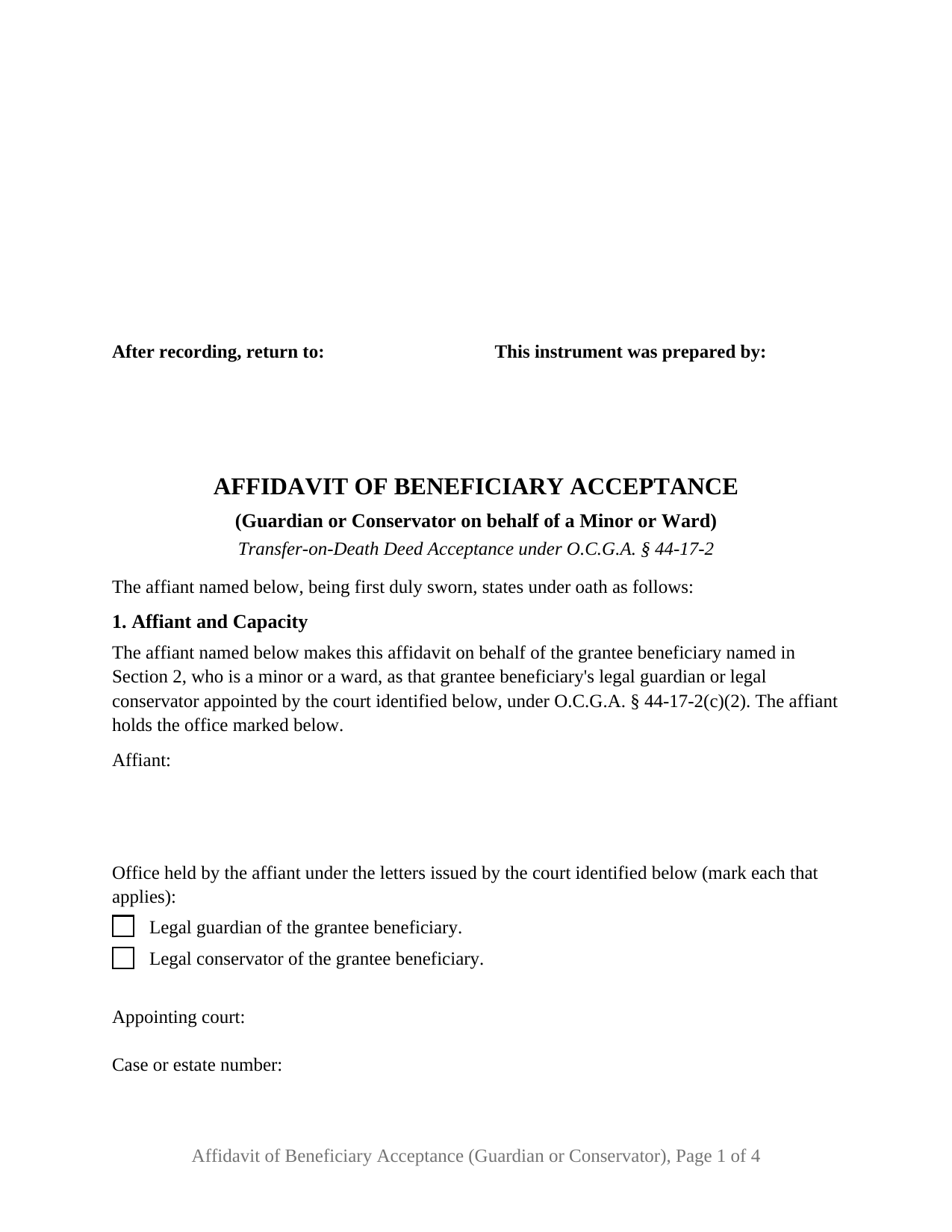
Colquitt County Affidavit of Beneficiary Acceptance (Guardian or Conservator on behalf of a Minor or Ward) Form
Fill in the blank Affidavit of Beneficiary Acceptance (Guardian or Conservator on behalf of a Minor or Ward) form formatted to comply with all Georgia recording and content requirements.
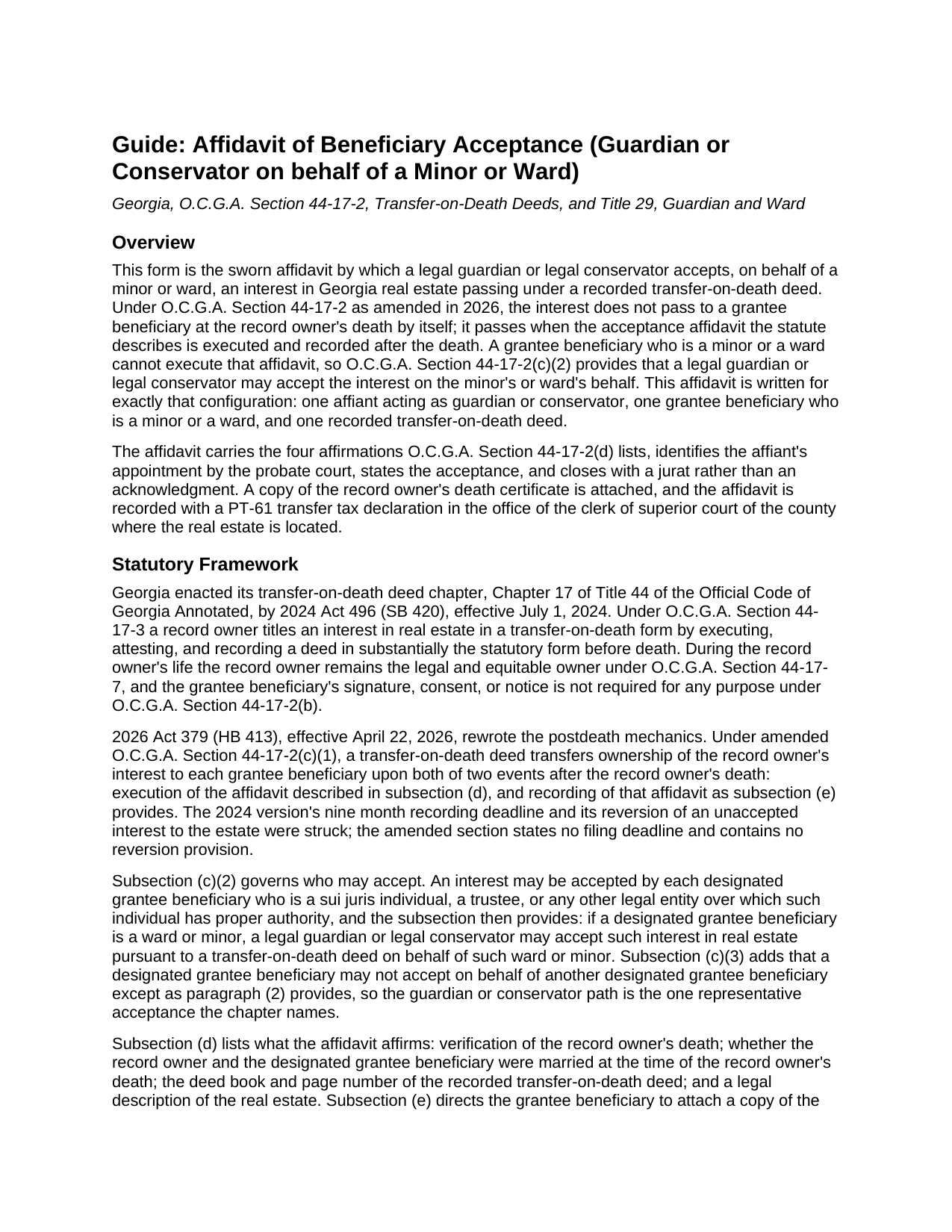
Colquitt County Affidavit of Beneficiary Acceptance (Guardian or Conservator on behalf of a Minor or Ward) Guide
Line by line guide explaining every blank on the Affidavit of Beneficiary Acceptance (Guardian or Conservator on behalf of a Minor or Ward) form.
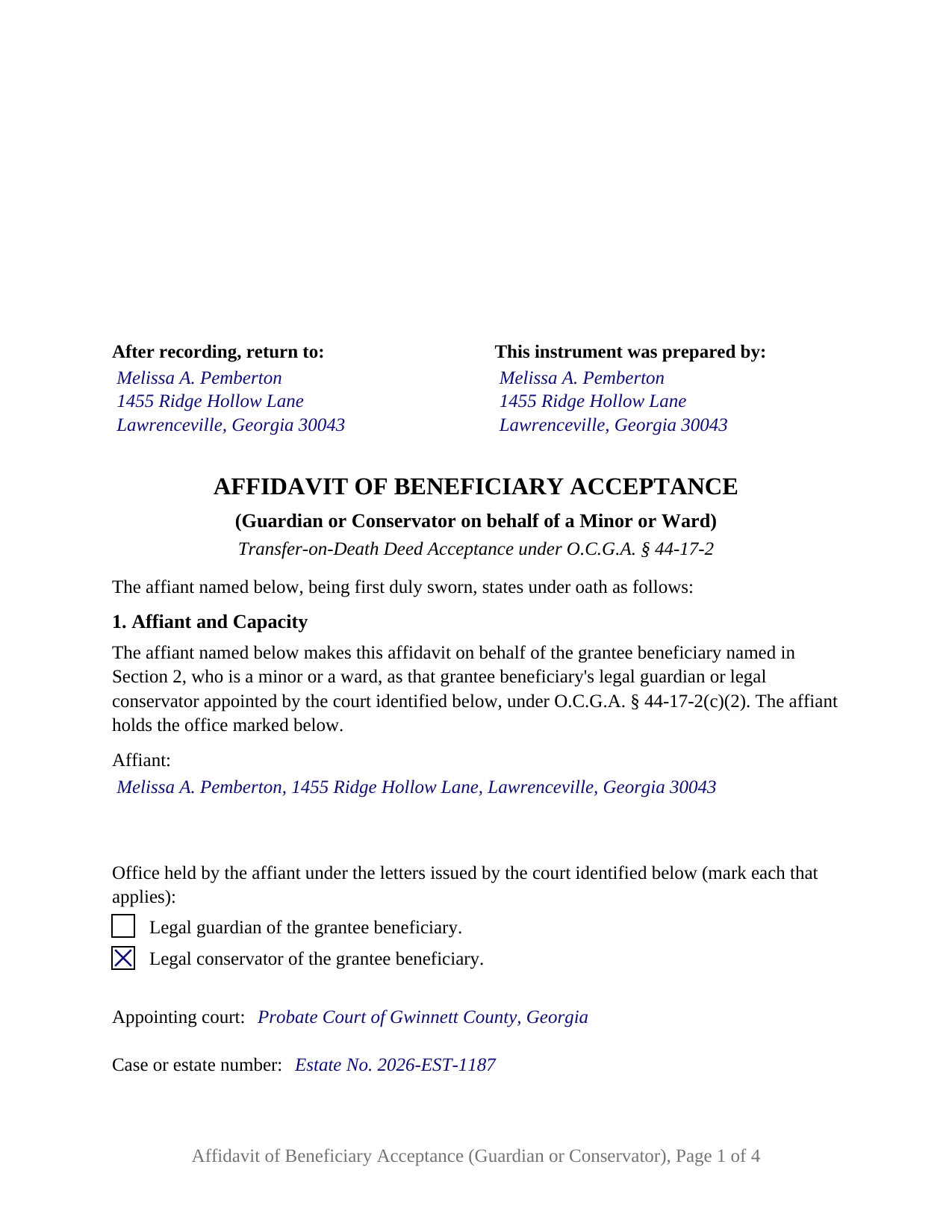
Colquitt County Completed Example of the Affidavit of Beneficiary Acceptance (Guardian or Conservator on behalf of a Minor or Ward) Document
Example of a properly completed Georgia Affidavit of Beneficiary Acceptance (Guardian or Conservator on behalf of a Minor or Ward) document for reference.
All 3 documents above included • One-time purchase • No recurring fees
Immediate Download • Secure Checkout
Additional Georgia and Colquitt County documents included at no extra charge:
Where to Record Your Documents
Colquitt Clerk Of Court - County Courthouse
Moultrie, Georgia 31768
Hours: 8:00am-5:00pm M-F
Phone: (229) 616-7420
Recording Tips for Colquitt County:
- Bring your driver's license or state-issued photo ID
- Ensure all signatures are in blue or black ink
- Check margin requirements - usually 1-2 inches at top
- Leave recording info boxes blank - the office fills these
- Make copies of your documents before recording - keep originals safe
Cities and Jurisdictions in Colquitt County
Properties in any of these areas use Colquitt County forms:
- Berlin
- Doerun
- Ellenton
- Funston
- Hartsfield
- Moultrie
- Norman Park
Hours, fees, requirements, and more for Colquitt County
How do I get my forms?
Forms are available for immediate download after payment. The Colquitt County forms will be in your account ready to download to your computer. An account is created for you during checkout if you don't have one. Forms are NOT emailed.
Are these forms guaranteed to be recordable in Colquitt County?
Yes. Our form blanks are guaranteed to meet or exceed the applicable formatting requirements used for recording in Colquitt County, including margin requirements, font requirements, and other layout standards. This guarantee applies to formatting, not to the legal sufficiency of information entered by the user or the suitability of a form for a particular transaction.
Can I reuse these forms?
Yes. You can reuse the forms for your personal use. For example, if you have multiple properties in Colquitt County you only need to order once.
What do I need to use these forms?
The forms are PDFs that you fill out on your computer. The free Adobe Acrobat Reader is recommended, and most PDF apps also work. You do NOT enter your property information online - you download the blank forms and complete them privately on your own computer.
Are there any recurring fees?
No. This is a one-time purchase. Nothing to cancel, no memberships, no recurring fees.
How much does it cost to record in Colquitt County?
Recording fees in Colquitt County vary. Contact the recorder's office at (229) 616-7420 for current fees.
Questions answered? Let's get started!
A Georgia transfer-on-death deed can name a grandchild who is still a child, or an adult who later comes under a conservatorship, and the acceptance that completes the transfer after the death then comes from someone holding court-granted authority. This Georgia Affidavit of Beneficiary Acceptance (Guardian or Conservator on behalf of a Minor or Ward) is the sworn acceptance a legal guardian or legal conservator executes and records on behalf of a grantee beneficiary who is a minor or a ward, under O.C.G.A. Section 44-17-2(c)(2).
Accepting for a beneficiary who cannot sign
Since the April 2026 amendments, a Georgia TOD deed transfers the record owner's interest only when an acceptance affidavit is executed and recorded after the death. Section 44-17-2(c)(2) names who may execute it, and its last sentence provides that if a designated grantee beneficiary is a ward or minor, a legal guardian or legal conservator may accept on behalf of that ward or minor; Section 44-17-2(c)(3) permits no one else to accept for a beneficiary. Under Title 29 a minor is under 18 and not emancipated, a ward is an adult under a guardianship or conservatorship, and the conservator is the fiduciary who receives and holds the protected person's property under Sections 29-3-22(a)(4) and 29-5-23(a)(4). Chapter 17 admits either office, so the form prints both as boxes and the affiant marks what the probate court's letters confer.
What the affidavit recites
Section 1 opens with a fixed recital that the affiant makes the affidavit on behalf of the grantee beneficiary named in Section 2, a minor or a ward, as that beneficiary's legal guardian or legal conservator appointed by the court identified below; the appointing probate court, the case or estate number, and the date the letters issued follow as entries. The four affirmations Section 44-17-2(d) requires are carried in order: verification of the record owner's death, with a copy of the death certificate attached; whether the record owner and the grantee beneficiary were married at the time of death, as two boxes with one marked; the deed book and page of the recorded deed; and the legal description. The operative section states that the affiant, in that fiduciary capacity and on the beneficiary's behalf, accepts the interest passing under the deed, under letters in effect on the date of the affidavit.
One fiduciary, one protected beneficiary, one deed
The form recites exactly one affiant holding a probate court appointment and exactly one grantee beneficiary who is a minor or a ward, with one signature block and one jurat. A grandparent's beneficiary deed naming a grandchild still under 18 at the grandparent's death, the child's parent having been appointed conservator, presents this pattern; so does a deed naming an adult who, by the record owner's death, is under a conservatorship. An adult with capacity accepting on that person's own behalf, a trustee, an entity, two beneficiaries under one deed, and two co-fiduciaries named in one set of letters each recite different facts, and the form is not set up as any of them.
Sworn before an officer, recorded with the PT-61
Because the statute calls for an affidavit, the affiant signs before a notary public or other officer authorized to administer oaths, who completes a jurat rather than an acknowledgment: the date, the venue, the affiant's name and representative capacity in the by-line, a signature in ink exactly as the name appears on the commission, and the seal Georgia notary law makes part of every official act, for which the form reserves a labeled area. The affidavit is recorded with the clerk of superior court of the county where the real estate is located, with the death certificate copy and the PT-61 transfer tax declaration completed through the GSCCCA system; a conservator filing without an attorney is a self-filer under Section 44-2-2 and presents it through the GSCCCA electronic filing portal. The amended statute sets no filing deadline; until the affidavit is recorded the interest remains in the deceased record owner's estate, and once accepted it is the minor's or ward's property in the conservator's hands.
Three items make up the package: the fillable affidavit, a completed example built on a Gwinnett County fact pattern in which a mother accepts as conservator for her minor daughter, and a guide covering every section, the oath, and the filing steps. The description above and that guide explain the form and the Georgia statutes behind it in general terms only; neither is legal advice.
Important: Your property must be located in Colquitt County to use these forms. Documents should be recorded at the county recording office listed above.
This Affidavit of Beneficiary Acceptance (Guardian or Conservator on behalf of a Minor or Ward) meets all recording requirements specific to Colquitt County.
Our Promise
The documents you receive here are guaranteed to meet or exceed the applicable Colquitt County recording format requirements. If there is a rejection caused by our formatting, we will correct the issue or refund your payment. This guarantee applies to document formatting only and does not extend to information entered by the user, the selection of the form, or the legal effect of the completed document.
Save Time and Money
Get your Colquitt County Affidavit of Beneficiary Acceptance (Guardian or Conservator on behalf of a Minor or Ward) form done right the first time with Deeds.com Uniform Conveyancing Blanks. At Deeds.com, we understand that your time and money are valuable resources, and we don't want you to face a penalty fee or rejection imposed by a county recorder for submitting nonstandard documents. We constantly review and update our forms to meet rapidly changing state and county recording requirements for roughly 3,500 counties and local jurisdictions.
4.8 out of 5 - ( 4,849 Reviews )
donald h. 5 out of 5 stars
good, however, I haven't figured out how to save my filled out form
Thank you for your feedback. We really appreciate it. Have a great day!
Dean B. 5 out of 5 stars
I needed to cut and paste my phone number with the dashes in order to use this website with my iPhone
Thank you!
Diana M. 5 out of 5 stars
Awesome service. Quick and easy. Complete directions on how to complete the forms with examples for further assistance.
We appreciate your business and value your feedback. Thank you. Have a wonderful day!
ARTHEMEASE B. 5 out of 5 stars
You made a very confusing process very easy. Your response was timely. I will definitely use you again.
We appreciate your business and value your feedback. Thank you. Have a wonderful day!
Nancy v. 5 out of 5 stars
Amazing! So easy to get all the forms. Very impressive!
Thank you!
David O. 5 out of 5 stars
I had overwhelming emotions taking my deceased wife's name off my condo, so it took me a year to steel myself to submit the form. I filed in Multnomah county, OR which also requires a cover sheet documented here: https://www.multco.us/recording/recording-requirements But, I'm totally happy with the service and quality from Deeds.com getting me what I needed to get this done.
Your feedback is greatly appreciated. Thank you for taking the time to share your experience!
Linda F. 5 out of 5 stars
I can't recommend working with Deeds.com enough. I had been given incorrect information from another document service. The helpful staff member at Deeds.com that assisted in the submission of the recording was exceptionally helpful in making sure what I was submitting included the necessary elements required by the county. I am very thankful I chose Deeds.com for my eRecording service. Thank you!!
Thank you, Linda! We’re so glad our team could assist in making sure your submission met the county’s requirements. It means a lot that you chose Deeds.com after a frustrating experience elsewhere. We appreciate your trust and kind words!
Melvin M. 4 out of 5 stars
loads of forms and instructions....for a good buy...it would help to know where to send the forms after completing them...
We appreciate your business and value your feedback. Thank you. Have a wonderful day!
Kristi T. 5 out of 5 stars
This was so very easy and fast! Well worth the small fee. I will use this again if I have a need. Thank you!
We appreciate your business and value your feedback. Thank you. Have a wonderful day!
Wayne S. 5 out of 5 stars
The website is quick and easy to navigate and the downloading of forms is a simple process.
Thank you, Wayne! We're thrilled to hear that you found our website quick and easy to navigate. Making the process simple for our customers is our goal! If you ever need anything, we're here to help. Appreciate your support!
Marites T. 5 out of 5 stars
Extremely helpful team of professionals who are patient when you need to get things filed correctly. Very small price for the comfort of knowing your DOCUMENTS are FILED with you local Recorder's Office. Some of the filings, if they are correctly formatted are already uploaded and official within a few hours. Here's the ALTERNATIVE you may encounter. For Example: King County Recorder's Office moved which means most filings are backed up 7-10 days if you DROP your filing in a BOX with your CHECK or MAIL IT. Neither is a great option, since they have no WALK IN HOURS.
We appreciate your business and value your feedback. Thank you. Have a wonderful day!
Bobby T. 5 out of 5 stars
Great!! Helps me out
Thank you!
Thelma S. 5 out of 5 stars
So easy to navigate.
Thank you!
Mark R. 4 out of 5 stars
All documents were site specific and up-to-date. Not recorded yet but have high hopes.
Thank you for your feedback. We really appreciate it. Have a great day!
Jay P. 5 out of 5 stars
Great site, even for Tech dummies like me. Easy to use and VERY prompt! Thanks!
Thank you for your feedback. We really appreciate it. Have a great day!