Jefferson County Administrator Deed Form
Last validated September 9, 2026 by our Forms Development TeamFormatted for recording in Jefferson County, for property anywhere in the county: rural and unincorporated areas as well as Belle Rive, Bluford, Bonnie, Dix, Ina, Mount Vernon, Nason, Opdyke and 4 more.
- 3 documents included
- Immediate PDF download
- Formatting guarantee
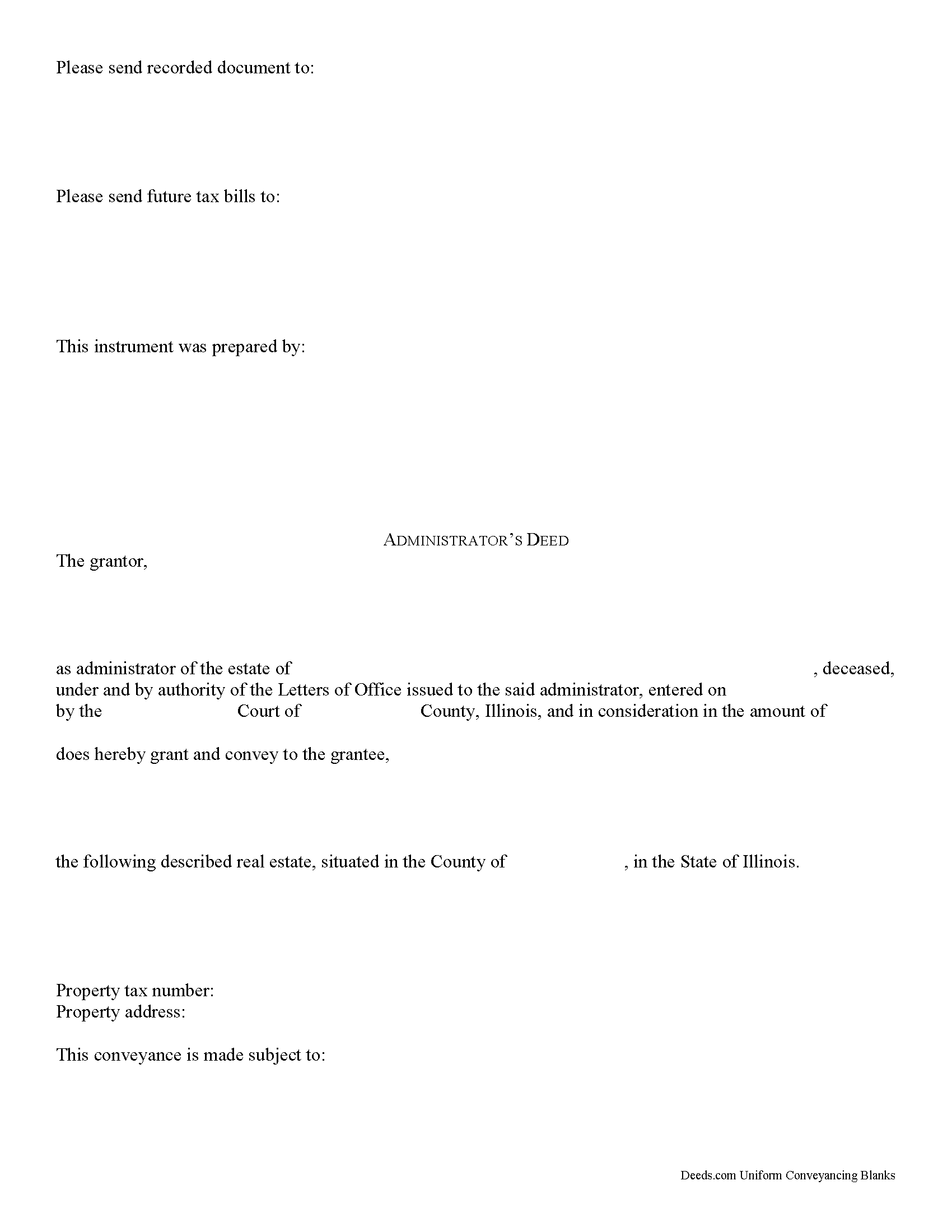
Jefferson County Administrator Deed Form
Fill in the blank form formatted to comply with all recording and content requirements.
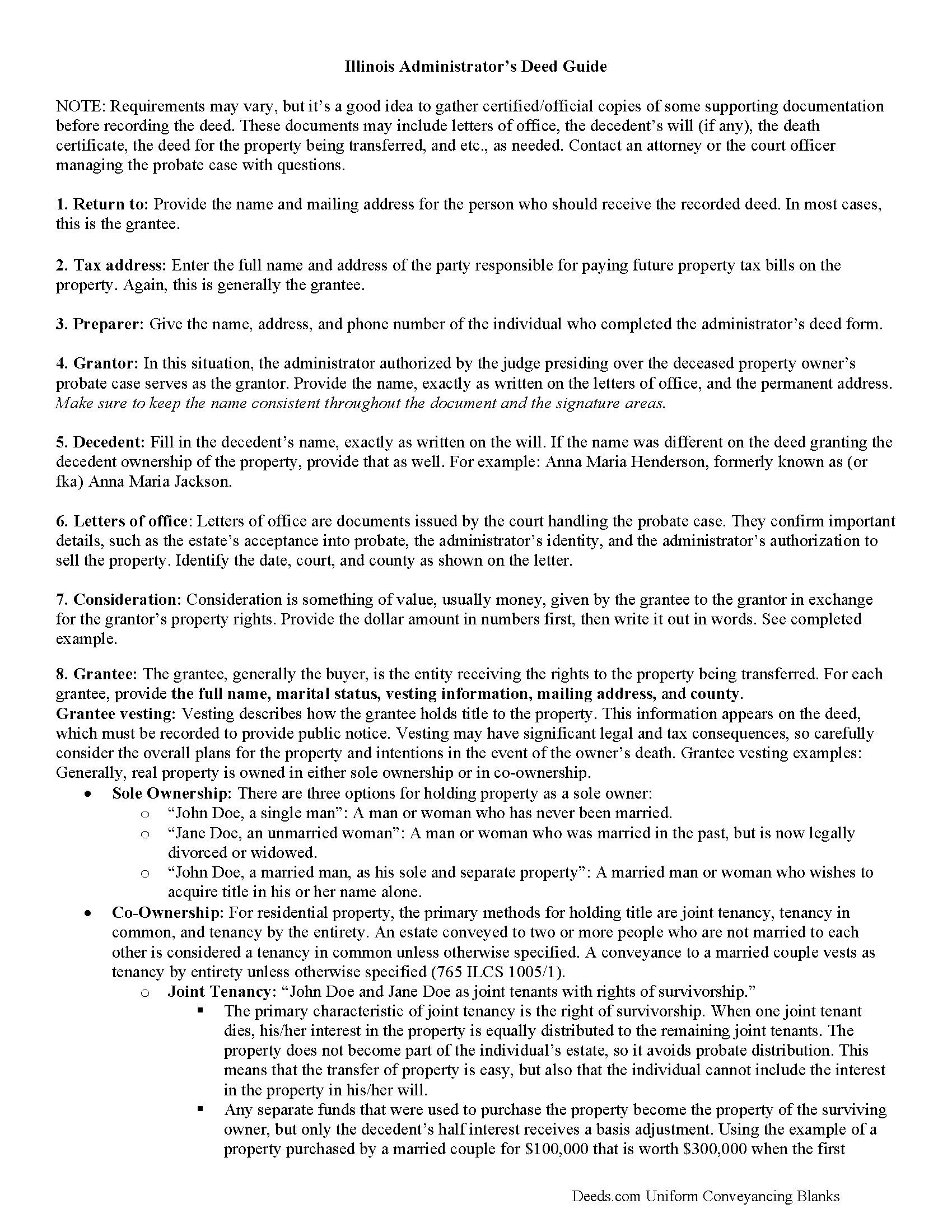
Jefferson County Administrator Deed Guide
Line by line guide explaining every blank on the form.
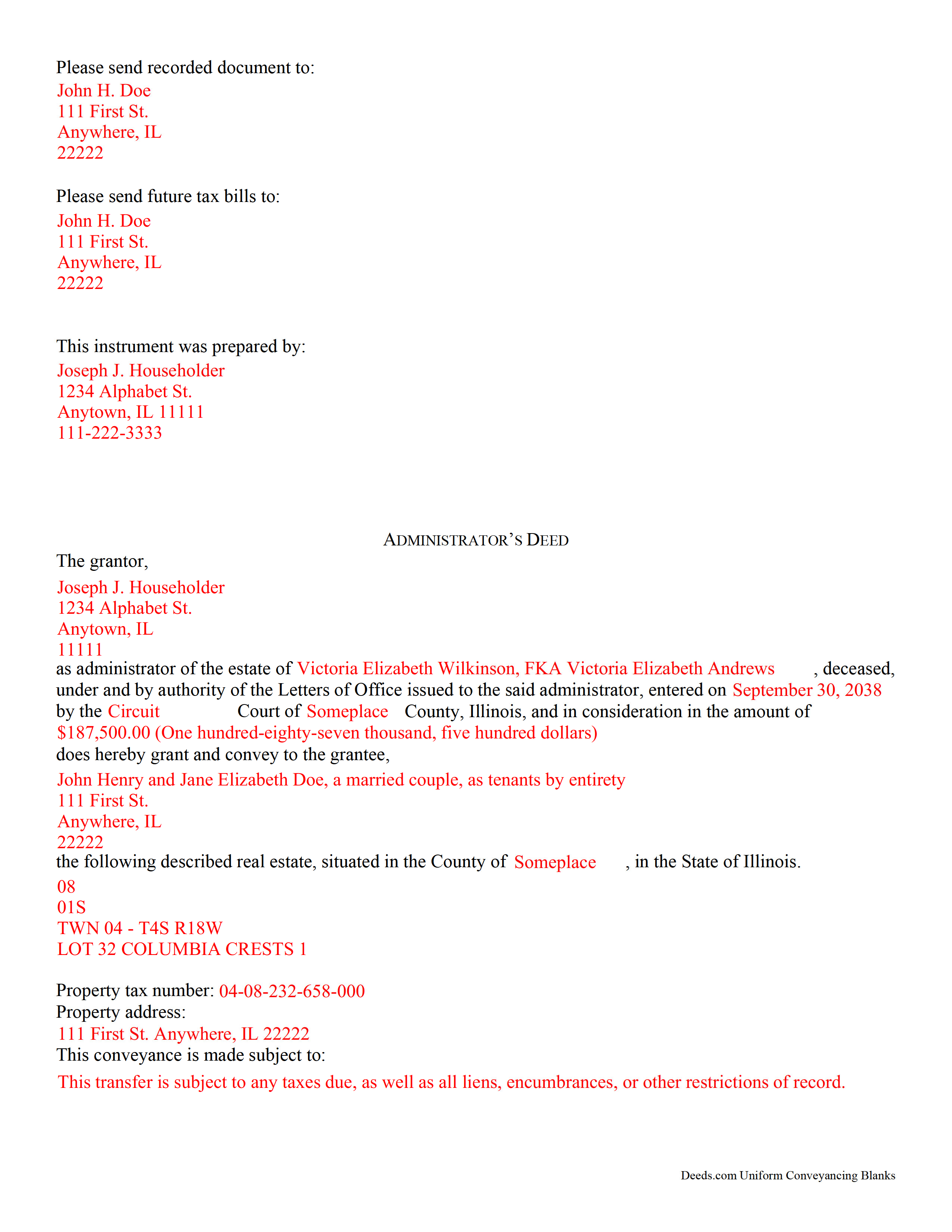
Jefferson County Completed Example of the Administrator Deed Document
Example of a properly completed form for reference.
All 3 documents above included • One-time purchase • No recurring fees
Immediate Download • Secure Checkout
Additional Illinois and Jefferson County documents included at no extra charge:
Where to Record Your Documents
Jefferson County Clerk
Mount Vernon, Illinois 62864
Hours: 8:00 to 4:30 M-F
Phone: (618) 244-8020 Ext.3, Opt.1
Recording Tips for Jefferson County:
- Bring your driver's license or state-issued photo ID
- Ensure all signatures are in blue or black ink
- Leave recording info boxes blank - the office fills these
- Make copies of your documents before recording - keep originals safe
- Recorded documents become public record - avoid including SSNs
Cities and Jurisdictions in Jefferson County
Properties in any of these areas use Jefferson County forms:
- Belle Rive
- Bluford
- Bonnie
- Dix
- Ina
- Mount Vernon
- Nason
- Opdyke
- Scheller
- Texico
- Waltonville
- Woodlawn
Hours, fees, requirements, and more for Jefferson County
How do I get my forms?
Forms are available for immediate download after payment. The Jefferson County forms will be in your account ready to download to your computer. An account is created for you during checkout if you don't have one. Forms are NOT emailed.
Are these forms guaranteed to be recordable in Jefferson County?
Yes. Our form blanks are guaranteed to meet or exceed the applicable formatting requirements used for recording in Jefferson County, including margin requirements, font requirements, and other layout standards. This guarantee applies to formatting, not to the legal sufficiency of information entered by the user or the suitability of a form for a particular transaction.
Can I reuse these forms?
Yes. You can reuse the forms for your personal use. For example, if you have multiple properties in Jefferson County you only need to order once.
What do I need to use these forms?
The forms are PDFs that you fill out on your computer. The free Adobe Acrobat Reader is recommended, and most PDF apps also work. You do NOT enter your property information online - you download the blank forms and complete them privately on your own computer.
Are there any recurring fees?
No. This is a one-time purchase. Nothing to cancel, no memberships, no recurring fees.
How much does it cost to record in Jefferson County?
Recording fees in Jefferson County vary. Contact the recorder's office at (618) 244-8020 Ext.3, Opt.1 for current fees.
Questions answered? Let's get started!
Review the Illinois laws governing the probate administration of real estate at 755 ILCS 5/20.
Administrators are individuals appointed by the probate court to handle the distribution of a probate estate. In general, this happens when the decedent died without a will (intestate), but they can also replace named executors who are is unable to perform the necessary tasks, and no suitable alternates are found.
An administrator's deed is a special document used by the authorized administrator of a decedent's estate to transfer real property out of that estate. It must meet the same form and content standards as so-called "regular" warranty or quitclaim deeds, and incorporate additional information related to the specific transaction. The details may vary based on the situation, but typically include facts about the decedent and the nature of the probate case. (765 ILCS 5/12).
Depending on the case, the administrator might need to include documents such as letters from the probate court or a certified copy of the death certificate when recording the deed. Consult with the court officer or attorney supervising the distribution to confirm which, if any, supporting documentation might be required. After the deed is executed (signed in front of a notary), confirm it with the court if necessary, then file it in the public records for the Illinois county where the property is located.
This information applies to many, but not all, situations. Contact an attorney or the probate court officer responsible for the case with specific questions.
(Illinois Administrator Deed Package includes form, guidelines, and completed example)
Important: Your property must be located in Jefferson County to use these forms. Documents should be recorded at the county recording office listed above.
This Administrator Deed meets all recording requirements specific to Jefferson County.
Our Promise
The documents you receive here are guaranteed to meet or exceed the applicable Jefferson County recording format requirements. If there is a rejection caused by our formatting, we will correct the issue or refund your payment. This guarantee applies to document formatting only and does not extend to information entered by the user, the selection of the form, or the legal effect of the completed document.
Save Time and Money
Get your Jefferson County Administrator Deed form done right the first time with Deeds.com Uniform Conveyancing Blanks. At Deeds.com, we understand that your time and money are valuable resources, and we don't want you to face a penalty fee or rejection imposed by a county recorder for submitting nonstandard documents. We constantly review and update our forms to meet rapidly changing state and county recording requirements for roughly 3,500 counties and local jurisdictions.
4.8 out of 5 - ( 4,839 Reviews )
Denise G. 5 out of 5 stars
It would be helpful if an email was sent to notify you of any additional invoices needed, documents were accepted and/or recorded. It is not always convenient to check your website on a daily basis to determine the status of the requesting recordings.
Thank you for your feedback. We really appreciate it. Have a great day!
Byron M. 5 out of 5 stars
This is a great service and a time saver for the company. We get fast responses and a detailed explanation if something additional is needed.
Thank you for your feedback. We really appreciate it. Have a great day!
Darlo M. 5 out of 5 stars
The process for getting the forms I needed was easy through Deeds.com I would use them again!
We appreciate your business and value your feedback. Thank you. Have a wonderful day!
Dorothea B. 4 out of 5 stars
The Affidavit- Death of Joint Tenant form you provided is not the same form as showed on the Los Angeles County property tax website. It appears that the LA county form requires entering additional info that is not included in your form.
Thank you!
shelley m. 5 out of 5 stars
I thought the service was good
Thank you Shelley. Have a fantastic day!
Jose G. 5 out of 5 stars
One of the best downloads ever. Very easy to do. For the price, well worth it. Thanks
Thank you for your feedback. We really appreciate it. Have a great day!
Nina L. 5 out of 5 stars
I needed a specific form. I found it, printed it and saved myself $170 because I didn't need a lawyer. Thank you
Thank you for your feedback. We really appreciate it. Have a great day!
SHIRLEY H. 3 out of 5 stars
I like that they have all the forms, but I could not find it they would submit the forms to the recorders office
Thank you!
Peter L. 3 out of 5 stars
Waiting for response to questions about TOD deed. Language doesn't accommodate more than one Grantor and user cannot edit language.
Peter, thank you for your feedback. We're sorry our form didn't meet your needs. We've issued a full refund for your order. Please note that our forms are designed for common transfer scenarios, and we're unable to provide legal advice or guidance on how to complete them. If your situation involves multiple grantors or other complexities, we'd recommend consulting with a local real estate attorney who can ensure your deed is properly drafted for your specific circumstances. We wish you the best.
Raj J. 5 out of 5 stars
Perfect, thanks
Thank you!
Allen O. 5 out of 5 stars
The website was easy to use and the forms will guide me as our family sells interest in property to other family members in Central New York.
Thank you for your feedback. We really appreciate it. Have a great day!
Nancy A. 5 out of 5 stars
This is an excellent resource. I was surprised because the price is so low I thought the products might be inferior. Not only were were the requested documents high quality, additional unrequested documents were added to my order that I didn't realize I would need until I read them. I especially appreciate that all the documents were specific to my county. I highly recommend using deeds.com.
Your satisfaction with our services is of utmost importance to us. Thank you for letting us know how we did!
Arthur L. 5 out of 5 stars
The directions were clear, I typed the deed out and it was successfully recorded and mailed back to me in less than a week.
Thank you for your feedback. We really appreciate it. Have a great day!
Gretchen R. 5 out of 5 stars
I can't think of any suggestions for improvement. The documents I needed were readily available. Thank you
We appreciate your business and value your feedback. Thank you. Have a wonderful day!
david h. 5 out of 5 stars
very convenient...
Thank you!