St Joseph County Quitclaim Deed (Trustee Grantor) Form
Last validated September 18, 2026 by our Forms Development TeamFormatted for recording in St Joseph County, for property anywhere in the county: rural and unincorporated areas as well as Granger, Lakeville, Mishawaka, New Carlisle, North Liberty, Notre Dame, Osceola, South Bend and 2 more.
- 3 documents included
- Immediate PDF download
- Formatting guarantee
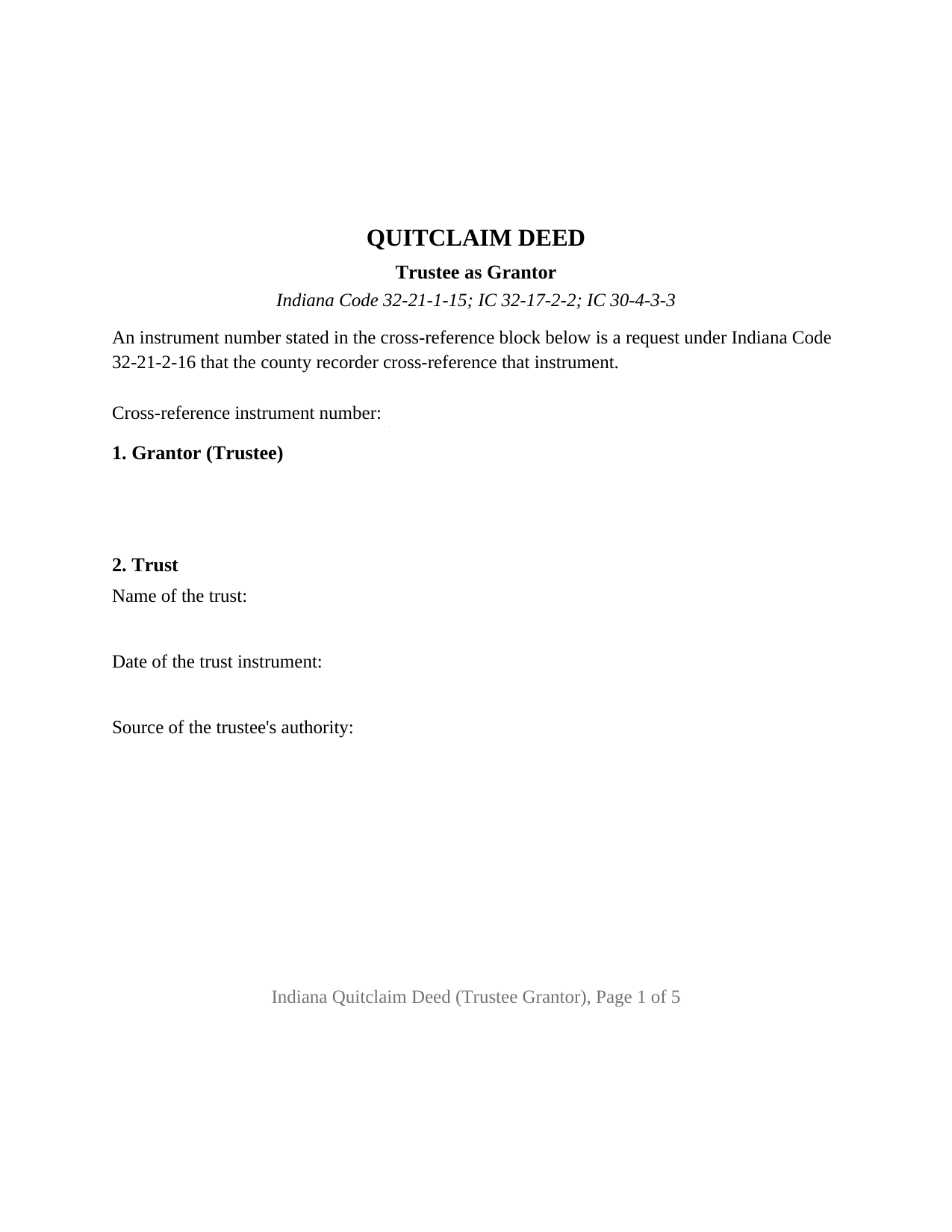
St Joseph County Quitclaim Deed (Trustee Grantor) Form
Fill in the blank Quitclaim Deed (Trustee Grantor) form formatted to comply with all Indiana recording and content requirements.
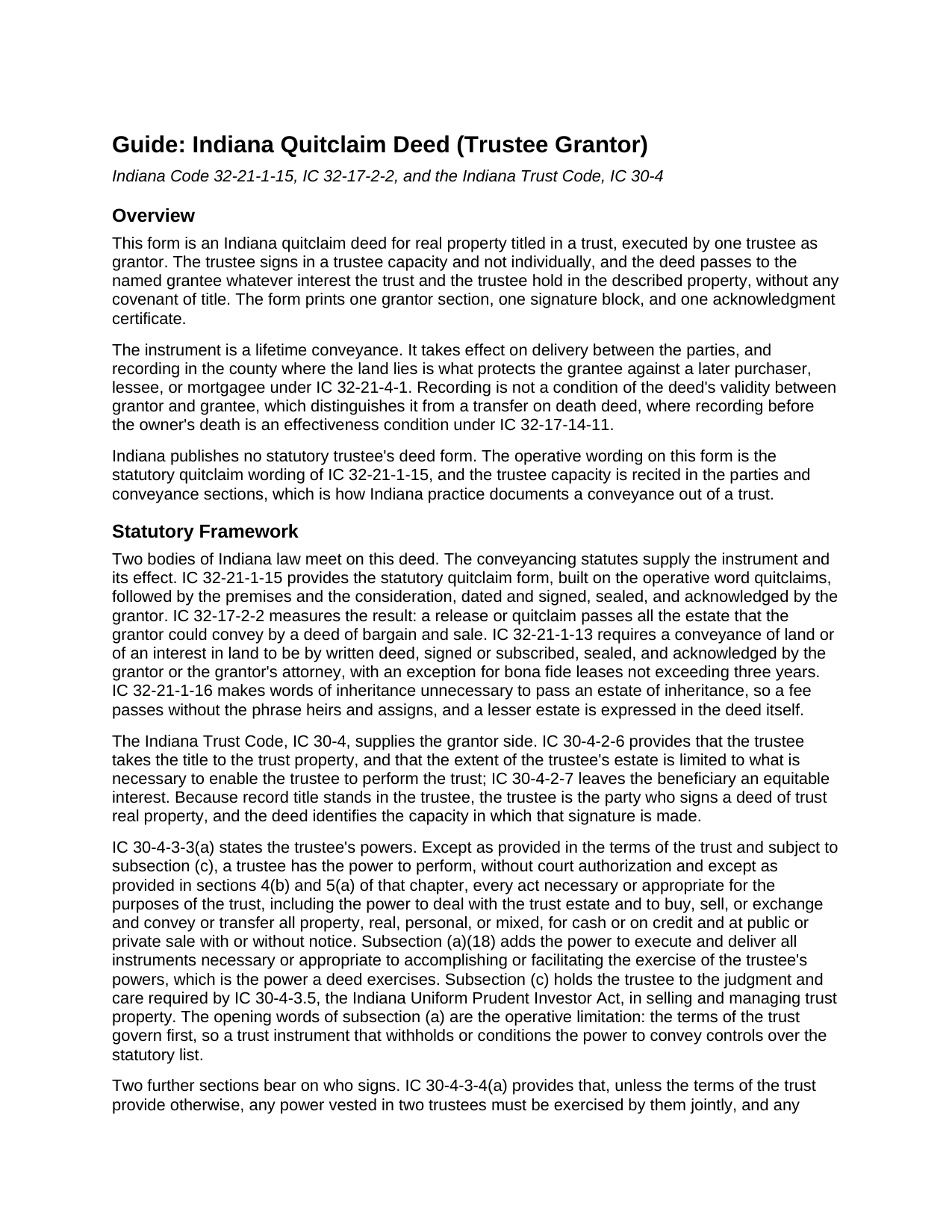
St Joseph County Quitclaim Deed (Trustee Grantor) Guide
Line by line guide explaining every blank on the Quitclaim Deed (Trustee Grantor) form.
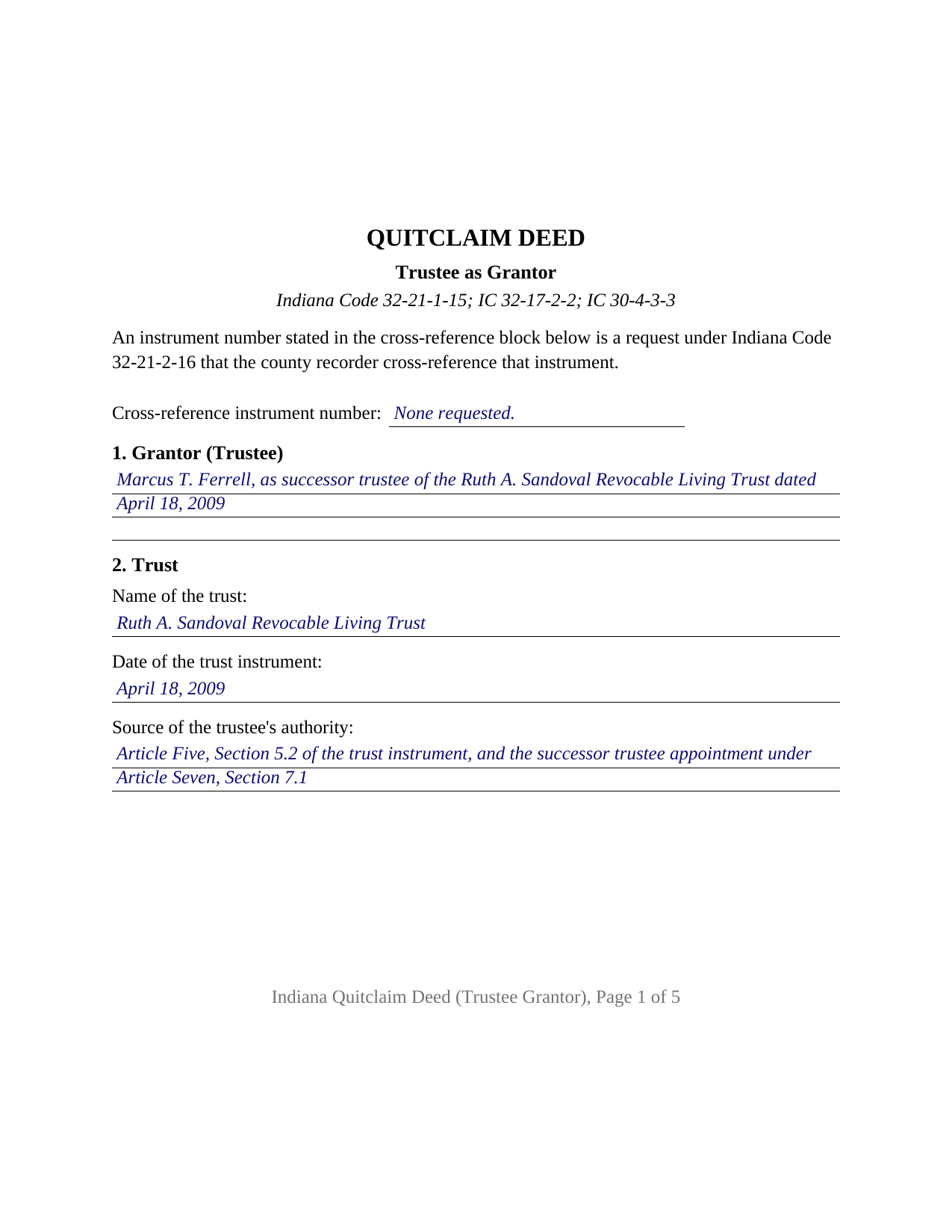
St Joseph County Completed Example of the Quitclaim Deed (Trustee Grantor) Document
Example of a properly completed Indiana Quitclaim Deed (Trustee Grantor) document for reference.
All 3 documents above included • One-time purchase • No recurring fees
Immediate Download • Secure Checkout
Additional Indiana and St Joseph County documents included at no extra charge:
Where to Record Your Documents
St. Joseph Recorder
South Bend, Indiana 46601
Hours: 8:00am to 4:30pm Monday through Friday
Phone: (574) 235-9525
Recording Tips for St Joseph County:
- Bring your driver's license or state-issued photo ID
- Ensure all signatures are in blue or black ink
- Recording fees may differ from what's posted online - verify current rates
- Request a receipt showing your recording numbers
- Ask about accepted payment methods when you call ahead
Cities and Jurisdictions in St Joseph County
Properties in any of these areas use St Joseph County forms:
- Granger
- Lakeville
- Mishawaka
- New Carlisle
- North Liberty
- Notre Dame
- Osceola
- South Bend
- Walkerton
- Wyatt
Hours, fees, requirements, and more for St Joseph County
How do I get my forms?
Forms are available for immediate download after payment. The St Joseph County forms will be in your account ready to download to your computer. An account is created for you during checkout if you don't have one. Forms are NOT emailed.
Are these forms guaranteed to be recordable in St Joseph County?
Yes. Our form blanks are guaranteed to meet or exceed the applicable formatting requirements used for recording in St Joseph County, including margin requirements, font requirements, and other layout standards. This guarantee applies to formatting, not to the legal sufficiency of information entered by the user or the suitability of a form for a particular transaction.
Can I reuse these forms?
Yes. You can reuse the forms for your personal use. For example, if you have multiple properties in St Joseph County you only need to order once.
What do I need to use these forms?
The forms are PDFs that you fill out on your computer. The free Adobe Acrobat Reader is recommended, and most PDF apps also work. You do NOT enter your property information online - you download the blank forms and complete them privately on your own computer.
Are there any recurring fees?
No. This is a one-time purchase. Nothing to cancel, no memberships, no recurring fees.
How much does it cost to record in St Joseph County?
Recording fees in St Joseph County vary. Contact the recorder's office at (574) 235-9525 for current fees.
Questions answered? Let's get started!
The signer on this Indiana quitclaim deed is a trustee. One trustee executes it as grantor, in a trustee capacity and not individually, and the deed moves whatever interest the trust holds in the described parcel to the grantee named in it, with no covenant of title attached. A single grantor section, a single signature line, and a single notarial certificate are what the form lays out.
A Deed Whose Real Question Is Authority
Legal title to Indiana trust real estate stands in the trustee under IC 30-4-2-6, so a deed out of a trust is signed by a person, not by the trust. That makes authority, rather than record ownership, the live question. IC 30-4-3-3(a) gives a trustee the power to deal with the trust estate and to buy, sell, or exchange and convey or transfer property without court authorization, and subsection (a)(18) adds the power to execute and deliver the instruments those powers need. The grant opens with a limit: except as provided in the terms of the trust. The trust instrument governs first, and Section 2 of this form collects the trust name, the date of the trust instrument, and the provision relied on, so the deed shows where the power came from.
Successor Trustees and the Joint Action Rule
Two provisions decide who signs. Under IC 30-4-3-4(d) a successor trustee, an additional trustee, or a surviving cotrustee may exercise all powers previously vested in the predecessor, the ground a successor trustee deed stands on after a settlor dies. IC 30-4-3-4(a) points the other way for shared offices: unless the terms of the trust provide otherwise, a power vested in two trustees is exercised jointly and a power vested in three or more by a majority. This form prints the single trustee configuration, so trust land with two acting trustees calls for an instrument carrying a signature block and a certificate for each of them.
What the Grantee Ends Up With
IC 32-21-1-15 builds Indiana's form on the verb quitclaims, and the reach of the release is measured by IC 32-17-2-2 at everything the signer could pass by a bargain and sale deed, so a mortgage, judgment lien, easement, or recorded restriction rides through untouched. Distinctive on the way out of a trust is IC 30-4-4-2(a): where the trustee commits no breach of trust in transferring an interest in trust property, the transferee holds that interest free of the trust and incurs no liability to the beneficiary. A buyer or beneficiary taking a trustee quitclaim deed leaves the trust arrangement behind, while taking the title exactly as the record leaves it.
One Trustee, One Certificate
The form recites one grantor, identified as trustee of the named trust, with one grantee entry. The signature block carries the printed name line of IC 36-2-11-16(c), that name reading the same way in the parties section, the certificate, and beneath the signature; one acknowledgment certificate follows, collecting the county of commission IC 33-42-9-12 makes certificate content. Record patterns presenting this configuration include a sole acting trustee selling trust land to a buyer, a successor trustee handing a residence to the beneficiary entitled to it under the trust, and a trustee returning a parcel to the settlor of a revocable trust. The form is not set up for cotrustees executing together, for a trustee on the receiving side of a conveyance, for an individual record owner, or for a corporate grantor or an attorney in fact.
What Consideration Decides at the Courthouse
The consideration entry drives the filing route. A sales disclosure form belongs to a transfer for valuable consideration under IC 6-1.1-5.5-1, so a trustee sale carries one to the county assessor while a distribution made for nothing does not. Either way the auditor's taxation endorsement under IC 36-2-11-14 comes before the recorder may take the deed, the charge is the flat statewide fee of IC 36-2-7-10, and no Indiana transfer tax applies. Filing in the county holding the land fixes priority under IC 32-21-4-1.
What the Download Contains
The purchase delivers three items: the fillable Indiana trustee quitclaim deed built to the state recording format, a completed example in which a successor trustee conveys a Tippecanoe County residence to a trust beneficiary, and a guide covering every entry, the certificate, and the county filing steps. A certification of trust under IC 30-4-4-5 is a separate instrument, prepared on its own and not part of this package. This material is informational and describes Indiana law generally; it is not legal advice.
Important: Your property must be located in St Joseph County to use these forms. Documents should be recorded at the county recording office listed above.
This Quitclaim Deed (Trustee Grantor) meets all recording requirements specific to St Joseph County.
Our Promise
The documents you receive here are guaranteed to meet or exceed the applicable St Joseph County recording format requirements. If there is a rejection caused by our formatting, we will correct the issue or refund your payment. This guarantee applies to document formatting only and does not extend to information entered by the user, the selection of the form, or the legal effect of the completed document.
Save Time and Money
Get your St Joseph County Quitclaim Deed (Trustee Grantor) form done right the first time with Deeds.com Uniform Conveyancing Blanks. At Deeds.com, we understand that your time and money are valuable resources, and we don't want you to face a penalty fee or rejection imposed by a county recorder for submitting nonstandard documents. We constantly review and update our forms to meet rapidly changing state and county recording requirements for roughly 3,500 counties and local jurisdictions.
4.8 out of 5 - ( 4,829 Reviews )
Mitchell S. 5 out of 5 stars
This service was very helpful, quick, inexpensive and easy to use. Should I ever need it again, I know right where to go.
We are sincerely grateful for your feedback and are committed to providing the highest quality service. Thank you for your trust in us.
Yehong M. 5 out of 5 stars
everything worked well,
Thank you!
Carolyn G. 5 out of 5 stars
I was extremely pleased with this experience, which literally took a minimum amount of time. One recommendation: make certain that when documents are uploaded that they have been received in the appropriate file. The lack of clarity caused me to upload twice or three times. Thank you.
Thank you for your feedback. We really appreciate it. Have a great day!
Willaim B. 5 out of 5 stars
Love Deeds.com They have saved me so much time. Prompt responds to all my questions. Highly recommend
Thank you for choosing our service. We appreciate your review.
Jackson J. 5 out of 5 stars
Thank you very much for all your help its always a pleasure to continue working with you thanks again.
Thank you for your feedback. We really appreciate it. Have a great day!
Roger S. 1 out of 5 stars
status was canceled. said i needed to record directly. would be 5 stars if it worked.
Sorry for the inconvenience Roger. Unfortunately, not all jurisdictions in the country have progressed to the point of being able to accept all document types for e-recording.
Cheryl W. 5 out of 5 stars
Have yet to use. Appears over whelming, we will see.
Thank you for your feedback. We really appreciate it. Have a great day!
Barbara L. 5 out of 5 stars
Look great and I thought my daughter wanted me to buy, but she had already bought the package so didn't need it.
Thanks for taking the time to leave your feedback Barbara, we appreciate it. We understand that it was an inconvenience for both you and your daughter to have unintentionally purchased the same item. Therefore, we have taken immediate action and canceled your order as well as processed the refund for your payment. Have a wonderful day.
Ben F. 5 out of 5 stars
My initial review during download and before reading the guide and forms looks promising.
Thank you!
Sharon L. 5 out of 5 stars
Both experiences were professional. Thank you
We’re always here to help. Thank you for your feedback.
Wendy C. 3 out of 5 stars
I purchased a Warranty Deed "package" on Friday and found that the Main download was a working document, but the secondary document (which is required) was not. In other words, I was able to use the fill-in feature on the main document, but not on the second document. I used the portal on the website to report my issue the same day. That was Friday. This is Wednesday. I have not heard a word from them and I have to use my documents in 2 days. I will probably have to resort to pen and ink for that document, but I have already tried filling it out twice and have to keep reprinting and starting over. You can't white out or cross out. I would really prefer to have the complete service that I paid for.
Thank you for your feedback. As is noted on the site, supplemental forms are provided as a courtesy with your order. They are not our forms, we did not create them. They are created and provided by the jurisdiction/agency that requires them. Have a wonderful day.
Joni Y. 5 out of 5 stars
Deeds.com is a very up to date & easy instruction website. I recommend this site to all who are looking for forms dealing with deeds. Thank you for making life easy in this aspect.
We appreciate your business and value your feedback. Thank you. Have a wonderful day!
Bonnie C. 5 out of 5 stars
Easy and convenient. Was nice to have just a one time charge without a so-called anual fee/membership. Will use again if needed. May update review after "all is said and done."
Thank you!
Terrance S. 5 out of 5 stars
I'd say 5 stars. Thank you.
Thank you!
Resa J. 5 out of 5 stars
Seamless. Excellent.
Thank you for your feedback Resa. Have a wonderful day!