Dukes County Subcontractor Full Conditional Lien Waiver Form
Last validated October 22, 2026 by our Forms Development TeamFormatted for recording in Dukes County, for property anywhere in the county: rural and unincorporated areas as well as Chilmark, Cuttyhunk, Edgartown, Menemsha, Oak Bluffs, Vineyard Haven, West Chop, West Tisbury.
- 3 documents included
- Immediate PDF download
- Formatting guarantee
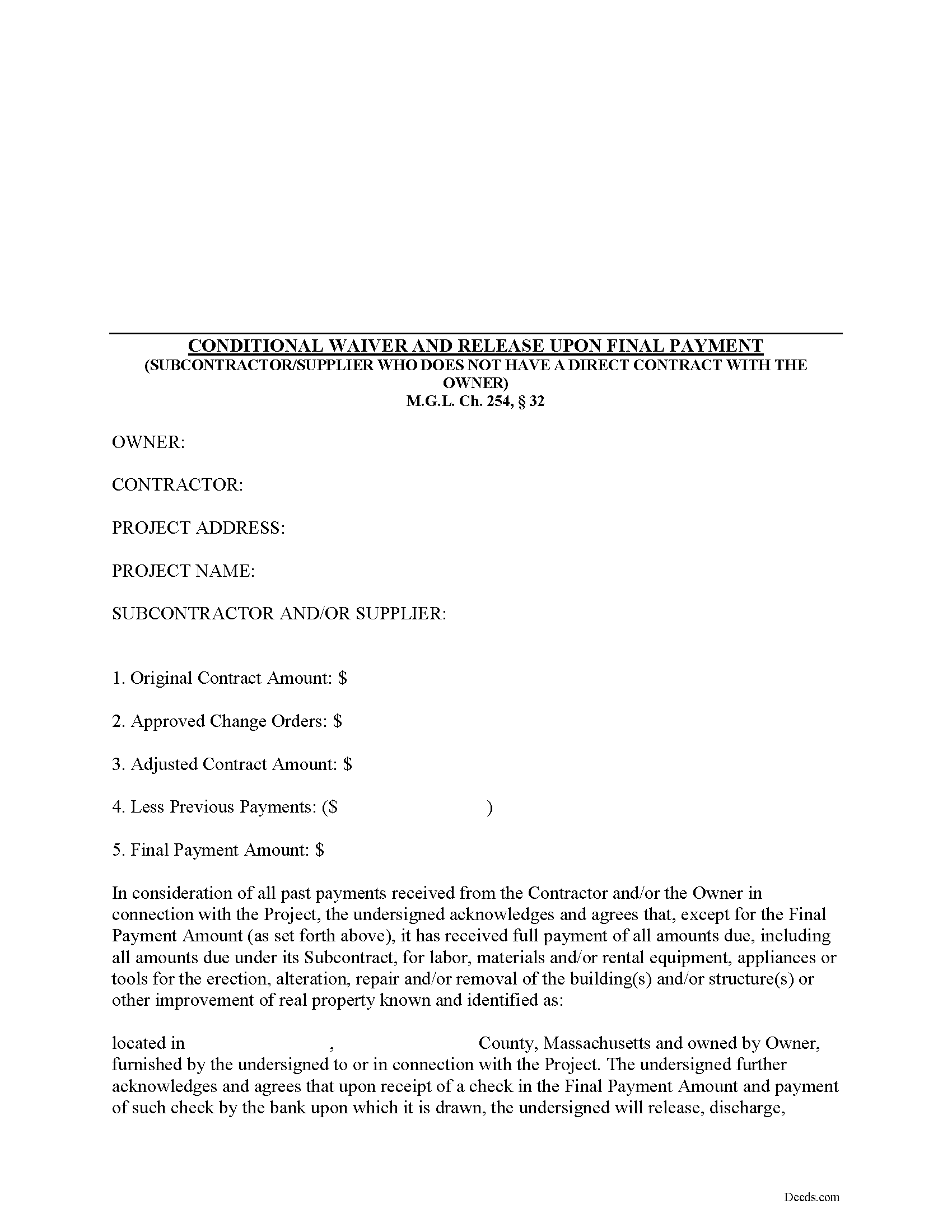
Dukes County Subcontractor Full Conditional Lien Waiver Form
Fill in the blank Subcontractor Full Conditional Lien Waiver form formatted to comply with all Massachusetts recording and content requirements.
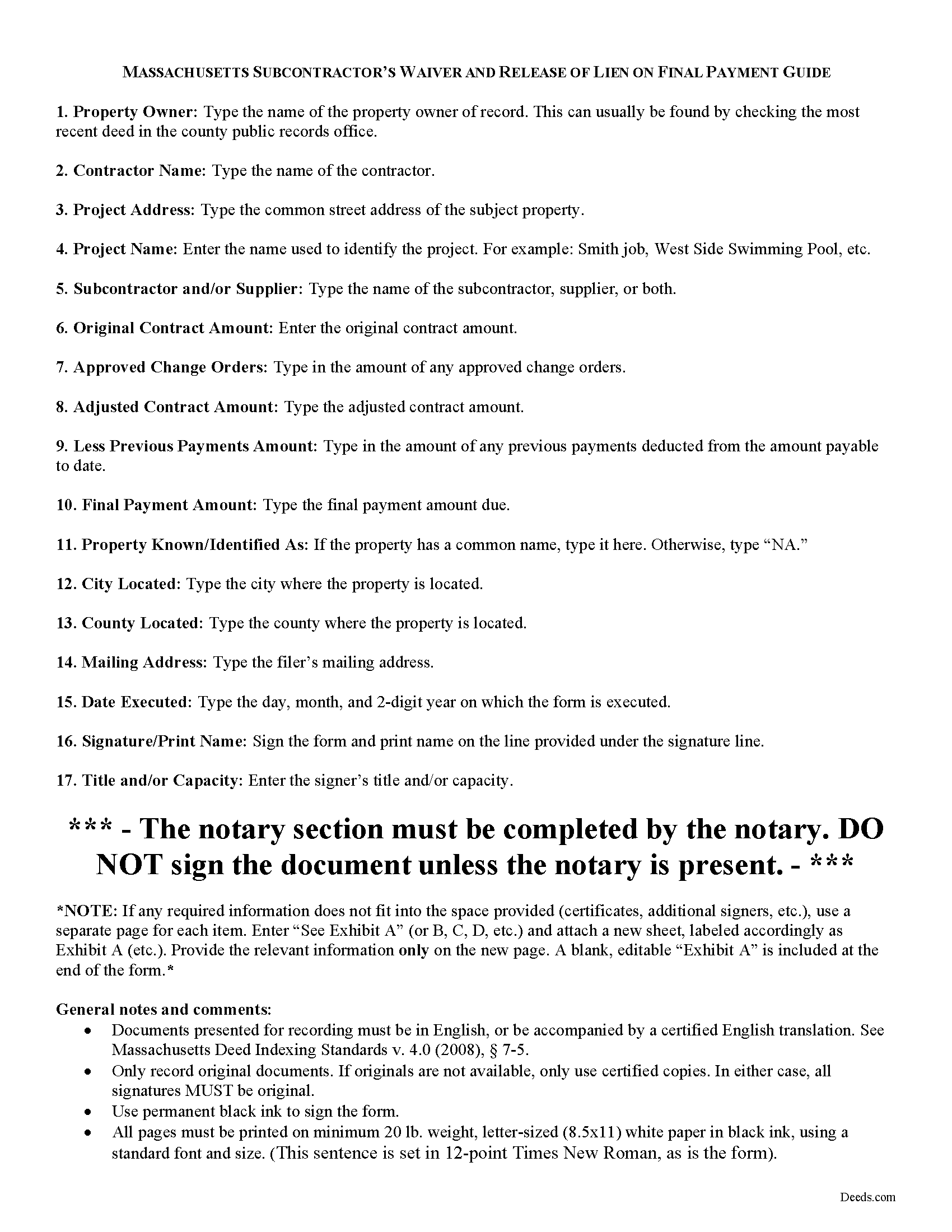
Dukes County Subcontractor Full Conditional Lien Waiver Guide
Line by line guide explaining every blank on the form.
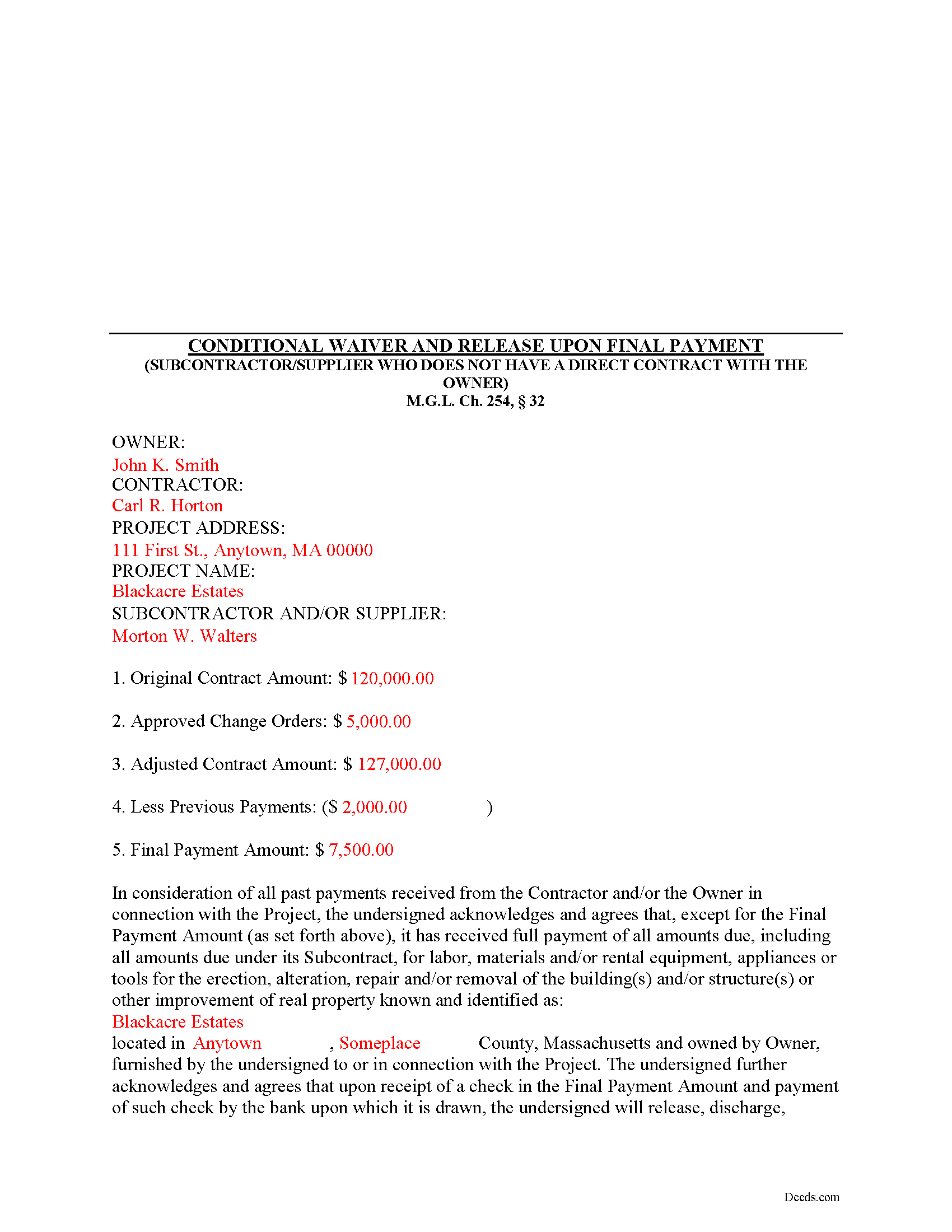
Dukes County Completed Example of the Subcontractor Full Conditional Lien Waiver Document
Example of a properly completed form for reference.
All 3 documents above included • One-time purchase • No recurring fees
Immediate Download • Secure Checkout
Additional Massachusetts and Dukes County documents included at no extra charge:
Where to Record Your Documents
Registry of Deeds
Edgartown, Massachusetts 02539
Hours: 8:30 to 4:30 M-F / Recording: 8:30 to 12:30 & 1:30 to 4:00
Phone: (508) 627-4025
Martha's Vineyard Land Bank Commission
Edgartown, Massachusetts 02539
Hours:
Phone: (508) 627-7141
Recording Tips for Dukes County:
- Bring your driver's license or state-issued photo ID
- Ensure all signatures are in blue or black ink
- Ask if they accept credit cards - many offices are cash/check only
- Check that your notary's commission hasn't expired
- Documents must be on 8.5 x 11 inch white paper
Cities and Jurisdictions in Dukes County
Properties in any of these areas use Dukes County forms:
- Chilmark
- Cuttyhunk
- Edgartown
- Menemsha
- Oak Bluffs
- Vineyard Haven
- West Chop
- West Tisbury
Hours, fees, requirements, and more for Dukes County
How do I get my forms?
Forms are available for immediate download after payment. The Dukes County forms will be in your account ready to download to your computer. An account is created for you during checkout if you don't have one. Forms are NOT emailed.
Are these forms guaranteed to be recordable in Dukes County?
Yes. Our form blanks are guaranteed to meet or exceed the applicable formatting requirements used for recording in Dukes County, including margin requirements, font requirements, and other layout standards. This guarantee applies to formatting, not to the legal sufficiency of information entered by the user or the suitability of a form for a particular transaction.
Can I reuse these forms?
Yes. You can reuse the forms for your personal use. For example, if you have multiple properties in Dukes County you only need to order once.
What do I need to use these forms?
The forms are PDFs that you fill out on your computer. The free Adobe Acrobat Reader is recommended, and most PDF apps also work. You do NOT enter your property information online - you download the blank forms and complete them privately on your own computer.
Are there any recurring fees?
No. This is a one-time purchase. Nothing to cancel, no memberships, no recurring fees.
How much does it cost to record in Dukes County?
Recording fees in Dukes County vary. Contact the recorder's office at (508) 627-4025 for current fees.
Questions answered? Let's get started!
Massachusetts Subcontractor's Full Conditional Lien Waiver
The Subcontractor's Full Conditional Lien Waiver is useful for situations where a subcontractor seeks full payment, but will only waive lien rights after the bank pays the check.
Lien waivers are used between contractors (also subcontractors and suppliers) and property owners as a quid-pro-quo arrangement between the contractor and owner. The purpose of a waiver is to influence payment from the owner in return for the contractor waiving future mechanic's lien rights.
In Massachusetts, any promise or agreement that bars the filing of a Notice of Contract is void and unenforceable, but that prohibition does not apply to full or partial lien waivers or dissolutions of liens. M.G.L. Ch. 254, 32. Therefore, the parties can use waivers to facilitate payment and ease concerns of hidden liens.
In general, Massachusetts recognizes four types of lien waivers: Partial Waiver by Contractor, Full Conditional Waiver by Contractor, Partial Waiver by Subcontractor, and Full Conditional Waiver by Subcontractor. Id. As their titles suggest, contractors should use a contractor's waiver and subcontractors should use a waiver designated for a subcontractor. Only offer full waivers on a full and final payment; the waiver is conditioned on the payment clearing the bank.
Lawful waivers identify the parties to the contract, the claimant, the property, the nature of work, payment information, and anything else necessary for clarity or to meet local requirements. The claimant (or authorized representative) must sign the completed waiver in front of a notary, then submit the document to the recording office for the county where the property is located.
Using lien waivers properly can ensure smoother relations between the parties on a construction job and alleviate and feelings of mistrust or concern. This article is provided for informational purposes only and should not be relied upon as a substitute for advice from an attorney. Please speak with a Massachusetts attorney if you have any questions about lien waivers or for any other issues concerning mechanic's liens.
Important: Your property must be located in Dukes County to use these forms. Documents should be recorded at the county recording office listed above.
This Subcontractor Full Conditional Lien Waiver meets all recording requirements specific to Dukes County.
Our Promise
The documents you receive here are guaranteed to meet or exceed the applicable Dukes County recording format requirements. If there is a rejection caused by our formatting, we will correct the issue or refund your payment. This guarantee applies to document formatting only and does not extend to information entered by the user, the selection of the form, or the legal effect of the completed document.
Save Time and Money
Get your Dukes County Subcontractor Full Conditional Lien Waiver form done right the first time with Deeds.com Uniform Conveyancing Blanks. At Deeds.com, we understand that your time and money are valuable resources, and we don't want you to face a penalty fee or rejection imposed by a county recorder for submitting nonstandard documents. We constantly review and update our forms to meet rapidly changing state and county recording requirements for roughly 3,500 counties and local jurisdictions.
4.8 out of 5 - ( 4,833 Reviews )
Daren K. 5 out of 5 stars
Awesome, so far. Thanks
Thank you!
Rosemary S. 5 out of 5 stars
It was quick and so very easy. Very detailed information. Love the app.
We appreciate your business and value your feedback. Thank you. Have a wonderful day!
Evelyn L. 5 out of 5 stars
very easy to print
Thank you!
Charlotte B. 5 out of 5 stars
I was very impressed with this service. It's a very important tool to be able to get the documents filed properly. I was not able to understand how to fill in the blanks on line.
Thank you for your feedback. We really appreciate it. Have a great day!
edward s. 5 out of 5 stars
This is the go to place for quick work. They are awesome.
Thank you!
Janet P. 5 out of 5 stars
Extremely easy to use. The guide and sample were a great source of reference.
Thank you for your feedback. We really appreciate it. Have a great day!
Beverly J. A. 5 out of 5 stars
Thank you for the paperwork. It was so much easier to do at home than go out and have to have people miss work.
Thank you!
April C. 5 out of 5 stars
Spot on forms and process. YMMV but way more efficient and cost effective than contacting an ambulance... attorney.
Thank you!
Ronald M. 5 out of 5 stars
Easy to use but can't seem to find LOGOUT control????
Thank you for the feedback Ronald. (The Sign Out control is on the top right of the account page)
Roberta U. 5 out of 5 stars
Thanks for the quick reply Will use in future. Thanksgivings
Thank you!
Kari G. 5 out of 5 stars
The service was prompt and attentive to my questions. I would've just appreciated a heads up that I also needed to contact the county directly (and provide contact info) to receive a certified copy of the document (Notice of Commencement) in order to submit the certified copy to the Building Department. This was an extra step that I haven't had to complete before using another eRecording service. Even if this extra step is a result of the county's system. I would still have expected a head's up (since there wasn't any info regarding this on the county's site for eRecording).
Thank you for your feedback. We really appreciate it. Have a great day!
Kristine S. 5 out of 5 stars
Thank you! You made the process of filing something unusual very easy and efficiently. I will definitely recommend you and be back for my future recording needs.
We appreciate your business and value your feedback. Thank you. Have a wonderful day!
Deidre E. 5 out of 5 stars
Best thing since sliced bread. Do your homework. Find the documents with Deeds.com and bypass expensive and unnecessary lawyers fees.
We deeply appreciate the trust you have placed in our services. Thank you for your valuable feedback and for choosing us.
Mica M. 5 out of 5 stars
I love deeds.com - hands down, the quickest way to record a warranty deed. The process and communication is so quick - the recording transaction too. Worth the extra $20 to me for my time! I didn't spend over an hour driving around, talking to someone via a kiosk to record the deed, didn't have to spend the energy of loading kids into the car to come with me, etc. The efficiency and timely process is worth the cost! Love having this available! The whole process via deeds.com took less than 5 minutes to upload a document and less than 3 minutes to pay the invoice shortly thereafter. The final recording was in my inbox in less than an hour. Thank you!
Thank you for your feedback. We really appreciate it. Have a great day!
Mark S. 5 out of 5 stars
Excellent service, quick and very efficient! Thanks for your great service!
We appreciate your business and value your feedback. Thank you. Have a wonderful day!