Middlesex County Trustee Certificate Form
Last validated August 28, 2026 by our Forms Development TeamFormatted for recording in Middlesex County, for property anywhere in the county: rural and unincorporated areas as well as Acton, Arlington, Arlington Heights, Ashby, Ashland, Auburndale, Ayer, Bedford and 71 more.
- 1 document included
- Immediate PDF download
- Formatting guarantee
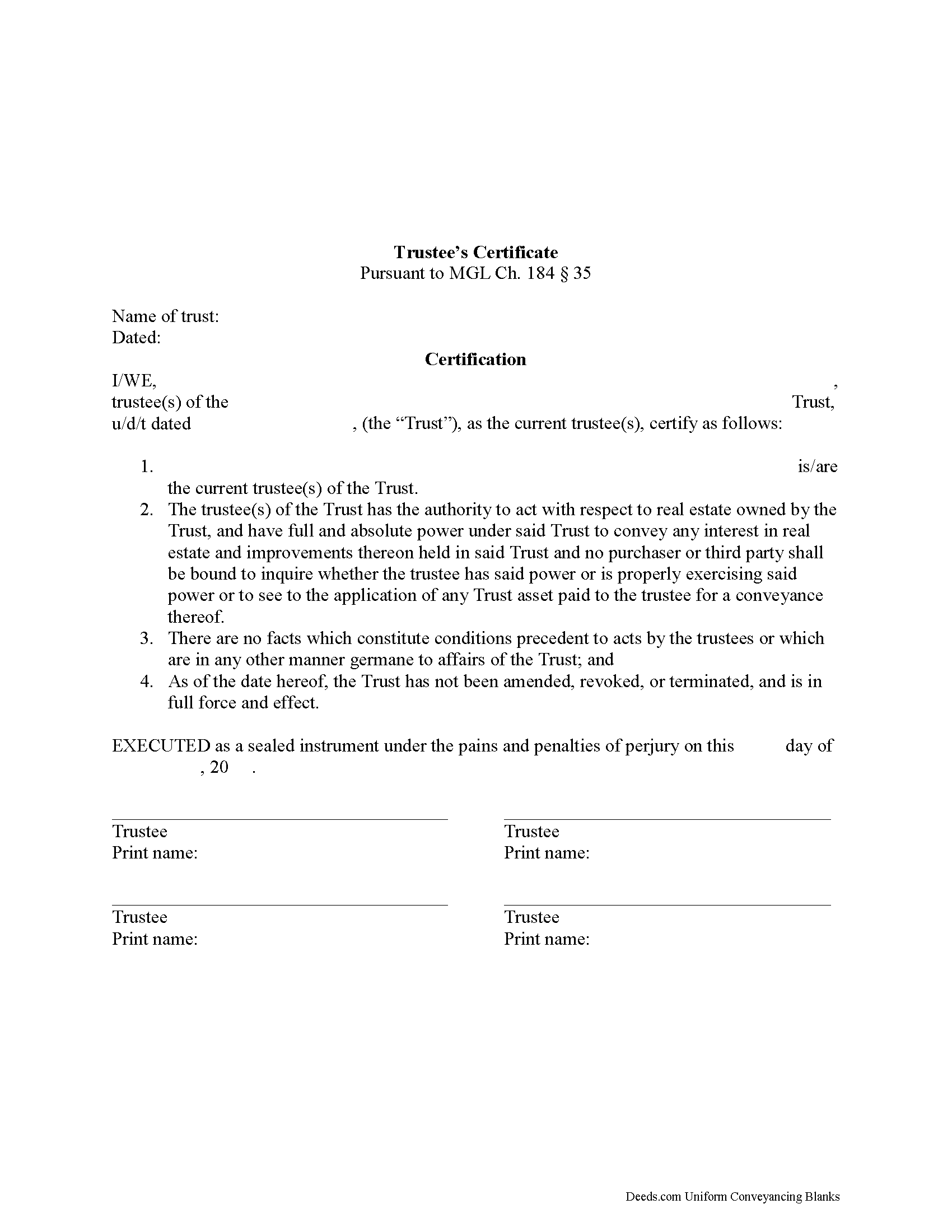
Middlesex County Trustee Certificate Form
Fill in the blank form formatted to comply with all recording and content requirements.
All 1 documents above included • One-time purchase • No recurring fees
Immediate Download • Secure Checkout
Additional Massachusetts and Middlesex County documents included at no extra charge:
Where to Record Your Documents
Middlesex North Registry of Deeds
Lowell, Massachusetts 01852
Hours: 8:30 to 4:30 M-F / Recording until 4:15
Phone: (978) 322-9000
Middlesex South Registry of Deeds
Cambridge, Massachusetts 02141
Hours: 8:00am to 3:45pm M-F
Phone: (617) 679-6300
Recording Tips for Middlesex County:
- Bring your driver's license or state-issued photo ID
- Ensure all signatures are in blue or black ink
- Avoid the last business day of the month when possible
- Both spouses typically need to sign if property is jointly owned
- Bring extra funds - fees can vary by document type and page count
Cities and Jurisdictions in Middlesex County
Properties in any of these areas use Middlesex County forms:
- Acton
- Arlington
- Arlington Heights
- Ashby
- Ashland
- Auburndale
- Ayer
- Bedford
- Belmont
- Billerica
- Boxborough
- Burlington
- Cambridge
- Carlisle
- Chelmsford
- Chestnut Hill
- Concord
- Devens
- Dracut
- Dunstable
- Everett
- Framingham
- Groton
- Hanscom Afb
- Holliston
- Hopkinton
- Hudson
- Lexington
- Lincoln
- Littleton
- Lowell
- Malden
- Marlborough
- Maynard
- Medford
- Melrose
- Natick
- New Town
- Newton
- Newton Center
- Newton Highlands
- Newton Lower Falls
- Newton Upper Falls
- Newtonville
- Nonantum
- North Billerica
- North Chelmsford
- North Reading
- North Waltham
- Nutting Lake
- Pepperell
- Pinehurst
- Reading
- Sherborn
- Shirley
- Somerville
- Stoneham
- Stow
- Sudbury
- Tewksbury
- Townsend
- Tyngsboro
- Village Of Nagog Woods
- Waban
- Wakefield
- Waltham
- Watertown
- Waverley
- Wayland
- West Groton
- West Medford
- West Newton
- West Townsend
- Westford
- Weston
- Wilmington
- Winchester
- Woburn
- Woodville
Hours, fees, requirements, and more for Middlesex County
How do I get my forms?
Forms are available for immediate download after payment. The Middlesex County forms will be in your account ready to download to your computer. An account is created for you during checkout if you don't have one. Forms are NOT emailed.
Are these forms guaranteed to be recordable in Middlesex County?
Yes. Our form blanks are guaranteed to meet or exceed the applicable formatting requirements used for recording in Middlesex County, including margin requirements, font requirements, and other layout standards. This guarantee applies to formatting, not to the legal sufficiency of information entered by the user or the suitability of a form for a particular transaction.
Can I reuse these forms?
Yes. You can reuse the forms for your personal use. For example, if you have multiple properties in Middlesex County you only need to order once.
What do I need to use these forms?
The forms are PDFs that you fill out on your computer. The free Adobe Acrobat Reader is recommended, and most PDF apps also work. You do NOT enter your property information online - you download the blank forms and complete them privately on your own computer.
Are there any recurring fees?
No. This is a one-time purchase. Nothing to cancel, no memberships, no recurring fees.
How much does it cost to record in Middlesex County?
Recording fees in Middlesex County vary. Contact the recorder's office at (978) 322-9000 for current fees.
Questions answered? Let's get started!
Massachusetts Trustee's Certificate (M.G.L. Ch. 184 Sec. 35)
Include this form with a conveyance of Massachusetts real estate by one or more trustees of a recorded trust.
(Massachusetts TC Package includes form, guidelines, and completed example)
Important: Your property must be located in Middlesex County to use these forms. Documents should be recorded at the county recording office listed above.
This Trustee Certificate meets all recording requirements specific to Middlesex County.
Our Promise
The documents you receive here are guaranteed to meet or exceed the applicable Middlesex County recording format requirements. If there is a rejection caused by our formatting, we will correct the issue or refund your payment. This guarantee applies to document formatting only and does not extend to information entered by the user, the selection of the form, or the legal effect of the completed document.
Save Time and Money
Get your Middlesex County Trustee Certificate form done right the first time with Deeds.com Uniform Conveyancing Blanks. At Deeds.com, we understand that your time and money are valuable resources, and we don't want you to face a penalty fee or rejection imposed by a county recorder for submitting nonstandard documents. We constantly review and update our forms to meet rapidly changing state and county recording requirements for roughly 3,500 counties and local jurisdictions.
4.8 out of 5 - ( 4,828 Reviews )
Jon W. 1 out of 5 stars
Useless for me. My deed could not be pulled. After investigation, I got a copy online directly from WV for $3. No one but editors of this will ever see this. Shame.
Thank you for your feedback. We really appreciate it. Have a great day!
Steve W. 5 out of 5 stars
Perfect
Thank you!
Julia M. 5 out of 5 stars
Your PDF form Personal Representative's Deed was exceedingly helpful.
Thank you Julia. Have a fantastic day!
Rafael R. 5 out of 5 stars
This was my first time using Deed.com. It was easier than I expected. The service is more convenient than filing documents in person or by mail. The response from Deeds.com upon the submission of my order was almost instantaneous.
We appreciate your business and value your feedback. Thank you. Have a wonderful day!
Kathleen M. 5 out of 5 stars
I am very happy with this service
Your kind words have brightened our teams day! Thank you for the positive feedback.
Charles C. 5 out of 5 stars
I found this site to be very easy to use . I found and printed what I needed in just a few minutes after getting on the sit . Good work setting up this site . Thank you .
Thank you!
Dan B. 5 out of 5 stars
Excellent service even faster then I expected. Very pleased and a reasonable priced document. I encourage people too use Deeds.Com
Thank you for your feedback. We really appreciate it. Have a great day!
Edward M. 5 out of 5 stars
Thank you very much Very satisfied
Thank you for your feedback. We really appreciate it. Have a great day!
Giustino C. 5 out of 5 stars
I am pleased with this electronic service in making a time sensitive deed transfer since very few options exist currently with the Covid 19 Crisis. This was the only rapid and available option to record the deed transfer and the fee was reasonable. I was able to upload my notarized and executed document and had a record number as well as the official document within 24 hours. It was simple and easy to use. Thank you deeds.com!!
Thank you Giustino, glad we could help.
Essence L. 5 out of 5 stars
Ordered and filled out the quitclaim forms. Had no issues with preparing or recording, smooth process.
Thank you!
Melissa W. 5 out of 5 stars
So easy to use!
Thank you!
Stacie L. 5 out of 5 stars
The deed is great. However, I do not believe your Statement of Full Consideration is up to date as it does not give the reference for an exemption on the Transfer on Death Deed.
Thank you Stacie. We'll take a look at those supplemental forms. Have a great day!
Gloria S. 5 out of 5 stars
Hard to find, obscure, forms were available. I did not think I was going to be able to find them, let alone find such high quality docs, great job!
Thank you for your feedback. We really appreciate it. Have a great day!
John U. 4 out of 5 stars
It's too early for me to tell because I just uploaded the document today and it hasn't been recorded yet. However, I will say that the website is very user friendly so assuming that everything goes as planned, this is a great service.
Thank you!
Kerrin S. 5 out of 5 stars
This was so efficient. Thank you for offering this service!
Thank you for your feedback. We really appreciate it. Have a great day!