Stearns County Quitclaim Deed from Individual to Joint Tenants Form
Last validated October 21, 2026 by our Forms Development TeamFormatted for recording in Stearns County, for property anywhere in the county: rural and unincorporated areas as well as Albany, Avon, Belgrade, Brooten, Cold Spring, Collegeville, Elrosa, Freeport and 16 more.
- 3 documents included
- Immediate PDF download
- Formatting guarantee
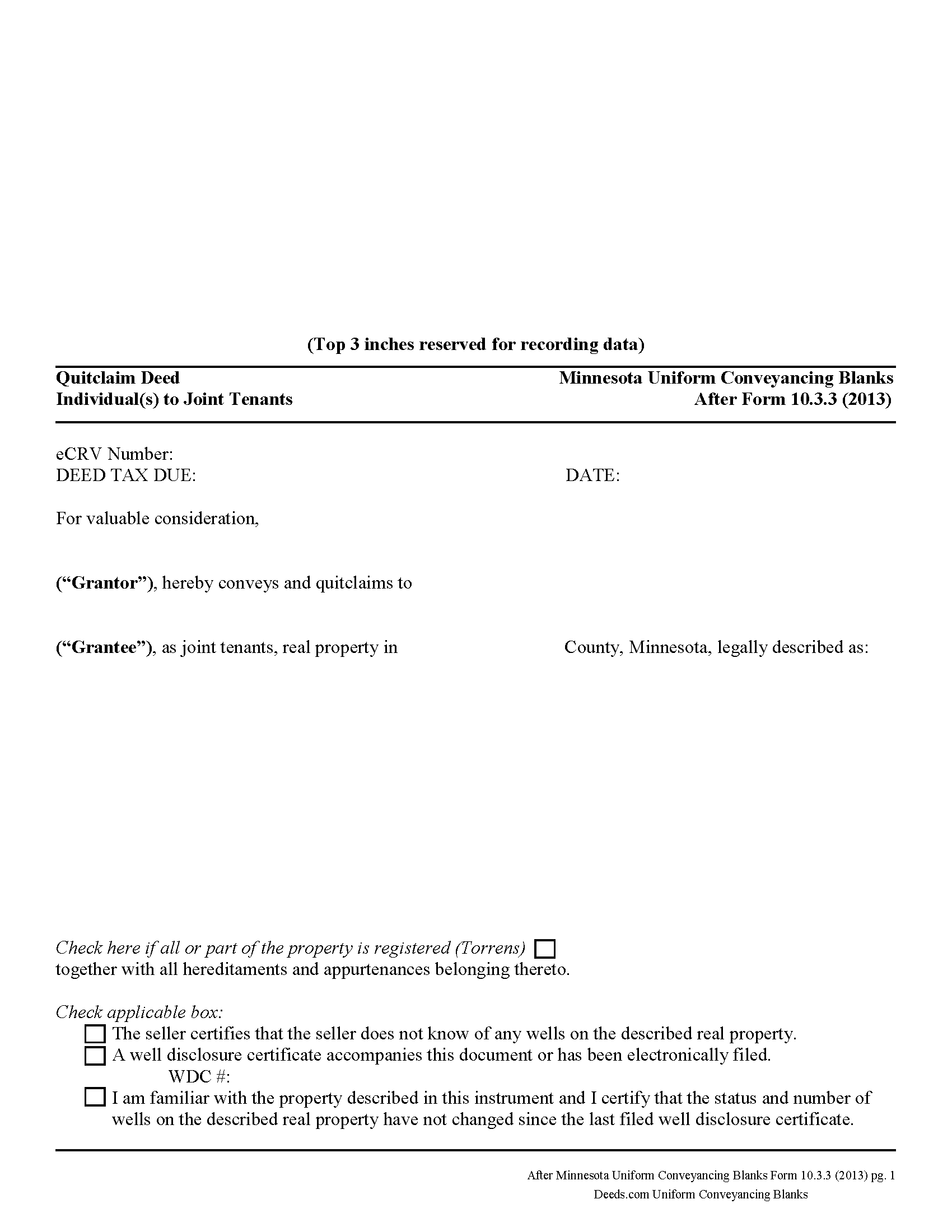
Stearns County Quitclaim Deed from Individual to Joint Tenants Form
Fill in the blank Quitclaim Deed from Individual to Joint Tenants form formatted to comply with all Minnesota recording and content requirements.
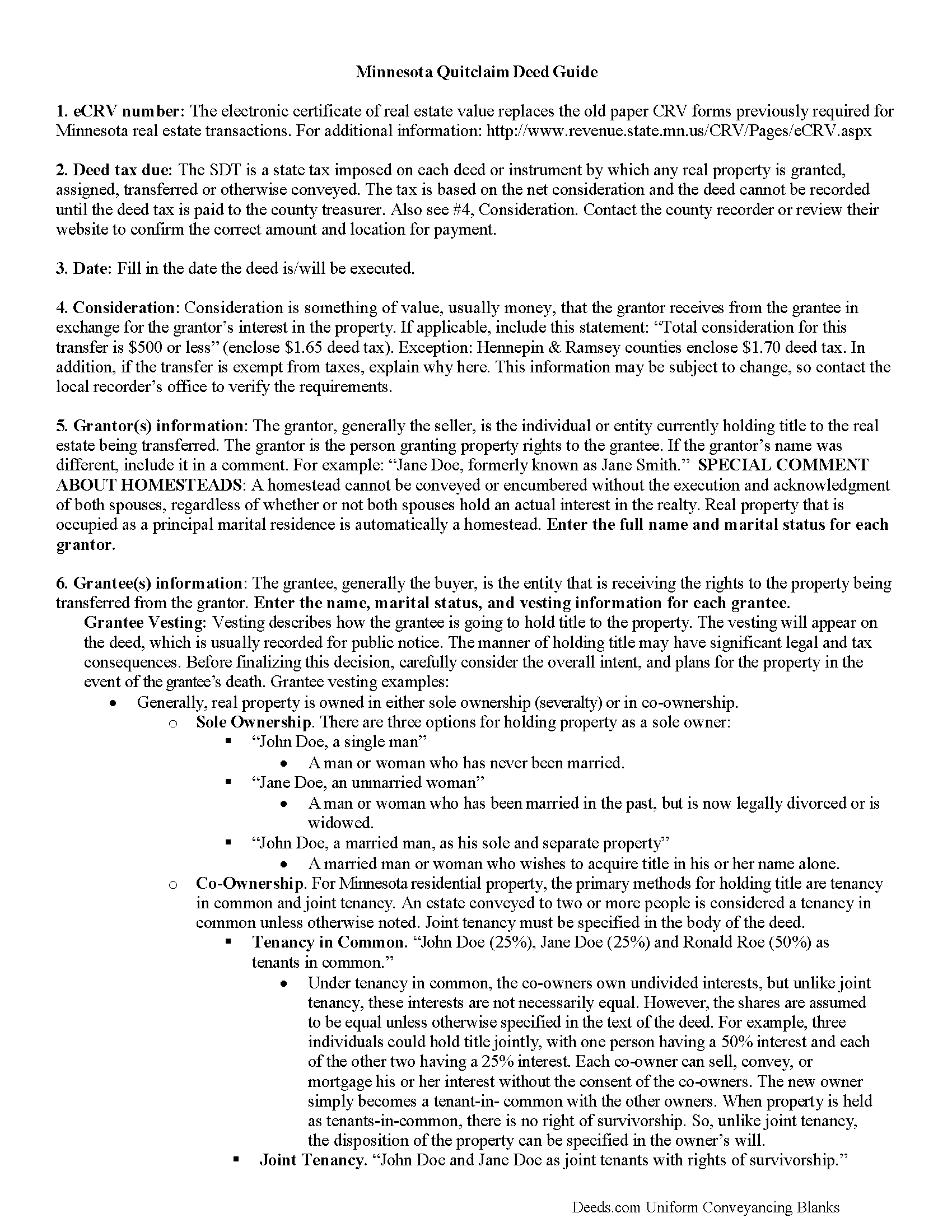
Stearns County Quitclaim Deed from Individual to Joint Tenants Guide
Line by line guide explaining every blank on the Quitclaim Deed from Individual to Joint Tenants form.
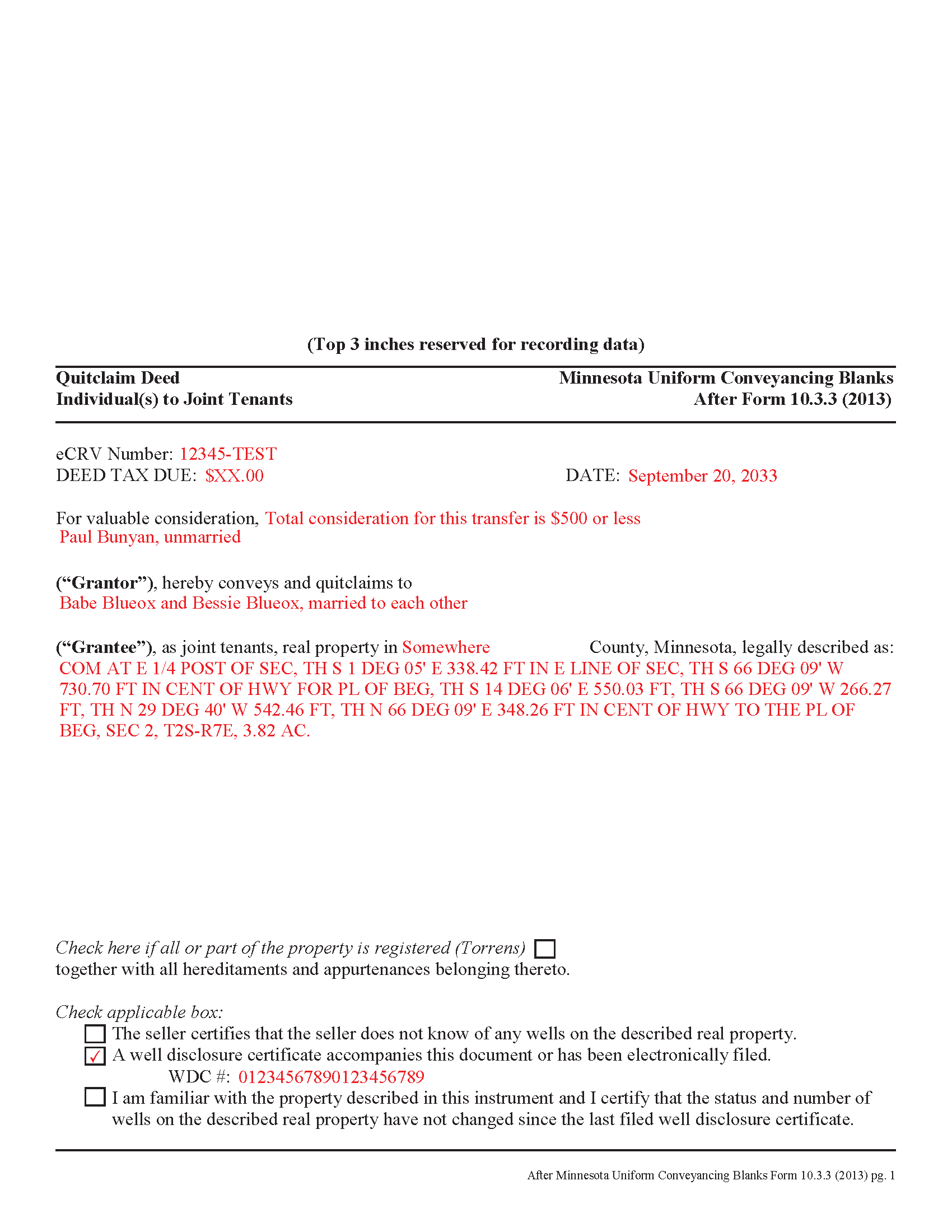
Stearns County Completed Example of the Quitclaim Deed from Individual to Joint Tenants Document
Example of a properly completed Minnesota Quitclaim Deed from Individual to Joint Tenants document for reference.
All 3 documents above included • One-time purchase • No recurring fees
Immediate Download • Secure Checkout
Additional Minnesota and Stearns County documents included at no extra charge:
Where to Record Your Documents
Service Center, Room 2203
Waite Park, Minnesota 56387
Hours: 8:00am to 4:30pm M-F
Phone: (320) 656-3855
Recording Tips for Stearns County:
- Bring your driver's license or state-issued photo ID
- Ensure all signatures are in blue or black ink
- Check that your notary's commission hasn't expired
- Documents must be on 8.5 x 11 inch white paper
- Double-check legal descriptions match your existing deed
Cities and Jurisdictions in Stearns County
Properties in any of these areas use Stearns County forms:
- Albany
- Avon
- Belgrade
- Brooten
- Cold Spring
- Collegeville
- Elrosa
- Freeport
- Greenwald
- Holdingford
- Kimball
- Melrose
- New Munich
- Paynesville
- Richmond
- Rockville
- Roscoe
- Saint Cloud
- Saint Joseph
- Saint Martin
- Saint Stephen
- Sartell
- Sauk Centre
- Waite Park
Hours, fees, requirements, and more for Stearns County
How do I get my forms?
Forms are available for immediate download after payment. The Stearns County forms will be in your account ready to download to your computer. An account is created for you during checkout if you don't have one. Forms are NOT emailed.
Are these forms guaranteed to be recordable in Stearns County?
Yes. Our form blanks are guaranteed to meet or exceed the applicable formatting requirements used for recording in Stearns County, including margin requirements, font requirements, and other layout standards. This guarantee applies to formatting, not to the legal sufficiency of information entered by the user or the suitability of a form for a particular transaction.
Can I reuse these forms?
Yes. You can reuse the forms for your personal use. For example, if you have multiple properties in Stearns County you only need to order once.
What do I need to use these forms?
The forms are PDFs that you fill out on your computer. The free Adobe Acrobat Reader is recommended, and most PDF apps also work. You do NOT enter your property information online - you download the blank forms and complete them privately on your own computer.
Are there any recurring fees?
No. This is a one-time purchase. Nothing to cancel, no memberships, no recurring fees.
How much does it cost to record in Stearns County?
Recording fees in Stearns County vary. Contact the recorder's office at (320) 656-3855 for current fees.
Questions answered? Let's get started!
Minnesota's real estate deeds are governed by Minn. Stat. 507, which contains the basic form and requirements for lawful conveyance of property. A quitclaim deed is used in Minnesota real estate transactions where the grantor agrees that "such instrument, duly executed, shall be a conveyance to the grantee, the grantee's heirs and assigns, of all right, title, and interest of the grantor in the premises described, but shall not extend to after acquired title, unless words expressing such intention be added." (507.07). In other words, a quitclaim deed generally transfers only the grantor's current interest, if any, in the property at the time of the deed's execution.
While properly completed statutory form may suffice in many situations, they leave the possibility for errors based on incorrect or missing information. To reduce confusion about the information needed for different real estate transactions, Minnesota suggests guidelines for uniform conveyancing forms, each with a specific purpose. See Minn. Stat. 507.09-507.14.
This quitclaim deed form, specifically intended for real property transfers from individual owner(s) to joint tenants, matches the format, content, and requirements set forth in the most recent update.
(Minnesota QCD Ind to JT Package includes form, guidelines, and completed example)
Important: Your property must be located in Stearns County to use these forms. Documents should be recorded at the county recording office listed above.
This Quitclaim Deed from Individual to Joint Tenants meets all recording requirements specific to Stearns County.
Our Promise
The documents you receive here are guaranteed to meet or exceed the applicable Stearns County recording format requirements. If there is a rejection caused by our formatting, we will correct the issue or refund your payment. This guarantee applies to document formatting only and does not extend to information entered by the user, the selection of the form, or the legal effect of the completed document.
Save Time and Money
Get your Stearns County Quitclaim Deed from Individual to Joint Tenants form done right the first time with Deeds.com Uniform Conveyancing Blanks. At Deeds.com, we understand that your time and money are valuable resources, and we don't want you to face a penalty fee or rejection imposed by a county recorder for submitting nonstandard documents. We constantly review and update our forms to meet rapidly changing state and county recording requirements for roughly 3,500 counties and local jurisdictions.
4.8 out of 5 - ( 4,849 Reviews )
SHANE P. 5 out of 5 stars
Easy to use.
Thank you!
Nancy N. 5 out of 5 stars
Very easy to use. Appreicate the sample filled out forms and the guide book. Thank you!
Thank you for your feedback. We really appreciate it. Have a great day!
Robert R. 5 out of 5 stars
Just joined. Recommended by a strong source. Looking forward to doing business.
Thank you!
PATRICK C. 5 out of 5 stars
Fast, honest company Worth every penny! DO IT YOURSELF SAVE THOUSANDS
We appreciate your business and value your feedback. Thank you. Have a wonderful day!
Ramona C. 5 out of 5 stars
Easy to use and the sample really helped.
Thank you!
Jennifer B. 3 out of 5 stars
I didn't care for it because I was having to do other things in between filling it out and all of a sudden it would not allow me back in it to make changes. Luckily I had saved it and then had to do FILL/SIGN option which looks ugly but that was the only way I could add what I needed.
We appreciate your business and value your feedback. Thank you. Have a wonderful day!
CLAUDE G. 5 out of 5 stars
just what I needed Thank You
Thank you!
Garrison T. 5 out of 5 stars
Excellent service & very easy to use.
Thank you!
Michael W. 5 out of 5 stars
Easy to use and fast
Thank you!
Bobby V. 5 out of 5 stars
Great
Thank you!
Willie P. 5 out of 5 stars
Your service was excellent
Thank you for your feedback. We really appreciate it. Have a great day!
Pamela C. 5 out of 5 stars
Easy to use, understand and pay on the website.
We appreciate your business and value your feedback. Thank you. Have a wonderful day!
Kevin M. 5 out of 5 stars
All I can say is WOW. They were so fast and professional. I received my copy of my deed that same day I requested it. There was some confusion on my part but within minutes it was explained.
We appreciate your business and value your feedback. Thank you. Have a wonderful day!
David B. 5 out of 5 stars
I'm not sure how a forms web-site could be so, but I find deeds.com to be sweet.
Thank you for your feedback. We really appreciate it. Have a great day!
Scott A. 2 out of 5 stars
The information and instructions provided is thorough and great. But, the fill-in-the-blanks form does not work well and is very frustrating. The font size of the information I was adding on each individual line varies and is determined by the number of characters entered on that individual line. So the font size is different on each line. And the number of lines is fixed making it impossible to fill in the full legal name of the trust I needed to fill out the form for. My needs are somewhat unusual, but the form should have been designed to be flexible enough to handle it. A blank paper form would have been more useful.
Thank you for your feedback. We really appreciate it. Have a great day!