Roseau County Quitclaim Deed (Married Grantor with Non-Owner Spouse Joinder) Form
Last validated October 22, 2026 by our Forms Development TeamFormatted for recording in Roseau County, for property anywhere in the county: rural and unincorporated areas as well as Badger, Greenbush, Roosevelt, Roseau, Salol, Strathcona, Swift, Wannaska and 1 more.
- 3 documents included
- Immediate PDF download
- Formatting guarantee
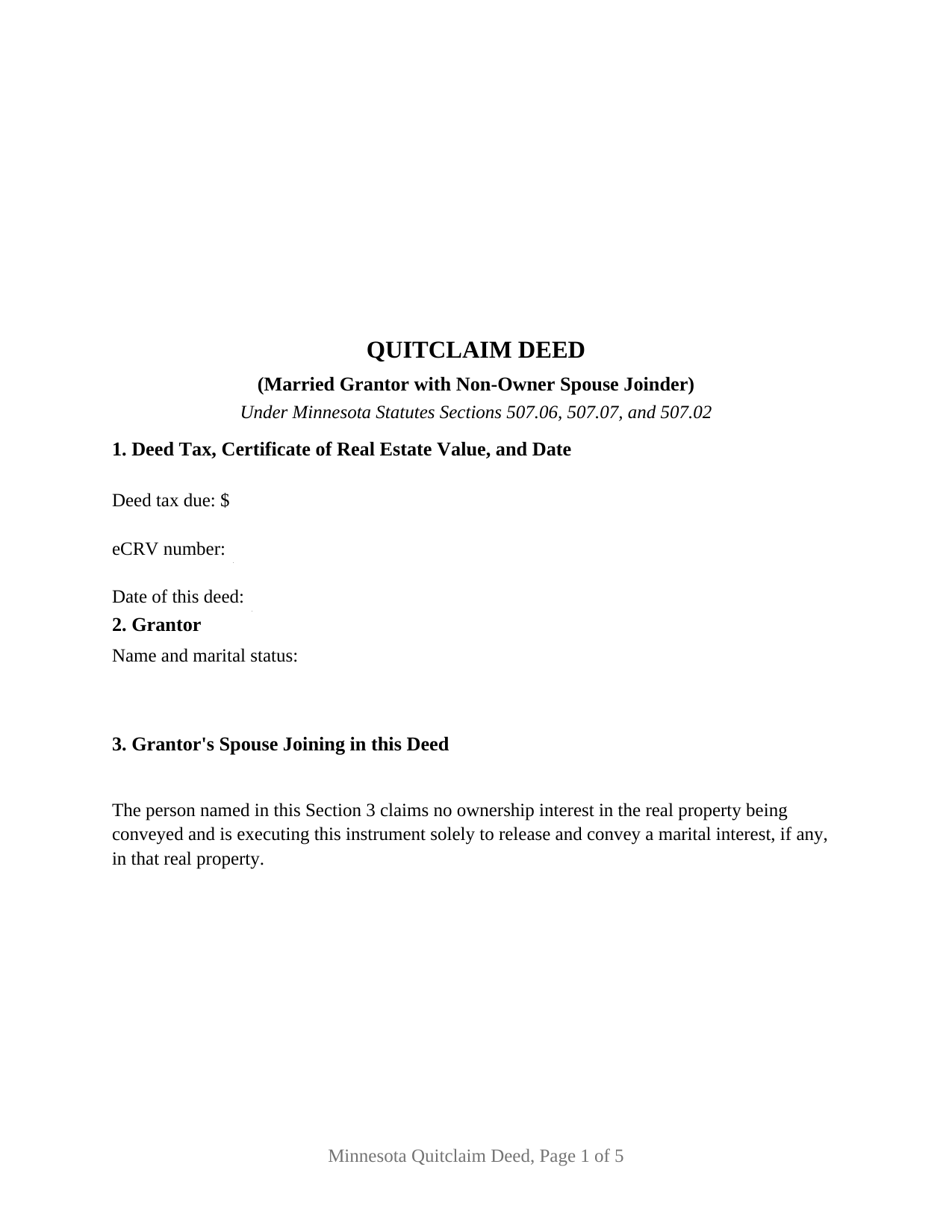
Roseau County Quitclaim Deed (Married Grantor with Non-Owner Spouse Joinder) Form
Fill in the blank Quitclaim Deed (Married Grantor with Non-Owner Spouse Joinder) form formatted to comply with all Minnesota recording and content requirements.
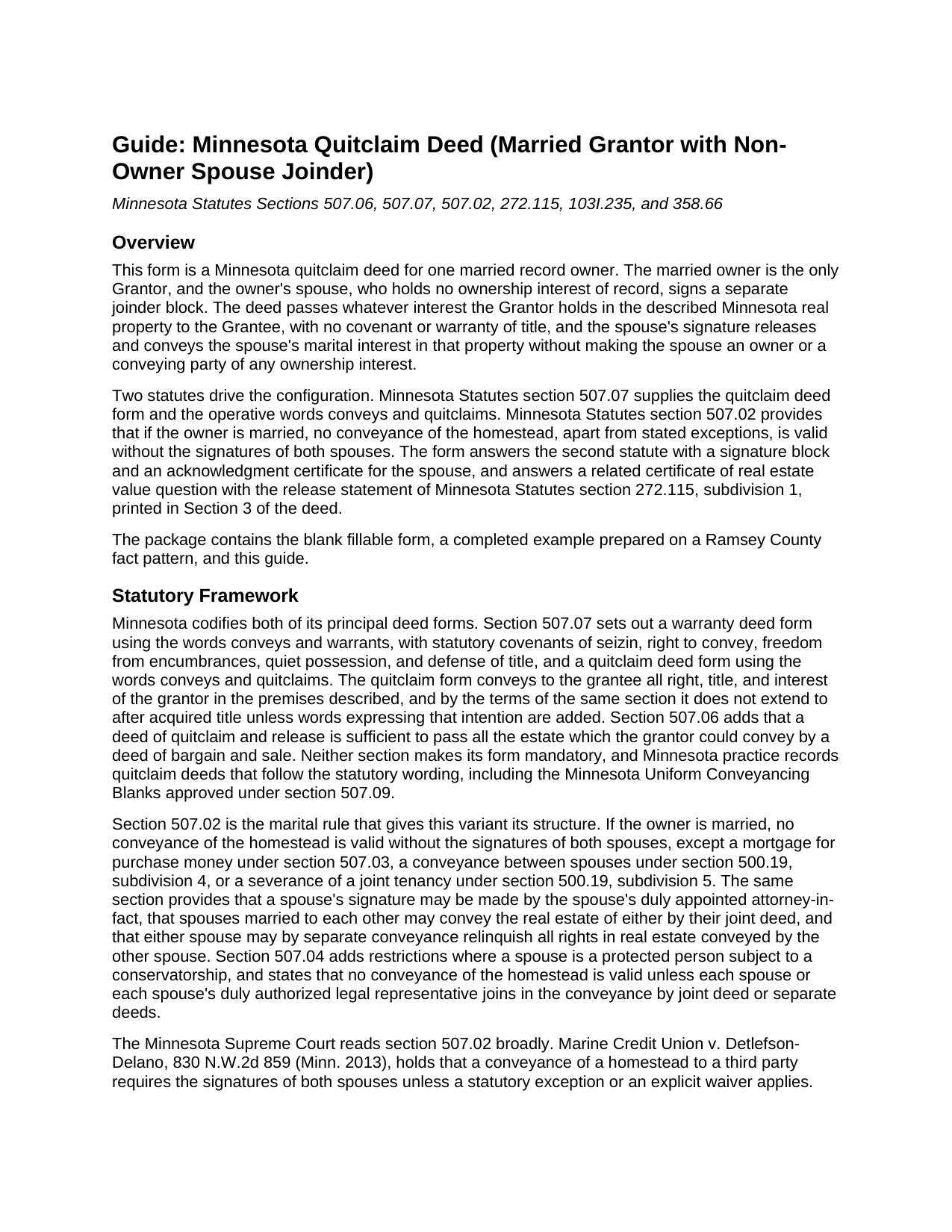
Roseau County Quitclaim Deed (Married Grantor with Non-Owner Spouse Joinder) Guide
Line by line guide explaining every blank on the Quitclaim Deed (Married Grantor with Non-Owner Spouse Joinder) form.

Roseau County Completed Example of the Quitclaim Deed (Married Grantor with Non-Owner Spouse Joinder) Document
Example of a properly completed Minnesota Quitclaim Deed (Married Grantor with Non-Owner Spouse Joinder) document for reference.
All 3 documents above included • One-time purchase • No recurring fees
Immediate Download • Secure Checkout
Additional Minnesota and Roseau County documents included at no extra charge:
Where to Record Your Documents
Roseau County Recorder
Roseau, Minnesota 56751
Hours: 8:00 to 4:30 M-F
Phone: (218) 463-2061
Recording Tips for Roseau County:
- Bring your driver's license or state-issued photo ID
- Ensure all signatures are in blue or black ink
- Avoid the last business day of the month when possible
- Both spouses typically need to sign if property is jointly owned
- Bring extra funds - fees can vary by document type and page count
Cities and Jurisdictions in Roseau County
Properties in any of these areas use Roseau County forms:
- Badger
- Greenbush
- Roosevelt
- Roseau
- Salol
- Strathcona
- Swift
- Wannaska
- Warroad
Hours, fees, requirements, and more for Roseau County
How do I get my forms?
Forms are available for immediate download after payment. The Roseau County forms will be in your account ready to download to your computer. An account is created for you during checkout if you don't have one. Forms are NOT emailed.
Are these forms guaranteed to be recordable in Roseau County?
Yes. Our form blanks are guaranteed to meet or exceed the applicable formatting requirements used for recording in Roseau County, including margin requirements, font requirements, and other layout standards. This guarantee applies to formatting, not to the legal sufficiency of information entered by the user or the suitability of a form for a particular transaction.
Can I reuse these forms?
Yes. You can reuse the forms for your personal use. For example, if you have multiple properties in Roseau County you only need to order once.
What do I need to use these forms?
The forms are PDFs that you fill out on your computer. The free Adobe Acrobat Reader is recommended, and most PDF apps also work. You do NOT enter your property information online - you download the blank forms and complete them privately on your own computer.
Are there any recurring fees?
No. This is a one-time purchase. Nothing to cancel, no memberships, no recurring fees.
How much does it cost to record in Roseau County?
Recording fees in Roseau County vary. Contact the recorder's office at (218) 463-2061 for current fees.
Questions answered? Let's get started!
The spouse signs, and owns nothing of record. The Minnesota Quitclaim Deed (Married Grantor with Non-Owner Spouse Joinder) keeps one married owner as the sole Grantor and gives that owner's spouse a labeled joinder block whose printed sentence states what the signature does: the spouse claims no ownership interest in the property being conveyed and signs solely to release and convey a marital interest in it. Whatever the Grantor owns in the described Minnesota real property moves to the Grantee, and the deed itself carries no covenant or warranty of title.
The spouse who signs but does not own
Minnesota Statutes section 507.02 conditions the validity of a homestead conveyance on the signatures of both spouses, and it does so whether or not the second spouse appears anywhere on the vesting deed. That leaves a drafting question: how a person who owns nothing signs a deed without appearing to convey something. This deed answers it structurally. Section 2 names the married record owner as the Grantor. Section 3 names the spouse and prints the release sentence beneath the name. Section 7 carries the section 507.07 words conveys and quitclaims for the Grantor alone, then states that the spouse joins and signs solely to release marital interests and conveys no ownership interest by the deed. The execution section labels one block GRANTOR and the other GRANTOR'S SPOUSE (JOINDER ONLY), so the record itself shows which signature moved title and which released a marital right.
A sentence written for the county auditor
The release sentence in Section 3 is not house drafting. Minnesota Statutes section 272.115, subdivision 1, supplies a statement a deed may substantially contain where a married non-owner spouse signs only to release marital rights, and it attaches a consequence: where a deed substantially contains it, the auditor may take the eCRV filing without collecting that spouse's Social Security number or federal employer identification number. Printing the sentence on the deed instead of burying it in an addendum puts the identification answer where the auditor and the closer both look. The same face carries the drafter statement of section 507.091 and the tax statement addressee of section 507.092, two entries Minnesota recording law makes conditions of recording, plus the three well disclosure statements of section 103I.235 and a line for an electronically filed certificate number.
What this configuration recites
The form recites exactly one record owner and exactly one joining spouse, with two signature blocks and a separate acknowledgment certificate for each signer in the section 358.66 short form, so the two may acknowledge on different days or before different notarial officers. It is not set up as a conveyance by two owners of record, where both signers would pass ownership, and it is not set up for a sole owner who is unmarried and needs no joinder at all. A homestead titled in one spouse's name that is sold to a buyer, a married owner passing separately titled property to a relative, and a conveyance clearing a stray interest where homestead character is an open question all present the pattern this deed recites. Searches for a quit claim deed with spousal joinder land on this same instrument.
Ramsey County, by the numbers
The completed example runs a Ramsey County sale: a married owner quitclaims a platted Roseville lot for $215,000, and the deed tax entry reads $731.00, which is $709.50 of state deed tax at the 0.0033 rate of section 287.21 plus $21.50 of Ramsey County environmental response tax at 0.0001 under section 383A.80, an authority the 2026 legislature extended to January 1, 2036. The eCRV confirmation number and the deed date sit in Section 1, well disclosure statement (A) certifies no known wells, and the property is entered as Abstract land, which routes the instrument to the recorder rather than the registrar of titles. Under section 272.12 the auditor enters the transfer and certifies the taxes before the recorder takes the deed; the flat $46 fee of section 357.18 and the race-notice priority of section 507.34 follow.
The package delivers the fillable form, a completed example built on the Ramsey County facts above, and a guide that walks the numbered sections, the section 507.02 signature rule, grantee title options under section 500.19, and each county step from auditor to recorder. The materials are informational and are not legal advice.
Important: Your property must be located in Roseau County to use these forms. Documents should be recorded at the county recording office listed above.
This Quitclaim Deed (Married Grantor with Non-Owner Spouse Joinder) meets all recording requirements specific to Roseau County.
Our Promise
The documents you receive here are guaranteed to meet or exceed the applicable Roseau County recording format requirements. If there is a rejection caused by our formatting, we will correct the issue or refund your payment. This guarantee applies to document formatting only and does not extend to information entered by the user, the selection of the form, or the legal effect of the completed document.
Save Time and Money
Get your Roseau County Quitclaim Deed (Married Grantor with Non-Owner Spouse Joinder) form done right the first time with Deeds.com Uniform Conveyancing Blanks. At Deeds.com, we understand that your time and money are valuable resources, and we don't want you to face a penalty fee or rejection imposed by a county recorder for submitting nonstandard documents. We constantly review and update our forms to meet rapidly changing state and county recording requirements for roughly 3,500 counties and local jurisdictions.
4.8 out of 5 - ( 4,836 Reviews )
David A. 5 out of 5 stars
Excellent service. I have been looking for a beneficiary deed for quite a wile with no success. My friend found your site and I was overjoyed. Fast, easy to use, and understand.I recommend this site to anyone.
We appreciate your business and value your feedback. Thank you. Have a wonderful day!
Joe W. 5 out of 5 stars
Effortless transaction and very thorough paperwork and explanations.
Thank you!
Gerlinde H. 5 out of 5 stars
This was fantastic. I downloaded the document, filled it out, printed it, had it notarized and drove to the recorders office and had it recorded within less than 15 minutes. Instructions are precise and easy to understand. You saved me hundreds of dollars a lawyer would have charged for the same work.
We appreciate your business and value your feedback. Thank you. Have a wonderful day!
Deborah H. 5 out of 5 stars
Wonderful service, very fast and great customer service will be using you guys from now on. Thanks a bunch
Thank you for your feedback. We really appreciate it. Have a great day!
Anthony L. 5 out of 5 stars
I recently needed an affidavit of death. The form and help tools made it easy to fill out and file. the Recorder accepted this form . Which made the experience painless and easy . All things considered..
We appreciate your business and value your feedback. Thank you. Have a wonderful day!
Kevin C. 3 out of 5 stars
Nice site but $30 to download a blank form is a bit much.
Thank you for your feedback. We really appreciate it. Have a great day!
Christine S. 5 out of 5 stars
Very good site! I found everything I needed right here on Deeds.com. Excellent quality forms, easy access, perfect delivery, reasonable price
We appreciate your business and value your feedback. Thank you. Have a wonderful day!
SHIRLEY H. 3 out of 5 stars
I like that they have all the forms, but I could not find it they would submit the forms to the recorders office
Thank you!
Mary D. 5 out of 5 stars
LOVE this site.. easy to use and very very quick to record
Thank you for your feedback. We really appreciate it. Have a great day!
Eddy O. 5 out of 5 stars
Your site was very helpful.
Thank you for your feedback. We really appreciate it. Have a great day!
Pamela H. 4 out of 5 stars
With Deeds.com I was able to acquire the form I needed for a reasonable fee. Easy navigation, plus guidelines & example of how the finished form should be filled out. I was most pleased to download blank form so I could type into it and then save the blank form. Well organized informative tool. Highly recommend
We appreciate your business and value your feedback. Thank you. Have a wonderful day!
Roger G. 5 out of 5 stars
Straight to the point and easy to use site.
Thank you!
MARILEE S. 5 out of 5 stars
A very easy website....consumer friendly, which is what is so important to me. I will be using your service again. Thank you
Thank you!
Stanley C. 5 out of 5 stars
Amazingly simple, easy to download and use. Excellent service, Thank You
Thank you!
Terrence L. 5 out of 5 stars
Awesome service! 4 services wouldn't handle a 1-time filing, but Deeds.com got the job done in less than 21 hours, for only $15 (plus filing fees). This saved me days of difficulty and aggravation, esp. during COVID-19 lockdown!
Thank you for your feedback. We really appreciate it. Have a great day!