Copiah County Certificate of Trust Form
Last validated September 24, 2026 by our Forms Development TeamFormatted for recording in Copiah County, for property anywhere in the county: rural and unincorporated areas as well as Crystal Springs, Gallman, Georgetown, Hazlehurst, Wesson.
- 3 documents included
- Immediate PDF download
- Formatting guarantee
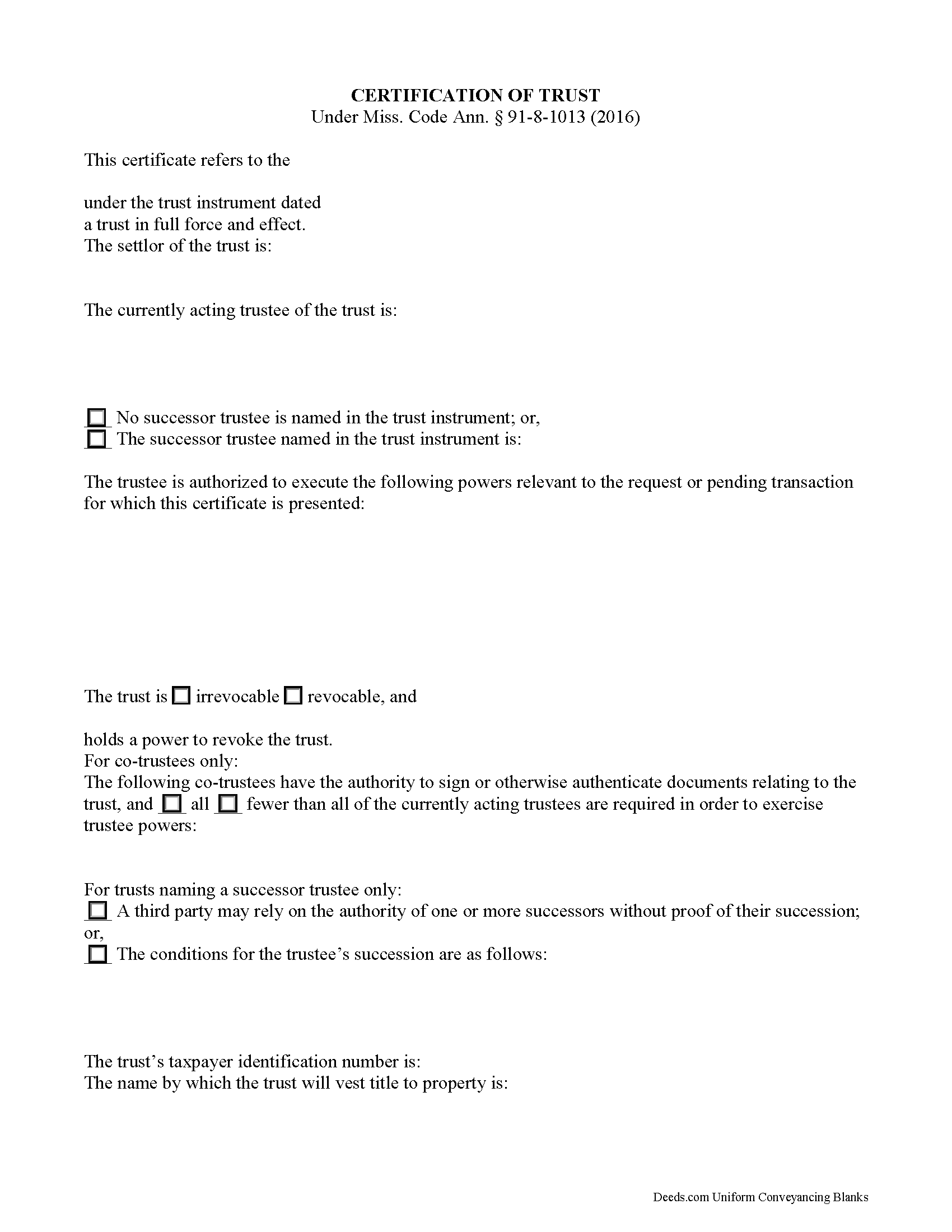
Copiah County Certificate of Trust Form
Fill in the blank form formatted to comply with all recording and content requirements.
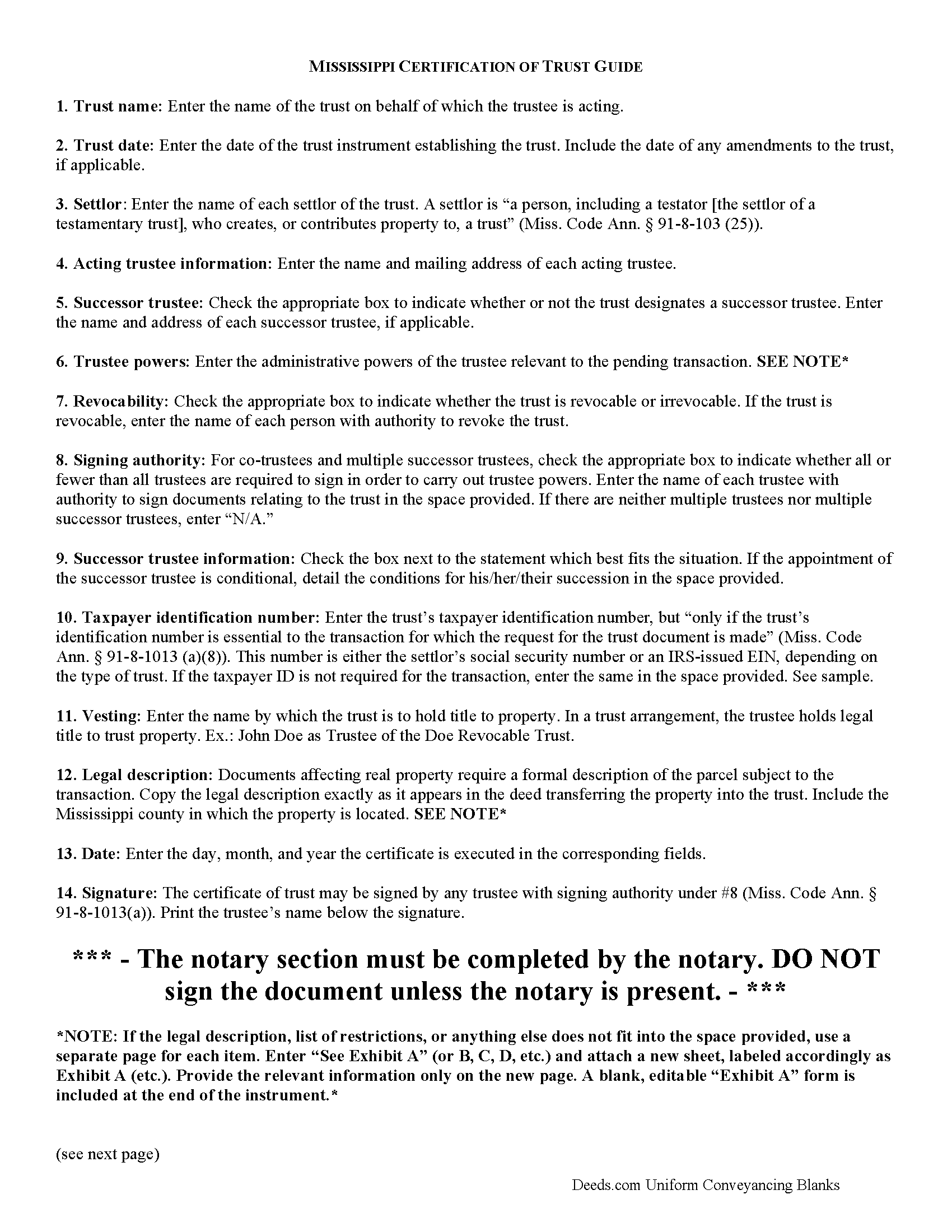
Copiah County Certificate of Trust Guide
Line by line guide explaining every blank on the form.
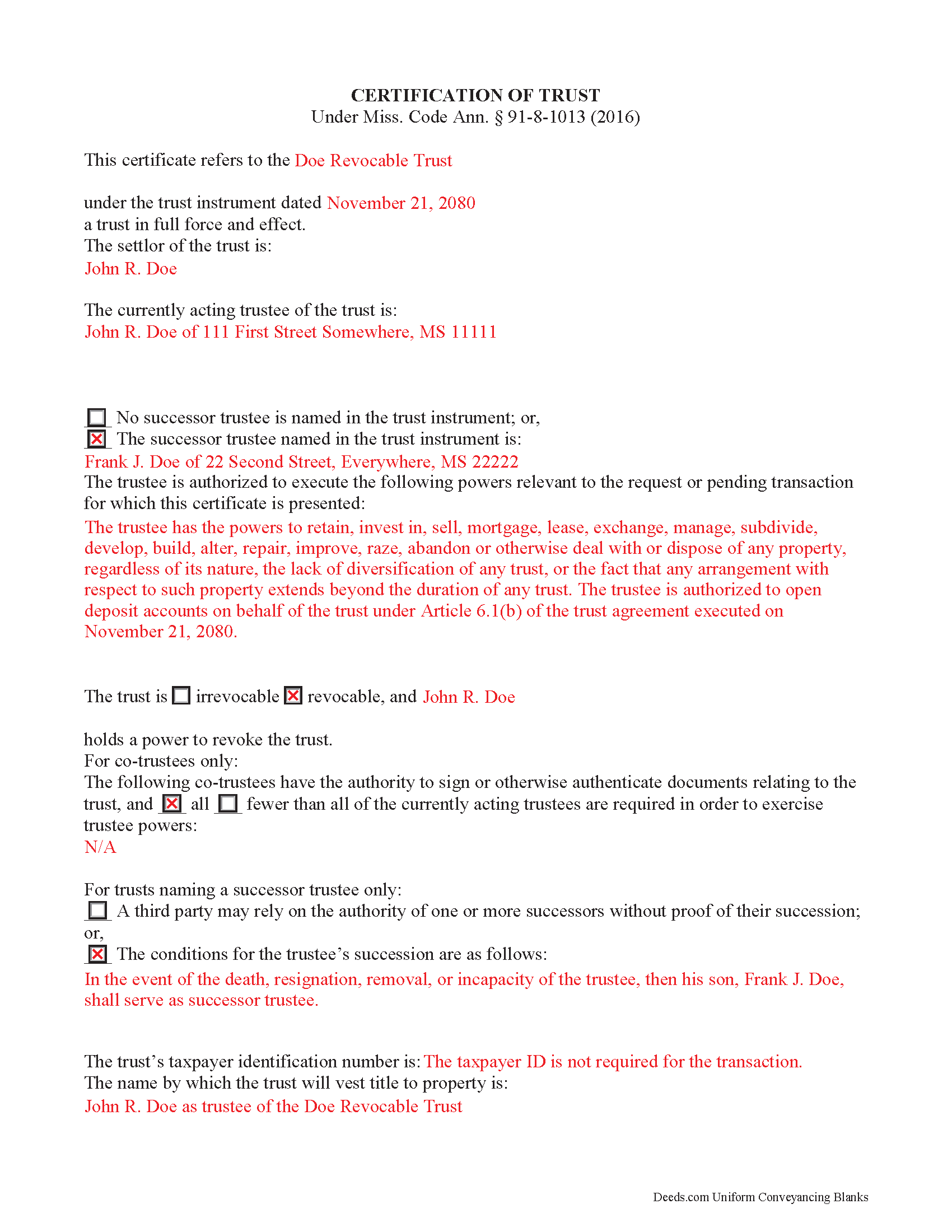
Copiah County Completed Example of the Certificate of Trust Document
Example of a properly completed form for reference.
All 3 documents above included • One-time purchase • No recurring fees
Immediate Download • Secure Checkout
Additional Mississippi and Copiah County documents included at no extra charge:
Where to Record Your Documents
Copiah County Chancery Clerk
Hazelhurst, Mississippi 39083
Hours: 8:00am-5:00pm M-F
Phone: (601) 894-3021
Recording Tips for Copiah County:
- Bring your driver's license or state-issued photo ID
- Ensure all signatures are in blue or black ink
- Double-check legal descriptions match your existing deed
- Verify all names are spelled correctly before recording
- White-out or correction fluid may cause rejection
Cities and Jurisdictions in Copiah County
Properties in any of these areas use Copiah County forms:
- Crystal Springs
- Gallman
- Georgetown
- Hazlehurst
- Wesson
Hours, fees, requirements, and more for Copiah County
How do I get my forms?
Forms are available for immediate download after payment. The Copiah County forms will be in your account ready to download to your computer. An account is created for you during checkout if you don't have one. Forms are NOT emailed.
Are these forms guaranteed to be recordable in Copiah County?
Yes. Our form blanks are guaranteed to meet or exceed the applicable formatting requirements used for recording in Copiah County, including margin requirements, font requirements, and other layout standards. This guarantee applies to formatting, not to the legal sufficiency of information entered by the user or the suitability of a form for a particular transaction.
Can I reuse these forms?
Yes. You can reuse the forms for your personal use. For example, if you have multiple properties in Copiah County you only need to order once.
What do I need to use these forms?
The forms are PDFs that you fill out on your computer. The free Adobe Acrobat Reader is recommended, and most PDF apps also work. You do NOT enter your property information online - you download the blank forms and complete them privately on your own computer.
Are there any recurring fees?
No. This is a one-time purchase. Nothing to cancel, no memberships, no recurring fees.
How much does it cost to record in Copiah County?
Recording fees in Copiah County vary. Contact the recorder's office at (601) 894-3021 for current fees.
Questions answered? Let's get started!
Using a Certification of Trust in Mississippi
The certificate of trust is codified under the Mississippi Trust Code at Miss. Code Ann. 91-8-1013. This certified document is an abstract of the trust instrument, a generally unrecorded document executed by a settlor and containing the trust's full provisions.
A trustee presents the certification of trust when entering into transactions with persons other than trust beneficiaries. It offers proof that the trust exists and the trustee has the authority to enter into the transaction on behalf of the trust. The section of the Mississippi Code covering the certification of trust offers protection to parties dealing with trustees, even if they fail to request a trust certificate (Miss. Code Ann. 91-8-1013(e)).
In a trust arrangement, a trustee administers a trust estate transferred to the trust by a settlor, for the benefit of a third person or party, called the beneficiary. When the trustee conducts business with someone outside of the trust relationship, the certification of trust allows the trustee to maintain the trust's privacy; the identity of trust beneficiaries, the disclosure of which is not essential to the transaction, remains undisclosed.
The form requires a statement of affirmation that the trust exists and the date of its formation. The document includes the trust's identification number only "if it is essential to the transaction for which the request for the trust document is made" (Miss. Code Ann. 91-8-1013(a)(8)). It discloses the trust's settlor, acting trustee, and anyone with a power to revoke the trust, if applicable. The document provides the name of any successor trustee with either a description of the conditions for his succession, or a statement that the recipient may rely on the authority of successor trustee without proof of succession.
Certificates for trusts with multiple trustees include a section that names all trustees who have signing power under the trust, and identifies whether or not all of them are needed in order to conduct trustee powers.
Because the certificate is presented pursuant to a specific transaction, the form requires a description of the trustee's managerial powers relevant to the request. When the certificate affects real property, the document provides the legal description of the parcel or parcels subject to the transaction. It also describes the name by which the trust will hold title to (vest) property.
Any acting trustee with signing authority as cited in the body of the instrument can sign the certificate in the presence of a notary public. The trustee certifies "that ... the trust has not been revoked, modified, or amended in any manner that would cause the representations contained in the certification of trust to be incorrect" (Miss. Code Ann. 91-8-1013(a)(10)). All statements in the certification of trust are deemed correct, and a recipient is not liable for acting on the information contained within (Miss. Code Ann. 91-8-1013(d)).
Recipients presented with a certificate may ask the trustee for additional information to clarify any ambiguities in the certificate (Miss. Code Ann. 91-8-1013(f)). Trustees, of their own accord, may provide copies of portions of the trust instrument and/or trust amendments, but are not required to do so (Miss. Code Ann. 91-8-1013(c)).
Trust law can be complicated, so contact an attorney with questions about using a certificate of trust or trusts in Mississippi.
(Mississippi COT Package includes form, guidelines, and completed example)
Important: Your property must be located in Copiah County to use these forms. Documents should be recorded at the county recording office listed above.
This Certificate of Trust meets all recording requirements specific to Copiah County.
Our Promise
The documents you receive here are guaranteed to meet or exceed the applicable Copiah County recording format requirements. If there is a rejection caused by our formatting, we will correct the issue or refund your payment. This guarantee applies to document formatting only and does not extend to information entered by the user, the selection of the form, or the legal effect of the completed document.
Save Time and Money
Get your Copiah County Certificate of Trust form done right the first time with Deeds.com Uniform Conveyancing Blanks. At Deeds.com, we understand that your time and money are valuable resources, and we don't want you to face a penalty fee or rejection imposed by a county recorder for submitting nonstandard documents. We constantly review and update our forms to meet rapidly changing state and county recording requirements for roughly 3,500 counties and local jurisdictions.
4.8 out of 5 - ( 4,815 Reviews )
David M. 5 out of 5 stars
Why is Dade County not listed for the Lady Bird Deed?
Because on November 13, 1997, voters changed the name of the county from Dade to Miami-Dade.
L. Candace H. 5 out of 5 stars
So far it's been good & informative. I have not chosen forms for download but I like the site. Thanks
Thank you!
Jay G. 5 out of 5 stars
Impressed by their expeditious response to my request which was facilitated by their fabulous software.
Thank you!
Eddie S. 5 out of 5 stars
love the site very helpful and easy.
We appreciate your business and value your feedback. Thank you. Have a wonderful day!
Susan M. 5 out of 5 stars
It was easy to use and clear directions.
Thank you!
Keyuna C. 5 out of 5 stars
Speedy process, they provided me with the exact documents that I needed.
Thank you!
Rebecca H. 5 out of 5 stars
I thought the forms were reasonably priced, the instructions included in the packet were thorough, and the examples helpful. Thank you for the additional CDR forms too. I contacted the Recorder's office via email with a question and Jennifer Bowser answered promptly. Job well done! However, when I delivered the deed and Real Property Transfer Declaration to the Clerk's office in Lafayette, the clerk was unfamiliar with the Declaration document being submitted and it took some time to convince her to submit the form without charging the recording fee. She even tried to phone the recorder's office for clarification, but no one answered. There then was an additional form at that office that I had to complete called Recording Request/Transmittal Form. I would suggest including that form with instructions in your on-line packet to speed up the process when a Deed is delivered to the County Clerk's satellite office. I do not expect every clerk to know all the particulars of recording requirements but a little knowledge wouldn't hurt.
Thank you for your feedback. We really appreciate it. Have a great day!
Marilyn B. 5 out of 5 stars
I do not use the internet much and really am not good with it, but your site which my brother told me about was really easy to use. I would recommend your service to others any time. Thanks for making it user friendly.
We appreciate your business and value your feedback. Thank you. Have a wonderful day!
Taylor Z. 5 out of 5 stars
I was frustrated by Orange County and all the other options they gave me to submit my paperwork. Deeds.com was the easiest to sign up for and I was impressed with how smoothly everything went. The price is well worth the convenience.
We appreciate your business and value your feedback. Thank you. Have a wonderful day!
Shirley T. 4 out of 5 stars
Quit Claim deed for North Carolina did not include all of the information I needed (two separate notary sections), but I was able to re-create another notary section in Word, and then insert it in the appropriate place after printing both documents. Otherwise, the document worked as described.
Thank you for your feedback. We really appreciate it. Have a great day!
SANTTINA W. 5 out of 5 stars
IT WAS SO VERY HELPFUL AND EASY TO DO WILL RETUN TO THE SITE AGAIN.
Thank you for your feedback. We really appreciate it. Have a great day!
virgil r. 5 out of 5 stars
Easy access and guide throughout.
Thank you!
Susan M. 5 out of 5 stars
Outstanding service. Docs delivered to recorder as expected without issue. Happy our recorder recommended Deeds.com.
We appreciate your business and value your feedback. Thank you. Have a wonderful day!
Brian R. 2 out of 5 stars
A waste of my time
We do hope that you found something more suitable to your needs elsewhere Brian. Have a wonderful day.
Christine M. 5 out of 5 stars
Forms were top notch, easy to complete, printed beautifully, recorded with no revisions. Highly recommend for anyone preparing their own deeds.
Thank you for the kind words Christine. Have an amazing day!