Copiah County Easement Deed Form
Last validated November 3, 2026 by our Forms Development TeamFormatted for recording in Copiah County, for property anywhere in the county: rural and unincorporated areas as well as Crystal Springs, Gallman, Georgetown, Hazlehurst, Wesson.
- 4 documents included
- Immediate PDF download
- Formatting guarantee
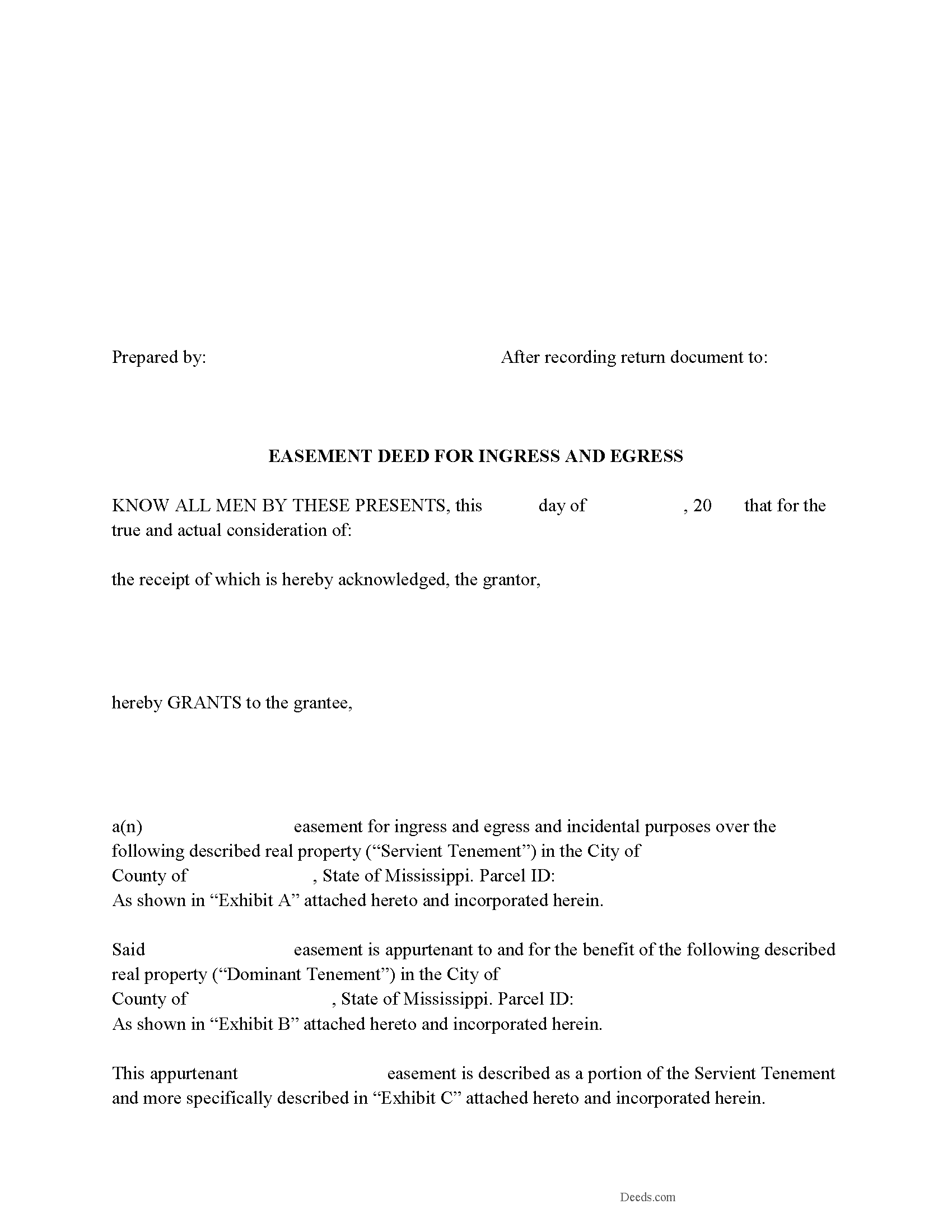
Copiah County Easement Deed Form
Fill in the blank form formatted to comply with all recording and content requirements.
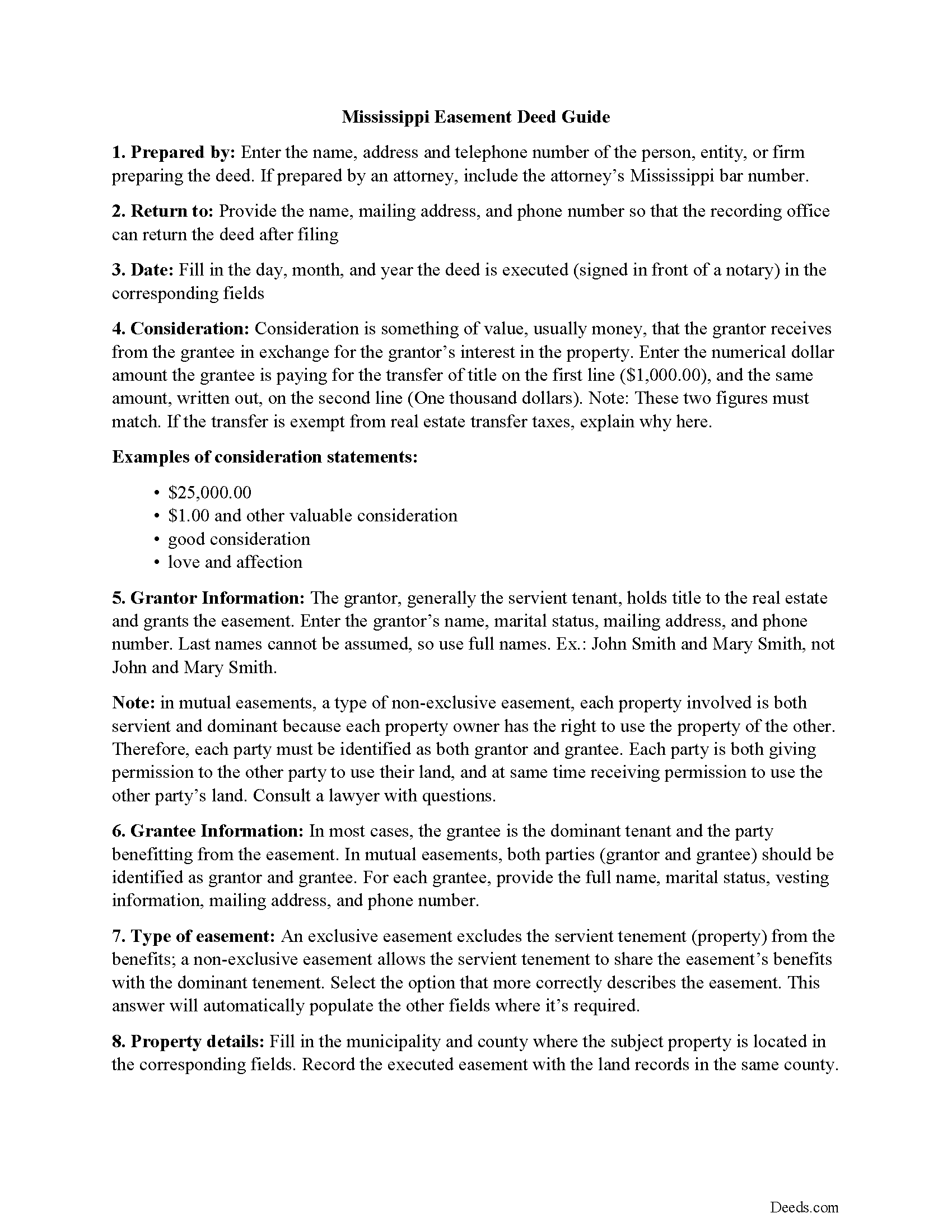
Copiah County Easement Deed Guide
Line by line guide explaining every blank on the form.
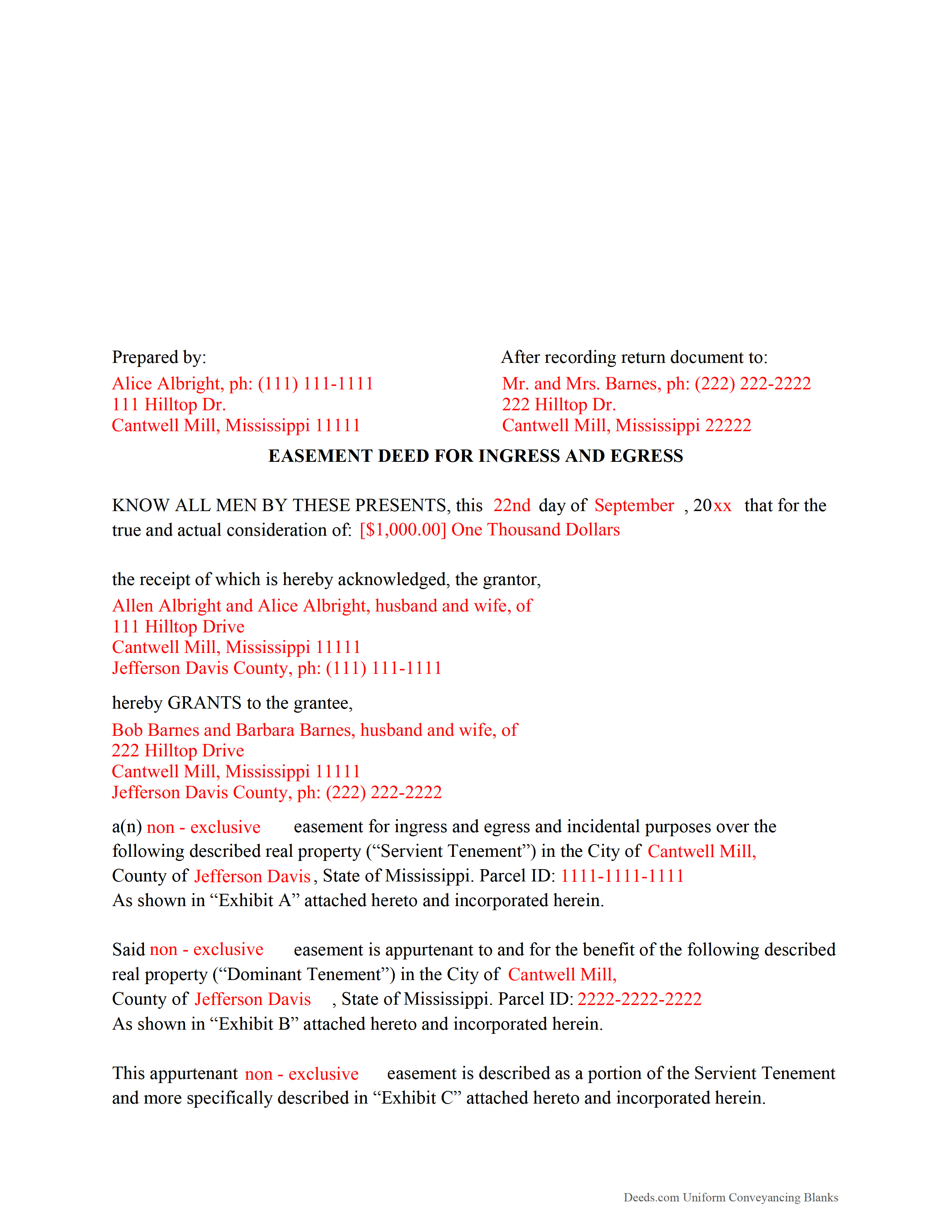
Copiah County Completed Example of the Easement Deed Document
Example of a properly completed form for reference.
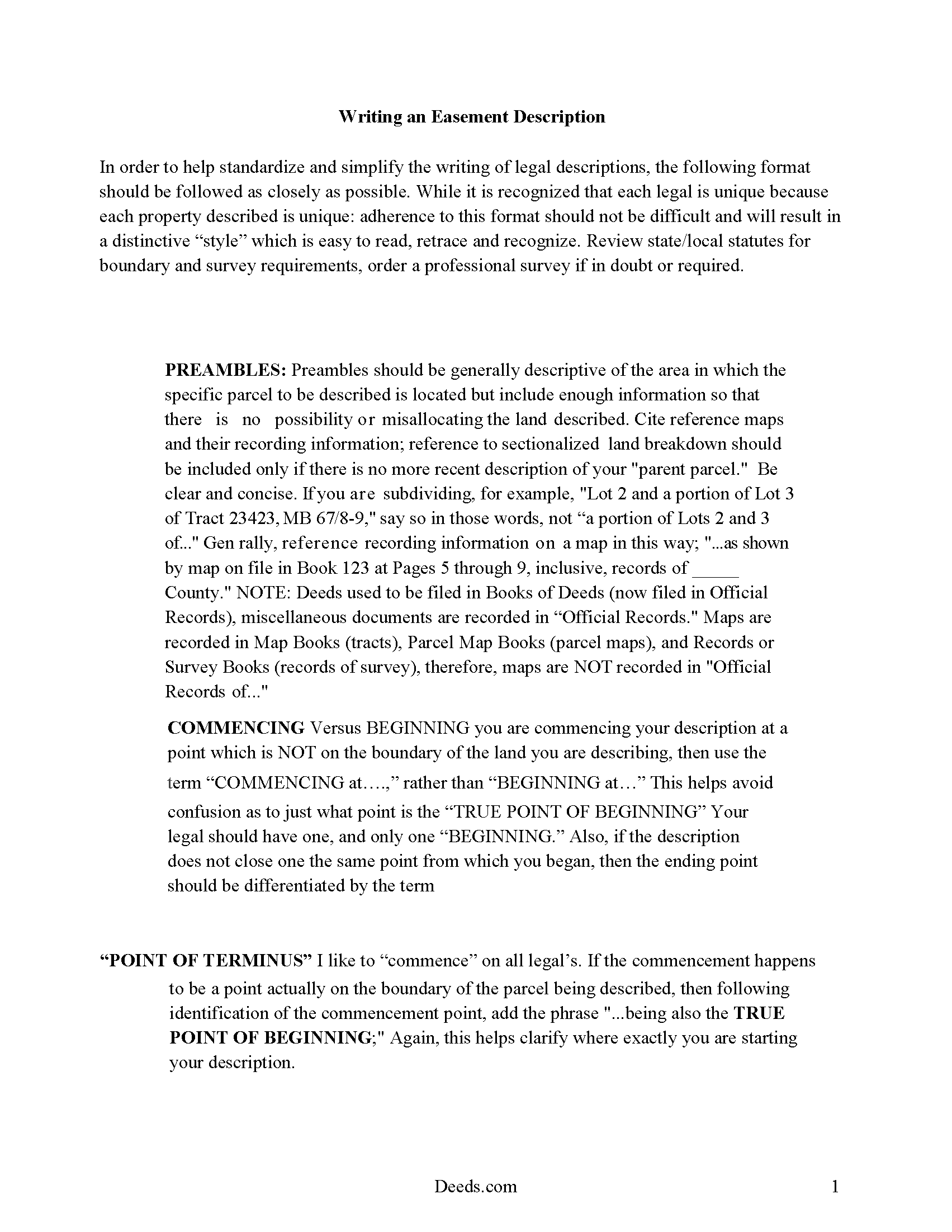
Copiah County Guide to Writing an Easement Description
A Description of the Easement will be required. This will show how to write an acceptable description for a Right of Way Easement, which gives access, to and from - point A to point B.
All 4 documents above included • One-time purchase • No recurring fees
Immediate Download • Secure Checkout
Additional Mississippi and Copiah County documents included at no extra charge:
Where to Record Your Documents
Copiah County Chancery Clerk
Hazelhurst, Mississippi 39083
Hours: 8:00am-5:00pm M-F
Phone: (601) 894-3021
Recording Tips for Copiah County:
- Bring your driver's license or state-issued photo ID
- Ensure all signatures are in blue or black ink
- Documents must be on 8.5 x 11 inch white paper
- Double-check legal descriptions match your existing deed
- Verify all names are spelled correctly before recording
Cities and Jurisdictions in Copiah County
Properties in any of these areas use Copiah County forms:
- Crystal Springs
- Gallman
- Georgetown
- Hazlehurst
- Wesson
Hours, fees, requirements, and more for Copiah County
How do I get my forms?
Forms are available for immediate download after payment. The Copiah County forms will be in your account ready to download to your computer. An account is created for you during checkout if you don't have one. Forms are NOT emailed.
Are these forms guaranteed to be recordable in Copiah County?
Yes. Our form blanks are guaranteed to meet or exceed the applicable formatting requirements used for recording in Copiah County, including margin requirements, font requirements, and other layout standards. This guarantee applies to formatting, not to the legal sufficiency of information entered by the user or the suitability of a form for a particular transaction.
Can I reuse these forms?
Yes. You can reuse the forms for your personal use. For example, if you have multiple properties in Copiah County you only need to order once.
What do I need to use these forms?
The forms are PDFs that you fill out on your computer. The free Adobe Acrobat Reader is recommended, and most PDF apps also work. You do NOT enter your property information online - you download the blank forms and complete them privately on your own computer.
Are there any recurring fees?
No. This is a one-time purchase. Nothing to cancel, no memberships, no recurring fees.
How much does it cost to record in Copiah County?
Recording fees in Copiah County vary. Contact the recorder's office at (601) 894-3021 for current fees.
Questions answered? Let's get started!
An easement is a real property interest, but does not include rights of ownership. Easements allow one party to use the land of another for a specific purpose. This agreement is created by an easement deed, which can be made to benefit a dominant estate or an individual or legal entity, and can also be affirmative or negative. An easement in Mississippi will run with the land.
A conservation easement can be created, conveyed, recorded, and assigned in the same manner as other easements in the state. Except as may be provided by statute, a conservation easement is unlimited in its duration unless the instrument creating it provides otherwise ( 89-19-5). No right or duty in favor of or against a holder and no right of a person having a third-party right of enforcement arises under a conservation easement before its acceptance by the holder and a recordation of the acceptance ( 89-19-5).
An easement deed should be declared in writing, signed by the grantor, and delivered ( 89-1-3). Easement deeds should be acknowledged or proved, and the acknowledgment or proof should be certified by any of the authorized officers listed in section 89-3-3 of the Mississippi Revised Code. Acknowledgements or proof can be made in another state if the party executing the deed resides out of state. The acknowledgment or proof should be taken before any of the officers listed in 89-3-9, and the easement deed will be as good and effective as if the certificate of acknowledgment or proof had been made in Mississippi ( 89-3-9). If an easement deed does not have a proper acknowledgment or proof, the recording clerk may refuse to admit it to record. If a deed is not acknowledged or proved according to law, but has otherwise been admitted to record, then all persons are considered to be on constructive notice of the instrument ( 89-3-1).
In order to provide notice to third parties, an easement deed in Mississippi must be recorded with the chancery court in the county where the property is located. An easement deed will take effect as to all creditors and subsequent purchasers for a valuable consideration without notice only from the time it is delivered to the clerk to be recorded ( 89-5-5). If an easement deed is not recorded, it will be valid and binding only between the parties and their heirs, and as to all subsequent purchasers with notice or without valuable consideration ( 89-5-3).
(Mississippi ED Package includes form, guidelines, and completed example)
Important: Your property must be located in Copiah County to use these forms. Documents should be recorded at the county recording office listed above.
This Easement Deed meets all recording requirements specific to Copiah County.
Our Promise
The documents you receive here are guaranteed to meet or exceed the applicable Copiah County recording format requirements. If there is a rejection caused by our formatting, we will correct the issue or refund your payment. This guarantee applies to document formatting only and does not extend to information entered by the user, the selection of the form, or the legal effect of the completed document.
Save Time and Money
Get your Copiah County Easement Deed form done right the first time with Deeds.com Uniform Conveyancing Blanks. At Deeds.com, we understand that your time and money are valuable resources, and we don't want you to face a penalty fee or rejection imposed by a county recorder for submitting nonstandard documents. We constantly review and update our forms to meet rapidly changing state and county recording requirements for roughly 3,500 counties and local jurisdictions.
4.8 out of 5 - ( 4,845 Reviews )
David M. 5 out of 5 stars
Extremely easy to use. The sample completed document was very helpful. I really appreciated not having to spend a few hundred dollars for a lawyer to generate a document that I can produce myself for a small fraction of the cost.
We appreciate your business and value your feedback. Thank you. Have a wonderful day!
Jackson J. 5 out of 5 stars
Thank you for your help the website is simple and easy to use and dealing with this county for the 1st time there were a few things i was not too sure about but your staff was prompt and responsive and anytime there was a glitch we were promptly able to resolve the issue until the deed was accepted and recorded by the county great service thanks again.
We appreciate your business and value your feedback. Thank you. Have a wonderful day!
Nick V. 5 out of 5 stars
Turn time was great. Highly recommend.
Thank you!
Herbert L. 5 out of 5 stars
Creating my enhanced lifde estate deed was rather easy but I am not happy. After buying the 3 form package for about $29 and crating my legal form... was not happy with your disclaimer than you cannot guarantee the form will meet required legal standards. I was convinced you all knew what you're doing since the forms are supposedly specific to Polk county, Florida.
Herbert, thank you for your feedback.
Our deed forms are prepared to meet the statutory and recording requirements for the state listed, including common formatting and content requirements used by county recorders.
The disclaimer exists because we are not acting as your attorney and cannot evaluate each customer’s specific facts, property history, or intended use of the document. For that reason, we cannot guarantee that a document will meet every possible legal need or circumstance.
Many customers successfully prepare and record their deeds using these materials, but anyone needing legal advice about their particular situation should consult a licensed attorney.
John K. 5 out of 5 stars
The sample completed form was a big help. While not exactly on point with my situation, it was enough to help me complete it on my own
We appreciate your business and value your feedback. Thank you. Have a wonderful day!
Kristi T. 5 out of 5 stars
This was so very easy and fast! Well worth the small fee. I will use this again if I have a need. Thank you!
We appreciate your business and value your feedback. Thank you. Have a wonderful day!
Luis C. 5 out of 5 stars
Excellent forms but the instructions are not to clear.
Thank you for your feedback. We really appreciate it. Have a great day!
Robert J D. 5 out of 5 stars
I accidentally ordered 2 forms for the affidavit of death. I only need one.
Thanks for your feedback. Looking at your account we do not see any duplicate orders. Our system does stop duplicate orders before they are processed in many cases. Have a great day.
Katherine Y. 5 out of 5 stars
It was easy to use the form. The notary said it contained the most recent language which is also helpful.
Thanks Katherine!
Robert W. 5 out of 5 stars
Exactly what I needed. Thank you
Thank you!
Randy H. 5 out of 5 stars
Love this has all forms you need
We appreciate your business and value your feedback. Thank you. Have a wonderful day!
Sarah K. 1 out of 5 stars
I was annoyed when I realized I couldn't put the document into Word or WordPerfect. I had to retype the entire document. What a waste of time and money.
Sorry to hear of your annoyance. We have canceled your order and payment. We do hope that you find something more suitable to your needs elsewhere. Have a wonderful day.
Jim A. 5 out of 5 stars
Your website is user friendly and when I brought up issues they were quickly addressed. thank you so much! jim atkinson
Thank you!
Karen J. 5 out of 5 stars
Excellent and easy to download and use. Love the example page and was so easy to fill out and use immediately. Thank you
Thank you for your feedback Karen. We really appreciate it. Enjoy your day!
Robert C. 5 out of 5 stars
Amazingly easy process and excellent response time - very impressed!
Thank you!