Butler County Beneficiary Deed (Sole Owner, One Individual Beneficiary) Form
Last validated November 10, 2026 by our Forms Development TeamFormatted for recording in Butler County, for property anywhere in the county or independent city: rural and unincorporated areas as well as Broseley, Fagus, Fisk, Harviell, Neelyville, Poplar Bluff, Qulin, Rombauer.
- 3 documents included
- Immediate PDF download
- Formatting guarantee
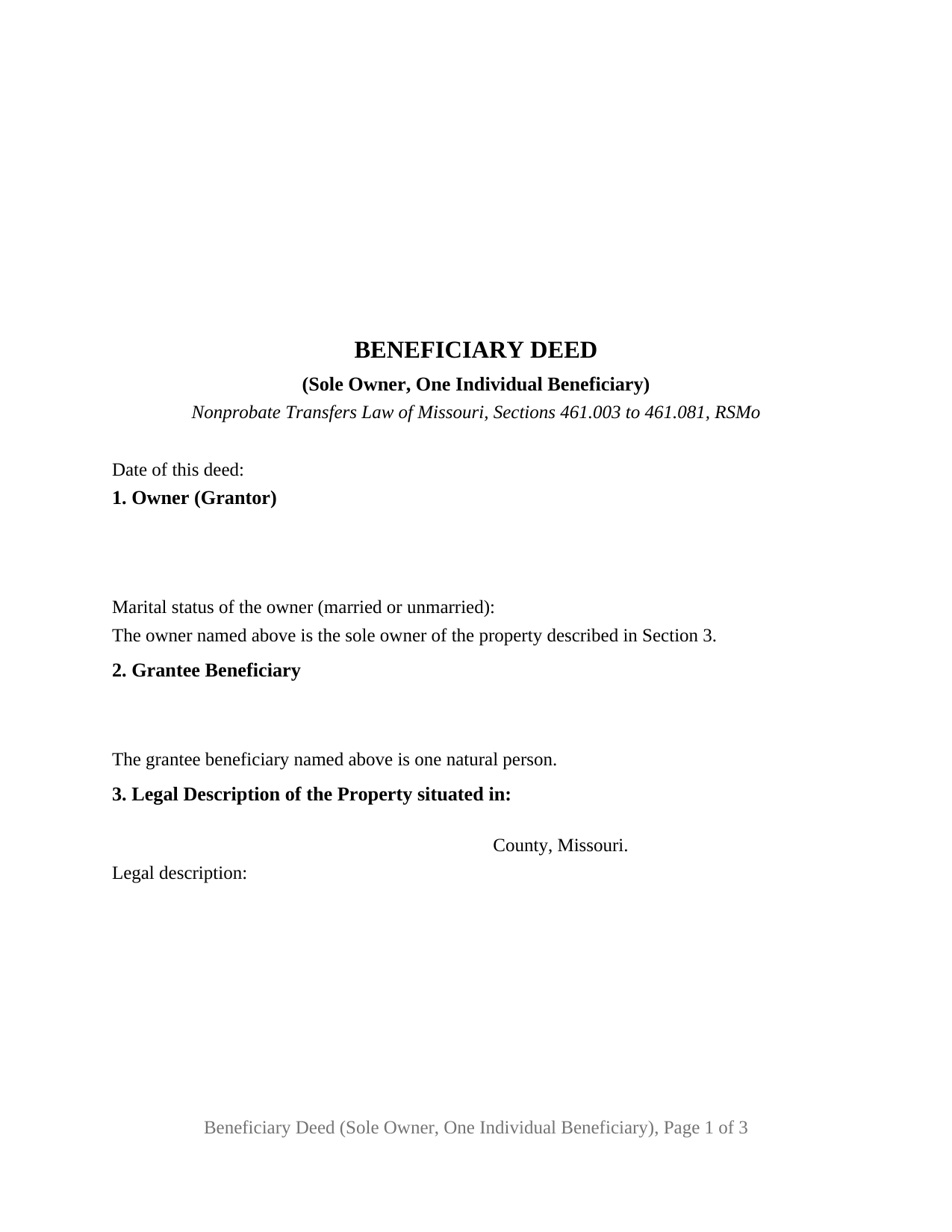
Butler County Beneficiary Deed (Sole Owner, One Individual Beneficiary) Form
Fill in the blank Beneficiary Deed (Sole Owner, One Individual Beneficiary) form formatted to comply with all Missouri recording and content requirements.
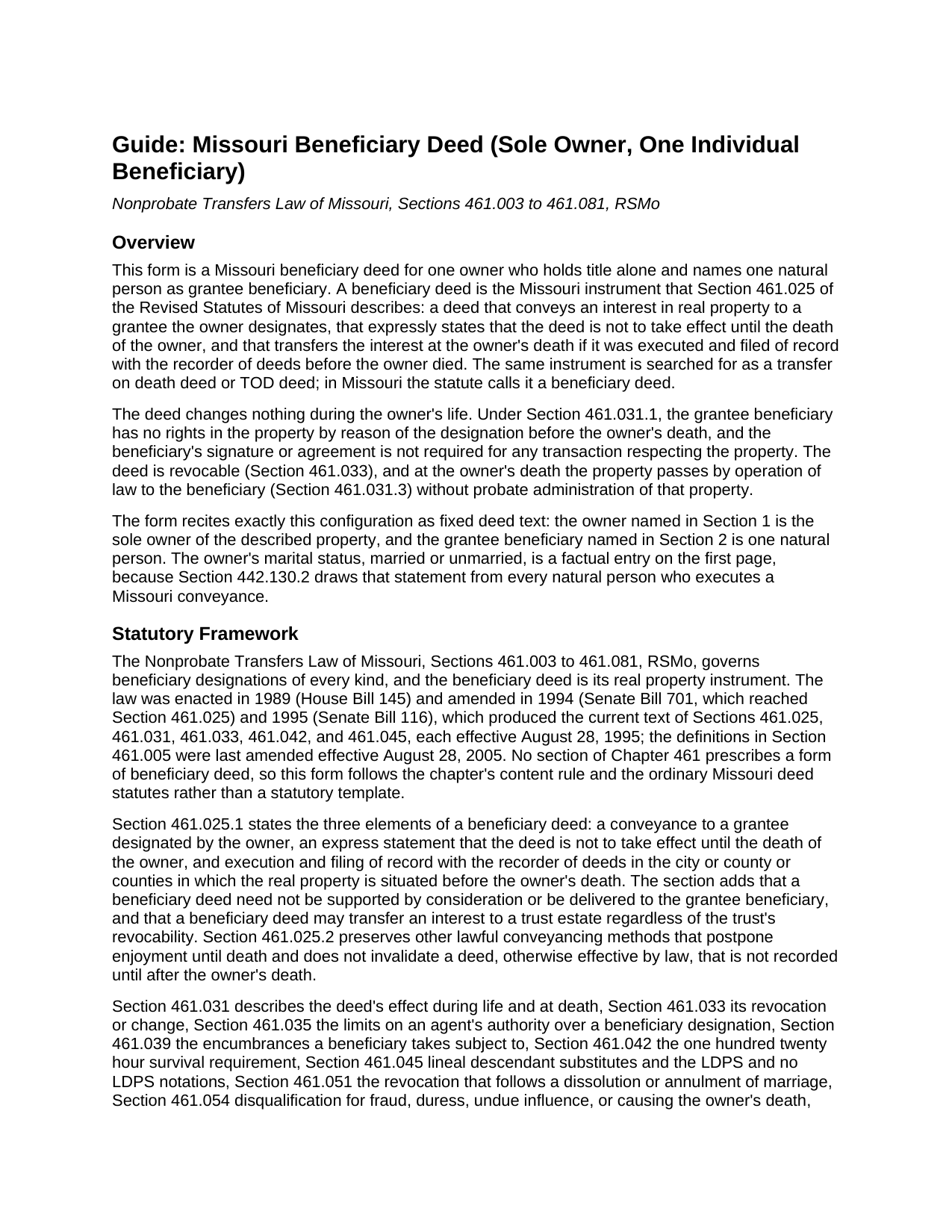
Butler County Beneficiary Deed (Sole Owner, One Individual Beneficiary) Guide
Line by line guide explaining every blank on the Beneficiary Deed (Sole Owner, One Individual Beneficiary) form.

Butler County Completed Example of the Beneficiary Deed (Sole Owner, One Individual Beneficiary) Document
Example of a properly completed Missouri Beneficiary Deed (Sole Owner, One Individual Beneficiary) document for reference.
All 3 documents above included • One-time purchase • No recurring fees
Immediate Download • Secure Checkout
Additional Missouri and Butler County documents included at no extra charge:
Where to Record Your Documents
Butler County Recorder of Deeds
Poplar Bluff, Missouri 63901
Hours: 8:00 to 4:00 M-F
Phone: (573) 686-8086
Recording Tips for Butler County:
- Bring your driver's license or state-issued photo ID
- Ensure all signatures are in blue or black ink
- Leave recording info boxes blank - the office fills these
- Make copies of your documents before recording - keep originals safe
- Recorded documents become public record - avoid including SSNs
Cities and Jurisdictions in Butler County
Properties in any of these areas use Butler County forms:
- Broseley
- Fagus
- Fisk
- Harviell
- Neelyville
- Poplar Bluff
- Qulin
- Rombauer
Hours, fees, requirements, and more for Butler County
How do I get my forms?
Forms are available for immediate download after payment. The Butler County forms will be in your account ready to download to your computer. An account is created for you during checkout if you don't have one. Forms are NOT emailed.
Are these forms guaranteed to be recordable in Butler County?
Yes. Our form blanks are guaranteed to meet or exceed the applicable formatting requirements used for recording in Butler County, including margin requirements, font requirements, and other layout standards. This guarantee applies to formatting, not to the legal sufficiency of information entered by the user or the suitability of a form for a particular transaction.
Can I reuse these forms?
Yes. You can reuse the forms for your personal use. For example, if you have multiple properties in Butler County you only need to order once.
What do I need to use these forms?
The forms are PDFs that you fill out on your computer. The free Adobe Acrobat Reader is recommended, and most PDF apps also work. You do NOT enter your property information online - you download the blank forms and complete them privately on your own computer.
Are there any recurring fees?
No. This is a one-time purchase. Nothing to cancel, no memberships, no recurring fees.
How much does it cost to record in Butler County?
Recording fees in Butler County vary. Contact the recorder's office at (573) 686-8086 for current fees.
Questions answered? Let's get started!
One Missouri owner, one named person, and a deed that does nothing until the owner dies. This Missouri Beneficiary Deed (Sole Owner, One Individual Beneficiary) is the beneficiary deed Section 461.025 of the Revised Statutes of Missouri describes, prepared for an owner who holds title alone and who names a single natural person as grantee beneficiary. The deed recites that configuration as fixed text, carries one signature block and one acknowledgment certificate, and takes effect only at the owner's death, and only if it was recorded before then.
A deed that waits for one death
Missouri calls this instrument a beneficiary deed; elsewhere the same device is a transfer on death deed or TOD deed. Section 461.025.1 gives it three elements: a conveyance to a grantee the owner designates, an express statement that the deed is not to take effect until the death of the owner, and execution and filing of record with the recorder of deeds in the county or city where the property lies before the owner dies. The form carries the statutory statement in the statute's own words inside its operative section, and it carries the recording condition in capital letters directly above the signature, because an unrecorded beneficiary deed transfers nothing under that section no matter how carefully it was signed.
While the owner lives, Section 461.031.1 provides that the named beneficiary has no rights in the property by reason of the designation, and the beneficiary's signature is not required for any transaction. The owner keeps every power of ownership. The deed states that it is revocable, as Section 461.033 provides, and a sale or other lifetime transfer of the property ends the designation as to what was transferred. At death, Section 461.031.3 passes the property to the beneficiary by operation of law, outside probate administration of that property, subject under Section 461.039.1 to the liens, easements, and other matters the owner was subject to during life.
What the sole owner, one beneficiary configuration recites
The form fixes two things on its face. Section 1 identifies one owner by name and mailing address and states, as deed text, that the owner named is the sole owner of the described property; the owner's marital status, married or unmarried, is a factual entry on the same page, which Section 442.130.2 draws from every natural person who executes a Missouri conveyance. Section 2 identifies one grantee beneficiary by name and mailing address and states that the beneficiary named is one natural person. Section 461.045 supplies the notations that may follow the beneficiary's name on that line, LDPS or no LDPS, which turn lineal descendant substitution on or off if the beneficiary does not survive; the guide describes both notations and the statutory default for each relationship, and the form leaves the line to the owner.
A parent who holds the family home in one name and names an adult child, a widow or widower who took title alone under an earlier survivorship deed and names a niece, and an owner of a rental house held in that owner's sole name naming a longtime companion each present the pattern this deed recites. The form is not set up as a deed of two joint owners, whose deed Chapter 461 treats differently at the first death and on revocation; it is not set up for a trust or entity beneficiary, for two or more beneficiaries, for a contingent beneficiary, or for a signature by an attorney in fact, whom Section 461.035.1 permits to make a beneficiary designation only where the power expressly authorizes it.
The first page Missouri's recorder reads
Section 59.310.2 places the title, the date, the grantor's name and marital status, the grantee's name, the grantee's mailing address, and the legal description on the first page of a recorded document below a three inch margin reserved for the recorder. This form lays its first page out to that list: the date line sits under the title, the owner block carries the marital status line, the beneficiary block carries the address Section 59.330.2 calls for, and the legal description box closes the page, so the deed arrives at the counter in the shape the statute describes. The street address, parcel or locator number, and prior instrument reference follow on the second page, and the City of St. Louis entries its recorder asks for, the city block and lot numbers and the prior record reference, have a place there.
One signature, one certificate, one designation
Only the owner signs. The acknowledgment certificate is the short form Section 442.210.1(1) supplies for a natural person acting in that person's own right, carried word for word, and it ends with the designation Section 442.145.2 has every Missouri acknowledging officer make: whether the owner appeared by physical presence or by communication technology. An owner who appears before a remote online notary physically located in Missouri, as Section 486.1155 requires of that notary, is designated accordingly on the same certificate. The guide describes the Missouri statutes that stand beside a married owner's deed, including the homestead statute and the marital rights provision of the probate code, as what those statutes provide.
After the owner's death
Section 461.042.1 requires the beneficiary to survive the owner by one hundred twenty hours. Where the beneficiary survives, the property is the beneficiary's by operation of law; where no beneficiary and no lineal descendant substitute survives, Section 461.031.5 returns the property to the owner's estate. Sections 461.071 and 461.300 preserve the rights of the owner's creditors, surviving spouse, and unmarried minor children in the value of what passed, enforceable by an action for accounting within eighteen months after the death. A later will does not revoke the deed; Section 461.033.4 reserves that result for a designation that expressly permits it, and this deed does not. A revocation or a new designation is a separate instrument executed and recorded during the owner's life, recorded separately and not included in this package.
The package includes the fillable beneficiary deed, a completed example filled in for a realistic Greene County fact pattern, and the guide that walks through every numbered section, the signing and notarization steps, and the recording process. This description and the guide describe the form and the governing Missouri statutes in general terms; they are not legal advice.
Important: Your property must be located in Butler County to use these forms. Documents should be recorded at the county or independent city recording office listed above.
This Beneficiary Deed (Sole Owner, One Individual Beneficiary) meets all recording requirements specific to Butler County.
Our Promise
The documents you receive here are guaranteed to meet or exceed the applicable Butler County recording format requirements. If there is a rejection caused by our formatting, we will correct the issue or refund your payment. This guarantee applies to document formatting only and does not extend to information entered by the user, the selection of the form, or the legal effect of the completed document.
Save Time and Money
Get your Butler County Beneficiary Deed (Sole Owner, One Individual Beneficiary) form done right the first time with Deeds.com Uniform Conveyancing Blanks. At Deeds.com, we understand that your time and money are valuable resources, and we don't want you to face a penalty fee or rejection imposed by a county recorder for submitting nonstandard documents. We constantly review and update our forms to meet rapidly changing state and county recording requirements for roughly 3,500 counties and local jurisdictions.
4.8 out of 5 - ( 4,851 Reviews )
Julie G. 5 out of 5 stars
Such a great site!! Everyone is so helpful! Thanks again! Julie
We appreciate your business and value your feedback. Thank you. Have a wonderful day!
Shirley B. 5 out of 5 stars
Very convenient, glad I discovered this website.
We appreciate your business and value your feedback. Thank you. Have a wonderful day!
Karen S. 5 out of 5 stars
Excellent support! They were patient and knowledgeable.
Thank you!
Debbie G. 5 out of 5 stars
Easy to use, I would recommend deeds.com. I would recommend visiting your county recorder before having document notarized. They will review document and make sure everything you need is on the deed, before having notarized.
Thank you Debbie. Have a fantastic day!
Brenda A. 5 out of 5 stars
This company and it's customer service ARE wonderful. GREAT tool to assist you with any situation you may have. I HAVE RECOMMENDED THEM TO MY FRIENDS AND FAMILY.
Thank you!
Grace O. 5 out of 5 stars
I was happy to find a way to file my title without having to send original. Although I found it hard to naigste, my daughter came to my rescue and we were successful. Thank you.
We appreciate your business and value your feedback. Thank you. Have a wonderful day!
Thomas D. 2 out of 5 stars
The documents themselves are fine and the information provided with them is helpful. I find the actual processing of the documents, however, to be difficult particularly once the document has been saved. First, I note that the box for the date only allows entry of the last 2 digits of the year. Unfortunately, my download only allows me to enter one of the 2 digits required. When I delete it repeatedly, it eventually allows both digits to be entered but puts them in extremely small text and in superscrypt. I have not found a solution to this problem and am not sure the deed can even be recorded with this problem. Another problem is that if you try to revise the document after you have saved it the curser goes to the end of the line after each key entry. This means that there basically is no way to efficiently save the document for reworking later since you will have to delete everything you have entered in the text box unless you only need to make a single keystroke change or are willing to replace the curser after each entry. Try that with a long property description! Please note that I am using a Mac to prepare my documents and perhaps this is part of an "incompatibility problem". However, I didn't see a disclaimer regarding Mac use and so would expect the documents to perform correctly. Overall, I give the program a "2 star" rating because I am experiencing significant difficulties in entering dates in the documents even before saving them and because saving your work for later revision appears to be basically unworkable.
Thank you for your feedback Thomas, we appreciate you being specific about the issues you encountered. Adobe and Mac have a fairly long history of issues working together.
Edward E. 5 out of 5 stars
Easy to use.
Your feedback is valuable to us and helps us improve. Thank you for sharing your thoughts!
Theresa S. 5 out of 5 stars
So far everything ive had to do is very simple and easy. Thanks
Thank you for your kind words and for choosing us.
Ann C. 5 out of 5 stars
Very responsive and helpful. Made a big task quite easy and effecient. I would highly recommend. Reasonable fees as well
Your feedback is greatly appreciated. Thank you for taking the time to share your experience!
Gail J. 5 out of 5 stars
Great! Got the document I needed
Thank you for your feedback. We really appreciate it. Have a great day!
William A. 5 out of 5 stars
I was able to get the documents I wanted, and very quickly. Good service.
Thank you!
Niranjan C. 5 out of 5 stars
Whole process was very easy and quick. Forms were easy to fill, examples were quite appropriate. Recommended.
Thank you!
R Rodney H. 5 out of 5 stars
Excellent service--I got just the information I needed quickly and reasonably priced. I am glad to know of this service for future needs, as an individual, in this sector. Cheers, RRH
We appreciate your business and value your feedback. Thank you. Have a wonderful day!
Adriana V. 5 out of 5 stars
Excellent and a very fast way to release important documents. Thank you very much.
Thank you!