Butler County Mechanic's Lien Waiver on Final Payment Form
Last validated October 7, 2026 by our Forms Development TeamFormatted for recording in Butler County, for property anywhere in the county or independent city: rural and unincorporated areas as well as Broseley, Fagus, Fisk, Harviell, Neelyville, Poplar Bluff, Qulin, Rombauer.
- 3 documents included
- Immediate PDF download
- Formatting guarantee
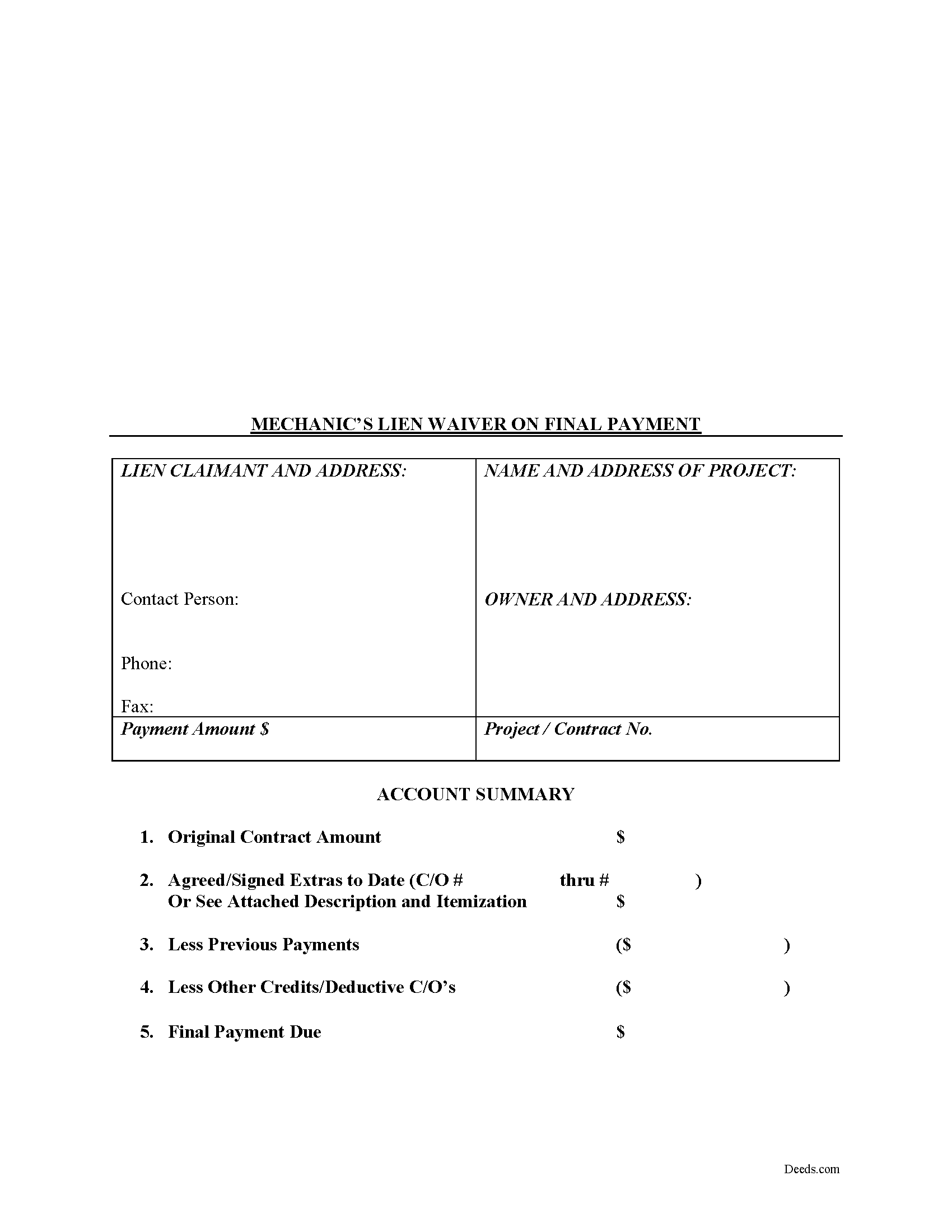
Butler County Mechanic's Lien Waiver on Final Payment Form
Fill in the blank Mechanic's Lien Waiver on Final Payment form formatted to comply with all Missouri recording and content requirements.
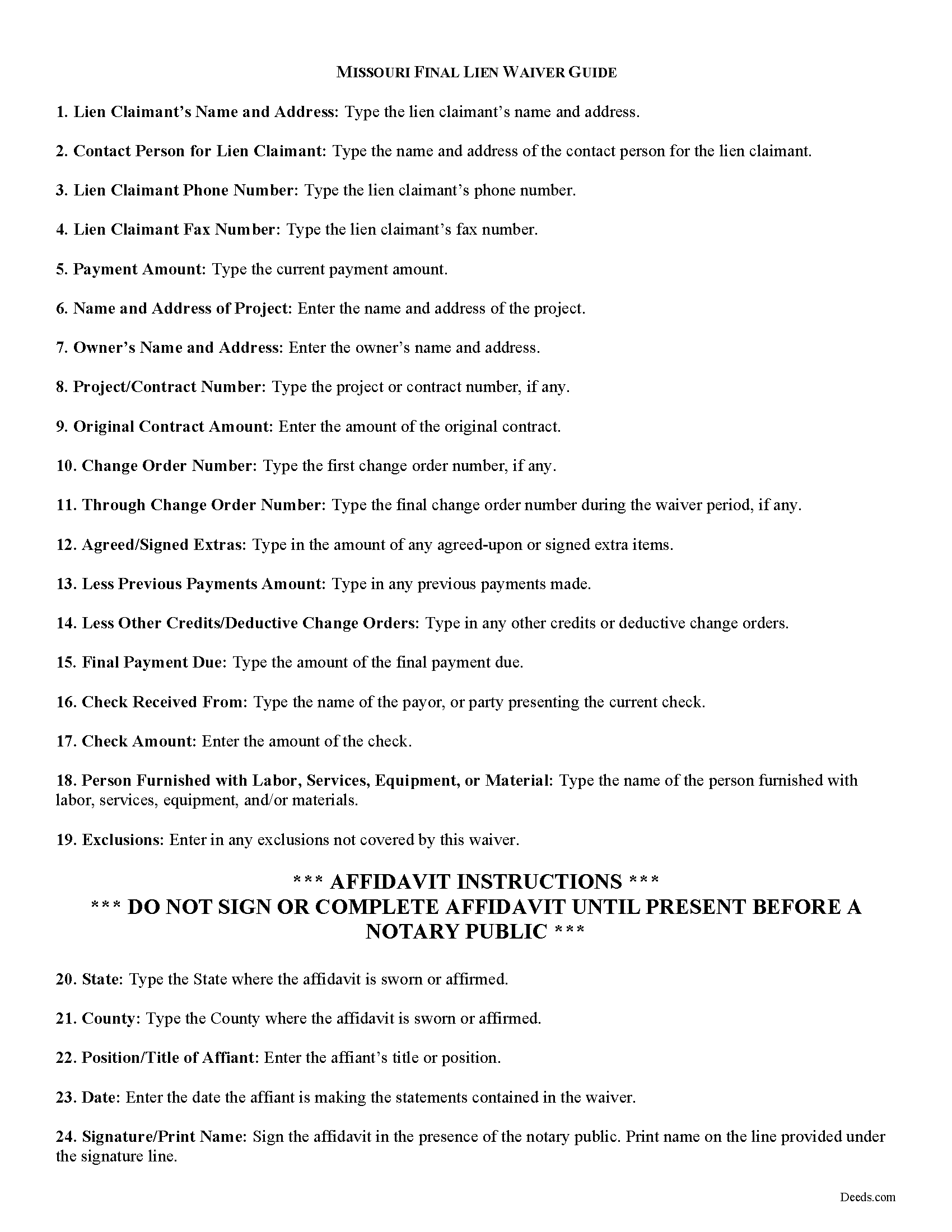
Butler County Final Lien Waiver Guide
Line by line guide explaining every blank on the form.
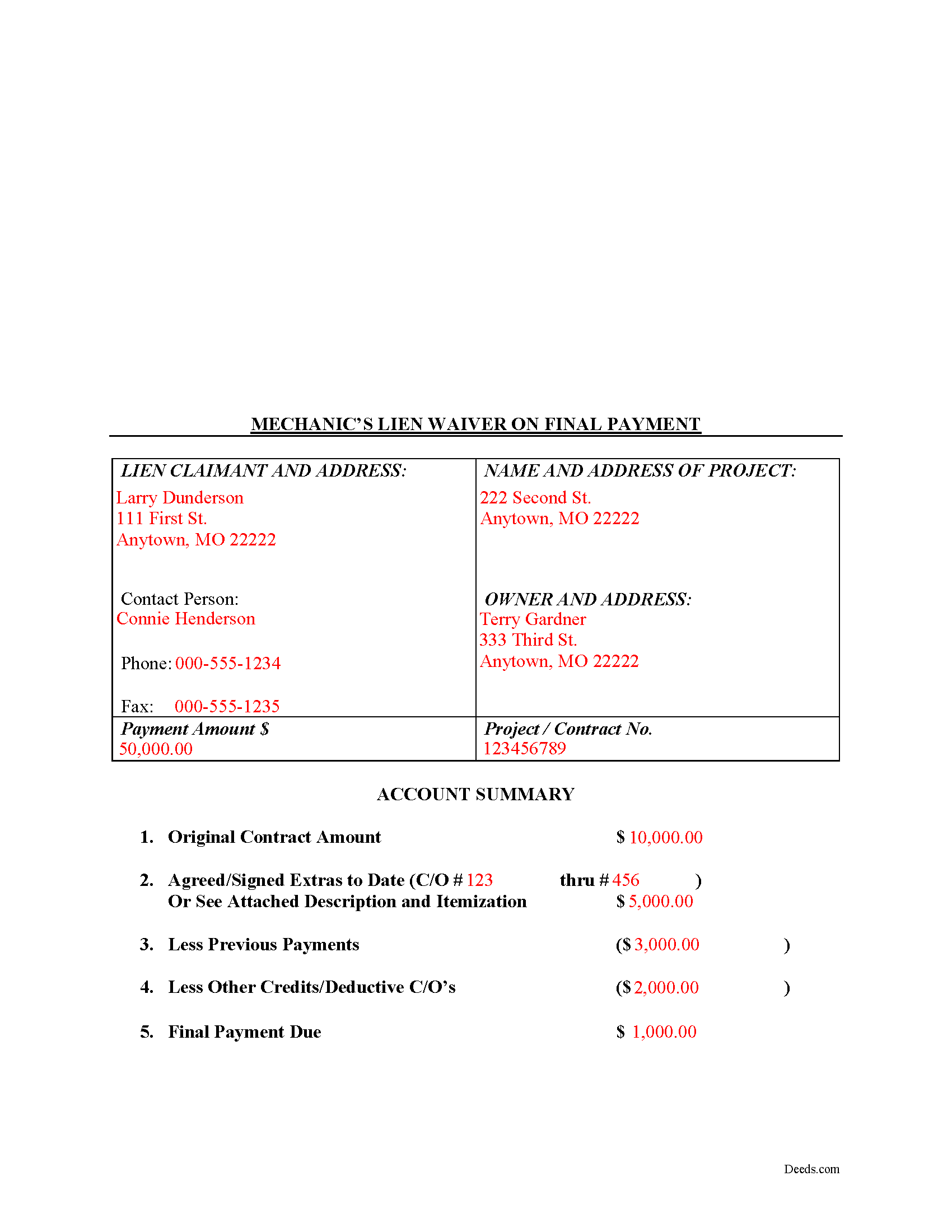
Butler County Completed Example of the Final Lien Waiver Document
Example of a properly completed form for reference.
All 3 documents above included • One-time purchase • No recurring fees
Immediate Download • Secure Checkout
Additional Missouri and Butler County documents included at no extra charge:
Where to Record Your Documents
Butler County Recorder of Deeds
Poplar Bluff, Missouri 63901
Hours: 8:00 to 4:00 M-F
Phone: (573) 686-8086
Recording Tips for Butler County:
- Bring your driver's license or state-issued photo ID
- Ensure all signatures are in blue or black ink
- Ask if they accept credit cards - many offices are cash/check only
- Check that your notary's commission hasn't expired
- Documents must be on 8.5 x 11 inch white paper
Cities and Jurisdictions in Butler County
Properties in any of these areas use Butler County forms:
- Broseley
- Fagus
- Fisk
- Harviell
- Neelyville
- Poplar Bluff
- Qulin
- Rombauer
Hours, fees, requirements, and more for Butler County
How do I get my forms?
Forms are available for immediate download after payment. The Butler County forms will be in your account ready to download to your computer. An account is created for you during checkout if you don't have one. Forms are NOT emailed.
Are these forms guaranteed to be recordable in Butler County?
Yes. Our form blanks are guaranteed to meet or exceed the applicable formatting requirements used for recording in Butler County, including margin requirements, font requirements, and other layout standards. This guarantee applies to formatting, not to the legal sufficiency of information entered by the user or the suitability of a form for a particular transaction.
Can I reuse these forms?
Yes. You can reuse the forms for your personal use. For example, if you have multiple properties in Butler County you only need to order once.
What do I need to use these forms?
The forms are PDFs that you fill out on your computer. The free Adobe Acrobat Reader is recommended, and most PDF apps also work. You do NOT enter your property information online - you download the blank forms and complete them privately on your own computer.
Are there any recurring fees?
No. This is a one-time purchase. Nothing to cancel, no memberships, no recurring fees.
How much does it cost to record in Butler County?
Recording fees in Butler County vary. Contact the recorder's office at (573) 686-8086 for current fees.
Questions answered? Let's get started!
Lien waivers are used to facilitate payment between contractors, subcontractors, customers, and property owners. A waiver is a known relinquishment of a right. In this case, the person granting the waiver is relinquishing the right to seek a mechanic's lien for all or part of the amount due.
In general, there are two types of waivers: partial and final. A partial waiver is used when a progress or partial payment is made and money is still due and owing. The waiver applies only to the partial payment amount and is conditioned upon the actual receipt of that money. A final waiver releases all rights immediately. Be cautious about using the correct form of waiver, as partial waivers provide more protection to the lien claimant, while final waivers offer more protection for the customer or property owner.
The waiver must include details identifying the parties, the location of the project, relevant details from the original agreement such as work requested, costs and changes, important dates, payments, and any exclusions or agreements. The person waiving the lien gives a sworn statement in front of a notary, signs the form, and then records it in the property records for the county where the property is located.
Best practices dictate that claimants should only use the final waiver after the customer makes the final payment, meaning nothing is left due and owing after this payment. When issuing a final waiver, verify that the funds actually go through (meaning the check has cleared).
This article is provided for information purposes only and should not be relied upon as a substitute for the advice from a legal professional. Please speak with an attorney with questions about using a lien waiver or any other issues related to liens in Missouri.
Important: Your property must be located in Butler County to use these forms. Documents should be recorded at the county or independent city recording office listed above.
This Mechanic's Lien Waiver on Final Payment meets all recording requirements specific to Butler County.
Our Promise
The documents you receive here are guaranteed to meet or exceed the applicable Butler County recording format requirements. If there is a rejection caused by our formatting, we will correct the issue or refund your payment. This guarantee applies to document formatting only and does not extend to information entered by the user, the selection of the form, or the legal effect of the completed document.
Save Time and Money
Get your Butler County Mechanic's Lien Waiver on Final Payment form done right the first time with Deeds.com Uniform Conveyancing Blanks. At Deeds.com, we understand that your time and money are valuable resources, and we don't want you to face a penalty fee or rejection imposed by a county recorder for submitting nonstandard documents. We constantly review and update our forms to meet rapidly changing state and county recording requirements for roughly 3,500 counties and local jurisdictions.
4.8 out of 5 - ( 4,828 Reviews )
David C. 5 out of 5 stars
I needed to file an affidavit of succession. I downloaded the forms and filled in the blanks. The instructions and example sheet were very helpful. I got the paper recorded with the county today and all went smoothly. Good product.
Thank you for your feedback. We really appreciate it. Have a great day!
Leon S. 5 out of 5 stars
I am happy that I found Deeds.com. It provided me with all the information I needed to prepare a quit claim deed, and at a reasonable cost.
We appreciate your business and value your feedback. Thank you. Have a wonderful day!
Cody M. 5 out of 5 stars
They respond fast, the process is simple, and it's obviously convenient. I'm not sure what else there is to say, other than it's I would say a reasonable fee to pay them to do it.
Thank you for your positive words! We’re thrilled to hear about your experience.
Carol N. 1 out of 5 stars
Not helpful couldn't find anything
Thank you for your feedback Carol. Sorry to hear that you could not find what you were looking for. Have a wonderful day.
Dorothy S. 4 out of 5 stars
Great service and documents that solved my legal issues I was frustrated with my inability to safe my information on the template and add an extra field box. Please make those instructions more clear for future customers.
Thank you for your feedback. We really appreciate it. Have a great day!
Matilde A. 5 out of 5 stars
Very easy to navigate... will be back to use!
Thank you for your feedback. We really appreciate it. Have a great day!
Richard A. 5 out of 5 stars
Deeds.com was easy to use and provided everything needed to do a quitclaim deed!
Thank you!
Billie M. 4 out of 5 stars
My overall experience was positive. Little trouble uploading documents but resolved. I had two mineral deeds to file in Arkansas, two different counties, exactly the same form, only difference being property description; one was completed, one was canceled. I emailed to inquire why and the reply was in an automatic email indicating that email address was not monitored and if further action would be taken on Deeds.com part, I would be notified. Other than that, I would recommend their services to avoid using snail mail.
We appreciate your business and value your feedback. Thank you. Have a wonderful day!
Karen R. 5 out of 5 stars
Easy to access and reasonable pricing, thank you deeds.com!
Thank you!
Stephen P. 5 out of 5 stars
Quick and Easy
Thank you!
Alexander M. 5 out of 5 stars
Great recording service ! Very professional and easy to navigate !!!!
It was a pleasure serving you. Thank you for the positive feedback!
Vickie K. 5 out of 5 stars
Easy to download, forms look to be pretty easy to use. Thank you!
We appreciate your business and value your feedback. Thank you. Have a wonderful day!
kelly j. 5 out of 5 stars
Exactly what the form i was looking for as a PR to sell my brothers property after he passed away. Simple to understand with great instructions. Form fitted for my state and county..
Thank you, Kelly. We’re happy to hear the form was easy to follow and fit your state and county needs. We appreciate you taking the time to share your experience.
Coby A. 5 out of 5 stars
great service and quick filing.
Thank you!
Cathy F. 5 out of 5 stars
Glad I found you. After much searching, you had the right form that I needed. Quick and easy. Cathy
We appreciate your business and value your feedback. Thank you. Have a wonderful day!