Gloucester County Quitclaim Deed to a Trustee Form
Last validated October 30, 2026 by our Forms Development TeamFormatted for recording in Gloucester County, for property anywhere in the county: rural and unincorporated areas as well as Bridgeport, Clarksboro, Clayton, Deptford, Ewan, Franklinville, Gibbstown, Glassboro and 20 more.
- 3 documents included
- Immediate PDF download
- Formatting guarantee
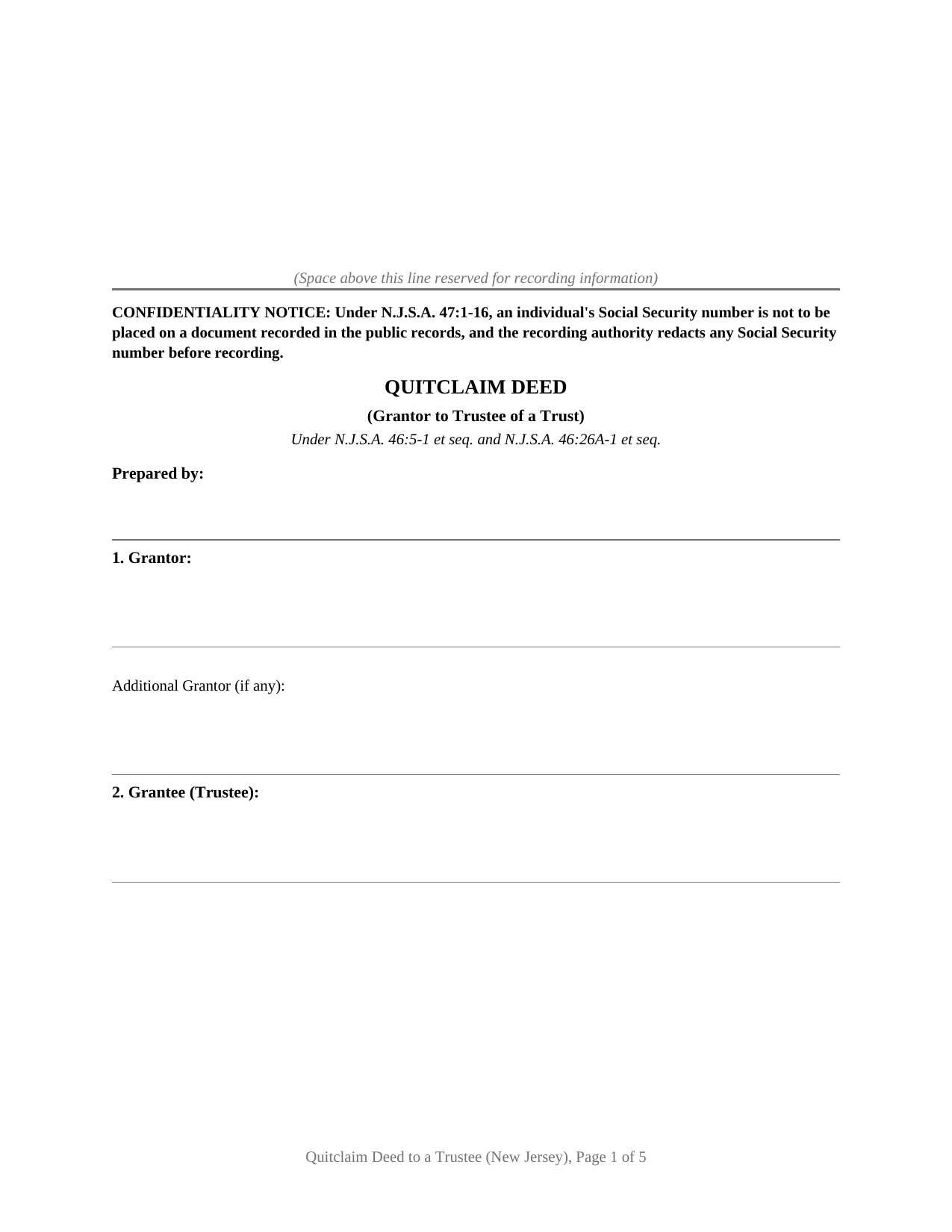
Gloucester County Quitclaim Deed to a Trustee Form
Fill in the blank Quitclaim Deed to a Trustee form formatted to comply with all New Jersey recording and content requirements.
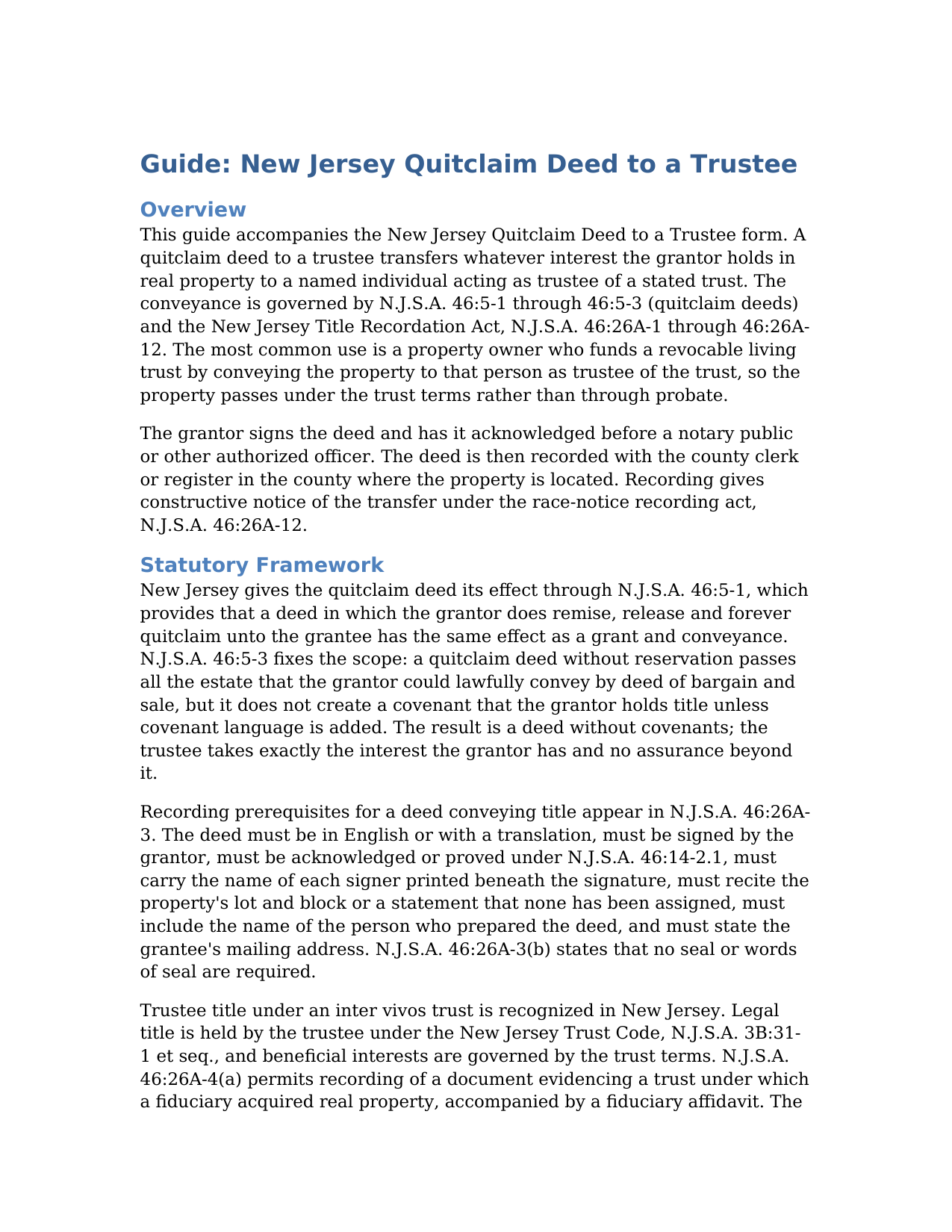
Gloucester County Quitclaim Deed to a Trustee Guide
Line by line guide explaining every blank on the Quitclaim Deed to a Trustee form.
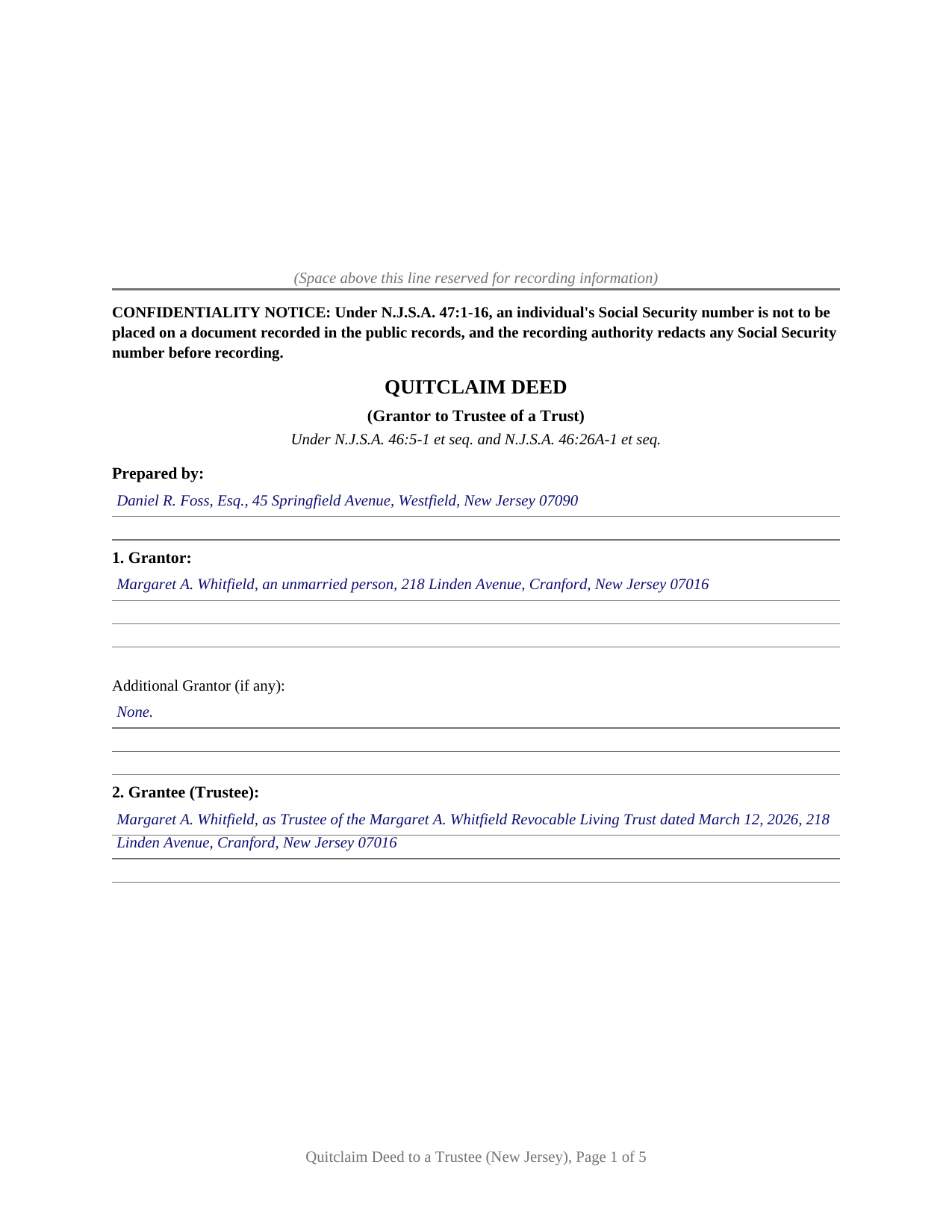
Gloucester County Completed Example of the Quitclaim Deed to a Trustee Document
Example of a properly completed New Jersey Quitclaim Deed to a Trustee document for reference.
All 3 documents above included • One-time purchase • No recurring fees
Immediate Download • Secure Checkout
Additional New Jersey and Gloucester County documents included at no extra charge:
Where to Record Your Documents
Gloucester County Clerk
Woodbury, New Jersey 08096
Hours: 8:30 to 4:30 M-F
Phone: (856) 853-3235
Recording Tips for Gloucester County:
- Bring your driver's license or state-issued photo ID
- Ensure all signatures are in blue or black ink
- Ask about their eRecording option for future transactions
- Avoid the last business day of the month when possible
- Both spouses typically need to sign if property is jointly owned
Cities and Jurisdictions in Gloucester County
Properties in any of these areas use Gloucester County forms:
- Bridgeport
- Clarksboro
- Clayton
- Deptford
- Ewan
- Franklinville
- Gibbstown
- Glassboro
- Grenloch
- Harrisonville
- Malaga
- Mantua
- Mickleton
- Mount Royal
- Mullica Hill
- National Park
- Newfield
- Paulsboro
- Pitman
- Richwood
- Sewell
- Swedesboro
- Thorofare
- Wenonah
- Westville
- Williamstown
- Woodbury
- Woodbury Heights
Hours, fees, requirements, and more for Gloucester County
How do I get my forms?
Forms are available for immediate download after payment. The Gloucester County forms will be in your account ready to download to your computer. An account is created for you during checkout if you don't have one. Forms are NOT emailed.
Are these forms guaranteed to be recordable in Gloucester County?
Yes. Our form blanks are guaranteed to meet or exceed the applicable formatting requirements used for recording in Gloucester County, including margin requirements, font requirements, and other layout standards. This guarantee applies to formatting, not to the legal sufficiency of information entered by the user or the suitability of a form for a particular transaction.
Can I reuse these forms?
Yes. You can reuse the forms for your personal use. For example, if you have multiple properties in Gloucester County you only need to order once.
What do I need to use these forms?
The forms are PDFs that you fill out on your computer. The free Adobe Acrobat Reader is recommended, and most PDF apps also work. You do NOT enter your property information online - you download the blank forms and complete them privately on your own computer.
Are there any recurring fees?
No. This is a one-time purchase. Nothing to cancel, no memberships, no recurring fees.
How much does it cost to record in Gloucester County?
Recording fees in Gloucester County vary. Contact the recorder's office at (856) 853-3235 for current fees.
Questions answered? Let's get started!
Funding a trust with real estate takes a deed that moves title out of the owner's name and into the name of the trustee. This form prepares that deed for New Jersey property as a quitclaim: it releases whatever interest the grantor holds to a trustee who will hold the property under the terms of a trust, governed by N.J.S.A. 46:5-1 and the New Jersey Title Recordation Act.
What the Quitclaim Words Do
New Jersey gives the quitclaim its effect through statute. Under N.J.S.A. 46:5-1, a deed in which the grantor does remise, release and forever quitclaim unto the grantee is construed as a grant and conveyance of the grantor's interest. N.J.S.A. 46:5-3 fixes the limit: a quitclaim passes all the estate the grantor could lawfully convey by deed of bargain and sale, but it creates no covenant that the grantor holds title. New Jersey courts treat the result as a deed without covenants, so the trustee takes exactly the interest the grantor has and no assurance beyond it. The deed states that no-covenant character on its face so it is not misread as a warranty.
Title in a Trustee Capacity
The defining feature of this deed is who receives the property. The grantee block names a trustee, in the style of a named individual, as Trustee of the named trust dated a stated date, and the deed recites that the grantee takes solely as Trustee and not in an individual capacity. Trustee title is not a co-ownership interest with survivorship; the trustee holds legal title and the trust terms govern the beneficial interests. A frequent pattern is an owner who deeds property into that owner's own revocable living trust, signing as grantor and holding afterward as trustee.
Proving the Trust Behind the Deed
The deed is the conveyance, but a recorder or title company often wants to see the trustee's authority. N.J.S.A. 46:26A-4(a) lets a document evidencing a trust under which a fiduciary acquired real property be recorded with a fiduciary affidavit. The Uniform Trust Code at N.J.S.A. 3B:31-81 provides a certification of trust, a signed summary that states the trust's terms relevant to the transaction without disclosing the full instrument. The guide describes both.
Recording and the Companion Tax Forms
A deed conveying title is recorded with the county recording officer where the property sits, and recording protects the trustee's title under the race-notice rule of N.J.S.A. 46:26A-12. A New Jersey deed also travels with separate state forms that are not part of the deed itself: an Affidavit of Consideration, Form RTF-1, where the full consideration is not recited or an exemption is claimed, and a Gross Income Tax GIT/REP form. A trust funding made for no real price commonly relies on the Realty Transfer Fee exemption for consideration of less than $100.
The download includes the blank deed as a fillable PDF, a completed example for a realistic New Jersey trust funding, and a plain-language guide covering every section, the governing statutes, the signing rules, and the recording steps. The materials are informational and are not legal advice. A New Jersey Certificate of Trust documents the trustee's authority under N.J.S.A. 3B:31-81, prepared separately and not included in this package. A grantor who wants to give title assurances uses a Bargain and Sale Deed with Covenant against Grantor's Acts instead of a quitclaim.
Important: Your property must be located in Gloucester County to use these forms. Documents should be recorded at the county recording office listed above.
This Quitclaim Deed to a Trustee meets all recording requirements specific to Gloucester County.
Our Promise
The documents you receive here are guaranteed to meet or exceed the applicable Gloucester County recording format requirements. If there is a rejection caused by our formatting, we will correct the issue or refund your payment. This guarantee applies to document formatting only and does not extend to information entered by the user, the selection of the form, or the legal effect of the completed document.
Save Time and Money
Get your Gloucester County Quitclaim Deed to a Trustee form done right the first time with Deeds.com Uniform Conveyancing Blanks. At Deeds.com, we understand that your time and money are valuable resources, and we don't want you to face a penalty fee or rejection imposed by a county recorder for submitting nonstandard documents. We constantly review and update our forms to meet rapidly changing state and county recording requirements for roughly 3,500 counties and local jurisdictions.
4.8 out of 5 - ( 4,847 Reviews )
Sarjit K. 5 out of 5 stars
excellent
Thank you!
Karin G. 5 out of 5 stars
All went well. Forms easy to download and instructions were super. Very pleased with the service.
Thank you!
Gregory K. 5 out of 5 stars
Easy to work with. Fair price. Nice, efficient service. Would definitely use Deeds.com again for any legal documents.
We appreciate your business and value your feedback. Thank you. Have a wonderful day!
Elizabeth L. 5 out of 5 stars
Used this site and the forms a few times now and always a good experience. It's so nice to be able to download these forms to my computer and work on them there. So many others want you to do everything online, pain in my opinion. Thank you Deeds!
Thank you for your feedback. We really appreciate it. Have a great day!
Joshua M. 5 out of 5 stars
Fast service, very responsive. Thank you!
We appreciate your business and value your feedback. Thank you. Have a wonderful day!
virginia a. 4 out of 5 stars
Thank you for the prompt instructions on the download and installation. The only problem I had was trying to input data into the form once I renamed the form.and saved it. I was unable to change the size of the font and was very frustrated. In the end I finally had to redo the entire form through Word using your format.
Thank you!
John B. 4 out of 5 stars
I purchased the Notice of Completion form because the City of Chula Vista did not have a "fillable" version of this form on their website. The Deeds.com version of this form is somewhat different than the City's version (8 numbered paragraphs vs. 11 numbered paragraphs.) However, it contains the same information in a different format. This form provided more blank space to fill in important items- like a long ownership name- than the version on the City's website. The recorder's office was satisfied with this form as I hand-delivered it to the Recorder's Office and they approved it for recording. Overall, I found this form easy to use and found the extra blank space for writing on the form helpful. My one comment for possible improvement is: it would be even more helpful (particularly for attorney users) to have strike-out capability. I would have liked having the ability to strike-out inapplicable portions of long awkward sentences. Still, I would use this form again.
Your feedback means a lot to us. Thank you.
Catherine V. 5 out of 5 stars
I love simple and easy! This is the model that many businesses should use!
Thank you!
Calida S. 5 out of 5 stars
I was so happy I found a way to register my deed electronically! The county I live in only does e-file through vendors who service law firms and large volume documents. I had everything done electronically only to hit a brick wall doing warp speed when it came to this last part. So far everything is going super smooth and very easy. The price is worth it to be able to get this deed done because I'm doing a life estate deed to my late boyfriends daughter. She's getting married soon and this is my gift to her since her daddy can't be here. Thanks Deeds.com This means a lot, and I plan on bringing my business back provided everything finishes well. I will definitely follow up soon!
Thank you, Calida. We’re glad we could help make the electronic recording step easier, especially for something so meaningful. We appreciate your trust in Deeds.com and look forward to helping whenever you need us again.
Linda M. 5 out of 5 stars
Quick easy
Thank you!
Shane J. 5 out of 5 stars
Easy to use and quickly filed documents!
Thank you!
Joseph R. 3 out of 5 stars
The form and instructions were easy enough to follow if you had all the information.
The only drawback to the form was the length of text allowed for the name of the document (#4). The form self populates in multiple locations but when printed truncated the name if too many characters were used. I kept having to update the name of the document to allow for proper printing.
Your insights are invaluable to us and help us strive for better service. Thank you for taking the time to share your thoughts.
juanita S. 5 out of 5 stars
Easy to fill with explanations to accompany
Thank you Juanita, we really appreciate your feedback.
James D. 5 out of 5 stars
I had a satisfying experience very informative and easy to navigate.
Thank you!
MARY LACEY M. 5 out of 5 stars
The recording process was done perfectly. We much appreciate your communication, prompt service and highly professional assistance. Thank you.
Thank you so much for the kind words. We're glad the recording went smoothly and that our team kept you informed along the way. Keeping things prompt and professional is exactly what we aim for, so it means a lot to hear it landed. We appreciate you taking the time to share this, and we're here whenever you need us again.