Suffolk County Transfer on Death Deed Form
Last validated October 15, 2026 by our Forms Development TeamFormatted for recording in Suffolk County, for property anywhere in the county: rural and unincorporated areas as well as Amagansett, Amityville, Aquebogue, Babylon, Bay Shore, Bayport, Bellport, Blue Point and 98 more.
- 3 documents included
- Immediate PDF download
- Formatting guarantee
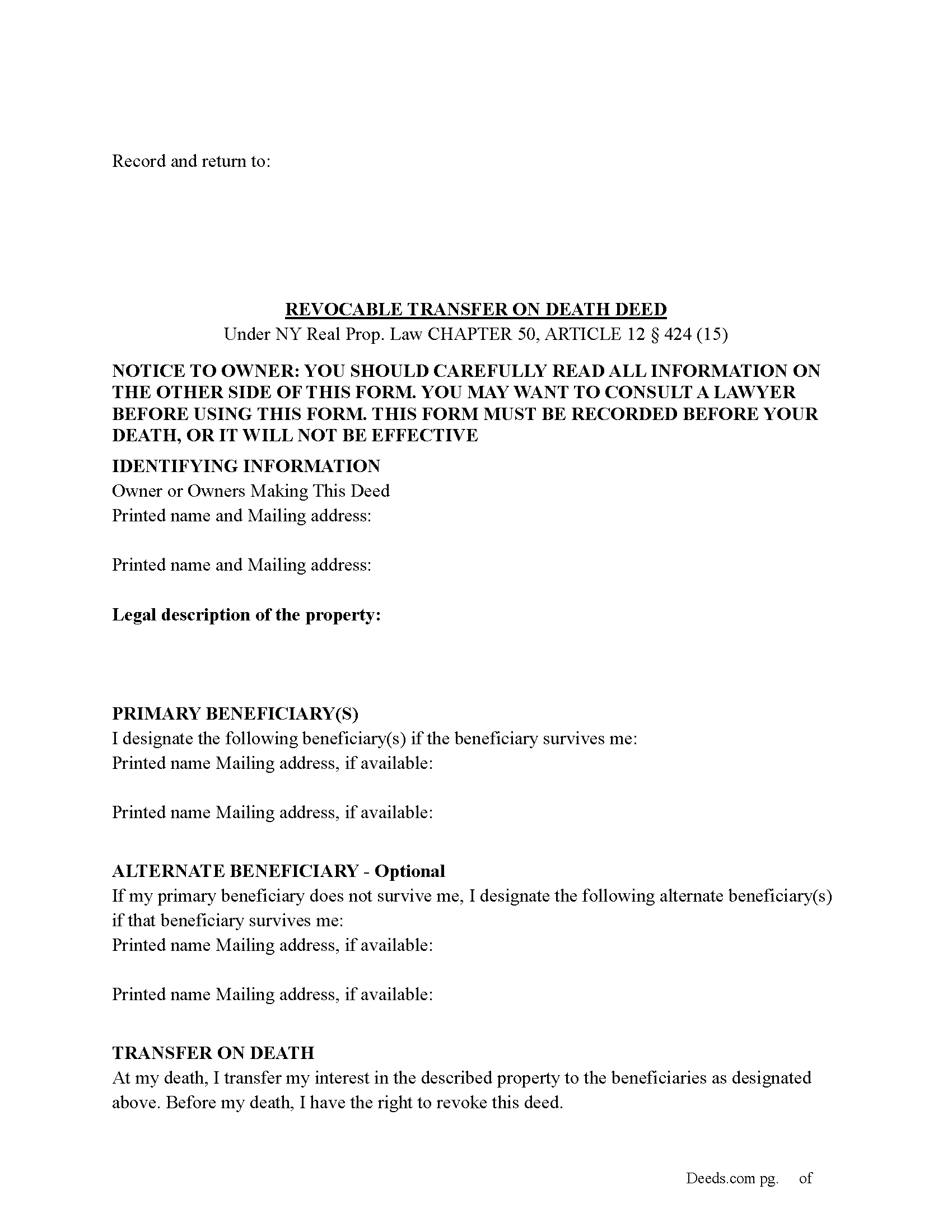
Suffolk County Transfer on Death Deed Form
Fill in the blank Transfer on Death Deed form formatted to comply with all New York recording and content requirements.
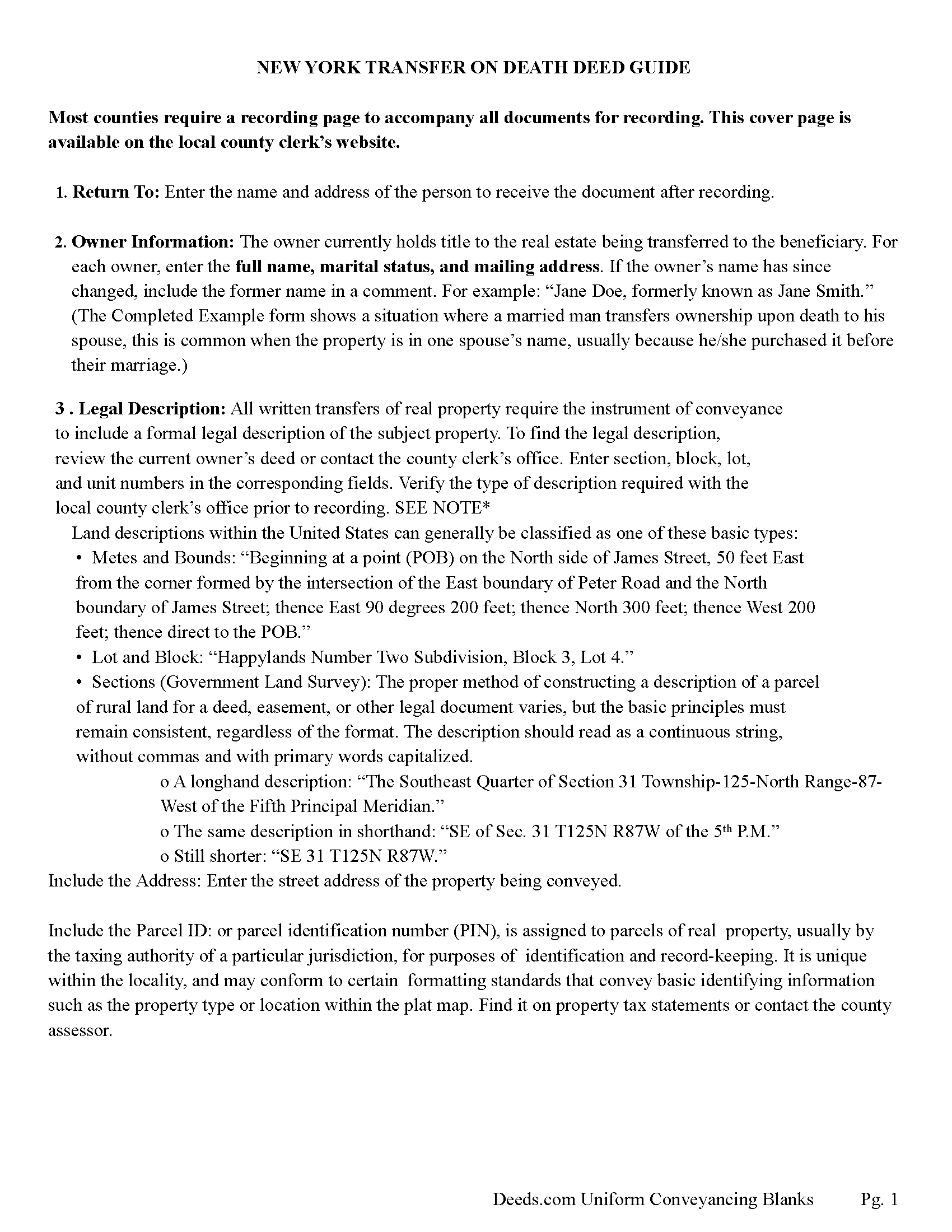
Suffolk County Transfer on Death Deed Guide
Line by line guide explaining every blank on the Transfer on Death Deed form.
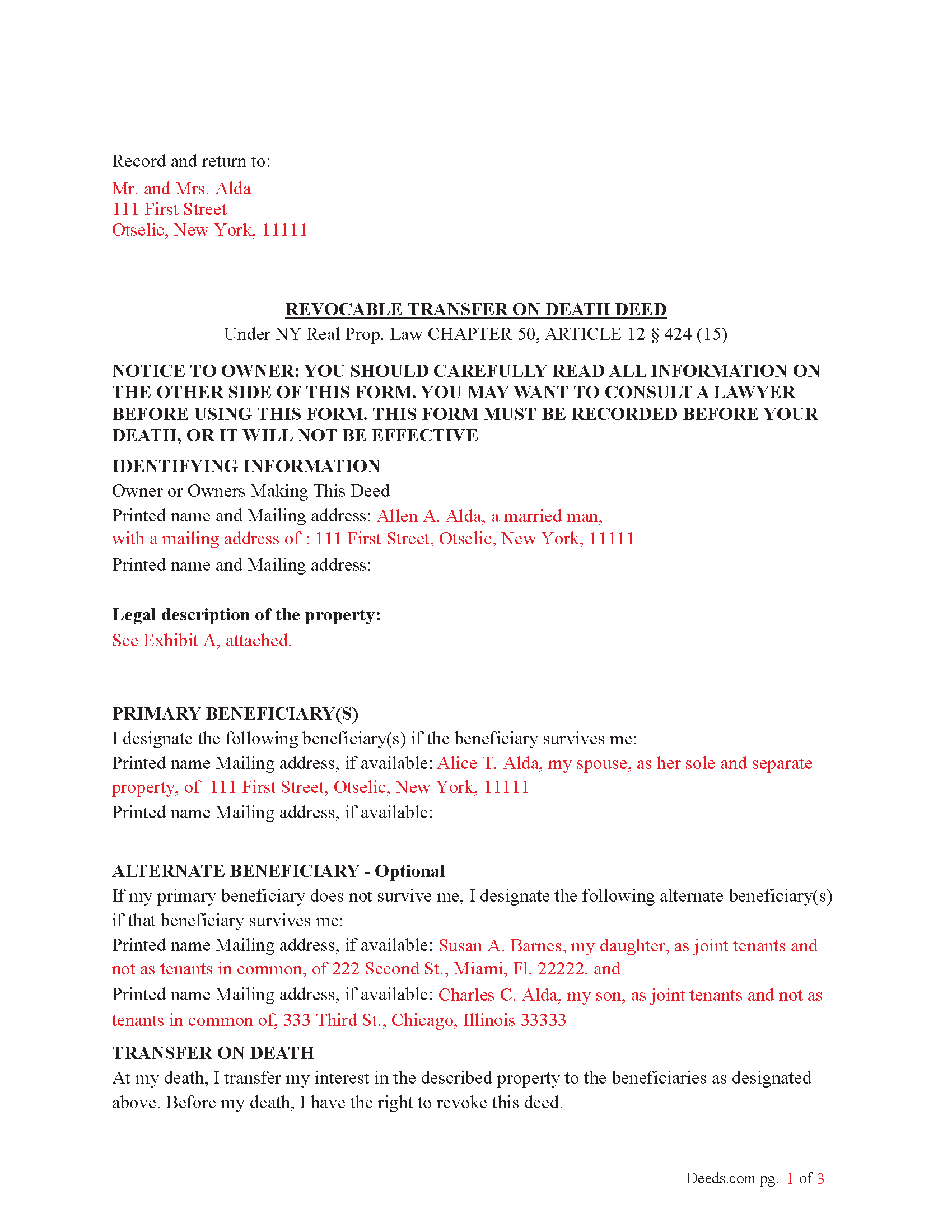
Suffolk County Completed Example of the Transfer on Death Deed Document
Example of a properly completed New York Transfer on Death Deed document for reference.
All 3 documents above included • One-time purchase • No recurring fees
Immediate Download • Secure Checkout
Additional New York and Suffolk County documents included at no extra charge:
Where to Record Your Documents
Suffolk County Clerk
Riverhead, New York 11901- 3392
Hours: 8:30 to 4:30 M-F
Phone: (631) 852-2000
Recording Tips for Suffolk County:
- Bring your driver's license or state-issued photo ID
- Ensure all signatures are in blue or black ink
- White-out or correction fluid may cause rejection
- Ask about their eRecording option for future transactions
- Avoid the last business day of the month when possible
Cities and Jurisdictions in Suffolk County
Properties in any of these areas use Suffolk County forms:
- Amagansett
- Amityville
- Aquebogue
- Babylon
- Bay Shore
- Bayport
- Bellport
- Blue Point
- Bohemia
- Brentwood
- Bridgehampton
- Brightwaters
- Brookhaven
- Calverton
- Center Moriches
- Centereach
- Centerport
- Central Islip
- Cold Spring Harbor
- Commack
- Copiague
- Coram
- Cutchogue
- Deer Park
- East Hampton
- East Islip
- East Marion
- East Moriches
- East Northport
- East Quogue
- East Setauket
- Eastport
- Farmingville
- Fishers Island
- Great River
- Greenlawn
- Greenport
- Hampton Bays
- Hauppauge
- Holbrook
- Holtsville
- Huntington
- Huntington Station
- Islandia
- Islip
- Islip Terrace
- Jamesport
- Kings Park
- Lake Grove
- Laurel
- Lindenhurst
- Manorville
- Mastic
- Mastic Beach
- Mattituck
- Medford
- Melville
- Middle Island
- Miller Place
- Montauk
- Moriches
- Mount Sinai
- Nesconset
- New Suffolk
- North Babylon
- Northport
- Oakdale
- Ocean Beach
- Orient
- Patchogue
- Peconic
- Port Jefferson
- Port Jefferson Station
- Quogue
- Remsenburg
- Ridge
- Riverhead
- Rocky Point
- Ronkonkoma
- Sag Harbor
- Sagaponack
- Saint James
- Sayville
- Selden
- Shelter Island
- Shelter Island Heights
- Shirley
- Shoreham
- Smithtown
- Sound Beach
- South Jamesport
- Southampton
- Southold
- Speonk
- Stony Brook
- Upton
- Wading River
- Wainscott
- Water Mill
- West Babylon
- West Islip
- West Sayville
- Westhampton
- Westhampton Beach
- Wyandanch
- Yaphank
Hours, fees, requirements, and more for Suffolk County
How do I get my forms?
Forms are available for immediate download after payment. The Suffolk County forms will be in your account ready to download to your computer. An account is created for you during checkout if you don't have one. Forms are NOT emailed.
Are these forms guaranteed to be recordable in Suffolk County?
Yes. Our form blanks are guaranteed to meet or exceed the applicable formatting requirements used for recording in Suffolk County, including margin requirements, font requirements, and other layout standards. This guarantee applies to formatting, not to the legal sufficiency of information entered by the user or the suitability of a form for a particular transaction.
Can I reuse these forms?
Yes. You can reuse the forms for your personal use. For example, if you have multiple properties in Suffolk County you only need to order once.
What do I need to use these forms?
The forms are PDFs that you fill out on your computer. The free Adobe Acrobat Reader is recommended, and most PDF apps also work. You do NOT enter your property information online - you download the blank forms and complete them privately on your own computer.
Are there any recurring fees?
No. This is a one-time purchase. Nothing to cancel, no memberships, no recurring fees.
How much does it cost to record in Suffolk County?
Recording fees in Suffolk County vary. Contact the recorder's office at (631) 852-2000 for current fees.
Questions answered? Let's get started!
To use the Transfer on Death (TOD) Deed under New York’s Real Property Law (RPP) CHAPTER 50, ARTICLE 12 § 424 (effective July 19, 2024), follow these steps:
1. Complete the TOD Deed
Designate a beneficiary: Clearly name the individual or entity (such as a charity or trust) who will inherit your property upon your death.
Include contingent beneficiaries if desired (NOT required). These are backup beneficiaries who would inherit the property if your primary beneficiary cannot (e.g., if they predecease you). Ensure the deed is filled out correctly, including the legal description of the property.
2. Execute the TOD Deed: The TOD deed must be signed by the property owner (the transferor) in the presence of two witnesses and a Notary Public. The witnesses should not be the beneficiaries themselves, as this could raise legal issues.
3. Record the TOD Deed: The completed deed must be recorded with the County Clerk's office where the property is located during your lifetime. Recording the deed is crucial because, without it, the transfer will not be valid upon your death.
4. Retain Ownership During Lifetime: After recording the TOD deed, you retain full control of the property during your lifetime. You can still sell, mortgage, or revoke the TOD deed at any time.
If you change your mind, you can revoke the TOD deed by filing a revocation form or executing a new TOD deed, which automatically invalidates the previous one.
5. Upon Your Death: Upon your death, the property automatically transfers to the designated beneficiary without going through probate.
Key points about when it takes effect:
Timing of Transfer: The deed only takes effect upon the death of the property owner. Until then, the owner retains full control over the property and can revoke or change the TOD deed at any time.
Recording Requirement: For the TOD deed to be valid, it must be recorded with the county clerk during the property owner's lifetime. If the deed is not recorded before death, it will not be effective.
Probate Avoidance: By using a TOD deed, the property passes directly to the named beneficiary without going through probate, simplifying the transfer process and reducing legal costs.
Important: Your property must be located in Suffolk County to use these forms. Documents should be recorded at the county recording office listed above.
This Transfer on Death Deed meets all recording requirements specific to Suffolk County.
Our Promise
The documents you receive here are guaranteed to meet or exceed the applicable Suffolk County recording format requirements. If there is a rejection caused by our formatting, we will correct the issue or refund your payment. This guarantee applies to document formatting only and does not extend to information entered by the user, the selection of the form, or the legal effect of the completed document.
Save Time and Money
Get your Suffolk County Transfer on Death Deed form done right the first time with Deeds.com Uniform Conveyancing Blanks. At Deeds.com, we understand that your time and money are valuable resources, and we don't want you to face a penalty fee or rejection imposed by a county recorder for submitting nonstandard documents. We constantly review and update our forms to meet rapidly changing state and county recording requirements for roughly 3,500 counties and local jurisdictions.
4.8 out of 5 - ( 4,837 Reviews )
Teresa T. 5 out of 5 stars
amazingly fast! Thank you!
We appreciate your business and value your feedback. Thank you. Have a wonderful day!
STEPHANIE S. 5 out of 5 stars
The documents received and information provided to assist with the recording was exactly what was needed for a successful title transfer. I would highly recommend this site and will continue using it for future transactions.
We appreciate your business and value your feedback. Thank you. Have a wonderful day!
Brenda H. 1 out of 5 stars
I purchased this thinking I would be able to complete the QuitClaim Deed myself because an example was provided, but you still need to be a lawyer to figure all the wording out. It was not worth the price I paid for it.
Thank you for your feedback. We really appreciate it. Have a great day!
Petti V. 5 out of 5 stars
Your site was so easy to use. And I got the form and instructions I needed.
We appreciate your business and value your feedback. Thank you. Have a wonderful day!
Niranjan C. 5 out of 5 stars
Whole process was very easy and quick. Forms were easy to fill, examples were quite appropriate. Recommended.
Thank you!
Felincia L. 5 out of 5 stars
The process was fast and efficient. I did get a bit confused after entering info for my package but soon realized I had completed this part of the process and only needed to leave the page and wait for review of the document and then the invoice. It was pretty simple. After payment of the invoice I was notified that the document had been submitted. A few hours later I received notice that the document was recorded by the city. It was fast!
We are motivated by your feedback to continue delivering excellence. Thank you!
Roy K. 5 out of 5 stars
Just what we were looking for. Very easy to fill out. Thanks
Thank you Roy. We appreciate your feedback.
Dennis M. 1 out of 5 stars
Of little use to me. I did not feel this really help me to do a Quick Claim Deed here in Minnesota on my own. All it showed me is what a complex mess it is to fill out this deed. That, unfortunately, I am going to have to hire a professional to make sure it is done right.
Glad to hear that you are seeking assistance Dennis, that's always best when one is not completely sure of what they are doing. Have a wonderful day.
Michelle G. 5 out of 5 stars
EXCEPTIONAL CUSTOMER SERIVCE!!! THANK YOU!!!
Thank you for your feedback. We really appreciate it. Have a great day!
Deanna K. 5 out of 5 stars
Great service. Prompt and great communication tools. Affordably priced.
We appreciate your business and value your feedback. Thank you. Have a wonderful day!
Wayne R. 5 out of 5 stars
Couldn't believe how simple it was to do such a very important family support task and the price was right! Thank you
We appreciate your business and value your feedback. Thank you. Have a wonderful day!
Dianne W. 5 out of 5 stars
Thank you for responding so quickly to my question. I was able to locate the form and get everything downloaded. Once I saw the icon, it was easy peasy!!
Thank you!
Gloria R. 5 out of 5 stars
Great system
Thank you!
Mary H. 5 out of 5 stars
Great source for forms acceptable to the county.
We appreciate your business and value your feedback. Thank you. Have a wonderful day!
Steve R. 5 out of 5 stars
Great! One time cost, ordering was easy, documents where just what I needed.
We appreciate your business and value your feedback. Thank you. Have a wonderful day!