Vance County Certificate of Trust Form
Last validated November 20, 2026 by our Forms Development TeamFormatted for recording in Vance County, for property anywhere in the county: rural and unincorporated areas as well as Henderson, Kittrell, Manson, Middleburg, Townsville.
- 3 documents included
- Immediate PDF download
- Formatting guarantee
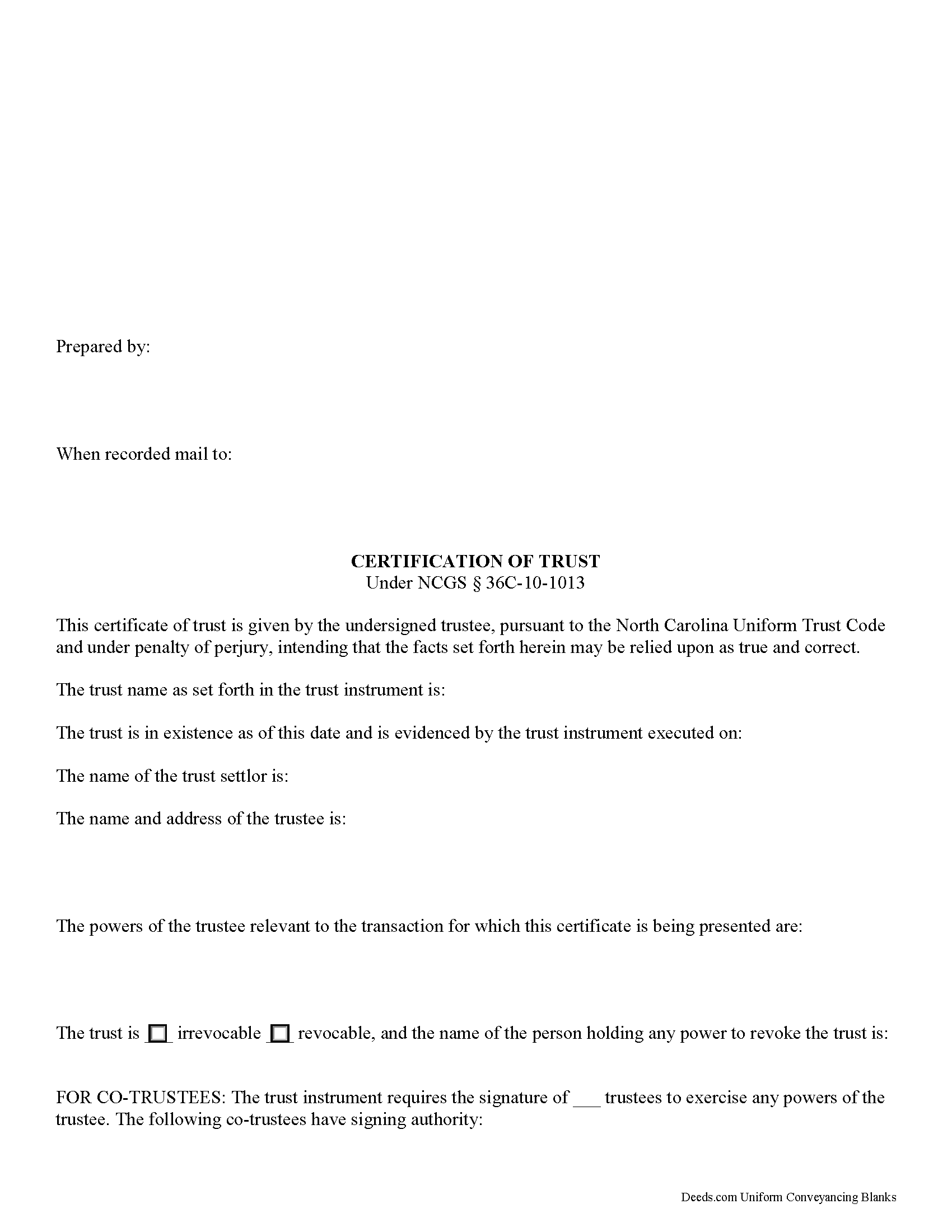
Vance County Certificate of Trust Form
Fill in the blank form formatted to comply with all recording and content requirements.
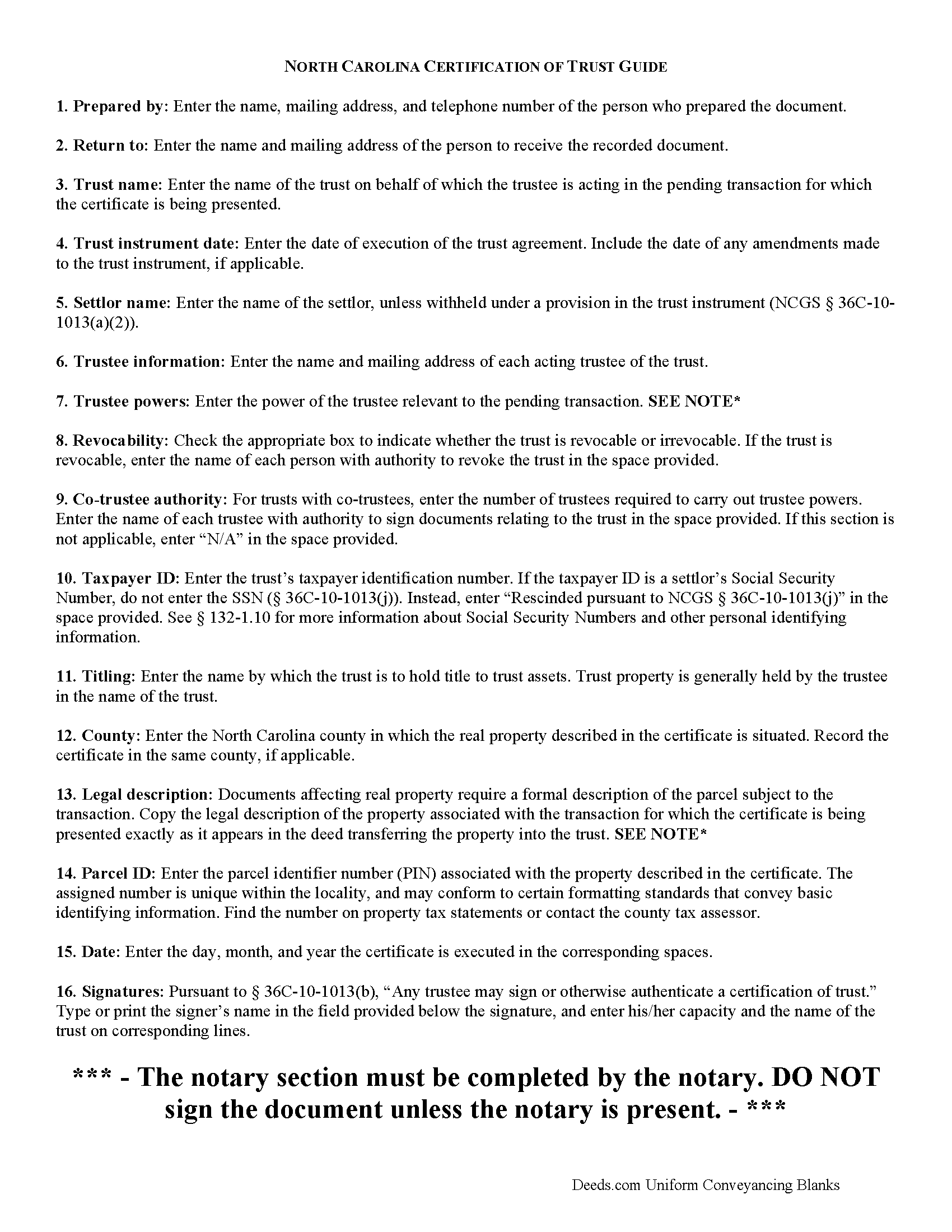
Vance County Certificate of Trust Guide
Line by line guide explaining every blank on the form.
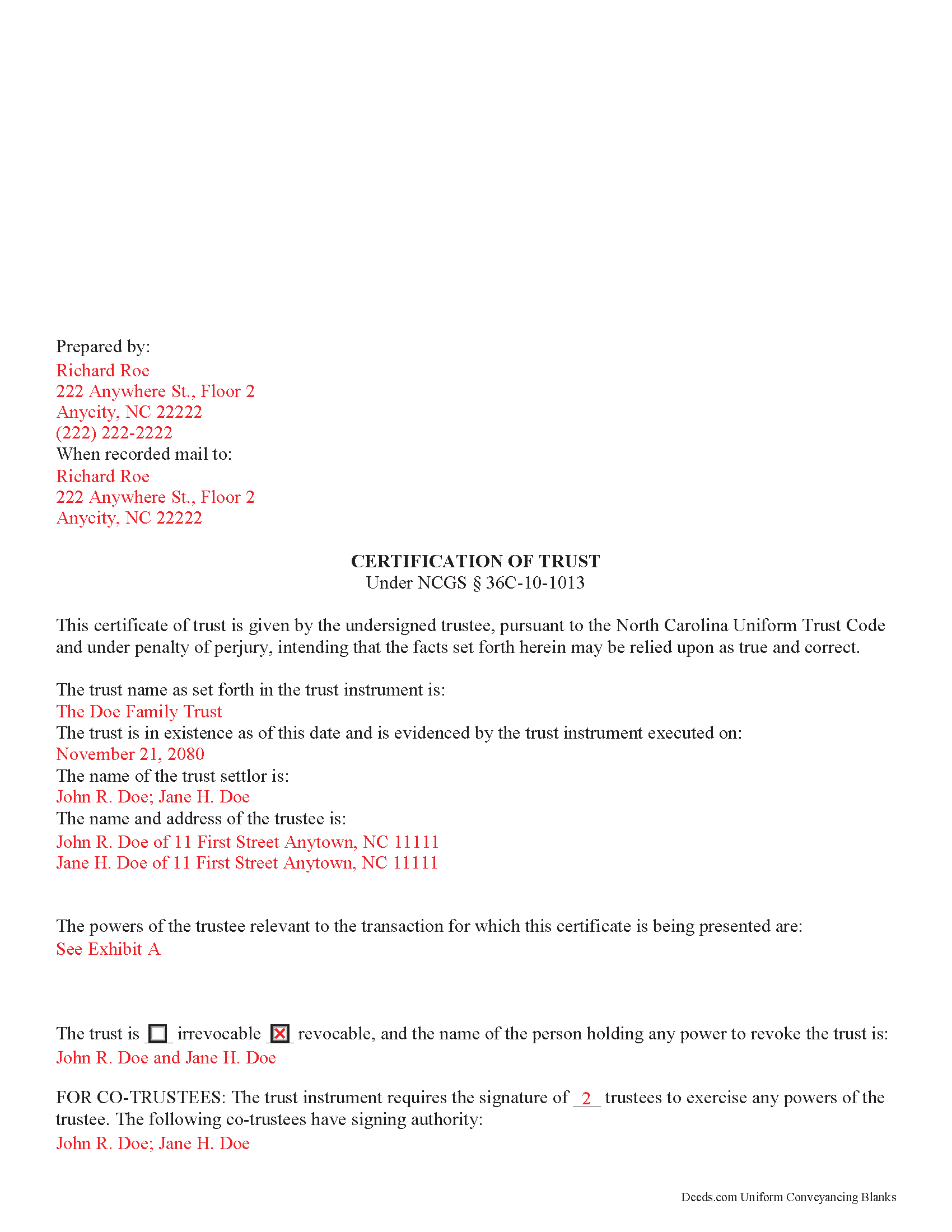
Vance County Completed Example of the Certificate of Trust Document
Example of a properly completed form for reference.
All 3 documents above included • One-time purchase • No recurring fees
Immediate Download • Secure Checkout
Additional North Carolina and Vance County documents included at no extra charge:
Where to Record Your Documents
Vance County Register of Deeds
Henderson, North Carolina 27536
Hours: 8:30 to 5:00 M-F
Phone: (252) 738-2110
Recording Tips for Vance County:
- Bring your driver's license or state-issued photo ID
- Ensure all signatures are in blue or black ink
- Avoid the last business day of the month when possible
- Both spouses typically need to sign if property is jointly owned
- Bring extra funds - fees can vary by document type and page count
Cities and Jurisdictions in Vance County
Properties in any of these areas use Vance County forms:
- Henderson
- Kittrell
- Manson
- Middleburg
- Townsville
Hours, fees, requirements, and more for Vance County
How do I get my forms?
Forms are available for immediate download after payment. The Vance County forms will be in your account ready to download to your computer. An account is created for you during checkout if you don't have one. Forms are NOT emailed.
Are these forms guaranteed to be recordable in Vance County?
Yes. Our form blanks are guaranteed to meet or exceed the applicable formatting requirements used for recording in Vance County, including margin requirements, font requirements, and other layout standards. This guarantee applies to formatting, not to the legal sufficiency of information entered by the user or the suitability of a form for a particular transaction.
Can I reuse these forms?
Yes. You can reuse the forms for your personal use. For example, if you have multiple properties in Vance County you only need to order once.
What do I need to use these forms?
The forms are PDFs that you fill out on your computer. The free Adobe Acrobat Reader is recommended, and most PDF apps also work. You do NOT enter your property information online - you download the blank forms and complete them privately on your own computer.
Are there any recurring fees?
No. This is a one-time purchase. Nothing to cancel, no memberships, no recurring fees.
How much does it cost to record in Vance County?
Recording fees in Vance County vary. Contact the recorder's office at (252) 738-2110 for current fees.
Questions answered? Let's get started!
North Carolina Certification of Trust
Codified under the North Carolina Uniform Trust Code, which governs testamentary and non-testamentary trusts, the certification of trust at NCGS 36C-10-1013 is a document verifying a trust's existence and a trustee's authority to act in the transaction for which the certificate is being presented.
A trust is an arrangement whereby a settlor transfers property to another person (the trustee), who holds it for the benefit of a third (the beneficiary). A testamentary trust takes effect upon the settlor's death as specified by his/her will, and a non-testamentary (inter vivos) trust takes effect during the settlor's lifetime, and functions pursuant to the terms established by the settlor in an unrecorded document called the trust instrument.
As the trust's administrator, the trustee handles the trust's assets and sees to the trust's affairs. Upon entering into a transaction involving the trust, a trustee can present a certification of trust to establish his authority to do so. The certificate contains the essential information about the trust that is necessary for the business at hand, allowing the trust instrument (containing the full scope of the trust's assets, the trustee's obligations, and identity of the beneficiary) to remain private.
Any trustee may execute a trust certificate ( 36C-10-1013(b)). In it, the trustee confirms that "the trust has not been revoked, modified, or amended in any manner that would cause the representations contained in the certification of trust to be incorrect" ( 36C-10-1013(c)). Recipients of a trustee's certificate may rely upon the statements contained within the document as correct without further inquiry ( 36C-10-1013(f)).
A certification of trust in North Carolina must state that the trust exists, and provide the date of the trust instrument. Unless withheld under a provision of the trust instrument, the document names each settlor, or person who contributes property to the trust ( 36C-1-103(17)). The certificate identifies the trust as either revocable or irrevocable, and gives the name of anyone holding a power to revoke the trust.
It also includes the name and address of the trust's currently acting trustee, along with a description of the trustee's powers relevant to the transaction for which the certificate is presented. If the trust has multiple trustees, the certificate shows how many trustees are required to exercise trustee powers, and which trustees have the authority to sign documents relating to the trust. It also specifies how trust assets will be titled (usually in the name of the trustee as representative of the trust).
Recipients of a certificate can request excerpts from the trust document designating the trustee and conferring the relevant powers necessary for the pending transaction unto the trustee ( 36C-10-1013(e)). Requesting that the trustee provide the entire trust instrument opens the recipient of a certification of trust up to certain liabilities under 36-10-1013(h). Note that this excludes the right to obtain a copy of the trust instrument in a legal proceeding involving the trust ( 36-10-1013(i)).
The certificate should also include the trust's taxpayer identification number, unless this number is the social security number of a settlor. If the taxpayer ID is rescinded from the document, however, it "shall be certified by the trustee to the person acting in reliance upon the certification of trust in a manner reasonably satisfactory to that person" ( 36C-10-1013(j)).
For transactions involving real property held in trust in North Carolina, the certification should meet all form and content requirements for real estate documents, including a legal description of the property subject to the transaction. The document may be recorded with the register of deeds in the county where the real property is located (36-10-1013(j)).
Talk to a lawyer with any questions regarding trusts and certifications of trust in North Carolina.
(North Carolina COT Package includes form, guidelines, and completed example)
Important: Your property must be located in Vance County to use these forms. Documents should be recorded at the county recording office listed above.
This Certificate of Trust meets all recording requirements specific to Vance County.
Our Promise
The documents you receive here are guaranteed to meet or exceed the applicable Vance County recording format requirements. If there is a rejection caused by our formatting, we will correct the issue or refund your payment. This guarantee applies to document formatting only and does not extend to information entered by the user, the selection of the form, or the legal effect of the completed document.
Save Time and Money
Get your Vance County Certificate of Trust form done right the first time with Deeds.com Uniform Conveyancing Blanks. At Deeds.com, we understand that your time and money are valuable resources, and we don't want you to face a penalty fee or rejection imposed by a county recorder for submitting nonstandard documents. We constantly review and update our forms to meet rapidly changing state and county recording requirements for roughly 3,500 counties and local jurisdictions.
4.8 out of 5 - ( 4,867 Reviews )
Alfred M. 5 out of 5 stars
It was a simple process and easily understood the process was seamless and I would highly recommend this to anyone looking to do this.
Thank you for your feedback. We really appreciate it. Have a great day!
CORA T. 5 out of 5 stars
very convenient and quick access
Thank you!
Kerrin S. 5 out of 5 stars
Wow, this was so easy & helpful. I didn't get it finished in time for recording, so I'm still waiting on that part, but the rest was simple and straight-forward. Thanks!
Thank you!
Mary W. 5 out of 5 stars
Easy to access and good instructions. Where to mail would be the only thing I would add.
Thank you for your feedback. We really appreciate it. Have a great day!
Lisa C. 5 out of 5 stars
Thank you. Very easy!
We are delighted to have been of service. Thank you for the positive review!
Karl L. 5 out of 5 stars
Excellent Service Terrific Follow Up and Follow Throught
Your appreciative words mean the world to us. Thank you.
Linda M. 5 out of 5 stars
Happy with the forms and the service, would recommend to others.
We appreciate your business and value your feedback. Thank you. Have a wonderful day!
Diane C. 5 out of 5 stars
This was just the info I needed
Thank you!
annie m. 5 out of 5 stars
recently joined Deeds.com. still exploring the site. has been very helpful in providing local information for recording, such as fees and requirements. i am working to correct mistakes made within a deed. it is amazing how these municipalities operate outside the scope of Article 1, Section 8, Clause 17; to claim land is "in" the "State of ____. when the land is actually not ceded to the United States of America as for use for needful buildings. beware of the fraud perpetrated by Attorneys in the recording of your Deeds. Registration as "RESIDENTIAL" puts your private-use land on the TAX rolls with the use of that one word. i recommend this site as it appears there is information for each state and each county office. will update my review once i place an order.
Thank you!
Maree W. 5 out of 5 stars
I am so impress with the forms that is needed for your state. It makes your task so easy and no worries. This was a big help in taking care of business. Thank you so much.
We appreciate your business and value your feedback. Thank you. Have a wonderful day!
Karen F. 5 out of 5 stars
The documents' format contained information needed to complete the necessary paperwork for filing with Georgia. However, the fields were not large enough to put the legal description in, and there was no way to enlarge the area. These were only semi-helpful in providing what I needed per Georgia's filing requirement.
Thank you!
Susan L. 5 out of 5 stars
Instructions easy to follow, example form was a big help.
We appreciate your business and value your feedback. Thank you. Have a wonderful day!
Isabel M. 5 out of 5 stars
Easy and quick...I highly recommend this site:)
We appreciate your business and value your feedback. Thank you. Have a wonderful day!
Daniel D. 5 out of 5 stars
Well done. A little pricy.
Thank you!
Margaret T. 5 out of 5 stars
Had a difficult time finding my download after purchase. Thankfully I had printed the form and had. However it was read only and I'm not experienced enough to be able to change that. So I went into my word program and typed in the form. I should be able to use it for my purpose. Just glad I was finally able to find it after hours of searching online. I'm in my 70's and not real computer intelligent which may have been part of the problem
Sorry to hear of your struggle Margaret, we will try harder to make our forms easier for everyone.