Guilford County Quitclaim Deed (Married Couple as Grantors) Form
Last validated September 30, 2026 by our Forms Development TeamFormatted for recording in Guilford County, for property anywhere in the county: rural and unincorporated areas as well as Browns Summit, Climax, Colfax, Gibsonville, Greensboro, High Point, Jamestown, Julian and 7 more.
- 3 documents included
- Immediate PDF download
- Formatting guarantee
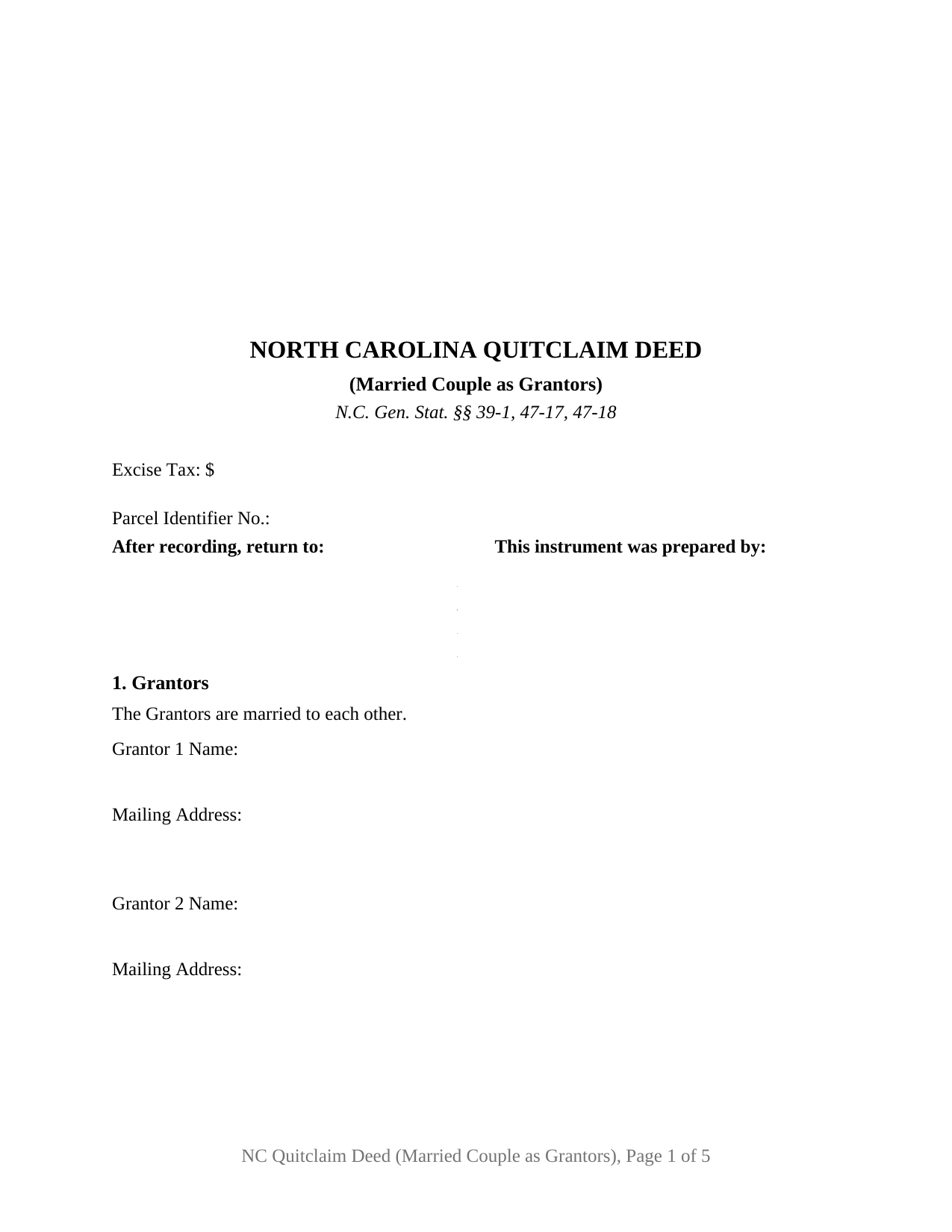
Guilford County Quitclaim Deed (Married Couple as Grantors) Form
Fill in the blank Quitclaim Deed (Married Couple as Grantors) form formatted to comply with all North Carolina recording and content requirements.
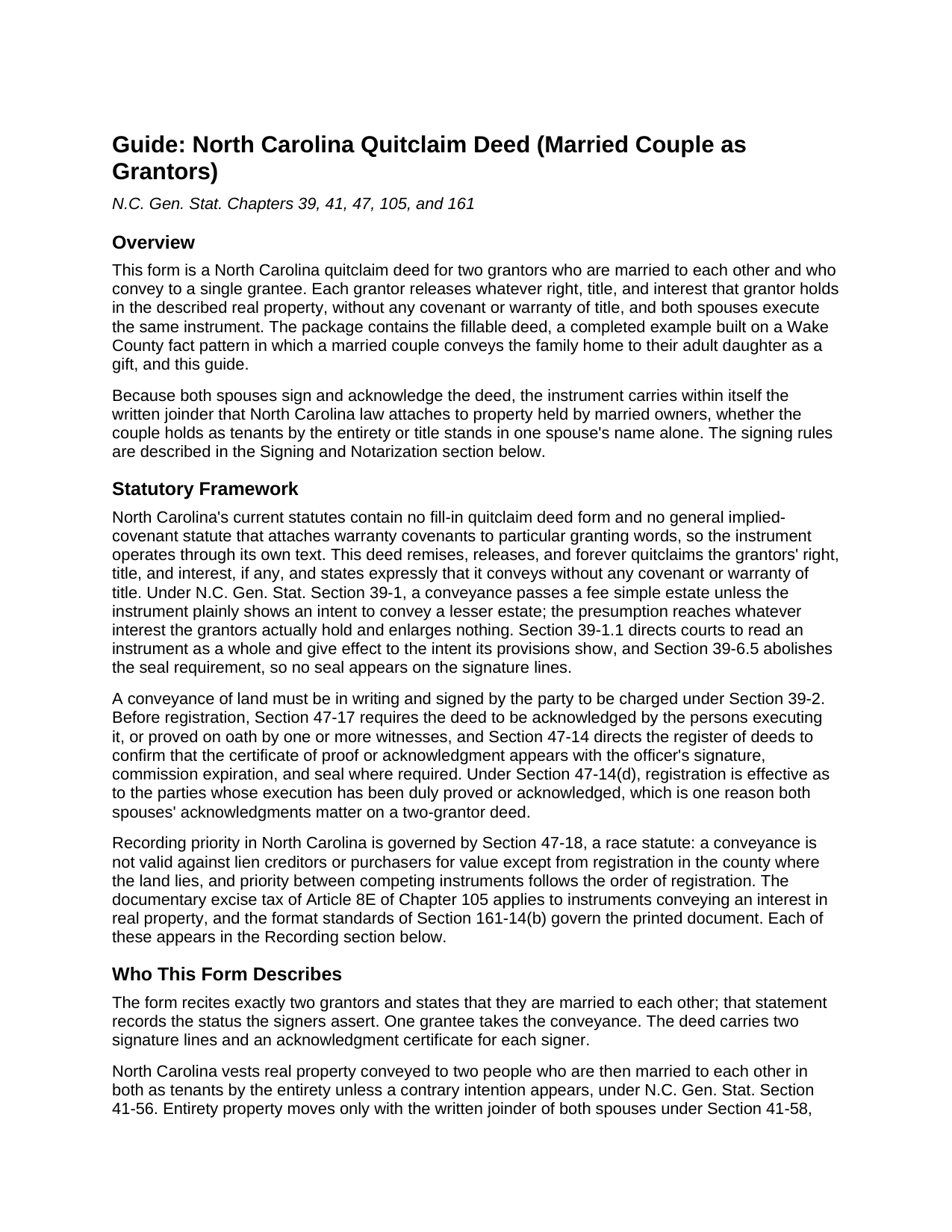
Guilford County Quitclaim Deed (Married Couple as Grantors) Guide
Line by line guide explaining every blank on the Quitclaim Deed (Married Couple as Grantors) form.
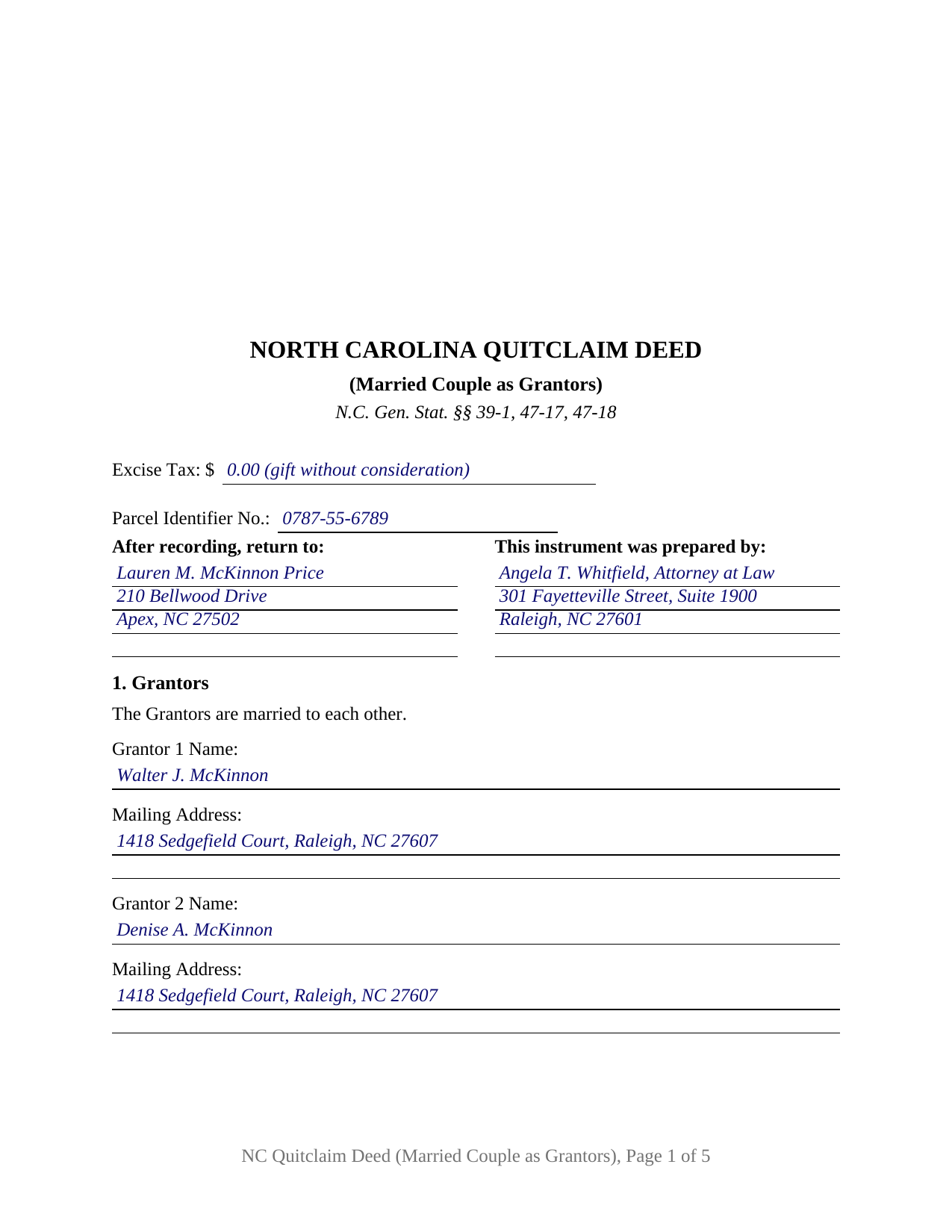
Guilford County Completed Example of the Quitclaim Deed (Married Couple as Grantors) Document
Example of a properly completed North Carolina Quitclaim Deed (Married Couple as Grantors) document for reference.
All 3 documents above included • One-time purchase • No recurring fees
Immediate Download • Secure Checkout
Additional North Carolina and Guilford County documents included at no extra charge:
Where to Record Your Documents
Greensboro Office
Greensboro, North Carolina 27401
Hours: 8:00 to 5:00 M-F
Phone: 336-641-7556
High Point Office
High Point, North Carolina 27260
Hours: 8:00 to 5:00 M-F
Phone: 336-641-7556
Recording Tips for Guilford County:
- Bring your driver's license or state-issued photo ID
- Ensure all signatures are in blue or black ink
- Bring extra funds - fees can vary by document type and page count
- Check margin requirements - usually 1-2 inches at top
- Leave recording info boxes blank - the office fills these
Cities and Jurisdictions in Guilford County
Properties in any of these areas use Guilford County forms:
- Browns Summit
- Climax
- Colfax
- Gibsonville
- Greensboro
- High Point
- Jamestown
- Julian
- Mc Leansville
- Oak Ridge
- Pleasant Garden
- Sedalia
- Stokesdale
- Summerfield
- Whitsett
Hours, fees, requirements, and more for Guilford County
How do I get my forms?
Forms are available for immediate download after payment. The Guilford County forms will be in your account ready to download to your computer. An account is created for you during checkout if you don't have one. Forms are NOT emailed.
Are these forms guaranteed to be recordable in Guilford County?
Yes. Our form blanks are guaranteed to meet or exceed the applicable formatting requirements used for recording in Guilford County, including margin requirements, font requirements, and other layout standards. This guarantee applies to formatting, not to the legal sufficiency of information entered by the user or the suitability of a form for a particular transaction.
Can I reuse these forms?
Yes. You can reuse the forms for your personal use. For example, if you have multiple properties in Guilford County you only need to order once.
What do I need to use these forms?
The forms are PDFs that you fill out on your computer. The free Adobe Acrobat Reader is recommended, and most PDF apps also work. You do NOT enter your property information online - you download the blank forms and complete them privately on your own computer.
Are there any recurring fees?
No. This is a one-time purchase. Nothing to cancel, no memberships, no recurring fees.
How much does it cost to record in Guilford County?
Recording fees in Guilford County vary. Contact the recorder's office at 336-641-7556 for current fees.
Questions answered? Let's get started!
A deed out of a North Carolina marriage answers to more than one statute, and this fillable quitclaim deed is drafted around that fact: it names a married couple as its two grantors, states that they are married to each other, and carries a signature line and an acknowledgment certificate for each spouse, so the conveyance to a single grantee reaches the register of deeds with the marital signing rules already satisfied on its face.
Why the second signature carries its own statute
North Carolina gives a surviving spouse the right to elect a life estate in one third in value of the real property the deceased spouse held during the marriage, under G.S. 29-30. To cut that contingent right off as to land being conveyed, G.S. 39-7 looks for the owner's spouse to execute the instrument with acknowledgment or proof, apart from the statutory exceptions. A deed both spouses sign closes that question no matter which spouse the record names as owner. Where the couple holds as tenants by the entirety, the marriage's own form of co-ownership, the same two signatures supply the written joinder without which neither spouse alone may convey or encumber the property. Two names, two signatures, two certificates: the architecture is the compliance.
Built as a married-couple instrument
The form recites exactly two grantors, married to each other, with a name and mailing address for each; one grantee; the consideration; the statement G.S. 105-317.2 calls for on whether the property takes in the primary residence of a grantor; and an acknowledgment certificate for each signer, so the spouses may acknowledge on the same afternoon or weeks apart. Patterns that present this shape in the record include parents passing the home place to an adult child as a gift, a husband and wife releasing their interest in family land to a relative after an informal division, and a couple joining in a deed that settles a boundary with an adjoining owner. The form is not set up as a deed for one grantor acting alone, for co-owners who are not married to each other, or for three or more conveying parties; it is the married pair's instrument.
What a quitclaim moves
As a quitclaim, sometimes searched as a quit claim deed or a non-warranty deed, the instrument releases the grantors' right, title, and interest, if any, and promises nothing about what that interest is. The operative words remise, release, and forever quitclaim, paired with an express no-warranty sentence, put the risk of title where a quitclaim leaves it, on the grantee, while the fee simple presumption of G.S. 39-1 carries the whole of whatever the couple owns unless the deed says less.
From signing table to record book
The first page budgets for everything a North Carolina register reads before indexing: the three inch recording space of G.S. 161-14(b) with the instrument type stated beneath it, the drafter entry of G.S. 47-17.1, the excise tax report the register acts on under G.S. 105-228.32, the parcel identifier, and the return address. Registration in the county where the land lies is what makes the deed good against lien creditors and purchasers for value under the race rule of G.S. 47-18, so the trip to the courthouse is part of the conveyance, not an afterthought.
What the purchase delivers
The download holds the married-couple quitclaim deed as a fillable PDF, a completed example worked through a Wake County gift from parents to their daughter, and a plain language guide to each numbered section, the spousal signing statutes, the excise tax treatment of gifts, and the county recording steps. The materials describe North Carolina law generally and are not legal advice.
Important: Your property must be located in Guilford County to use these forms. Documents should be recorded at the county recording office listed above.
This Quitclaim Deed (Married Couple as Grantors) meets all recording requirements specific to Guilford County.
Our Promise
The documents you receive here are guaranteed to meet or exceed the applicable Guilford County recording format requirements. If there is a rejection caused by our formatting, we will correct the issue or refund your payment. This guarantee applies to document formatting only and does not extend to information entered by the user, the selection of the form, or the legal effect of the completed document.
Save Time and Money
Get your Guilford County Quitclaim Deed (Married Couple as Grantors) form done right the first time with Deeds.com Uniform Conveyancing Blanks. At Deeds.com, we understand that your time and money are valuable resources, and we don't want you to face a penalty fee or rejection imposed by a county recorder for submitting nonstandard documents. We constantly review and update our forms to meet rapidly changing state and county recording requirements for roughly 3,500 counties and local jurisdictions.
4.8 out of 5 - ( 4,828 Reviews )
Steve B. 5 out of 5 stars
Awesome. Last time I needed to f Ile a document it cost $300.00 gor a lawyer. This time $53.00.
Thank you!
thomas C. 5 out of 5 stars
Thank you for being there for me when I couldn't get it done myself. I was a little confused with the operation at first but then became easy. I will definitely be using you again and again. Even after the pandemic is over.It's approximately 15 miles one way to downtown Orlando to do what you did for me sitting at my house
Glad we could help Thomas, have a great day!
Dora O. 5 out of 5 stars
Best platform to buy forms. Simple and easy.
It was a pleasure serving you. Thank you for the positive feedback!
Karen G. 5 out of 5 stars
easy to complete. directions and forms where great!!
Thank you for your feedback. We really appreciate it. Have a great day!
Janet J. 5 out of 5 stars
The download process was quick and efficient. Here's hoping the printing process will be as easy. Appreciate this access to forms so much.
Thank you for your feedback. We really appreciate it. Have a great day!
Renee H. 5 out of 5 stars
First time to use this service, was easy and quick return.
We appreciate your business and value your feedback. Thank you. Have a wonderful day!
Robert R. 5 out of 5 stars
Big savings and easy to use. Thanks so much.
We appreciate your business and value your feedback. Thank you. Have a wonderful day!
Walton A. 5 out of 5 stars
Thanks ..this was very helpful and easy!
Thank you!
Benjamin D. 5 out of 5 stars
THANK YOU. Your materials are excellent and provided the information and guidance requested and needed.
Thank you!
Kimberly C. 5 out of 5 stars
Very straight forward easy to use. No need to hunt for the information or forms you ate looking for, every thing is right there just click on the link and voila!
Thank you for your feedback. We really appreciate it. Have a great day!
Linda K. 5 out of 5 stars
This service was easy, quick, and to the point. It was a lifesaver! Downloaded quickly and without issues. I was able to fill out a soecifice form for my state and county, which saved me from making errors from a universal form.
Thank you for your feedback. We really appreciate it. Have a great day!
Lisa G. 5 out of 5 stars
Rec'd downloads for quitclaim deed process in Florida. Recorded with the clerk of courts today and the form was done perfectly--she had no changes to make. Well worth the money--thanks
Glad to hear Lisa, we appreciate you taking the time to leave your feedback.
Steven b. 5 out of 5 stars
We used this document in 2018 and it was acceptable to Jackson County Missouri. It worked and is valid. Very happy with the product.
Thanks for the kind words, glad to see you back again. Have a great day!
James B. 5 out of 5 stars
All required forms readily available at fair price. Easy to create account. Immediately acquired documents upon order.
We appreciate your business and value your feedback. Thank you. Have a wonderful day!
JANET D. 5 out of 5 stars
was good choice for me but did not realize notary had to witness all 3 signatures at the same luckily had extra copy to be signed in her presence
Thank you!