Licking County Affidavit of Confirmation (Married Beneficiaries) Form
Last validated October 23, 2026 by our Forms Development TeamFormatted for recording in Licking County, for property anywhere in the county: rural and unincorporated areas as well as Alexandria, Brownsville, Buckeye Lake, Croton, Etna, Granville, Gratiot, Heath and 10 more.
- 3 documents included
- Immediate PDF download
- Formatting guarantee
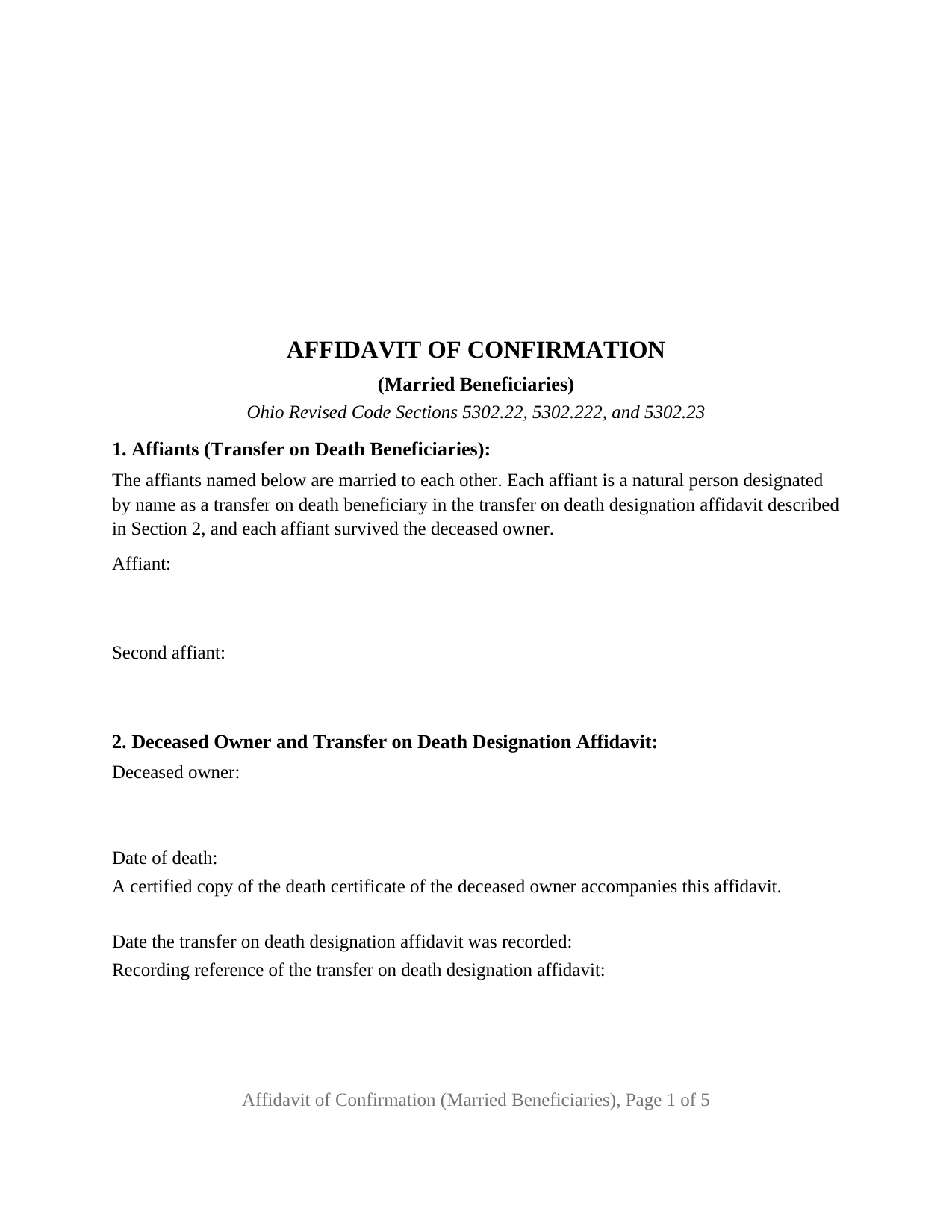
Licking County Affidavit of Confirmation (Married Beneficiaries) Form
Fill in the blank Affidavit of Confirmation (Married Beneficiaries) form formatted to comply with all Ohio recording and content requirements.
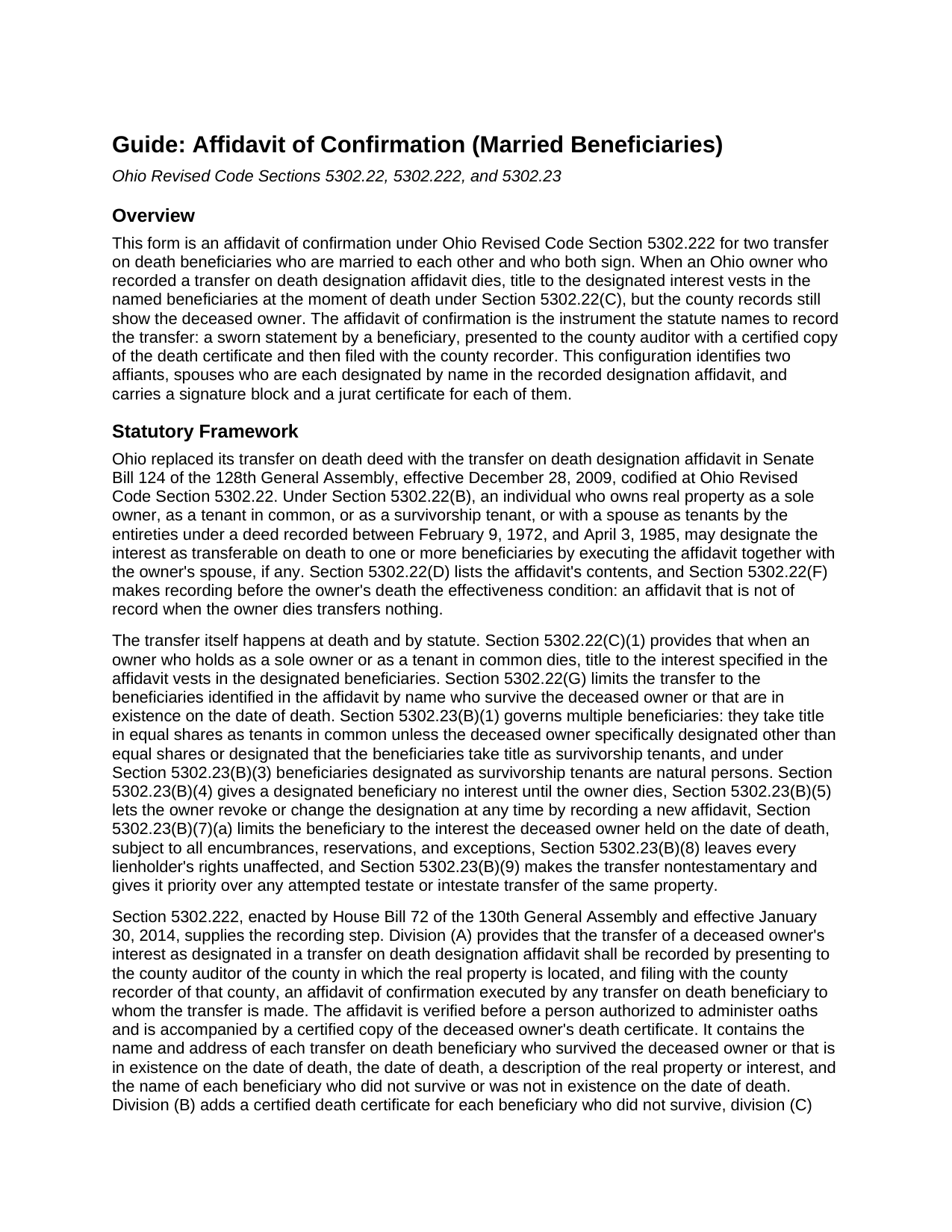
Licking County Affidavit of Confirmation (Married Beneficiaries) Guide
Line by line guide explaining every blank on the Affidavit of Confirmation (Married Beneficiaries) form.
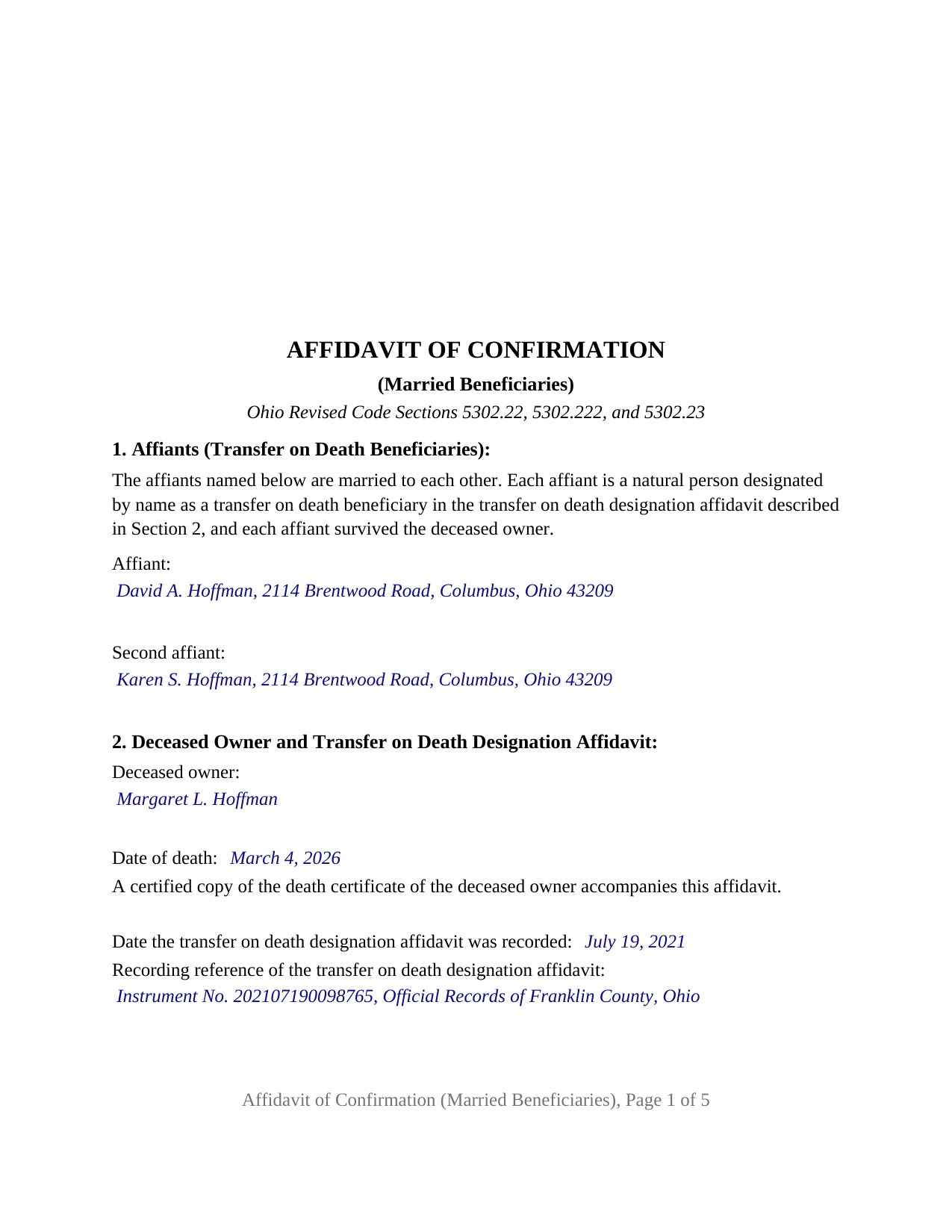
Licking County Completed Example of the Affidavit of Confirmation (Married Beneficiaries) Document
Example of a properly completed Ohio Affidavit of Confirmation (Married Beneficiaries) document for reference.
All 3 documents above included • One-time purchase • No recurring fees
Immediate Download • Secure Checkout
Additional Ohio and Licking County documents included at no extra charge:
Where to Record Your Documents
Recorder of Deeds
Newark, Ohio 43055
Hours: 8:00 - 4:30 Monday through Friday
Phone: 740-670-5300
Recording Tips for Licking County:
- Bring your driver's license or state-issued photo ID
- Ensure all signatures are in blue or black ink
- Make copies of your documents before recording - keep originals safe
- Recorded documents become public record - avoid including SSNs
- Recording fees may differ from what's posted online - verify current rates
Cities and Jurisdictions in Licking County
Properties in any of these areas use Licking County forms:
- Alexandria
- Brownsville
- Buckeye Lake
- Croton
- Etna
- Granville
- Gratiot
- Heath
- Hebron
- Homer
- Jacksontown
- Johnstown
- Kirkersville
- Newark
- Pataskala
- Saint Louisville
- Summit Station
- Utica
Hours, fees, requirements, and more for Licking County
How do I get my forms?
Forms are available for immediate download after payment. The Licking County forms will be in your account ready to download to your computer. An account is created for you during checkout if you don't have one. Forms are NOT emailed.
Are these forms guaranteed to be recordable in Licking County?
Yes. Our form blanks are guaranteed to meet or exceed the applicable formatting requirements used for recording in Licking County, including margin requirements, font requirements, and other layout standards. This guarantee applies to formatting, not to the legal sufficiency of information entered by the user or the suitability of a form for a particular transaction.
Can I reuse these forms?
Yes. You can reuse the forms for your personal use. For example, if you have multiple properties in Licking County you only need to order once.
What do I need to use these forms?
The forms are PDFs that you fill out on your computer. The free Adobe Acrobat Reader is recommended, and most PDF apps also work. You do NOT enter your property information online - you download the blank forms and complete them privately on your own computer.
Are there any recurring fees?
No. This is a one-time purchase. Nothing to cancel, no memberships, no recurring fees.
How much does it cost to record in Licking County?
Recording fees in Licking County vary. Contact the recorder's office at 740-670-5300 for current fees.
Questions answered? Let's get started!
Two spouses named together as the transfer on death beneficiaries of Ohio real estate can place the transfer of record with one sworn instrument that both of them sign. This Ohio Affidavit of Confirmation (Married Beneficiaries) is that instrument under Ohio Revised Code Section 5302.222: an affidavit by two affiants who are married to each other, each named in the recorded transfer on death designation affidavit, presented to the county auditor and filed with the county recorder after the owner's death.
Two beneficiaries, one affidavit, two oaths
Section 5302.222(A) has the transfer recorded by an affidavit of confirmation executed by any transfer on death beneficiary to whom the transfer is made, verified before a person authorized to administer oaths. This form has both spouses swear. Its first section prints the configuration as fixed text: the affiants are married to each other, each is designated by name in the designation affidavit, and each survived the deceased owner. Both names and mailing addresses go on the face of the instrument for the auditor's tax list under Section 319.20. The form carries two signature blocks, headed AFFIANT and SECOND AFFIANT, and two jurat certificates, one for each spouse, so the oaths may be taken on different days or before different officers.
How the spouses hold title afterward
The affidavit of confirmation does not decide how the couple owns the property; the deceased owner's designation affidavit already did. Under Section 5302.23(B)(1), two or more transfer on death beneficiaries take title in equal shares as tenants in common unless the owner designated other than equal shares or designated the beneficiaries as survivorship tenants. The form's confirmation section states that the beneficiaries take title in the shares and in the manner stated in the designation affidavit: a survivorship designation carries the home to the surviving spouse at the first of their deaths, while one without survivorship language leaves each spouse an undivided half. No tenancy by the entireties results, since Section 5302.22(A)(4) recognizes that estate only under deeds recorded between 1972 and 1985, and dower under Section 2103.02 attaches to each spouse's share.
What the sworn statements carry
Section 5302.222 lists the affidavit's contents rather than printing a form, and the form follows the list. The deceased owner and the recorded designation affidavit are identified by name, date of death, and recording reference, with fixed text stating that the designation was recorded before the death and that no later affidavit revoked or changed it. The property section carries the legal description, parcel number, street address, and prior instrument reference; a fourth section lists any other beneficiaries, who do not sign. The operative section has no blanks: the affiants, each first duly sworn, make the affidavit of confirmation under Section 5302.222 to record the transfer on death of the deceased owner's interest, subject to all encumbrances, reservations, and exceptions. A knowingly false statement is falsification under Section 5302.222(E).
The couples this configuration describes
A parent who named a son and daughter-in-law as the beneficiaries of the family home, and an aunt who named a niece and the niece's husband as the beneficiaries of a rental duplex, present the two-affiant pattern the form states. The form is not set up as an affidavit by one beneficiary signing alone, by a trustee or an entity, by a contingent beneficiary taking the place of one who died first, or for a transfer that waited for the last death among survivorship tenants. In practice the instrument is also called a TOD affidavit of confirmation.
Auditor, then recorder
The affidavit goes first to the county auditor of the county where the property lies, with a certified copy of the owner's death certificate and the Section 319.202 conveyance fee statement, and then to the county recorder, who provides the Medicaid estate recovery form Section 5302.221 prescribes and records the affidavit under Section 5302.222(C). The form follows the Section 317.114 standard, with twelve point body text and the three inch blank top margin on the first page, and carries the preparer statement Section 317.111 requires. Its five pages record for $58 at the statewide fee under Sections 317.32 and 317.36, before any county surcharge.
The package includes the fillable affidavit of confirmation, a completed example filled in for a Franklin County couple, and the guide that describes every section, both jurats, and the path through the auditor's and recorder's offices. This description and the guide treat the form and the Ohio statutes that govern it in general terms only; neither is legal advice.
Important: Your property must be located in Licking County to use these forms. Documents should be recorded at the county recording office listed above.
This Affidavit of Confirmation (Married Beneficiaries) meets all recording requirements specific to Licking County.
Our Promise
The documents you receive here are guaranteed to meet or exceed the applicable Licking County recording format requirements. If there is a rejection caused by our formatting, we will correct the issue or refund your payment. This guarantee applies to document formatting only and does not extend to information entered by the user, the selection of the form, or the legal effect of the completed document.
Save Time and Money
Get your Licking County Affidavit of Confirmation (Married Beneficiaries) form done right the first time with Deeds.com Uniform Conveyancing Blanks. At Deeds.com, we understand that your time and money are valuable resources, and we don't want you to face a penalty fee or rejection imposed by a county recorder for submitting nonstandard documents. We constantly review and update our forms to meet rapidly changing state and county recording requirements for roughly 3,500 counties and local jurisdictions.
4.8 out of 5 - ( 4,830 Reviews )
MICHELE B. 5 out of 5 stars
very intuitive website. had no problem finding form ad printing.
Thanks, Michelle! Glad the site was easy to navigate and that finding and printing your form went smoothly. We appreciate you taking the time to share this.
Craig H. 5 out of 5 stars
Worked exactly like it was supposed to. No glitches
Thank you for your feedback. We really appreciate it. Have a great day!
James M. 5 out of 5 stars
Very good experience.
Thank you!
Michael M. 5 out of 5 stars
Thanks worked out great as the form was perfect and no problems filing it with the county.
Thank you for your feedback. We really appreciate it. Have a great day!
Home For Life S. 5 out of 5 stars
Covers everything; very pleased.
Thank you!
Leatrice K. 5 out of 5 stars
I am how simple this site is to use. I am so thankful to be able to do this and not have to worry about traveling downtown. Thank you.
We appreciate your business and value your feedback. Thank you. Have a wonderful day!
Theresa B. 4 out of 5 stars
Will review after I attempt to complete. I like your site. Im very nervous to try this Hope not outdated information. Will let you know if filing goes okay.
Thank you!
Elizabeth M. 5 out of 5 stars
So fare easy and straight forward
Thank you for your feedback. We really appreciate it. Have a great day!
Jeri M. 5 out of 5 stars
Very happy with the site and the deed document I received.
We appreciate your business and value your feedback. Thank you. Have a wonderful day!
Woody P. 5 out of 5 stars
I was informed that a quit Claim Deed that I had submitted, did not meet county requirements. I ordered the correct form and was surprised that the form included instructions and a sample "completed" form for me to follow. I found it al very helpful. Thank you !!!
Thank you!
Joseph E. 5 out of 5 stars
At first I didn't trust all the 5 star reviews. So, I contacted lawyers to check their prices. The price being well over one hundred dollars made my mind up. I gave it a go, the form isn't hard and the directions are easy to follow. 5/5
Thank you for your feedback. We really appreciate it. Have a great day!
Dianna K. 5 out of 5 stars
Excellent customer service - couldnt have been any more helpful, with a smile I could hear through the phone!
Thank you!
Brian S. 3 out of 5 stars
PDF fields change font sizes leading to an unprofessional-appearing printed page. The examples for "Convey to" section don't include how to specify just one person instead of a married couple. Maybe that is simple but it would help to spell it out in an example. Haven't submitted to County Recorder yet, so will find out if it is acceptable.
Thank you for the feedback Brian.
The font issue is caused by using a PDF viewer other than Adobe Acrobat Reader. Our form fields are set to a uniform 12-point font, but non-Adobe viewers often render form fields inconsistently. Opening and printing the form with the free Adobe Acrobat Reader will resolve that.
Regarding the examples, that's a fair point, we'll look at expanding them.
Tami C. 5 out of 5 stars
Excellent service, easy to follow instructions.
We appreciate your business and value your feedback. Thank you. Have a wonderful day!
Shirley P. 5 out of 5 stars
Very easy to use, download and print. Thank you!
We appreciate your business and value your feedback. Thank you. Have a wonderful day!