Butler County Assignment of Leases and Rents Form
Last validated October 29, 2026 by our Forms Development TeamFormatted for recording in Butler County, for property anywhere in the county: rural and unincorporated areas as well as College Corner, Collinsville, Fairfield, Hamilton, Middletown, Monroe, Okeana, Overpeck and 7 more.
- 3 documents included
- Immediate PDF download
- Formatting guarantee
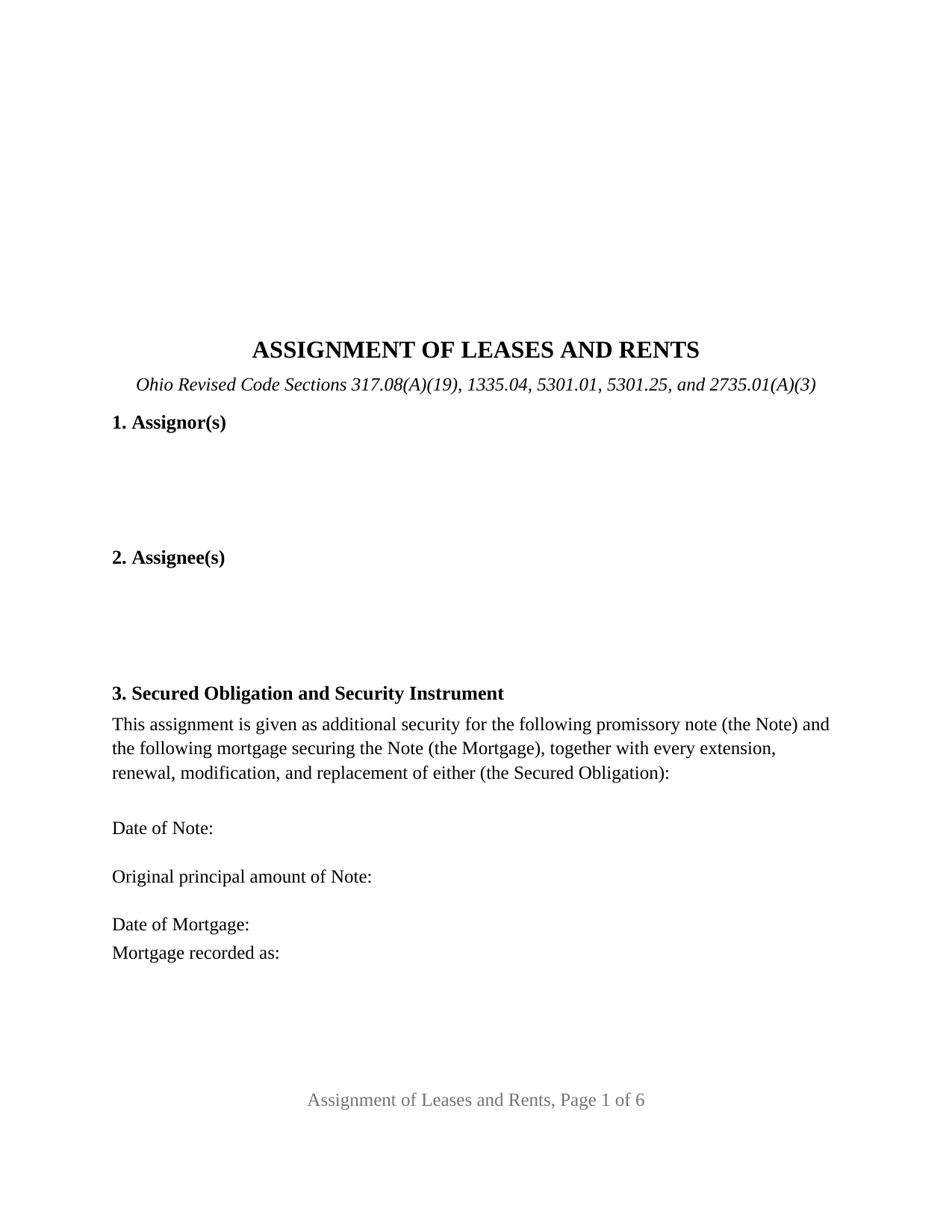
Butler County Assignment of Leases and Rents Form
Fill in the blank Assignment of Leases and Rents form formatted to comply with all Ohio recording and content requirements.
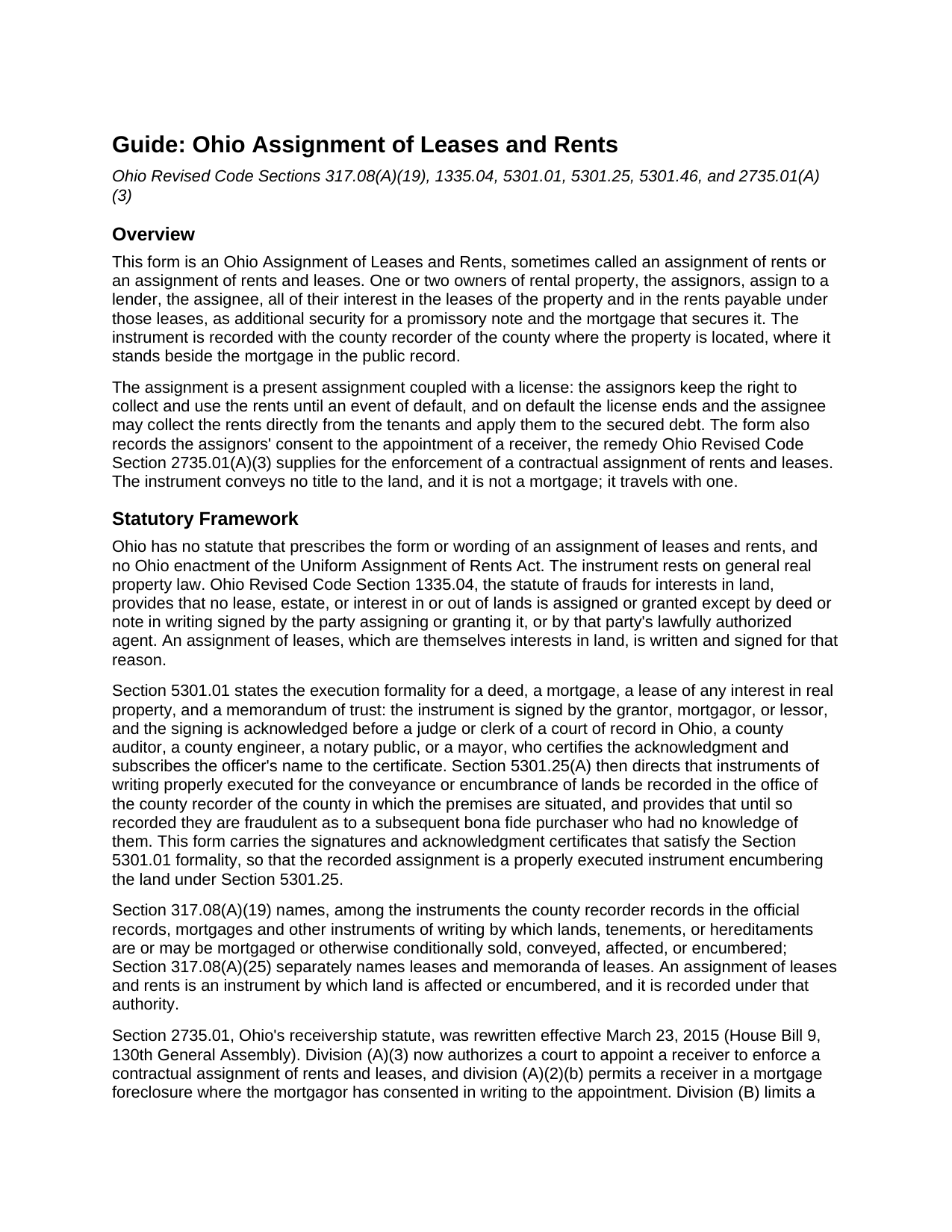
Butler County Assignment of Leases and Rents Guide
Line by line guide explaining every blank on the Assignment of Leases and Rents form.
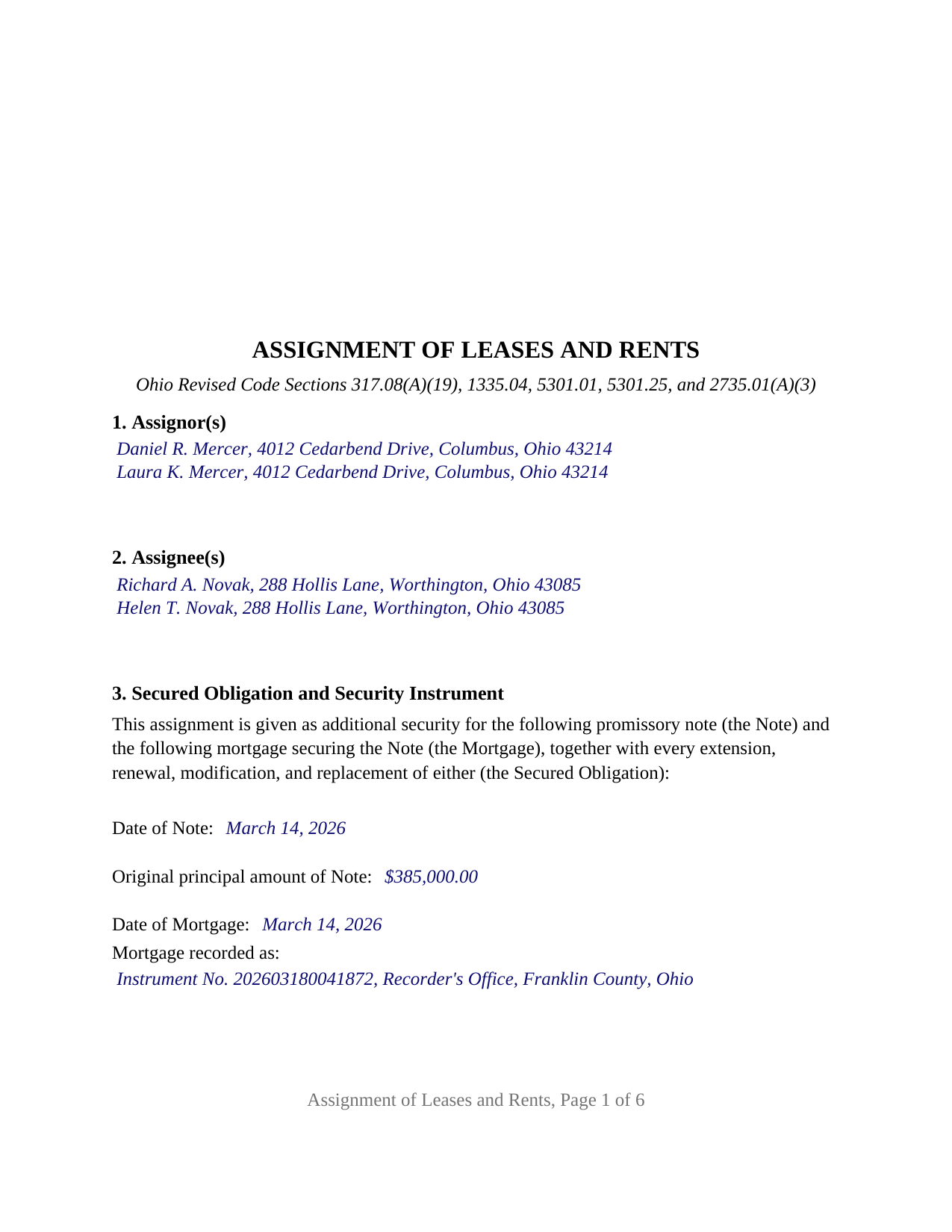
Butler County Completed Example of the Assignment of Leases and Rents Document
Example of a properly completed Ohio Assignment of Leases and Rents document for reference.
All 3 documents above included • One-time purchase • No recurring fees
Immediate Download • Secure Checkout
Additional Ohio and Butler County documents included at no extra charge:
Where to Record Your Documents
Recorder's Office
Hamilton, Ohio 45011
Hours: 8:00am to 4:00pm M-F / Recording until 3:30pm
Phone: 513-887-3192
Recording Tips for Butler County:
- Bring your driver's license or state-issued photo ID
- Ensure all signatures are in blue or black ink
- Avoid the last business day of the month when possible
- Both spouses typically need to sign if property is jointly owned
- Bring extra funds - fees can vary by document type and page count
Cities and Jurisdictions in Butler County
Properties in any of these areas use Butler County forms:
- College Corner
- Collinsville
- Fairfield
- Hamilton
- Middletown
- Monroe
- Okeana
- Overpeck
- Oxford
- Ross
- Seven Mile
- Shandon
- Somerville
- Trenton
- West Chester
Hours, fees, requirements, and more for Butler County
How do I get my forms?
Forms are available for immediate download after payment. The Butler County forms will be in your account ready to download to your computer. An account is created for you during checkout if you don't have one. Forms are NOT emailed.
Are these forms guaranteed to be recordable in Butler County?
Yes. Our form blanks are guaranteed to meet or exceed the applicable formatting requirements used for recording in Butler County, including margin requirements, font requirements, and other layout standards. This guarantee applies to formatting, not to the legal sufficiency of information entered by the user or the suitability of a form for a particular transaction.
Can I reuse these forms?
Yes. You can reuse the forms for your personal use. For example, if you have multiple properties in Butler County you only need to order once.
What do I need to use these forms?
The forms are PDFs that you fill out on your computer. The free Adobe Acrobat Reader is recommended, and most PDF apps also work. You do NOT enter your property information online - you download the blank forms and complete them privately on your own computer.
Are there any recurring fees?
No. This is a one-time purchase. Nothing to cancel, no memberships, no recurring fees.
How much does it cost to record in Butler County?
Recording fees in Butler County vary. Contact the recorder's office at 513-887-3192 for current fees.
Questions answered? Let's get started!
An Ohio Assignment of Leases and Rents pledges the income stream of a rental property to the lender alongside the mortgage. One or two owners, the assignors, assign to one or two lenders, the assignees, all of their interest in the leases of the property and the rents payable under them, as additional security for a promissory note and the mortgage that secures it. It is the document a court reads when a lender asks for the rents after a default.
A present assignment with a license that ends on default
Ohio has no statute prescribing the form of an assignment of rents, so the instrument is read by its own words. This form states that the assignment is a present assignment, not merely a lien, given as security for the debt. It then grants the assignors a revocable license to collect and keep the rents, not more than one month in advance, until an event of default under the note, the mortgage, or the assignment itself. On default the license ends automatically, the assignees may collect the rents directly from the tenants, and each tenant is authorized to pay the assignees on written notice of the default. In 255 Fifth St. Holdings, L.L.C. v. 255 Fifth Ltd. Partnership, 2022-Ohio-851, the First District read a license-until-default assignment to give the lender rights only in rents accruing after the default, not in rents the borrower had already collected and banked.
The receiver consent Ohio's statute invites
Ohio Revised Code Section 2735.01, rewritten in 2015, authorizes a court to appoint a receiver to enforce a contractual assignment of rents and leases (division (A)(3)) and, in a mortgage foreclosure, where the mortgagor has consented in writing (division (A)(2)(b)). Section 7 of this form records the assignors' consent to a receiver under division (A)(3), with or without a foreclosure, so the written consent is on the face of the recorded instrument. The form also carries the assignors' representations that they are the landlords and that the leases have not been assigned before, with their covenant not to cancel or materially modify a lease without the assignees' written consent.
What the recorded pages carry
The instrument identifies the note and the mortgage by date, principal amount, and recording reference; describes the property by county, legal description, permanent parcel number, municipality, street address, and prior instrument reference, the parcel and municipality entries answering Section 5301.46(B) in sectional-index counties; and lists the leases in effect at signing while reaching every lease made later. The assignment conveys no title, so it goes to the recorder directly, not through the auditor's transfer process Section 317.22 imposes on deeds. The recorder records it under Section 317.08(A)(19) in the county where the property lies, at the Section 317.32 fee of thirty-four dollars for the first two pages and eight dollars for each page after, plus any county surcharge. The form is drawn to the Section 317.114 standard format, with its three inch first-page top margin.
Two assignors, two certificates, no assignee signature
The form carries free-form party blocks for one or two natural-person assignors and one or two natural-person assignees, with nothing preprinted about marital status, capacity, or how title is held; the filler supplies those words as the vesting deed and the mortgage state them. It carries two signature blocks, headed ASSIGNOR and SECOND ASSIGNOR (if applicable), and a separate acknowledgment certificate for each, printed with the Section 147.55(A) short form sentence for an individual acting in the individual's own right. Separate certificates let two assignors sign on different dates or before different notaries; that is the form's architecture, not a statutory requirement. Co-owning spouses who both signed the mortgage, and two investors who co-own a building, present the two-assignor pattern this instrument recites; a single landlord with one private lender presents the one-to-one pattern. The form is not set up as an instrument for an entity, trustee, or attorney-in-fact on either side, each of which changes the recital and the certificate, or for three or more owners. Ohio is a dower state, and the form prints no dower release; a spouse who is a record owner signs as the second assignor.
The package contains the fillable Ohio Assignment of Leases and Rents form, a completed example showing a Franklin County assignment by two owners to two private lenders, and a guide covering each section, the acknowledgment rules, and recording. The guide and this description explain the form and the statutes in general terms and are not legal advice.
Important: Your property must be located in Butler County to use these forms. Documents should be recorded at the county recording office listed above.
This Assignment of Leases and Rents meets all recording requirements specific to Butler County.
Our Promise
The documents you receive here are guaranteed to meet or exceed the applicable Butler County recording format requirements. If there is a rejection caused by our formatting, we will correct the issue or refund your payment. This guarantee applies to document formatting only and does not extend to information entered by the user, the selection of the form, or the legal effect of the completed document.
Save Time and Money
Get your Butler County Assignment of Leases and Rents form done right the first time with Deeds.com Uniform Conveyancing Blanks. At Deeds.com, we understand that your time and money are valuable resources, and we don't want you to face a penalty fee or rejection imposed by a county recorder for submitting nonstandard documents. We constantly review and update our forms to meet rapidly changing state and county recording requirements for roughly 3,500 counties and local jurisdictions.
4.8 out of 5 - ( 4,837 Reviews )
Larry P. 5 out of 5 stars
Easy to follow step by step in completing form. Filing successful on first try. Economical cost. Would highly recommend.
We appreciate your business and value your feedback. Thank you. Have a wonderful day!
Melissa S. 3 out of 5 stars
Not what I can use.
Thank you!
Judy W. 5 out of 5 stars
It would be helpful if the numbers on the instruction sheet were on the form. I was confused on page two if the signatures were for witnesses or buyer (grantee). I do like the form and will use it in the future. Also page one Grantee's signature only has one line and if there are two buyers need another line.
Thank you for your feedback. We really appreciate it. Have a great day!
June G. 5 out of 5 stars
AMAZING! Easy to use, reasonable fee - and get MUCH MORE than just a deed form. I ordered a "deed" and received a whole "package," including a guide and the jurisdiction's costs schedule and cover page that would be needed to record the deed - even included a Certificate of Transfer that is not required for a deed but something I needed for a different transaction. The website was extremely easy to use and the cautions about not disclosing personal information were so clear and personal, they made me feel secure in knowing this site was not trying to rip me off. Very professional. Well done.
Thank you for your feedback. We really appreciate it. Have a great day!
Lorraine F. 2 out of 5 stars
I followed the instructions to download the form for my Mac, typed in the legal description of the real property but the space provided for it would not expand so I just typed the form into Word as a document. While I appreciate having the form to work with it would have been a breeze if it worked properly.
Your insights are invaluable to us and help us strive for better service. Thank you for taking the time to share your thoughts.
John W. 2 out of 5 stars
You charge too much for a form. Your business model is shortsighted. I would not try to use your service again. You got $20 from me this once, but I would try very hard to not use your service again. Your model does not encourage serial or professional usage.
Thank you for your feedback John. We do wish that you had decided our product was too expensive prior to purchasing and using so that there was no remorse. Have a wonderful day.
Joanne D. 5 out of 5 stars
Loved your easy to follow instructions along with the paperwork forms that I was looking for. Would highly suggest this service to everyone. You should share this platform with other counties!! Extremely helpful
Thank you!
Brian J. 5 out of 5 stars
make filing doc so simple and fast saves time and money
We appreciate your business and value your feedback. Thank you. Have a wonderful day!
Susan G. 5 out of 5 stars
I was pleased with the example of a completed beneficiary deed and instructions. It made filling out the deed very easy.
Thank you!
Martha G. 5 out of 5 stars
Well-designed site. Incredibly easy to find what I needed, very reasonable cost.
Thank you for your feedback. We really appreciate it. Have a great day!
Courtney V. 3 out of 5 stars
I didn't have a chance to judge your services because I received a message saying that my requested title could not be searched. I will say, the website is easy to navigate. I'm not sure how many who use these services are laymen, but I would suggest adding a detailed explanation of each service. I had to Google the difference between each type of title search, but I might just be more uninformed than the average person, or I just didn't see it on your website
Thank you for your feedback. We really appreciate it. Have a great day!
Joseph R. 3 out of 5 stars
The form and instructions were easy enough to follow if you had all the information.
The only drawback to the form was the length of text allowed for the name of the document (#4). The form self populates in multiple locations but when printed truncated the name if too many characters were used. I kept having to update the name of the document to allow for proper printing.
Your insights are invaluable to us and help us strive for better service. Thank you for taking the time to share your thoughts.
Bonnie C. 5 out of 5 stars
User friendly an FAST to access and use! Highly recommended.
We appreciate your business and value your feedback. Thank you. Have a wonderful day!
Armando B. 5 out of 5 stars
This was so simple to get around your web site. Guide was easy to follow. Great experience. Would use again.
Thank you for your feedback. We really appreciate it. Have a great day!
Kevin C. 2 out of 5 stars
I like your service, but the error message I received yesterday was confusing. It said that Utah County does not record cover pages, so I should either remove the cover page or change the “order“ of the documents being submitted. This is ambiguous. I examined my package and it looked like the cover page was already being submitted separately, as a supporting document at the end, and there was no way to explicitly change the ordering of the submitted documents, that is up to your service. So I removed the cover page. But that makes me nervous, how will they know where to route it when it is done? So now I’m not sure if it was submitted correctly.
Thank you for the review, Kevin, and for laying out exactly what you saw.
The message you received ("Utah County does not accept cover pages for recording. Please remove or reorder to the back. Thank you.") came directly from the Utah County Recorder. We pass recorder rejection notes along as written, and we agree it was ambiguous. Rejection notes from recording offices often are, since they are written for people who file in that county every day.
Supporting documents always travel behind the main document they belong to, so there was nothing for you to reorder, and by your description the cover page was already at the back. With the cover page removed, the package matched what the recorder's note asked for.
On routing: nothing is mailed back with e-recording. The recorder records the document image, adds the recording information, and returns the recorded copy electronically through the e-recording system to us. It then appears on your package in your account and you get a message from us. A cover page plays no part in that, so leaving it out did not affect where your document goes.