Greene County Correction Deed (Entity Grantor) Form
Last validated October 30, 2026 by our Forms Development TeamFormatted for recording in Greene County, for property anywhere in the county: rural and unincorporated areas as well as Alpha, Bellbrook, Bowersville, Cedarville, Clifton, Dayton, Fairborn, Jamestown and 4 more.
- 3 documents included
- Immediate PDF download
- Formatting guarantee
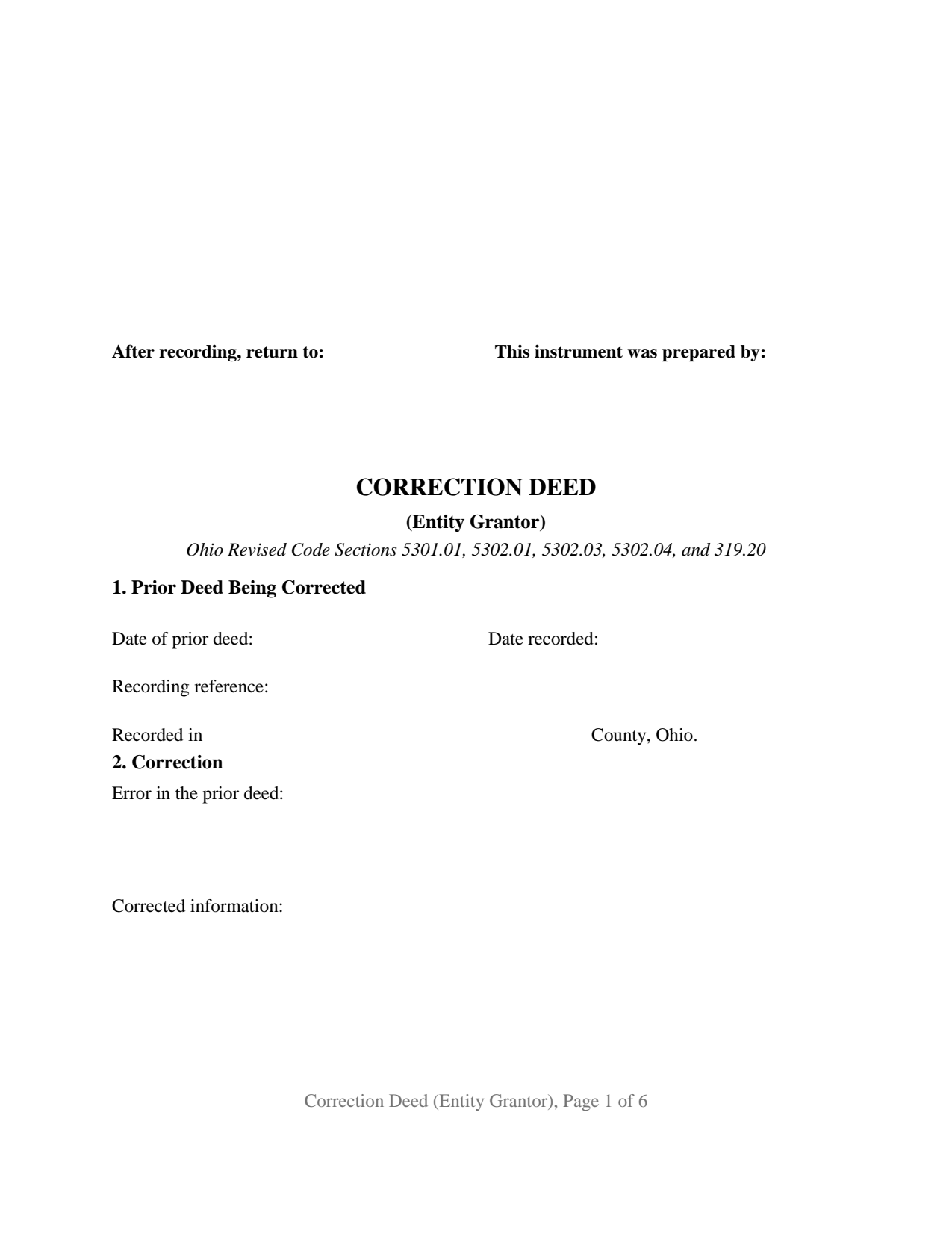
Greene County Correction Deed (Entity Grantor) Form
Fill in the blank Correction Deed (Entity Grantor) form formatted to comply with all Ohio recording and content requirements.
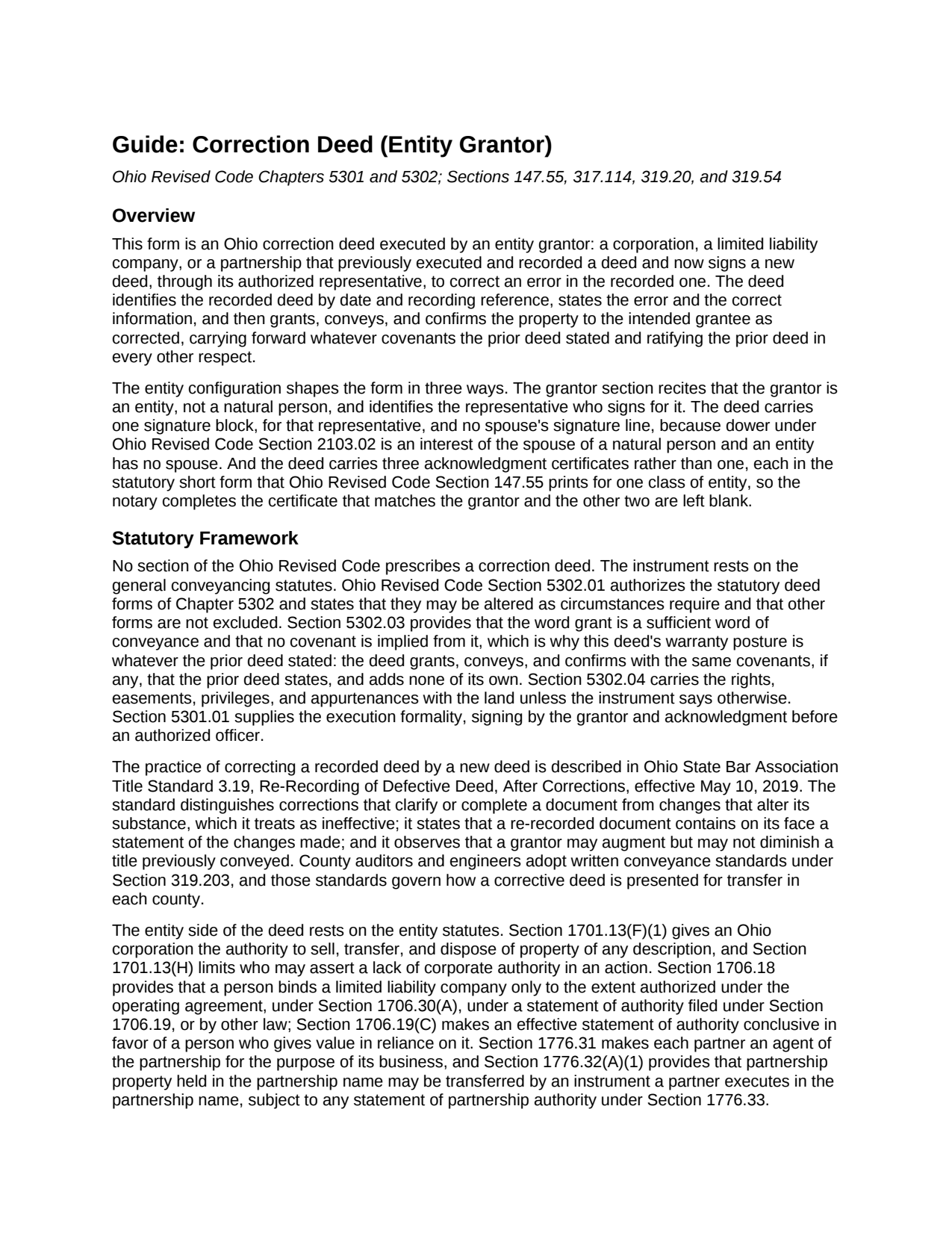
Greene County Correction Deed (Entity Grantor) Guide
Line by line guide explaining every blank on the Correction Deed (Entity Grantor) form.
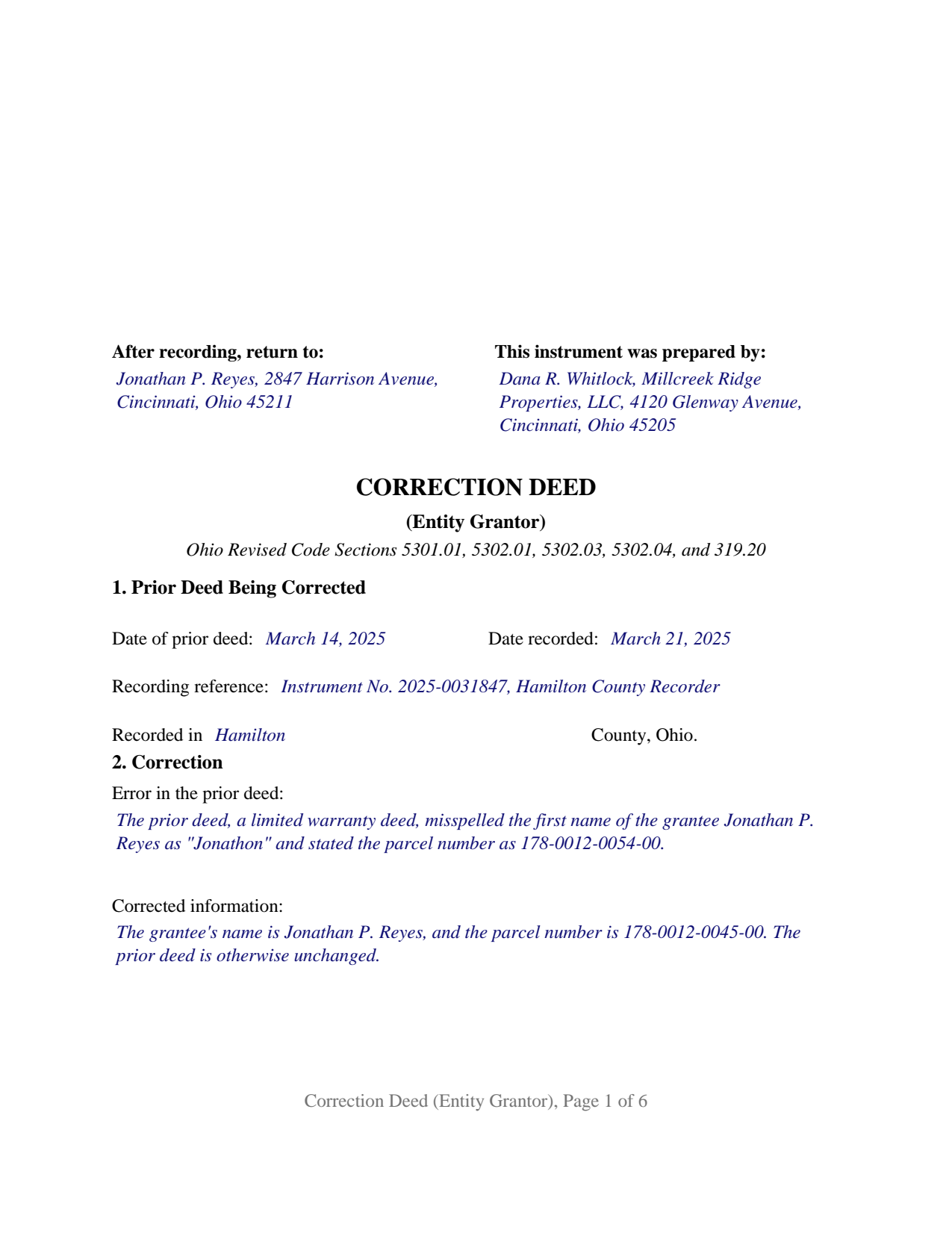
Greene County Completed Example of the Correction Deed (Entity Grantor) Document
Example of a properly completed Ohio Correction Deed (Entity Grantor) document for reference.
All 3 documents above included • One-time purchase • No recurring fees
Immediate Download • Secure Checkout
Additional Ohio and Greene County documents included at no extra charge:
Where to Record Your Documents
Greene County Recorder
Xenia, Ohio 45385
Hours: 7:30 to 4:30 M-F / Recording until 3:30 only
Phone: 937-562-5270
Recording Tips for Greene County:
- Bring your driver's license or state-issued photo ID
- Ensure all signatures are in blue or black ink
- Avoid the last business day of the month when possible
- Both spouses typically need to sign if property is jointly owned
- Bring extra funds - fees can vary by document type and page count
Cities and Jurisdictions in Greene County
Properties in any of these areas use Greene County forms:
- Alpha
- Bellbrook
- Bowersville
- Cedarville
- Clifton
- Dayton
- Fairborn
- Jamestown
- Spring Valley
- Wilberforce
- Xenia
- Yellow Springs
Hours, fees, requirements, and more for Greene County
How do I get my forms?
Forms are available for immediate download after payment. The Greene County forms will be in your account ready to download to your computer. An account is created for you during checkout if you don't have one. Forms are NOT emailed.
Are these forms guaranteed to be recordable in Greene County?
Yes. Our form blanks are guaranteed to meet or exceed the applicable formatting requirements used for recording in Greene County, including margin requirements, font requirements, and other layout standards. This guarantee applies to formatting, not to the legal sufficiency of information entered by the user or the suitability of a form for a particular transaction.
Can I reuse these forms?
Yes. You can reuse the forms for your personal use. For example, if you have multiple properties in Greene County you only need to order once.
What do I need to use these forms?
The forms are PDFs that you fill out on your computer. The free Adobe Acrobat Reader is recommended, and most PDF apps also work. You do NOT enter your property information online - you download the blank forms and complete them privately on your own computer.
Are there any recurring fees?
No. This is a one-time purchase. Nothing to cancel, no memberships, no recurring fees.
How much does it cost to record in Greene County?
Recording fees in Greene County vary. Contact the recorder's office at 937-562-5270 for current fees.
Questions answered? Let's get started!
When the grantor on a recorded Ohio deed is a company rather than a person, the deed that fixes a mistake in it is signed by one person acting for the company, and the notary's certificate has to say so in the words Ohio prints for that kind of entity. This Ohio Correction Deed (Entity Grantor) is built for that signer: a corporation, limited liability company, or partnership that executed a deed now of record and corrects it through its authorized representative.
One signature, and no spouse
The deed carries a single signature block, headed GRANTOR, BY ITS AUTHORIZED REPRESENTATIVE, where the officer, member, manager, or partner signs and prints his or her name and title. There is no dower release and no marital-status line, because dower under Ohio Revised Code Section 2103.02 belongs to the spouse of a natural person who owned the land during the marriage, and an entity has no spouse. The grantor section states that plainly: the grantor is the entity named there, not a natural person, and it acts through the representative named there.
Three notary forms, one of them completed
Ohio Revised Code Section 147.55 prints a different statutory short form of acknowledgment for each class of signer: division (B) for a corporation, by its officer or agent on behalf of the corporation; division (C) for a limited liability company, by its member or managing member on behalf of the company; and division (D) for a partnership, by a partner or agent on behalf of the partnership. This form prints all three, verbatim, after the signature block. The notary completes the certificate that matches the grantor's type of entity, and the other two are left blank and recorded with the deed. The deed runs six recorded pages as a result.
Authority comes from the entity, not the deed
The deed recites that the representative is authorized to sign; the source of that authority sits in the entity's own records. For a corporation, Section 1701.13(F)(1) supplies the power to sell, transfer, and dispose of property. For a limited liability company, Section 1706.18 binds the company only through a person authorized under the operating agreement, under Section 1706.30(A), or under a statement of authority filed with the Secretary of State under Section 1706.19. For a partnership, Section 1776.32(A)(1) allows property held in the partnership name to be transferred by an instrument a partner executes in that name, subject to any filed statement of partnership authority. The auditor's DTE 100EX instructions list board resolutions and articles of incorporation among the documents an auditor may ask to see.
What the correction reaches
The deed identifies the recorded deed by date, recording date, recording reference, and county, states the error and the correct information in two open entries, and then grants, conveys, and confirms the property to the grantee as corrected, carrying the same covenants, if any, that the prior deed stated and ratifying it in every other respect. A corporation whose deed carried an incomplete legal description, a limited liability company whose deed stated the wrong parcel number, and a partnership whose deed named it under a misspelled company name present the pattern this deed recites. A natural person correcting his or her own deed, a trustee, an attorney-in-fact, two separate entities as co-grantors, and a change that would add or drop a grantee or move the conveyance to different land are configurations this form is not set up as. The grantee side stays open, with whatever vesting words the prior deed was meant to carry.
The auditor stamps before the recorder records
A corrective transfer is exempt from the real property conveyance fee under Section 319.54(G)(3)(c), claimed on form DTE 100EX at exemption 5(c) and filed with the county auditor under Section 319.202. Section 317.22 keeps the recorder from accepting the deed until the auditor's stamp and transfer endorsement appear on its face. The form reserves the three inch first-page top margin that Section 317.114 sets aside for those endorsements and carries the preparer's name Section 317.111 requires.
The package contains the fillable correction deed form, a completed example filled in for a Hamilton County limited liability company, and the guide that walks through each numbered section, the three certificates, the auditor's exemption step, and recording. Both this description and the guide explain the form and the Ohio law that governs it in general terms only; neither is legal advice.
Important: Your property must be located in Greene County to use these forms. Documents should be recorded at the county recording office listed above.
This Correction Deed (Entity Grantor) meets all recording requirements specific to Greene County.
Our Promise
The documents you receive here are guaranteed to meet or exceed the applicable Greene County recording format requirements. If there is a rejection caused by our formatting, we will correct the issue or refund your payment. This guarantee applies to document formatting only and does not extend to information entered by the user, the selection of the form, or the legal effect of the completed document.
Save Time and Money
Get your Greene County Correction Deed (Entity Grantor) form done right the first time with Deeds.com Uniform Conveyancing Blanks. At Deeds.com, we understand that your time and money are valuable resources, and we don't want you to face a penalty fee or rejection imposed by a county recorder for submitting nonstandard documents. We constantly review and update our forms to meet rapidly changing state and county recording requirements for roughly 3,500 counties and local jurisdictions.
4.8 out of 5 - ( 4,837 Reviews )
Diane W. 3 out of 5 stars
The forms were immediately available for download, which was nice. However, I was not impressed by the lack of several features: 1) there was no way to edit set text in the form, such as where it says you should consult an attorney. That is not necessary for recording the deed and I wanted to deleted it, but could not. 2) Also, under the "Notes" section, there is a limited area to write; I tried adding a fuller explanation of something, but the form would not accept or include it when I printed the final document. The form may do the job, but it's not very sophisticated or elegant.
Thank you for your feedback. We really appreciate it. Have a great day!
Donald C. 5 out of 5 stars
No review provided.
Thank you!
Larry P. 5 out of 5 stars
Love your site. I found just what I needed and it was so easy. Saved me countless time and effort. Worth every penny.
We appreciate your business and value your feedback. Thank you. Have a wonderful day!
Glenella J. 4 out of 5 stars
I wish you had the older deeds online to look at. Other than that, I was very satisfied with my experience.
Thank you for your feedback. We really appreciate it. Have a great day!
Stephanie B. 5 out of 5 stars
Site is SO easy to use. Thank you for such a valuable resource.
Thank you for your feedback. We really appreciate it. Have a great day!
Heidi G. 5 out of 5 stars
I have not yet actually completed the entire process. However, the preliminary documents, ability to try them and ease of filling them out is pretty nice, so far.
Thank you!
Karen L. 4 out of 5 stars
Good service could give a little more detail on where to location some of the information needed. Overall fairly simply to use.
Thank you for your feedback. We really appreciate it. Have a great day!
David M. 5 out of 5 stars
Extremely easy to use. The sample completed document was very helpful. I really appreciated not having to spend a few hundred dollars for a lawyer to generate a document that I can produce myself for a small fraction of the cost.
We appreciate your business and value your feedback. Thank you. Have a wonderful day!
Michael W. 5 out of 5 stars
So far the web site and the tools are a pleasure to use. The price is reasonable. If only getting rid of this timeshare in Mashpee Massachusetts (that I have owned for over thirty years) was this easy.
We appreciate your business and value your feedback. Thank you. Have a wonderful day!
Harry W B. 5 out of 5 stars
This is a very valuable resource. It was user friendly and made transfer happen in a day!
We appreciate your business and value your feedback. Thank you. Have a wonderful day!
Frazer W. 5 out of 5 stars
The great part about Deeds.com is that the staff works with filers to get the job done.
Thank you, Frazer! We appreciate your kind words and are glad our team could help get the job done.
R Rodney H. 5 out of 5 stars
Excellent service--I got just the information I needed quickly and reasonably priced. I am glad to know of this service for future needs, as an individual, in this sector. Cheers, RRH
We appreciate your business and value your feedback. Thank you. Have a wonderful day!
Michele J. 5 out of 5 stars
I found a typo. It would be good to list the documents an individual needs to fill out the form.
Thank you!
Darren D. 5 out of 5 stars
Easy-peasy to find, download and use the forms!
We appreciate your business and value your feedback. Thank you. Have a wonderful day!
Gabriel R. 4 out of 5 stars
So far the service seems good, simple to use. One criticism, the password change feature should require the user to re-enter their old password, new password, and re-enter the new password to make sure there is no typos. Thanks.
Thank you for your feedback. We really appreciate it. Have a great day!