Greene County Correction Deed (Married Couple as Grantors) Form
Last validated October 30, 2026 by our Forms Development TeamFormatted for recording in Greene County, for property anywhere in the county: rural and unincorporated areas as well as Alpha, Bellbrook, Bowersville, Cedarville, Clifton, Dayton, Fairborn, Jamestown and 4 more.
- 3 documents included
- Immediate PDF download
- Formatting guarantee
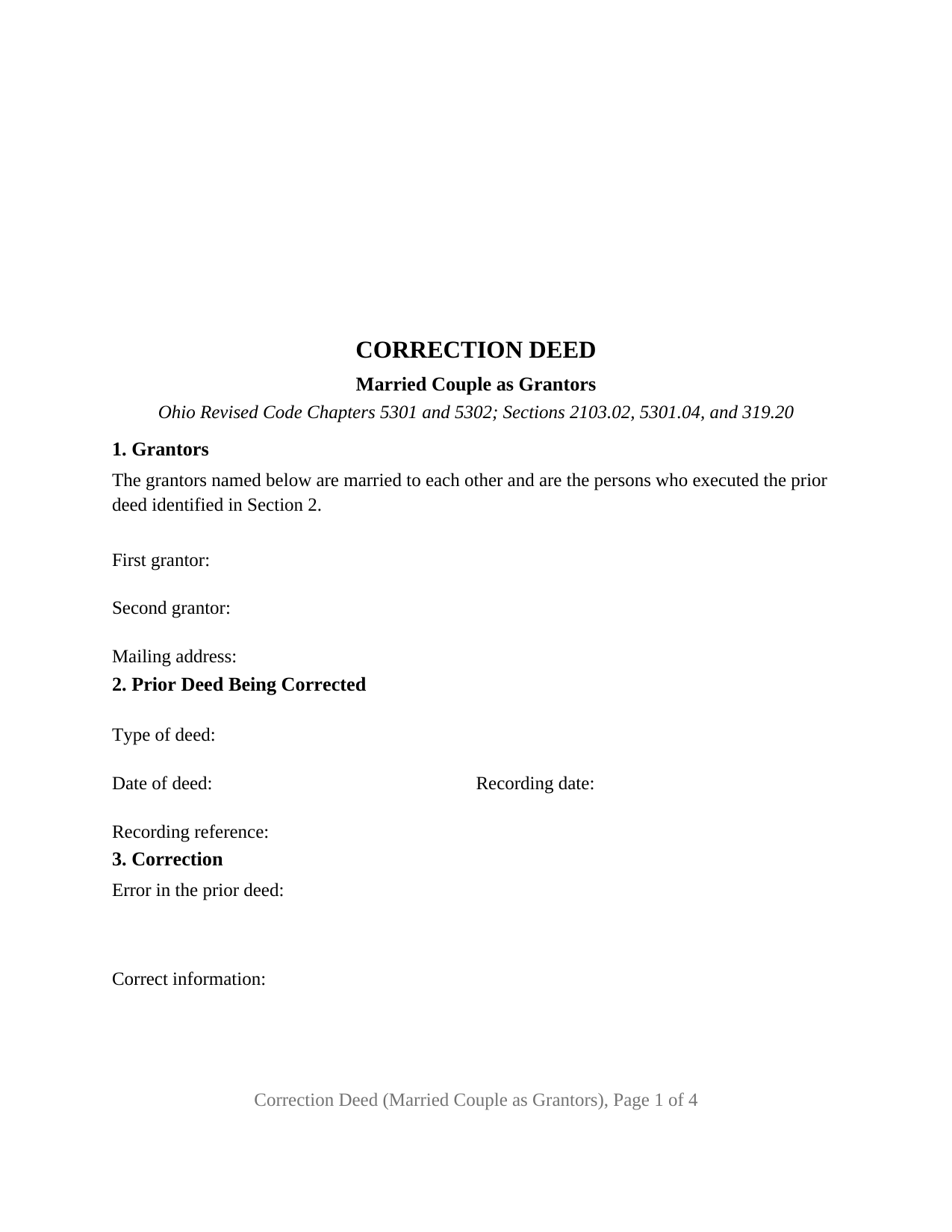
Greene County Correction Deed (Married Couple as Grantors) Form
Fill in the blank Correction Deed (Married Couple as Grantors) form formatted to comply with all Ohio recording and content requirements.
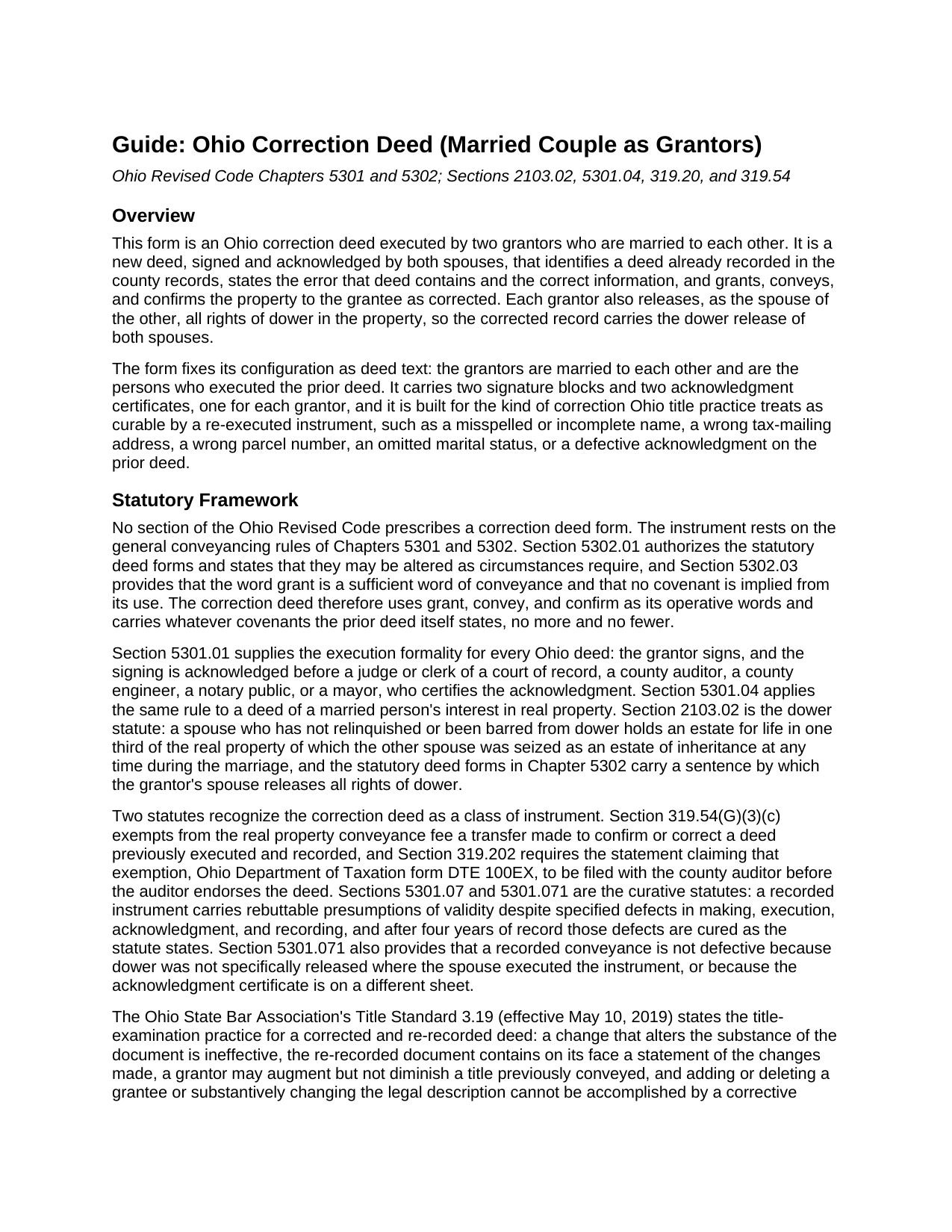
Greene County Correction Deed (Married Couple as Grantors) Guide
Line by line guide explaining every blank on the Correction Deed (Married Couple as Grantors) form.
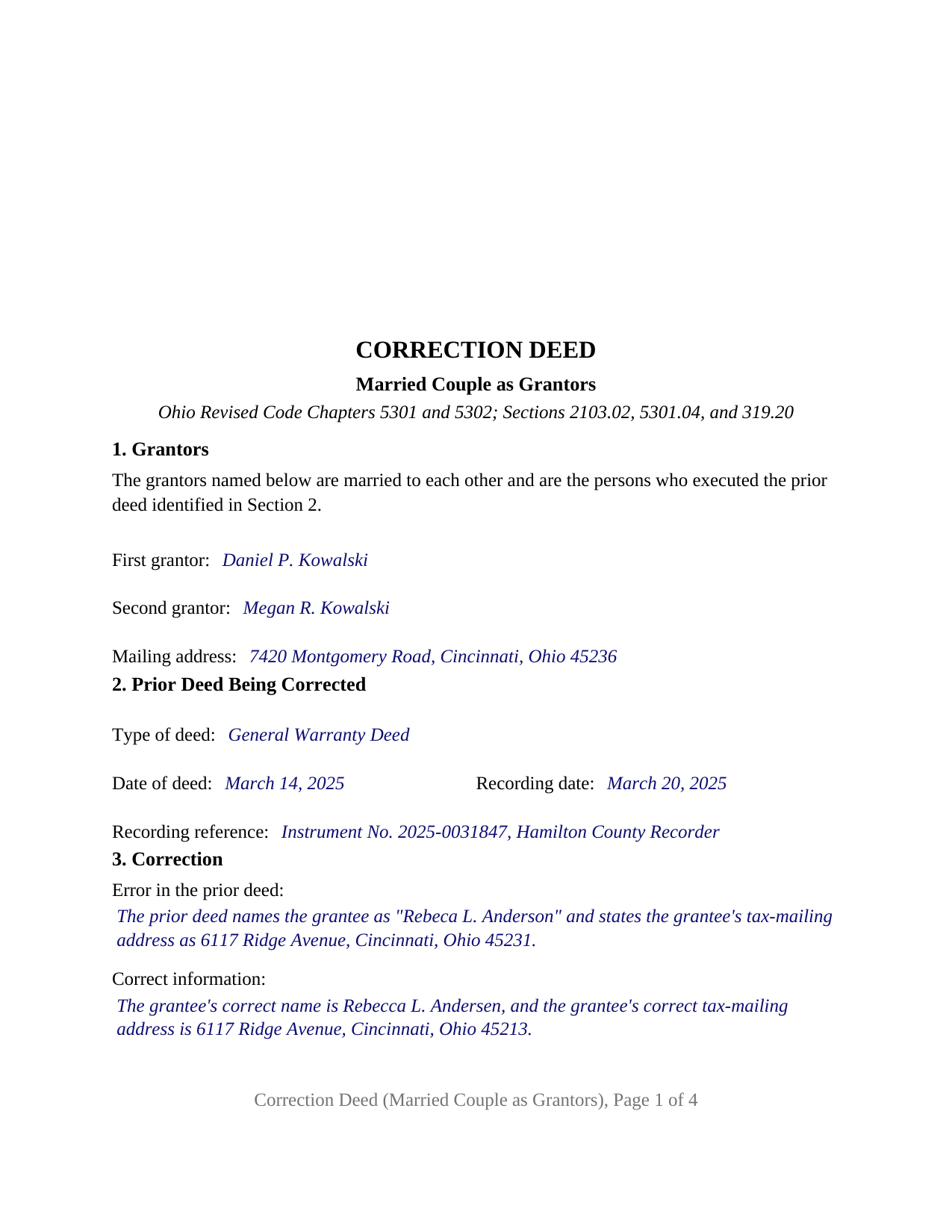
Greene County Completed Example of the Correction Deed (Married Couple as Grantors) Document
Example of a properly completed Ohio Correction Deed (Married Couple as Grantors) document for reference.
All 3 documents above included • One-time purchase • No recurring fees
Immediate Download • Secure Checkout
Additional Ohio and Greene County documents included at no extra charge:
Where to Record Your Documents
Greene County Recorder
Xenia, Ohio 45385
Hours: 7:30 to 4:30 M-F / Recording until 3:30 only
Phone: 937-562-5270
Recording Tips for Greene County:
- Bring your driver's license or state-issued photo ID
- Ensure all signatures are in blue or black ink
- Check that your notary's commission hasn't expired
- Documents must be on 8.5 x 11 inch white paper
- Double-check legal descriptions match your existing deed
Cities and Jurisdictions in Greene County
Properties in any of these areas use Greene County forms:
- Alpha
- Bellbrook
- Bowersville
- Cedarville
- Clifton
- Dayton
- Fairborn
- Jamestown
- Spring Valley
- Wilberforce
- Xenia
- Yellow Springs
Hours, fees, requirements, and more for Greene County
How do I get my forms?
Forms are available for immediate download after payment. The Greene County forms will be in your account ready to download to your computer. An account is created for you during checkout if you don't have one. Forms are NOT emailed.
Are these forms guaranteed to be recordable in Greene County?
Yes. Our form blanks are guaranteed to meet or exceed the applicable formatting requirements used for recording in Greene County, including margin requirements, font requirements, and other layout standards. This guarantee applies to formatting, not to the legal sufficiency of information entered by the user or the suitability of a form for a particular transaction.
Can I reuse these forms?
Yes. You can reuse the forms for your personal use. For example, if you have multiple properties in Greene County you only need to order once.
What do I need to use these forms?
The forms are PDFs that you fill out on your computer. The free Adobe Acrobat Reader is recommended, and most PDF apps also work. You do NOT enter your property information online - you download the blank forms and complete them privately on your own computer.
Are there any recurring fees?
No. This is a one-time purchase. Nothing to cancel, no memberships, no recurring fees.
How much does it cost to record in Greene County?
Recording fees in Greene County vary. Contact the recorder's office at 937-562-5270 for current fees.
Questions answered? Let's get started!
When a recorded Ohio deed given by a married couple carries a mistake, the instrument that repairs the record is a correction deed both spouses sign again, and under Ohio law each spouse signs it in two capacities at once: as a grantor confirming the conveyance, and as the other grantor's spouse releasing dower in the property. This form prepares that instrument for exactly two grantors who are married to each other, with the marital recital fixed as deed text and a signature block and an acknowledgment certificate for each spouse.
Two grantors, one dower sentence
Ohio's dower statute, Revised Code Section 2103.02, gives a spouse a life estate in one third of the real property the other spouse owned as an estate of inheritance during the marriage unless that dower has been released or barred, and Section 5301.04 requires a deed of a married person's interest in real property to be signed and acknowledged as Section 5301.01 provides. The statutory deed forms in Chapter 5302 handle dower with one sentence in which the grantor's wife or husband releases all rights of dower therein. On a deed given by a couple together that sentence runs in both directions, so this form states it once, inside the operative section, for each grantor as the spouse of the other. Section 1 recites that the grantors are married to each other and are the persons who executed the prior deed; the recital has no blank, and the form carries no separate joinder block, because neither spouse is joining another person's conveyance.
Confirming the conveyance as corrected
Section 2 identifies the recorded deed by type, date, recording date, and recording reference, and Section 3 states the error and the correct information in two short blanks, which is the statement of changes the Ohio State Bar Association's Title Standard 3.19 looks for on the face of a corrected instrument. The operative section then grants, conveys, and confirms the property to the grantee as corrected, with the same covenants, if any, and subject to the same encumbrances, reservations, and exceptions, that the prior deed states; it ratifies the prior deed in every respect not corrected, and it states that the deed neither revokes the prior deed nor diminishes any title the prior deed conveyed. The word grant implies no covenant under Section 5302.03, so the warranty posture is the prior deed's.
Married then, both signing now
The form recites exactly two grantors, married to each other, who both executed the deed being corrected. Spouses who held title together and conveyed by one deed, and spouses of whom one held record title while the other signed the prior deed to release dower, present the pattern the deed recites; in either case both execute the correction and each releases dower as the other's spouse. The form is not set up as a single-grantor correction, a correction by former spouses whose dower ended with the divorce under Section 2103.02, or a correction by an entity, a trustee, an attorney-in-fact, or three or more grantors. The grantee side stays free-form: it receives the grantee's name as the prior deed intended it, one or two grantees, and any survivorship words the prior deed was meant to carry, so a corrected deed to survivorship grantees under Section 5302.17 and a corrected deed to a single grantee complete the same blank.
Two certificates, then the auditor
Both grantors sign, and each signing is acknowledged before an officer Section 5301.01 names, with no subscribing witnesses. The two certificates print the Section 147.55(A) short form, the foregoing instrument was acknowledged before me, with the certificate content Section 147.542(F) fixes, so the spouses may acknowledge on different dates, before different officers, or in different states. A transfer made to confirm or correct a deed previously executed and recorded is exempt from the conveyance fee under Section 319.54(G)(3)(c); the exemption is marked on form DTE 100EX at the county auditor's office, where the auditor may request an affidavit of facts, a separate instrument not included in this package, and the recorder accepts the deed only after the auditor's stamp appears under Section 317.22. The preparer statement Section 317.111 requires closes the form.
The package includes the fillable form, a completed example filled in for a Hamilton County couple, and the guide, which covers each numbered section, the grantee vesting forms, dower, the auditor step, and recording. The description and guide explain the form and Ohio law in general terms; they are not legal advice.
Important: Your property must be located in Greene County to use these forms. Documents should be recorded at the county recording office listed above.
This Correction Deed (Married Couple as Grantors) meets all recording requirements specific to Greene County.
Our Promise
The documents you receive here are guaranteed to meet or exceed the applicable Greene County recording format requirements. If there is a rejection caused by our formatting, we will correct the issue or refund your payment. This guarantee applies to document formatting only and does not extend to information entered by the user, the selection of the form, or the legal effect of the completed document.
Save Time and Money
Get your Greene County Correction Deed (Married Couple as Grantors) form done right the first time with Deeds.com Uniform Conveyancing Blanks. At Deeds.com, we understand that your time and money are valuable resources, and we don't want you to face a penalty fee or rejection imposed by a county recorder for submitting nonstandard documents. We constantly review and update our forms to meet rapidly changing state and county recording requirements for roughly 3,500 counties and local jurisdictions.
4.8 out of 5 - ( 4,861 Reviews )
JOHN F. 5 out of 5 stars
Quick and easy! I had previously prepared a Lady Bird deed, submitted it through Deeds.com and it was accepted/recorded by my county in just a few hours. The Deed.com $21 fee was well worth it as I saved fuel, tolls and parking costs not to mention at least 2-3 hours of my time that it would've taken to get downtown and back home!
Thanks for the feedback John. We appreciate you taking the time to share your experience. Have an amazing day!
Daniel A. 5 out of 5 stars
First time using Deeds.com. Downloaded the PDF forms for creating an Illinois Mortgage and Promissory Note. Filled them out, saved them, and printed them out. Going to send them to my Title Company for closing on a property. Save a bunch of money on not have to pay lawyer fees for creating the same legal documents that Deeds.com provided.
We appreciate your business and value your feedback. Thank you. Have a wonderful day!
Sharon G. 5 out of 5 stars
I could not be happier with the service afforded by Deeds.com. After having been directed to two other organizations who purportedly performed this service and being told they could not accommodate me, I found Deeds.com. The website is extremely easy to use, the directions are clear and concise. The site updated me regularly as the documents were progressing through the process, and the detailing of costs was great. The turn-around -- which isn't completely in the hands of the site -- was incredibly quick. I'd use this group again without reservation. As a person who'd have to otherwise travel almost five hours to record, this has been heaven-sent!
We appreciate your business and value your feedback. Thank you. Have a wonderful day!
ralph f. 5 out of 5 stars
I VERY MUCH APPRECIATE THE PROMPT RESPONSE & HELPFULNESS. I WILL DEFINITELY USE THIS SERVICE IN THE FUTURE. THANK YOU!
Thank you Ralph, we appreciate your feedback.
Thomas D. 2 out of 5 stars
The documents themselves are fine and the information provided with them is helpful. I find the actual processing of the documents, however, to be difficult particularly once the document has been saved. First, I note that the box for the date only allows entry of the last 2 digits of the year. Unfortunately, my download only allows me to enter one of the 2 digits required. When I delete it repeatedly, it eventually allows both digits to be entered but puts them in extremely small text and in superscrypt. I have not found a solution to this problem and am not sure the deed can even be recorded with this problem. Another problem is that if you try to revise the document after you have saved it the curser goes to the end of the line after each key entry. This means that there basically is no way to efficiently save the document for reworking later since you will have to delete everything you have entered in the text box unless you only need to make a single keystroke change or are willing to replace the curser after each entry. Try that with a long property description! Please note that I am using a Mac to prepare my documents and perhaps this is part of an "incompatibility problem". However, I didn't see a disclaimer regarding Mac use and so would expect the documents to perform correctly. Overall, I give the program a "2 star" rating because I am experiencing significant difficulties in entering dates in the documents even before saving them and because saving your work for later revision appears to be basically unworkable.
Thank you for your feedback Thomas, we appreciate you being specific about the issues you encountered. Adobe and Mac have a fairly long history of issues working together.
Emily P. 4 out of 5 stars
Used the quitclaim form and the erecording service. Very smooth transaction, everything worked as it should.
Thank you for your feedback. We really appreciate it. Have a great day!
Charles B. 5 out of 5 stars
The support received was far above expectations.
We are grateful for your feedback and looking forward to serving you again. Thank you!
Virginia S. 5 out of 5 stars
It was simple and I appreciate the site.
Thank you for your kind words and for choosing us.
Nancy C. 3 out of 5 stars
Very disappointed that you had certain documents but did not have the accompanying documents needed to complete the transfer. I also had issues with the documents not allowing you to fill in the pages... example the document was prefilled in as so ... Page 1 of_____ but you could not fill in the blank... I tried reaching out to your customer service, but they had no solution for me. So, I had to write in the page, which didn't look professional. I think I could have gotten documents just as good for free if I'd research a little longer.
Thank you for your feedback, Nancy.
The Virginia Transfer on Death Deed and the Virginia Transfer on Death Beneficiary Affidavit are separate documents and are offered individually because many customers only need one, depending on their situation. In your case, the affidavit was later ordered separately.
Regarding the page numbering (“Page 1 of ___”), that field is intentionally left blank. The total number of pages is not known until the document is finalized, signed, notarized, and all attachments (such as exhibits or legal descriptions) are included. It is standard practice to complete that portion by hand at execution so the final page count accurately reflects the recorded document.
We are unable to locate a customer service inquiry associated with your order, but we are always glad to assist when contacted directly.
We appreciate your feedback and wish you the best with your transfer.
Esfir K. 5 out of 5 stars
I had to call 3 times, two calls were hanged up on me. Thank you to 3rd representative, who helped me with my question. Unfortunately, I do not know her name. She was very patient, kind, professional. I am very thankful for her help.
Thank you!
Shirley R J. 5 out of 5 stars
Great website.....fast and easy access!
We appreciate your business and value your feedback. Thank you. Have a wonderful day!
Maria S. 3 out of 5 stars
The paperwork/forms are fine, but there isn't enough explanation for me to figure out how to file the extra forms (which I do need in my case). The main form, Deed Upon Death is fine. I think the price is pretty high for these forms. I wouldn't have purchased it because there are places to get them for much cheaper (about 6 dollars), but this site had the extra forms I wanted (property in a trust and another form). Unfortunately these were included as a "courtesy" and there are no instructions for them. So three stars for being clear about what was in the package, having the right forms that I need, but instructions for putting them to use and price took a couple of stars off. Downloading was easy and once you download you can type the info into the PDF--that makes working with the forms much easier.
Thank you for the feedback Maria. Regarding the supplement documents, it is best to get assistance from the agency that requires them. These are not legal documents, they should provide full support and guidance for them.
MARIO D S. 5 out of 5 stars
Well worth the $20.00 for the Transfer on Death Deed, if you are willing to do the leg work to notarize and record the deed. Money well spent and money well saved. The value is in the short, bullet type instructions and State specific forms and requirements.
Thank you!
Carrie A. 5 out of 5 stars
Great service fast and easy.
Thank you!
Cathaleen P. 5 out of 5 stars
Excellent service and very easy to process. Thank you!
Thank you for your feedback. We really appreciate it. Have a great day!