Cuyahoga County Easement Deed (Individual) Form
Last validated October 28, 2026 by our Forms Development TeamFormatted for recording in Cuyahoga County, for property anywhere in the county: rural and unincorporated areas as well as Bay Village, Beachwood, Bedford, Berea, Brecksville, Broadview Heights, Brook Park, Chagrin Falls and 13 more.
- 3 documents included
- Immediate PDF download
- Formatting guarantee
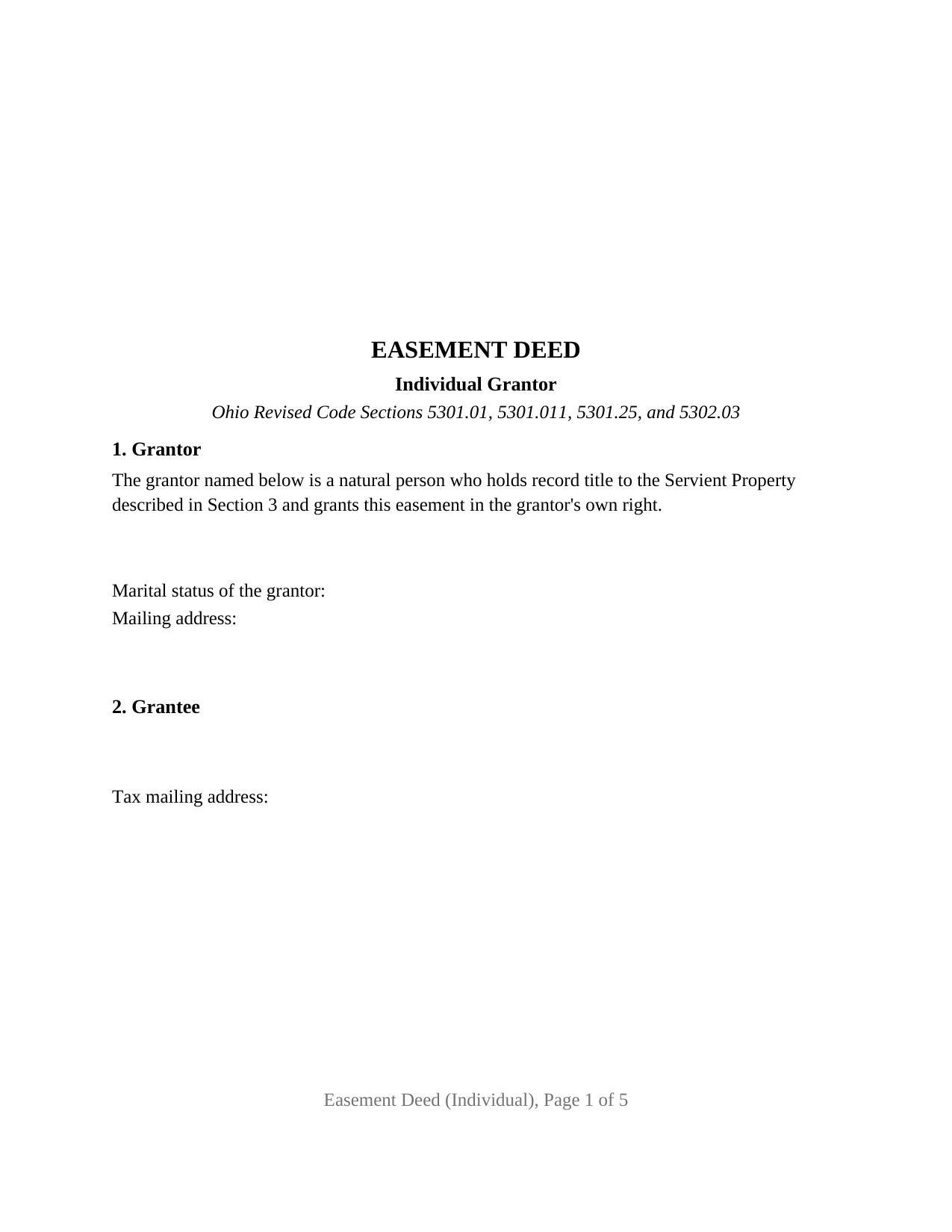
Cuyahoga County Easement Deed (Individual) Form
Fill in the blank Easement Deed (Individual) form formatted to comply with all Ohio recording and content requirements.
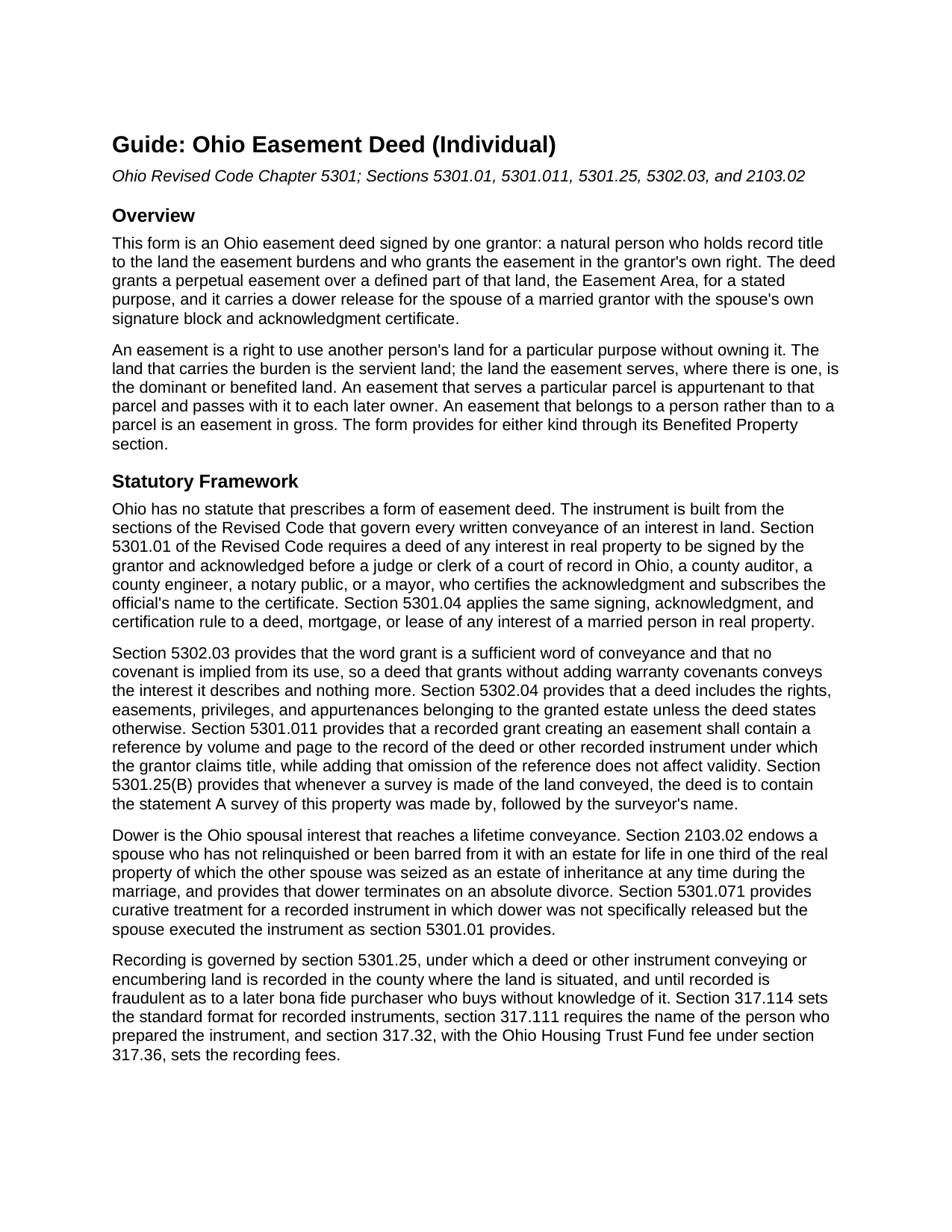
Cuyahoga County Easement Deed (Individual) Guide
Line by line guide explaining every blank on the Easement Deed (Individual) form.
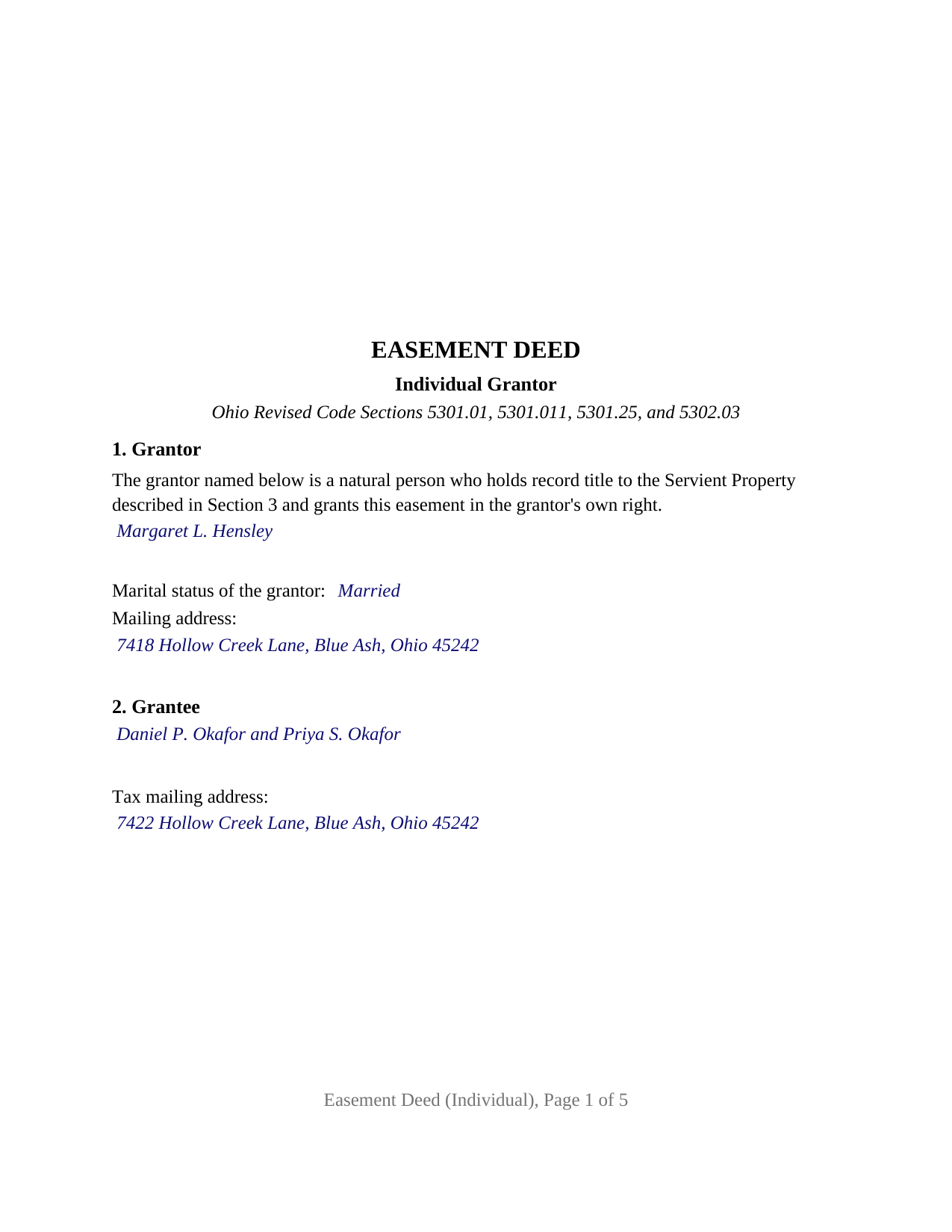
Cuyahoga County Completed Example of the Easement Deed (Individual) Document
Example of a properly completed Ohio Easement Deed (Individual) document for reference.
All 3 documents above included • One-time purchase • No recurring fees
Immediate Download • Secure Checkout
Additional Ohio and Cuyahoga County documents included at no extra charge:
Where to Record Your Documents
Cuyahoga County Fiscal Office: Transfer and Recording Department
Cleveland, Ohio 44115
Hours: 8:30 to 4:30 M-F
Phone: 216-443-7020
Recording Tips for Cuyahoga County:
- Bring your driver's license or state-issued photo ID
- Ensure all signatures are in blue or black ink
- White-out or correction fluid may cause rejection
- Ask about their eRecording option for future transactions
- Avoid the last business day of the month when possible
Cities and Jurisdictions in Cuyahoga County
Properties in any of these areas use Cuyahoga County forms:
- Bay Village
- Beachwood
- Bedford
- Berea
- Brecksville
- Broadview Heights
- Brook Park
- Chagrin Falls
- Cleveland
- Euclid
- Gates Mills
- Independence
- Lakewood
- Maple Heights
- North Olmsted
- North Royalton
- Olmsted Falls
- Rocky River
- Solon
- Strongsville
- Westlake
Hours, fees, requirements, and more for Cuyahoga County
How do I get my forms?
Forms are available for immediate download after payment. The Cuyahoga County forms will be in your account ready to download to your computer. An account is created for you during checkout if you don't have one. Forms are NOT emailed.
Are these forms guaranteed to be recordable in Cuyahoga County?
Yes. Our form blanks are guaranteed to meet or exceed the applicable formatting requirements used for recording in Cuyahoga County, including margin requirements, font requirements, and other layout standards. This guarantee applies to formatting, not to the legal sufficiency of information entered by the user or the suitability of a form for a particular transaction.
Can I reuse these forms?
Yes. You can reuse the forms for your personal use. For example, if you have multiple properties in Cuyahoga County you only need to order once.
What do I need to use these forms?
The forms are PDFs that you fill out on your computer. The free Adobe Acrobat Reader is recommended, and most PDF apps also work. You do NOT enter your property information online - you download the blank forms and complete them privately on your own computer.
Are there any recurring fees?
No. This is a one-time purchase. Nothing to cancel, no memberships, no recurring fees.
How much does it cost to record in Cuyahoga County?
Recording fees in Cuyahoga County vary. Contact the recorder's office at 216-443-7020 for current fees.
Questions answered? Let's get started!
This Ohio Easement Deed (Individual) is built around one signature: the grantor is a single natural person who holds record title to the burdened land and grants the easement in the grantor's own right, with no co-owner, entity, trustee, or agent signing. Section 1 prints that configuration as fixed deed text; the open grantor entries are the name, the marital status, and a mailing address.
One grantor, with dower handled on the same deed
Ohio dower under Section 2103.02 of the Revised Code gives a spouse a life estate in one third of the real property of which the other spouse was seized as an estate of inheritance during the marriage, and property conveyed during the marriage stays subject to it unless the spouse has relinquished dower; Section 5301.04 applies the deed signing rules to a deed of any interest of a married person in real property. This form answers that with Section 10, a dower release headed Dower Release by Spouse of Grantor: the spouse's name goes in the blank, the printed sentence releases all rights of dower in the Easement Area, and the spouse signs on a Signature of Spouse line that is followed by the spouse's own acknowledgment certificate. The spouse is not a grantor and conveys nothing. When the grantor is unmarried, Section 10 and its certificate stay empty, and the marital status line in Section 1 reads unmarried.
A strip, a use, and the parcel it serves
The easement itself is defined by three entries. The Servient Property is the grantor's whole parcel, described as the grantor's own deed describes it, with the parcel number and the recording reference of that deed on the Prior Instrument Reference line that Section 5301.011 places in a recorded grant of easement. The Easement Area is the part of the parcel the easement occupies. The Benefited Property is the land the easement serves, and the deed's operative section makes the easement appurtenant to that land so it passes to each later owner of it; an entry of None in that section makes the easement one held in gross by the grantee personally. The grant is limited to the purpose the deed states. Uses of the strip that do not interfere with the easement stay with the grantor, and because Section 5302.03 implies no covenant from the word grant, the deed says so on its face and warrants nothing about title.
What this configuration is and is not set up as
The form recites exactly one record owner as grantor. A sole owner granting a buried storm drain line to the lot next door, and a widowed owner opening a walking path to a rear parcel, present the one-grantor pattern this deed recites; a married sole owner whose spouse signs Section 10 to release dower presents the same pattern with the dower block completed. A parcel held by two record owners, a grantor that is a corporation or limited liability company, a trustee conveying trust property, and an agent signing under a power of attorney are configurations this form is not set up as, each calling for different recitals and, for a representative signer, a different acknowledgment form under Section 147.55. The deed states no maintenance, cost sharing, or termination terms.
Notarization and the county recorder
The grantor acknowledges the deed before a notary public or another officer Section 5301.01 names, and the certificate on the form is the Ohio statutory short form for an individual under Section 147.55(A), completed by the officer with the contents Section 147.542 lists. The deed is then recorded with the county recorder where the burdened land lies; Section 5301.25 makes an unrecorded easement fraudulent as to a later purchaser of the land who buys without knowledge of it. The pages are laid out to the Section 317.114 standard, and the preparer's name Section 317.111 requires is on the last page. Whether the county auditor stamps an easement before the recorder takes it varies by county, and the guide describes the published practice of the largest counties.
Three items come in the package: the fillable Easement Deed (Individual) form, a completed example in which a married sole owner in Hamilton County grants a drainage easement and her spouse signs the dower block, and the guide covering each numbered section, the spouse's release, notarization, and recording. The form, the example, and the guide describe the instrument and Ohio law in general terms and are not legal advice.
Important: Your property must be located in Cuyahoga County to use these forms. Documents should be recorded at the county recording office listed above.
This Easement Deed (Individual) meets all recording requirements specific to Cuyahoga County.
Our Promise
The documents you receive here are guaranteed to meet or exceed the applicable Cuyahoga County recording format requirements. If there is a rejection caused by our formatting, we will correct the issue or refund your payment. This guarantee applies to document formatting only and does not extend to information entered by the user, the selection of the form, or the legal effect of the completed document.
Save Time and Money
Get your Cuyahoga County Easement Deed (Individual) form done right the first time with Deeds.com Uniform Conveyancing Blanks. At Deeds.com, we understand that your time and money are valuable resources, and we don't want you to face a penalty fee or rejection imposed by a county recorder for submitting nonstandard documents. We constantly review and update our forms to meet rapidly changing state and county recording requirements for roughly 3,500 counties and local jurisdictions.
4.8 out of 5 - ( 4,837 Reviews )
brian p. 4 out of 5 stars
Good, easy to use, quit claim form worked as expected.
We appreciate your business and value your feedback. Thank you. Have a wonderful day!
Jessi S. 5 out of 5 stars
Delivery of documents was instantaneous once payment is received. Thank you for that. For future clarification to potential users, Deeds.com may want to categorize the type of easement documents that are available. I was needing a 'utility easement' form and received an 'ingress/egress' form. Had I known it was an ingress/egress document, I would not have made the purchase. Outside of this issue, this site is very helpful for the average layperson to hold guardianship over personal interests.
Thank you for your feedback. We really appreciate it. Have a great day!
Debby P. 5 out of 5 stars
First time user and the service was great.. I typically go to recording kiosk at the libraries. This was fast and easy.. I appreciate the great service
Thank you for your feedback. We really appreciate it. Have a great day!
Chuck M. 5 out of 5 stars
Easy to use service. However, the product that I purchased did not meet my needs. No fault of the company.
Thank you for your feedback Chuck. We certainly don't want you to purchase something you can not use. We have canceled your order and payment. Have a wonderful day.
Phyllis B. 5 out of 5 stars
I saved a ton of money doing it on my own versus through legal counsel. When I took it to the auditor/recorder today, there was absolutely no problems.
Thank you for your feedback. We really appreciate it. Have a great day!
Nick V. 5 out of 5 stars
Turn time was great. Highly recommend.
Thank you!
EVE A. 5 out of 5 stars
Site was easy to navigate. I found the lien discharge form I was looking for immediately and the download and completion was simple. Thank you for having a great site.
Thank you for your feedback. We really appreciate it. Have a great day!
Marisela S. 5 out of 5 stars
This is my first time and your service appears to be very user-friendly; however, since I am new to this service, I'm not sure if my e-filings were received as I've not heard anything back nor have I received any type of confirmation of receipt.
Thank you for your feedback. We really appreciate it. Have a great day!
Rebecca M. 5 out of 5 stars
I found the process of uploading documentation / deeds simple and easy. Will use this service again!
Thank you for your positive words! We’re thrilled to hear about your experience.
Terri E. 5 out of 5 stars
Quick Accurate experience will recommend this service to my friends
We appreciate your business and value your feedback. Thank you. Have a wonderful day!
John D. 5 out of 5 stars
Very helpful and easy to use.
Thank you for your feedback. We really appreciate it. Have a great day!
Susan B. 4 out of 5 stars
I guess I got what I paid for. The site said I would be able to download blank PDF forms that I could fill out on my computer. I expected fillable forms, like I download for taxes. Instead the forms I got could only be completed by using Adobe Sign and Fill tools. These are much harder to use than fillable forms.
Thank you for your feedback. We really appreciate it. Have a great day!
Nancy S. 5 out of 5 stars
Terrific service, I found just what I needed, and priced reasonably. The decision to purchase a form instead of trying to create one of my own was easy to make. I will return to this service again.
Thank you!
Katherine M. 5 out of 5 stars
Very helpful!
Thank you!
Rick H. 5 out of 5 stars
Website easy to use. Sample feed from helpful. Will know more after county reviews application.
Thank you Rick, we really appreciate your feedback.