Washington County Grant Deed (Individual to Trust) Form
Last validated October 22, 2026 by our Forms Development TeamFormatted for recording in Washington County, for property anywhere in the county: rural and unincorporated areas as well as Barlow, Bartlett, Belpre, Beverly, Coal Run, Cutler, Fleming, Graysville and 13 more.
- 3 documents included
- Immediate PDF download
- Formatting guarantee
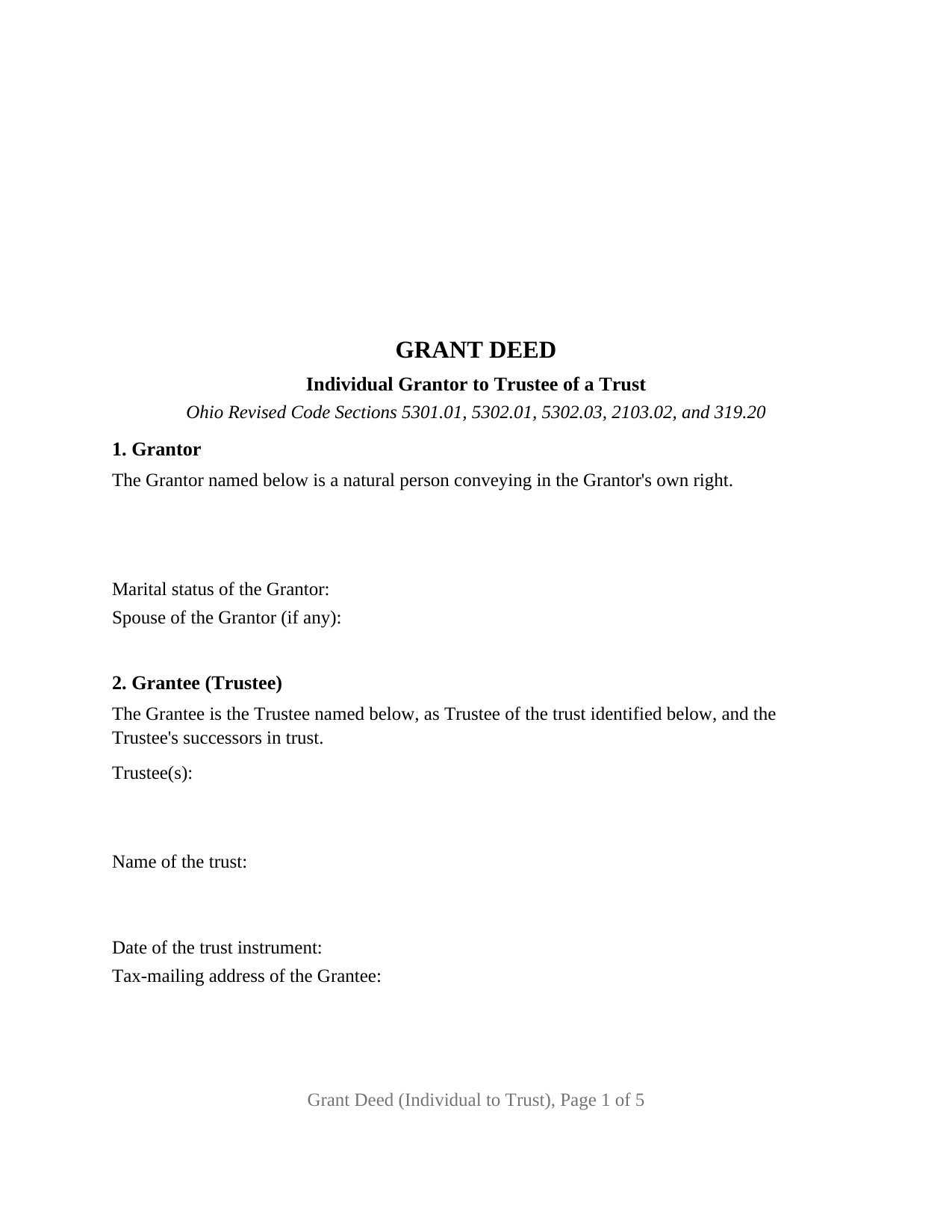
Washington County Grant Deed (Individual to Trust) Form
Fill in the blank Grant Deed (Individual to Trust) form formatted to comply with all Ohio recording and content requirements.
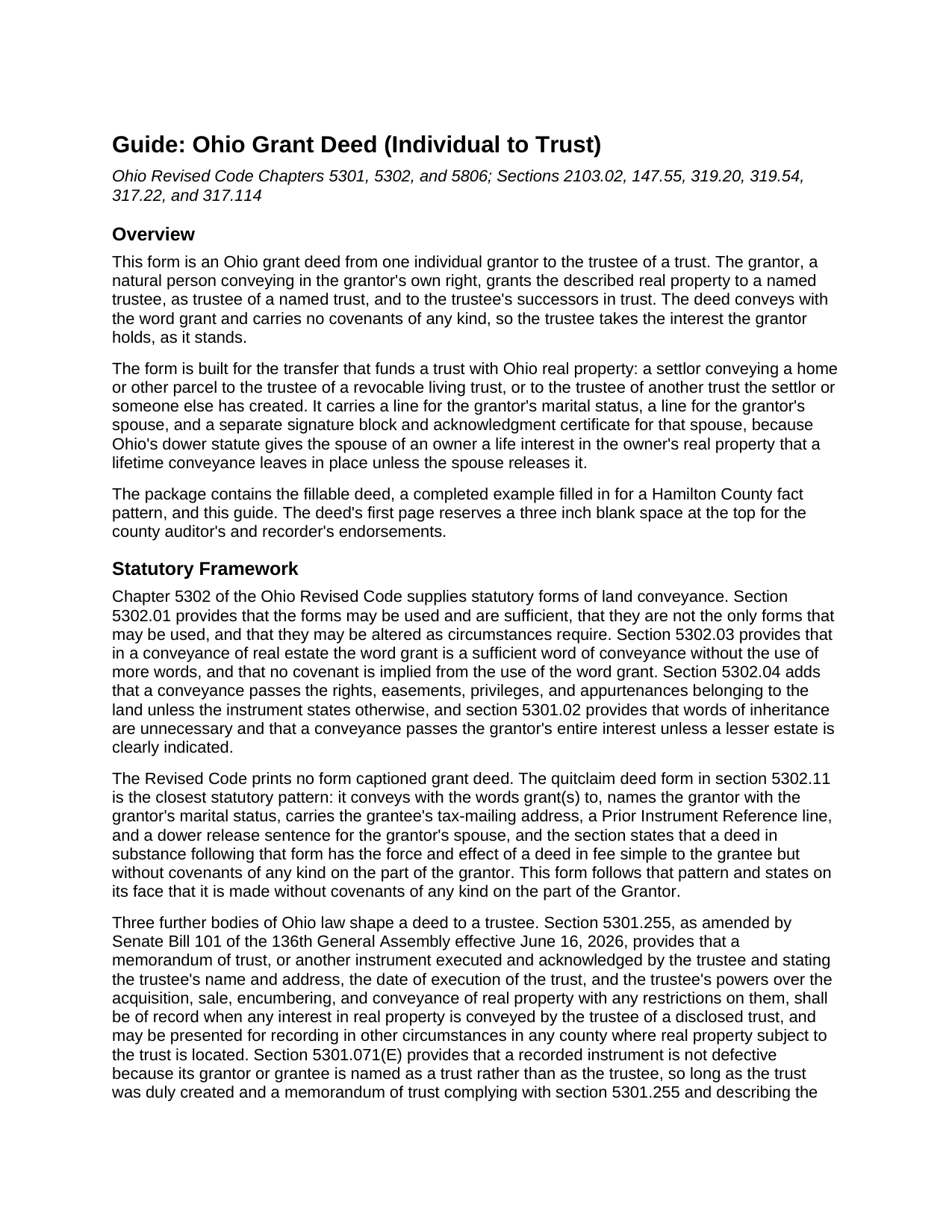
Washington County Grant Deed (Individual to Trust) Guide
Line by line guide explaining every blank on the Grant Deed (Individual to Trust) form.
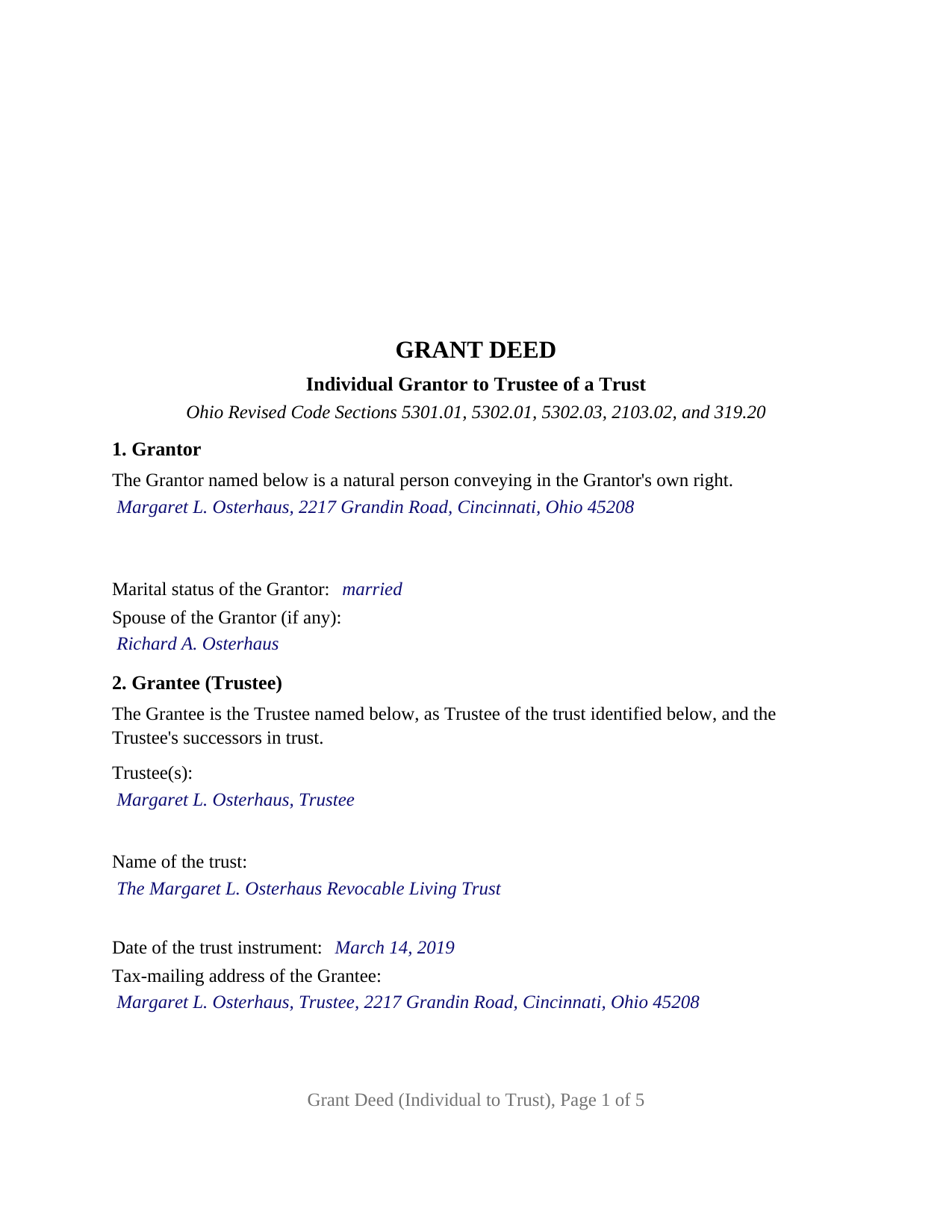
Washington County Completed Example of the Grant Deed (Individual to Trust) Document
Example of a properly completed Ohio Grant Deed (Individual to Trust) document for reference.
All 3 documents above included • One-time purchase • No recurring fees
Immediate Download • Secure Checkout
Additional Ohio and Washington County documents included at no extra charge:
Where to Record Your Documents
Washington County Recorder
Marietta, Ohio 45750
Hours: 8:00am to 5:00pm Monday through Friday / Recording until 4:15pm
Phone: 740-373-6623 Ext 235 or 236
Recording Tips for Washington County:
- Bring your driver's license or state-issued photo ID
- Ensure all signatures are in blue or black ink
- Ask if they accept credit cards - many offices are cash/check only
- Check that your notary's commission hasn't expired
- Documents must be on 8.5 x 11 inch white paper
Cities and Jurisdictions in Washington County
Properties in any of these areas use Washington County forms:
- Barlow
- Bartlett
- Belpre
- Beverly
- Coal Run
- Cutler
- Fleming
- Graysville
- Little Hocking
- Lowell
- Lower Salem
- Macksburg
- Marietta
- New Matamoras
- Newport
- Reno
- Vincent
- Waterford
- Watertown
- Whipple
- Wingett Run
Hours, fees, requirements, and more for Washington County
How do I get my forms?
Forms are available for immediate download after payment. The Washington County forms will be in your account ready to download to your computer. An account is created for you during checkout if you don't have one. Forms are NOT emailed.
Are these forms guaranteed to be recordable in Washington County?
Yes. Our form blanks are guaranteed to meet or exceed the applicable formatting requirements used for recording in Washington County, including margin requirements, font requirements, and other layout standards. This guarantee applies to formatting, not to the legal sufficiency of information entered by the user or the suitability of a form for a particular transaction.
Can I reuse these forms?
Yes. You can reuse the forms for your personal use. For example, if you have multiple properties in Washington County you only need to order once.
What do I need to use these forms?
The forms are PDFs that you fill out on your computer. The free Adobe Acrobat Reader is recommended, and most PDF apps also work. You do NOT enter your property information online - you download the blank forms and complete them privately on your own computer.
Are there any recurring fees?
No. This is a one-time purchase. Nothing to cancel, no memberships, no recurring fees.
How much does it cost to record in Washington County?
Recording fees in Washington County vary. Contact the recorder's office at 740-373-6623 Ext 235 or 236 for current fees.
Questions answered? Let's get started!
Funding a trust with Ohio real estate takes a deed to the trustee, and this Ohio grant deed is drafted for that one transfer: a single individual grantor conveying real property to the trustee of a named trust, and to the trustee's successors in trust, by the word grant and without covenants of any kind. A settlor moving a home into a revocable living trust is the transfer the form is built around.
A deed that names the trustee, not the trust
Ohio real property held in trust is titled in the trustee's name, so the grantee section of this deed asks for the trustee or co-trustees, the trust by its name, the date of the trust instrument, and the tax-mailing address the county auditor uses. The Revised Code has a cure for a recorded deed that names a trust instead of its trustee, section 5301.071(E), but the cure depends on a memorandum of trust describing the property being recorded in the same county, and the deed is drafted so the cure is never needed.
The memorandum of trust matters later. Section 5301.255, as amended by Senate Bill 101 effective June 16, 2026, provides that a memorandum of trust stating the trustee's name and address, the trust's date, and the trustee's powers over real property shall be of record when the trustee of a disclosed trust conveys any interest in real property. The memorandum is a separate instrument, recorded separately and not included in this package; the guide describes what it states.
Grant, with nothing promised
Section 5302.03 provides that grant is a sufficient word of conveyance and implies no covenant from it, and the deed says on its face that it is made without covenants of any kind on the part of the Grantor. The trustee takes the interest the grantor holds, as it stands, the ordinary posture of a transfer into the grantor's own trust, where a warranty would run from the settlor to the settlor's trustee.
One grantor, one marital status line, one spouse's release
The form recites exactly one grantor, a natural person conveying in the grantor's own right. The grantor's marital status is a factual entry after the name, in the place the section 5302.11 statutory form puts it, and a line for the grantor's spouse follows. Below the operative paragraph the deed carries two signature blocks, GRANTOR and SPOUSE OF GRANTOR, each with its own acknowledgment certificate in the section 147.55(A) short form, a layout choice rather than a statutory one. The spouse's block exists because section 2103.02 leaves a married owner's spouse with an inchoate life interest in one third of the owner's real property, an interest a lifetime conveyance carries along unless the spouse releases it; the deed states that the spouse who signs it releases all rights of dower in the Property, and an unmarried grantor leaves the spouse line, that block, and its certificate blank. A settlor conveying a residence to the settlor's own revocable trust, and a parent funding a trust for the parent's children with a parcel of land, present the one-grantor-to-trustee pattern this deed recites; two record owners conveying together, a trustee conveying out of a trust, and an attorney-in-fact signing for an owner present signing structures the form is not set up as.
The revocable trust exemption at the auditor
An Ohio deed goes to the county auditor before the recorder, with form DTE 100 or the exemption statement on form DTE 100EX, and section 317.22 keeps a deed out of the record until the auditor's stamp and transfer endorsement appear. Section 319.54(G)(3)(t) charges no conveyance fee on a transfer to a trustee of a trust when the grantor of the trust has reserved an unlimited power to revoke it, and section 5806.02(A) makes a trust created on or after January 1, 2007 revocable unless its terms expressly say otherwise. The deed carries the grantee's tax-mailing address and a Prior Instrument Reference because section 319.20 has the auditor transfer the parcel from an instrument bearing both, and its pages follow the section 317.114 format.
The package carries the fillable grant deed, a completed example worked through a Hamilton County transfer to a revocable living trust, and a guide that covers each numbered section, trust title beside Ohio's other forms of ownership, the spouse's dower release, and the auditor and recorder steps. The description and the guide treat the form and the Ohio statutes in general terms; neither is legal advice.
Important: Your property must be located in Washington County to use these forms. Documents should be recorded at the county recording office listed above.
This Grant Deed (Individual to Trust) meets all recording requirements specific to Washington County.
Our Promise
The documents you receive here are guaranteed to meet or exceed the applicable Washington County recording format requirements. If there is a rejection caused by our formatting, we will correct the issue or refund your payment. This guarantee applies to document formatting only and does not extend to information entered by the user, the selection of the form, or the legal effect of the completed document.
Save Time and Money
Get your Washington County Grant Deed (Individual to Trust) form done right the first time with Deeds.com Uniform Conveyancing Blanks. At Deeds.com, we understand that your time and money are valuable resources, and we don't want you to face a penalty fee or rejection imposed by a county recorder for submitting nonstandard documents. We constantly review and update our forms to meet rapidly changing state and county recording requirements for roughly 3,500 counties and local jurisdictions.
4.8 out of 5 - ( 4,829 Reviews )
James J. 4 out of 5 stars
The form itself was very good and easy to use. The only problem I had was the Sample they provided. Using a different name in every spot doesnt help determine what goes where. Using "Theodore Rockafeller" as Lien Claimant in one spot and Jebediah Finklestein in another then Harvey Johnson in the last spot is confusing if you really need a helpful sample.
Thank you for your feedback James. We will have staff review the completed example to see if we can make it more helpful. Have a great day!
DAVID K. 5 out of 5 stars
Already gave a review Great site and help
We appreciate your business and value your feedback. Thank you. Have a wonderful day!
Jennifer H. 5 out of 5 stars
Deeds.com is amazing. It made finding out how to file legal documents worry free and easily understood. Thank You
Thank you for your feedback. We really appreciate it. Have a great day!
Jay T. 5 out of 5 stars
I filled out the deed, had it notarized, and recorded. No problems. I put this off for so long. Once I had the form it was recorded in one day.
Thank you for your feedback. We really appreciate it. Have a great day!
james B. 5 out of 5 stars
Downloaded quickly and saved to hard drive easily. I then opened in Adobe Acrobat Reader DC then was able to enter and save data in appropriate blanks. Yes, worth $22.
We appreciate your business and value your feedback. Thank you. Have a wonderful day!
Tim T. 5 out of 5 stars
Fast and efficient
We appreciate your business and value your feedback. Thank you. Have a wonderful day!
Jayar L. 5 out of 5 stars
I just completed my first deed filing and I’m very happy with the experience. The deeds staff was extremely supportive and helpful in guiding me through the learning curve of being my first filing without legal assistance. They saved me a ton in legal fees.
Thank you for the kind words Jayar. Glad we were able to help.
Gregory C. 5 out of 5 stars
All of these forms should be downloadable in .zip format - having to do 8-9 downloads is ridiculous, respectfully.
Thank you for your feedback. We really appreciate it. Have a great day!
Dennis D. 5 out of 5 stars
Downloaded perfect. Can hardly wait to get them done.
Thank you!
Robert H. 5 out of 5 stars
I have used the quit claim form and seem is very easy.
Thank you Robert, have an awesome day!
Kay M. 5 out of 5 stars
Worked great. Not being real tech savey was no problem.
We appreciate your business and value your feedback. Thank you. Have a wonderful day!
David D. 5 out of 5 stars
Two thumbs up!
Thank you!
Daniel C. 2 out of 5 stars
The fill-in pdf produced a messy document and several of the fields too small to accommodate the text. A tailorable MS Word document would have been far better. I would not recommend using this product.
Thank you for taking the time to share your feedback. We’re sorry to hear that the fill-in PDF did not meet your expectations, particularly with regard to formatting and field sizing.
Based on your comments, we will be reviewing the document to see where improvements can be made. Feedback like yours is genuinely helpful in identifying areas where our forms can be clearer and easier to use.
We’ve gone ahead and canceled your order and refunded your payment in full, so there’s no expectation that you use a product you wouldn’t feel comfortable recommending.
brian d. 5 out of 5 stars
I am a Loan Officer and this website saves me a bunch of time. Love it!
We appreciate your business and value your feedback. Thank you. Have a wonderful day!
Byron M. 5 out of 5 stars
Very easy to sign up. Very quick to respond for payment once uploaded. Great communication. More expensive than other recording services.
Thank you for your feedback. We really appreciate it. Have a great day!