Shelby County Mineral Deed (Individual with Spousal Dower Release) Form
Last validated October 27, 2026 by our Forms Development TeamFormatted for recording in Shelby County, for property anywhere in the county: rural and unincorporated areas as well as Anna, Botkins, Fort Loramie, Houston, Jackson Center, Kettlersville, Maplewood, Pemberton and 3 more.
- 3 documents included
- Immediate PDF download
- Formatting guarantee
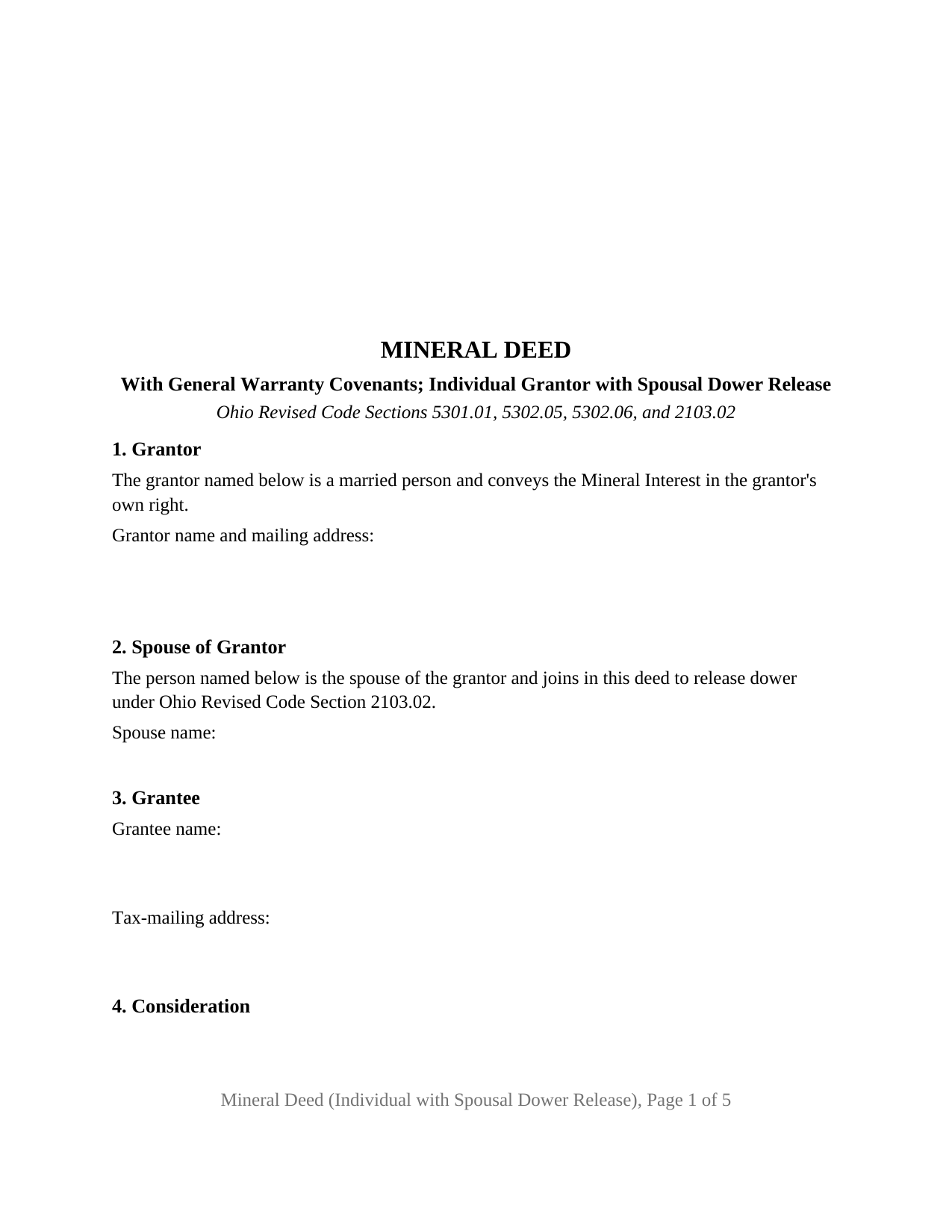
Shelby County Mineral Deed (Individual with Spousal Dower Release) Form
Fill in the blank Mineral Deed (Individual with Spousal Dower Release) form formatted to comply with all Ohio recording and content requirements.
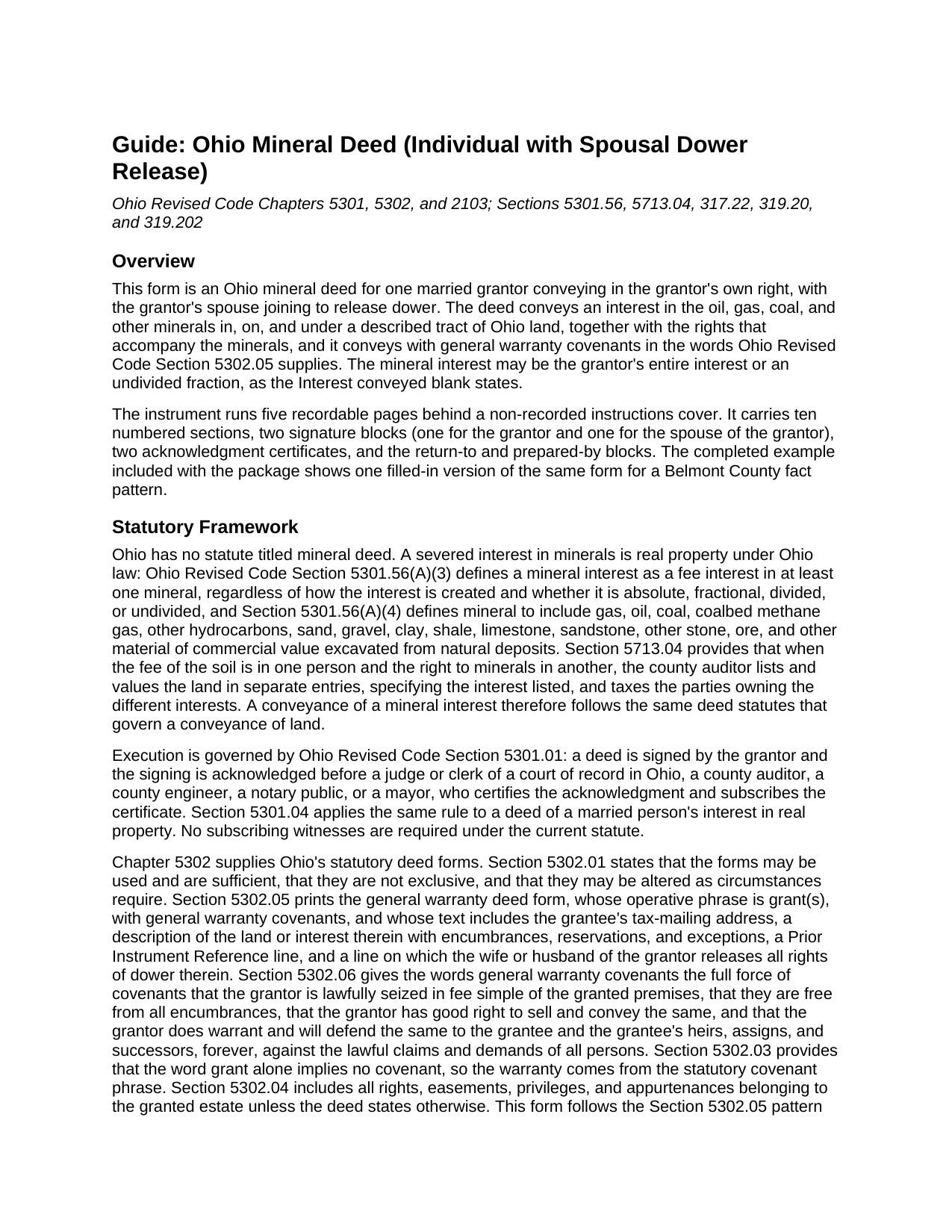
Shelby County Mineral Deed (Individual with Spousal Dower Release) Guide
Line by line guide explaining every blank on the Mineral Deed (Individual with Spousal Dower Release) form.
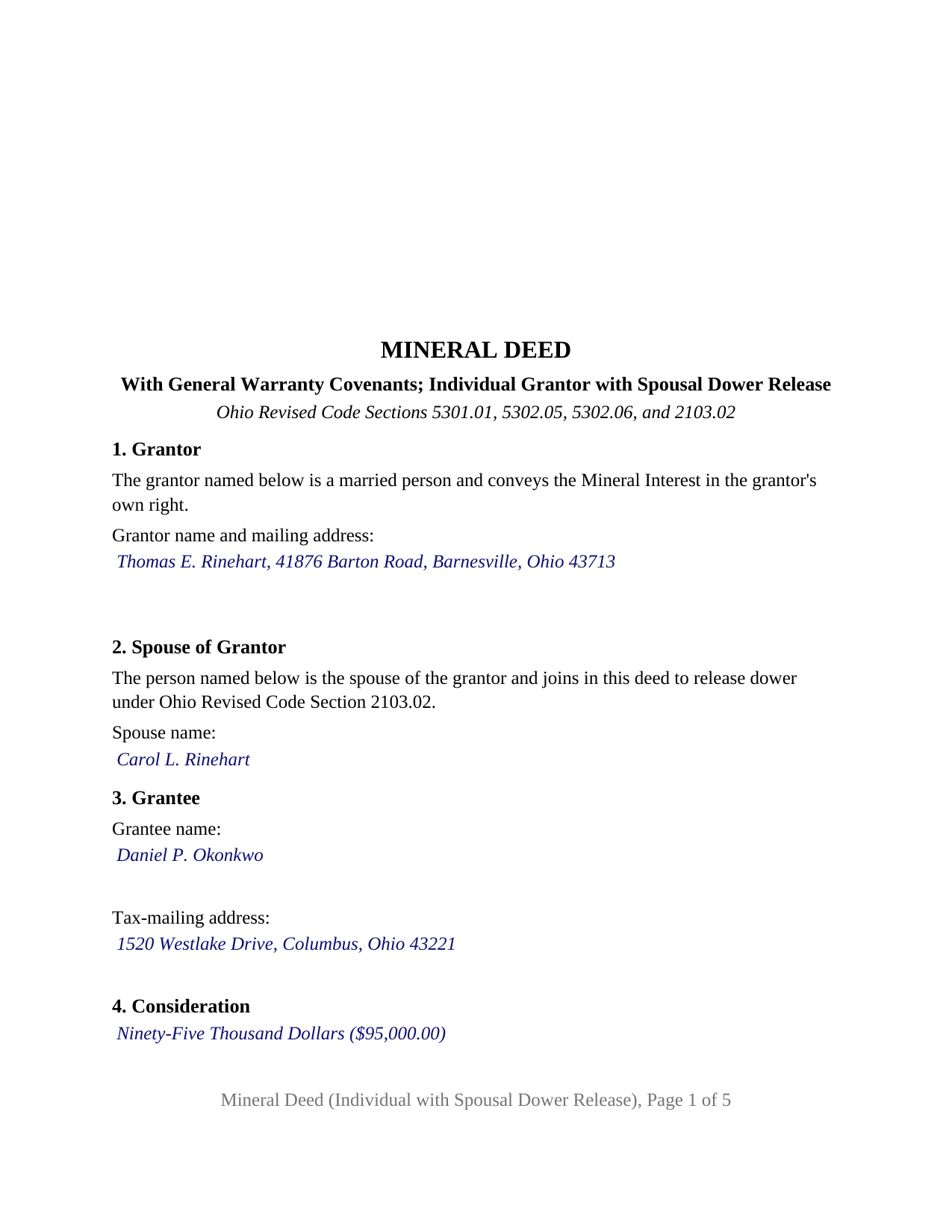
Shelby County Completed Example of the Mineral Deed (Individual with Spousal Dower Release) Document
Example of a properly completed Ohio Mineral Deed (Individual with Spousal Dower Release) document for reference.
All 3 documents above included • One-time purchase • No recurring fees
Immediate Download • Secure Checkout
Additional Ohio and Shelby County documents included at no extra charge:
Where to Record Your Documents
Shelby County Recorder
Sidney, Ohio 45365
Hours: 8:30 to 4:30 Monday through Thursday; 8:30 to 12:00 Friday
Phone: 937-498-7270
Recording Tips for Shelby County:
- Bring your driver's license or state-issued photo ID
- Ensure all signatures are in blue or black ink
- Make copies of your documents before recording - keep originals safe
- Recorded documents become public record - avoid including SSNs
- Recording fees may differ from what's posted online - verify current rates
Cities and Jurisdictions in Shelby County
Properties in any of these areas use Shelby County forms:
- Anna
- Botkins
- Fort Loramie
- Houston
- Jackson Center
- Kettlersville
- Maplewood
- Pemberton
- Port Jefferson
- Russia
- Sidney
Hours, fees, requirements, and more for Shelby County
How do I get my forms?
Forms are available for immediate download after payment. The Shelby County forms will be in your account ready to download to your computer. An account is created for you during checkout if you don't have one. Forms are NOT emailed.
Are these forms guaranteed to be recordable in Shelby County?
Yes. Our form blanks are guaranteed to meet or exceed the applicable formatting requirements used for recording in Shelby County, including margin requirements, font requirements, and other layout standards. This guarantee applies to formatting, not to the legal sufficiency of information entered by the user or the suitability of a form for a particular transaction.
Can I reuse these forms?
Yes. You can reuse the forms for your personal use. For example, if you have multiple properties in Shelby County you only need to order once.
What do I need to use these forms?
The forms are PDFs that you fill out on your computer. The free Adobe Acrobat Reader is recommended, and most PDF apps also work. You do NOT enter your property information online - you download the blank forms and complete them privately on your own computer.
Are there any recurring fees?
No. This is a one-time purchase. Nothing to cancel, no memberships, no recurring fees.
How much does it cost to record in Shelby County?
Recording fees in Shelby County vary. Contact the recorder's office at 937-498-7270 for current fees.
Questions answered? Let's get started!
This Ohio mineral deed recites one married grantor conveying an interest in the oil, gas, coal, and other minerals under a described tract, with the grantor's spouse signing alongside to release dower. It conveys with general warranty covenants in the statutory words of Ohio Revised Code Section 5302.05 and carries two signature blocks and two acknowledgment certificates: one pair for the grantor, one pair for the releasing spouse.
Why the spouse signs a deed of minerals held in one name
Section 2103.02 gives a spouse a life estate in one third of the real property of which the other spouse was seized as an estate of inheritance during the marriage. A severed mineral interest is real property, defined in Section 5301.56(A)(3) as a fee interest in at least one mineral, so dower attaches to minerals exactly as it attaches to a farm. The statutory deed forms print a line on which the wife or husband of the grantor releases all rights of dower therein, and this form carries that release with the spouse's own signature block and acknowledgment. The spouse's signature releases dower only and conveys no title of the spouse's own.
What a mineral interest carries with it
The deed defines the Mineral Interest as the interest stated in a blank, whether the grantor's entire interest, an undivided fraction, or an interest limited to particular minerals. With it go the right of ingress and egress and reasonable surface use to explore for, develop, produce, and remove the minerals, and the grantor's share of royalties, bonuses, and rentals under any mineral lease of record, to the extent of the interest conveyed. A separate section lists what the conveyance is subject to, which is where an existing lease is identified and where the warranty stops: a deed that grants, with general warranty covenants, carries the Section 5302.06 promises of seisin, freedom from encumbrances, right to convey, and defense of title against all persons, except as to the matters the deed excepts.
The Dormant Mineral Act and the value of recording
Severed minerals in Ohio live under Section 5301.56, the Dormant Mineral Act. A mineral interest held by someone other than the surface owner is deemed abandoned and vests in the surface owner if the surface owner completes the statutory notice and affidavit procedure and no saving event occurred in the preceding twenty years. The saving events include a recorded title transaction concerning the mineral interest, actual production, a recorded claim to preserve, and a separately listed tax parcel. A recorded mineral deed is a title transaction, and Section 5713.04 directs the county auditor to list a severed mineral right in a separate entry taxed to its owner, so recording and auditor transfer place the grantee's interest on the record in two ways the Act counts.
Auditor transfer before recording
Section 317.22 provides that a conveyance of minerals or mineral rights is not admitted to record until it carries the county auditor's conveyance fee stamp under Section 319.202 and the endorsement that it has been transferred or that transfer is not necessary. The grantee presents the DTE 100 conveyance fee statement, or the DTE 100EX exemption statement where Section 319.54(G)(3) applies, and the deed carries the tax-mailing address and prior instrument reference Section 319.20 requires, the preparer's name Section 317.111 requires, and the Section 317.114 format.
The configuration this form recites
The form fixes the grantor as a married person conveying in the grantor's own right and fixes the second signer as the spouse of the grantor joining to release dower; the names are blanks, the roles are deed text. The grantee side is open to one or more grantees, with any survivorship designation under Section 5302.17 following the names. A mineral owner who inherited the minerals before marriage, and a landowner who kept the minerals when the surface was sold and now sells an undivided fraction while married, each present the pattern this deed recites. The form is not set up as a deed by two record owners, by an unmarried grantor, by a trustee, by an entity, or by an attorney-in-fact, each of which carries a different recital and a different acknowledgment short form under Section 147.55.
The package includes the fillable mineral deed form, a completed example filled in for a Belmont County fact pattern, and the guide that walks through every numbered section and the recording steps. This description and the guide describe the form and the governing Ohio statutes in general terms; they are not legal advice.
Important: Your property must be located in Shelby County to use these forms. Documents should be recorded at the county recording office listed above.
This Mineral Deed (Individual with Spousal Dower Release) meets all recording requirements specific to Shelby County.
Our Promise
The documents you receive here are guaranteed to meet or exceed the applicable Shelby County recording format requirements. If there is a rejection caused by our formatting, we will correct the issue or refund your payment. This guarantee applies to document formatting only and does not extend to information entered by the user, the selection of the form, or the legal effect of the completed document.
Save Time and Money
Get your Shelby County Mineral Deed (Individual with Spousal Dower Release) form done right the first time with Deeds.com Uniform Conveyancing Blanks. At Deeds.com, we understand that your time and money are valuable resources, and we don't want you to face a penalty fee or rejection imposed by a county recorder for submitting nonstandard documents. We constantly review and update our forms to meet rapidly changing state and county recording requirements for roughly 3,500 counties and local jurisdictions.
4.8 out of 5 - ( 4,836 Reviews )
PEGGY D. 5 out of 5 stars
Very easy to find what I needed. Really liked the instructions included with the forms and also the suggestion of other forms that I might need.
We appreciate your business and value your feedback. Thank you. Have a wonderful day!
April L. 5 out of 5 stars
The warranty deed forms I received worked fine.
Thank you!
Qingqiu H. 5 out of 5 stars
I ordered the wrong forms at first because I'm an idiot and didn't do my research. When I told the customer service about my error they were understanding.
Thank you for your feedback. We really appreciate it. Have a great day!
Mary B. 5 out of 5 stars
Thank you for making these forms available at affordable prices and with lots of information.
Thank you for your positive words! We’re thrilled to hear about your experience.
Sonya B. 5 out of 5 stars
Easy to order what I needed.
Thank you!
Timothy B. 5 out of 5 stars
Information was very helpful and straight forward, Thankyou!
Thank you!
John C. 5 out of 5 stars
Ease and speed of recording are remarkable. This is especially true of deeds with problems: I often get feedback within minutes and can correct problems immediately and still complete the filing in the same day. I wish more counties accepted electronic filing! It would be helpful to list counties that do/do not accept electronic filing so I would not have to upload documents to find out my effort was fruitless.
We are grateful for your feedback and looking forward to serving you again. Thank you!
Susan S. 4 out of 5 stars
Great forms, easy to understand and use (the guide helped a lot). Recorded with no issues. Will be back when needed.
We appreciate your business and value your feedback. Thank you. Have a wonderful day!
Lutz P. 5 out of 5 stars
Your forms are great but I couldn’t use them with my computer and acrobats reader didn’t work. And then my thermal printer would only print 1/3 size pages with no way to fix it. I ordered a new color printer and we’ll see what happens.
Thank you, Lutz. We're glad you like the forms, and we're sorry getting them working turned into such a hassle. That shrunken page is typical of thermal printers: most use narrow receipt or label paper, so a full page gets scaled down to fit, and no setting can change that. Thermal paper also fades over time, which you don't want on a document you're recording, so the new printer is the right call. When it arrives, print on plain white paper with “Actual size” selected in the print settings so the page comes out full size with its margins intact. If Acrobat Reader gives you trouble again, save the form to your computer first and open the saved file in Acrobat Reader rather than in your web browser. Still stuck? Contact our support team and we'll walk you through it.
Cathy S. 5 out of 5 stars
Great forms! Repeat customer here, wouldn't go anywhere else.
We appreciate your business and value your feedback. Thank you. Have a wonderful day!
A. S. 3 out of 5 stars
First, I am glad that you gave a blank copy, an example copy, and a 'guide'. It made it much easier to do. Overall I was very happy with your products and organization... however, things got pretty confusing and I have a pretty 'serious' law background in Real Estate and Civil law. With that said, I spent about 10+ hours getting my work done, using the Deed of Trust and Promissory note from you and there were a few problems: First, it would be FANTASTIC if you actually aligned your guide to actually match the Deed or Promissory Note. What I mean is that if the Deed says 'section (E)' then your guide shouldn't be 'randomly' numbered as 1,2,3, for advice/instructions, but should EXACTLY match 'section (E)'. Some places you have to 'hunt' for what you are looking for, and if you did it based on my suggestion, you wouldn't need to 'hunt' and it would avoid confusion. 2nd: This one really 'hurt'... you had something called the 'Deed of Trust Master Form' yet you had basically no information on what it was or how to use it. The only information you had was a small section at the top of the 'Short Form Deed of Trust Guide'. Holy Cow, was that 'section' super confusing. I still don't know if I did it correctly, but your guide says only put a return address on it and leave the rest of the 16 or so page Deed of Trust beneath it blank... and then include your 'Deed of Trust' (I had to assume the short form deed that I had just created) as part of it. I had to assume that I had to print off the entire 17 page or so title page and blank deed. I also had to assume that the promissory note was supposed to be EXHIBIT A or B on the Short Form Deed. It would be great if someone would take a serious look at that short section in your 'Short Form Deed of Trust Guide' and realize that those of us using your products are seriously turning this into a county clerk to file and that most of us, probably already have a property that has an existing Deed... or at least can find one in the county records if necessary... and make sure that you make a distinction between the Deed for the property that already exists, versus the Deed of Trust and Promissory note that we are trying to file. Thanks.
Thank you for your feedback. We'll have staff review the document for clarity. Have a great day!
Duane R. 5 out of 5 stars
Your site was very easy to use and provided all the information needed.
Thank you for your feedback. We really appreciate it. Have a great day!
Samantha A. 5 out of 5 stars
Its exactly what it said it was. I received multiple downloads, loaded fast and was pretty easy to navigate.
Thank you for your feedback. We really appreciate it. Have a great day!
Jane N. 5 out of 5 stars
Good morning, It seems to be easy to navigate and print out the form I needed. Great!!! Jane
We appreciate your business and value your feedback. Thank you. Have a wonderful day!
William M. 5 out of 5 stars
I found your service for deeds easy to use and I was able to quickly get the information (forms, example of forms filled out, and guide for filling out the form) down downloaded. I wish all government services and information was as easy to use as your's was. Thank you!
We appreciate your business and value your feedback. Thank you. Have a wonderful day!