Wayne County Mineral Deed (Quitclaim) (Married Grantor with Dower Release) Form
Last validated October 27, 2026 by our Forms Development TeamFormatted for recording in Wayne County, for property anywhere in the county: rural and unincorporated areas as well as Apple Creek, Burbank, Creston, Dalton, Doylestown, Fredericksburg, Kidron, Marshallville and 8 more.
- 3 documents included
- Immediate PDF download
- Formatting guarantee
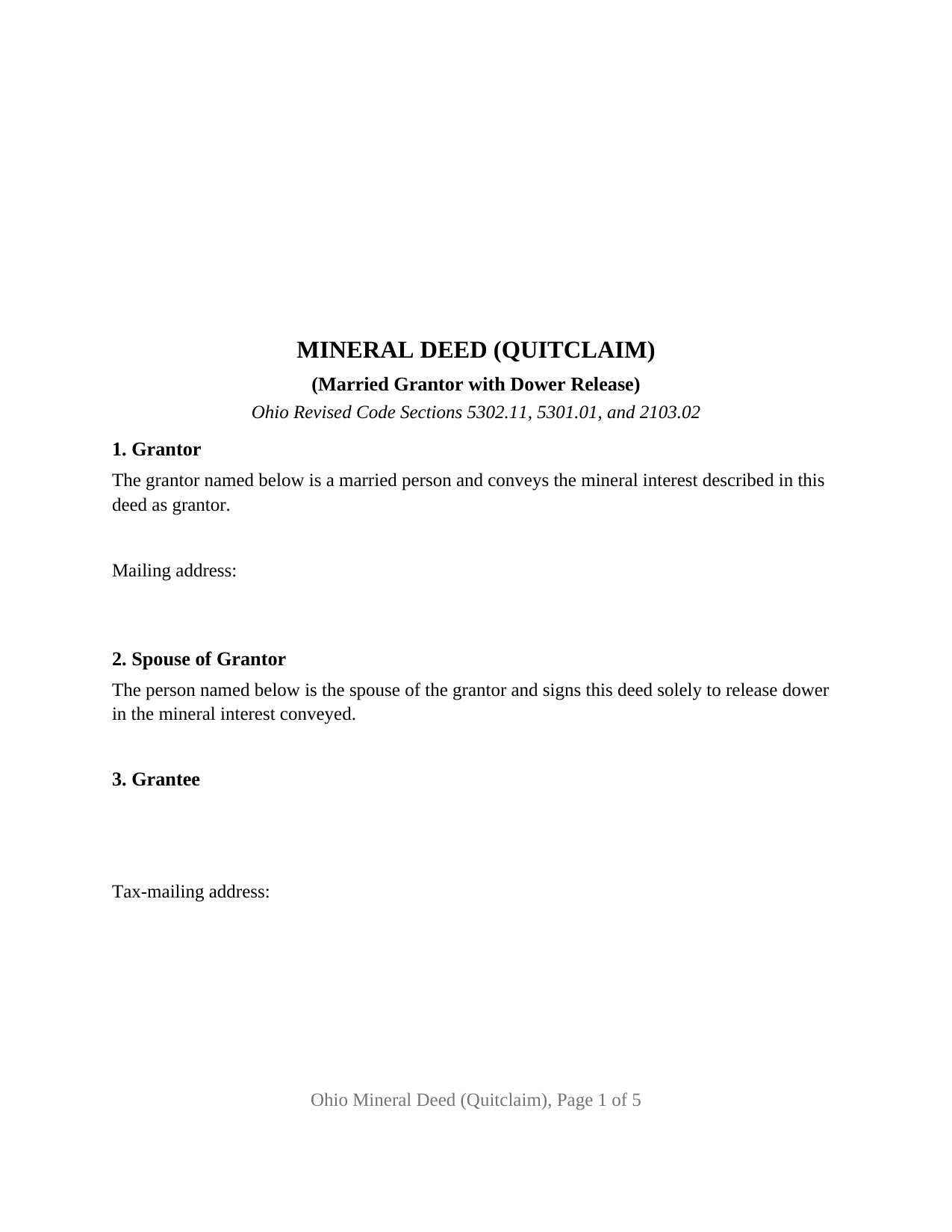
Wayne County Mineral Deed (Quitclaim) (Married Grantor with Dower Release) Form
Fill in the blank Mineral Deed (Quitclaim) (Married Grantor with Dower Release) form formatted to comply with all Ohio recording and content requirements.
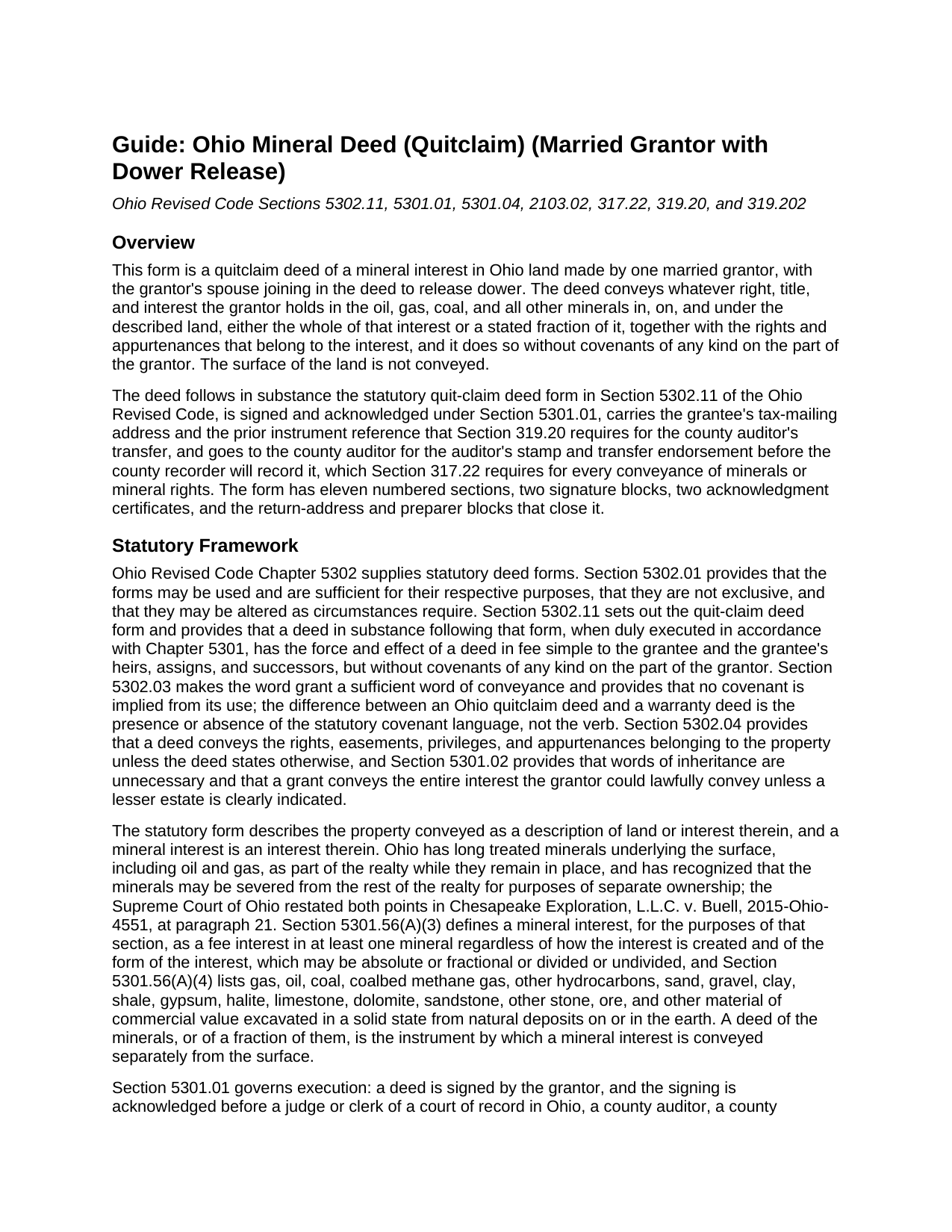
Wayne County Mineral Deed (Quitclaim) (Married Grantor with Dower Release) Guide
Line by line guide explaining every blank on the Mineral Deed (Quitclaim) (Married Grantor with Dower Release) form.
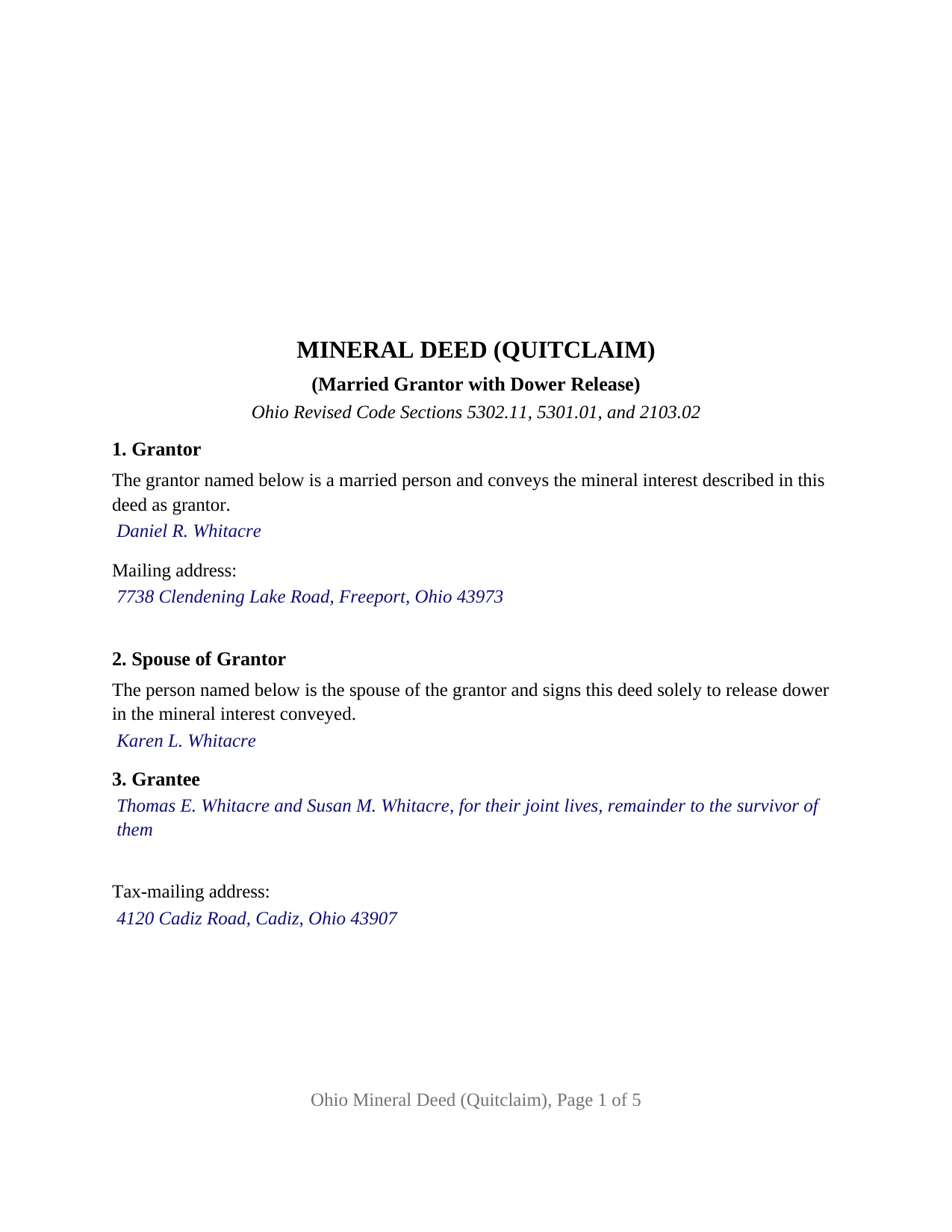
Wayne County Completed Example of the Mineral Deed (Quitclaim) (Married Grantor with Dower Release) Document
Example of a properly completed Ohio Mineral Deed (Quitclaim) (Married Grantor with Dower Release) document for reference.
All 3 documents above included • One-time purchase • No recurring fees
Immediate Download • Secure Checkout
Additional Ohio and Wayne County documents included at no extra charge:
Where to Record Your Documents
Wayne County Recorder
Wooster, Ohio 44691
Hours: 8:00 to 4:30 M-F
Phone: 330-287-5460
Recording Tips for Wayne County:
- Bring your driver's license or state-issued photo ID
- Ensure all signatures are in blue or black ink
- Check margin requirements - usually 1-2 inches at top
- Leave recording info boxes blank - the office fills these
- Make copies of your documents before recording - keep originals safe
Cities and Jurisdictions in Wayne County
Properties in any of these areas use Wayne County forms:
- Apple Creek
- Burbank
- Creston
- Dalton
- Doylestown
- Fredericksburg
- Kidron
- Marshallville
- Mount Eaton
- Orrville
- Rittman
- Shreve
- Smithville
- Sterling
- West Salem
- Wooster
Hours, fees, requirements, and more for Wayne County
How do I get my forms?
Forms are available for immediate download after payment. The Wayne County forms will be in your account ready to download to your computer. An account is created for you during checkout if you don't have one. Forms are NOT emailed.
Are these forms guaranteed to be recordable in Wayne County?
Yes. Our form blanks are guaranteed to meet or exceed the applicable formatting requirements used for recording in Wayne County, including margin requirements, font requirements, and other layout standards. This guarantee applies to formatting, not to the legal sufficiency of information entered by the user or the suitability of a form for a particular transaction.
Can I reuse these forms?
Yes. You can reuse the forms for your personal use. For example, if you have multiple properties in Wayne County you only need to order once.
What do I need to use these forms?
The forms are PDFs that you fill out on your computer. The free Adobe Acrobat Reader is recommended, and most PDF apps also work. You do NOT enter your property information online - you download the blank forms and complete them privately on your own computer.
Are there any recurring fees?
No. This is a one-time purchase. Nothing to cancel, no memberships, no recurring fees.
How much does it cost to record in Wayne County?
Recording fees in Wayne County vary. Contact the recorder's office at 330-287-5460 for current fees.
Questions answered? Let's get started!
When a married Ohioan signs away the oil, gas, and other minerals under a tract of land, the deed carries a second signature that conveys nothing at all: the grantor's spouse signs only to release dower. This Ohio Mineral Deed (Quitclaim) (Married Grantor with Dower Release) is a fillable quitclaim deed of a mineral interest built around exactly that pattern, one married grantor conveying in the grantor's own right and one spouse joining under Section 2103.02 of the Ohio Revised Code to release the life estate that Ohio dower would otherwise leave outstanding against the minerals conveyed.
A signature that releases without conveying
Section 2103.02 gives a spouse who has not relinquished or been barred from it an estate for life in one third of the real property of which the other spouse was seized as an estate of inheritance during the marriage. Minerals in place are part of the realty under Ohio decisions, so a married owner holds a severed mineral interest subject to that inchoate interest. The statutory quit-claim deed form in Section 5302.11 answers with a single sentence, the spouse releases all rights of dower therein, and this deed prints that release as its Section 10, with its own signature block headed SPOUSE OF GRANTOR and its own acknowledgment certificate. The spouse is not a grantor, and nothing the spouse owns in the spouse's own name passes under the deed.
Minerals only, without covenants
The deed conveys the grantor's right, title, and interest in the oil, gas, coal, and all other minerals in, on, and under the described land, in whole or in the fraction stated in Section 6, with the appurtenant rights Section 5302.04 carries, and subject to any recorded lease or other matter listed in Section 7. The surface is not conveyed. Because the instrument follows the Section 5302.11 quit-claim form, it has the force and effect of a deed in fee simple to the grantee but without covenants of any kind on the part of the grantor: the grantee takes whatever the grantor holds, often an undivided fraction traced through decades of reservations, and the deed makes no promise about what that is. Buyers search for this instrument as a mineral rights deed, an oil and gas deed, or a quitclaim deed of mineral rights; this form is each of those, for one married grantor.
Two signers, two certificates, one married grantor
The configuration is fixed on the face of the deed: Section 1 prints that the grantor is a married person, Section 2 prints that the second signer is the grantor's spouse releasing dower, the signature section carries exactly two blocks, and a separate Section 147.55(A) acknowledgment certificate follows for each signer. The record presents this pattern when a married owner of severed minerals conveys them to a child, a buyer, or an operator, and when a married owner of both surface and minerals conveys the minerals and keeps the farm. Two spouses who both hold record title to the minerals present a two-grantor pattern, each conveying and each releasing dower in the other's share, and that is not the architecture this deed recites; nor is a deed by an unmarried owner, a trustee, a company, or an attorney-in-fact.
The auditor before the recorder
An Ohio conveyance of minerals or mineral rights is not admitted to record until the county auditor has stamped it and endorsed it transferred or transfer not necessary, under Section 317.22. The deed therefore carries the grantee's tax-mailing address and a prior instrument reference, the two items Section 319.20 requires for transfer, and the guide walks through the Section 319.202 conveyance-fee statement, the state fee of ten cents per hundred dollars of value, and the county transfer tax of up to thirty cents more. The form is laid out to the Section 317.114 standard, so the twenty dollar nonstandard-format fee is not triggered. Once recorded, the deed is a title transaction of which the mineral interest is the subject within Section 5301.47(F), the first of the events Section 5301.56(B)(3) lists in Ohio's Dormant Mineral Act; the guide describes that statute's twenty year window and procedures without applying them.
The package includes the fillable deed, a completed example filled in for a realistic Harrison County fact pattern, and a guide that walks through every section, the governing statutes, the forms of co-ownership a grantee may take, and the auditor-and-recorder process. This description and the guide describe the form and the Ohio statutes in general terms; they are not legal advice.
Important: Your property must be located in Wayne County to use these forms. Documents should be recorded at the county recording office listed above.
This Mineral Deed (Quitclaim) (Married Grantor with Dower Release) meets all recording requirements specific to Wayne County.
Our Promise
The documents you receive here are guaranteed to meet or exceed the applicable Wayne County recording format requirements. If there is a rejection caused by our formatting, we will correct the issue or refund your payment. This guarantee applies to document formatting only and does not extend to information entered by the user, the selection of the form, or the legal effect of the completed document.
Save Time and Money
Get your Wayne County Mineral Deed (Quitclaim) (Married Grantor with Dower Release) form done right the first time with Deeds.com Uniform Conveyancing Blanks. At Deeds.com, we understand that your time and money are valuable resources, and we don't want you to face a penalty fee or rejection imposed by a county recorder for submitting nonstandard documents. We constantly review and update our forms to meet rapidly changing state and county recording requirements for roughly 3,500 counties and local jurisdictions.
4.8 out of 5 - ( 4,857 Reviews )
Kathy Ann M. 5 out of 5 stars
Got the report. However, Retrieving process was not clear.
Thank you for your feedback. We really appreciate it. Have a great day!
Robert P. 5 out of 5 stars
Easy to use. Documents as stated.
Thank you for your feedback. We really appreciate it. Have a great day!
Raymond M. 5 out of 5 stars
It would be really nice if you had an example of the document full size that can be examined/read before having to pay. I was gambling that it was the exact document that I needed when I paid my fee. Fortunately, it was, and I commend you for that.
Thank you for your feedback. We really appreciate it. Have a great day!
KATHLEEN S. 5 out of 5 stars
Excellent service, great feedback and recommendations by the deed preparer, and I really appreciate the personalized service. The website is amazing, everything is well thought out, and all messages are saved, clear and easy to read. I wish my website was so easy to navigate! Seriously, the person who worked on my account is awesome. They made recommendations about what to include and what not to include. They didn't make me feel dumb for asking questions about out-of-state service and filing procedures, and I will be using Deeds.com exclusively on my cases. Five stars !
We appreciate your business and value your feedback. Thank you. Have a wonderful day!
Valerie W. 5 out of 5 stars
I haven't gotten around to filling out the forms yet, but they look fine to me on the surface. looking forward to getting to them as soon as I can!
Thank you, Valerie. When you’re ready, everything will be available in your account.
David P. 5 out of 5 stars
The forms were easy to follow and it was good to have an example to follow as well. It was convenient that they had forms for each County.
We truly value your business and appreciate your review.
O. Peter P. 2 out of 5 stars
I find your forms hard to use, inasmuch as the forms cannot be converted to a Word Document. Editing and deleting of extra lines is not possible, making for a deed with large blank spaces. Document that results is not usable for me.
Sorry to hear that we did not meet your expectations. We have canceled your order and payment. We do hope you find something more suitable to your needs elsewhere. Have a wonderful day.
Ute P. 5 out of 5 stars
Thank you it was hard for me to pull these documents online you been a big help since I am in a different state, quick and awesome.
We appreciate your business and value your feedback. Thank you. Have a wonderful day!
Lisa C. 5 out of 5 stars
Thank you. Very easy!
We are delighted to have been of service. Thank you for the positive review!
Gene N. 5 out of 5 stars
My mind is blown! For some reason, our veteran title companies wouldn't record our deed but luckily, the assessor's page recommended Deeds and other sites to e-record. It was so simple and so convenient!
We appreciate your business and value your feedback. Thank you. Have a wonderful day!
Jin L. 5 out of 5 stars
Your service is pretty awesome! I needed to get my docs recorded before year end, and you guys were on it. Thank you very much for the quick turnaround!
We appreciate your business and value your feedback. Thank you. Have a wonderful day!
Casey S. 5 out of 5 stars
I had a really good experience. I bought two forms from a different website and they didn’t help me at all. Granted, I only paid the minimum here I bought the upgrade and they showed me how to fill it out and what it should look like I went and had it notarized and took it to the county recorder and everything went smoothly. Highly suggest.
Glad it all came together smoothly for you, Casey. Appreciate you giving us a shot and taking the time to share your experience.
Toni M. 5 out of 5 stars
I liked having the forms. Some may need to know they can look at the legal Description from online county records, then type up in Word document line by line, the degree sign in Word program is achieved by using alt and 248 on number pad. Then on the form page one write SEE Exibit A and title your Word program description as Exibit A. Goes without saying the legal description should be looked over many times and it is easier to do so if you format your Word the same lineage as the legal description online which is usually not text which is why you have to retype it.
Thank you for your feedback. We really appreciate it. Have a great day!
Rod G. 5 out of 5 stars
You guys have it DOWN!! You made it easy to navigate your site and services. You explained things effectively. You are helpful and fast. NO WAY would even entertain using a different deed/ document recording service. I'll be back! Thank you. Rod
We appreciate your business and value your feedback. Thank you. Have a wonderful day!
Jason U. 5 out of 5 stars
Extremely useful! The guide was excellent with the sample. Used and went exceptionally smoothly.
Thank you for your positive words! We’re thrilled to hear about your experience.