Cocke County Notice of Mechanics Lien Form
Last validated September 29, 2026 by our Forms Development TeamFormatted for recording in Cocke County, for property anywhere in the county: rural and unincorporated areas as well as Bybee, Cosby, Del Rio, Hartford, Newport, Parrottsville.
- 3 documents included
- Immediate PDF download
- Formatting guarantee
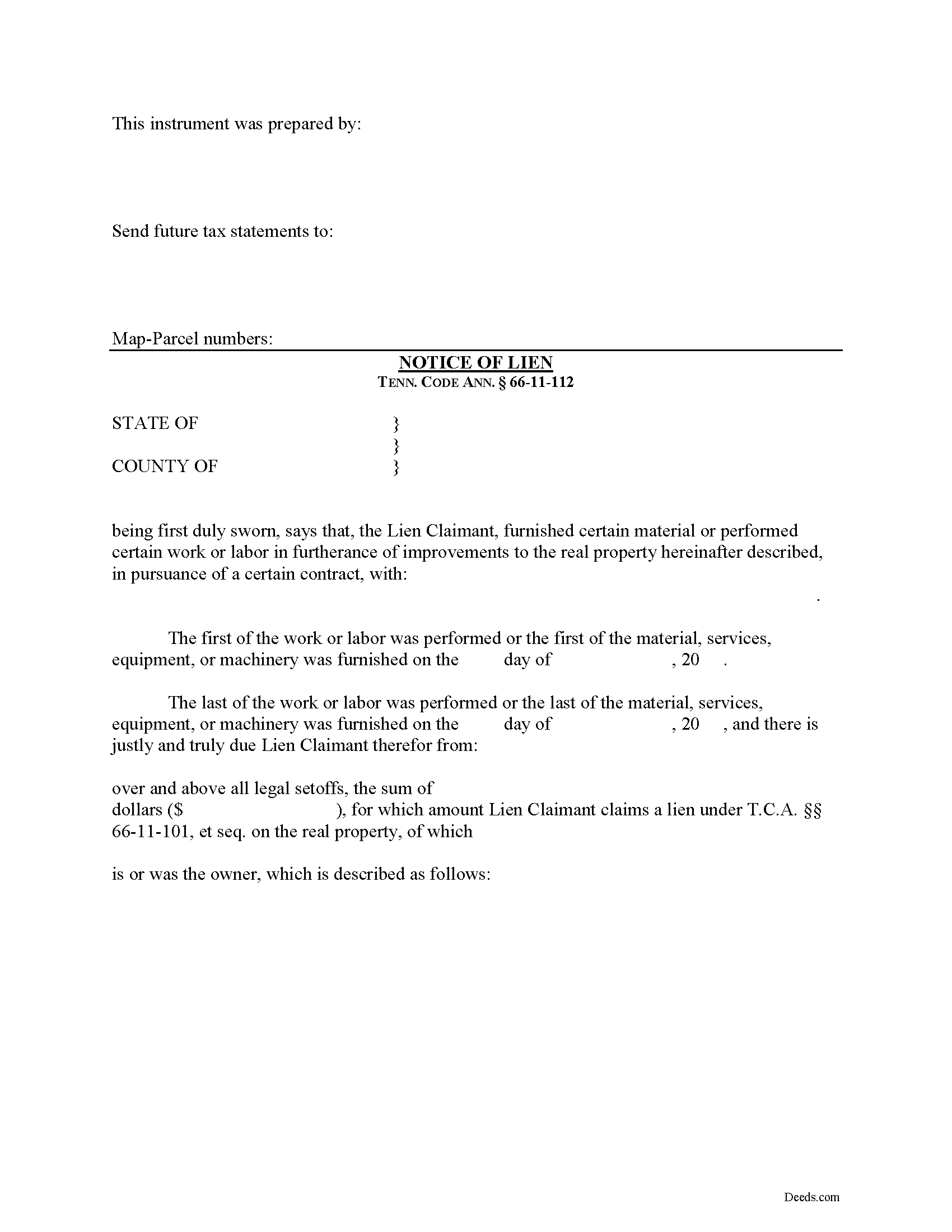
Cocke County Notice of Mechanics Lien Form
Fill in the blank Notice of Mechanics Lien form formatted to comply with all Tennessee recording and content requirements.
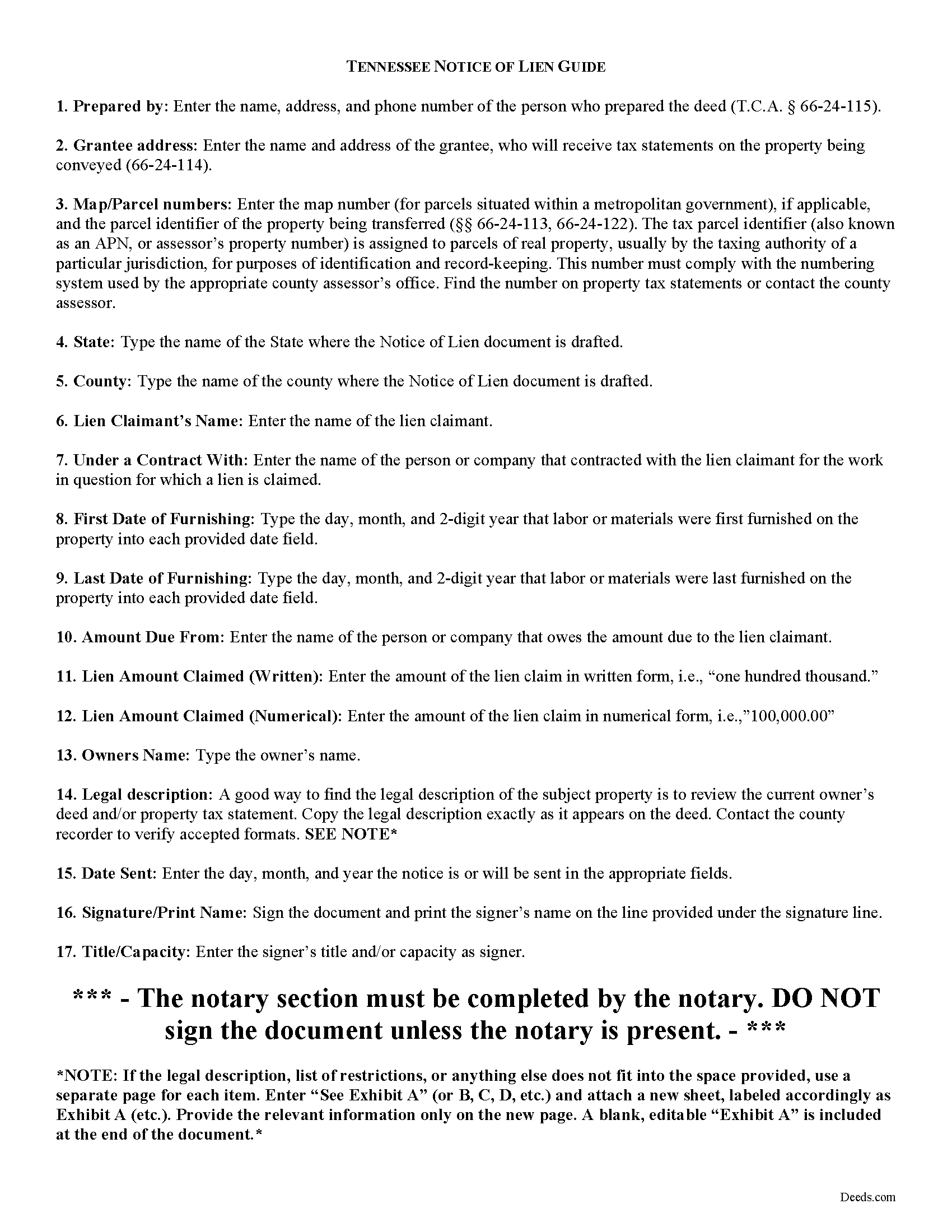
Cocke County Notice of Mechanics Lien Guide
Line by line guide explaining every blank on the form.
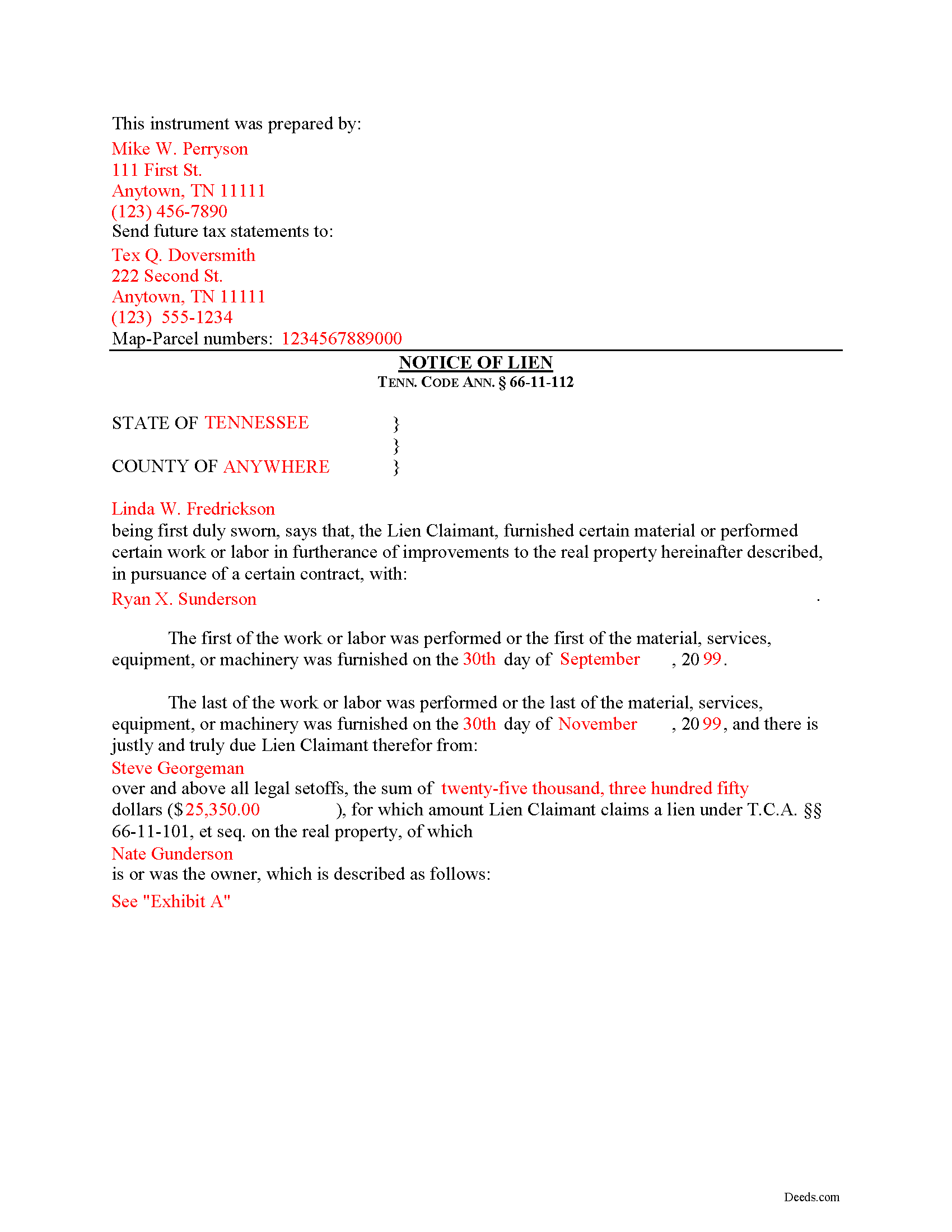
Cocke County Completed Example of the Notice of Mechanics Lien Document
Example of a properly completed form for reference.
All 3 documents above included • One-time purchase • No recurring fees
Immediate Download • Secure Checkout
Additional Tennessee and Cocke County documents included at no extra charge:
Where to Record Your Documents
Cocke County Register of Deeds
Newport, Tennessee 37821
Hours: 8:00 to 4:00 M-F
Phone: (423) 623-7540
Recording Tips for Cocke County:
- Bring your driver's license or state-issued photo ID
- Ensure all signatures are in blue or black ink
- Avoid the last business day of the month when possible
- Both spouses typically need to sign if property is jointly owned
- Bring extra funds - fees can vary by document type and page count
Cities and Jurisdictions in Cocke County
Properties in any of these areas use Cocke County forms:
- Bybee
- Cosby
- Del Rio
- Hartford
- Newport
- Parrottsville
Hours, fees, requirements, and more for Cocke County
How do I get my forms?
Forms are available for immediate download after payment. The Cocke County forms will be in your account ready to download to your computer. An account is created for you during checkout if you don't have one. Forms are NOT emailed.
Are these forms guaranteed to be recordable in Cocke County?
Yes. Our form blanks are guaranteed to meet or exceed the applicable formatting requirements used for recording in Cocke County, including margin requirements, font requirements, and other layout standards. This guarantee applies to formatting, not to the legal sufficiency of information entered by the user or the suitability of a form for a particular transaction.
Can I reuse these forms?
Yes. You can reuse the forms for your personal use. For example, if you have multiple properties in Cocke County you only need to order once.
What do I need to use these forms?
The forms are PDFs that you fill out on your computer. The free Adobe Acrobat Reader is recommended, and most PDF apps also work. You do NOT enter your property information online - you download the blank forms and complete them privately on your own computer.
Are there any recurring fees?
No. This is a one-time purchase. Nothing to cancel, no memberships, no recurring fees.
How much does it cost to record in Cocke County?
Recording fees in Cocke County vary. Contact the recorder's office at (423) 623-7540 for current fees.
Questions answered? Let's get started!
Filing a Mechanic's Lien Claim in Tennessee
Mechanic's Liens are used to place a block or burden on a property owner's title when a claimant (such as a contractor or materials supplier) has not been paid for labor, materials, or equipment provided. In Tennessee, mechanic's liens are governed under Chapter 11 of the Tennessee Property Code.
In order to preserve the priority of the lien, as it concerns subsequent purchasers or encumbrancers for a valuable consideration without notice of the lien, the lienor, is required to record in the office of the register of deeds of the county where the real property, or any part affected, lies, a sworn statement of the amount for, and a reasonably certain description of the real property on, which the lien is claimed. Tenn. Prop. Code 66-11-112(a).
The recording party shall pay filing fees, and shall be provided a receipt for the filing fees, which amount shall be part of the lien amount. Id. The recordation must be done no later than ninety (90) days after the date the improvement is complete or is abandoned, prior to which time the lien shall be effective as against the purchasers or encumbrancers without the recordation. Id.
The owner must serve thirty (30) days' notice on prime contractors and on all of those lienors who have served notice in accordance with Tenn. Prop. Code 66-11-145 (the notice of non-payment) prior to the owner's transfer of any interest to a subsequent purchaser or encumbrancer for a valuable consideration. Id.
If the sworn statement is not recorded within that time, the lien's priority as to subsequent purchasers or encumbrancers shall be determined as if it attached as of the time the sworn statement is recorded. Id. Therefore, timely recording is of the utmost importance to protect full lien rights.
According to Tennessee Prop. Code 66-11-112(b), a building, structure or improvement is deemed to have been abandoned for purposes of the lien law when there is a cessation of operation for a period of ninety (90) days and an intent on the part of the owner or prime contractor to cease operations permanently, or at least for an indefinite period. If either of these occur, it is time to file your lien.
This article is provided for informational purposes only and should not be considered legal advice or relied upon as any substitute for speaking with an attorney. Please consult a Tennessee attorney familiar with construction law for any issues regarding mechanic's liens.
Important: Your property must be located in Cocke County to use these forms. Documents should be recorded at the county recording office listed above.
This Notice of Mechanics Lien meets all recording requirements specific to Cocke County.
Our Promise
The documents you receive here are guaranteed to meet or exceed the applicable Cocke County recording format requirements. If there is a rejection caused by our formatting, we will correct the issue or refund your payment. This guarantee applies to document formatting only and does not extend to information entered by the user, the selection of the form, or the legal effect of the completed document.
Save Time and Money
Get your Cocke County Notice of Mechanics Lien form done right the first time with Deeds.com Uniform Conveyancing Blanks. At Deeds.com, we understand that your time and money are valuable resources, and we don't want you to face a penalty fee or rejection imposed by a county recorder for submitting nonstandard documents. We constantly review and update our forms to meet rapidly changing state and county recording requirements for roughly 3,500 counties and local jurisdictions.
4.8 out of 5 - ( 4,824 Reviews )
James M. 5 out of 5 stars
Clear and easy instructions! Prompt notices of steps and status. Great job! I wish all counties in all states were this easy!
Thank you for your feedback. We really appreciate it. Have a great day!
Connie E. 5 out of 5 stars
Great service! Easy to download and view. Florida should have the Revocable Transfer on Death (TOD)deed, that many other States have. That's the one I really wanted. This one will do in the meantime.
We appreciate your business and value your feedback. Thank you. Have a wonderful day!
Julie K. 4 out of 5 stars
The process for obtaining document itself was easy, and the included guide and example are great! I do have an issue with the format itself, though. The form has pre-defined text boxes, which cannot be altered without partially rebuilding the entire document. For the 'property description' field on the Mineral Deed form, the text box is not large enough for the rather lengthy legal description entered on my original plat. Fortunately, I have a copy of Adobe Pro, so I have been able to re-build the doc to accommodate this short-coming.
Thank you for taking the time to provide feedback on our legal form. We're pleased to hear that you found the process for obtaining the document and the included guide beneficial.
We understand and appreciate your concern regarding the formatting and size limitations of certain fields, especially the 'property description' field. Our forms are designed to adhere to specific formatting requirements that are often mandated for legal compliance. Making direct alterations to the document can result in them becoming non-conforming, which is why we advise customers to use an exhibit page when their legal description is extensive or does not fit.
David H. 5 out of 5 stars
It was great
Thank you!
REBECCA B. 5 out of 5 stars
Documents arrived instantly. Performed exactly as stated. Will use website again.
We appreciate your business and value your feedback. Thank you. Have a wonderful day!
Jamie F. 4 out of 5 stars
I purchased he Alabama Correction Warranty Deed Form to correct a mistake in the legal description. However, this form says it must be signed by all who previously signed the deed. One of these people is now deceased. Can I use this form? How would it be different? I would give you 5 stars but wish this issue had been addressed. Thanks.
Thank you for your feedback. From the product description: All parties who signed the prior deed must sign the correction deed in the presence of a notary.
Kristina M. 5 out of 5 stars
deeds.com has been an easy and efficient way for my organization to file deeds on behalf of older DC residents. KVH especially has been wonderfully helpful in providing guidance about the submission process. Appreciate the professionalism and patience
Thank you for the kind words Kristina.
Scott W. 5 out of 5 stars
Quick and simple.
Thank you!
Angela M. 5 out of 5 stars
Great communication and always on timely manner unless issue appears with the document. I like their customer service, very helpful and assisting when necessary.
We are sincerely grateful for your feedback and are committed to providing the highest quality service. Thank you for your trust in us.
Larry P. 5 out of 5 stars
Easy to follow step by step in completing form. Filing successful on first try. Economical cost. Would highly recommend.
We appreciate your business and value your feedback. Thank you. Have a wonderful day!
Theadore L. 5 out of 5 stars
Bought a transfer on death deed form and it worked great. Easy to fill out and record with the County. Got some helpful information from the county recorders office before filling out the form. I found out that I could use one deed for 2 properties. Saved me money not having to pay fees for 2 deeds.
We are delighted to have been of service. Thank you for the positive review!
Mary K. 5 out of 5 stars
I love this site already! Even though I have not executed my downloads, the documents are so professionally written, and the extras are great. I am impressed with Deeds. Thank you! I will continue to use Deeds as a source for my business and personal needs.
Thank you for your positive words! We’re thrilled to hear about your experience.
Kathryn P. 4 out of 5 stars
Somewhat easy to traverse.
Thank you!
Nora P. 2 out of 5 stars
I'm typing along and suddenly I can't fit anything more into the page and there's plenty of room. This is my 2nd time using this site. No problem the first time years ago. Now it's an issue, looks like I'll need a typewriter to finish the form. Where do I find a typewriter?!! I can't complete the legal description!
Thanks for your feedback Nora. If you are unable to find a typewriter you can always do as the guide suggests and use the included exhibit page.
William P. 5 out of 5 stars
I was very pleased with the end results regarding Quitclaim deeds.
Thank you!