Stewart County Notice of Transfer Form
Last validated October 29, 2026 by our Forms Development TeamFormatted for recording in Stewart County, for property anywhere in the county: rural and unincorporated areas as well as Big Rock, Bumpus Mills, Cumberland City, Dover, Indian Mound.
- 3 documents included
- Immediate PDF download
- Formatting guarantee
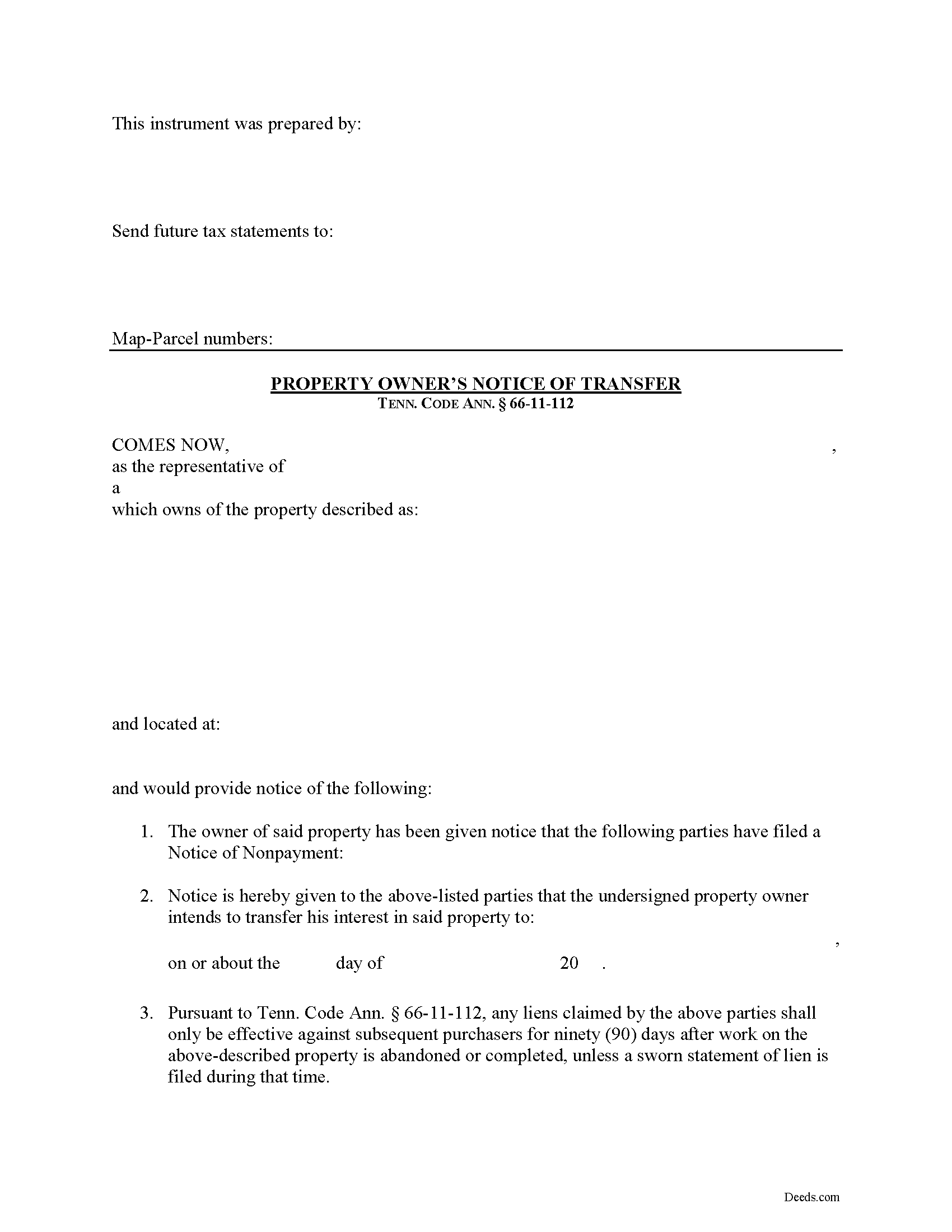
Stewart County Notice of Transfer Form
Fill in the blank Notice of Transfer form formatted to comply with all Tennessee recording and content requirements.
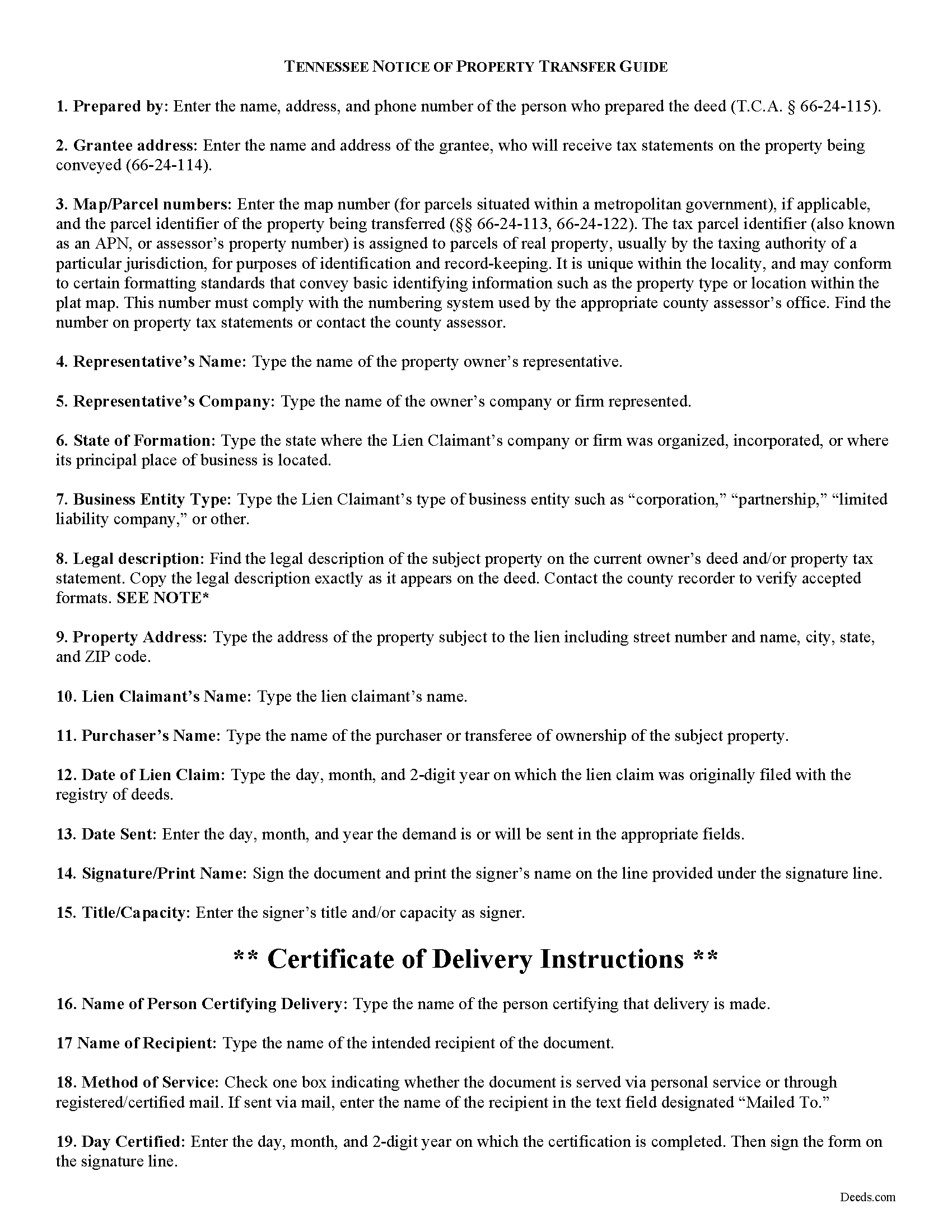
Stewart County Notice of Transfer Guide
Line by line guide explaining every blank on the form.
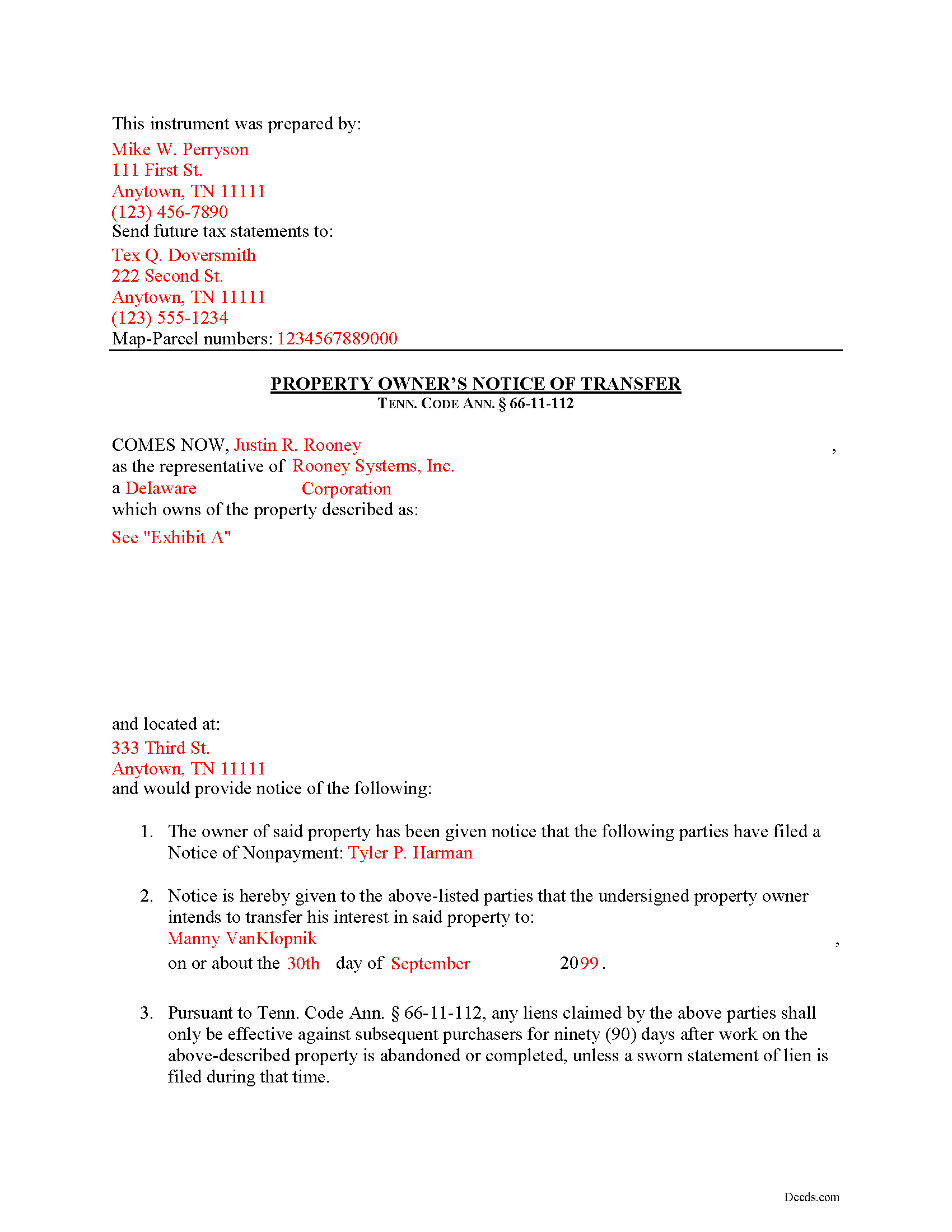
Stewart County Completed Example of the Notice of Transfer Document
Example of a properly completed form for reference.
All 3 documents above included • One-time purchase • No recurring fees
Immediate Download • Secure Checkout
Additional Tennessee and Stewart County documents included at no extra charge:
Where to Record Your Documents
Stewart County Register of Deeds
Dover, Tennessee 37058
Hours: 8:00am to 4:30pm M-F
Phone: (931) 232-5990
Recording Tips for Stewart County:
- Bring your driver's license or state-issued photo ID
- Ensure all signatures are in blue or black ink
- Ask for certified copies if you need them for other transactions
- Ask if they accept credit cards - many offices are cash/check only
- Check that your notary's commission hasn't expired
Cities and Jurisdictions in Stewart County
Properties in any of these areas use Stewart County forms:
- Big Rock
- Bumpus Mills
- Cumberland City
- Dover
- Indian Mound
Hours, fees, requirements, and more for Stewart County
How do I get my forms?
Forms are available for immediate download after payment. The Stewart County forms will be in your account ready to download to your computer. An account is created for you during checkout if you don't have one. Forms are NOT emailed.
Are these forms guaranteed to be recordable in Stewart County?
Yes. Our form blanks are guaranteed to meet or exceed the applicable formatting requirements used for recording in Stewart County, including margin requirements, font requirements, and other layout standards. This guarantee applies to formatting, not to the legal sufficiency of information entered by the user or the suitability of a form for a particular transaction.
Can I reuse these forms?
Yes. You can reuse the forms for your personal use. For example, if you have multiple properties in Stewart County you only need to order once.
What do I need to use these forms?
The forms are PDFs that you fill out on your computer. The free Adobe Acrobat Reader is recommended, and most PDF apps also work. You do NOT enter your property information online - you download the blank forms and complete them privately on your own computer.
Are there any recurring fees?
No. This is a one-time purchase. Nothing to cancel, no memberships, no recurring fees.
How much does it cost to record in Stewart County?
Recording fees in Stewart County vary. Contact the recorder's office at (931) 232-5990 for current fees.
Questions answered? Let's get started!
Transferring Property Subject to Lien Claims in Tennessee
Lots of things can happen with a property that can cause the owner to sell or otherwise transfer ownership while a lien is pending. Luckily, in Tennessee offers a procedure for accelerating the time to enforce a lien when transferring property to a purchaser. Drafting and recording a Notice of Transfer will effectively limit the time that the lien claimant can enforce any lien against a subsequent purchaser.
Under Tenn. Prop. Code 66-11-112(a), any liens claimed only remain effective against subsequent purchasers for ninety (90) days after work on the above-described property is abandoned or completed, unless a sworn statement of lien is filed during that time.
The notice identifies the parties, the location of the work or improvement, intended date of the transfer, and any other information relevant to the specific situation.
This article is provided for informational purposes only and should not be considered legal advice or relied upon as any substitute for speaking with an attorney. Please consult a Tennessee attorney familiar with construction law for any questions about the Notice of Transfer or for any other issues regarding mechanic's liens.
Important: Your property must be located in Stewart County to use these forms. Documents should be recorded at the county recording office listed above.
This Notice of Transfer meets all recording requirements specific to Stewart County.
Our Promise
The documents you receive here are guaranteed to meet or exceed the applicable Stewart County recording format requirements. If there is a rejection caused by our formatting, we will correct the issue or refund your payment. This guarantee applies to document formatting only and does not extend to information entered by the user, the selection of the form, or the legal effect of the completed document.
Save Time and Money
Get your Stewart County Notice of Transfer form done right the first time with Deeds.com Uniform Conveyancing Blanks. At Deeds.com, we understand that your time and money are valuable resources, and we don't want you to face a penalty fee or rejection imposed by a county recorder for submitting nonstandard documents. We constantly review and update our forms to meet rapidly changing state and county recording requirements for roughly 3,500 counties and local jurisdictions.
4.8 out of 5 - ( 4,840 Reviews )
Linda W. 5 out of 5 stars
Fast service. From the time I sent my Quit Claim Deed to deeds.com, and six hours later my deed was recorded. It was painless, great convenience.
Thank you!
Wava B. 5 out of 5 stars
Obtaining the form was quick and easy. Thank You
We appreciate your business and value your feedback. Thank you. Have a wonderful day!
Theresa M. 5 out of 5 stars
This company was very thorough in having all the forms that I needed.
Thank you!
Thomas G. 5 out of 5 stars
A few parts are confusing'.Like sending Tax statements to WHO ?/ The rest is simple I hope.Have not tried to record yet
Thank you!
John S. 5 out of 5 stars
Your service is refreshingly clear, simple, and free of superfluous claims or unnecessary marketing. And, more affordable than other online legal document providers I've looked at. So nice! I forgot I had used it some years ago for another deed so glad you are still around for this time.
Thank you for the kind words John. Have a fantastic day!
Christine B. B. 4 out of 5 stars
The Personal Representatives Deed is definitely a helpful document for my files. I find it need just a little tweaking by deeds.com , There should be more space for the legal description. I did see in the FAQ's you recommend putting it in the Exhibit and this is what I did. Also I couldn't get the year to be accepted and had to write it in. These are just some minor suggestions, on the whole I was grateful to find this document. Thank you.
Thank you for your feedback. Sorry to hear that you had trouble with the date field, we will have it reviewed.
Thomas B. 5 out of 5 stars
Spent several weeks searching the net for warranty deeds. For the money and correctness, IMHO, Deeds.com is far and away the best.
Thank you for your feedback. We really appreciate it. Have a great day!
Nancy C. 5 out of 5 stars
Simple and easy to download. After reading the instructions/sample pages I did still have some questions regarding the beneficiary deed for the state of MO.
We appreciate your business and value your feedback. Thank you. Have a wonderful day!
Donald T. 5 out of 5 stars
very user friendly. includes an example you can reference, and explanation of terms, which helps greatly in understanding.
Thank you!
Ken J. 5 out of 5 stars
I liked the software, it's very easy to use. Once it's saved as a .pdf document on your computer, the source document is lost when you log out. I wish it could be saved and then edited on their site later instead of having to create a new document from scratch each time.
Thank you for your feedback. We really appreciate it. Have a great day!
Klint D. 5 out of 5 stars
Quick and easy
Thank you!
Amy S. 5 out of 5 stars
So convenient! I love this service. I highly recommend.
We appreciate your business and value your feedback. Thank you. Have a wonderful day!
Thomas N. 5 out of 5 stars
TODD Form would not print surveyor degrees character (superscript "o") in Exhibit A. It also would not print the "Return Address" or "Prepared By" entries with my middle name as your example showed.
Thank you for your feedback. We really appreciate it. Have a great day!
Sarah K. 1 out of 5 stars
I was annoyed when I realized I couldn't put the document into Word or WordPerfect. I had to retype the entire document. What a waste of time and money.
Sorry to hear of your annoyance. We have canceled your order and payment. We do hope that you find something more suitable to your needs elsewhere. Have a wonderful day.
Faye C. 5 out of 5 stars
Product was ok; except in divorce cases there are usually two grantors - your form had only one signature and notary line for a grantor on the Quitclaim deed.
Thank you for your feedback. We really appreciate it. Have a great day!