Calhoun County Mineral Deed (No Warranty) Form
Last validated September 25, 2026 by our Forms Development TeamFormatted for recording in Calhoun County, for property anywhere in the county: rural and unincorporated areas as well as Point Comfort, Port Lavaca, Port O Connor, Seadrift.
- 3 documents included
- Immediate PDF download
- Formatting guarantee
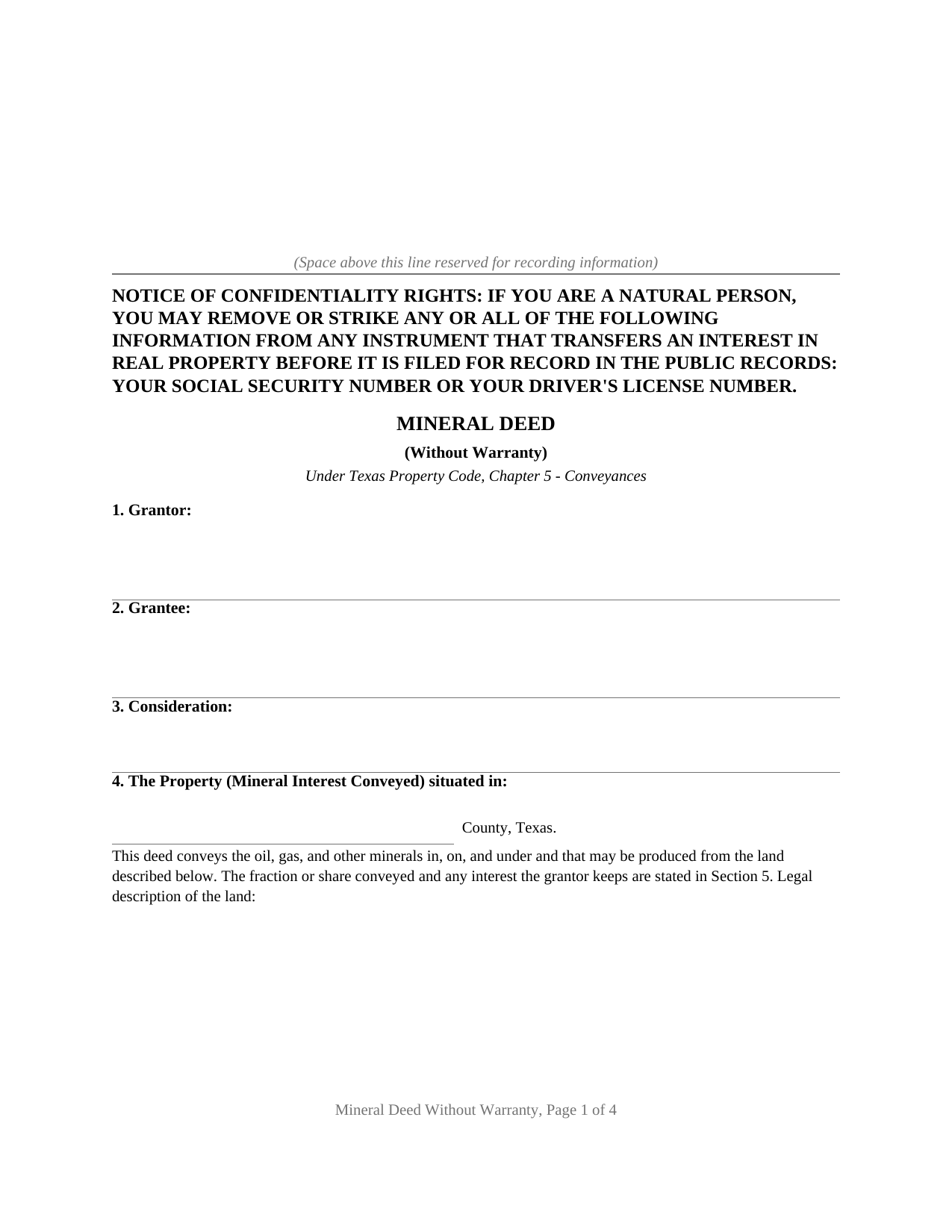
Calhoun County Mineral Deed (No Warranty) Form
Fill in the blank Mineral Deed (No Warranty) form formatted to comply with all Texas recording and content requirements.
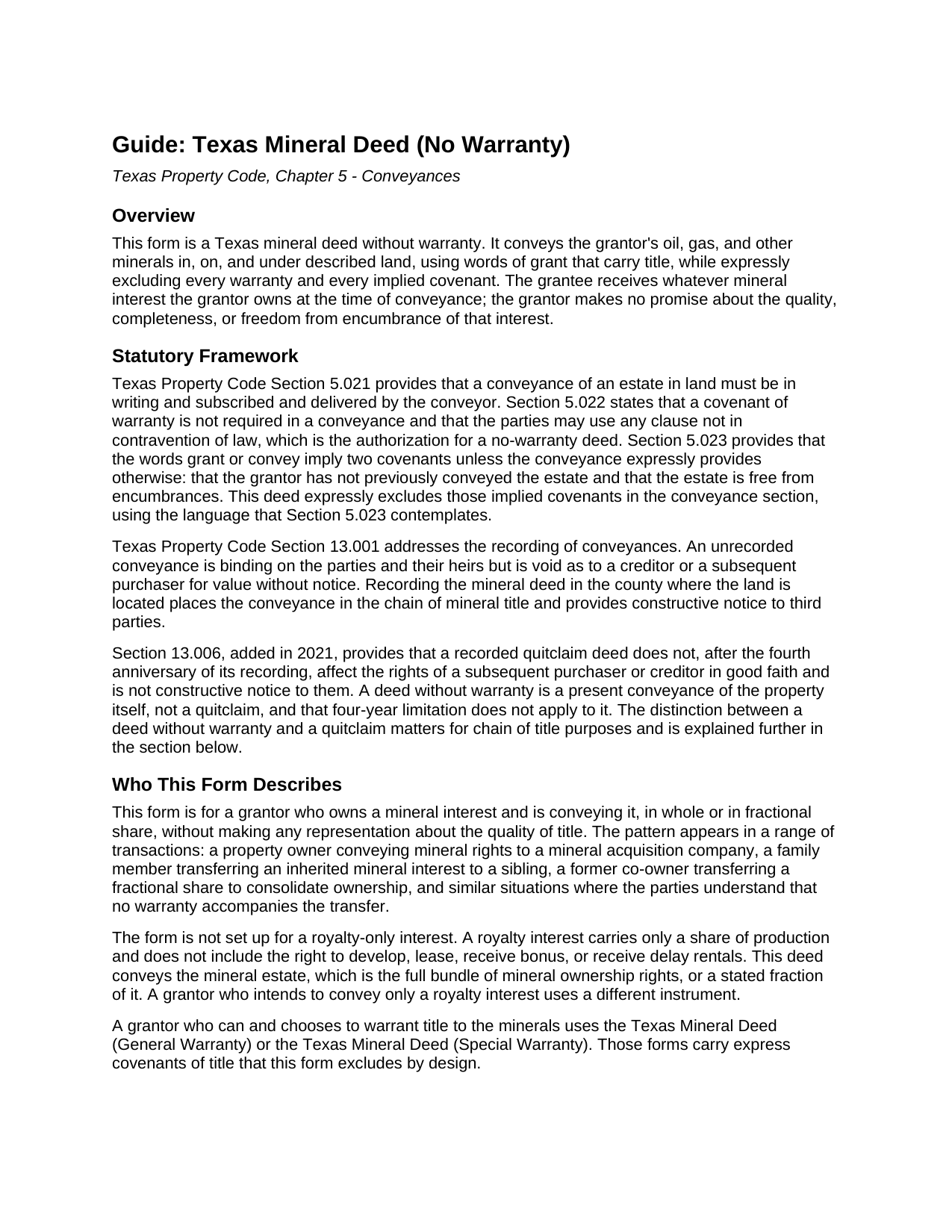
Calhoun County Mineral Deed (No Warranty) Guide
Line by line guide explaining every blank on the Mineral Deed (No Warranty) form.
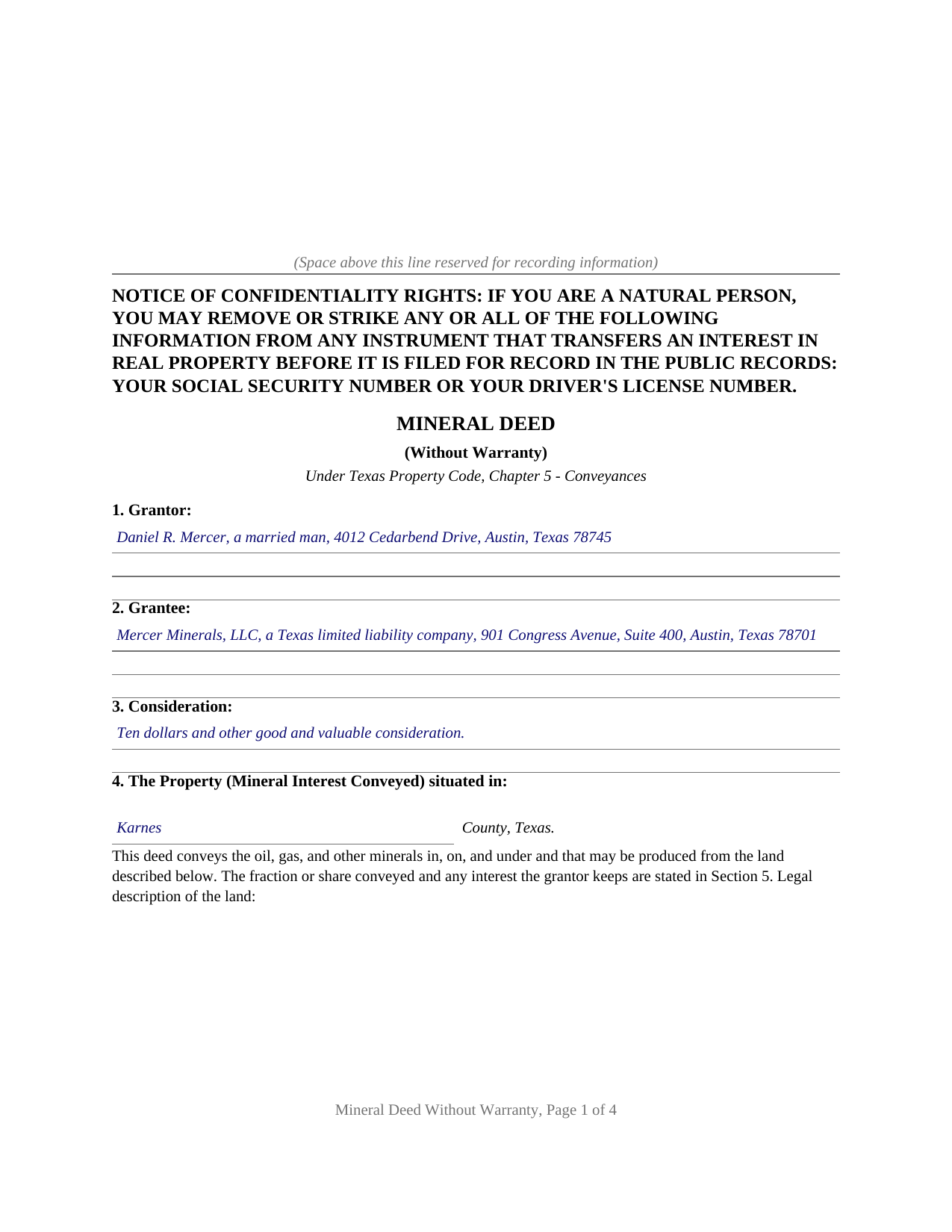
Calhoun County Completed Example of the Mineral Deed (No Warranty) Document
Example of a properly completed Texas Mineral Deed (No Warranty) document for reference.
All 3 documents above included • One-time purchase • No recurring fees
Immediate Download • Secure Checkout
Additional Texas and Calhoun County documents included at no extra charge:
Where to Record Your Documents
Calhoun County Clerk
Port Lavaca, Texas 77979
Hours: Monday - Thursday 8:00 to 5:00 / Friday 8:30 to 5:00
Phone: 361-553-4411
Recording Tips for Calhoun County:
- Bring your driver's license or state-issued photo ID
- Ensure all signatures are in blue or black ink
- Make copies of your documents before recording - keep originals safe
- Recorded documents become public record - avoid including SSNs
- Recording fees may differ from what's posted online - verify current rates
Cities and Jurisdictions in Calhoun County
Properties in any of these areas use Calhoun County forms:
- Point Comfort
- Port Lavaca
- Port O Connor
- Seadrift
Hours, fees, requirements, and more for Calhoun County
How do I get my forms?
Forms are available for immediate download after payment. The Calhoun County forms will be in your account ready to download to your computer. An account is created for you during checkout if you don't have one. Forms are NOT emailed.
Are these forms guaranteed to be recordable in Calhoun County?
Yes. Our form blanks are guaranteed to meet or exceed the applicable formatting requirements used for recording in Calhoun County, including margin requirements, font requirements, and other layout standards. This guarantee applies to formatting, not to the legal sufficiency of information entered by the user or the suitability of a form for a particular transaction.
Can I reuse these forms?
Yes. You can reuse the forms for your personal use. For example, if you have multiple properties in Calhoun County you only need to order once.
What do I need to use these forms?
The forms are PDFs that you fill out on your computer. The free Adobe Acrobat Reader is recommended, and most PDF apps also work. You do NOT enter your property information online - you download the blank forms and complete them privately on your own computer.
Are there any recurring fees?
No. This is a one-time purchase. Nothing to cancel, no memberships, no recurring fees.
How much does it cost to record in Calhoun County?
Recording fees in Calhoun County vary. Contact the recorder's office at 361-553-4411 for current fees.
Questions answered? Let's get started!
A Texas mineral deed without warranty conveys the oil, gas, and other minerals under a tract of land while the grantor stands behind nothing about the title. It passes whatever mineral interest the grantor owns, using the words of grant that carry title, and then expressly withholds every warranty and every implied covenant. This form prepares that deed under Chapter 5 of the Texas Property Code.
Conveyance and warranty are two different things
A Texas deed does two jobs at once, and they can be separated. The granting clause moves title; the warranty is a separate promise to defend it. Property Code Section 5.022 says outright that a covenant of warranty is not required in a conveyance, and that the parties may use any clause not in contravention of law. So a deed can convey with the word grant and carry no warranty at all. The grantee still receives the mineral interest; what the grantee gives up is any recourse against the grantor if that interest proves smaller than hoped, or fails.
The express exclusion that Section 5.023 requires
Texas does not let the words of grant go bare. Section 5.023 provides that the word grant or convey implies two covenants unless the conveyance expressly provides otherwise: that the grantor has not already conveyed the estate to someone else, and that the estate is free from encumbrances. To strip a deed of those covenants, the deed has to say so in the instrument. This form does, in a no-warranty paragraph that excludes the warranties of title and the covenants Section 5.023 would otherwise imply, so the deed reads as a true conveyance without warranty rather than a warranty deed in disguise.
Why it is not a quitclaim
A deed without warranty and a quitclaim are easy to confuse and legally distinct. Texas courts look at what the words convey: an instrument that conveys the property itself is a conveyance, even with no warranty, while one that passes only the grantor's right, title, and interest can be read as a quitclaim, which title examiners flag in the chain. This form conveys the minerals as the Property, with the words grant, sells, and conveys, and handles the no-warranty character in a separate paragraph, so the deed does not slide into quitclaim territory. The Texas Quitclaim Deed is the instrument for passing only whatever interest the grantor may have.
The mineral estate it conveys
Once minerals are severed from the surface, Texas treats the mineral estate as a separate fee estate, dominant over the surface and carrying an implied right to use the surface as reasonably necessary to explore for and produce. The estate is a bundle of five rights, to develop, to lease, and to receive bonus, delay rentals, and royalty. The form conveys that estate or a stated fraction of it, with a section for the fraction conveyed and any interest the grantor reserves. A mineral interest is not the same as a royalty interest, which carries only a share of production; this deed conveys the mineral estate, not a bare royalty.
Signing, the homestead question, and recording
The grantor signs before a notary, and the form carries a joining-spouse signature line because a mineral deed, unlike a transfer on death deed, is a present conveyance, so the Family Code homestead joinder rule reaches it where the minerals are part of the homestead. The confidentiality notice required by Property Code Section 11.008 appears at the top of the first page. Senate Bill 16 added a photo identification requirement at the recording counter for instruments filed in person on or after December 4, 2025. The deed is recorded with the county clerk of the county where the land is located, which places the conveyance in the chain of mineral title.
The package includes the blank deed as a fillable PDF, a completed example built on a realistic Karnes County fractional-mineral conveyance, and a plain-language guide that walks through every section, the statutory framework, the distinction between mineral and royalty interests, and the recording steps. The materials are informational and are not legal advice.
Important: Your property must be located in Calhoun County to use these forms. Documents should be recorded at the county recording office listed above.
This Mineral Deed (No Warranty) meets all recording requirements specific to Calhoun County.
Our Promise
The documents you receive here are guaranteed to meet or exceed the applicable Calhoun County recording format requirements. If there is a rejection caused by our formatting, we will correct the issue or refund your payment. This guarantee applies to document formatting only and does not extend to information entered by the user, the selection of the form, or the legal effect of the completed document.
Save Time and Money
Get your Calhoun County Mineral Deed (No Warranty) form done right the first time with Deeds.com Uniform Conveyancing Blanks. At Deeds.com, we understand that your time and money are valuable resources, and we don't want you to face a penalty fee or rejection imposed by a county recorder for submitting nonstandard documents. We constantly review and update our forms to meet rapidly changing state and county recording requirements for roughly 3,500 counties and local jurisdictions.
4.8 out of 5 - ( 4,817 Reviews )
Marcus V. 5 out of 5 stars
Awesome and perfect.
We are thankful for your continued support and feedback, which inspire us to continuously improve. Thank you..
Stephanie B. 5 out of 5 stars
Site is SO easy to use. Thank you for such a valuable resource.
Thank you for your feedback. We really appreciate it. Have a great day!
JORGE S. 5 out of 5 stars
Excelent! I cannot believe I found this company. Thanks!!!
Thank you for your feedback. We really appreciate it. Have a great day!
KAREN I. 5 out of 5 stars
it worked. fantastic. thanks!
Your insights are invaluable to us and help us strive for better service. Thank you for taking the time to share your thoughts.
Diana D. 5 out of 5 stars
I was very pleased as to how fast and easy the service was. I recommend this service to any one. It's not expensive and it was worth it. Thank you.
Thank you for your feedback. We really appreciate it. Have a great day!
MARY LACEY M. 5 out of 5 stars
The service provided by the staff at Deeds.com is consistently excellent with prompt replies and smooth recording transactions. I am grateful to have their service available as driving to downtown Phoenix to record documents is always a daunting prospect. Their assistance in recording our firm's documents has been 100% accurate and a pleasure.
Thank you for your positive words! We’re thrilled to hear about your experience.
Sarjit K. 5 out of 5 stars
excellent
Thank you!
Shonda S. 5 out of 5 stars
This is my first time using the site for business and I must say this site made it so easy for me. I was so lost, thank you so much.
Thank you!
Janalee T. 5 out of 5 stars
Fast, easy. quickly accepted by county recorder.
Thank you!
Erik J. 5 out of 5 stars
First time using Deeds.com and feel that your platform is clear and easy to use. I was also pleased with the messaging center and follow-up and also surprised at how quickly our particular deed was recorded and available to view. Having said that, when I first investigated Deeds.com the fee was $15 and as of 1/1/21 it has increased to $19 which I feel is pretty steep for the handling of 1 simple document especially when the turnaround was basically the same day. Your fee was nearly the equivalent of the cost of the Clerk's recording fee. Perhaps you should offer a fee schedule for those of us who are not volume recorders. Just a thought.
Thank you!
CHARLES V. 5 out of 5 stars
Legit. Reasonable prices.
Thank you for your feedback. We really appreciate it. Have a great day!
Robert L. 5 out of 5 stars
Very easy to use and I had no issues submitting my deed.
Thank you!
Darrell P. 5 out of 5 stars
My legal description exceeds the avaiable space in the one page Exhibit A...any way to add a second page as 'Exhibit A (continued)'?
It is not required to use the included exhibit page. Simply label your printed legal description as the appropriate exhibit.
Michael L. 5 out of 5 stars
Thumbs up. Very pleased with service. Easy process.
Thank you!
Roberta J B. 5 out of 5 stars
User friendly
Thank you!