Orleans County Certificate of Trust (Entity Trustee) Form
Last validated October 20, 2026 by our Forms Development TeamFormatted for recording in Orleans County, for property anywhere in the county: rural and unincorporated areas as well as Albany, Barton, Beebe Plain, Coventry, Craftsbury, Craftsbury Common, Derby, Derby Line and 15 more.
- 3 documents included
- Immediate PDF download
- Formatting guarantee
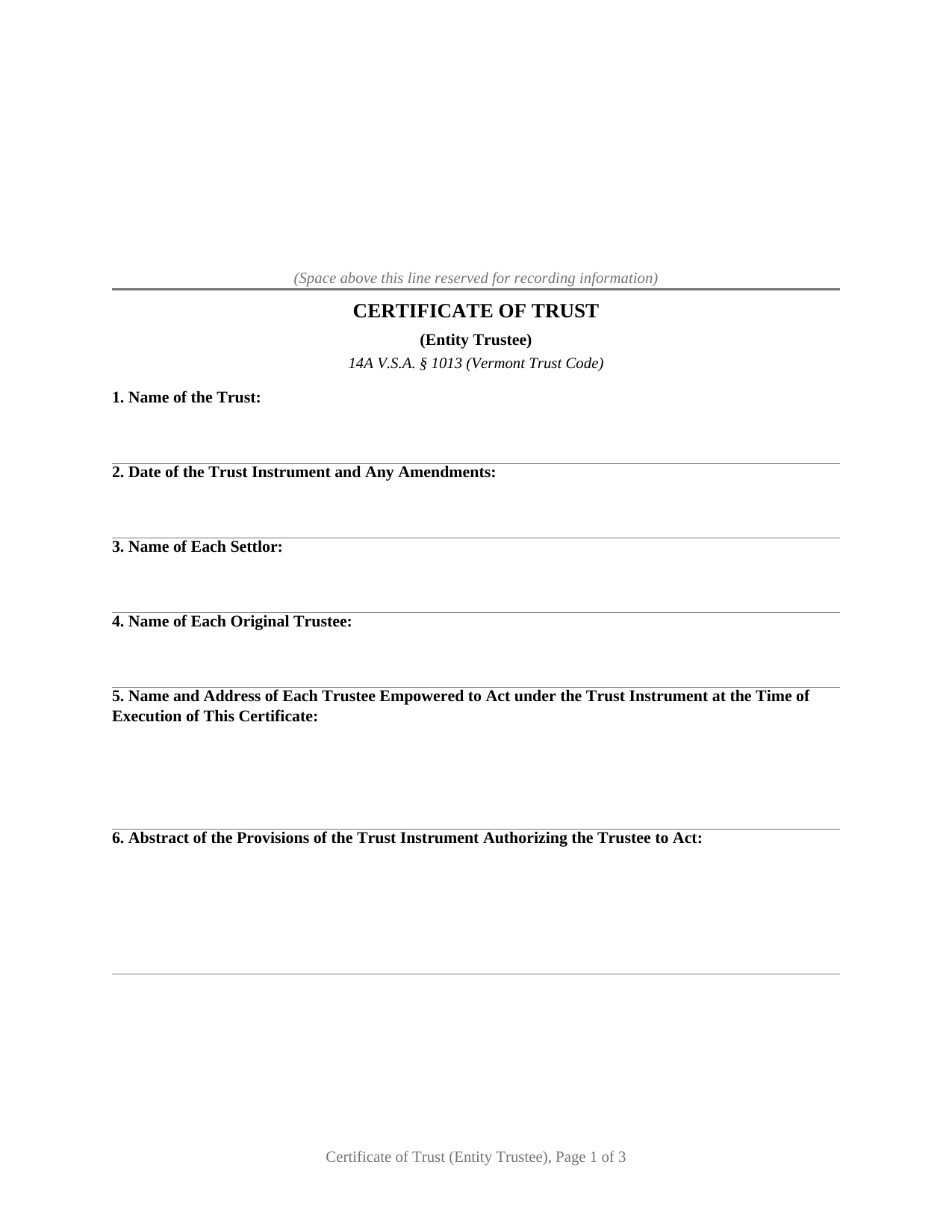
Orleans County Certificate of Trust (Entity Trustee) Form
Fill in the blank Certificate of Trust (Entity Trustee) form formatted to comply with all Vermont recording and content requirements.
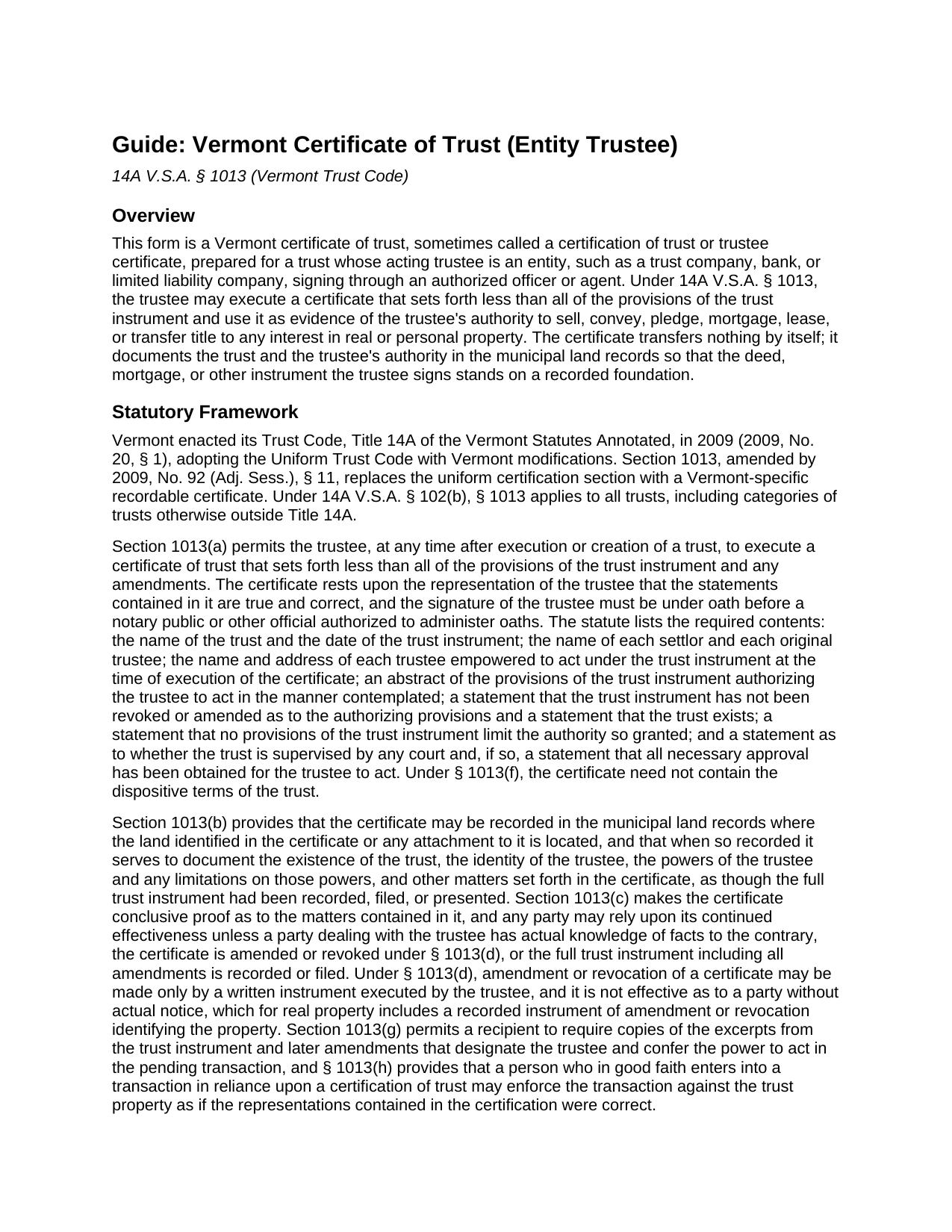
Orleans County Certificate of Trust (Entity Trustee) Guide
Line by line guide explaining every blank on the Certificate of Trust (Entity Trustee) form.
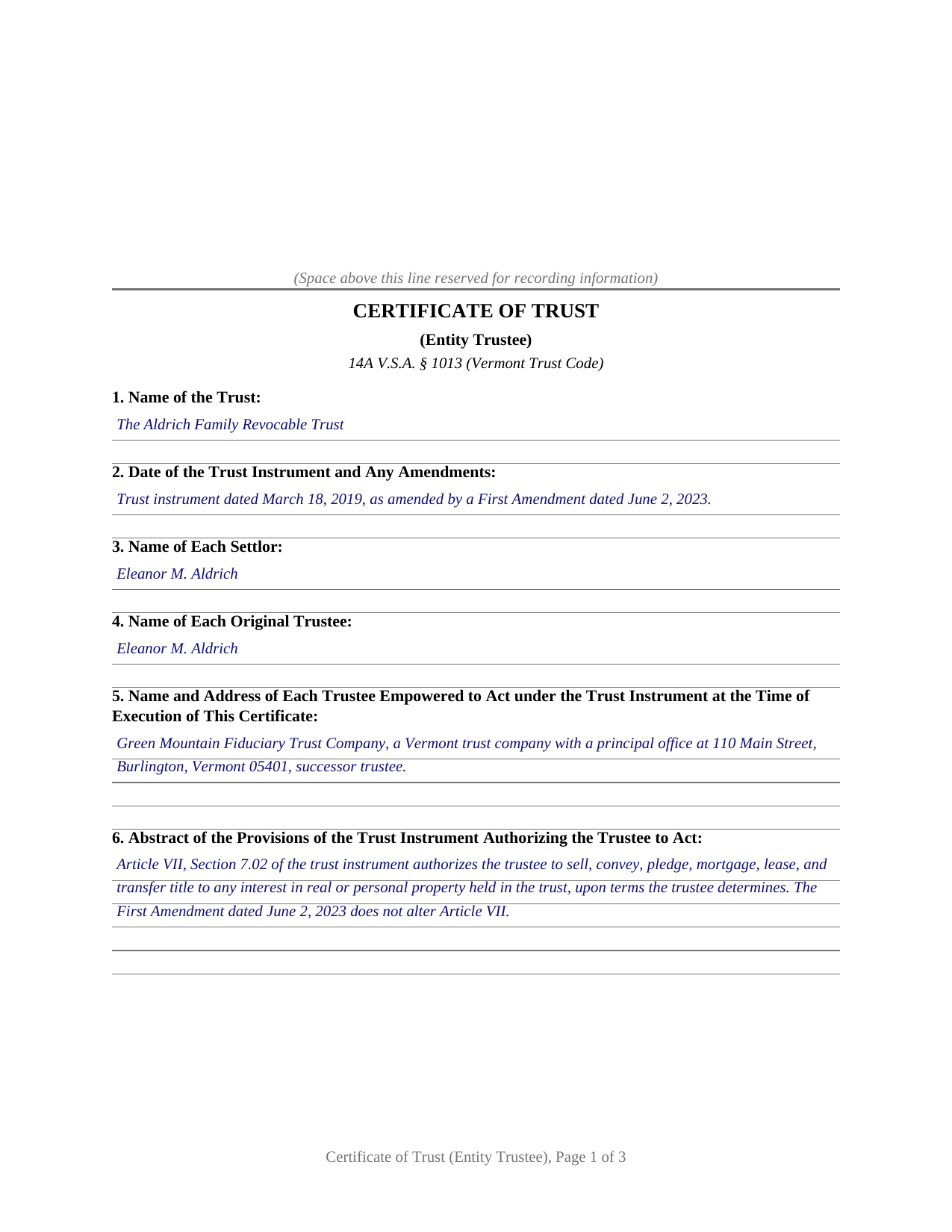
Orleans County Completed Example of the Certificate of Trust (Entity Trustee) Document
Example of a properly completed Vermont Certificate of Trust (Entity Trustee) document for reference.
All 3 documents above included • One-time purchase • No recurring fees
Immediate Download • Secure Checkout
Additional Vermont and Orleans County documents included at no extra charge:
Where to Record Your Documents
Town Clerk of Albany
Albany, Vermont 05820
Hours: Tu & Th 9:00 to 4:00; We 9:00 to 7:00
Phone: (802) 755-6100
Town Clerk of Barton
Barton, Vermont 05822
Hours: M - Th 7:30 to 4:00 & Fr 7:30 to noon
Phone: (802) 525-6222
Town Clerk of Brownington
Orleans, Vermont 05860
Hours: Mo-Th 9:00 to 4:00
Phone: (802) 754-8401
Town Clerk of Charleston
West Charleston, Vermont 05872
Hours: M, Tu & Th 8:00 to 3:00
Phone: (802) 895-2814
Town Clerk of Coventry
Coventry, Vermont 05825
Hours: M, Tu, Th, F 8:00 to 12:00; W 4:00 to 7:00; 3rd Sat 9:00 to 2:00
Phone: (802) 754-2288
Town Clerk of Craftsbury
Craftsbury, Vermont 05826
Hours: Tu - Fr 8:30 to 4:00
Phone: (802) 586-2823
Town Clerk of Derby
Derby, Vermont 05829
Hours: Mo - Th 7:00 to 5:00
Phone: (802) 766-4906
Town Clerk of Glover
Glover, Vermont 05839
Hours: M - Th 8:00 to 4:00
Phone: (802) 525-6227
Town Clerk of Greensboro
Greensboro, Vermont 05841
Hours: Mo - Th 9:00 to 4:00
Phone: (802) 533-2911
Town Clerk of Holland
Derby Line, Vermont 05830-8961
Hours: Mo, Tu, Th 8:00 to 4:30
Phone: (802) 895-4440
Town Clerk of Irasburg
Irasburg, Vermont 05845
Hours: Mo-We 9:00 to 3:00 & Th 9:00 to 6:00
Phone: (802) 754-2242
Town Clerk of Jay
Jay, Vermont 05859
Hours: Mo-Th 7:00 to 4:00; We until noon
Phone: (802) 988-2996
Town Clerk of Lowell
Lowell, Vermont 05847
Hours: M-Th 9:00 to 2:30
Phone: (802) 744-6559
Town Clerk of Morgan
Morgan, Vermont 05853
Hours: Mo & Th 8:00 to 4:00; Tu & We 8:00 to 3:00
Phone: (802) 895-2927
City of Newport: Clerk
Newport, Vermont 05855
Hours: Mo-Fr 8:00 to 4:30
Phone: (802) 334-2112
Town of Newport: Clerk
Newport Ctr, Vermont 05857
Hours: Mo-Th 7:00 to 4:30
Phone: (802) 334-6442
Town Clerk of Troy
North Troy, Vermont 05859
Hours: Mo-Th 9:00 to 5:00
Phone: (802) 988-2663
Town Clerk of Westfield
Westfield, Vermont 05874
Hours: Mo-Th 8:00 to 4:00
Phone: (802) 744-2484
Town Clerk of Westmore
Orleans, Vermont 05860
Hours: Mo-Th 8:30 to 4:00
Phone: (802) 525-3007
Recording Tips for Orleans County:
- Bring your driver's license or state-issued photo ID
- Ensure all signatures are in blue or black ink
- Recording fees may differ from what's posted online - verify current rates
- Request a receipt showing your recording numbers
- Ask about accepted payment methods when you call ahead
Cities and Jurisdictions in Orleans County
Properties in any of these areas use Orleans County forms:
- Albany
- Barton
- Beebe Plain
- Coventry
- Craftsbury
- Craftsbury Common
- Derby
- Derby Line
- East Charleston
- Glover
- Greensboro
- Greensboro Bend
- Irasburg
- Lowell
- Morgan
- Newport
- Newport Center
- North Troy
- Orleans
- Troy
- West Charleston
- West Glover
- Westfield
Hours, fees, requirements, and more for Orleans County
How do I get my forms?
Forms are available for immediate download after payment. The Orleans County forms will be in your account ready to download to your computer. An account is created for you during checkout if you don't have one. Forms are NOT emailed.
Are these forms guaranteed to be recordable in Orleans County?
Yes. Our form blanks are guaranteed to meet or exceed the applicable formatting requirements used for recording in Orleans County, including margin requirements, font requirements, and other layout standards. This guarantee applies to formatting, not to the legal sufficiency of information entered by the user or the suitability of a form for a particular transaction.
Can I reuse these forms?
Yes. You can reuse the forms for your personal use. For example, if you have multiple properties in Orleans County you only need to order once.
What do I need to use these forms?
The forms are PDFs that you fill out on your computer. The free Adobe Acrobat Reader is recommended, and most PDF apps also work. You do NOT enter your property information online - you download the blank forms and complete them privately on your own computer.
Are there any recurring fees?
No. This is a one-time purchase. Nothing to cancel, no memberships, no recurring fees.
How much does it cost to record in Orleans County?
Recording fees in Orleans County vary. Contact the recorder's office at (802) 755-6100 for current fees.
Questions answered? Let's get started!
This fillable Vermont certificate of trust is set up for a trust whose acting trustee is an entity: a trust company, bank, or other organization that signs through one authorized officer or agent. Built on 14A V.S.A. § 1013 of the Vermont Trust Code, the form condenses a private trust instrument into a short set of sworn statements that record in the town land records, so the trustee can document its authority to sell, convey, pledge, mortgage, lease, or transfer trust property without recording the trust instrument itself.
One sworn signature for an organization
The form recites exactly one acting trustee, an entity identified by its legal name, form of organization, and address, and it carries one signature line for the officer or agent who signs on the entity's behalf. Vermont's statute makes the trustee's signature an oath taken before a notary public, so the notary block on this form is a sworn-to-and-subscribed certificate, and the line after the date holds the signer's full name and representative capacity: the officer's name, title, the entity's name, and the trust. A title line under the signature identifies the signer's office within the organization. A bank trust department selling a home held in a customer's trust, a corporate successor trustee named in an aging trust instrument, and a limited liability company holding title as trustee all present the pattern this certificate recites; a trust with an individual acting trustee follows a different execution pattern than the one this form carries.
Nine statements instead of the whole trust
Section 1013 lists what the certificate must include: the trust's name and the date of the trust instrument, each settlor, each original trustee, the name and address of each trustee empowered to act when the certificate is executed, an abstract of the provisions authorizing the trustee to act, statements that the trust exists and that the instrument has not been revoked or amended as to those provisions, a statement that no provisions limit the authority granted, and a statement about court supervision. The statute also says what stays private: a certification of trust need not contain the dispositive terms of the trust, so the family's beneficiary provisions never enter the public record. A recipient who wants more may require excerpts of the provisions that designate the trustee and confer the power to act in the pending transaction, and nothing in that subsection requires the trustee to hand over the entire instrument.
Conclusive proof in the land records
What the sworn format buys is reliance. A recorded certificate of trust documents the existence of the trust, the identity of the trustee, and the trustee's powers and any limitations on them as though the full trust instrument had been recorded. The statute makes the certificate conclusive proof as to the matters it contains, and any party may rely on its continued effectiveness unless that party has actual knowledge of facts to the contrary, the certificate is amended or revoked by a written instrument of the trustee, or the full trust instrument is placed of record. A person who in good faith enters into a transaction in reliance on the certification may enforce the transaction against the trust property as if its representations were correct. Buyers, lenders, and title examiners reading a Vermont chain of title look for exactly this instrument behind a trustee's deed.
Recording with the Vermont town clerk
Vermont records land documents by municipality, and the statute directs the certificate to the municipal land records where the land identified in it is located, which is why the form carries a section for the town or city, county, and legal description of the property. The statewide recording fee is $15.00 per page under 32 V.S.A. § 1671. Because the certificate evidences no transfer of title, it records without the property transfer tax return that accompanies a deed; the deed the trustee signs in the underlying transaction meets its own requirements separately and is prepared separately from this package.
The download includes the blank fillable certificate of trust, a completed example showing a Vermont trust company certifying its authority over a Chittenden County property, and a plain-language guide that walks through every section, the oath, and town clerk recording. The materials are informational and are not legal advice.
Important: Your property must be located in Orleans County to use these forms. Documents should be recorded at the county recording office listed above.
This Certificate of Trust (Entity Trustee) meets all recording requirements specific to Orleans County.
Our Promise
The documents you receive here are guaranteed to meet or exceed the applicable Orleans County recording format requirements. If there is a rejection caused by our formatting, we will correct the issue or refund your payment. This guarantee applies to document formatting only and does not extend to information entered by the user, the selection of the form, or the legal effect of the completed document.
Save Time and Money
Get your Orleans County Certificate of Trust (Entity Trustee) form done right the first time with Deeds.com Uniform Conveyancing Blanks. At Deeds.com, we understand that your time and money are valuable resources, and we don't want you to face a penalty fee or rejection imposed by a county recorder for submitting nonstandard documents. We constantly review and update our forms to meet rapidly changing state and county recording requirements for roughly 3,500 counties and local jurisdictions.
4.8 out of 5 - ( 4,837 Reviews )
CAROL C. 5 out of 5 stars
Deeds.com is very user friendly and quite simple to use. Customer service is also prompt in responding to any inquiry. I have been pleased with them since I began using them over 3-years ago.
We appreciate your business and value your feedback. Thank you. Have a wonderful day!
Cynthia E. 2 out of 5 stars
Disappointed that you were not able to provide me with the information requested. They did issue a refund but I don’t think it’s come through yet.
We are grateful for your engagement and feedback, which help us to serve you better. Thank you for being an integral part of our community.
KIMBER M. 5 out of 5 stars
It took me a while to locate my documents. Check out was a breeze.
Thank you!
Jennifer S. 5 out of 5 stars
Fabulous
Thank you!
Jennifer D. 5 out of 5 stars
I was skeptical; but, so thankful I went with them. They were beyond helpful through the entire process and very patient with me. I could not have done my quit deed form without them. Thank you for all of your help.
We appreciate your business and value your feedback. Thank you. Have a wonderful day!
SHANE P. 5 out of 5 stars
Easy to use.
Thank you!
Norma V. 5 out of 5 stars
So far it's been great. My 2 deeds were accepted and prepared for recording very quickly. Now I am waiting for the County to record them and Deeds.com to e-send them back to me. Very impressive!
We appreciate your business and value your feedback. Thank you. Have a wonderful day!
Tawnya B. 5 out of 5 stars
The document I needed and easy instructions!
Thank you!
Mark M. 5 out of 5 stars
This Service Provider is amazing!! Needed Notice of Commencement recorded in Broward County, FL.. They got it done..super fast. High;y recommend.
Thank you for your feedback. We really appreciate it. Have a great day!
Judith M. 5 out of 5 stars
You all have been very patient and helpful. Thank you.
Thank you!
James S. 5 out of 5 stars
I was incredibly pleased with deeds.com—they handled my filing quickly and professionally, with both speed and quality that exceeded my expectations. The service was easy to use, the price was very reasonable for the value provided, and I would absolutely recommend them to anyone dealing with real estate documents.
Thank you so much for your wonderful review, James! We're thrilled to hear that our service exceeded your expectations in both speed and quality. Your recommendation means the world to us, and we're grateful you found our platform easy to use and a good value. We look forward to helping you with any future real estate document needs!
John B. 5 out of 5 stars
Thorough. Thanks!
Thank you!
Will O. 5 out of 5 stars
Saved me so much time and $!!
Thank you!
Susan N. 5 out of 5 stars
Very easy to use and I received the information in a timely manner. I will use this service again.
Thank you!
Kathy O. 5 out of 5 stars
I was so happy to be able to print the Quit Claim Deed form and learn about other forms. Very pleased with this service! Took the stress out of preparing needed deeds for notirization for our Trust. Very grateful. Thank you. Kathy
We appreciate your business and value your feedback. Thank you. Have a wonderful day!