Windsor County Certificate of Trust Form
Last validated November 13, 2026 by our Forms Development TeamFormatted for recording in Windsor County, for property anywhere in the county: rural and unincorporated areas as well as Ascutney, Barnard, Bethel, Bridgewater, Bridgewater Corners, Brownsville, Cavendish, Chester and 29 more.
- 3 documents included
- Immediate PDF download
- Formatting guarantee
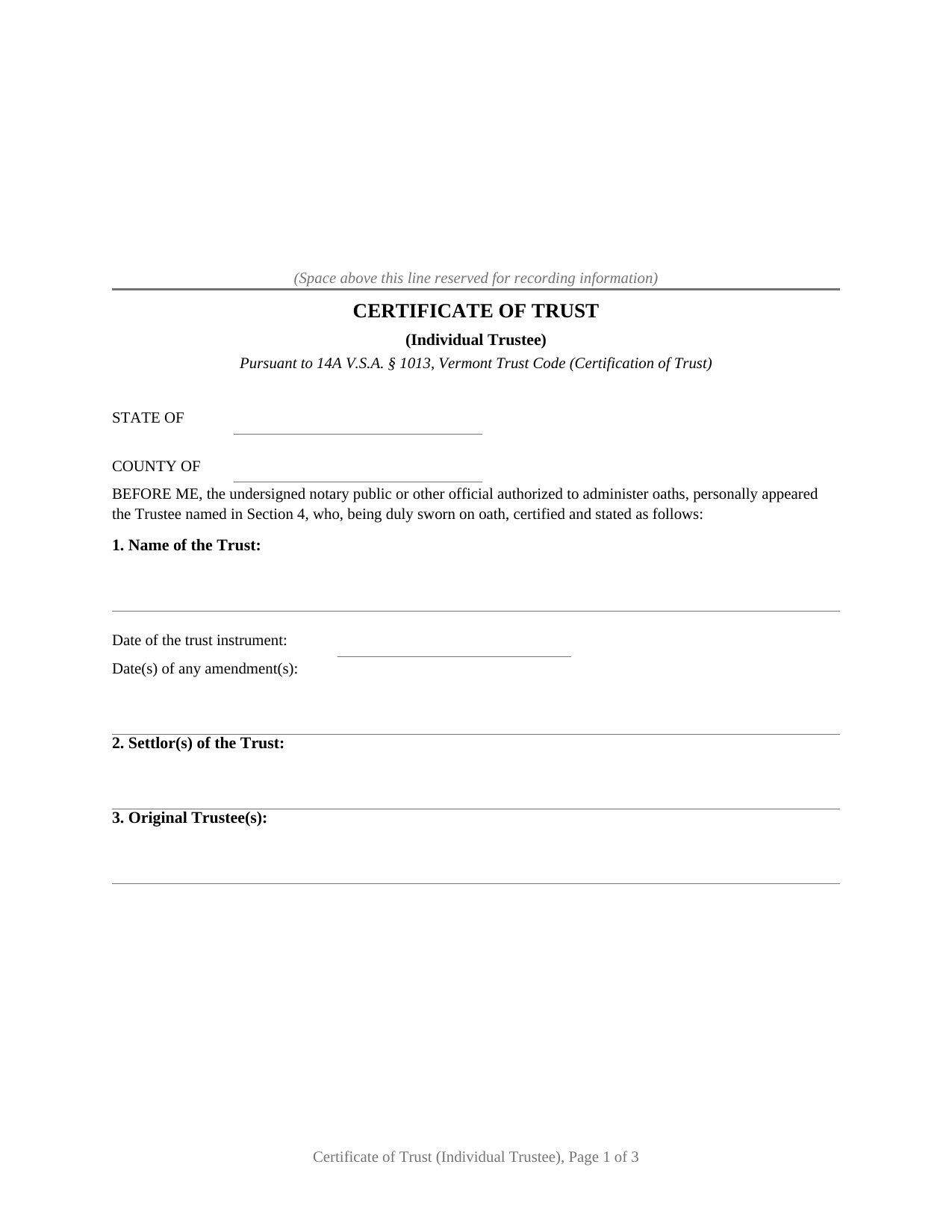
Windsor County Certificate of Trust Form
Fill in the blank Certificate of Trust form formatted to comply with all Vermont recording and content requirements.
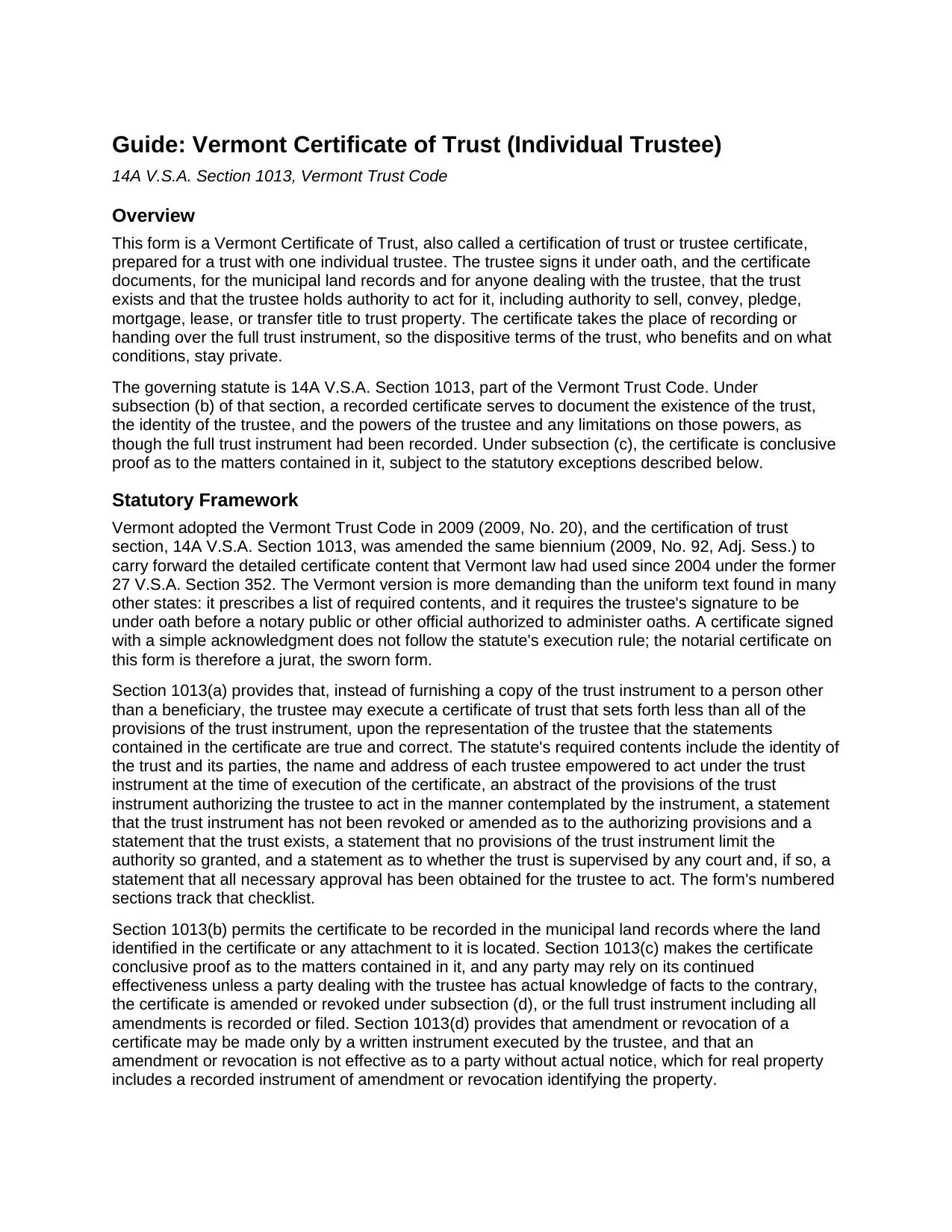
Windsor County Certificate of Trust Guide
Line by line guide explaining every blank on the Certificate of Trust form.
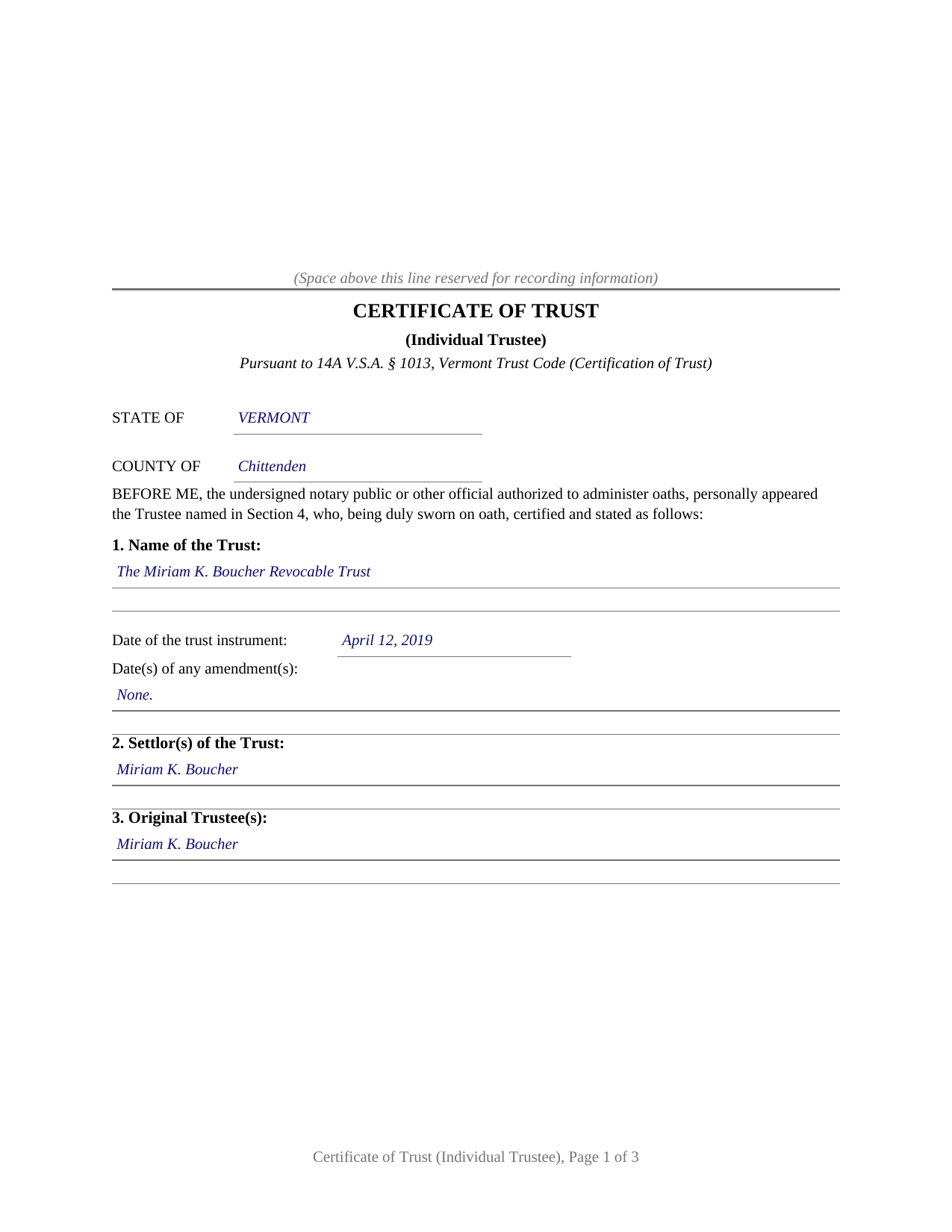
Windsor County Completed Example of the Certificate of Trust Document
Example of a properly completed Vermont Certificate of Trust document for reference.
All 3 documents above included • One-time purchase • No recurring fees
Immediate Download • Secure Checkout
Additional Vermont and Windsor County documents included at no extra charge:
Where to Record Your Documents
Town Clerk of Andover
Andover, Vermont 05143
Hours: Mo, Tu, Th, Fr 9:00 to 1:00 & We 11:00 to 3:00 (always call ahead)
Phone: (802) 875-2765
Town Clerk of Baltimore
Baltimore, Vermont 05143
Hours: We 4:00 to 6:00 & Th 9:00 to 11:00 and by appt
Phone: (802) 263-5274
Town Clerk of Barnard
Barnard, Vermont 05031
Hours: Mo-We 8:00 to 3:30
Phone: (802) 234-9211
Town Clerk of Bethel
Bethel, Vermont 05032
Hours: Mo, Th 8:00 to 12:30 & 1:00 to 4:00; Tu, Fr 8:00 to 12:00
Phone: (802) 234-9722
Town Clerk of Bridgewater
Bridgewater, Vermont 05034
Hours: Mo-Th 8:00 to 4:00
Phone: (802) 672-3334
Town Clerk of Cavendish
Cavendish, Vermont 05142
Hours: Mo-Fr 9:00 to 4:30
Phone: (802) 226-7292
Town Clerk of Chester
Chester, Vermont 05143
Hours: Mo-Fr 8:00 to 4:00 or by appt
Phone: (802) 875-2173
Town Clerk of Hartford
White River Junction, Vermont 05001
Hours: 8:00 to 5:00 M-F (sometimes closed 12:00 to 1:00)
Phone: (802) 295-2785
Town Clerk of Hartland
Hartland, Vermont 05048
Hours: Mo-Fr 7:00 to 5:00
Phone: (802) 436-2444
Town Clerk of Ludlow
Ludlow, Vermont 05149
Hours: Mo-Fr 8:30 to 4:30
Phone: (802) 228-3232
Town Clerk of Norwich
Norwich, Vermont 05055
Hours: Mo-Fr 8:30 to 4:30
Phone: (802) 649-1419
Town Clerk of Plymouth
Plymouth, Vermont 05056
Hours: Mo-Th 8:00 to 4:00
Phone: (802) 672-3655
Town Clerk of Pomfret
North Pomfret, Vermont 05053
Hours: Mo, We, Fr 8:30 to 2:30
Phone: (802) 457-3861
Town Clerk of Reading
Reading, Vermont 05062
Hours: Mo-Th 8:00 to 4:00; 1st Sat 9:00 to 12:00
Phone: (802) 484-7250
Town Clerk of Rochester
Rochester, Vermont 05767-0238
Hours: Tu-Fr 8:00 to 4:00
Phone: (802) 767-3631
Town Clerk of Royalton
South Royalton, Vermont 05068
Hours: Mo-Th 8:00 to 12:00 & 12:30 to 3:00
Phone: (802) 763-7207
Town Clerk of Sharon
Sharon, Vermont 05065
Hours: Mo-Th 7:30 to 4:30
Phone: (802) 763-8268 x1
Town Clerk of Springfield
Springfield, Vermont 05156
Hours: Mo-Fr 8:00 to 4:30
Phone: (802) 885-2104
Town Clerk of Stockbridge
Stockbridge, Vermont 05772
Hours: Tu-Th 8:00 to 4:30; Fr 8:00 to 12:00
Phone: (802) 746-8400
Town Clerk of Weathersfield
Ascutney, Vermont 05030-0550
Hours: Mo-We 9:00 to 4:00; Th 9:00 to 5:30
Phone: (802) 674-9500
Town Clerk of Weston
Weston, Vermont 05161-0098
Hours: Mo-Fr 8:00 to 1:00
Phone: (802) 824-6645
Town Clerk of West Windsor
Brownsville, Vermont 05037
Hours: Mo-Fr 9:00 to 12:00 & 1:30 to 4:30
Phone: (802) 484-7212
Town Clerk of Windsor
Windsor, Vermont 05089
Hours: Mo-We 8:00 to 5:00; Th 8:00 to 4:00
Phone: (802) 674-5610
Town Clerk of Woodstock
Woodstock, Vermont 05091
Hours: Mo-Fr 8:00 to 12:00 & 1:00 to 4:30
Phone: (802) 457-3611
Recording Tips for Windsor County:
- Bring your driver's license or state-issued photo ID
- Ensure all signatures are in blue or black ink
- Ask for certified copies if you need them for other transactions
- Ask if they accept credit cards - many offices are cash/check only
- Check that your notary's commission hasn't expired
Cities and Jurisdictions in Windsor County
Properties in any of these areas use Windsor County forms:
- Ascutney
- Barnard
- Bethel
- Bridgewater
- Bridgewater Corners
- Brownsville
- Cavendish
- Chester
- Chester Depot
- Gaysville
- Hartford
- Hartland
- Hartland Four Corners
- Ludlow
- North Hartland
- North Pomfret
- North Springfield
- Norwich
- Perkinsville
- Plymouth
- Proctorsville
- Quechee
- Reading
- Rochester
- Sharon
- South Pomfret
- South Royalton
- South Woodstock
- Springfield
- Stockbridge
- Taftsville
- West Hartford
- Weston
- White River Junction
- Wilder
- Windsor
- Woodstock
Hours, fees, requirements, and more for Windsor County
How do I get my forms?
Forms are available for immediate download after payment. The Windsor County forms will be in your account ready to download to your computer. An account is created for you during checkout if you don't have one. Forms are NOT emailed.
Are these forms guaranteed to be recordable in Windsor County?
Yes. Our form blanks are guaranteed to meet or exceed the applicable formatting requirements used for recording in Windsor County, including margin requirements, font requirements, and other layout standards. This guarantee applies to formatting, not to the legal sufficiency of information entered by the user or the suitability of a form for a particular transaction.
Can I reuse these forms?
Yes. You can reuse the forms for your personal use. For example, if you have multiple properties in Windsor County you only need to order once.
What do I need to use these forms?
The forms are PDFs that you fill out on your computer. The free Adobe Acrobat Reader is recommended, and most PDF apps also work. You do NOT enter your property information online - you download the blank forms and complete them privately on your own computer.
Are there any recurring fees?
No. This is a one-time purchase. Nothing to cancel, no memberships, no recurring fees.
How much does it cost to record in Windsor County?
Recording fees in Windsor County vary. Contact the recorder's office at (802) 875-2765 for current fees.
Questions answered? Let's get started!
A Vermont certificate of trust for a trust with one individual trustee carries a single sworn signature: the trustee signs under oath before a notary public, and the certificate states that the individual named in it is the sole trustee empowered to act under the trust instrument. This fillable form prepares that certificate, the document Vermont practice also calls a certification of trust or trustee certificate, under 14A V.S.A. § 1013 of the Vermont Trust Code.
Proof of the trust without recording the trust
When a living trust holds Vermont real estate, the trust instrument itself usually stays out of the public records, and the land records show only a deed running to the trustee. Anyone dealing with that trustee, a buyer, a lender, a title examiner, or the town clerk indexing the records, still wants documentation that the trust exists and that the trustee holds authority to act. Section 1013 answers with a certificate that sets forth less than all of the provisions of the trust instrument and deliberately omits the dispositive terms, so the private side of the estate plan, who benefits and on what conditions, never enters the record. Once recorded, the certificate serves to document the trust's existence, the trustee's identity, and the trustee's powers as though the full trust instrument had been recorded, and the statute makes it conclusive proof as to the matters it contains, subject to stated exceptions. A person who in good faith enters into a transaction in reliance on the certification may enforce the transaction against the trust property as if its representations were correct.
One trustee, one sworn signature
The form is configured for a sole individual trustee. Section 4 carries the trustee's name and mailing address together with a statement that the individual named is the only trustee empowered to act at the time of execution, which is how the certificate answers the statute's requirement to name each empowered trustee. One signature line and one notarial certificate follow. A settlor serving as trustee of a revocable living trust that holds a Vermont home, and a successor trustee who has taken office alone under the trust's succession provisions, present the sole-trustee pattern this certificate states. A trust with two or more cotrustees empowered to act, or with a bank or trust company as trustee, presents facts outside this form's sole-trustee statement.
A stricter checklist than the uniform version
Vermont kept its own detailed certificate requirements when it adopted the Trust Code, and § 1013 asks for more than the uniform text used in many states. The certificate identifies the trust by name and date, names the settlor and the original trustee, states the date of any amendments, and carries an abstract of the provisions of the trust instrument that authorize the trustee to act. It then makes the sworn statements the statute lists: the trust exists, the trust instrument has not been revoked or amended as to the authorizing provisions, no provisions of the trust instrument limit the authority granted, and the trust either is not supervised by any court or, if supervised, all necessary approval has been obtained. The signature of the trustee must be under oath, so the notarial certificate on this form is a jurat, the sworn form, rather than the acknowledgment found on deeds. The form's numbered sections walk through the statutory checklist in order.
Recording with the town clerk
Vermont records land documents by municipality rather than by county. The certificate is recorded in the land records of the town or city where the land identified in it is located, at the statewide fee of 15 dollars per page under 32 V.S.A. § 1671. No property transfer tax return accompanies it, because a certificate of trust transfers nothing; the return travels with a deed. For trust assets other than real estate, the statute also contemplates presenting the certificate directly to a bank or other third party, and a recipient may request excerpts of the trust provisions that designate the trustee and confer the power to act, though never the entire instrument.
The download contains three pieces: the blank certificate as a fillable PDF, a completed example showing the document filled in for a realistic Vermont fact pattern, and a plain-language guide that walks through each numbered section, the sworn signing, and recording at the town clerk's office. The materials are informational and are not legal advice; a Vermont attorney can address how the statute operates on a specific trust or title.
Important: Your property must be located in Windsor County to use these forms. Documents should be recorded at the county recording office listed above.
This Certificate of Trust meets all recording requirements specific to Windsor County.
Our Promise
The documents you receive here are guaranteed to meet or exceed the applicable Windsor County recording format requirements. If there is a rejection caused by our formatting, we will correct the issue or refund your payment. This guarantee applies to document formatting only and does not extend to information entered by the user, the selection of the form, or the legal effect of the completed document.
Save Time and Money
Get your Windsor County Certificate of Trust form done right the first time with Deeds.com Uniform Conveyancing Blanks. At Deeds.com, we understand that your time and money are valuable resources, and we don't want you to face a penalty fee or rejection imposed by a county recorder for submitting nonstandard documents. We constantly review and update our forms to meet rapidly changing state and county recording requirements for roughly 3,500 counties and local jurisdictions.
4.8 out of 5 - ( 4,857 Reviews )
Darlene T. 5 out of 5 stars
Worth the cost. Quick and easy!
We deeply appreciate the trust you have placed in our services. Thank you for your valuable feedback and for choosing us.
Carnell G. 4 out of 5 stars
The basic setup was fine but, I need to review the document in its entirety for accuracy which I have yet to do so. So far so good. The monthly fee is more than I need for right now.
Thank you!
Gerry A. 5 out of 5 stars
It was easy, affordable and I appreciate this service.
Thank you!
Willard V. 3 out of 5 stars
While it's nice to get all the forms and info in one package for a reasonable cost, the fixed format of the form does not allow for a lengthy meet and bounds property description for real property. Also, the Cover Sheet has big fillable sections with no instructions about what's supposed to go there. I tried the "Contact Us" link, but all it does is spin saying it's trying verify the security of my connection. Looks like I;m going to have to create my own deed in MS Word instead of just filling in the blacks of the PDF file that I downloaded. Bummer!
Your feedback is a crucial part of our dedication to ongoing improvement. Thank you for your insightful comments.
joseph p. 5 out of 5 stars
As i am not very computer ready,i had one heck of a time filling,printing,and copying this document.But with your patience and understanding of older ways,WE DID IT SUCCESSFULLY.Thank you for your time.I will recommend this site to all that inquire
Thank you for your feedback. We really appreciate it. Have a great day!
Alice M. 5 out of 5 stars
So far, it's been a very seamless experience! Easy way to get documents recorded. Worth the money
Your feedback is appreciated. Thank you for letting us know how we did.
Darrell J. 5 out of 5 stars
Easy to use, rapid response, excellent service.
Thank you for your feedback. We really appreciate it. Have a great day!
Gwenevere J. 5 out of 5 stars
Website is very informative and user friendly!
Thank you!
Janet R. 5 out of 5 stars
Thanks great site
Thank you!
Ronald P. 5 out of 5 stars
Very easy to use... awaiting info
Thank you for your feedback. We really appreciate it. Have a great day!
Helen M. 5 out of 5 stars
All forms were exactly what I needed. Thank you Immediate, smoothly downloaded and printed.
We appreciate your business and value your feedback. Thank you. Have a wonderful day!
Michael S. 4 out of 5 stars
So far, I'm happy with my experience. I'm still reviewing the guide for the docs I downloaded. Including the guide for the docs is indeed a plus.
Thank you Michael, we really appreciate your feedback.
Florence F. 5 out of 5 stars
excellent experience and very prompt and detail . great service
We appreciate your review and your business. Thank you.
Darren G. 3 out of 5 stars
Your beneficiary deed sample contains a error of the LDPS designation. I copied the designation of LPDS instead of the correct designation
Thank you for your feedback. We really appreciate it. Have a great day!
Christopher G. 5 out of 5 stars
Great service and very easy to complete
Thank you for your feedback. We really appreciate it. Have a great day!