Windsor County Easement Deed Form
Last validated October 13, 2026 by our Forms Development TeamFormatted for recording in Windsor County, for property anywhere in the county: rural and unincorporated areas as well as Ascutney, Barnard, Bethel, Bridgewater, Bridgewater Corners, Brownsville, Cavendish, Chester and 29 more.
- 4 documents included
- Immediate PDF download
- Formatting guarantee
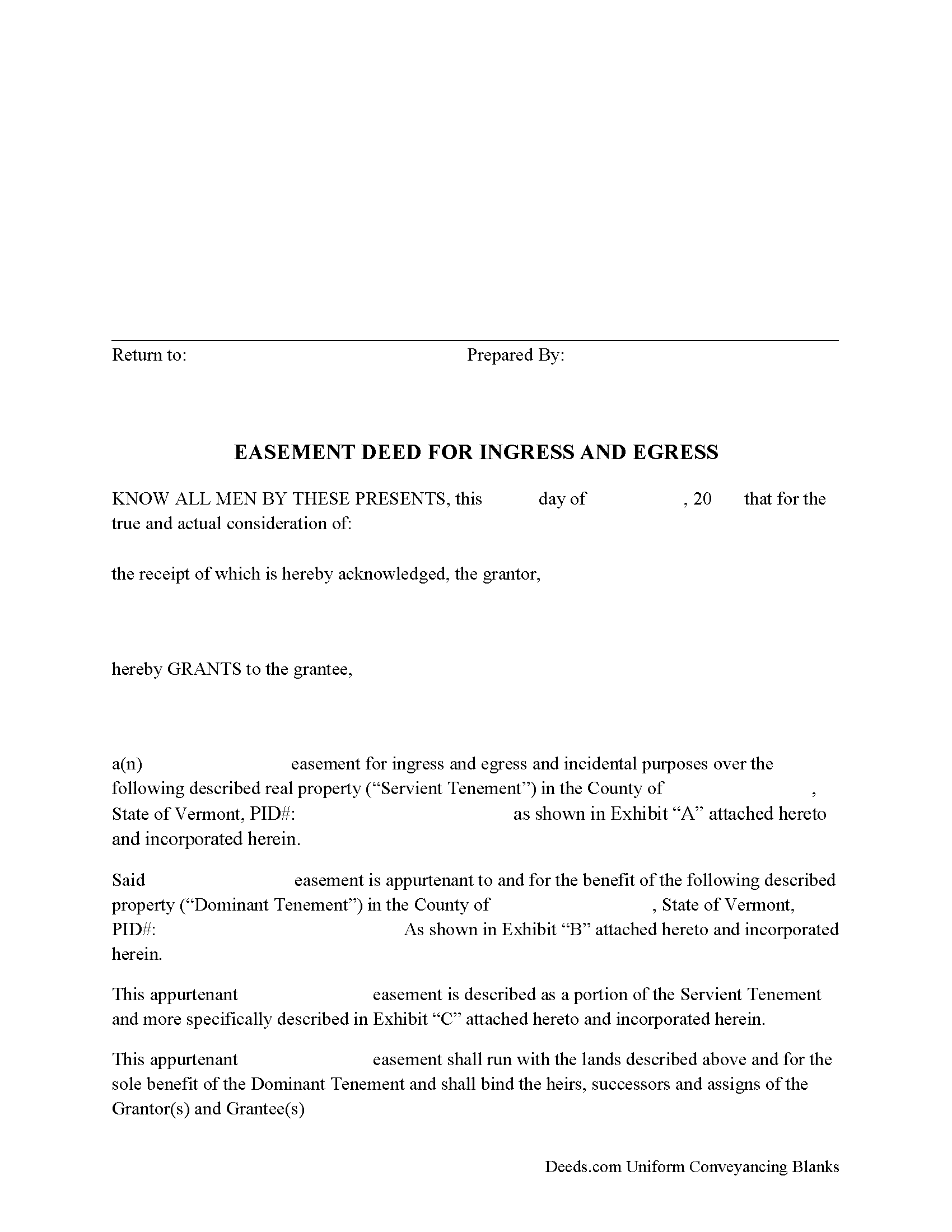
Windsor County Easement Deed Form
Fill in the blank form formatted to comply with all recording and content requirements.
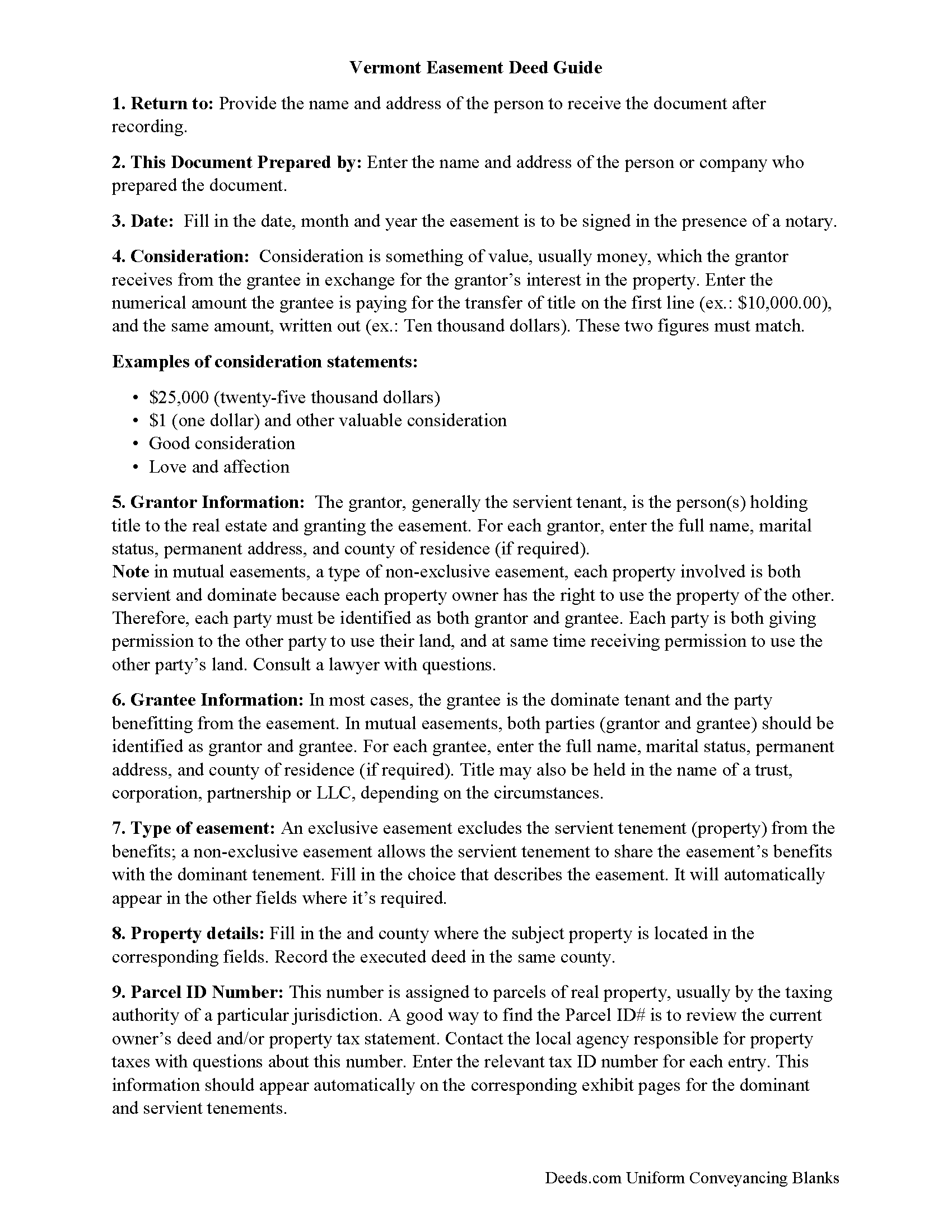
Windsor County Easement Deed Guide
Line by line guide explaining every blank on the form.
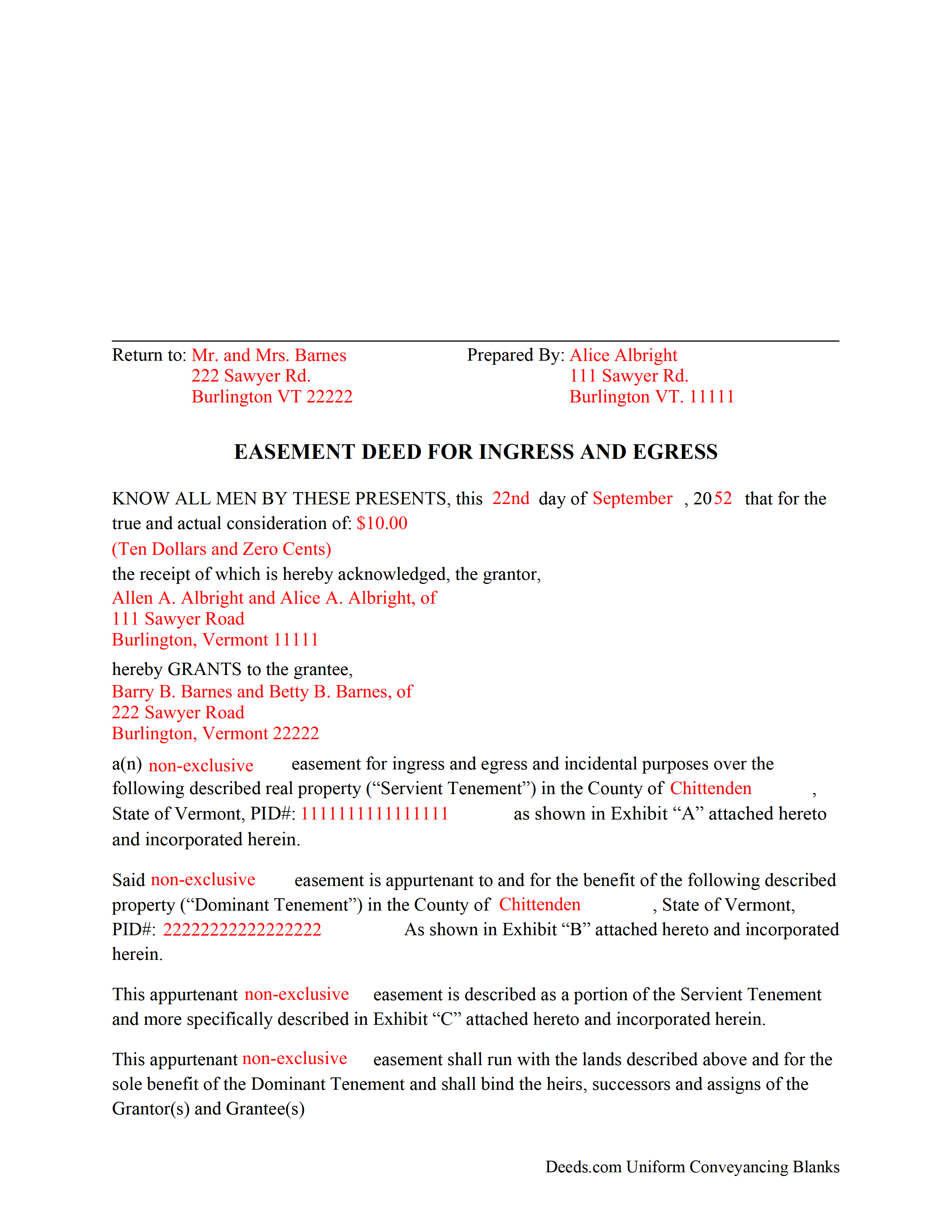
Windsor County Completed Example of the Easement Deed Document
Example of a properly completed form for reference.
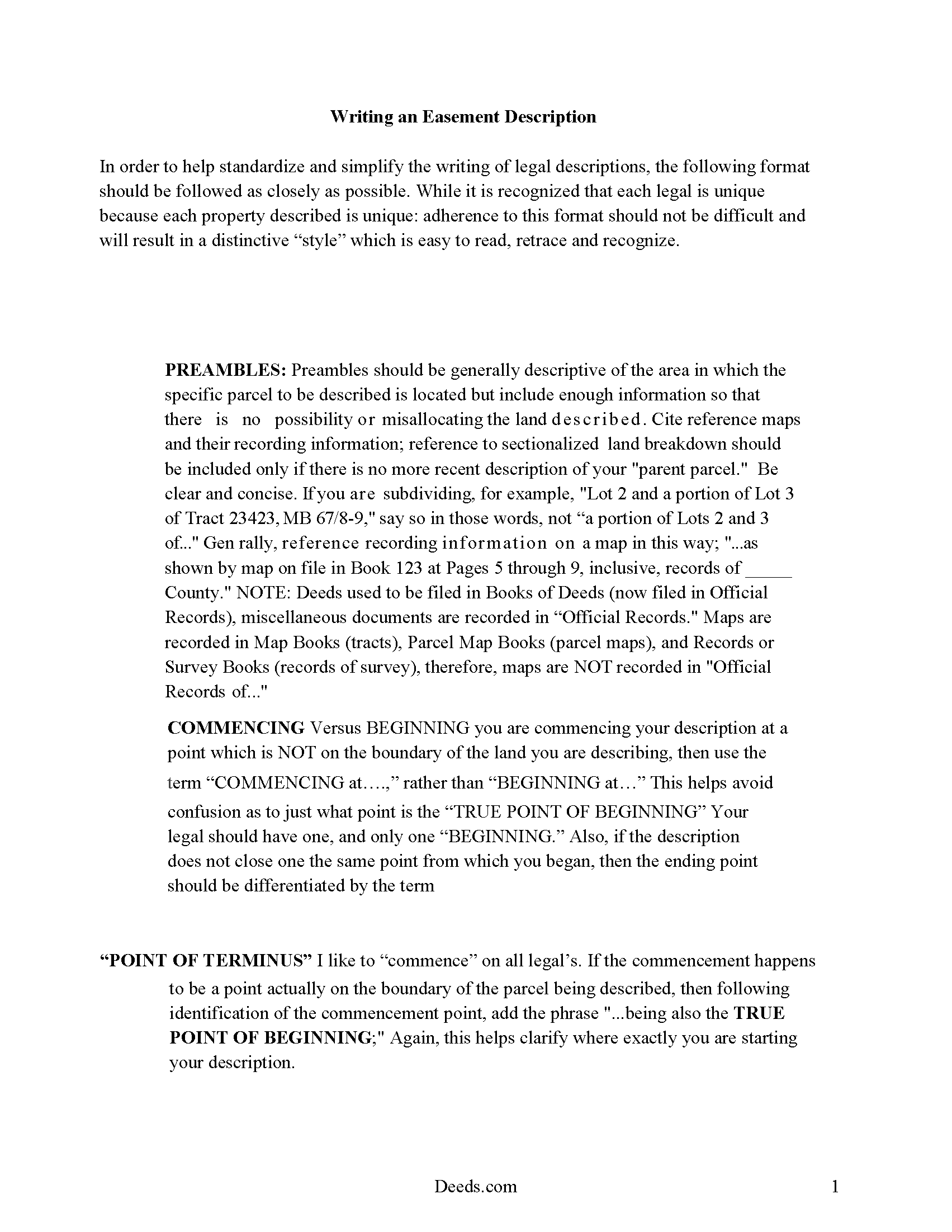
Windsor County Vermont Easement Description Guide
A description of the easement is required for the document. These pages show how to write a proper description for a Vermont Easement.
All 4 documents above included • One-time purchase • No recurring fees
Immediate Download • Secure Checkout
Additional Vermont and Windsor County documents included at no extra charge:
Where to Record Your Documents
Town Clerk of Andover
Andover, Vermont 05143
Hours: Mo, Tu, Th, Fr 9:00 to 1:00 & We 11:00 to 3:00 (always call ahead)
Phone: (802) 875-2765
Town Clerk of Baltimore
Baltimore, Vermont 05143
Hours: We 4:00 to 6:00 & Th 9:00 to 11:00 and by appt
Phone: (802) 263-5274
Town Clerk of Barnard
Barnard, Vermont 05031
Hours: Mo-We 8:00 to 3:30
Phone: (802) 234-9211
Town Clerk of Bethel
Bethel, Vermont 05032
Hours: Mo, Th 8:00 to 12:30 & 1:00 to 4:00; Tu, Fr 8:00 to 12:00
Phone: (802) 234-9722
Town Clerk of Bridgewater
Bridgewater, Vermont 05034
Hours: Mo-Th 8:00 to 4:00
Phone: (802) 672-3334
Town Clerk of Cavendish
Cavendish, Vermont 05142
Hours: Mo-Fr 9:00 to 4:30
Phone: (802) 226-7292
Town Clerk of Chester
Chester, Vermont 05143
Hours: Mo-Fr 8:00 to 4:00 or by appt
Phone: (802) 875-2173
Town Clerk of Hartford
White River Junction, Vermont 05001
Hours: 8:00 to 5:00 M-F (sometimes closed 12:00 to 1:00)
Phone: (802) 295-2785
Town Clerk of Hartland
Hartland, Vermont 05048
Hours: Mo-Fr 7:00 to 5:00
Phone: (802) 436-2444
Town Clerk of Ludlow
Ludlow, Vermont 05149
Hours: Mo-Fr 8:30 to 4:30
Phone: (802) 228-3232
Town Clerk of Norwich
Norwich, Vermont 05055
Hours: Mo-Fr 8:30 to 4:30
Phone: (802) 649-1419
Town Clerk of Plymouth
Plymouth, Vermont 05056
Hours: Mo-Th 8:00 to 4:00
Phone: (802) 672-3655
Town Clerk of Pomfret
North Pomfret, Vermont 05053
Hours: Mo, We, Fr 8:30 to 2:30
Phone: (802) 457-3861
Town Clerk of Reading
Reading, Vermont 05062
Hours: Mo-Th 8:00 to 4:00; 1st Sat 9:00 to 12:00
Phone: (802) 484-7250
Town Clerk of Rochester
Rochester, Vermont 05767-0238
Hours: Tu-Fr 8:00 to 4:00
Phone: (802) 767-3631
Town Clerk of Royalton
South Royalton, Vermont 05068
Hours: Mo-Th 8:00 to 12:00 & 12:30 to 3:00
Phone: (802) 763-7207
Town Clerk of Sharon
Sharon, Vermont 05065
Hours: Mo-Th 7:30 to 4:30
Phone: (802) 763-8268 x1
Town Clerk of Springfield
Springfield, Vermont 05156
Hours: Mo-Fr 8:00 to 4:30
Phone: (802) 885-2104
Town Clerk of Stockbridge
Stockbridge, Vermont 05772
Hours: Tu-Th 8:00 to 4:30; Fr 8:00 to 12:00
Phone: (802) 746-8400
Town Clerk of Weathersfield
Ascutney, Vermont 05030-0550
Hours: Mo-We 9:00 to 4:00; Th 9:00 to 5:30
Phone: (802) 674-9500
Town Clerk of Weston
Weston, Vermont 05161-0098
Hours: Mo-Fr 8:00 to 1:00
Phone: (802) 824-6645
Town Clerk of West Windsor
Brownsville, Vermont 05037
Hours: Mo-Fr 9:00 to 12:00 & 1:30 to 4:30
Phone: (802) 484-7212
Town Clerk of Windsor
Windsor, Vermont 05089
Hours: Mo-We 8:00 to 5:00; Th 8:00 to 4:00
Phone: (802) 674-5610
Town Clerk of Woodstock
Woodstock, Vermont 05091
Hours: Mo-Fr 8:00 to 12:00 & 1:00 to 4:30
Phone: (802) 457-3611
Recording Tips for Windsor County:
- Bring your driver's license or state-issued photo ID
- Ensure all signatures are in blue or black ink
- White-out or correction fluid may cause rejection
- Ask about their eRecording option for future transactions
- Avoid the last business day of the month when possible
Cities and Jurisdictions in Windsor County
Properties in any of these areas use Windsor County forms:
- Ascutney
- Barnard
- Bethel
- Bridgewater
- Bridgewater Corners
- Brownsville
- Cavendish
- Chester
- Chester Depot
- Gaysville
- Hartford
- Hartland
- Hartland Four Corners
- Ludlow
- North Hartland
- North Pomfret
- North Springfield
- Norwich
- Perkinsville
- Plymouth
- Proctorsville
- Quechee
- Reading
- Rochester
- Sharon
- South Pomfret
- South Royalton
- South Woodstock
- Springfield
- Stockbridge
- Taftsville
- West Hartford
- Weston
- White River Junction
- Wilder
- Windsor
- Woodstock
Hours, fees, requirements, and more for Windsor County
How do I get my forms?
Forms are available for immediate download after payment. The Windsor County forms will be in your account ready to download to your computer. An account is created for you during checkout if you don't have one. Forms are NOT emailed.
Are these forms guaranteed to be recordable in Windsor County?
Yes. Our form blanks are guaranteed to meet or exceed the applicable formatting requirements used for recording in Windsor County, including margin requirements, font requirements, and other layout standards. This guarantee applies to formatting, not to the legal sufficiency of information entered by the user or the suitability of a form for a particular transaction.
Can I reuse these forms?
Yes. You can reuse the forms for your personal use. For example, if you have multiple properties in Windsor County you only need to order once.
What do I need to use these forms?
The forms are PDFs that you fill out on your computer. The free Adobe Acrobat Reader is recommended, and most PDF apps also work. You do NOT enter your property information online - you download the blank forms and complete them privately on your own computer.
Are there any recurring fees?
No. This is a one-time purchase. Nothing to cancel, no memberships, no recurring fees.
How much does it cost to record in Windsor County?
Recording fees in Windsor County vary. Contact the recorder's office at (802) 875-2765 for current fees.
Questions answered? Let's get started!
An easement can be created by a grant or deed, by implication, or by prescription. An easement created by a deed should be in writing and should define the terms and scope of the agreement. This type of real property instrument creates a non-possessory interest in land that allows one person to use another's property for a specific purpose.
As an interest in real property, an easement deed in Vermont is required to be signed and acknowledged by the grantor before recording can take place. The acknowledgment of a deed in Vermont can be taken before a town clerk, notary public, master, county clerk, or judge or register of probate. Acknowledgments taken before a notary public will be valid without an official seal being affixed to the notary's signature (27 V.S.A. Statute 341a). Vermont recognizes acknowledgments taken out of state if the acknowledgments are taken according to the laws of such state (379).
Real estate documents in Vermont are recorded in the town or city where the property is located. This is different from many other states that have a county recording system. Recording an easement deed will impart constructive notice of the contents of the instrument. Unless an easement deed is acknowledged and recorded, it will not be effective to hold such lands against any person but the grantor and his or her heirs (342).
(Vermont ED Package includes form, guidelines, and completed example)
Important: Your property must be located in Windsor County to use these forms. Documents should be recorded at the county recording office listed above.
This Easement Deed meets all recording requirements specific to Windsor County.
Our Promise
The documents you receive here are guaranteed to meet or exceed the applicable Windsor County recording format requirements. If there is a rejection caused by our formatting, we will correct the issue or refund your payment. This guarantee applies to document formatting only and does not extend to information entered by the user, the selection of the form, or the legal effect of the completed document.
Save Time and Money
Get your Windsor County Easement Deed form done right the first time with Deeds.com Uniform Conveyancing Blanks. At Deeds.com, we understand that your time and money are valuable resources, and we don't want you to face a penalty fee or rejection imposed by a county recorder for submitting nonstandard documents. We constantly review and update our forms to meet rapidly changing state and county recording requirements for roughly 3,500 counties and local jurisdictions.
4.8 out of 5 - ( 4,828 Reviews )
Patricia And James J. 5 out of 5 stars
No review provided.
Thank you for your feedback. We really appreciate it. Have a great day!
Tracey M. 5 out of 5 stars
Using Deeds.com was unbelievably quick and easy to file a deed restriction with our local county office. From uploading the initial file to deeds.com, to having a fully recorded document was right on one hour - and all from the comfort of my home. I found your service was easy to use and your staff were very quick in responding to my filing. I will definitely use and recommend deeds.com in the future.
Thank you for your feedback. We really appreciate it. Have a great day!
Stephen K. 5 out of 5 stars
this 5-star rating is well-deserved.
Thank you!
Stephen M. 5 out of 5 stars
The process to record took five minutes of my time, and within 45 minutes, my document was recorded! Simple, efficient and affordable! Thanks!
Thank you for your feedback. We really appreciate it. Have a great day!
Yvette G. 5 out of 5 stars
We were extremely satisfied with DEEDS.COM. We spent countless hours trying to contact the Queens County Clerk's Office without succeeding to get through. We needed to obtain an Executor's Deed to transfer the name on my beloved deceased father's property to my name as the executrix of his will. DEEDS.COM is the most efficient and painless way to get the forms you need. To top it all off, they send you, free of charge, additional forms that you may need for your filing purposes. We are truly thankful for their kind assistance!!
We appreciate your business and value your feedback. Thank you. Have a wonderful day!
Fred D. 5 out of 5 stars
At first glance, explanations and guidance to fill out the grant deed seems quite direct and no too difficult. I did not see any reference to a mortgagee which I believe needs to be incorporated in a boundary line adjustment (BLA), though not sure I'll do the actual filling out the form in the next couple of weeks and will be in a better position for a more complete review.
Thank you for your feedback. We really appreciate it. Have a great day!
Carol K. 5 out of 5 stars
Amazing! That's all I can say. From the time I started the process to the time the deed was recorded was less than two hours! What a great, streamlined, seamless process
Thank you!
Richard T. 5 out of 5 stars
Amazing service from competent individuals that really go above and beyond to get you documents processed.
Thank you!
Henry D. 4 out of 5 stars
The deed form served my purpose and saved the expense of using an attorney. Easy to use. It would have helped some if the entire doc could be modified by user.
Thank you for your feedback. It helps us continue improving.
Laura H. 5 out of 5 stars
Process was easy. The instructions for TOD and a sample completed form was very helpful. E-recording of deed saved a trip to the county building and well worth the very reasonable charge.
Thank you for your feedback. We really appreciate it. Have a great day!
Veronica F. 5 out of 5 stars
Im so happy with this site. It was quick and painless and worth the money hassle free if I ever need to settle another deed I will be back.
Thank you Veronica, we really appreciate your feedback.
Jeanne P. 5 out of 5 stars
very easy to use and at an affordable price. Thank you!!
We appreciate your business and value your feedback. Thank you. Have a wonderful day!
Charles B. 5 out of 5 stars
Excellent andeasy to navigate website for non-lawyers. Needed some forms for a specific county in a specific state, and Deeds.com took me right there, where I downloaded the forms and a guide on how to fill them out.
We appreciate your business and value your feedback. Thank you. Have a wonderful day!
Earnestine C. 5 out of 5 stars
Informative and instruction clear and concise, which made it easy for a person without real estate knowledge to acquire needed information. Thank you.
Thank you for your feedback. We really appreciate it. Have a great day!
Joseph K. 5 out of 5 stars
I'm very impressed. We're a small nonprofit, and we usually walk our documents into our county offices for recording. So I was a little bit skeptical about how things would work if we did it electronically. But it was a smooth, quick, painless, and reasonably priced process. I expect that this will be our preferred method even after county offices re-open.
Thank you for your feedback. We really appreciate it. Have a great day!