Grays Harbor County Easement Deed Form
Last validated September 18, 2026 by our Forms Development TeamFormatted for recording in Grays Harbor County, for property anywhere in the county: rural and unincorporated areas as well as Aberdeen, Amanda Park, Copalis Beach, Copalis Crossing, Cosmopolis, Elma, Grayland, Hoquiam and 13 more.
- 4 documents included
- Immediate PDF download
- Formatting guarantee
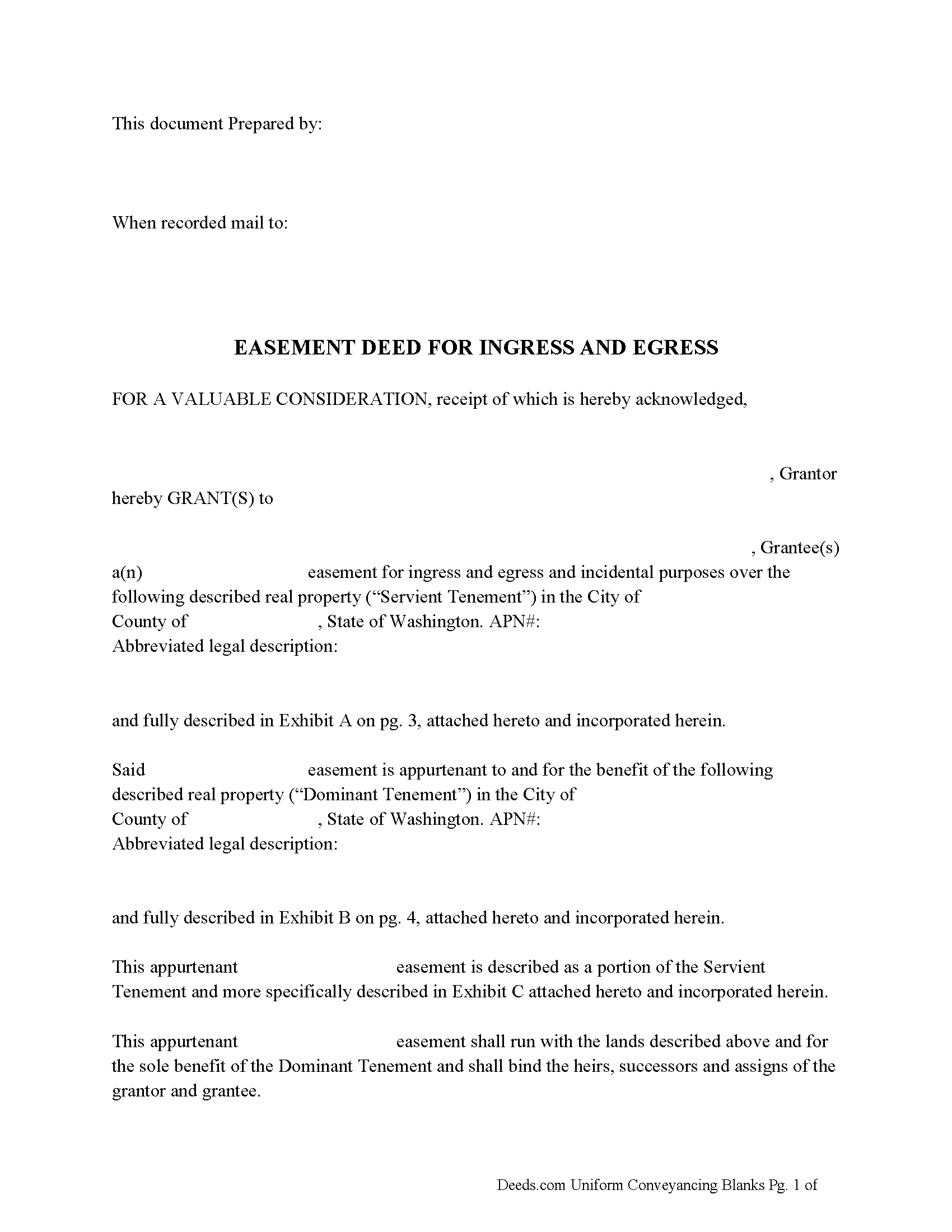
Grays Harbor County Easement Deed Form
Fill in the blank form formatted to comply with all recording and content requirements.
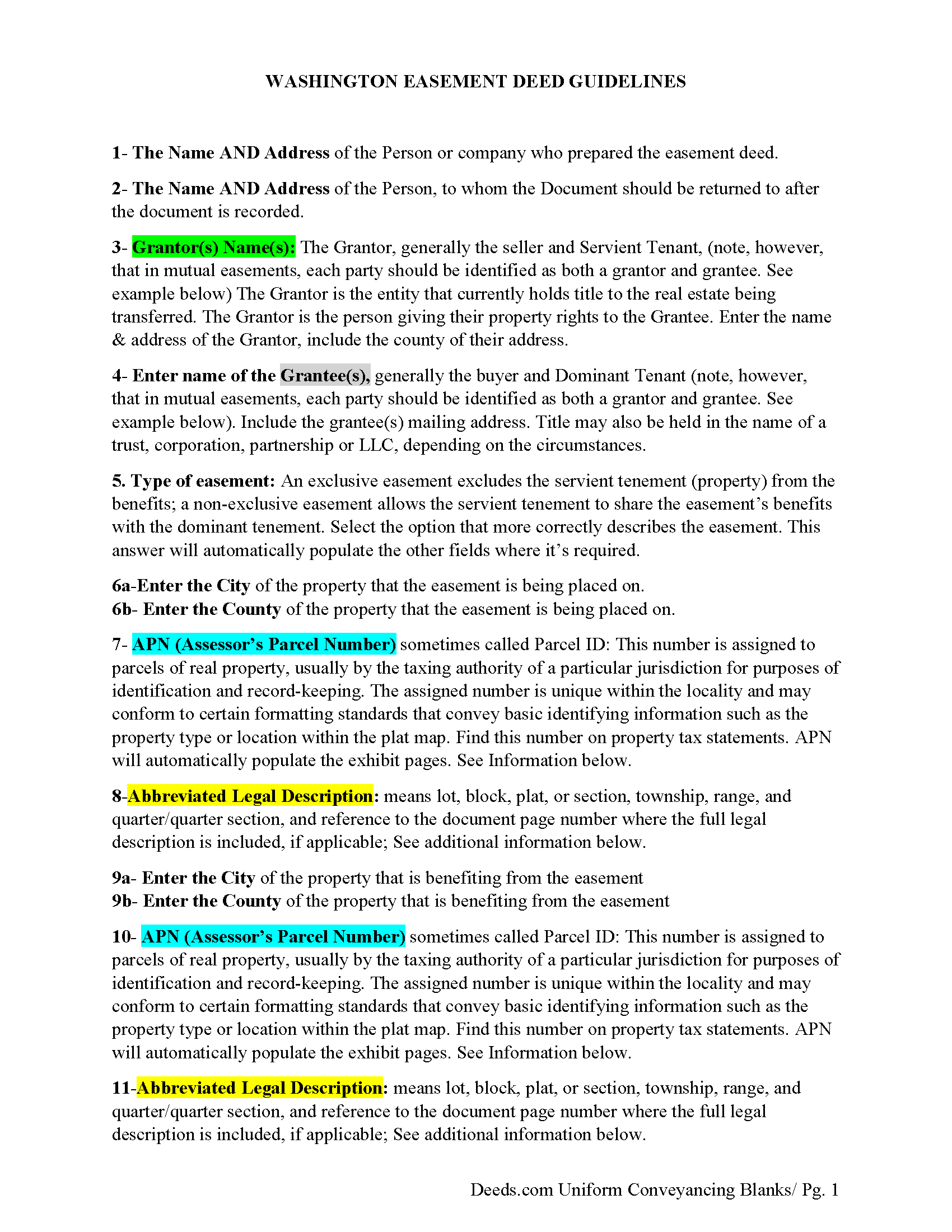
Grays Harbor County Easement Deed Guidelines
Line by line guide explaining every blank on the form.
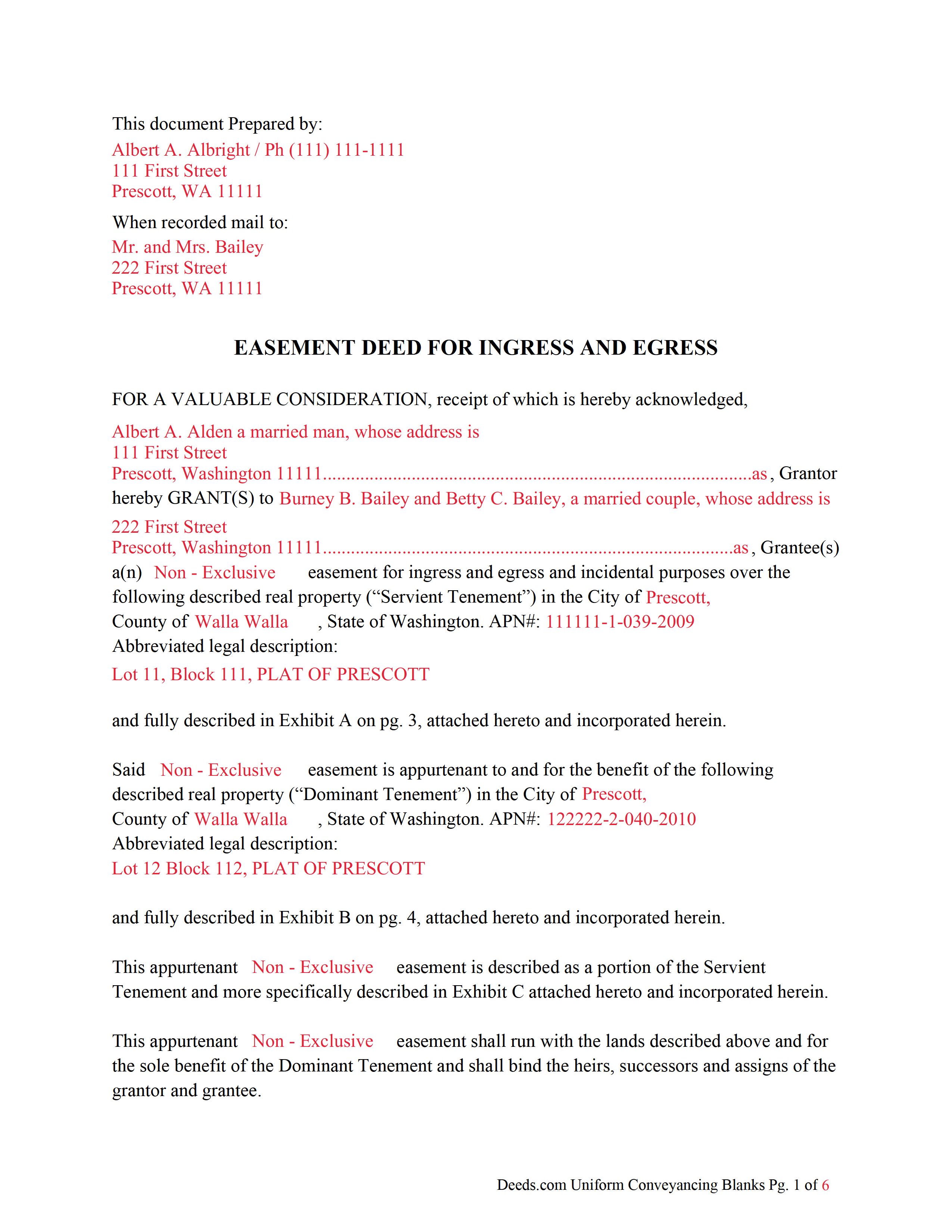
Grays Harbor County Completed Example of an Easement Deed Document
Example of a properly completed form for reference.
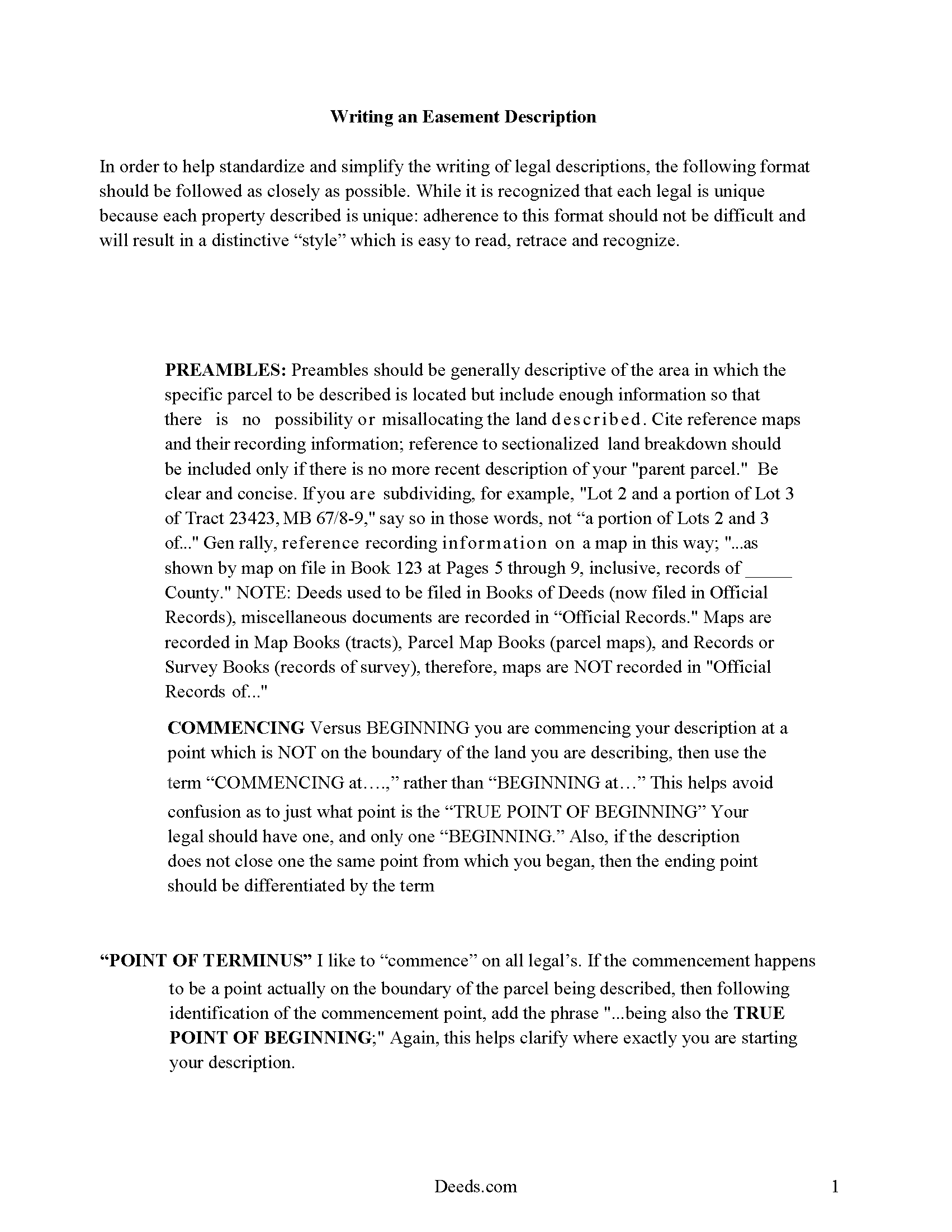
Grays Harbor County Easement Deed Description
A Description of the Easement will be required. This will show how to write an acceptable description for a Right of Way Easement, which gives access, to and from - point A to point B.
All 4 documents above included • One-time purchase • No recurring fees
Immediate Download • Secure Checkout
Additional Washington and Grays Harbor County documents included at no extra charge:
Where to Record Your Documents
Grays Harbor County Auditor: Recording
Montesano, Washington 98563
Hours: Monday through Friday 9:00am - 12:00 & 12:30 - 4:30pm
Phone: (360) 964-1557
Recording Tips for Grays Harbor County:
- Bring your driver's license or state-issued photo ID
- Ensure all signatures are in blue or black ink
- Ask if they accept credit cards - many offices are cash/check only
- Check that your notary's commission hasn't expired
- Documents must be on 8.5 x 11 inch white paper
Cities and Jurisdictions in Grays Harbor County
Properties in any of these areas use Grays Harbor County forms:
- Aberdeen
- Amanda Park
- Copalis Beach
- Copalis Crossing
- Cosmopolis
- Elma
- Grayland
- Hoquiam
- Humptulips
- Malone
- Mccleary
- Moclips
- Montesano
- Neilton
- Oakville
- Ocean Shores
- Pacific Beach
- Quinault
- Satsop
- Taholah
- Westport
Hours, fees, requirements, and more for Grays Harbor County
How do I get my forms?
Forms are available for immediate download after payment. The Grays Harbor County forms will be in your account ready to download to your computer. An account is created for you during checkout if you don't have one. Forms are NOT emailed.
Are these forms guaranteed to be recordable in Grays Harbor County?
Yes. Our form blanks are guaranteed to meet or exceed the applicable formatting requirements used for recording in Grays Harbor County, including margin requirements, font requirements, and other layout standards. This guarantee applies to formatting, not to the legal sufficiency of information entered by the user or the suitability of a form for a particular transaction.
Can I reuse these forms?
Yes. You can reuse the forms for your personal use. For example, if you have multiple properties in Grays Harbor County you only need to order once.
What do I need to use these forms?
The forms are PDFs that you fill out on your computer. The free Adobe Acrobat Reader is recommended, and most PDF apps also work. You do NOT enter your property information online - you download the blank forms and complete them privately on your own computer.
Are there any recurring fees?
No. This is a one-time purchase. Nothing to cancel, no memberships, no recurring fees.
How much does it cost to record in Grays Harbor County?
Recording fees in Grays Harbor County vary. Contact the recorder's office at (360) 964-1557 for current fees.
Questions answered? Let's get started!
Easements are created to allow one person to use another's real property for a specific purpose. An easement in this state can be established by a deed in writing, by implication, or by prescription. Easements established by dedication are property rights that cannot be extinguished or altered without the approval of the easement owner, unless the plat or other document creating the dedicated easement provides for an alternative method to extinguish or alter the easement (RCW 64.04.175). Solar easements for assuring continued access to direct sunlight for solar energy systems can be created in this state and privately negotiated (RCW 64.04.140). A solar easement can only be created by written agreement, but is not authorized to be created by an implied or prescriptive easement (RCW 64.04.160). An easement deed in Washington should specify the terms, duration, and location of the easement.
To entitle an easement deed to be recorded in this state, it must be signed and acknowledged by the grantor. An easement deed can be acknowledged in this state before a justice or clerk of the Supreme Court, a judge or clerk of the court of appeals, a judge of the superior court or a qualified court commissioner thereof, a county auditor, or a notary public (RCW 64.08.010). Acknowledgments taken out of state can be taken before any person authorized to take acknowledgments of deeds by the laws of such state. Unless out-of-state acknowledgments are taken before the officers listed in RCW 64.08.010, the deed must be accompanied by a certificate of acknowledgment. Officers taking acknowledgments of an easement deed within this state should have a certificate of acknowledgment attached to the instrument (RCW 64.08.050).
A duly acknowledged and certified easement deed can be recorded in the office of the county auditor in the county where the property subject to the easement is located. An unrecorded easement deed will be valid between the parties bound by it but will not be valid as against a subsequent purchaser in good faith and for a valuable consideration from the same vendor of the same real property, or portion thereof, whose conveyance is first duly recorded. The document will be considered recorded the moment it is filed for record (RCW 65.08.070).
(Washington ED Package includes form, guidelines, and completed example) For use in Washington only.
Important: Your property must be located in Grays Harbor County to use these forms. Documents should be recorded at the county recording office listed above.
This Easement Deed meets all recording requirements specific to Grays Harbor County.
Our Promise
The documents you receive here are guaranteed to meet or exceed the applicable Grays Harbor County recording format requirements. If there is a rejection caused by our formatting, we will correct the issue or refund your payment. This guarantee applies to document formatting only and does not extend to information entered by the user, the selection of the form, or the legal effect of the completed document.
Save Time and Money
Get your Grays Harbor County Easement Deed form done right the first time with Deeds.com Uniform Conveyancing Blanks. At Deeds.com, we understand that your time and money are valuable resources, and we don't want you to face a penalty fee or rejection imposed by a county recorder for submitting nonstandard documents. We constantly review and update our forms to meet rapidly changing state and county recording requirements for roughly 3,500 counties and local jurisdictions.
4.8 out of 5 - ( 4,828 Reviews )
Edith W. 5 out of 5 stars
I was very pleased to be able to get all the legal forms, with instructions, I need to file a beneficiary deed specific to my county in one place. The downloads went smoothly. Deeds.com has saved me time and money by offering this service.
We appreciate your business and value your feedback. Thank you. Have a wonderful day!
Ron B. 5 out of 5 stars
Most complete and affordable documents that I was able to locate online. Excellent printed out presentation. Very professional. More than happy with results.
Thank you!
Angela D. 5 out of 5 stars
The only problem I had was that it doesn't let you create a file for all documents to go into as one. Mahalo Angie
Thank you for your feedback. We really appreciate it. Have a great day!
Gerald M. 5 out of 5 stars
So easy to do. The examples and guides are well worth the few $$ this cost. Highly recommend!!
We appreciate your business and value your feedback. Thank you. Have a wonderful day!
Ron S. 4 out of 5 stars
Fair price and beneficiary deed was recorded without issue. Completion instructions provided were insufficient in some cases.
Thank you!
Truc T. 5 out of 5 stars
great DIY site.
Thank you!
kevin d. 5 out of 5 stars
the quitclaim form worked well with the Nevada Recorders office. Tried other vendors, theirs were rejected.
We appreciate your business and value your feedback. Thank you. Have a wonderful day!
Juanita G. 5 out of 5 stars
This was so easy to use, quick turnaround and I will continue to use this service. Thank you!
Thanks you Juanita for taking the time to leave your feedback. We really appreciate it. Have a fantastic day!
Joyce S. 5 out of 5 stars
I am very pleased with Deeds.com. I have every form and information I need to meet Legal requirements. Thank You!
Thank you for your feedback. We really appreciate it. Have a great day!
James R. 5 out of 5 stars
Useful and quick.
Thank you!
Juanita B. 5 out of 5 stars
Very easy and fast transaction. Thank you for complete set of forms needed for property transfer.
Thank you for your feedback. We really appreciate it. Have a great day!
Matthew F. 4 out of 5 stars
Experience was very positive. It's very easy to use and I like the chat/feedback feature. It almost doubles the recording fees that is a little expensive but otherwise it works great.
We truly value your business and appreciate your review.
Dreama R. 5 out of 5 stars
Awesome! I had to correct a quit claim deed and the form on your site made it very easy. Thank you
We appreciate your business and value your feedback. Thank you. Have a wonderful day!
Dorothy S. 4 out of 5 stars
Great service and documents that solved my legal issues I was frustrated with my inability to safe my information on the template and add an extra field box. Please make those instructions more clear for future customers.
Thank you for your feedback. We really appreciate it. Have a great day!
Charles K. 5 out of 5 stars
So far it has been a good experience. I am working on getting a beneficiary deed.
Thank you for your feedback. We really appreciate it. Have a great day!