Grays Harbor County Quitclaim Deed Form
Last validated October 4, 2026 by our Forms Development TeamFormatted for recording in Grays Harbor County, for property anywhere in the county: rural and unincorporated areas as well as Aberdeen, Amanda Park, Copalis Beach, Copalis Crossing, Cosmopolis, Elma, Grayland, Hoquiam and 13 more.
- 3 documents included
- Immediate PDF download
- Formatting guarantee
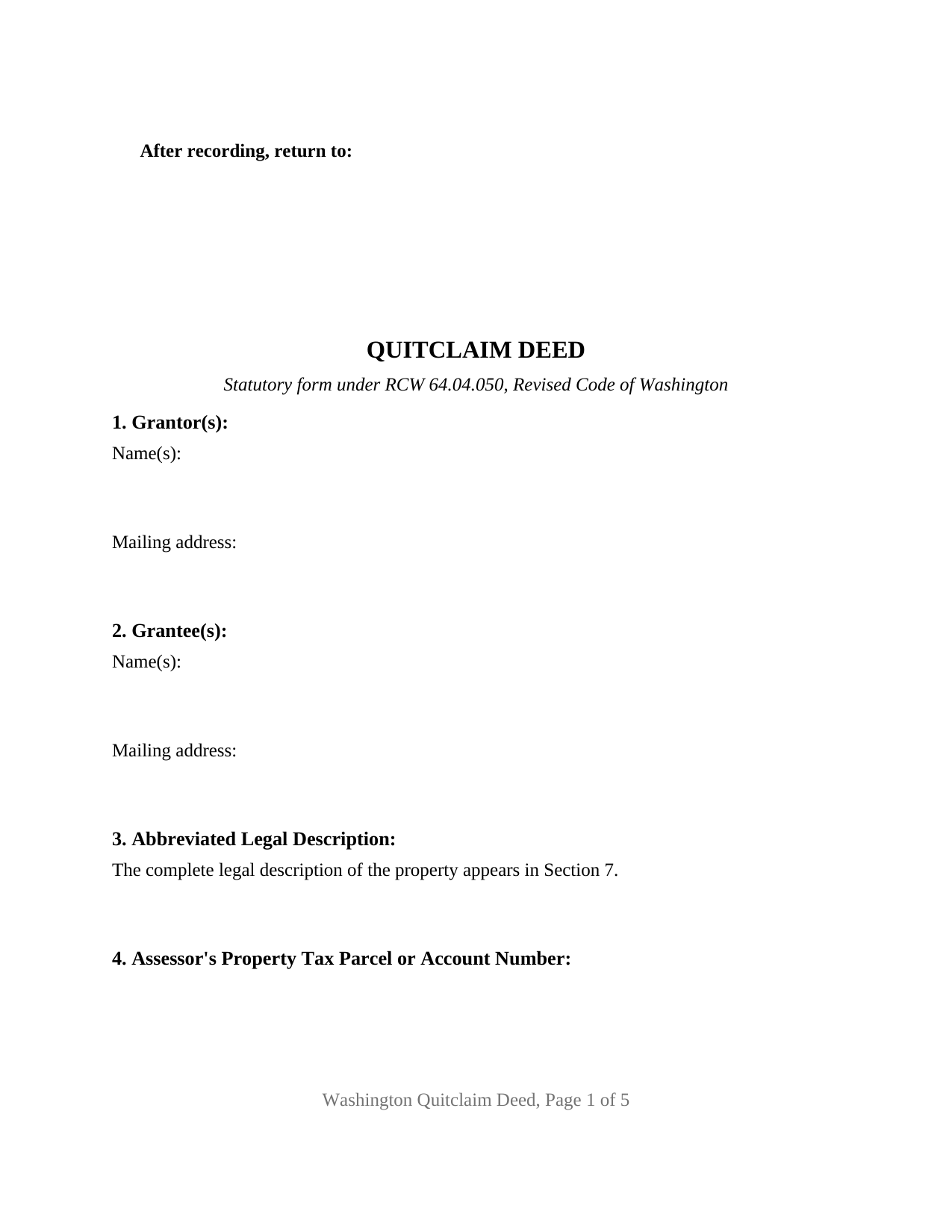
Grays Harbor County Quitclaim Deed Form
Fill in the blank Quitclaim Deed form formatted to comply with all Washington recording and content requirements.
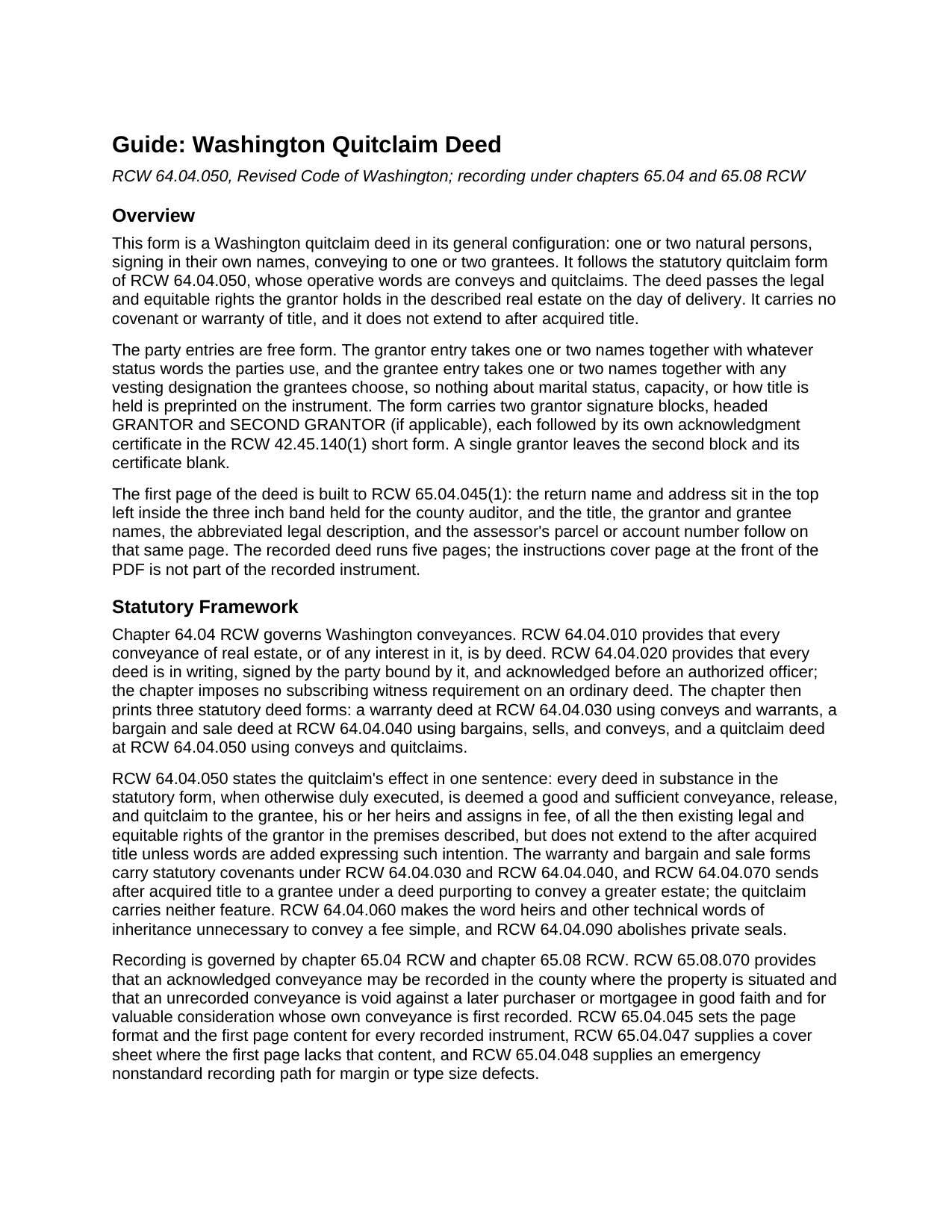
Grays Harbor County Quitclaim Deed Guide
Line by line guide explaining every blank on the Quitclaim Deed form.
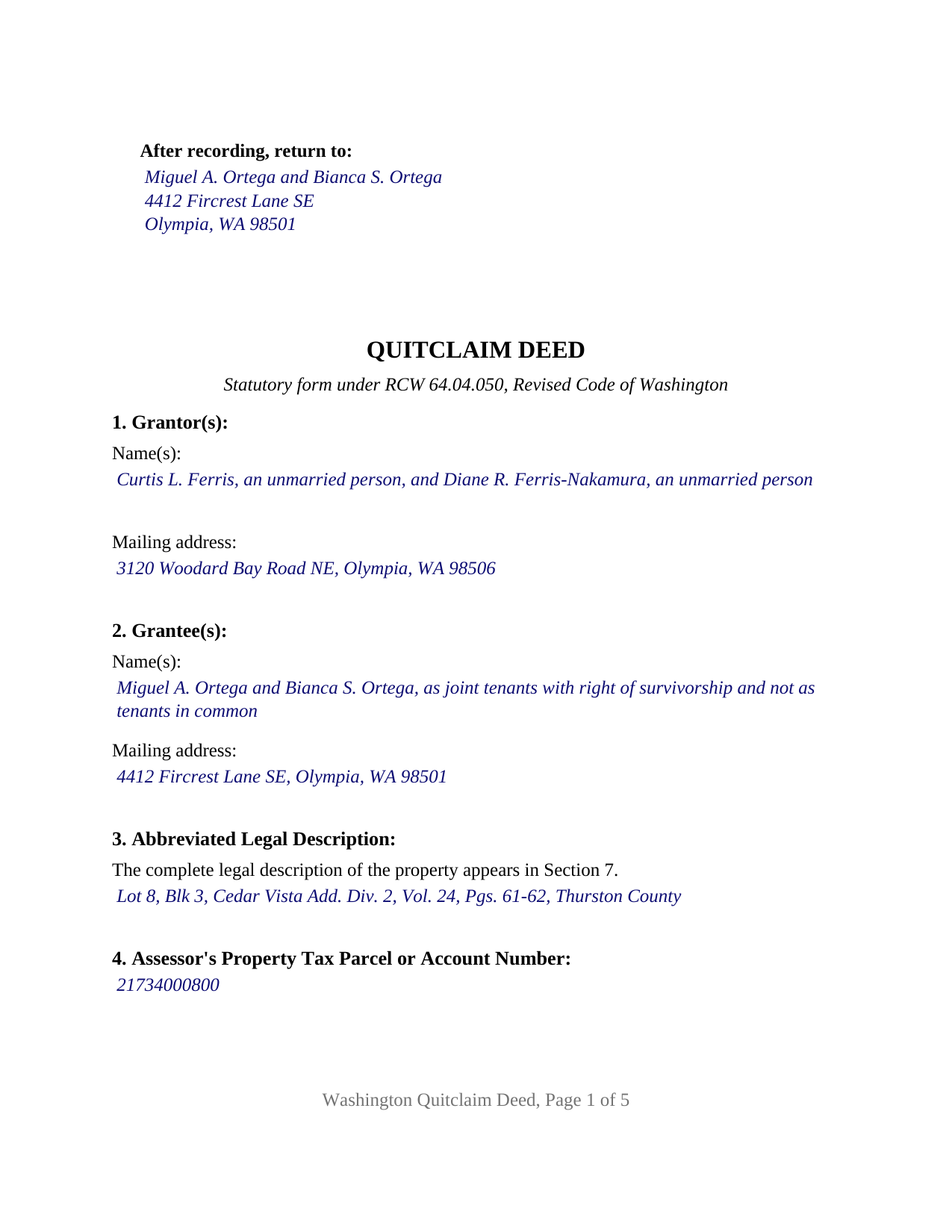
Grays Harbor County Completed Example of the Quitclaim Deed Document
Example of a properly completed Washington Quitclaim Deed document for reference.
All 3 documents above included • One-time purchase • No recurring fees
Immediate Download • Secure Checkout
Additional Washington and Grays Harbor County documents included at no extra charge:
Where to Record Your Documents
Grays Harbor County Auditor: Recording
Montesano, Washington 98563
Hours: Monday through Friday 9:00am - 12:00 & 12:30 - 4:30pm
Phone: (360) 964-1557
Recording Tips for Grays Harbor County:
- Bring your driver's license or state-issued photo ID
- Ensure all signatures are in blue or black ink
- Ask about their eRecording option for future transactions
- Avoid the last business day of the month when possible
- Both spouses typically need to sign if property is jointly owned
Cities and Jurisdictions in Grays Harbor County
Properties in any of these areas use Grays Harbor County forms:
- Aberdeen
- Amanda Park
- Copalis Beach
- Copalis Crossing
- Cosmopolis
- Elma
- Grayland
- Hoquiam
- Humptulips
- Malone
- Mccleary
- Moclips
- Montesano
- Neilton
- Oakville
- Ocean Shores
- Pacific Beach
- Quinault
- Satsop
- Taholah
- Westport
Hours, fees, requirements, and more for Grays Harbor County
How do I get my forms?
Forms are available for immediate download after payment. The Grays Harbor County forms will be in your account ready to download to your computer. An account is created for you during checkout if you don't have one. Forms are NOT emailed.
Are these forms guaranteed to be recordable in Grays Harbor County?
Yes. Our form blanks are guaranteed to meet or exceed the applicable formatting requirements used for recording in Grays Harbor County, including margin requirements, font requirements, and other layout standards. This guarantee applies to formatting, not to the legal sufficiency of information entered by the user or the suitability of a form for a particular transaction.
Can I reuse these forms?
Yes. You can reuse the forms for your personal use. For example, if you have multiple properties in Grays Harbor County you only need to order once.
What do I need to use these forms?
The forms are PDFs that you fill out on your computer. The free Adobe Acrobat Reader is recommended, and most PDF apps also work. You do NOT enter your property information online - you download the blank forms and complete them privately on your own computer.
Are there any recurring fees?
No. This is a one-time purchase. Nothing to cancel, no memberships, no recurring fees.
How much does it cost to record in Grays Harbor County?
Recording fees in Grays Harbor County vary. Contact the recorder's office at (360) 964-1557 for current fees.
Questions answered? Let's get started!
Washington keeps three deed forms in one chapter of its code, and what separates them is not what passes to the grantee but what travels alongside it. Chapter 64.04 RCW prints a warranty deed at RCW 64.04.030, a bargain and sale deed at RCW 64.04.040, and a quitclaim deed at RCW 64.04.050. This is the third, in its general configuration: natural persons conveying in their own names, promises left out, the interest measured on the day of delivery.
A statute that withholds two things
The operative phrase is conveys and quitclaims. A deed in the substance of the RCW 64.04.050 form is deemed a good and sufficient conveyance, release, and quitclaim of the rights the grantor holds in the premises it describes, and it withholds two things the neighboring forms supply. It attaches no covenant, so nothing in the deed answers for the condition of the title, where RCW 64.04.030 would add covenants of seisin, freedom from encumbrances, and quiet possession. It also stops at the title on hand: RCW 64.04.070 sends after acquired title to a grantee under a deed purporting to convey a greater estate, and RCW 64.04.050 excepts the quitclaim unless the parties add words asking for that reach. Those two absences are why the instrument, often searched as a quit claim deed, releases and reorganizes interests rather than selling with assurances.
Blanks that hold what the parties actually are
Washington characterizes property by the source of its acquisition rather than by the words on the last recorded deed, and this form prints no status or vesting language. Section 1 takes one or two grantors with any status they state, and Section 2 takes one or two grantees with any vesting designation they choose. Two signature blocks follow, headed GRANTOR and SECOND GRANTOR (if applicable), each carrying a printed name, a date, and its own acknowledgment certificate, so two signers may appear on different days or before officers in different counties; a single grantor leaves the second block and certificate blank. Four count patterns fit that architecture: one or two names conveying to one or two names. What the form is not set up as: an entity grantor signing through an officer in a stated capacity, a signer acting under a power of attorney or in a fiduciary office, or three or more record owners on either side.
What the grantees write after their names
Under RCW 64.28.020 an interest created in two or more persons in their own right is an interest in common unless the instrument declares a joint tenancy, and RCW 64.28.010 makes an express written declaration the only route to survivorship. Where spouses or state registered domestic partners take as declared joint tenants, RCW 64.28.040 presumes the interest to be community property while still passing it to the survivor. RCW 11.04.071 abolished survivorship as an incident of tenancy by the entirety, so that designation now carries no effect.
Built for the auditor's first page
The first four numbered sections sit on recorded page one and carry the content RCW 65.04.045(1) assigns there: the party names, an abbreviated legal description keyed to the complete one, and the assessor's parcel or account number; Section 5 holds reference numbers of documents assigned or released, an item an ordinary deed lacks. The return name and address sit at the statutory top left, inside the three inch band held for the auditor, the title directly beneath. Body type is set at 12 point against an 8 point statutory minimum, and no blank asks for a social security number, a birth date, or a parent's maiden name, which RCW 65.04.045(3) keeps off a recorded instrument.
The treasurer, then the auditor
WAC 458-61A-303 calls for an excise tax affidavit on a transfer of ownership, and under RCW 82.45.090 the auditor waits on the county treasurer, who verifies that the tax is paid or notes that none is owed. The state rate begins at 1.10 percent of the selling price and steps up through higher bands, with a local rate on top and exemptions claimed by code. Counter cost turns on the page fees of RCW 36.18.010, the RCW 36.22.185 covenant homeownership assessment, and the RCW 36.22.250 surcharge.
The download holds the blank deed as a fillable PDF, a completed example prepared for a Thurston County conveyance, and a plain language guide covering the entries, the acknowledgment, the excise tax affidavit, and recording. This package describes Washington law in general terms and is not legal advice.
Important: Your property must be located in Grays Harbor County to use these forms. Documents should be recorded at the county recording office listed above.
This Quitclaim Deed meets all recording requirements specific to Grays Harbor County.
Our Promise
The documents you receive here are guaranteed to meet or exceed the applicable Grays Harbor County recording format requirements. If there is a rejection caused by our formatting, we will correct the issue or refund your payment. This guarantee applies to document formatting only and does not extend to information entered by the user, the selection of the form, or the legal effect of the completed document.
Save Time and Money
Get your Grays Harbor County Quitclaim Deed form done right the first time with Deeds.com Uniform Conveyancing Blanks. At Deeds.com, we understand that your time and money are valuable resources, and we don't want you to face a penalty fee or rejection imposed by a county recorder for submitting nonstandard documents. We constantly review and update our forms to meet rapidly changing state and county recording requirements for roughly 3,500 counties and local jurisdictions.
4.8 out of 5 - ( 4,833 Reviews )
clenio o. 5 out of 5 stars
Very helpful. The Register office is closed in Detroit due to covid, but after using it, I would do it regardless. Thank you.
Thank you for your feedback. We really appreciate it. Have a great day!
Quaid H. 5 out of 5 stars
Just what we needed! Thank you!
Thank you for your feedback. We really appreciate it. Have a great day!
Arthur M. 5 out of 5 stars
Efficient and easy to use. Thanks.
Thank you!
Amanda P. 5 out of 5 stars
Quick kind and useful feedback provided related to issues.
We appreciate your business and value your feedback. Thank you. Have a wonderful day!
Melody P. 5 out of 5 stars
Thank you for getting our docs recorded so quickly and efficiently! Great and dependable service, as always!
We appreciate your business and value your feedback. Thank you. Have a wonderful day!
Rachel Y. 5 out of 5 stars
I liked the ease of use, however I would love to be able to add multiple APN’s and delete lines that are not applicable
Thank you, Rachel. We’re glad you found the form easy to use, and we appreciate your suggestions about adding multiple APNs and removing inapplicable lines. Feedback like this helps us improve our forms.
LISA B. 5 out of 5 stars
GOT WHAT I NEEDED FORMS WORKED FINE.
Thank you!
Nancy C. 3 out of 5 stars
Very disappointed that you had certain documents but did not have the accompanying documents needed to complete the transfer. I also had issues with the documents not allowing you to fill in the pages... example the document was prefilled in as so ... Page 1 of_____ but you could not fill in the blank... I tried reaching out to your customer service, but they had no solution for me. So, I had to write in the page, which didn't look professional. I think I could have gotten documents just as good for free if I'd research a little longer.
Thank you for your feedback, Nancy.
The Virginia Transfer on Death Deed and the Virginia Transfer on Death Beneficiary Affidavit are separate documents and are offered individually because many customers only need one, depending on their situation. In your case, the affidavit was later ordered separately.
Regarding the page numbering (“Page 1 of ___”), that field is intentionally left blank. The total number of pages is not known until the document is finalized, signed, notarized, and all attachments (such as exhibits or legal descriptions) are included. It is standard practice to complete that portion by hand at execution so the final page count accurately reflects the recorded document.
We are unable to locate a customer service inquiry associated with your order, but we are always glad to assist when contacted directly.
We appreciate your feedback and wish you the best with your transfer.
Ralph S. 5 out of 5 stars
Excellent deed correction experience and guidance!!! Thank you! R. Scott.
We appreciate your business and value your feedback. Thank you. Have a wonderful day!
Allan A. 5 out of 5 stars
Excellent service, communication and done in a timely fashion. Worth the cost for the convenience and safety
Thank you!
maria b. 5 out of 5 stars
really easy and and helpful.
Thank you!
Anthony C. 5 out of 5 stars
I am filing a Personal Representative Deed. Haven't used the forms yet but the package sent is comprehensive and appears easy to follow. A bit help to someone who has never done this.
We appreciate your business and value your feedback. Thank you. Have a wonderful day!
Brandi P. 3 out of 5 stars
The service itself is great, but the deed sample I ordered wasn't as accurate as I'd hoped. I needed to correct and resubmit. Not a huge deal, but a bit of an inconvenience.
Thank you for your feedback. We really appreciate it. Have a great day!
PETER C. 5 out of 5 stars
The process was quick and simple to follow. Very efficient way to document Deeds.
Thank you!
Irene G. 5 out of 5 stars
Excellent service for anyone doing their own deed filing without the use of a title company or an attorney. I will definitely recommend deeds.com to my notary clients and will be personally using this service again! ;)
We appreciate your business and value your feedback. Thank you. Have a wonderful day!