Stevens County Quitclaim Deed (Married Grantor with Non-Owner Spouse Joinder) Form
Last validated October 4, 2026 by our Forms Development TeamFormatted for recording in Stevens County, for property anywhere in the county: rural and unincorporated areas as well as Addy, Chewelah, Clayton, Colville, Evans, Ford, Fruitland, Gifford and 10 more.
- 3 documents included
- Immediate PDF download
- Formatting guarantee
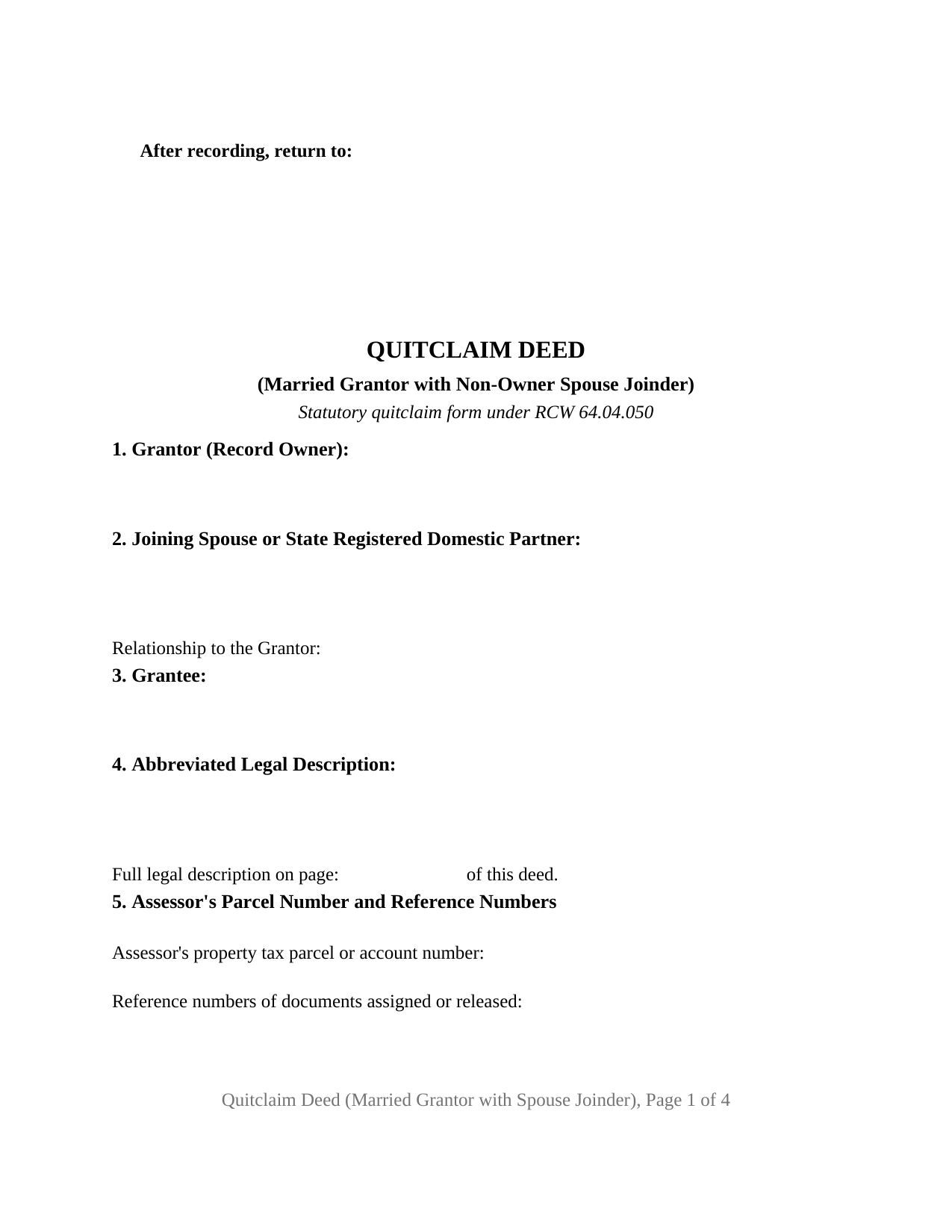
Stevens County Quitclaim Deed (Married Grantor with Non-Owner Spouse Joinder) Form
Fill in the blank Quitclaim Deed (Married Grantor with Non-Owner Spouse Joinder) form formatted to comply with all Washington recording and content requirements.
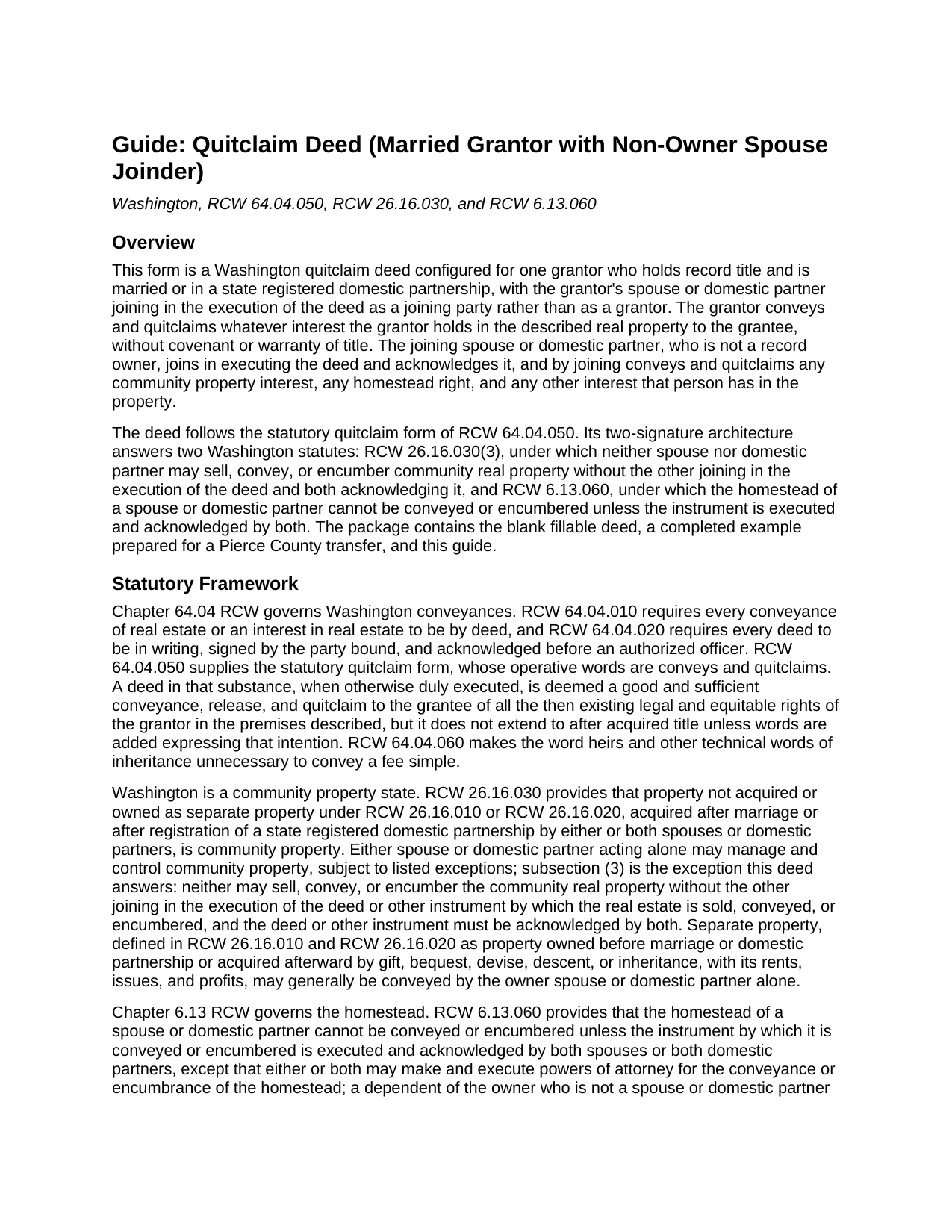
Stevens County Quitclaim Deed (Married Grantor with Non-Owner Spouse Joinder) Guide
Line by line guide explaining every blank on the Quitclaim Deed (Married Grantor with Non-Owner Spouse Joinder) form.
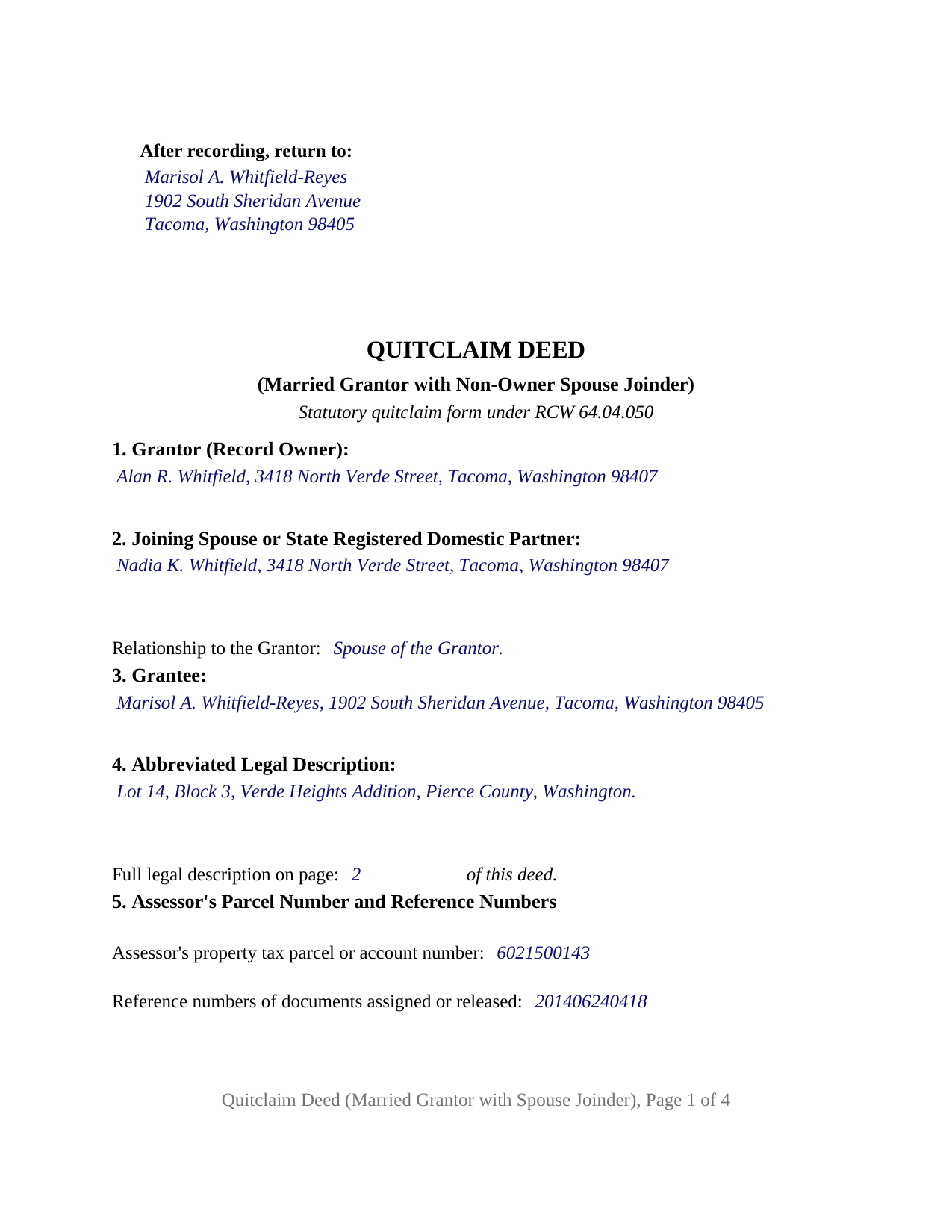
Stevens County Completed Example of the Quitclaim Deed (Married Grantor with Non-Owner Spouse Joinder) Document
Example of a properly completed Washington Quitclaim Deed (Married Grantor with Non-Owner Spouse Joinder) document for reference.
All 3 documents above included • One-time purchase • No recurring fees
Immediate Download • Secure Checkout
Additional Washington and Stevens County documents included at no extra charge:
Where to Record Your Documents
Stevens County Auditor: Recording
Colville, Washington 99114
Hours: Monday through Friday 8:00am – 4:30pm
Phone: (509) 684-7512
Recording Tips for Stevens County:
- Bring your driver's license or state-issued photo ID
- Ensure all signatures are in blue or black ink
- Verify all names are spelled correctly before recording
- White-out or correction fluid may cause rejection
- Ask about their eRecording option for future transactions
Cities and Jurisdictions in Stevens County
Properties in any of these areas use Stevens County forms:
- Addy
- Chewelah
- Clayton
- Colville
- Evans
- Ford
- Fruitland
- Gifford
- Hunters
- Kettle Falls
- Loon Lake
- Marcus
- Northport
- Rice
- Springdale
- Tumtum
- Valley
- Wellpinit
Hours, fees, requirements, and more for Stevens County
How do I get my forms?
Forms are available for immediate download after payment. The Stevens County forms will be in your account ready to download to your computer. An account is created for you during checkout if you don't have one. Forms are NOT emailed.
Are these forms guaranteed to be recordable in Stevens County?
Yes. Our form blanks are guaranteed to meet or exceed the applicable formatting requirements used for recording in Stevens County, including margin requirements, font requirements, and other layout standards. This guarantee applies to formatting, not to the legal sufficiency of information entered by the user or the suitability of a form for a particular transaction.
Can I reuse these forms?
Yes. You can reuse the forms for your personal use. For example, if you have multiple properties in Stevens County you only need to order once.
What do I need to use these forms?
The forms are PDFs that you fill out on your computer. The free Adobe Acrobat Reader is recommended, and most PDF apps also work. You do NOT enter your property information online - you download the blank forms and complete them privately on your own computer.
Are there any recurring fees?
No. This is a one-time purchase. Nothing to cancel, no memberships, no recurring fees.
How much does it cost to record in Stevens County?
Recording fees in Stevens County vary. Contact the recorder's office at (509) 684-7512 for current fees.
Questions answered? Let's get started!
This Washington quitclaim deed carries one grantor and two signatures. Record title stands in one married owner's name, so that owner alone conveys, and the owner's spouse or state registered domestic partner signs a second, separately labeled block as a joining party rather than as a grantor. The form is built for that asymmetry, because two Washington statutes ask for both signatures even where only one name appears on the vesting instrument.
Two statutes, one shared answer
RCW 26.16.030(3) is the first. Property a couple acquires after marriage, or after registration of a state registered domestic partnership, is community property unless RCW 26.16.010 or RCW 26.16.020 makes it separate, and that characterization turns on the source of the acquisition rather than on whose name the recorded deed carries. A home held in one spouse's name alone can therefore be community real property, which one spouse cannot convey acting alone. The second statute is RCW 6.13.060: a homestead of a spouse or domestic partner cannot be conveyed or encumbered unless the instrument is executed and acknowledged by both. That rule is indifferent to record title. Both provisions converge on the same formality, and this deed meets it without pretending that the joining spouse is a record owner.
A joinder that releases rather than consents
The difference shows up on the record. Section 10 recites that the joining person is the grantor's spouse or state registered domestic partner, is not a record owner, joins in the execution of the deed, and acknowledges it. Then it goes further: by joining, that person conveys and quitclaims any community property interest, any homestead right, and any other interest that person has in the property, with no covenant or warranty attached. Drafted that way, the deed works whichever way the characterization question comes out. Where the property was community real property, the joining signature carries the community interest across; where it was genuinely separate property of the grantor, the joinder releases nothing of substance and the record stops inviting a later examiner to raise the point.
One grantor entry, two signature blocks, two certificates
Section 1 holds a single grantor entry for the record owner. Section 2 holds the joining spouse or state registered domestic partner, with its own blank for the relationship the joinder rests on, so the deed states that status rather than assuming it. Two labeled signature blocks follow, one for the grantor as record owner and one for the joining spouse or domestic partner, each with a printed name and a date, and each block has its own certificate in the individual capacity short form of RCW 42.45.140(1). The two signers may therefore appear on different days, or before officers in different counties. Washington law does not require a certificate per signer, the statutory short forms being written in the plural; the paired layout is a drafting decision. What the form is not set up as is a deed placing two record owners in the grantor position, or a deed with a single signature line and a single certificate.
Pierce County, and the two counters a deed crosses
The completed example is filled in for a Pierce County transfer: a father holding record title alone conveys the family home to his adult daughter for stated consideration, and the mother joins in execution and acknowledges. Consideration is stated, so the transfer is taxable. A real estate excise tax affidavit accompanies the deed to the county treasurer, who verifies the tax before the auditor may accept the instrument, and the state portion opens at 1.10 percent on the lowest band of selling price with the local rate added on top. The auditor's first page requirements are already met: the three inch recording band with the return name and address at the top left, the title immediately beneath it, the party names, an abbreviated legal description with a page reference to the complete one, the assessor's parcel or account number, and reference numbers of documents assigned or released.
What the download holds
The package contains the blank deed as a fillable PDF, the completed Pierce County example, and a plain language guide covering every blank, the notarization, the excise tax affidavit, and the statutory recording fees and surcharges. Searchers reach this configuration as a quit claim deed with spousal joinder, or as a non-owner spouse deed. The materials describe Washington law in general terms and are not legal advice.
Important: Your property must be located in Stevens County to use these forms. Documents should be recorded at the county recording office listed above.
This Quitclaim Deed (Married Grantor with Non-Owner Spouse Joinder) meets all recording requirements specific to Stevens County.
Our Promise
The documents you receive here are guaranteed to meet or exceed the applicable Stevens County recording format requirements. If there is a rejection caused by our formatting, we will correct the issue or refund your payment. This guarantee applies to document formatting only and does not extend to information entered by the user, the selection of the form, or the legal effect of the completed document.
Save Time and Money
Get your Stevens County Quitclaim Deed (Married Grantor with Non-Owner Spouse Joinder) form done right the first time with Deeds.com Uniform Conveyancing Blanks. At Deeds.com, we understand that your time and money are valuable resources, and we don't want you to face a penalty fee or rejection imposed by a county recorder for submitting nonstandard documents. We constantly review and update our forms to meet rapidly changing state and county recording requirements for roughly 3,500 counties and local jurisdictions.
4.8 out of 5 - ( 4,828 Reviews )
Joan H. 5 out of 5 stars
Your service was fine but as a newly widowed senior, I wish your price was lower.
Thank you for your feedback. We really appreciate it. Have a great day!
THOMAS C. 5 out of 5 stars
Thank you for the fine, easy to implement service.
Thank you for your feedback. We really appreciate it. Have a great day!
Kahn B. 4 out of 5 stars
The Quitclaim deed seems pretty simple However I wonder if I can fll out the paper as easily as it looks I appreciate very much the sample and the direction for filling out the deed. Now I am in the process of gathering document to fill out the deed and I think only when after everything done, I may have a clear idea how good the Quitclaim Deed is. I hope I can follow instruction and will successfully done the paperwork. Thank you very much.
Thank you for your feedback. We really appreciate it. Have a great day!
Carolyn R. 5 out of 5 stars
Definitely 5 stars. Everything was taken care of well within 24 hours. If our law firm needs to record a single document in a different county again, we will use your service. Thanks!
Thank you for your feedback. We really appreciate it. Have a great day!
Joseph N. 5 out of 5 stars
The site is easy to navigate and exceptional services. Unfortunately, they could find no information on a tract of land that I own, and they canceled the search and refunded my payment.
Sorry we were unable to help you find what you were looking for Joseph.
Arthur T. 5 out of 5 stars
Thanks
Thank you!
Tracey P. 5 out of 5 stars
As always, amazing forms and information. A must have for anyone doing it themselves. Everything is available to make it happen but if you need a lot of hand holding you might want to look into a more full service option.
Thank you for your feedback. We really appreciate it. Have a great day!
Michael C. 5 out of 5 stars
Thank you very much. I received the exact information I was seeking.
Great to hear Michael, thanks for taking the time to leave your feedback.
Anne J. 5 out of 5 stars
I could not be happier with the service. Shortly after I uploaded my documents, my package was prepared and invoiced. It was only minutes before the document was recorded with the County I selected and returned to me with their seal for download.
We appreciate your business and value your feedback. Thank you. Have a wonderful day!
Deborah K. 5 out of 5 stars
great job but, I wanted to upload a document. I got it wrong, but the info was good.
Thank you!
Bernard H. 5 out of 5 stars
The site is clear and easy to submit requests. I will be using again when needed. No problems and a pleasure to deal with.
Thank you for your feedback. We really appreciate it. Have a great day!
James K. 5 out of 5 stars
Gave me exactly what i needed
Thank you for your feedback. We really appreciate it. Have a great day!
Mary K. 5 out of 5 stars
Awesome site. Looking for a way to save hiring an attorney. Family doesn't have the money for that so this site is much appreciated.
Thank you for your feedback. We really appreciate it. Have a great day!
HAROLD V. 5 out of 5 stars
Great website to have your buyer's deeds done correctly! I highly recommend this website to anyone in the real estate business.
Thank you!
Pamela H. 4 out of 5 stars
With Deeds.com I was able to acquire the form I needed for a reasonable fee. Easy navigation, plus guidelines & example of how the finished form should be filled out. I was most pleased to download blank form so I could type into it and then save the blank form. Well organized informative tool. Highly recommend
We appreciate your business and value your feedback. Thank you. Have a wonderful day!