Braxton County Quitclaim Deed (Trustee Grantee) Form
Last validated September 23, 2026 by our Forms Development TeamFormatted for recording in Braxton County, for property anywhere in the county: rural and unincorporated areas as well as Burnsville, Copen, Exchange, Flatwoods, Frametown, Gassaway, Heaters, Little Birch and 2 more.
- 3 documents included
- Immediate PDF download
- Formatting guarantee
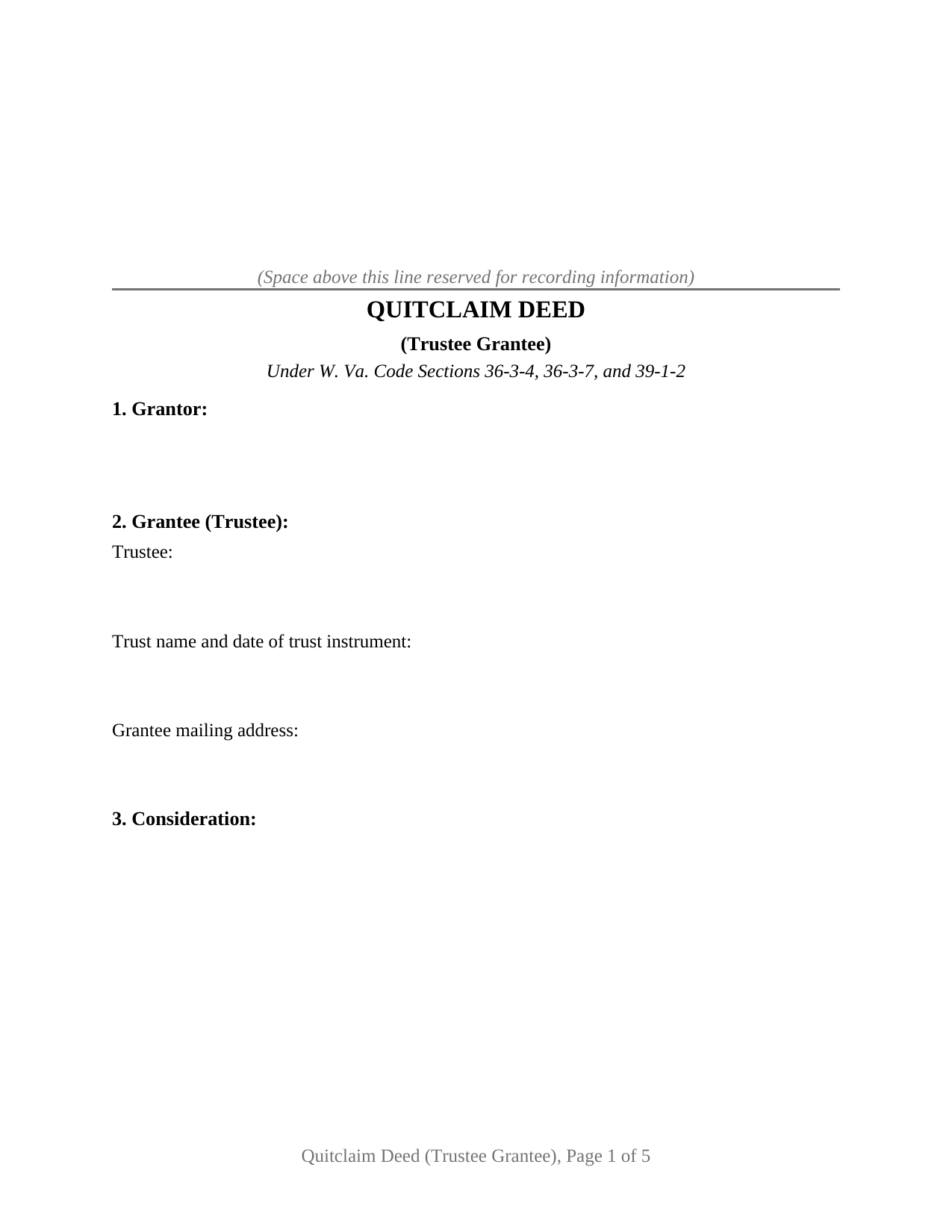
Braxton County Quitclaim Deed (Trustee Grantee) Form
Fill in the blank Quitclaim Deed (Trustee Grantee) form formatted to comply with all West Virginia recording and content requirements.
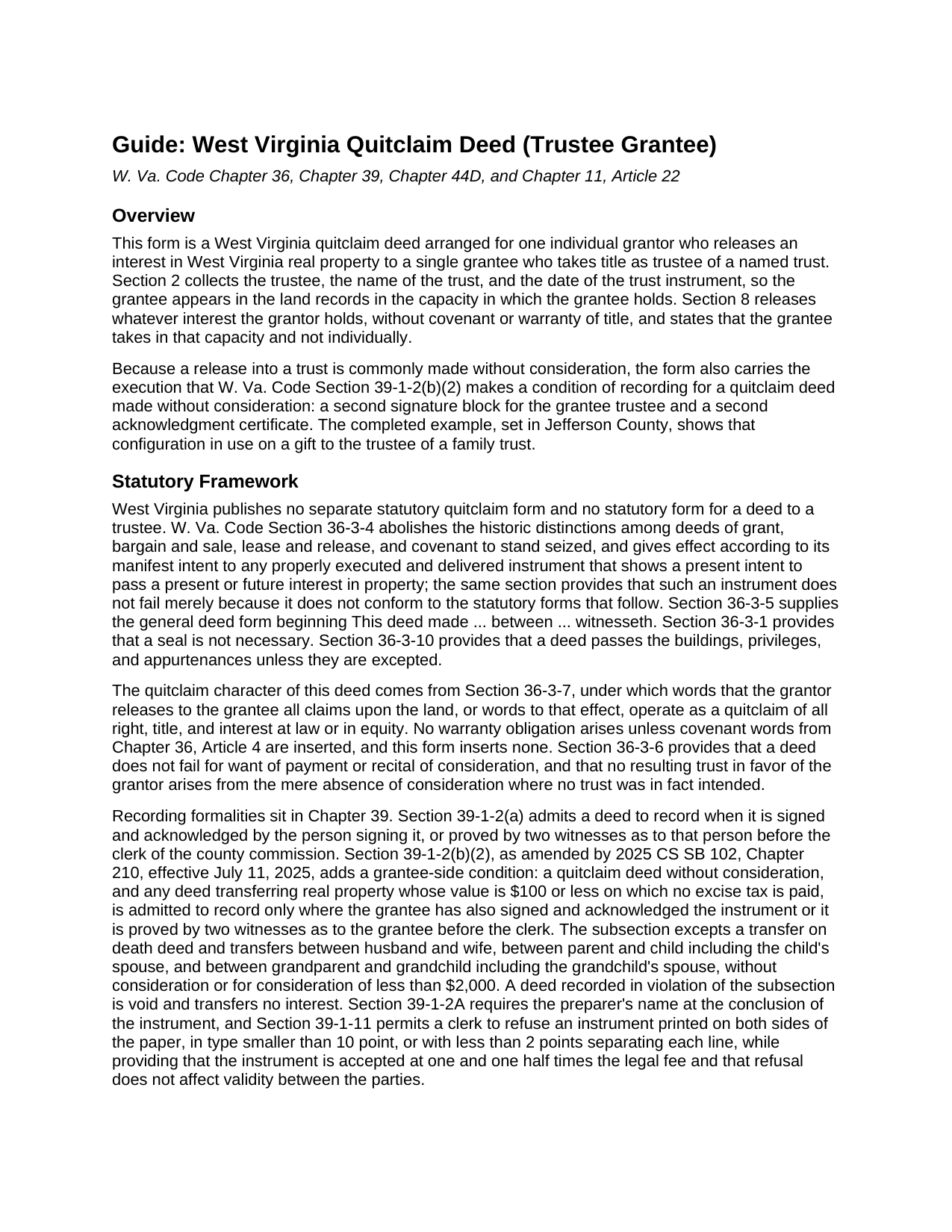
Braxton County Quitclaim Deed (Trustee Grantee) Guide
Line by line guide explaining every blank on the Quitclaim Deed (Trustee Grantee) form.
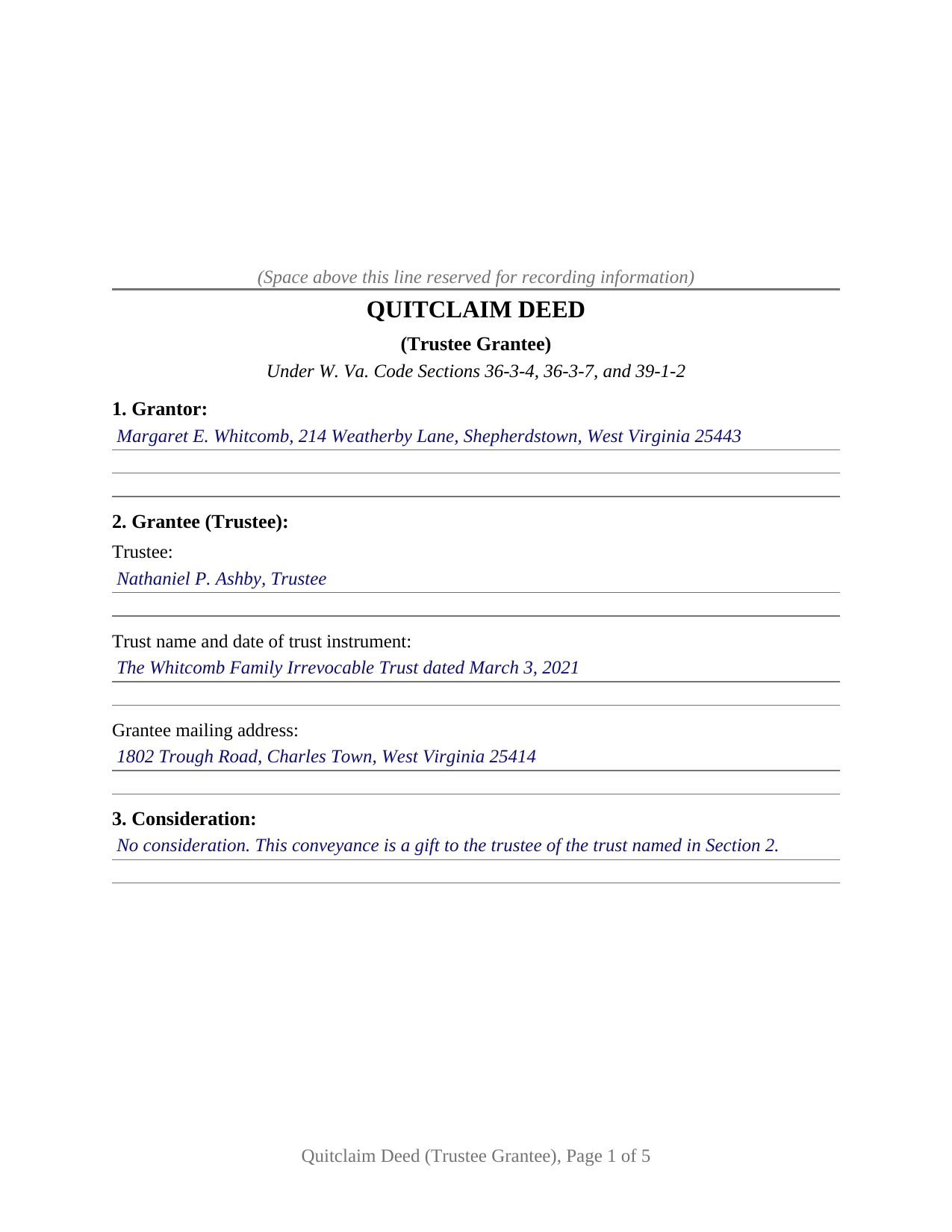
Braxton County Completed Example of the Quitclaim Deed (Trustee Grantee) Document
Example of a properly completed West Virginia Quitclaim Deed (Trustee Grantee) document for reference.
All 3 documents above included • One-time purchase • No recurring fees
Immediate Download • Secure Checkout
Additional West Virginia and Braxton County documents included at no extra charge:
Where to Record Your Documents
Braxton County Clerk
Sutton, West Virginia 26601-1313
Hours: 8:00 to 4:00 M-F
Phone: (304) 765-2833
Recording Tips for Braxton County:
- Bring your driver's license or state-issued photo ID
- Ensure all signatures are in blue or black ink
- Documents must be on 8.5 x 11 inch white paper
- Double-check legal descriptions match your existing deed
- Verify all names are spelled correctly before recording
Cities and Jurisdictions in Braxton County
Properties in any of these areas use Braxton County forms:
- Burnsville
- Copen
- Exchange
- Flatwoods
- Frametown
- Gassaway
- Heaters
- Little Birch
- Napier
- Sutton
Hours, fees, requirements, and more for Braxton County
How do I get my forms?
Forms are available for immediate download after payment. The Braxton County forms will be in your account ready to download to your computer. An account is created for you during checkout if you don't have one. Forms are NOT emailed.
Are these forms guaranteed to be recordable in Braxton County?
Yes. Our form blanks are guaranteed to meet or exceed the applicable formatting requirements used for recording in Braxton County, including margin requirements, font requirements, and other layout standards. This guarantee applies to formatting, not to the legal sufficiency of information entered by the user or the suitability of a form for a particular transaction.
Can I reuse these forms?
Yes. You can reuse the forms for your personal use. For example, if you have multiple properties in Braxton County you only need to order once.
What do I need to use these forms?
The forms are PDFs that you fill out on your computer. The free Adobe Acrobat Reader is recommended, and most PDF apps also work. You do NOT enter your property information online - you download the blank forms and complete them privately on your own computer.
Are there any recurring fees?
No. This is a one-time purchase. Nothing to cancel, no memberships, no recurring fees.
How much does it cost to record in Braxton County?
Recording fees in Braxton County vary. Contact the recorder's office at (304) 765-2833 for current fees.
Questions answered? Let's get started!
A trust holds West Virginia land through the person serving as its trustee, and the deed that moves a parcel there names that person in that capacity. This West Virginia quitclaim deed does that on its face: one grantor releases whatever interest that grantor holds to a single grantee named as trustee, with the trust and the date of its trust instrument recited beside the trustee's name.
A grantee who takes in a fiduciary capacity
Section 2 collects three things where an ordinary deed collects one: the trustee, the trust with the date of its instrument, and the grantee's mailing address. Section 8 runs the release to that grantee as trustee, and to the successor trustees serving under the trust, and states that the grantee takes in that capacity and not individually. Pairing a trust's name with its date is how West Virginia identifies a trust wherever trusts touch the land records, in the recorded memorandum of Section 36-1-4a and in the certification of trust of Section 44D-10-1013. A parcel moved under an existing trust, a parcel found outside a trust funded years earlier, and a release of a residual interest to a trustee holding the rest of the title all present the grantor-to-trustee pattern this deed recites. The form draws one grantor block and one trustee block; a release by two record owners, by a company, or by a grantor signing in a fiduciary capacity follows a different execution pattern than these blocks draw.
Why a gift into a trust reaches the record on two signatures
Since July 11, 2025, W. Va. Code Section 39-1-2(b)(2) has conditioned recording of a quitclaim deed made without consideration on execution and acknowledgment by the grantee as well, or proof by two witnesses before the county clerk. Every exception the subsection lists is a relationship between individuals: a transfer on death deed, and transfers between spouses, between parent and child or that child's spouse, and between grandparent and grandchild or that grandchild's spouse. A grantee who takes as trustee takes for a trust rather than in a family relationship of that kind, so a gift into a trust ordinarily reaches the counter carrying the trustee's own signature and certificate. The subsection makes a deed recorded in violation of it void, which is why the rule appears in capital letters above the signature lines. Where consideration passes, the subsection does not reach the deed and the second block goes unused.
Where the trustee's authority shows up
The deed states the capacity; the trust instrument supplies the powers. West Virginia answers that gap twice without putting the trust agreement into the public record. Section 36-1-4a allows a memorandum of trust, signed by the acting trustees and the living settlors and acknowledged the way a deed is, to be recorded with the deeds and indexed under both sides, reciting the trust's date, its trustees and successor trustees, revocability, and the trust powers over real property. Section 44D-10-1013 lets a trustee hand a certification of trust to a lender or buyer instead of the instrument itself, and Section 44D-10-1012 protects a person who in good faith and for value deals with a trustee without knowing those powers are being exceeded. Each is prepared separately from this package.
Consideration, stamps, and the exemption a trust transfer names
Section 11 carries the declaration of consideration or value that W. Va. Code Section 11-22-6 places at the end of the instrument: consideration paid, true and actual value, and any exemption claimed under Section 11-22-1. Two exclusions in that definition can describe a transfer to a trustee, the one for testamentary or inter vivos trusts, which the Tax Department's rule explains as a transfer of property to a trustee for the benefit of a third party, and the one the same rule states for a quit claim deed made without consideration. Where stamps are due instead, the clerk computes them at the state's $1.10 for each $500 of value, plus a county excise that begins at 55 cents and rises no higher than $1.65. The State Tax Commissioner's sales listing form travels to the counter with the deed and is completed separately. Nothing in the release warrants the title: recorded liens and easements ride through to the trustee untouched.
The download delivers this deed as a fillable PDF, a completed example set in Jefferson County, and a line by line guide to the eleven sections, the acknowledgment options, and the recording package. The materials are informational and are not legal advice.
Important: Your property must be located in Braxton County to use these forms. Documents should be recorded at the county recording office listed above.
This Quitclaim Deed (Trustee Grantee) meets all recording requirements specific to Braxton County.
Our Promise
The documents you receive here are guaranteed to meet or exceed the applicable Braxton County recording format requirements. If there is a rejection caused by our formatting, we will correct the issue or refund your payment. This guarantee applies to document formatting only and does not extend to information entered by the user, the selection of the form, or the legal effect of the completed document.
Save Time and Money
Get your Braxton County Quitclaim Deed (Trustee Grantee) form done right the first time with Deeds.com Uniform Conveyancing Blanks. At Deeds.com, we understand that your time and money are valuable resources, and we don't want you to face a penalty fee or rejection imposed by a county recorder for submitting nonstandard documents. We constantly review and update our forms to meet rapidly changing state and county recording requirements for roughly 3,500 counties and local jurisdictions.
4.8 out of 5 - ( 4,828 Reviews )
Seth T. 5 out of 5 stars
THE BEST WEBSITE I HAVE EVER SEEN FOR LEGAL DOCUMENTS!!! THANKS
Thanks Seth, we appreciate your feedback.
Keri C. 5 out of 5 stars
It was confusing at first, but the customer service was excellent and fast and I got everything taken care of right away. I'll use Deeds.com even after the recorder's office is open to the public.
Thank you for your feedback. We really appreciate it. Have a great day!
William G. 5 out of 5 stars
Exactly what I needed and saved me a bundle by not having to hire an attorney. My county clerk said it was exactly correct.
We appreciate your business and value your feedback. Thank you. Have a wonderful day!
John B. 5 out of 5 stars
Helpful, timely service. Overall, an excellent transaction. Would definitely use Deeds.com again if the need arises.
Thank you!
Kevin B. 4 out of 5 stars
It looks like it can be a huge time saver. I did a deed and appeared very professional.
Thank you for your feedback. We really appreciate it. Have a great day!
Jules S. 5 out of 5 stars
I can't believe I haven't been using this service since inception. The only thing I would recommend is to allow us to delete an erroneous upload. I accidentally uploaded the same document twice but I saw no way for me to correct my mistake other than to send an email.
Thank you for your feedback. We really appreciate it. Have a great day!
Ginger L. 5 out of 5 stars
Excellent full set of documents with example and guidelines on how to do it ourselves without paying a lawyer. Or, we save legal fees by completing it ourselves and having a lawyer review it. Love that I can save the pdf and fill it out whenever I want. Thank you for having this available!
We appreciate your business and value your feedback. Thank you. Have a wonderful day!
Shane T. 4 out of 5 stars
The Transfer on Death Deed form package was very good. But like anything, could use some improvements. There is not enough space to fill more than one beneficiary with any level of additional detail like "as his sole and separate property" The area for the legal description could be a bit bigger and potentially fit many legal descriptions. Or it could be made to simply say "See Exhibit A" as is likely necessary for most anyway. The guide should indicate what "homestead property" means so the user doesn't have to research the legal definition. (which turns out to be obvious, at least in my state, if you live there, it's your homestead.) It would be helpful if an "Affidavit of Death" form were included in the package for instances where the current deed hasn't been updated to reflect a widowed owner as the sole owner before recording with only the one signature.
Thank you for your feedback. We really appreciate it. Have a great day!
James L. 5 out of 5 stars
Intimidating subject made exceedingly simple.
Thank you for your positive words! We’re thrilled to hear about your experience.
Karen C. 5 out of 5 stars
Easily find and print forms necessary for peace of mind.
Thank you for your feedback. We really appreciate it. Have a great day!
Nicole w. 5 out of 5 stars
Awesome and very fast service!!!
Thank you!
janna C. 5 out of 5 stars
Great site! I found everything I needed.
We appreciate your business and value your feedback. Thank you. Have a wonderful day!
Carolyn R. 5 out of 5 stars
Definitely 5 stars. Everything was taken care of well within 24 hours. If our law firm needs to record a single document in a different county again, we will use your service. Thanks!
Thank you for your feedback. We really appreciate it. Have a great day!
Madeleine W. 5 out of 5 stars
I was dubious at first that clicking on Deeds.com would lead to a phoney website to get personal info. I was very pleased that this is a legitimate & well-organized website with a large database of forms. Very easy to select forms, pay for them, & download them. No hassle, no pushing you to make additional purchases. Very straightforward & professional.
Thank you!
Martin P. 4 out of 5 stars
The DEEDs website is very easy to navigate and find the required documents. I have not yet had an opportunity to review the documents I purchased and downloaded. That is the reason I have assigned a rating of four stars. I fully hope that can raise my rating to five stars after I've used those documents.
We appreciate your business and value your feedback. Thank you. Have a wonderful day!