Braxton County Quitclaim Deed (Corrective) Form
Last validated October 21, 2026 by our Forms Development TeamFormatted for recording in Braxton County, for property anywhere in the county: rural and unincorporated areas as well as Burnsville, Copen, Exchange, Flatwoods, Frametown, Gassaway, Heaters, Little Birch and 2 more.
- 3 documents included
- Immediate PDF download
- Formatting guarantee
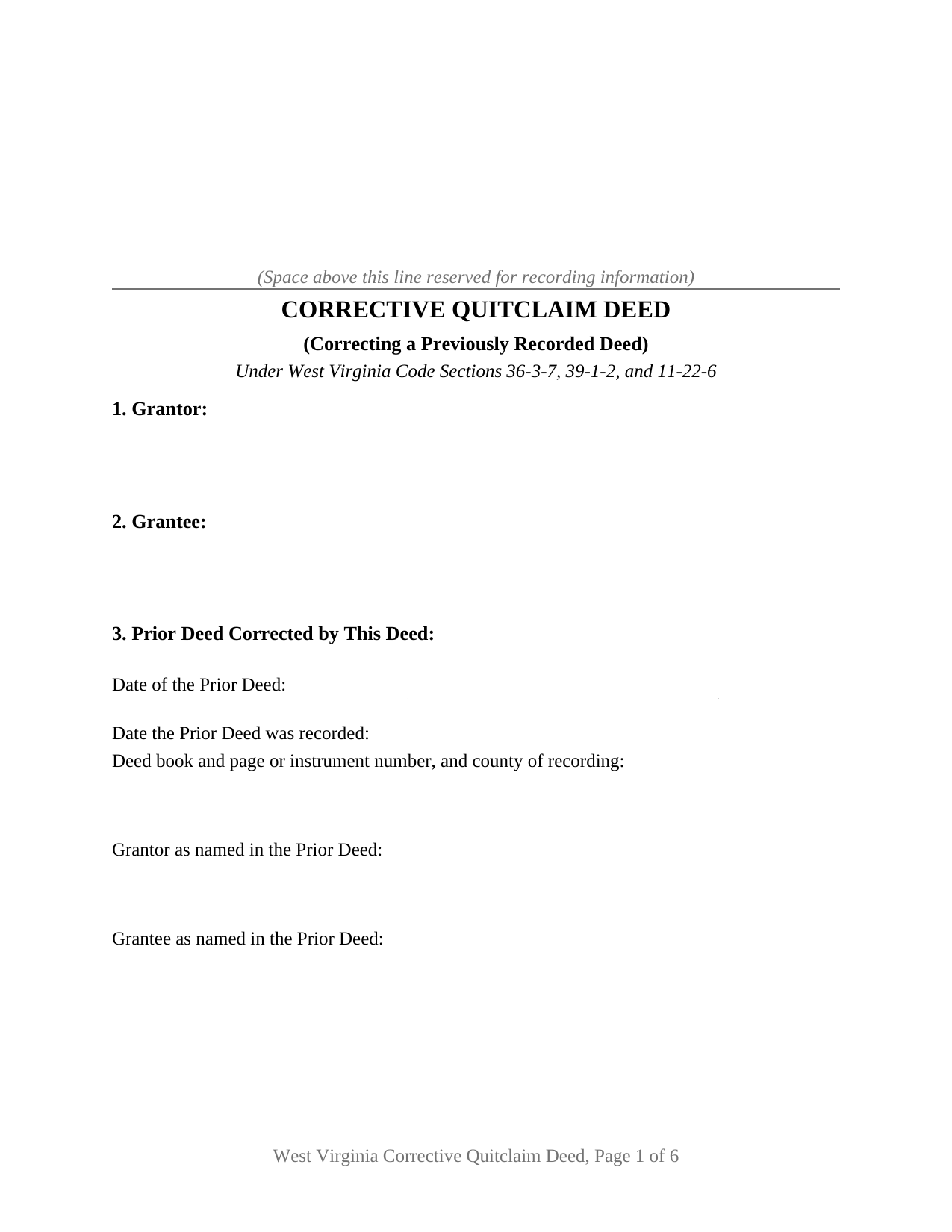
Braxton County Quitclaim Deed (Corrective) Form
Fill in the blank Quitclaim Deed (Corrective) form formatted to comply with all West Virginia recording and content requirements.
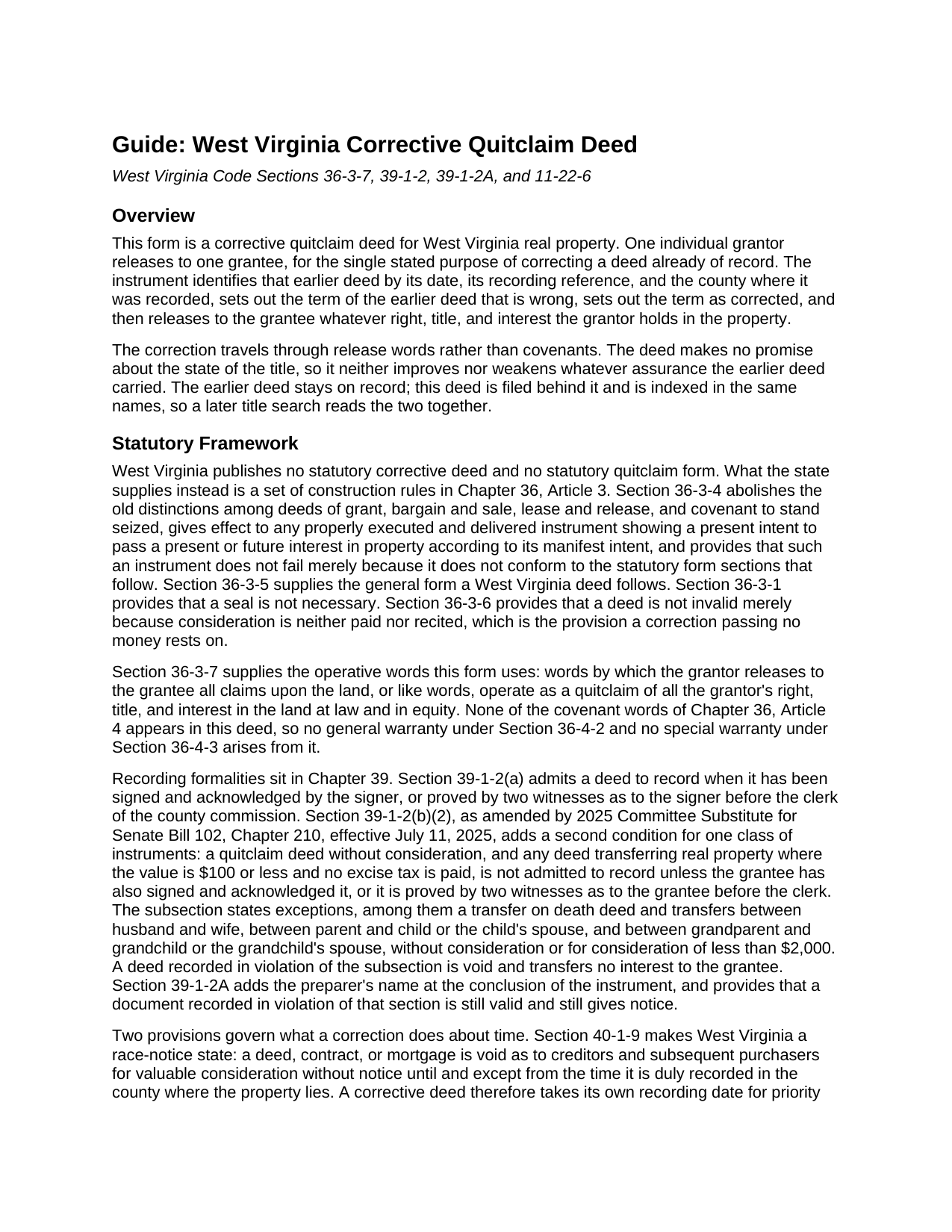
Braxton County Quitclaim Deed (Corrective) Guide
Line by line guide explaining every blank on the Quitclaim Deed (Corrective) form.
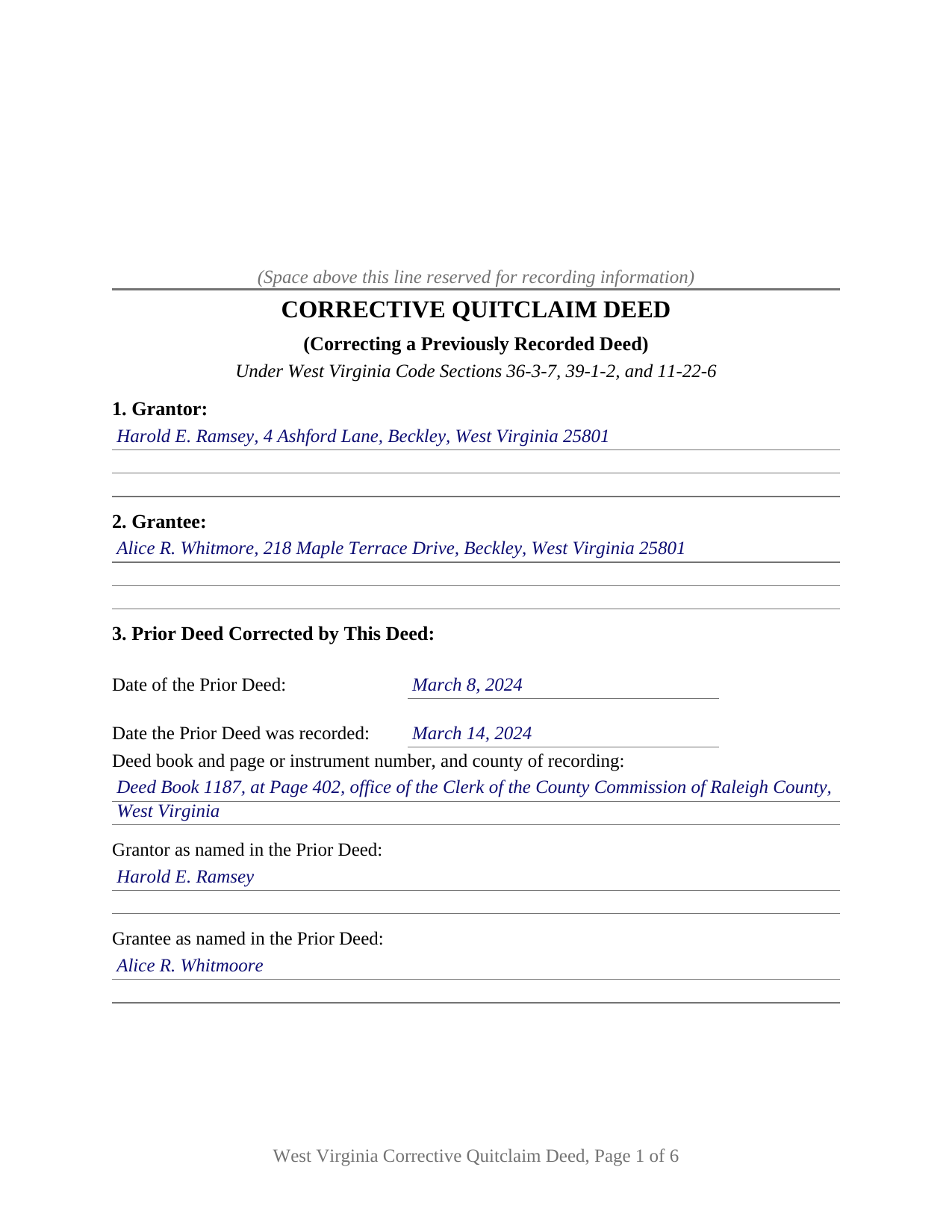
Braxton County Completed Example of the Quitclaim Deed (Corrective) Document
Example of a properly completed West Virginia Quitclaim Deed (Corrective) document for reference.
All 3 documents above included • One-time purchase • No recurring fees
Immediate Download • Secure Checkout
Additional West Virginia and Braxton County documents included at no extra charge:
Where to Record Your Documents
Braxton County Clerk
Sutton, West Virginia 26601-1313
Hours: 8:00 to 4:00 M-F
Phone: (304) 765-2833
Recording Tips for Braxton County:
- Bring your driver's license or state-issued photo ID
- Ensure all signatures are in blue or black ink
- Leave recording info boxes blank - the office fills these
- Make copies of your documents before recording - keep originals safe
- Recorded documents become public record - avoid including SSNs
Cities and Jurisdictions in Braxton County
Properties in any of these areas use Braxton County forms:
- Burnsville
- Copen
- Exchange
- Flatwoods
- Frametown
- Gassaway
- Heaters
- Little Birch
- Napier
- Sutton
Hours, fees, requirements, and more for Braxton County
How do I get my forms?
Forms are available for immediate download after payment. The Braxton County forms will be in your account ready to download to your computer. An account is created for you during checkout if you don't have one. Forms are NOT emailed.
Are these forms guaranteed to be recordable in Braxton County?
Yes. Our form blanks are guaranteed to meet or exceed the applicable formatting requirements used for recording in Braxton County, including margin requirements, font requirements, and other layout standards. This guarantee applies to formatting, not to the legal sufficiency of information entered by the user or the suitability of a form for a particular transaction.
Can I reuse these forms?
Yes. You can reuse the forms for your personal use. For example, if you have multiple properties in Braxton County you only need to order once.
What do I need to use these forms?
The forms are PDFs that you fill out on your computer. The free Adobe Acrobat Reader is recommended, and most PDF apps also work. You do NOT enter your property information online - you download the blank forms and complete them privately on your own computer.
Are there any recurring fees?
No. This is a one-time purchase. Nothing to cancel, no memberships, no recurring fees.
How much does it cost to record in Braxton County?
Recording fees in Braxton County vary. Contact the recorder's office at (304) 765-2833 for current fees.
Questions answered? Let's get started!
A deed already stamped by the clerk of the county commission cannot be edited. West Virginia's land records run chronologically, so a mistake found after recording is answered by a second instrument filed behind the first, and this Corrective Quitclaim Deed is that second instrument. It identifies the earlier deed by date, book and page, and county, sets the wrong term beside the corrected one, and releases the same interest again to the same grantee.
Why the second deed says so little
West Virginia publishes no statutory correction deed and no statutory quitclaim form. W. Va. Code Section 36-3-7 works instead: words releasing to the grantee all claims upon the land operate as a quitclaim of everything the grantor holds at law and in equity. Section 9 pairs those release words with one stated purpose, correcting the deed identified in Section 3 in the respect stated in Section 4, and with a printed line that no covenant of Chapter 36, Article 4 is made or implied. Section 36-3-6 supplies the money answer, providing that a deed is not invalid merely because consideration is neither paid nor recited.
The correction an attorney makes instead
One class of error never reaches a deed at all. Since 2020, W. Va. Code Section 36-3-11 has allowed an obvious description error in a recorded deed, deed of trust, or mortgage to be fixed by a corrective affidavit of a West Virginia attorney, after notice to the parties and a 30 day objection window. That affidavit is prepared and recorded separately and is not included here. Its narrowness leaves room for a deed: a misspelled party name, a dropped reservation, a prior book and page pointing at the wrong instrument, and any description problem that is not obvious.
What a correction cannot back-date
A corrective deed takes its own place in line. Under Section 40-1-9 an instrument is void as to lien creditors and later purchasers for value without notice until it is duly recorded, so priority runs from the day this deed reaches the record, and only the Section 36-3-11 affidavit relates back. Nor does any deed bind a person who never signed it. Where the parties disagree, the route is reformation in circuit court, and in Smith v. Smith the Supreme Court of Appeals held that reforming a clear and unambiguous deed takes a mistake of fact, mutual to both parties, shown by clear and convincing evidence.
One grantor, one grantee, and the signature a free correction attracts
The form recites one individual grantor, one grantee, one prior deed, and one correction to it. Section 10 carries the grantor's signature above an acknowledgment certificate in the short form of Section 39-4-16. Section 11 carries a second signature line with a certificate of its own for the grantee, because since July 11, 2025 W. Va. Code Section 39-1-2(b)(2) has barred from the record a quitclaim passing no consideration where the grantee has not signed and acknowledged it, subject to the transfer on death and close family exceptions listed there, and a deed recorded against that rule is void. A correction between unrelated parties, passing no money, sits outside every listed exception, the pattern the completed example works through. A misspelled grantee name carried through a caption and a signature block, and a source of title reference reading wrong against the prior instrument, both present the single correction pattern this deed recites. Corrections executed by two record grantors, by a company, by a trustee, or by an agent run through blocks this form does not draw.
The deed West Virginia's tax rule names outright
The transfer tax rule names this instrument outright. The State Tax Department's legislative rule, 110 CSR 22 at Section 2.6.1.13, places a quit claim or corrective deed without consideration outside the definition of a taxable document, and adds that either kind carrying consideration over one hundred dollars is taxable. Section 12 prints the declaration of consideration or value that Section 11-22-6 puts on the instrument, with its own line for the exemption ground, which is what the clerk reads before deciding whether stamps are due. The Sales Listing Form required with every recorded document comes from the clerk and is completed separately.
This package delivers the corrective quit claim deed as a fillable PDF, a completed example worked through a Raleigh County name correction, and a guide that walks the twelve numbered sections, the two certificates, and the recording package. The materials are informational and are not legal advice.
Important: Your property must be located in Braxton County to use these forms. Documents should be recorded at the county recording office listed above.
This Quitclaim Deed (Corrective) meets all recording requirements specific to Braxton County.
Our Promise
The documents you receive here are guaranteed to meet or exceed the applicable Braxton County recording format requirements. If there is a rejection caused by our formatting, we will correct the issue or refund your payment. This guarantee applies to document formatting only and does not extend to information entered by the user, the selection of the form, or the legal effect of the completed document.
Save Time and Money
Get your Braxton County Quitclaim Deed (Corrective) form done right the first time with Deeds.com Uniform Conveyancing Blanks. At Deeds.com, we understand that your time and money are valuable resources, and we don't want you to face a penalty fee or rejection imposed by a county recorder for submitting nonstandard documents. We constantly review and update our forms to meet rapidly changing state and county recording requirements for roughly 3,500 counties and local jurisdictions.
4.8 out of 5 - ( 4,837 Reviews )
Susan H. 5 out of 5 stars
Best idea ever for completing an on-line government form. And it came with instructions!!!!! Thank you, Gadsden County.
Thank you!
Gary G. 5 out of 5 stars
Ordered the forms I needed for my state and county and everything worked out perfectly. All the forms came with examples (filled in) and very detailed instructions for each block that required an entry. I was able to fill everything out on my computer and save the files for future use, if required. Deeds provides an excellent product. I highly recommend their products and will use their services again.
Thank you for your feedback. We really appreciate it. Have a great day!
Michael F. 5 out of 5 stars
I'm not too bright and I made a mess of things when I tried to create my own deed. It was lucky that I found the forms here after so many of my personal failures. It's good that the pros know what they are doing.
Such kind words Michael, thank you.
Michael W. 5 out of 5 stars
Easy to use Website. Quick accurate data reporting. I will use the service in the future.
We appreciate your business and value your feedback. Thank you. Have a wonderful day!
Gerlinde H. 5 out of 5 stars
This was fantastic. I downloaded the document, filled it out, printed it, had it notarized and drove to the recorders office and had it recorded within less than 15 minutes. Instructions are precise and easy to understand. You saved me hundreds of dollars a lawyer would have charged for the same work.
We appreciate your business and value your feedback. Thank you. Have a wonderful day!
Laura R. 4 out of 5 stars
Afficavit worked kind of pricey
Thank you for your feedback. We really appreciate it. Have a great day!
Mark M. 5 out of 5 stars
This Service Provider is amazing!! Needed Notice of Commencement recorded in Broward County, FL.. They got it done..super fast. High;y recommend.
Thank you for your feedback. We really appreciate it. Have a great day!
Steve M. 5 out of 5 stars
I was only able to download the QC form. Had to print the other docs
Thank you for your feedback. We really appreciate it. Have a great day!
Kelly M. 5 out of 5 stars
Received exactly what you said I would get. Good Quick Service
Thank you, Kelly. We’re glad everything was as expected and that the service was quick.
katherine a. 5 out of 5 stars
loved the ease of use for the forms. went on line to find out about Adobe Reader, too. Had a test to see if I had it. Took few seconds. Then on to ordering and downloading which took only 5 minutes for the three forms I wanted. Thanks, Katie Anderson
Thank you for your feedback. We really appreciate it. Have a great day!
John B. 4 out of 5 stars
I purchased the Notice of Completion form because the City of Chula Vista did not have a "fillable" version of this form on their website. The Deeds.com version of this form is somewhat different than the City's version (8 numbered paragraphs vs. 11 numbered paragraphs.) However, it contains the same information in a different format. This form provided more blank space to fill in important items- like a long ownership name- than the version on the City's website. The recorder's office was satisfied with this form as I hand-delivered it to the Recorder's Office and they approved it for recording. Overall, I found this form easy to use and found the extra blank space for writing on the form helpful. My one comment for possible improvement is: it would be even more helpful (particularly for attorney users) to have strike-out capability. I would have liked having the ability to strike-out inapplicable portions of long awkward sentences. Still, I would use this form again.
Your feedback means a lot to us. Thank you.
Debbie J. 5 out of 5 stars
Very important information and easily accessable.
Thank you!
NORA F. 5 out of 5 stars
The guide was so helpful, really made filing out the form easy. Thanks!
Thank you for your feedback. We really appreciate it. Have a great day!
JAN F. 5 out of 5 stars
One day start to finish and so easy to complete.
Happy we could assist. Thank you for sharing your experience.
clenio o. 5 out of 5 stars
Very helpful. The Register office is closed in Detroit due to covid, but after using it, I would do it regardless. Thank you.
Thank you for your feedback. We really appreciate it. Have a great day!